


Last Updated on September 2, 2026 by The Digital Merchant Team
One of the biggest challenges for any business is having a customer service team that’s inundated with countless support tickets. Building a help center should, ideally, make it easier for customers to solve common problems without contacting support. But for many businesses, ticket volume barely changes after the help center goes live.
Knowing how to reduce support ticket volume starts with making self-service easier to find, easier to follow, and easier to keep current. That means keeping documentation aligned with product changes, putting guidance closer to the point of friction, and using visual formats like video to show customers exactly what to do.
For support and customer success teams, tools like Guidde can turn screen recordings and workflows into professional, narrated video guides without requiring extensive video production work.
Why Traditional Help Centers Fail to Deflect Tickets

Traditional help centers often rely heavily on static articles and FAQs, which can leave customers combing through multiple pages for an answer. There are considerable flaws with these types of support centers that can prevent users from getting the help they need.
First off, there is the issue of finding help in the first place. Even some of the most popular businesses and SaaS platforms around have an issue with helping users find the right information. If a user tries to use your search bar to find help with a particular issue and comes up with nothing, this is likely a problem with your help center — not the user.
Worse still, sometimes the written documents and articles don’t even match what the user is fully looking for. For example, an article might explain how payments work generally without addressing what customers should do when a specific payment method fails.
These help articles and docs can even become outdated as time goes on. Going back to payments as an example, perhaps you’ve recently introduced Apple Pay and Google Pay as options for users, but they weren’t available when you first created that help article. Now a user that prefers Apple Pay has no idea what to do because the article is outdated and it never addresses it.
What to Do to Reduce Support Tickets Now

With all of these issues in mind, the solution isn’t simply adding more articles to your help center. To actually reduce ticket volume, self-service needs to be easy to find, easy to follow, and easy to keep up to date as your product changes.
That means focusing on three areas: keeping content current, delivering guidance where customers need it, and using formats like video to make complex workflows easier to understand.
Keep Your Content Current
First and foremost, you want to ensure your content isn’t outdated. If your help center articles are missing key features, you’re already fighting a losing battle since users will not find any help for those related problems.
If you have a new update or feature coming up soon, make sure to plan ahead of time what you are going to do with the help center as well. Launches, changes, and the help center should go hand-in-hand. If you add a new subscription option or change the location of certain menus, make sure your help center is up-to-date on these aspects.
Keeping your content current can prevent many of the issues that lead customers to contact support. You’ll be able to avoid the common ticket items like “where do I find X new feature in the app” because you have already planned ahead to deal with it.
Beyond the new features and improvements you make, you should also set a schedule for your team to go through and re-examine your help articles every so often. This could be a regular cycle of every few months, twice a year, etc. The idea is to check everything even when there is nothing new in case you stumble upon something that needs to be changed or expanded upon.
You also want to make sure your content is clear and easily discoverable by users. Test it out yourself with your team. Think to yourself “what would the user realistically search if they had this particular issue” and test it out. Type in realistic prompts in the search bar and see if the correct helpful articles (that you, hopefully, are keeping current) appear as they should.
Embed Guidance Directly In-App

Don’t make your users have to go searching for answers outside of the platform that you are providing them. If you have an app they download and use, don’t require them to leave it, go to your official website, and look for support there. It is understandable if they skip to submitting a ticket at this point.
After all, you are entirely inconveniencing them. Instead, integrate a help center and guidance directly into your app. Have the help center be present there and work exactly the same as it would on your main site. If the user has to search externally or leave whatever they are using, then that is already a huge problem.
Unfortunately, this does mean that you need to do extra testing and potential bug-fixing as well. In addition to your site and typical app troubleshooting, you now also need to confirm the help center functions well within the app. It takes more effort, but can assist with handling everything.
Switch to a Video Format
So many help centers only focus on written guides and articles, which are fine, but this isn’t the most optimal format.
In addition, written guides aren’t visual, so they don’t show exactly what the user needs to do. It can explain where to go for a certain feature, but a video actually shows the user how to do it in practice. This is far more useful as a result, and can help eliminate any confusion.
Switching to a video format or at least supplementing your help center with how-to videos at the top of articles will be one of the most effective ways to reduce your overall ticket volume every month.
How Guidde Can Help With Self-Service
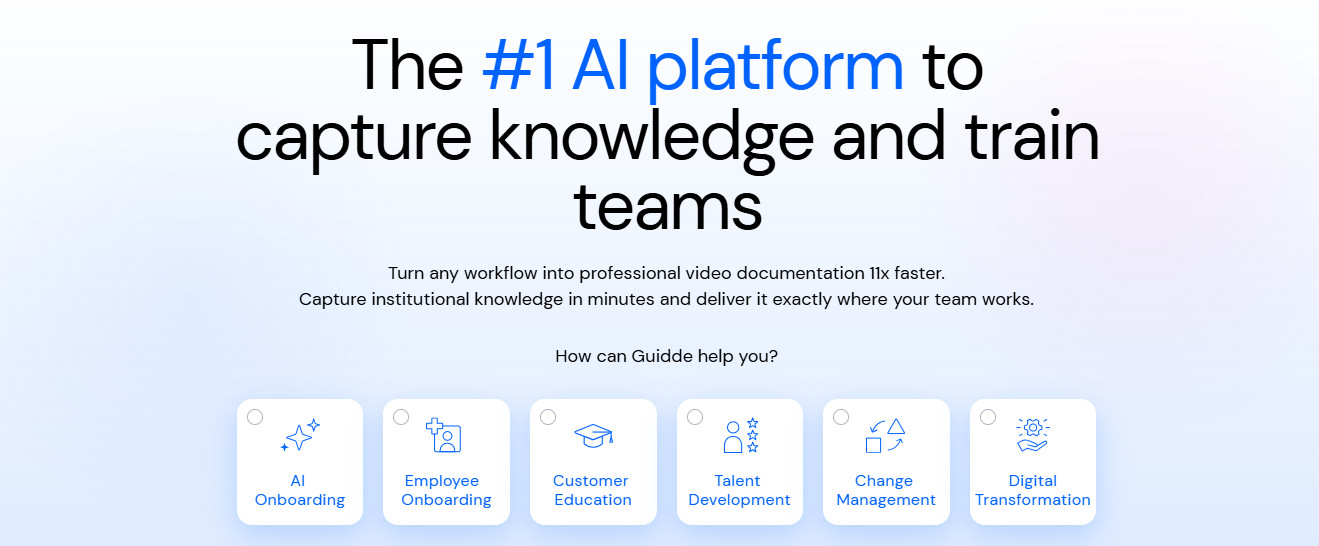
If video can make self-service easier to understand, the next challenge will be creating enough video documentation without adding hours of work for your support or customer success team. That’s where a tool like Guidde can come in handy.
Guidde turns screen recordings and workflows into professional, narrated video guides. Its AI captures the actions in a workflow and turns them into structured, step-by-step documentation without requiring extensive video editing or post-production work. What you can do is simply record your screen while using your typical workflow, and this service can convert that unedited footage into a professionally made video guide.
Guidde also offers a free version, which you can test out with 25 how-to videos. That gives you plenty of articles and time to really get a feel for how the service works, and see the changes and improvements that can come from implementing that essential video format switch.
Let’s say you have a written guide about how to cancel your subscription. Instead of inundating the client with tons of text, record yourself completing the cancellation workflow, and Guidde can turn that raw recording into a polished guide with narration and step-by-step guidance. There’s in turn no need to have an IT team or a dedicated video editor with this type of platform, which can also save you some cash.
Final Thoughts

Having hundreds, if not thousands, of new support tickets every single month can feel like a never-ending nightmare. It can be hard to even keep up with last month’s tickets let alone resolve them before new ones arrive. That is why it is imperative you make the changes to your content and help center to improve the situation.
Keeping your content current and always up-to-date with changes is essential. Making sure that users don’t have to leave your app to find help is a must. And switching to a video format using a platform like Guidde that is accessible to many different types of teams can help to ensure users get the help they actually need without having to file a new support ticket.
Making these changes will allow you to finally reduce the support ticket workload so you can focus on the other core areas of your business.