


- What Is Documentation Debt?
- What Is the Impact of Documentation Debt?
- How Documentation Debt Happens
- At a Glance: Quick Tips to Reduce Documentation Debt
- Make Content Evergreen When Possible
- Set Up a Realistic Update Schedule
- Plan for Major Company Changes and Additions
- Create a Video-First Format for Documentation
- Final Thoughts
Last Updated on September 3, 2026 by The Digital Merchant Team
It is only natural for documentation debt to accumulate over time as many companies forget to tackle this underlying but necessary part of support. The point of support is to help your customers and clients with the various questions and issues they have. To properly support them, though, you need to follow the right steps to reduce your documentation debt.
What Is Documentation Debt?
Documentation debt is exactly what it sounds like: a debt that accumulates over time that involves the support documentation that your team has in place. For your business, you likely have a help or support center of some kind as a system to help your customers find the answers for what they need.
Customers might want to know your operating hours, how to use your app’s various features, what the shipping estimates are for your business, how your subscription plans work, and so on. This is what a help center is there to do: address all of those issues and provide proper documentation to do so.
Of course, the documentation actually has to help in the first place. Documentation debt occurs in the gap between the processes that exist and the documentation that reflects them. Basically, if your documentation isn’t up-to-date or existing in the first place, it won’t help your customers with the problems they are having.
That documentation debt builds up over time like real monetary debt does. You’ll see this in the form of new support tickets constantly popping up, and phone calls and emails from customers about the issues they’re currently having.
What Is the Impact of Documentation Debt?

Like debt in the real world, there can come a point where this support “debt” is overwhelming and seemingly unstoppable. Also similar to the real world, this impact goes far beyond just affecting one individual. This impact can be devastating to every level of your business.
Your support team is only able to tackle a certain number of tickets feasibly in a month, and the documentation debt can get to the point where you are getting more new tickets than you are solving old ones. This will creep into every part of your business in turn. Your team will get burnt out from feeling like they’re getting nowhere and your customers’ moods will start to turn sour from the lack of proper help.
Then there is the matter of negative customer reviews that arise from issues like documentation. Unhappy clients can lead to them sharing that info online with others, which can be detrimental. In turn, this will result in a lack of customer trust, which can be the death of a company. At bare minimum, it will result in further customer churn that will keep you underwater. All of these issues result in rampant documentation debt that requires fixing.
How Documentation Debt Happens

There are a few different reasons why documentation debt happens. Firstly, not providing documentation. You can’t allow information to only live inside of your team’s heads. You need to document it so clients can find that info to solve their problems.
Teams that do create documentation may move too fast when creating or updating the help center and so skip documentation steps. For your team, you know that a particular feature is found under a certain menu item in the app, but if you don’t explicitly state which menus to click on, the user will be lost and stumbling for where to look.
Then there are the docs you currently have available. They may have been fantastic when they were first published, but times change and so do processes. If those docs aren’t updated with the latest patch, fix, or changes, users will be relying on outdated content to solve their problem, which will likely get them nowhere.
At a Glance: Quick Tips to Reduce Documentation Debt
Thankfully, you and your team are not alone to drown in this situation. There are methods you can navigate and implement right now to start reducing this documentation debt so your team can focus on what really matters for your business: satisfying your customers and clients.
There are five main tips that you should use for reducing documentation debt:
How to Reduce Documentation Debt | Tips |
Content | Make your content evergreen whenever possible |
Schedule | Create a schedule for updating your help center that is realistically doable |
Changes and Additions | Plan ahead for changes and improvements to processes |
Format | Switch to a video-first documentation format to reduce debt and prevent further build up |
Make Content Evergreen When Possible
Evergreen is the name of the game when it comes to making any type of content, even for a help or support center. Whenever possible, you should be making content that is just as relevant and helpful five years from now as it is when you first created it. By default, a lot of support content is evergreen. How-to guides will remain relevant as long as those features and processes exist in your product.
But even if things have stayed the same, your customers don’t necessarily know that. If someone is reading content that mentions a date that was years ago, they are going to start to question if this is going to help them out. Avoid dates or anything that will stick your help to a certain time period, update version, etc.
Sure, the answers that you gave three years ago might still be relevant today, but if you explicitly date it, there is a chance you could still get support tickets from customers asking for clarification or for you to update it.
Set Up a Realistic Update Schedule

Tying into the evergreen content idea, you want to set up a realistic update schedule for your documentation. You can avoid outdated information by ensuring you are frequently taking a look at everything and updating where necessary. As you make improvements to your product, the process of using it is likely to change, and your documentation should reflect that.
The key point is when you have time-sensitive content like that, you want to have a schedule to look at that and other content to ensure there is nothing for you to update. This timeline is going to be different for every company, depending on your specific needs and products, but the main focus should be simply making a schedule and doing so realistically.
For some businesses where services are ever-changing and evolving, it might be necessary to reexamine content every month. Others might only need this on a three or six-month basis. Regardless, I do recommend taking a look at your content on a bare minimum annual level.
It can be tough to fit a documentation update into your tight schedules, but it needs to happen. If you plan ahead for it, you can even think about ways to make this easier for your team to avoid overloading everyone. You could divide up the work where certain departments focus on their most related topics or even bring on temporary freelancers to help tackle the problem for a period of time.
Plan for Major Company Changes and Additions

Part of creating a realistic update schedule for your documentation is planning ahead for any possible changes and additions to your products and services in the future. It is worth noting that this should be in addition to your regularly scheduled updates, not a replacement for it.
Let’s say you have content lookovers scheduled for six months from now, but there is a major update that is coming next month. You should also plan to go in there ahead of the new app update or service change next month and incorporate updated or new documentation to ensure you are ready for any questions or issues customers might have.
For example, if you are changing the UI to make it easier for customers to find personalized offers, you need to update your documentation to note this. If you are adding in a new product, you should similarly have documentation addressing its features, costs, etc.
There should never be a situation where a new update or change happens for your business and you don’t also change your documentation. This is exactly how you end up in documentation debt and with tons of unnecessary support tickets, phone calls, and emails you could’ve very much avoided.
Create a Video-First Format for Documentation

If all of your documentation is written, that can be part of the problem as well. For better or worse, some customers won’t take the time to read through a list of steps and would rather have it quickly presented to them in the shortest method possible. It just so happens that video tends to be the shortest, most effective format.
Videos show exactly what the user is going to experience themselves. It can be a visual guide with narration or even direct screen share of how to use your company’s website or app. This lets them know exactly what their screen should look like and what to pick and where to solve their direct issue. It’s often far quicker for an expert user to navigate through a process and have that recorded than to have them break down all the individual steps, some of which may be so intuitive that they don’t even think about them.
This switch to a video-first format will on its own create a system that is easier for users to find the answer they are looking for, which in itself can help solve some of the burnout that your team might be going through. But it can even help solve some of the documentation debt that you are currently experiencing if you are consistent with updates.
Of course, updating the video documentation that you use can be a massive undertaking and requires its own set of prevention techniques to avoid documentation debt. There are services that allow you to create video documentation quite quickly and easily. Our preference that we have found is Guidde.
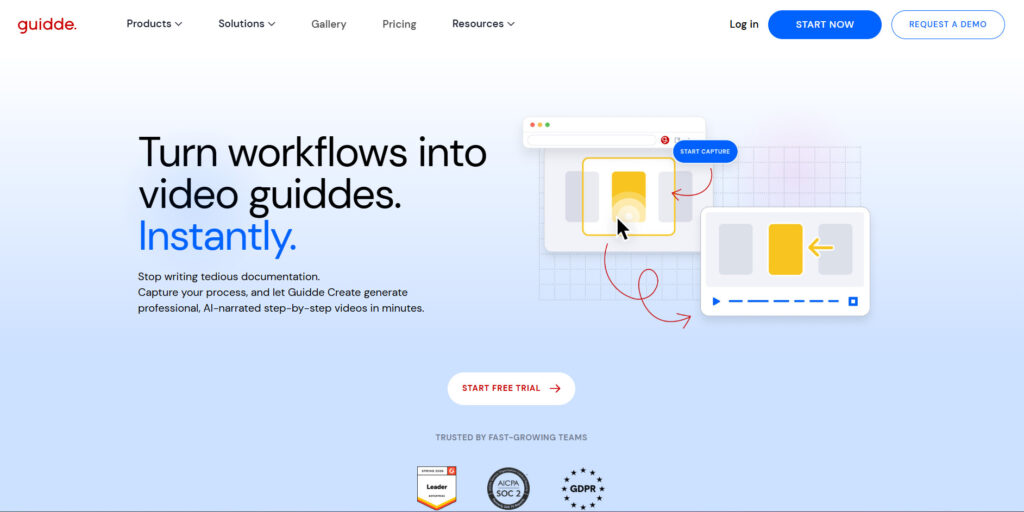
I really like Guidde because it allows businesses like yours to make the switch to video-first format without having to hire an entire video editing team. Editing, transitions, and even audio like narration happen automatically and feel organic, while not taking almost any time at all to create.
Furthermore, one of the major pain points, as mentioned, about documentation debt is updating what you already have. Video-capture tools can take the effort and resources out of the equation, allowing you to quickly implement updates without having to take away from what you really need to focus on.
Final Thoughts
Documentation debt can be a slippery slope that feels neverending. Slacking off on updating content and ensuring that customers have a solid help experience can result in complete burnout for your team. Both from trying to address the endless customer concerns that arise and still doing their usual workload.
If you are experiencing a ton of documentation debt right now, the best ways to get out of this hole is to start taking the steps to make your content evergreen, set up schedules for updating content, plan ahead separately for major changes, and create a video-first format. These steps can ensure that your team is able to start climbing up out of the documentation debt hole and focus on the other areas of your business.