

Last Updated on July 31, 2026 by Ewen Finser
Let’s jump right to the question, yes! Rippling offers full-service payroll for your global teams as part of its already impressive workforce management platform.
This is a huge value-add for organizations looking to consolidate disparate tools into a single tool! Instead of integrating a separate payroll function, which adds costs and complexity, businesses can use the native payroll system that connects directly to the information already in Rippling’s other modules.
HR information, employee details, benefits, time cards, and tracking are likely already in place and can be fed into payroll for easier collation and more accurate employee pay.
The payroll function is just one part of the Rippling service offering, and we’ll be going in-depth into how Rippling Payroll and HRIS work and why it’s a great tool for businesses of all sizes, especially if you’re a global organization.
Rippling at a Glance:
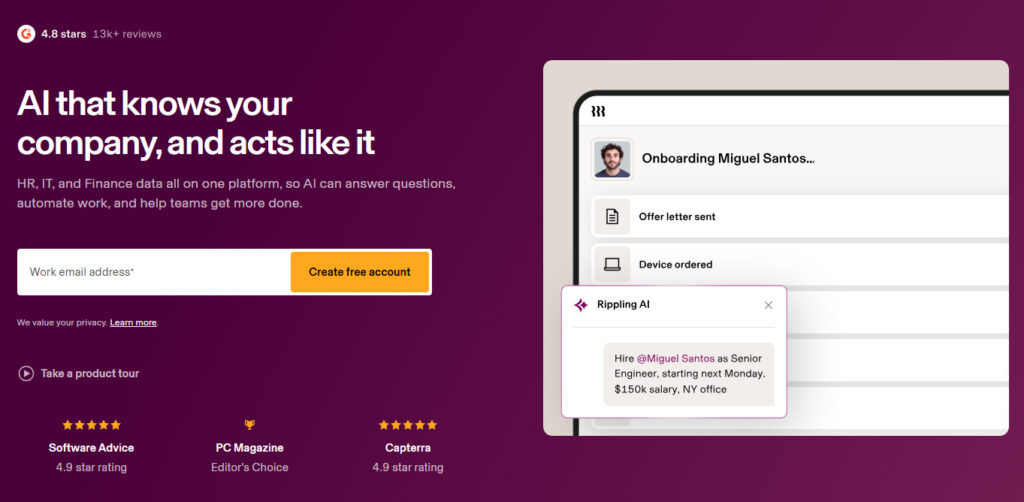
After looking into Rippling, one thing that stands out most is how everything is connected, with HR functions spanning onboarding and employee and workforce management, right through to offboarding. Rippling’s Finance platform also brings in expense management, corporate cards, business banking, and more.
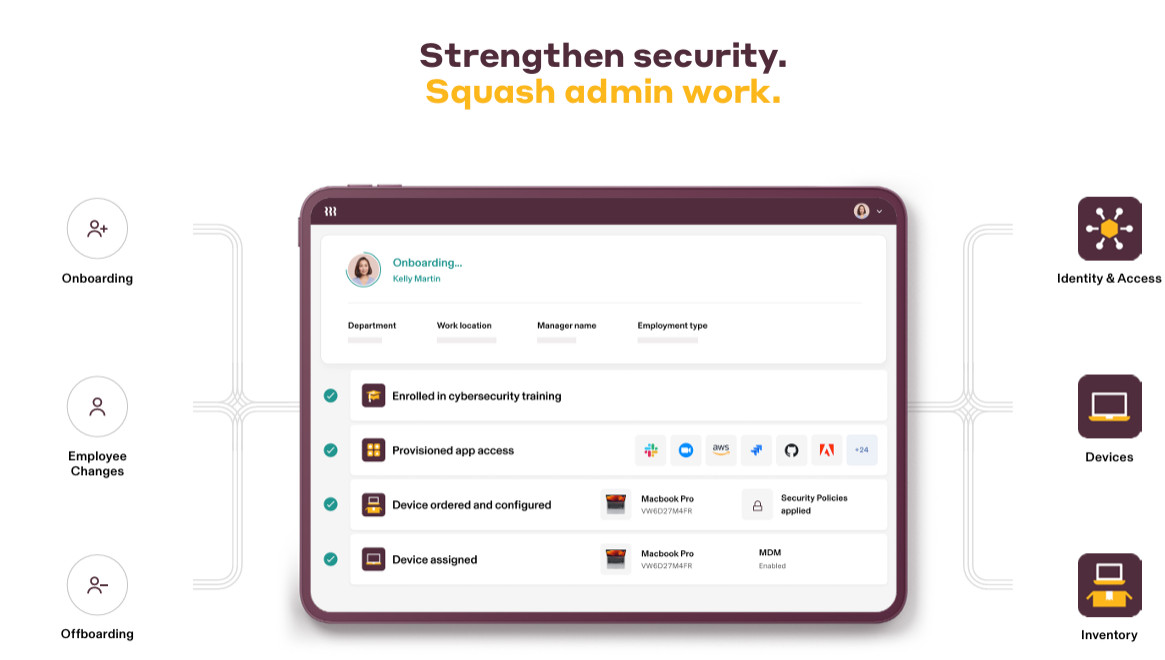
Additionally, IT capabilities that typically sit outside most HRIS platforms, such as device, identity, and access management, and inventory management, are centralized as well! As you can see, every aspect helps bring all of these core functions into the Rippling ecosystem.
For enterprises or scaling businesses looking to remove stitched-together platforms and simplify systems, Rippling is a strong choice. And for teams growing globally, rather than bolting on a separate EOR vendor or international payroll tool, Rippling can handle global hiring, payroll, compliance, and contractors within the same connected ecosystem.
What Is Rippling?
Most people may already be familiar with Rippling; it’s become a popular platform as it has positioned itself in the global and enterprise space over the past few years.
Rippling was founded in 2016 and primarily serves as a global workforce management platform. This means you have one tool to help manage multiple functions within your business.
Rippling’s core capabilities include:
- HRIS
- Payroll (including US and global payroll)
- EOR (Employer of Record)
- COR (Contractor of Record)
- Global Contractors
- Recruitment
- Onboarding
- Time and Attendance Tracking
- Performance Management
- Learning Management
- Surveys
- Scheduling
- IT Access & Device Management
- Document Management
- Workforce Management and Analytics
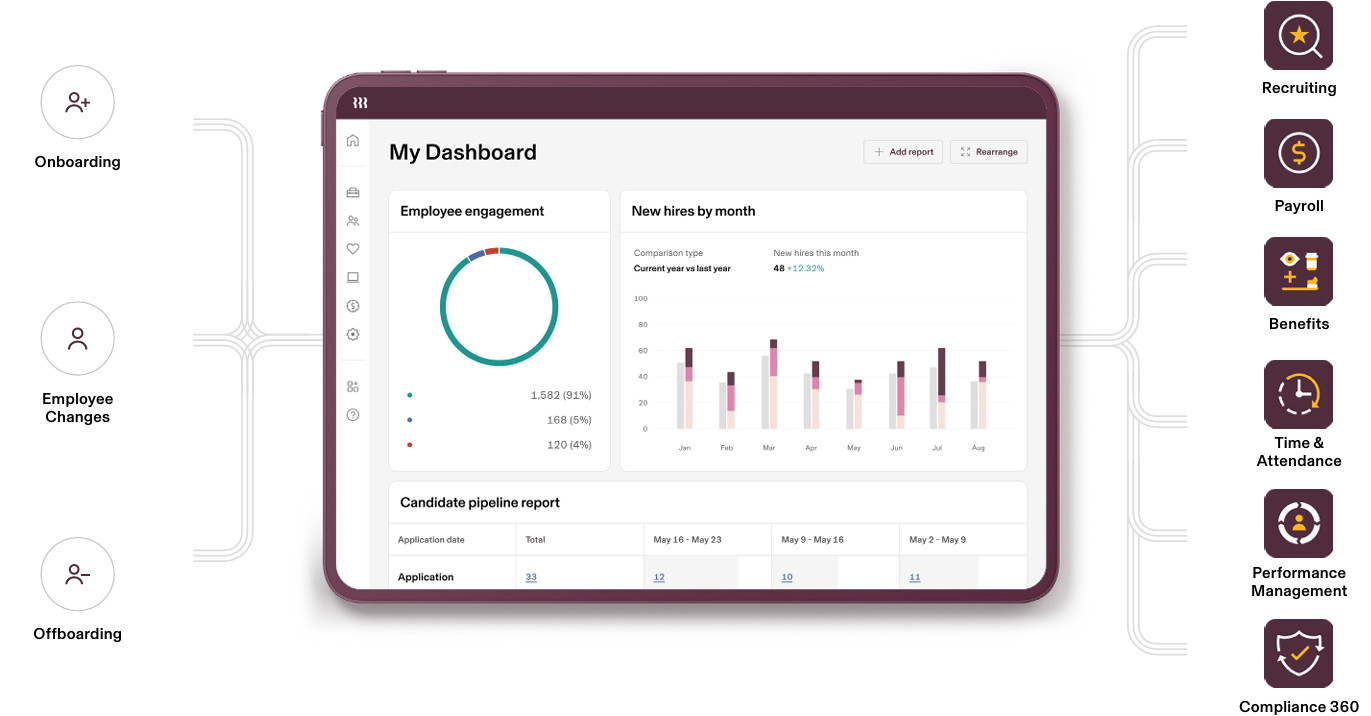
Rippling’s platform covers a wide range of operational needs that are often managed with single (or point) systems rather than a standalone platform solution.
If you’ve read my content before, you’ll know that I’m a big advocate for software that consolidates multiple business functions into one system and for good reason!
Disparate systems are hard to manage and incur additional costs when you factor in subscriptions and implementation fees.
I’ve also found that over time, context switching between platforms feels cumbersome and tends to lead to a fractured user experience.
The Problem That Rippling Solves
A unified HRIS + Payroll ensures crucial employee data is already connected, eliminating duplicate data entry, reducing errors, and keeping HR and payroll in sync.
Instead of relying on disconnected tools for payroll, finance, IT device and access management, and international payroll, everything is brought together into a single centralized platform accessible via a dashboard, making administration much easier and providing a significantly smoother user experience.
Many of the well-known platforms you’ll come across today handle payroll OR serve as an HRIS, meaning they separate processes that should already be integrated.
The downside to this is that teams need to learn, manage, and pay for two separate tools. This is not only costly but can also lead to longer rollouts and more complex integrations. In my experience, I’ve also seen a lower adoption rate, as employees and internal teams experience friction when switching between two separate platforms that should ideally be able to communicate with each other.
Errors and payroll inconsistencies are also more likely when using two separate data entry points to manage both.
Now that we can see how beneficial a more unified system can be, we’ll take a look at how the HRIS and payroll modules work, what’s included, and how they connect!
How Does Rippling Payroll Work?
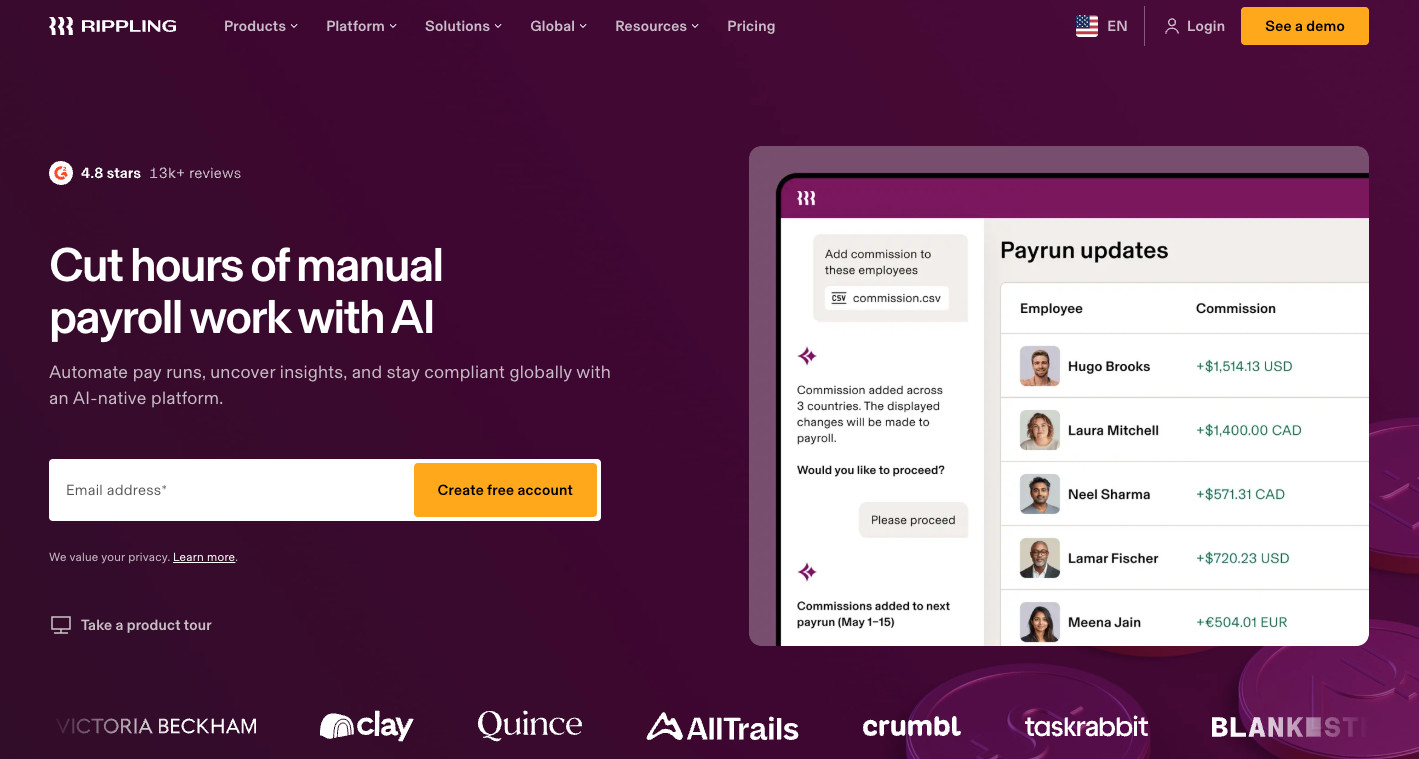
Firstly, Rippling Payroll is a native module. I like to think of this as a single central ecosystem that interacts with existing critical business areas. This means that you don’t need to plug in additional functions or have a separate implementation process to get payroll bolted on to your existing system.
Teams that have gone through a payroll integration process like this before know how time-consuming and costly it can be. Honestly, even after all the effort, I’ve still seen how quickly things can go wrong, especially when it comes to handling payroll and payments!
Some of the core functions of Rippling Payroll:
- Global payroll
- Multi-state payroll
- Automatic tax filings
- Pay run comparisons
- Accounting integrations
- Contractor and hourly payments
- Contractor of Record (COR)
- Employer of Record (EOR)
So what does this mean for businesses looking into Rippling?
Well, the benefit here is that the most important employee data is already in your HRIS! Employee roles, salary data, benefits, retirement plans, time off, hours worked, and other information are often factored into pay runs.
Automations like this can be hugely beneficial! If you have an employee who has changed roles or moved to a different state or country, this is an easy update to make in one place.
This sounds simple, but these kinds of administrative tasks (especially for larger organizations) can consume a lot of time. Also, finer details (with big impacts) can be missed or captured incorrectly when updating information across multiple platforms.
Rippling Payroll covers a lot of the straightforward functionalities you would expect from payroll platforms, and more besides.
The benefit here is that you can manage the full lifecycle from hiring to onboarding and then into payroll so that there’s no duplicate data entry.
What Does Rippling Payroll Include?
What sets Rippling Payroll apart is not each individual feature but how each module enables employee data to flow logically from one function to the next.
As much as I love “feature-rich” tools, they really only work well when the user interface is clear and makes logical sense, and you can see this in the way Rippling has set up its payroll application.

I also found a great value-add for small businesses that want to use Rippling’s payroll without taking up the full platform. Although this is not clear from the website, this is available upon request.
That being said, the value really lies in the full Rippling ecosystem and in having a way to consolidate all employee data from the recruitment cycle through to payments, so data isn’t disconnected.
Let’s look at the flow!
Payroll setup & processing
A large part of the setup would be done before the payroll run, since your data already exists in the platform and HR data is synced, avoiding manual data entry and potential errors.
Rippling Payroll also automatically calculates pay for both hourly and salaried employees in a single run. This is really handy for busy teams who want to avoid doing multiple pay runs for each employee type.
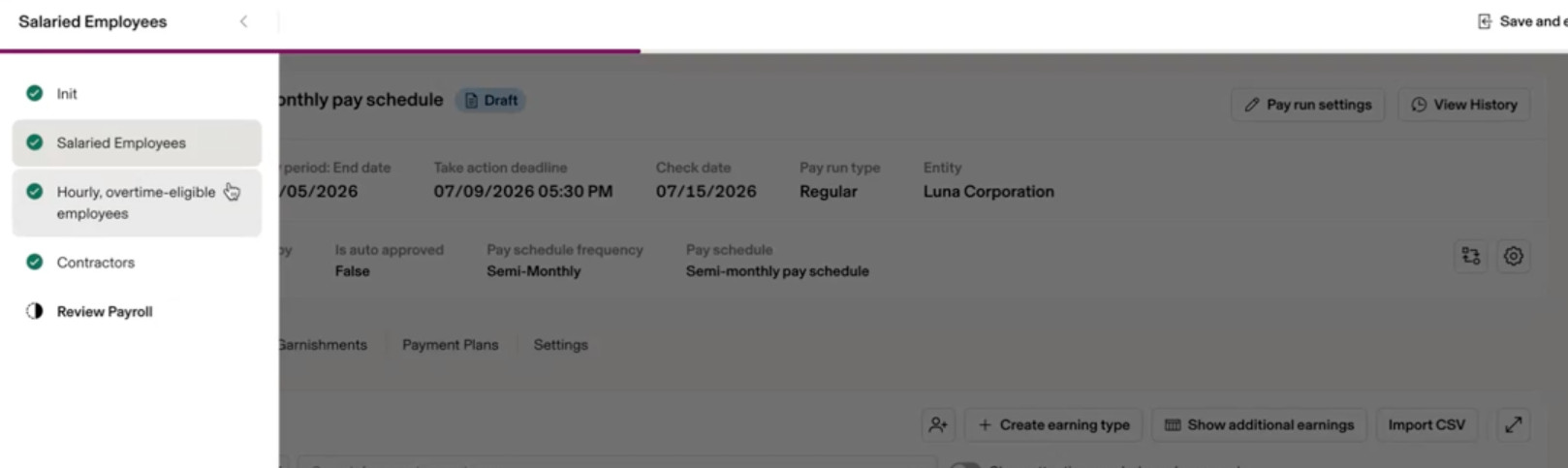
You can manage multiple employment types, including:
- Salaried employees
- Hourly workers
- Contractors
- Commission-based employees
- EOR employees
In addition to the above, the platform can handle reimbursements, garnishments, tips, bonus payments, and more!
Time & Attendance Tracking & Contractor Management
If businesses need specific functionality to manage non-salaried employees, Rippling offers a time-tracking application to keep data in one place.
As a project manager who needs to track milestones and hours worked, I’ve found tools that offer this capability really useful for managing budgets and forecasting more easily and accurately. Transferring data from disparate systems can be prone to human error, so this is helpful if you need to manage projects and contracts, too.
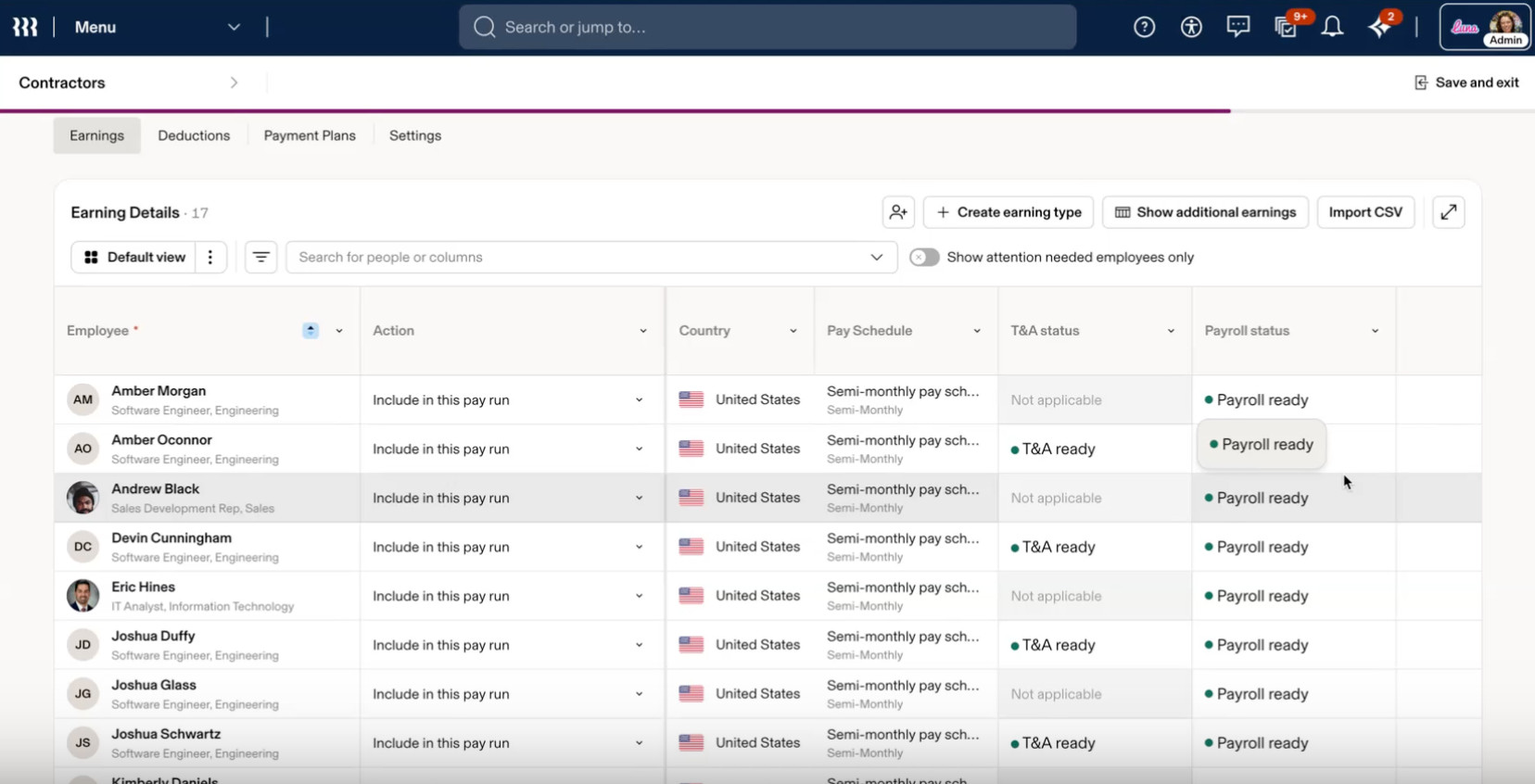
Payroll administrators (and this can be set up at a permission level) can check time cards, review hours, and approve time off before processing payments.
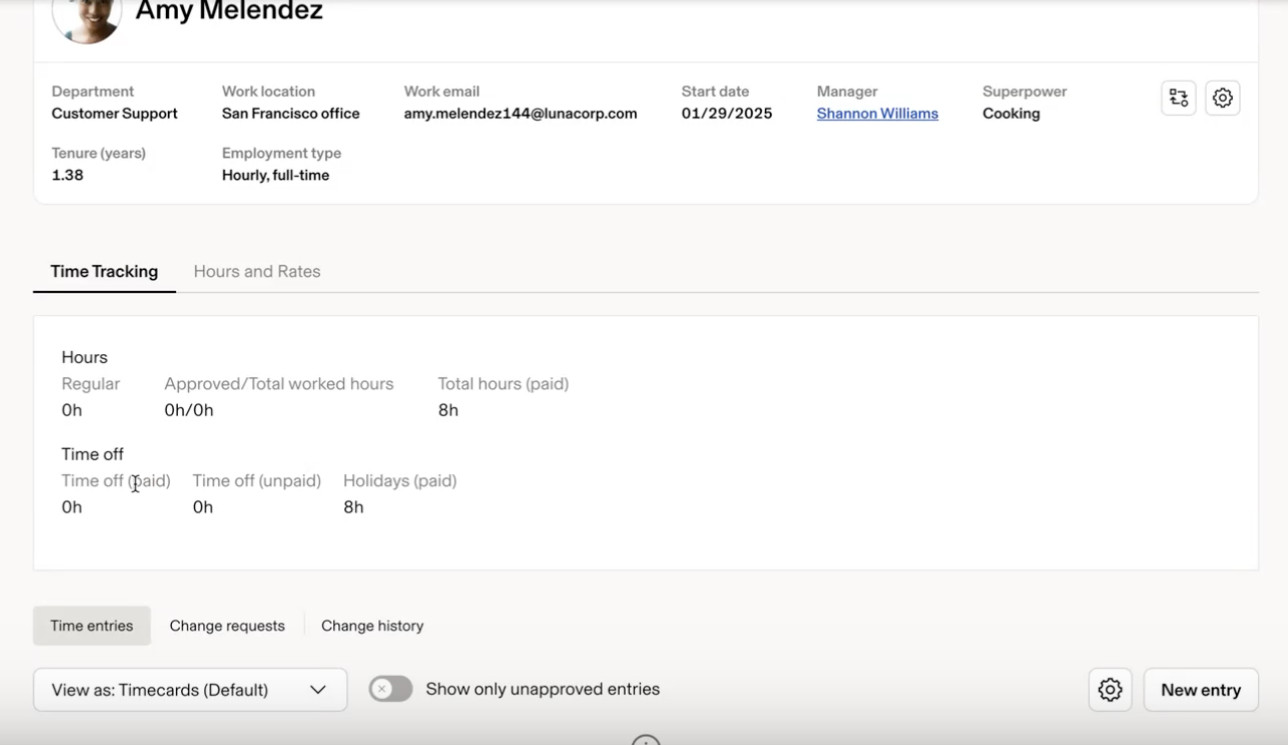
Payroll compliance and tax filings:
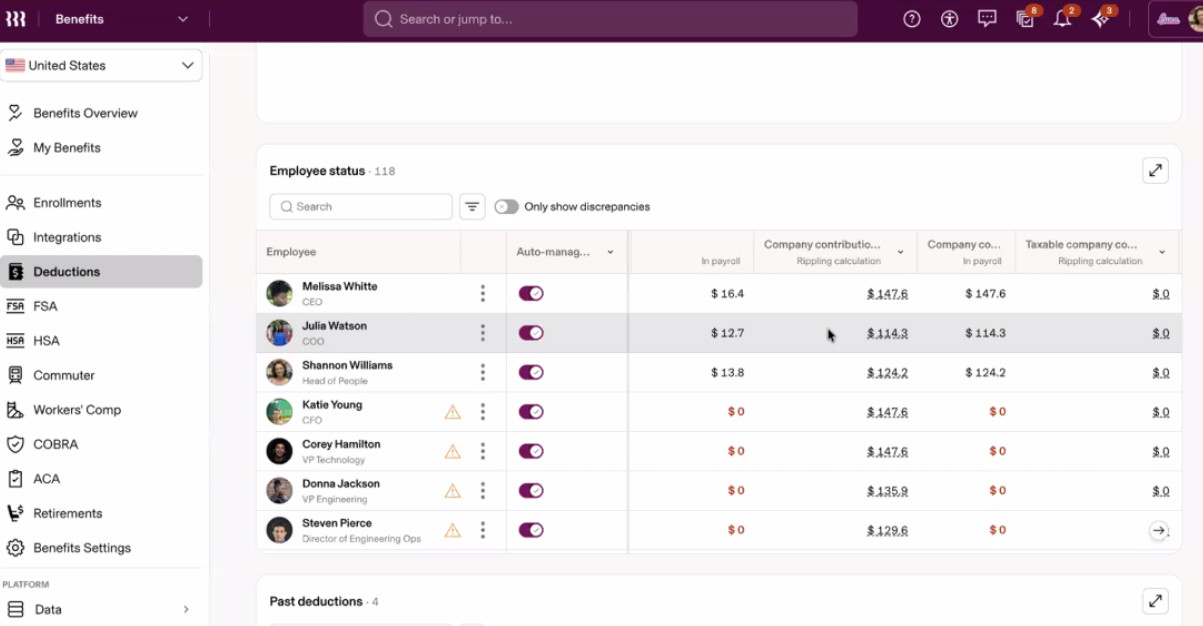
When reviewing pay runs, this helps administrators ensure that all deductions, medical, benefits, 401(k)s, and even garnishments are all managed within one place, reducing the risk of incorrect payments or missed deductions.
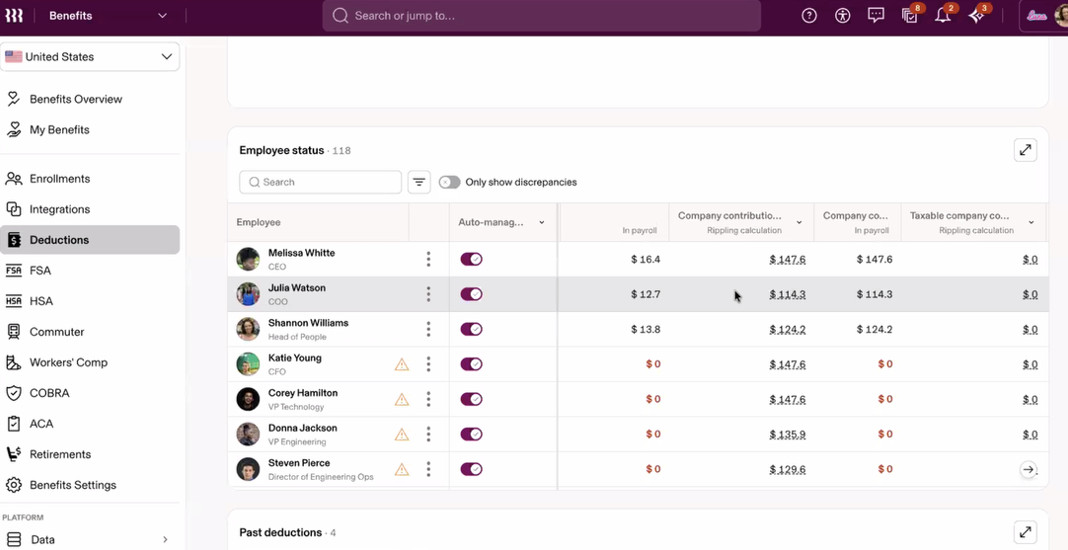
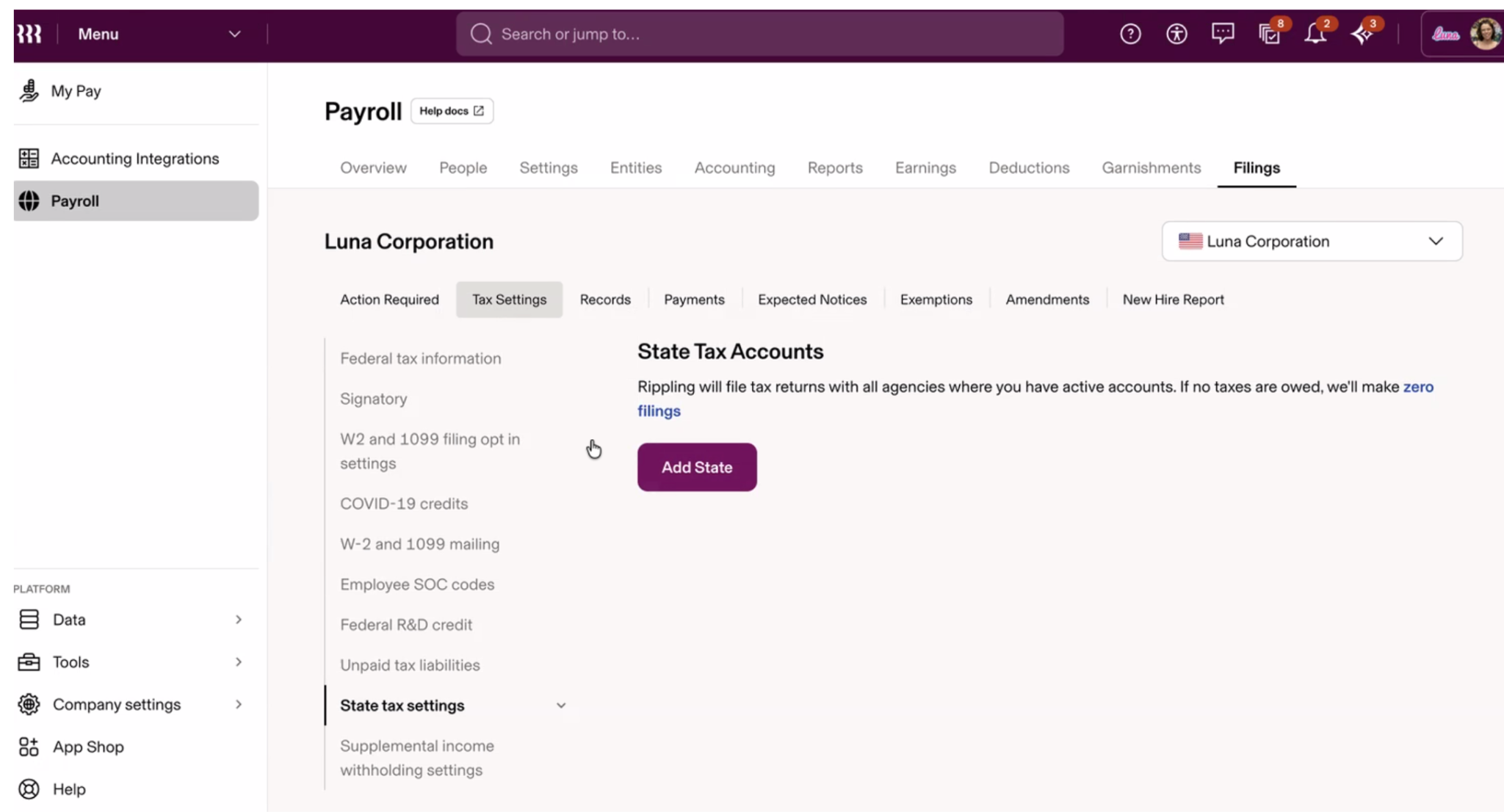
You’ll be able to manage everything within the platform, including:
- Tax calculations
- Federal tax information
- W-2 and 1099
- State tax settings
- Payroll user permissions and specified access levels
- International tax calculations
For businesses with multiple entities or those operating across states/countries, this can be really helpful for managing all details in one place. With this functionality, there’s no need for separate systems for each business entity.
Payments
Payment processing is relatively straightforward here, as it is across most payroll providers.
Where Rippling stands out is its flexibility for global teams – whether you need to run payroll in an existing global entity, hire through EOR, or pay international contractors, it’s all handled in one place. This is ideal for growing businesses or for those needing to manage dispersed teams without using separate payroll systems.
For businesses hiring where they don’t have a legal entity, Rippling’s EOR product takes on employer liability in-country by handling local compliance, payments, and employment contracts. Similarly, COR covers contractor engagements, reducing misclassification risk without the need for a separate vendor.
For payroll itself, Rippling operates similarly to the rest of the market in most countries. In top markets, Rippling runs its own native payroll engine. That means 3–5 day payroll cycles, instant gross-to-net calculations, and unlimited off-cycle pay runs, capabilities most providers can’t match
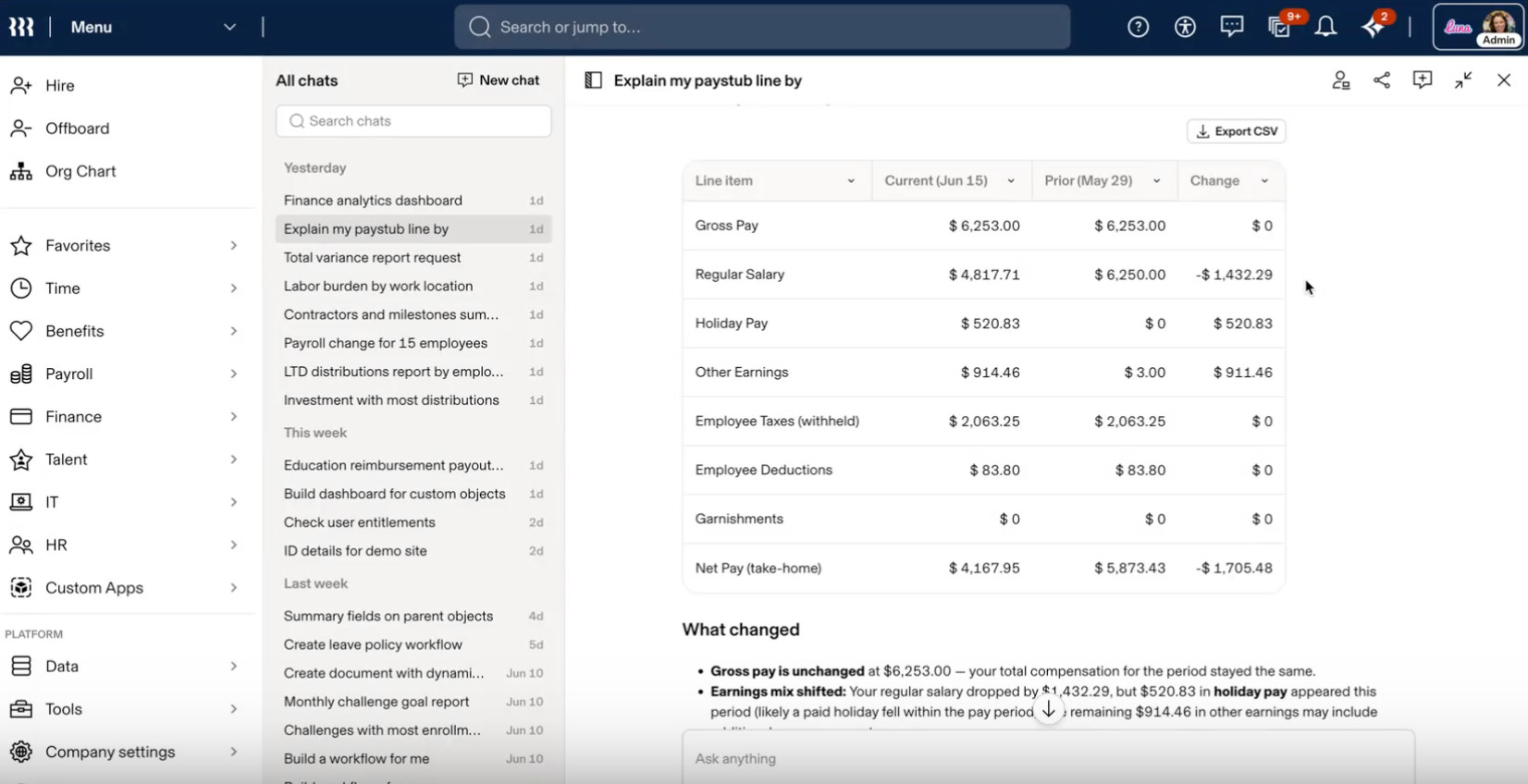
When reviewing payments in a single view, administrators can use the Rippling AI tool to identify discrepancies easily or make bulk changes in one prompt. A significant value-add here is that employees can also use the AI assistant to understand pay changes and answer other questions that typically arise.
Employee pay queries tend to take a long time to resolve, and a self-service feature can help employees feel more empowered and in control of their information.
Rippling’s new AI features:
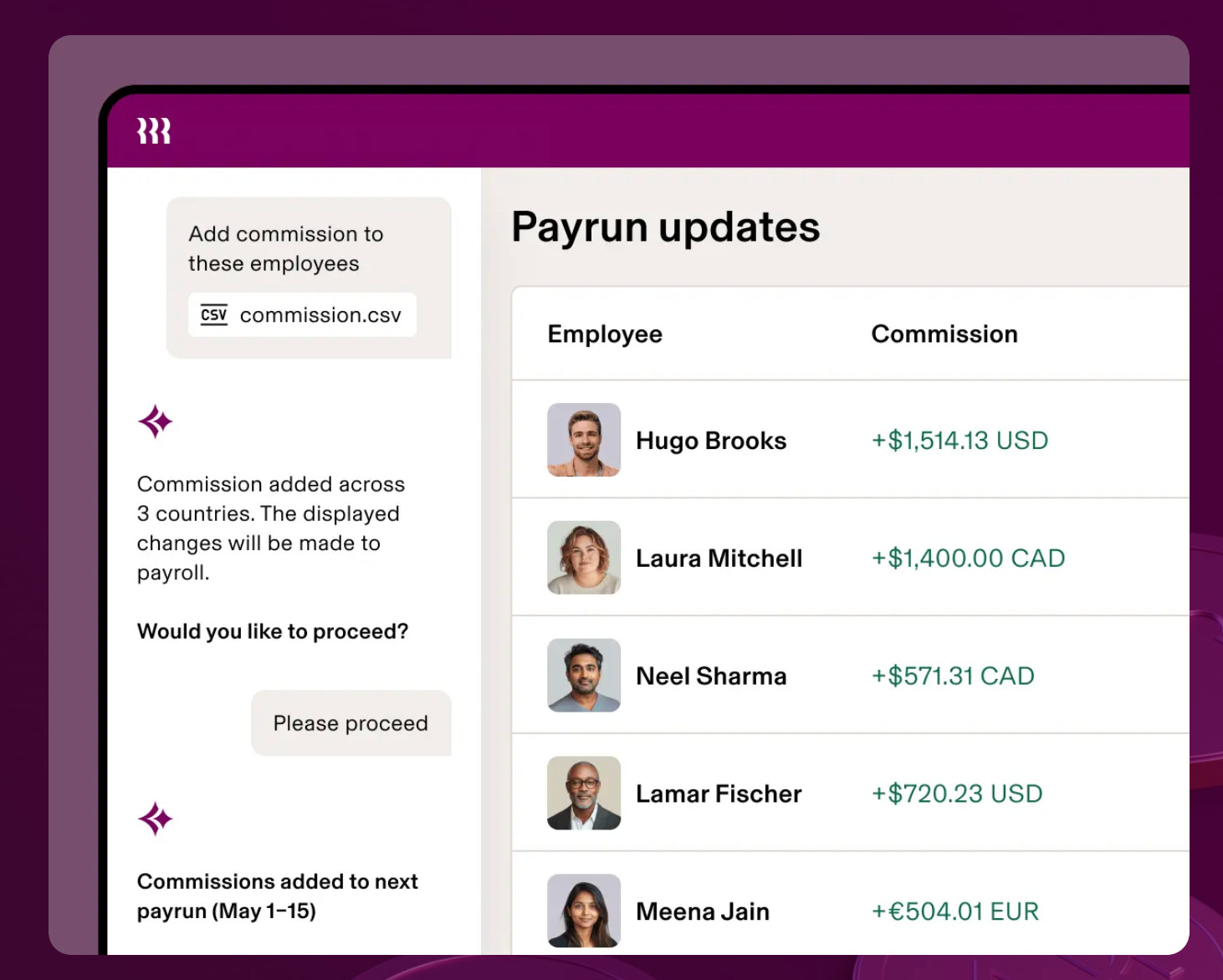
If you’ve ever run payroll or been part of a payroll review, you know how easy it is to miss important changes. Rippling’s AI assistant helps surface variances, complete bulk actions, and even take action on your behalf, which I found impressive.
For example, if you need to add commission payments for your global sales team to your next pay run, ask Rippling AI, and it can find the relevant pay runs, the right person, the right field, and add the right amount automatically to the upcoming pay runs in one prompt!
Another example: ask Rippling AI for a total variance report for the upcoming run, and it will return a report showing all changes. It can also be downloaded in multiple formats, including CSV, for easy reference and management.
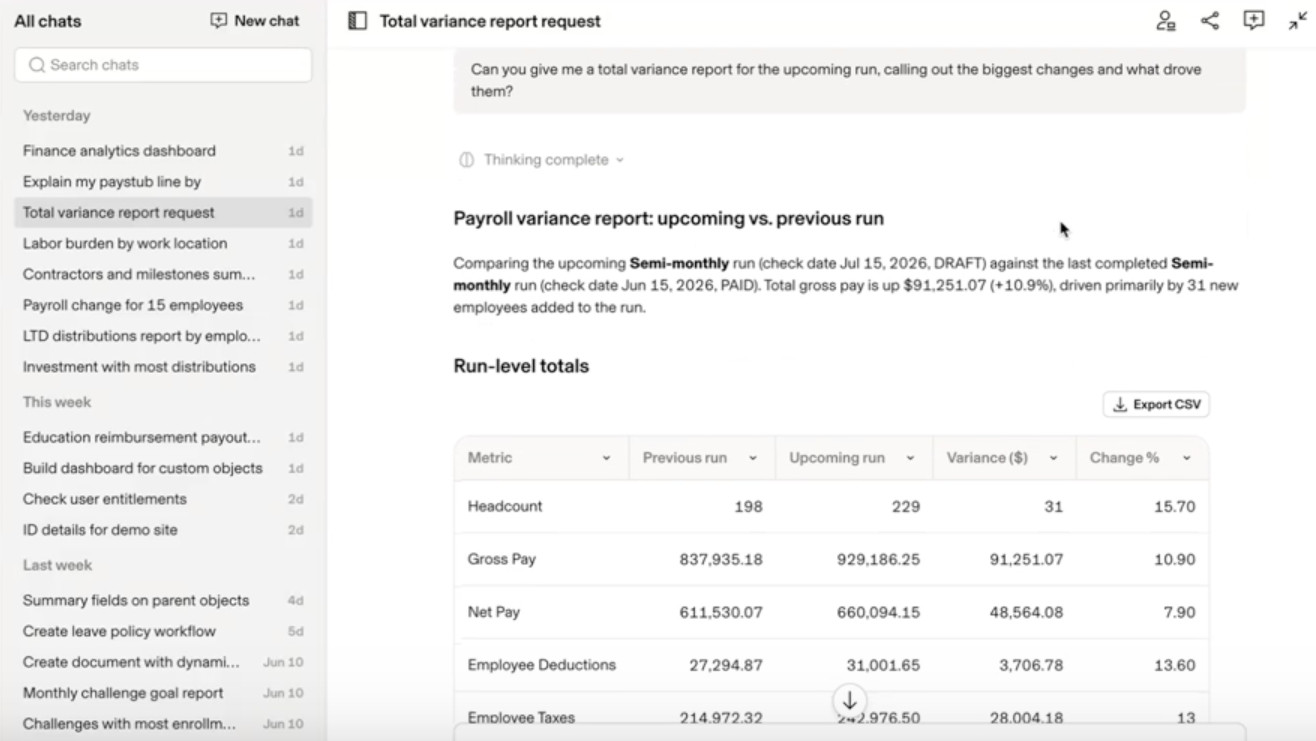
Features like this can be beneficial when diving deeper into discrepancies and can save payroll administrators a lot of time during reviews.
Payroll can be complex to manage and requires many different functionalities, so it’s important to know what Rippling Payroll includes and how it can fit within your organization.
Integrations:
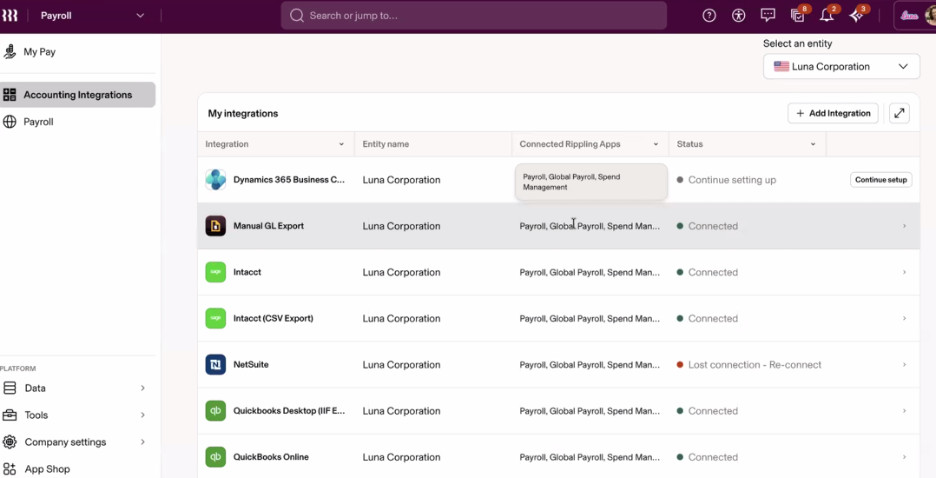
Rippling also integrates several other accounting and ERP systems, including Sage Intacct, QuickBooks, Xero, NetSuite, and more. Having smooth integration points means you’ll be able to avoid costly integration fees and the time required to implement new systems.
One thing that stood out to me is that Rippling integrates with 650+ applications, so you’re not limited to native functionality. They integrate with several other accounting and ERP systems, including Sage Intacct, QuickBooks, Xero, NetSuite, and more.
Having smooth integration points means you’ll be able to avoid costly integration fees and the time required to implement new systems.
A notable value add to me here is that you can set this up at the entity level, too!
Reporting & Forecasting
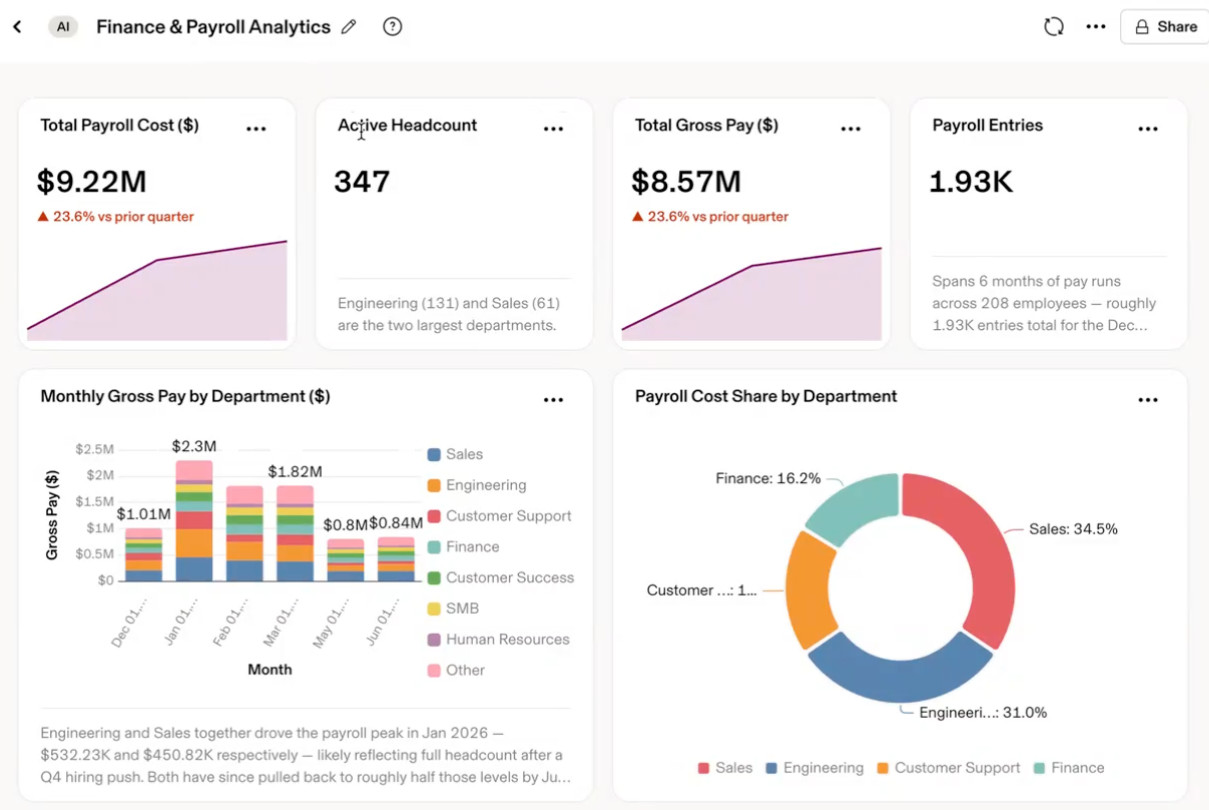
After payroll is processed, most teams will still need to report quickly and easily. I like that Rippling offers clear dashboards with multiple views to gain insights into labor costs and other functions.
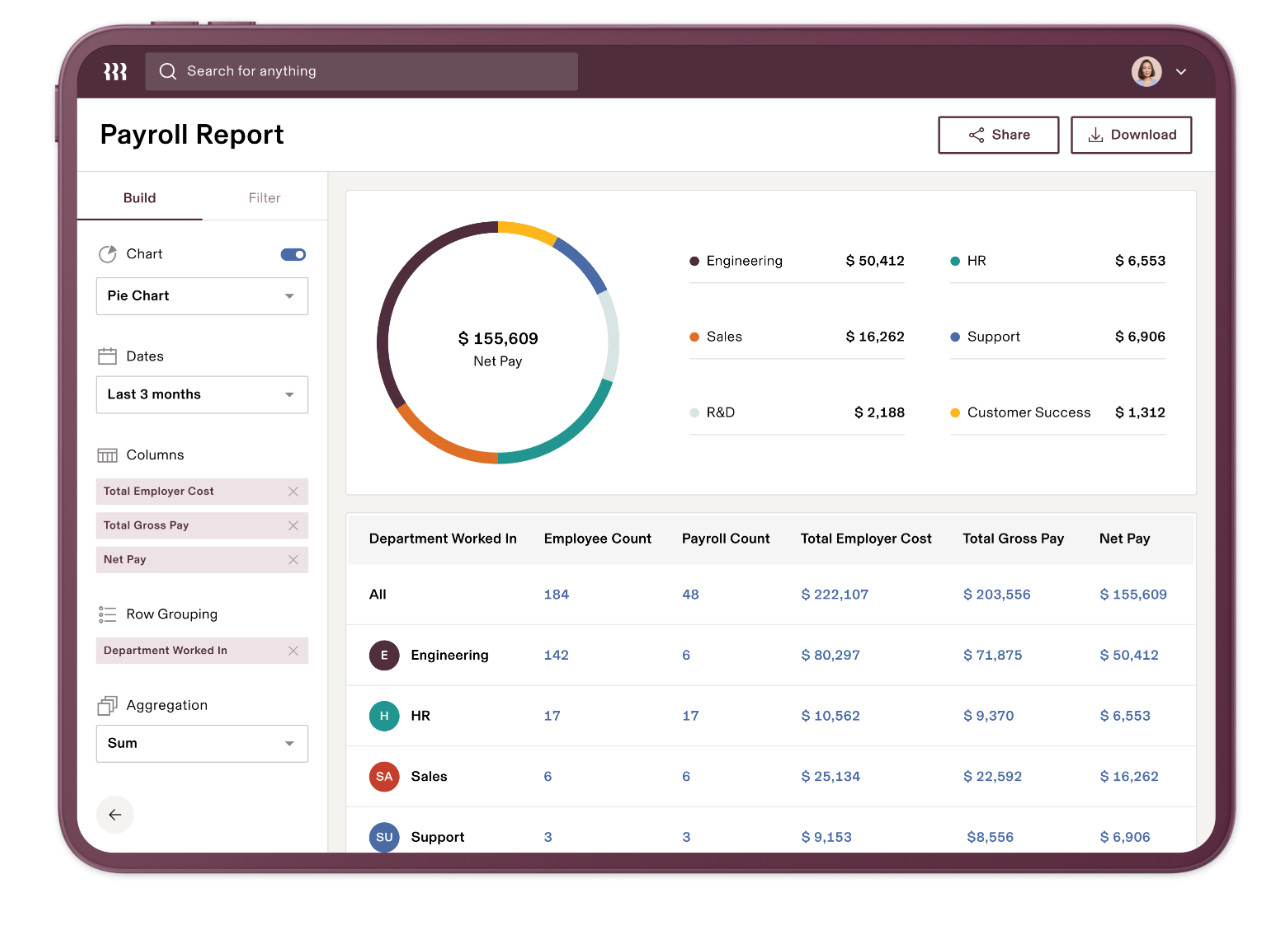
Custom reports can be created from any data fields that exist within Rippling! Or, with Data Cloud, you now have the option to bring in business data from Gong, HubSpot, Zendesk, and even Claude to tie it to your people data so you can do deeper people-level analytics!
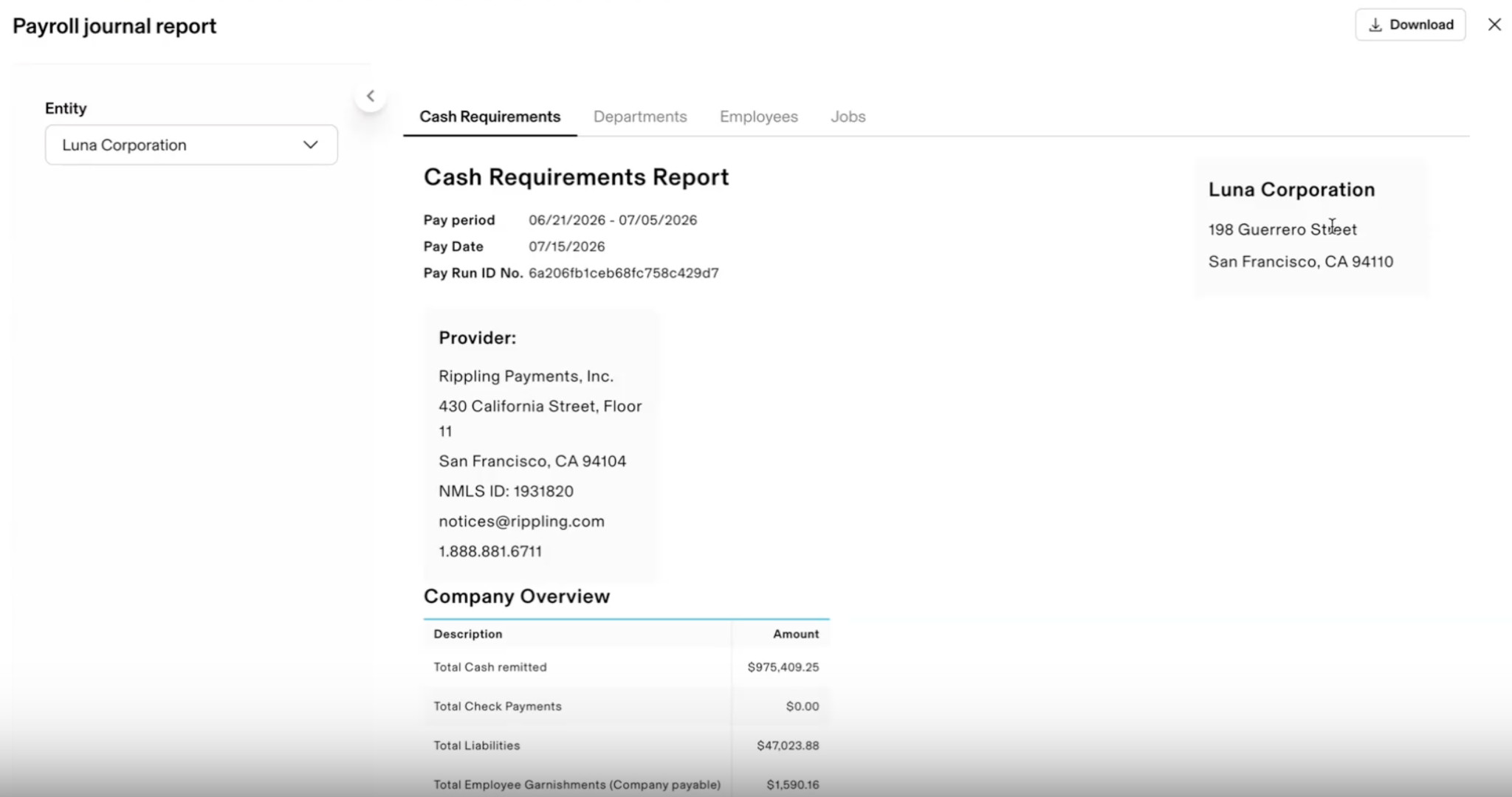
Default views are available showing full cash requirements, departmental, employee, or even job breakdowns.
Personally, I’ve found this kind of granularity really useful when different teams need forecasting and historical data across multiple departments.
Overall, I’ve found Rippling Payroll well thought out and useful, not because it offers drastically different features from other payroll platforms, but because of its connected data stream.
Most organizations can run payroll pretty easily, but having a system that reduces admin overhead and minimizes errors, and smartly uses AI during pay runs can be invaluable.
What’s Included in Rippling’s HRIS?
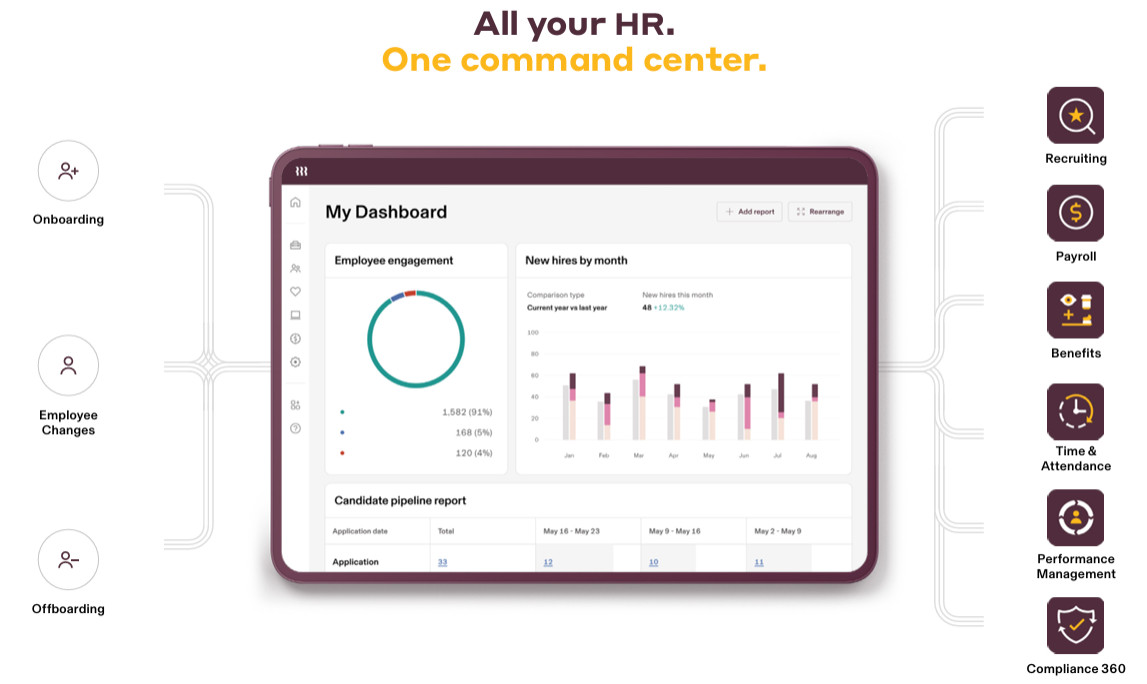
I’ve found that the real value in most systems (and HR is no different) comes down to the quality of the data going into them, especially for a platform like Rippling.
This is why Rippling’s HRIS is essentially the foundation and data entry point of the system and why they’ve included so many features.
What’s also unique about Rippling is that it’s a global HRIS, so you can house all your international employees in Rippling without having to split them out by country.
Each area we’ll cover below shows how teams can create a holistic employee profile and ensure the information flowing into payroll and other areas is complete and useful across the organization, without needing to go back and perform additional manual data entry.
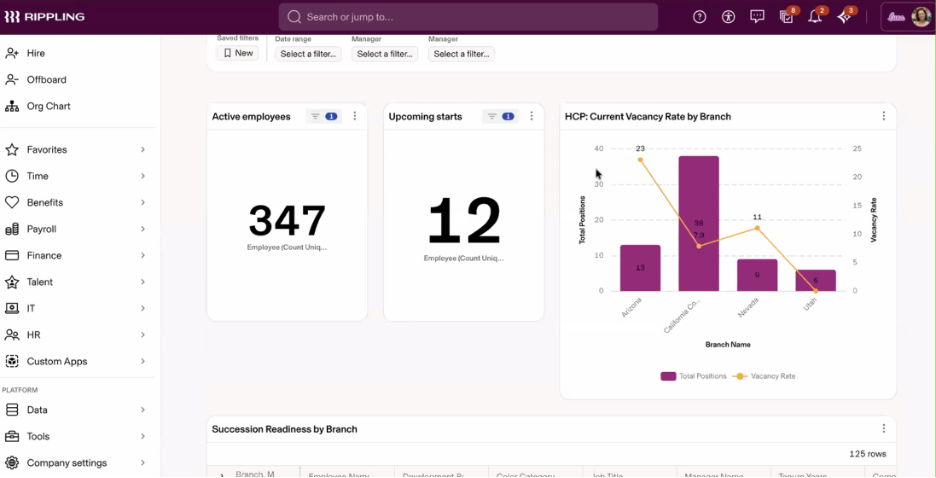
Employee records
All employee details can be captured at the recruitment stage or added after a new hire. When something changes, like a job title or department, Rippling automatically updates it across the board, reducing manual input. A single source of truth keeps information accurate across functions, from finance to payroll.
Recruiting, Onboarding & Offboarding
Recruiting & ATS:
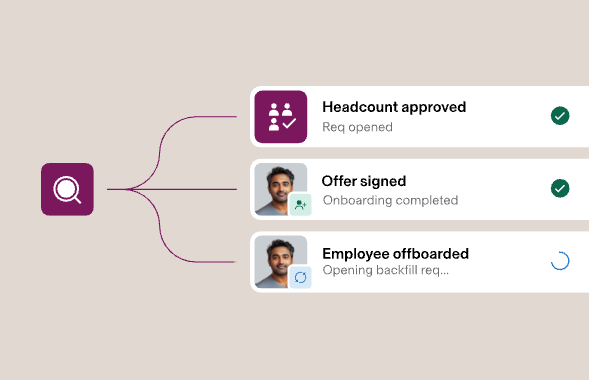
Recruitment is a natural extension of any HR platform, so I like that Rippling includes its own ATS, Rippling Recruiting. In addition, Rippling also helps ease admin-heavy tasks, such as shortlisting, scheduling interviews, and sending out offer letters and documents, using its native AI tools. Streamlining processes like this helps free up HR teams to focus on hiring the right people rather than managing admin.
Onboarding and Offboarding:
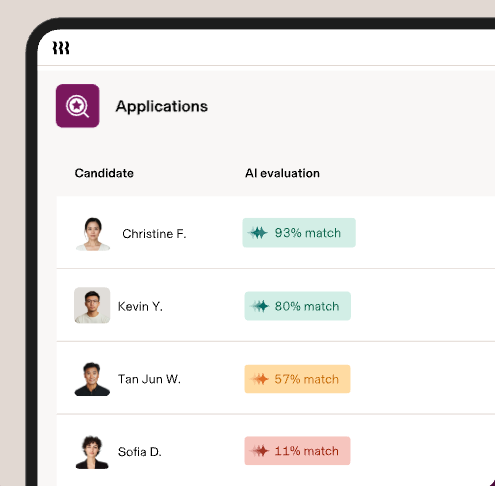
Onboarding is probably one of the strongest features I came across.
Everything from collecting tax information and provisioning devices to enrolling in benefits, sending onboarding plans, NDAs, or any custom documentation packs can be set up at the onboarding stage for salaried, hourly, or contractor hires without needing to log in to separate systems.
A great value-add here is that Rippling’s global HRIS knows which fields it needs to collect for each employee based on their location.
For example, for individuals in the US, it will ask for their SSN, while for those based in the UK, it will ask for their national insurance number. In other HRISs, HR teams need to know which fields to collect for each country, then create a custom field. This kind of intuitive data entry can be a significant time saver for HR teams!
The offboarding stage can also be handled within the same platform, allowing teams to track the procedures needed to ensure employees are offboarded and maintain compliance.
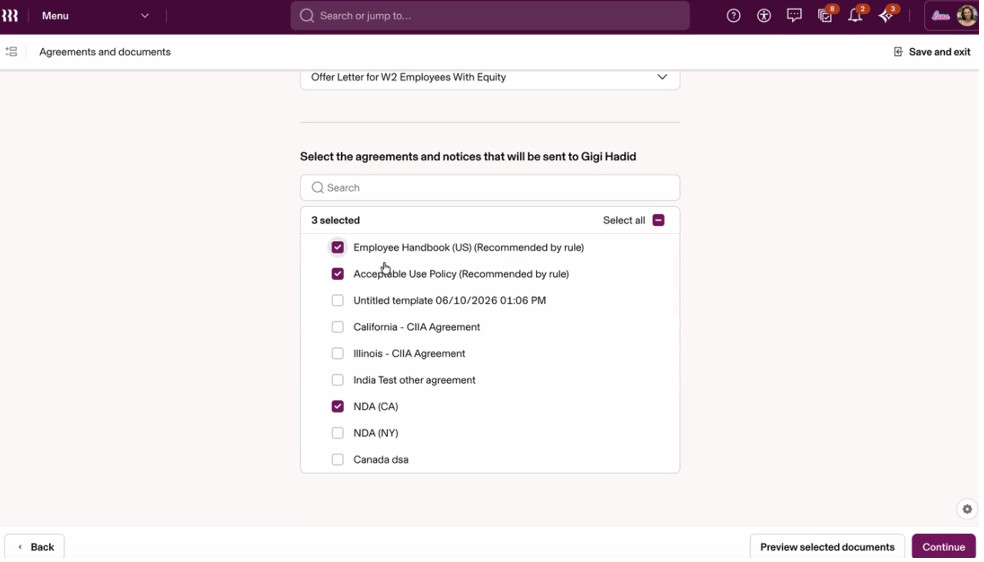
Device & app management
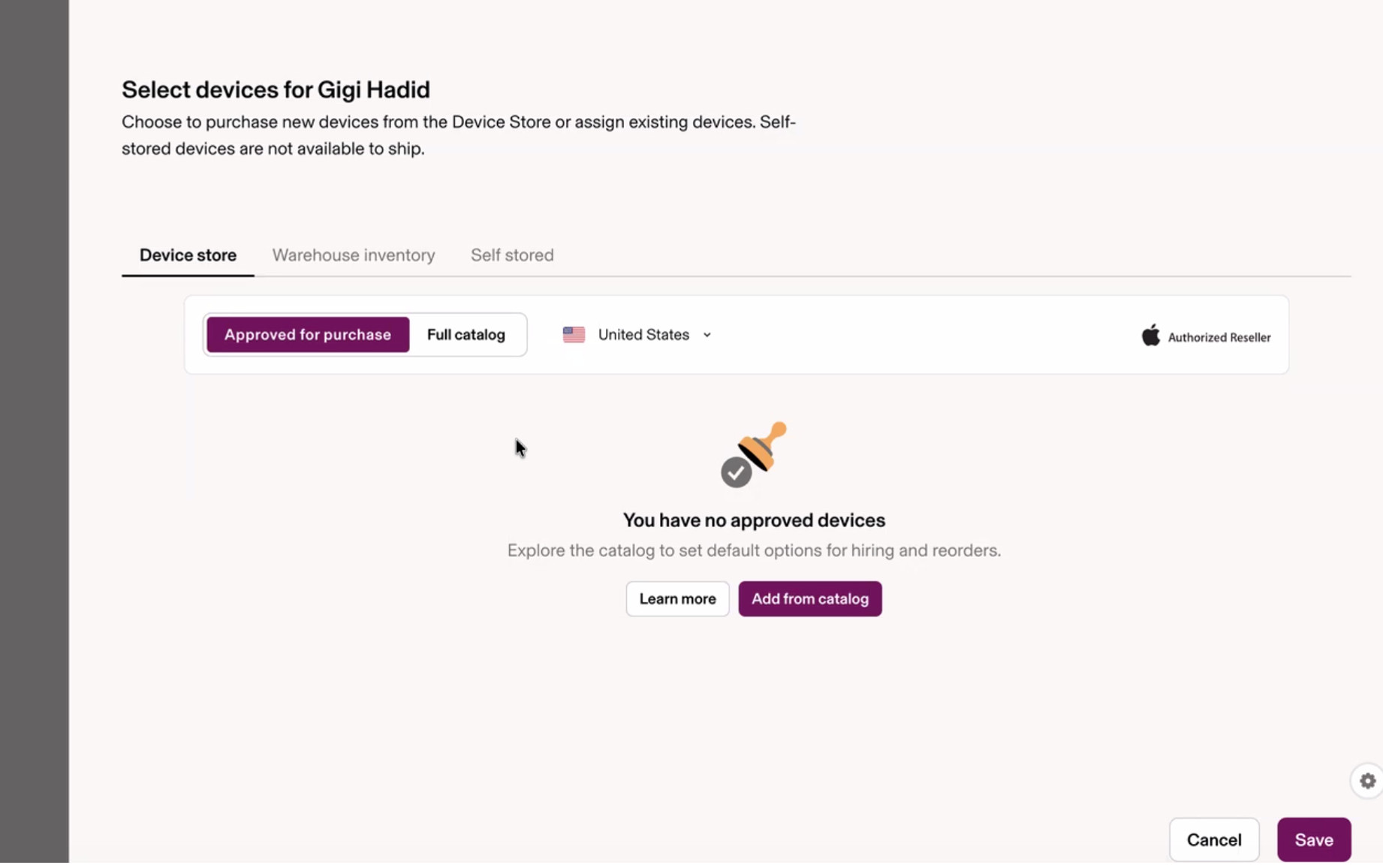
Additional tasks, such as assigning new devices and managing access, can be handled without a separate process via Rippling IT.
When reviewing other HRIS platforms, I’ve generally found this is a separate IT function, so consolidating it in the same place ensures device and software provisioning, as well as any other data, can be tracked against employee details more easily.
Benefits administration
Although not a unique functionality in a typical HRIS, having a single view of all employee information and providing employees with access to the self-service system again ensures accurate, streamlined data across the system.
Time & attendance
Having time-and-attendance tracking capabilities for hourly, salaried, contract, and part-time staff can be useful for meeting important compliance requirements, especially across different state laws and regulations.
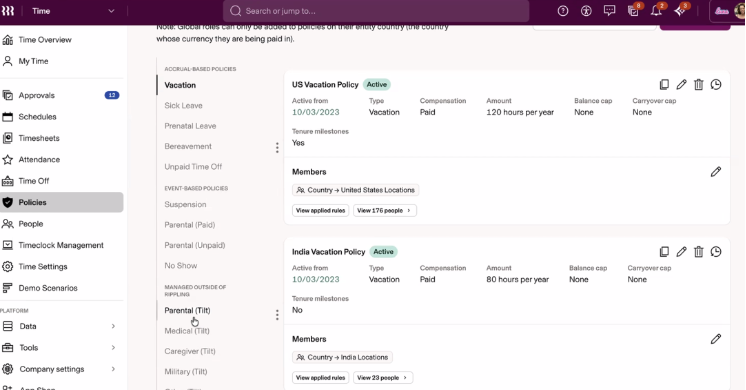
When people think of Rippling, they might not know that they have options for tracking hourly workers (I know I didn’t).
Overtime pay, tip management, and time card management are all traceable within the platform. I was quite surprised by how full-featured this module is, making it a great option for businesses that need location-based time clocking, fingerprinting, or kiosk management.
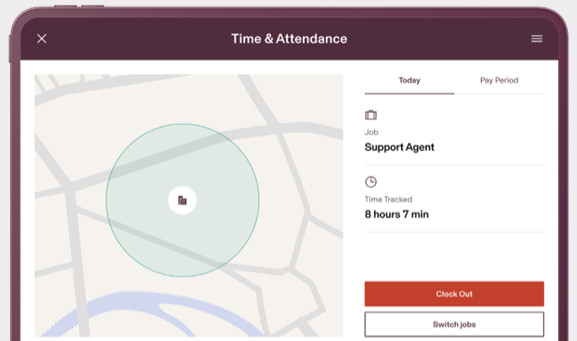
Everything is seamlessly synced into payroll, ensuring teams are aware of any compliance risks and can set up custom policies that trigger warnings to users.
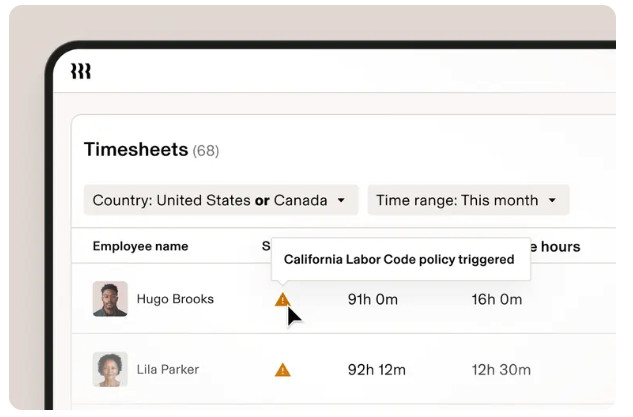
Additional features included in Rippling’s HRIS:
We won’t deep dive into these, however, teams needing additional capabilities can take advantage of all Rippling’s HR specific tools, including:
- Learning management
- Document management
- Employee Scheduling
- Headcount planning
- Surveys
- PEO
- Performance management, and more!
The core differentiators:
Okay, so considering that Rippling is still an HRIS and payroll in one, it performs most of the functionalities one would expect from a tool like this, but it extends beyond that, adding IT features I haven’t yet seen in other platforms.
Having a single tool that manages devices, identity management, software licenses, and security policies, and that both HR and IT share, can be really powerful.
This ensures that critical tasks, such as offboarding employees, restructuring access, and complying with compliance policies are less likely to be missed. This eliminates the administrative burden of managing multiple separate platforms.
Another of Rippling’s biggest differentiators is that can manage US employees, international employees, EOR employees, and contractors all in one place and also pay them from the same platform.
From my experience, most other platforms only cover one piece of the puzzle and rely on integrations and tagged on systems to fill the gaps. The more systems stitched together, the more you open yourself up to out of sync data and errors to creep in.
These are some of the really strong standout differentiators when I really started comparing Rippling with competitors like Gusto, Workday, ADP Workforce Now, or BambooHR.
This is another reason why Rippling makes sense not only for established enterprise organizations but also for growing global businesses that need to fulfill multiple functions with leaner teams. Having single systems helps businesses scale more easily without missing critical business processes.
FAQ’s
Question: Who is best suited for Rippling?
Rippling is ideal for scaling global businesses or enterprise organizations that need an HRIS, IT functions, and multi-state or global payroll in one.
Question: How much does Rippling cost?
Rippling offers custom pricing based on organization size, modules needed, and complexity.
Question: Does Rippling offer global payroll?
Yes, Rippling allows businesses to pay international employees in 180 countries and 50 currencies. Rippling also offers EOR services to businesses that need assistance hiring global employees in locations where they do not have a legal entity.
Question: Does Rippling integrate with other systems and accounting platforms?
Yes, Rippling integrates with over 650 third-party apps and already integrates with popular accounting platforms such as QuickBooks Online, Xero, NetSuite, and Sage Intacct.
Question: Is Rippling Payroll offered as a standalone product?
Yes, although not clearly stated, Rippling Platform (the standalone Payroll module) can be used as a standalone tool. That said, I think the platform delivers the most value when Payroll is paired with Rippling’s HRIS, enabling a seamless flow of employee data between the two.
My Final Verdict:
To answer our initial question, yes, Rippling handles payroll and offers a really hefty HRIS that caters to a wide range of business needs, but that’s not where it stands out to me.
Where Rippling really shines is its ability to connect functions like HR, Finance, and IT into a unified platform and ensure that everything flows from data entry points through the employee lifecycle to payroll and offboarding.
That said, Rippling may not be the best fit for a smaller business with small teams and minimal payroll or HR requirements.
Rippling is a great option for global businesses looking to consolidate fragmented employee data, disparate systems, and processes into a single, consolidated platform.