


- What Has Changed in Guidde in 2026 - A Quick Glance
- What is Guidde?
- What's Actually New in Guidde in 2026?
- Generative Quizzes
- Publish to SharePoint and Confluence Directly
- Workspace Dictionary and Brand Writing Guidelines
- Mobile & Tablet Content Creation
- Magic Mic Voiceover & Narration
- Translation Syncing & Multi-language Support
- Pricing Snapshot - Which Guidde Plan Should You Choose?
- Guidde in 2026 - Is It Worth It? My Verdict!
Last Updated on September 23, 2026 by The Digital Merchant Team
I’ve used Guidde and similar screen-recording software extensively over the past few years, and I’ve really come to enjoy using tools like this to speed up documentation creation, training, onboarding, and demos. It’s my go-to whenever I have a process that would be a pain to explain over and over again or hard to explain with only text.
Some may ask whether Guidde is worth it in 2026, and my answer is that it depends on your needs and how tools like this will benefit you. Although I’ve primarily used it for simple screen recording and documentation, the new features released in 2026 are worth paying attention to.
I’ve used a lot of tools (and even implemented software) where the release notes look impressive, and Guidde’s updates in July 2026 made me look twice, because it’s not just about adding new AI; they’ve considered how different types of users apply Guidde. They have improved processes such as updating and sharing training content, publishing to tools like Confluence, and generating quizzes.
I went back into the tool to take a closer look at what’s new and how it really stacks up against some of the premium functionalities out there, but here you can find a full sweep of Guidde and how it works as a whole.
One honest caveat: Many of these newer features are available only on the business or enterprise tiers, so keep that in mind if you’re looking into Guidde for these functionalities specifically.
What Has Changed in Guidde in 2026 – A Quick Glance
Here’s a quick roundup of what’s changed and the new features you can expect in the latest update.
- AI Dubbing & Voice Cloning
- Generative Quizzes & Analytics
- Publish to SharePoint and Confluence Directly
- Workspace Dictionary and Brand Writing Guidelines
- Mobile & Tablet Content Creation
- Magic Mic Voiceover & Narration
- Translation Syncing & Multi-language Support
Before focusing on the features and improvements, let’s take a quick look at what Guidde is and what it’s used for.
What is Guidde?
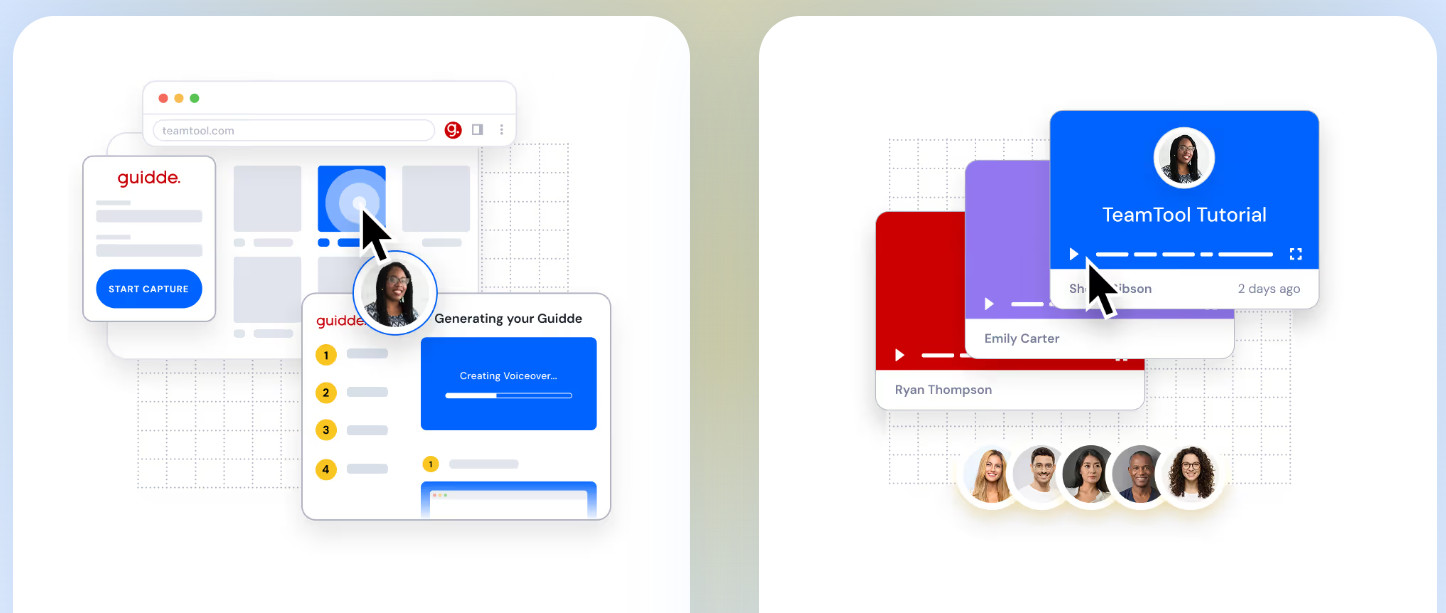
Guidde is an AI-powered tool that helps you easily create documentation or videos during a step-by-step screen-capture process. It automatically annotates, transcribes, and adds captions, allowing further editing with voice-overs, background music, and more. It’s great for teams that need a way to onboard, train, upskill, demo for users, or regularly create SOPs, documentation, and other content.
I like Guidde because it’s a good middle ground between video and documentation generation, and it’s easy to use. I don’t have great video editing skills (or needs, to be fair). But these two actions can sometimes be complementary rather than requiring two separate functions.
As a project manager, operations, and process expert, I need practical, engaging ways to explain tasks and “how-tos” to new employees, internal teams, or software workflows for demos.
This is why I come back to tools like Guidde to help me with the heavy lifting. While the basic workflow here hasn’t changed, the new features are really great value-adds that empower you to do more.
What’s Actually New in Guidde in 2026?
AI Dubbing for Videos (even existing ones) and Voice Cloning
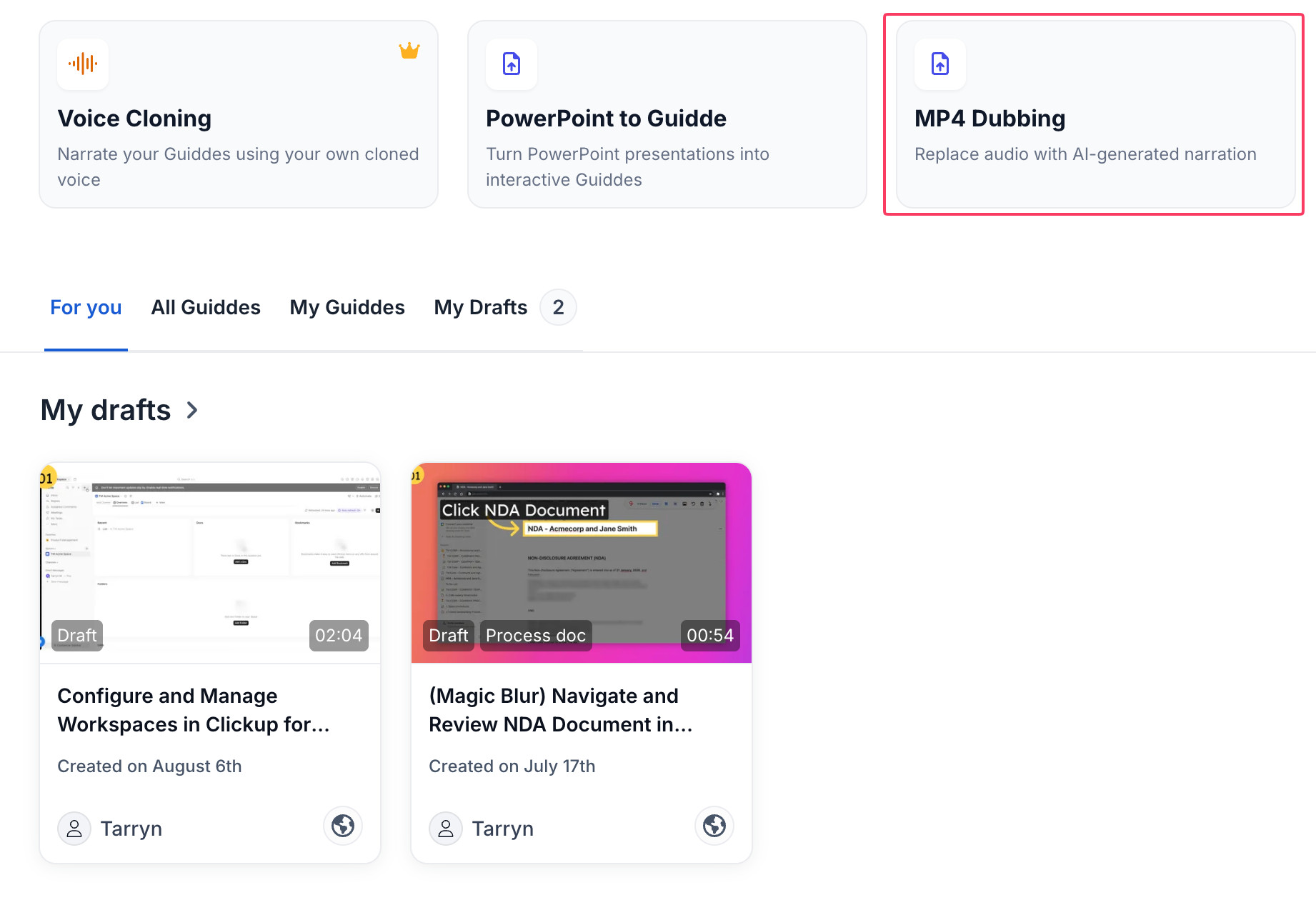
We’ve all been there: you’ve recorded a video and either the audio cut out, sounded strange, or you forgot to add it altogether.
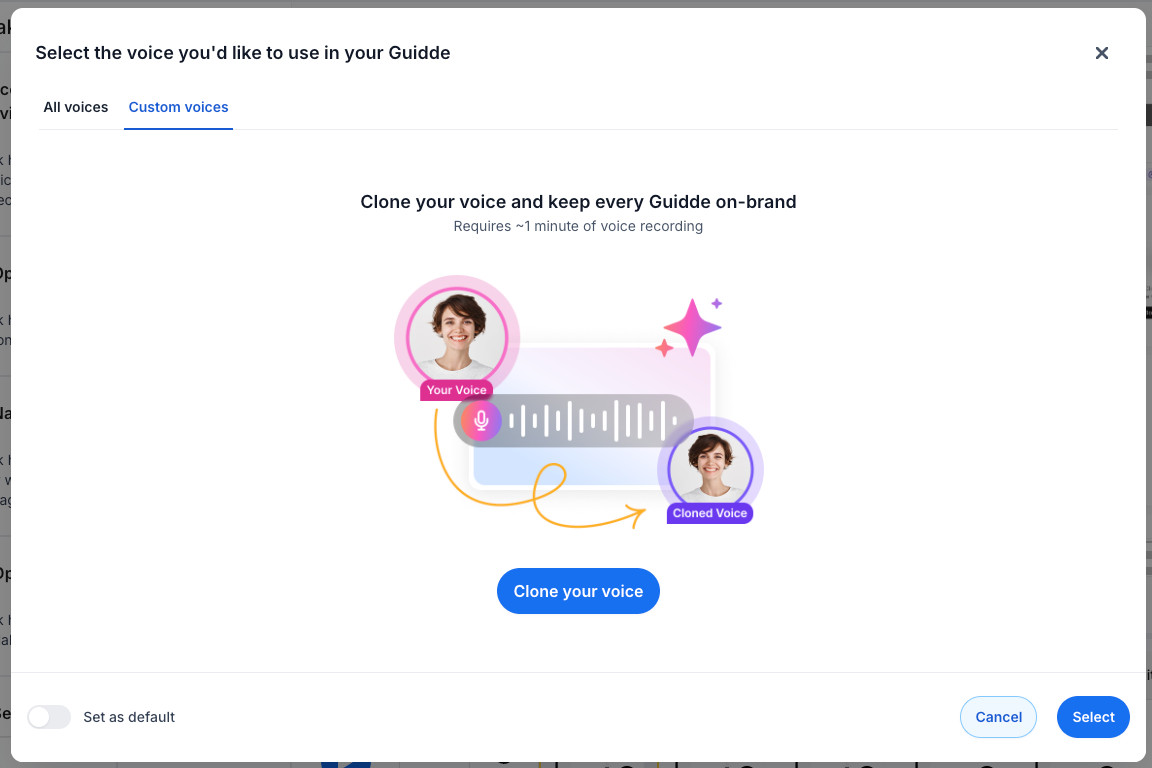
But now, you can upload an MP4 file and dub any video you’ve already recorded. You can also clone your own voice if you prefer a human voice or if you need to correct a specific section of a video or audio.
This is ideal for businesses that already have a large library of pre-recorded videos and guides without audio overlay and teams that need to standardize videos or create a more professional voiceover, transcription, or customer-facing content.
Generative Quizzes
I found quizzes harder to locate in the tool than expected, which was a shame because the functionality is impressive.
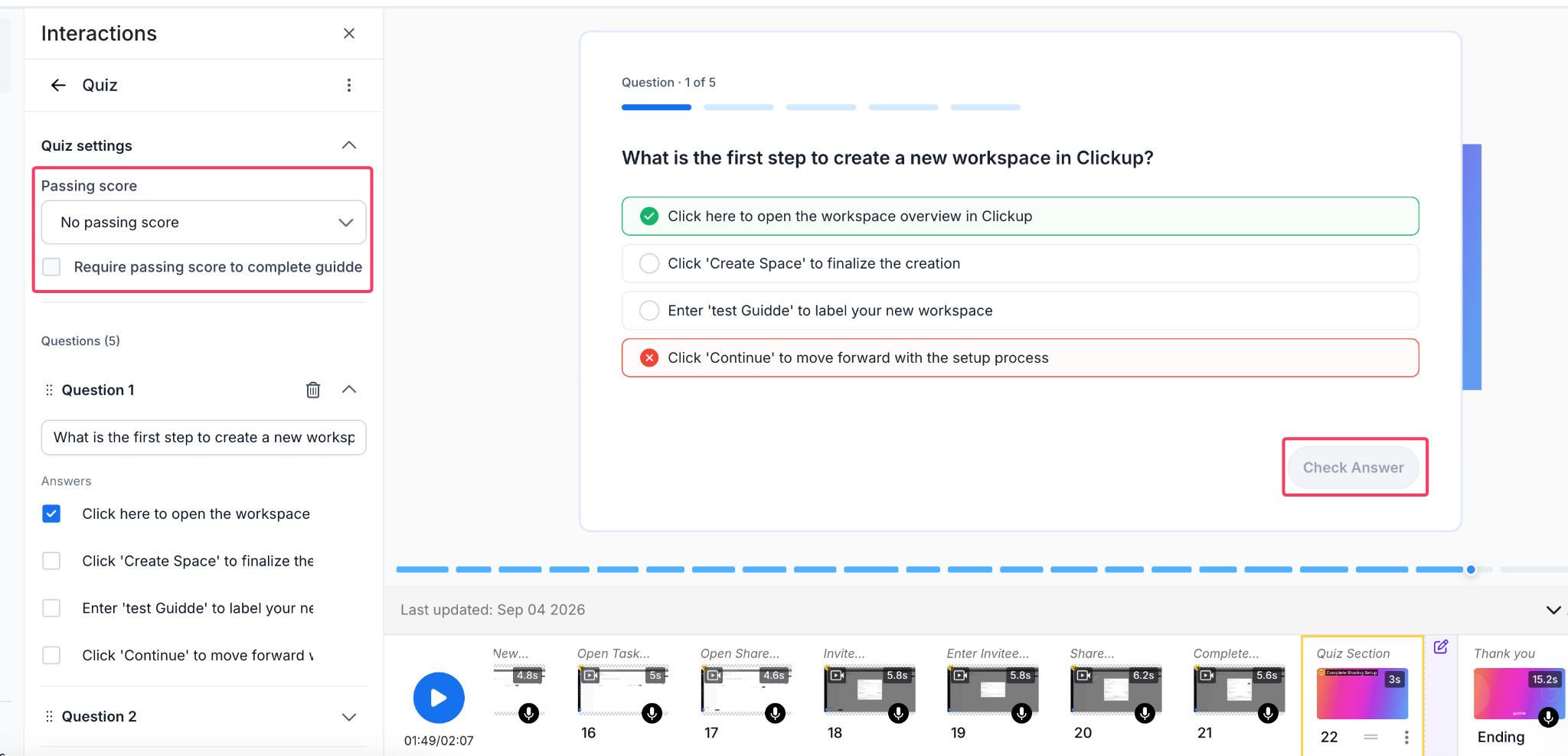
You’ll need to edit your video and then use the “interactions” button to add a quiz. I was pleasantly surprised that it auto-generated a set of questions based on the content of my pre-recorded video; they were pretty accurate and useful. I can see how this would save a lot of time for many teams.
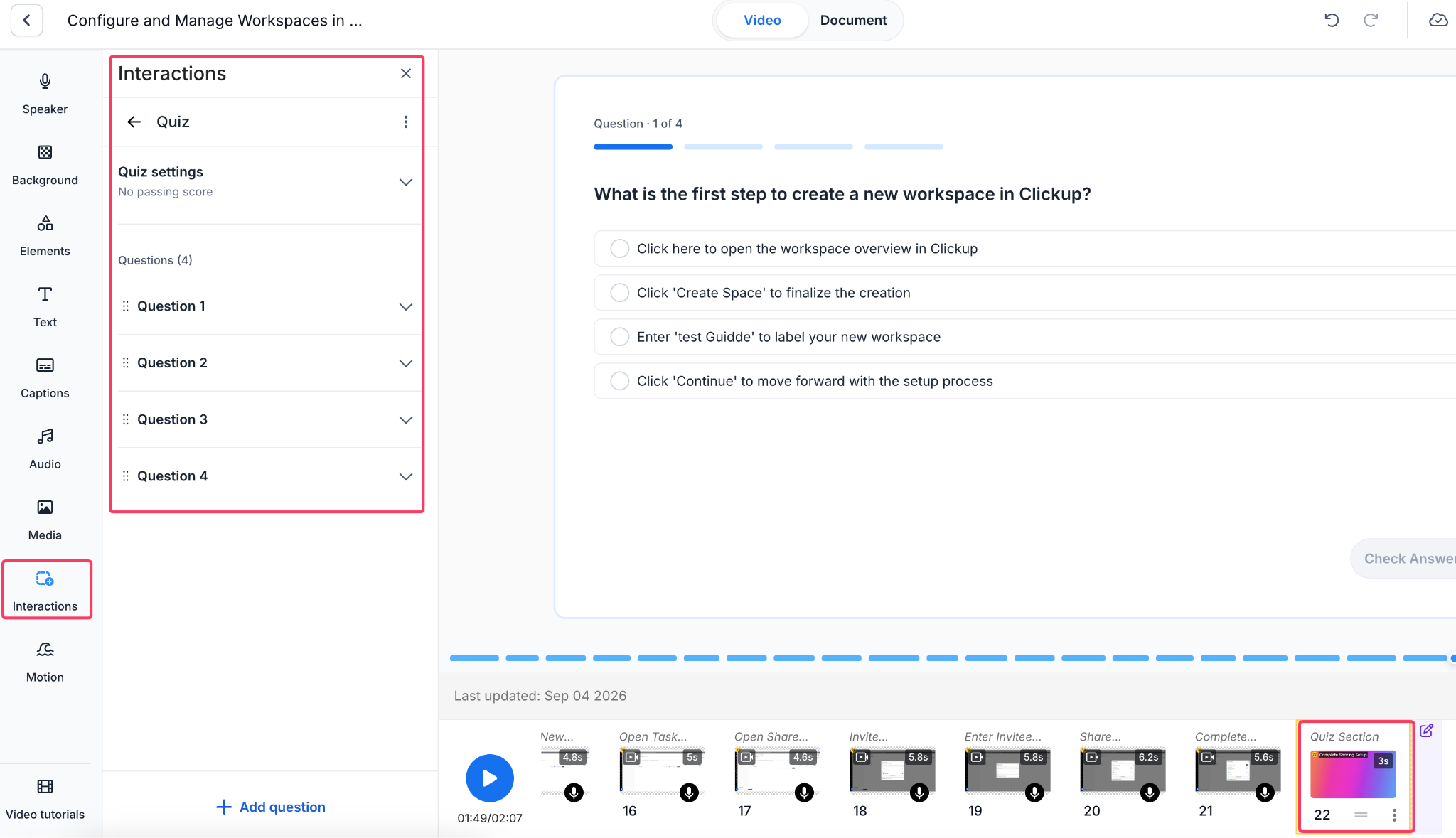
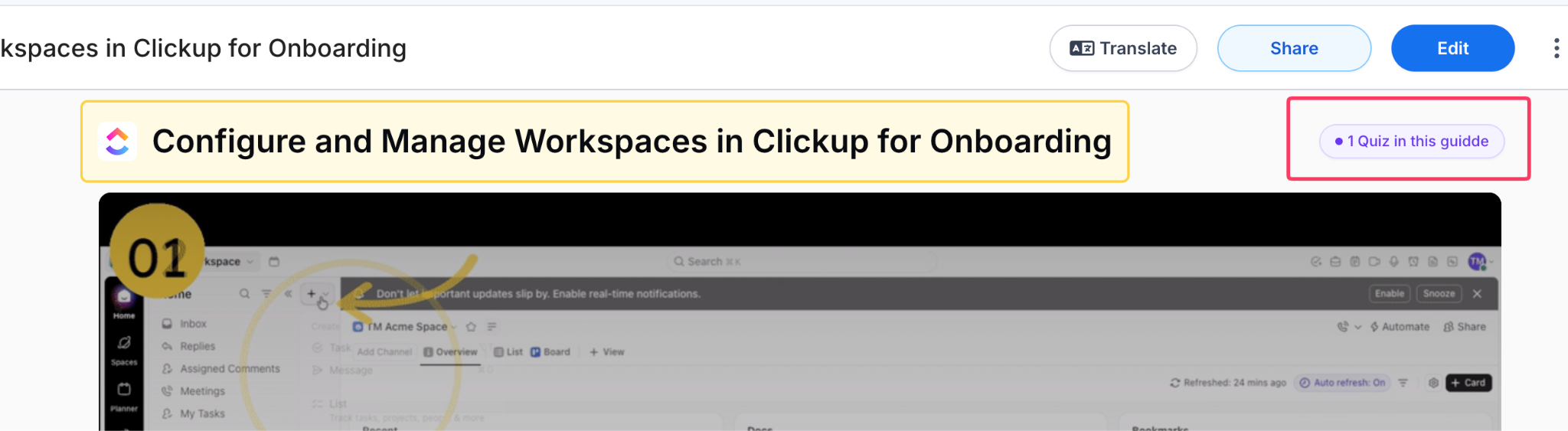
You can also add your own questions and set up passing scores, as well as review the answers that were predefined in the Guidde-generated questions.
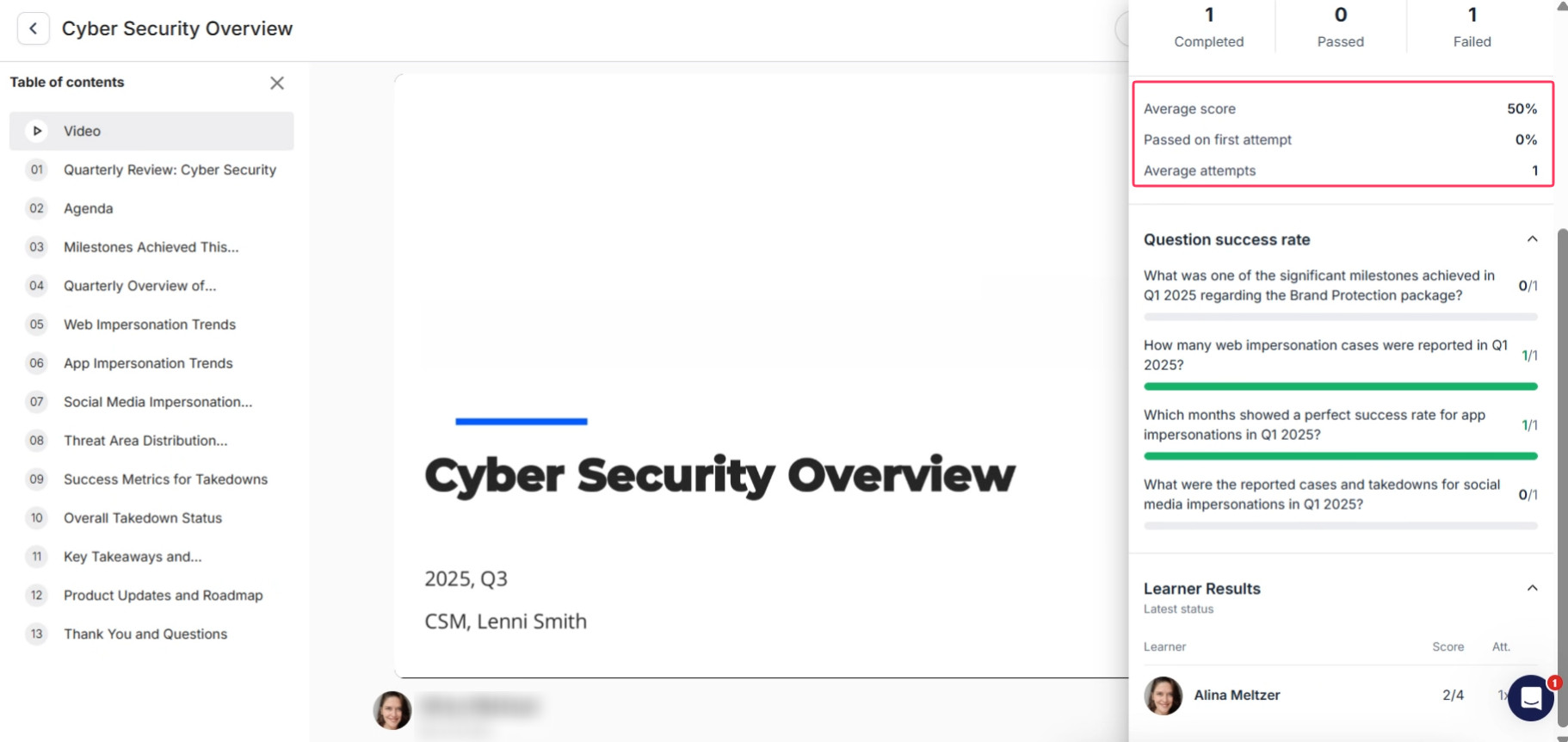
Quiz analytics are also available within the app, so you can see where users or teams are struggling.
To some users, these changes may seem small, but I’ve noticed a big change from “use this to create tutorial-style videos” to “here’s a way to create, update, and maintain training material”. This is also beneficial for enterprise organizations that want an easy way to manage this without implementing a full-scale LMS.
This changes the game from simple onboarding documents to a useful way to ensure your new team members can understand the material and to help managers track progress, scores, and pass rates.
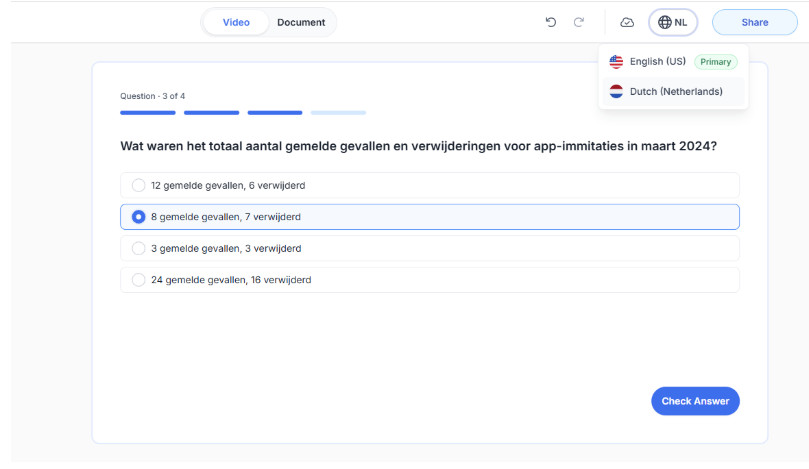
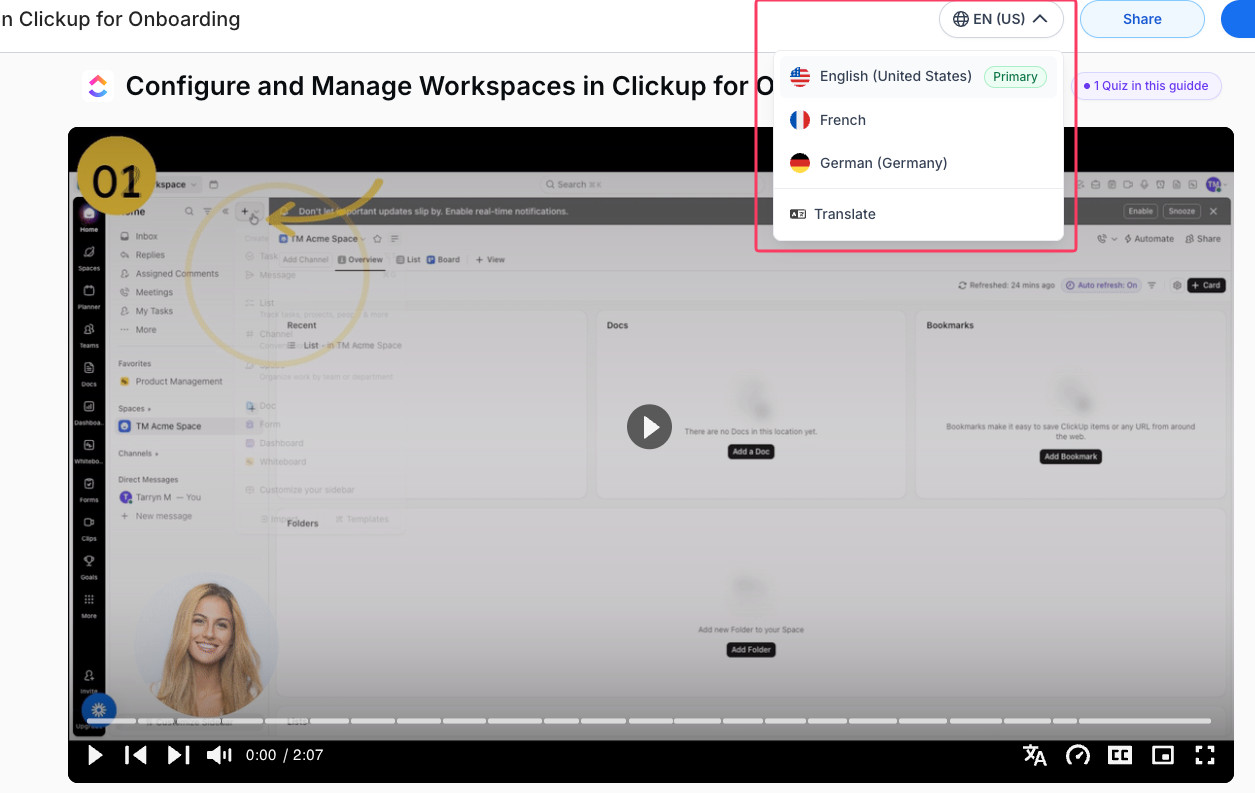
One of the really useful features that’s worth calling out is that you can also translate your quizzes, making them more accessible to global teams or to cater to new employees who may speak a different language.
Publish to SharePoint and Confluence Directly
I am a huge fan of Confluence and SharePoint (I know it’s not everybody’s cup of tea), but these are some of the most commonly used tools for wikis, knowledge bases, LMS content, and training material, so I was excited to see that you can embed the link directly into both. The caveat here is that you will require a connection to one or both to ensure this works as expected.
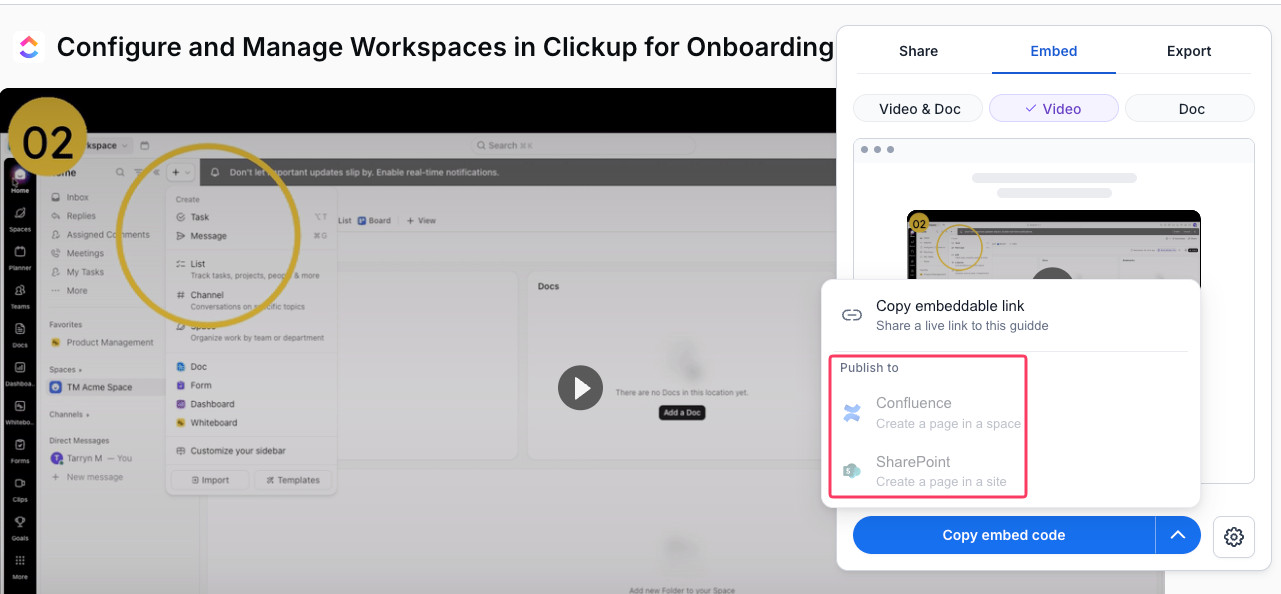
This means you’re essentially removing an entire step in the publishing process and creating a link to materials right where teams already work. Any updates you make are automatically reflected on the published page, which is a huge time saver for teams using tools like this to maintain training guides, SOPs, and other frequently changing materials.
Workspace Dictionary and Brand Writing Guidelines
Consistency is really important for maintaining large libraries of content, and Guidde’s recent enhancement to the Workspace Dictionary helps teams create a set of internal jargon and terminology (including product names, languages, translations, and pronunciations), making it far easier to keep all content uniform.
If you’re a single user or a small team, this may not be a significant update. As someone who has managed large-scale knowledge bases, I know this would have saved me hours when creating content.
Mobile & Tablet Content Creation
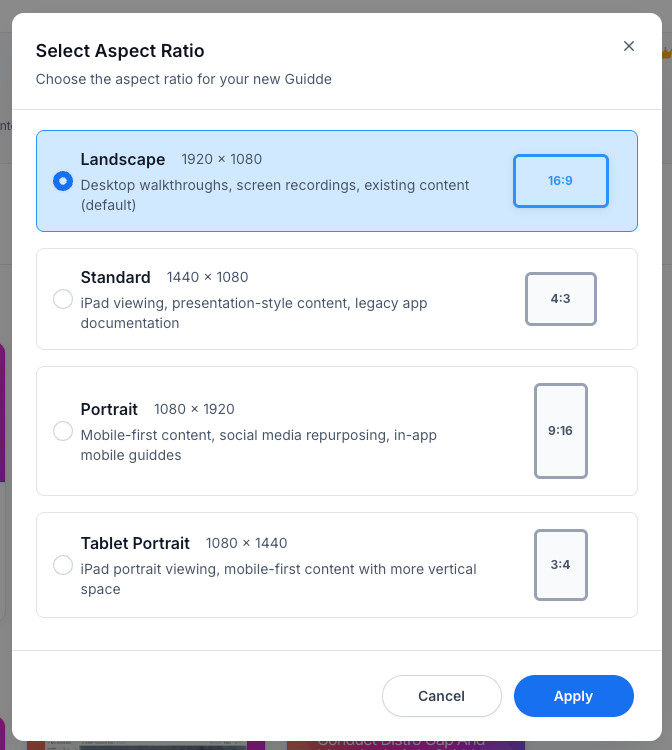
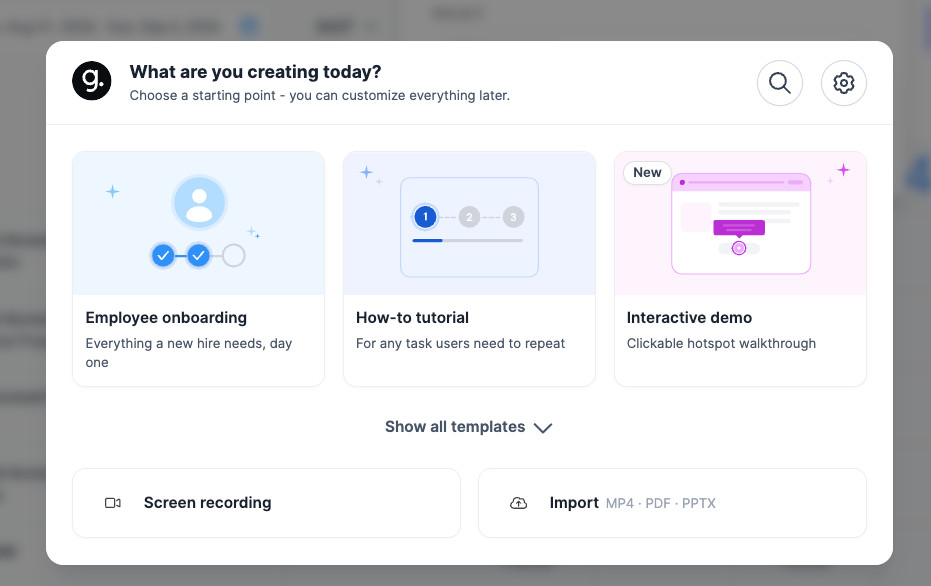
You can now record a video or upload a pre-recorded one, and Guidde will automatically add steps and titles for you.
You can use a tablet or a mobile phone that supports both iOS and Android, and it offers both landscape and portrait orientations.
This was one I was super excited to see because it helps a lot of “people on the ground” or field-based teams handle edge cases where you need a real-world process captured, not just explained.
Magic Mic Voiceover & Narration
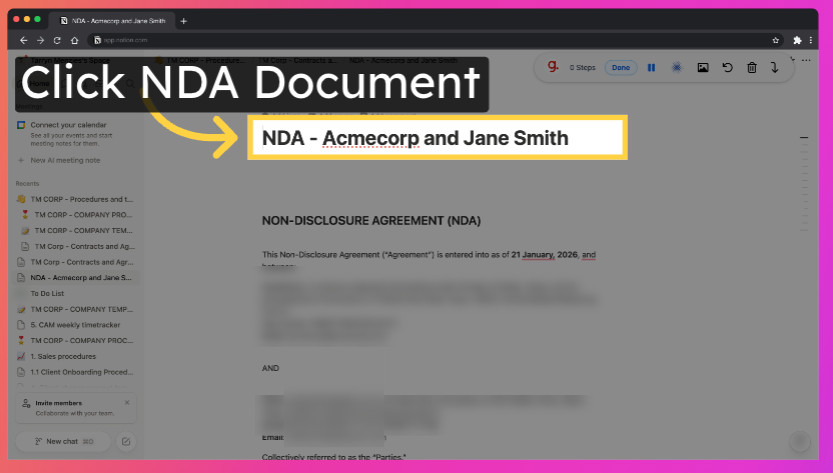
Magic Mic lets users narrate naturally as they go through a workflow or create content, then converts the narration into a clean, professional, polished voiceover that can be edited.
This is a great value-add because sometimes narrating the video yourself can feel daunting, and not all users who need to create content may feel comfortable having their voices recorded. This is where Guidde’s consideration of how to create long-standing content, update large-scale content libraries, and enable easy updates has come a long way in 2026.
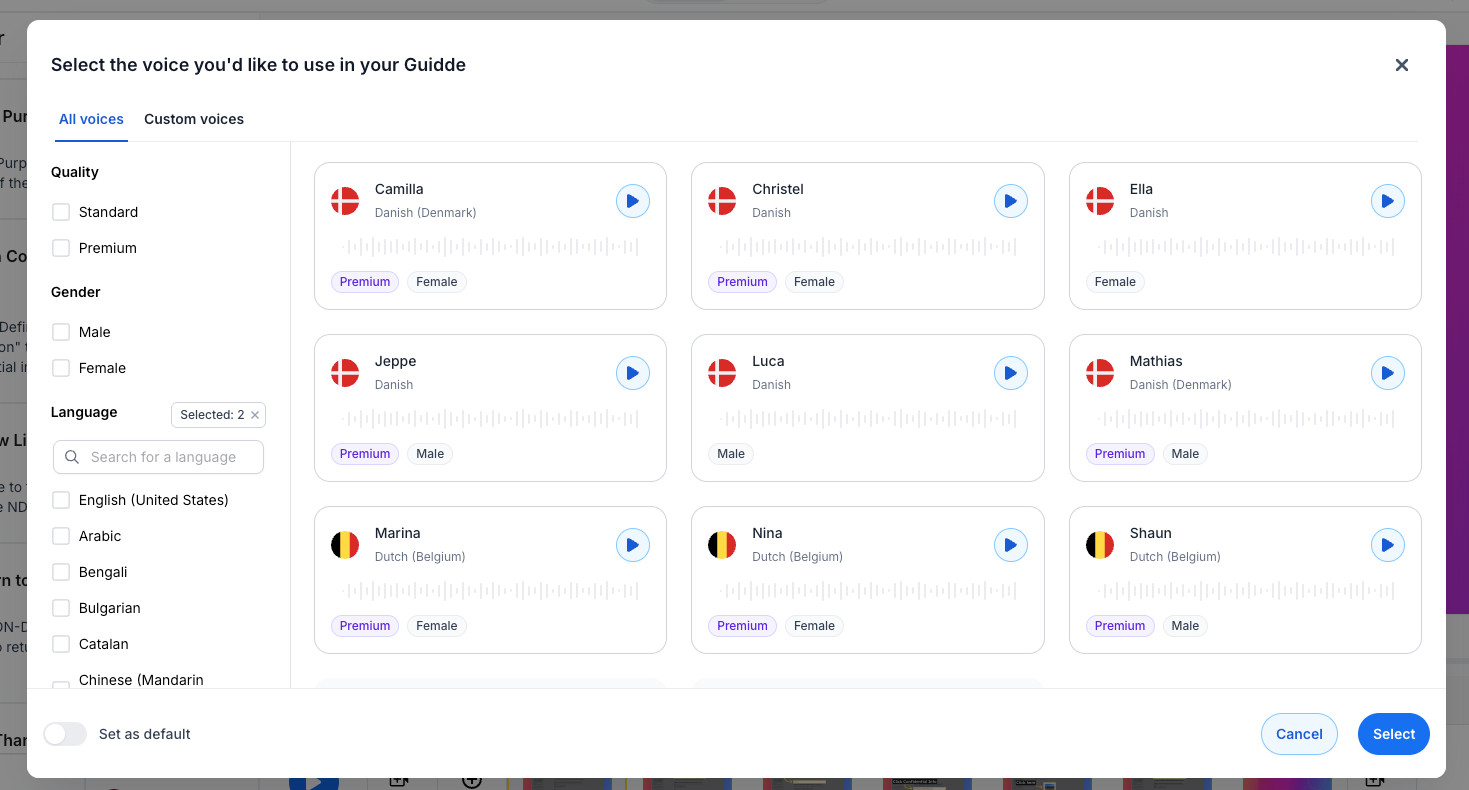
In 2026, “Premium” voices are now available, which may benefit Business & Enterprise Plan users by creating more professional-sounding voiceovers, ideal for customer-facing content.
Translation Syncing & Multi-language Support
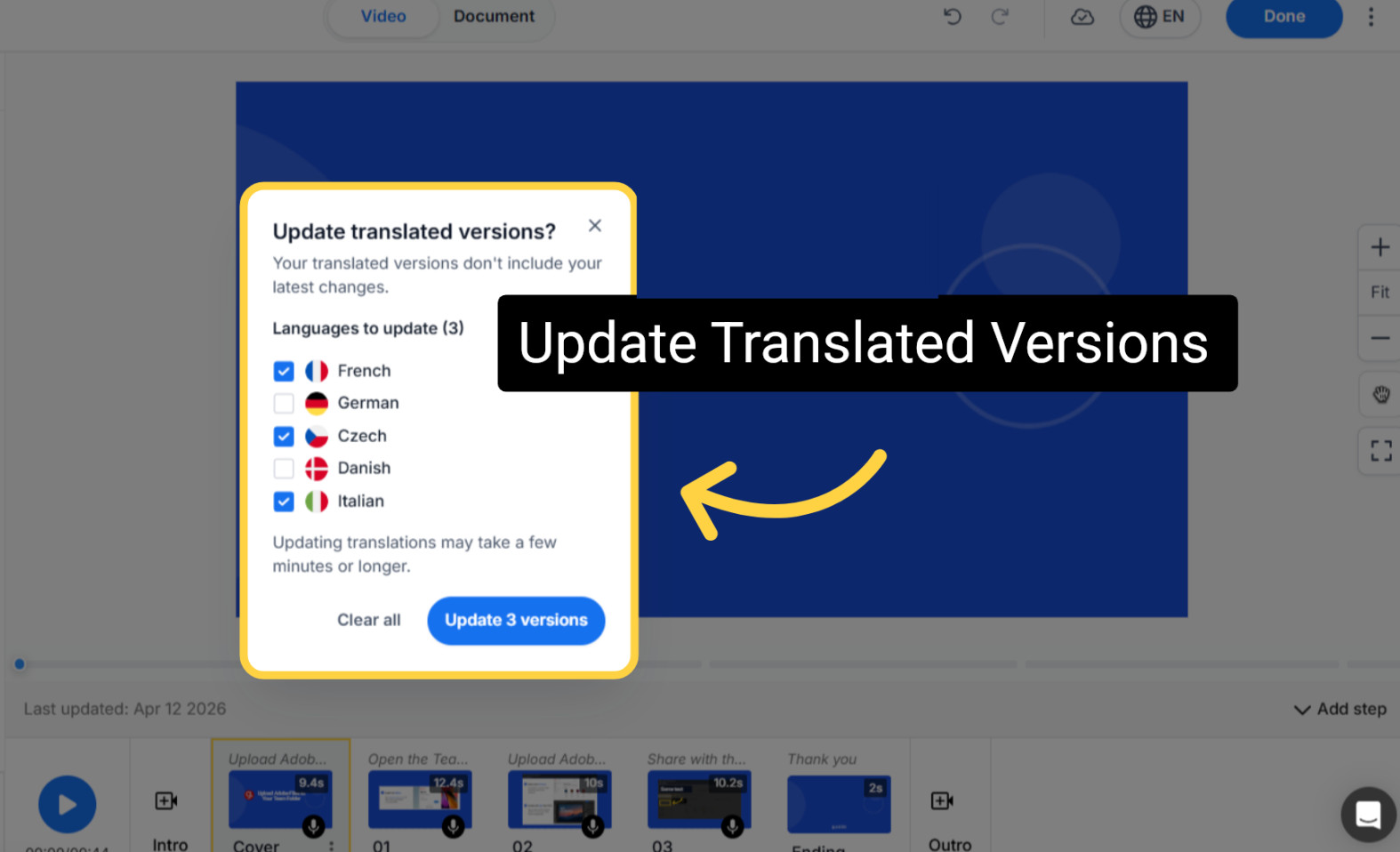
A related feature is the syncing of translations upon publishing, an impressive standalone feature that makes sense for organizations with unique language requirements.
Publish once, select the languages you want to sync, and have peace of mind knowing that already published translations remain unchanged, making this a good fit for global teams with multilingual teams or customers.
Pricing Snapshot – Which Guidde Plan Should You Choose?
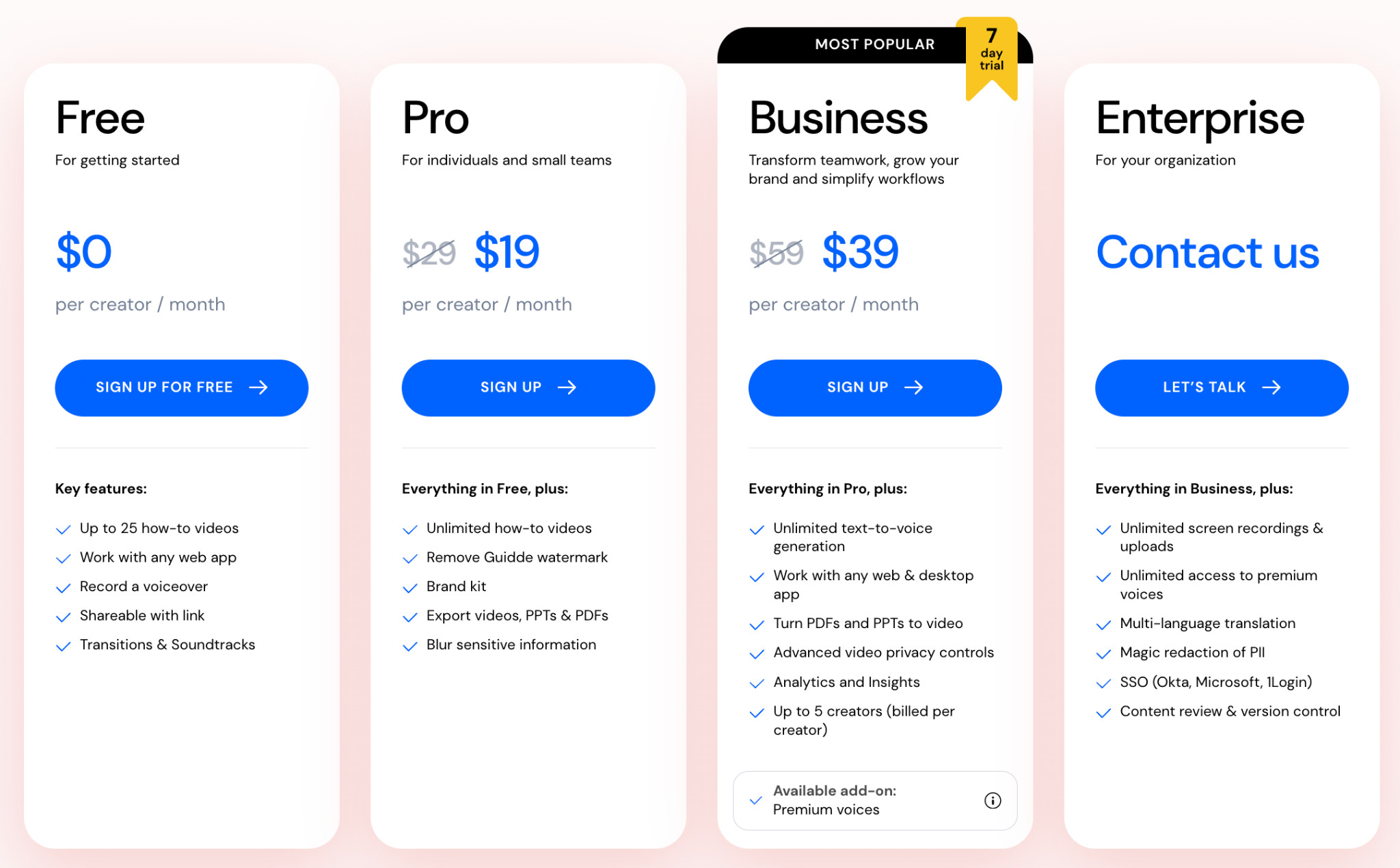
It can be hard to know if you just need something basic or if the higher tiers are a better fit for your business.
- If you just want to test the tool and see its basic features, the Free Plan is a great way to get an idea of how it works and whether it’s right for you.
- Pro is worth paying for if you have a small team and need access to unlimited videos without a watermark.
- If you need more advanced or premium features like AI voiceovers and analytics and you’re creating content at scale, the Business Plan is definitely worth the jump.
- When considering whether the Enterprise Plan is worth it, it might come down to your business’s needs and how you intend to use the tool. I’d also consider whether you have larger libraries or content to update or create, and how some of the built-in automation can save your team time. Enterprise users may find specific features like multilingual translation, PII redaction, SSO, and advanced control capabilities particularly useful.
That said, I’d only consider the higher tiers if you are a larger organization that truly needs these capabilities; if not, you may benefit from a lower tier.
Guidde in 2026 – Is It Worth It? My Verdict!
Where Guidde falls short:
Some features feel hidden or hard to find, so users may not make full use of the premium features that are actually useful, simply because they can’t find them.
I’d skip it if you’re an advanced video editor or if you only need to create content occasionally.
What I really like:
The newer features have really changed the landscape from just an onboarding or recording tool to a more substantial tool for helping teams update and repurpose new and older content at scale.
By adding voice-overs, dubbing, generative quizzes, PII controls, advanced multi-language options, and more, enterprise teams can make updates that previously took significant time and use many of the baked-in automations that Guidde offers.
A lot of tools help you create content but don’t give you an intuitive way to keep it fresh and relevant or offer a quick, easy way to update it at scale.
I’d recommend Guidde, especially if you’re regularly creating or updating large-scale content libraries and documentation, or onboarding users and training teams.
Overall, I feel like Guidde has stepped up in a way that’s gone beyond just “adding AI features,” unlike some other tools I use, and instead enhanced already useful functionality that most teams need.
A couple of years ago, I thought of Guidde primarily as a way to quickly record “how-to” videos or walkthroughs. But now I realize that Guidde is a great fit for larger organizations that need a perfect middle ground between creating standardized training and documentation and a full-blown LMS.
With more advanced ways to create and update content continuously, and to measure how content is used and consumed, I feel it’s become more accessible to larger teams and more use cases.