


Last Updated on October 12, 2026 by The Digital Merchant Team
Nobody reads emails that end up in spam. If your open rates have dropped, or you’re sending from a brand new domain, a deliverability tool can help get your messages back in front of people.
When it comes to email deliverability improvement services, Warmy vs InboxAlly is one of the most common comparisons. Warmy, as the name suggests, warms up your email account, which means it starts you off sending a small number of emails and slowly builds up so providers don’t flag you as spam. InboxAlly helps the emails you’re already sending look more trusted. You send your emails to InboxAlly’s test inboxes, and they open them, click links, and reply. When email providers see people engaging with your emails, they’re more likely to send them to the inbox instead of spam.
So which one is better for your needs?
Let’s look at the two side by side.
Warmy vs InboxAlly at a Glance
Platform name | ||
Best for | Automated email warm-up & deliverability | Long-term inbox placement improvement |
Price | Starting from $49 per month (final price depends on how many warmup emails you need) | From $149 per month |
Key Features | – Auto-generated personalized warm up message – Monitoring, dashboard, and alerts. – Email warmup in more than 30 languages – IP health tracker. Email seed lists | – Repair/Increase deliverability on any IP/domain on any platform – Works with any email-sending service – Auto-detect adapts to your sending – Multiple sender profiles – Intuitive dashboard |
Use Cases | – Gradual email warmup – Sales teams, marketers, and high-volume senders – Recovering from spam issues | – Email warmup & reputation building – Agencies & enterprises – High-volume senders – ISP trust development – Recovering from spam issues |
Free Trial | Yes, 7 days free | Yes, 10 days free |
How Warmy and InboxAlly Work
Warmy and InboxAlly both help get your emails into the inbox, but they go about it in different ways. Here’s a quick look at what each tool does.
What Is Warmy?
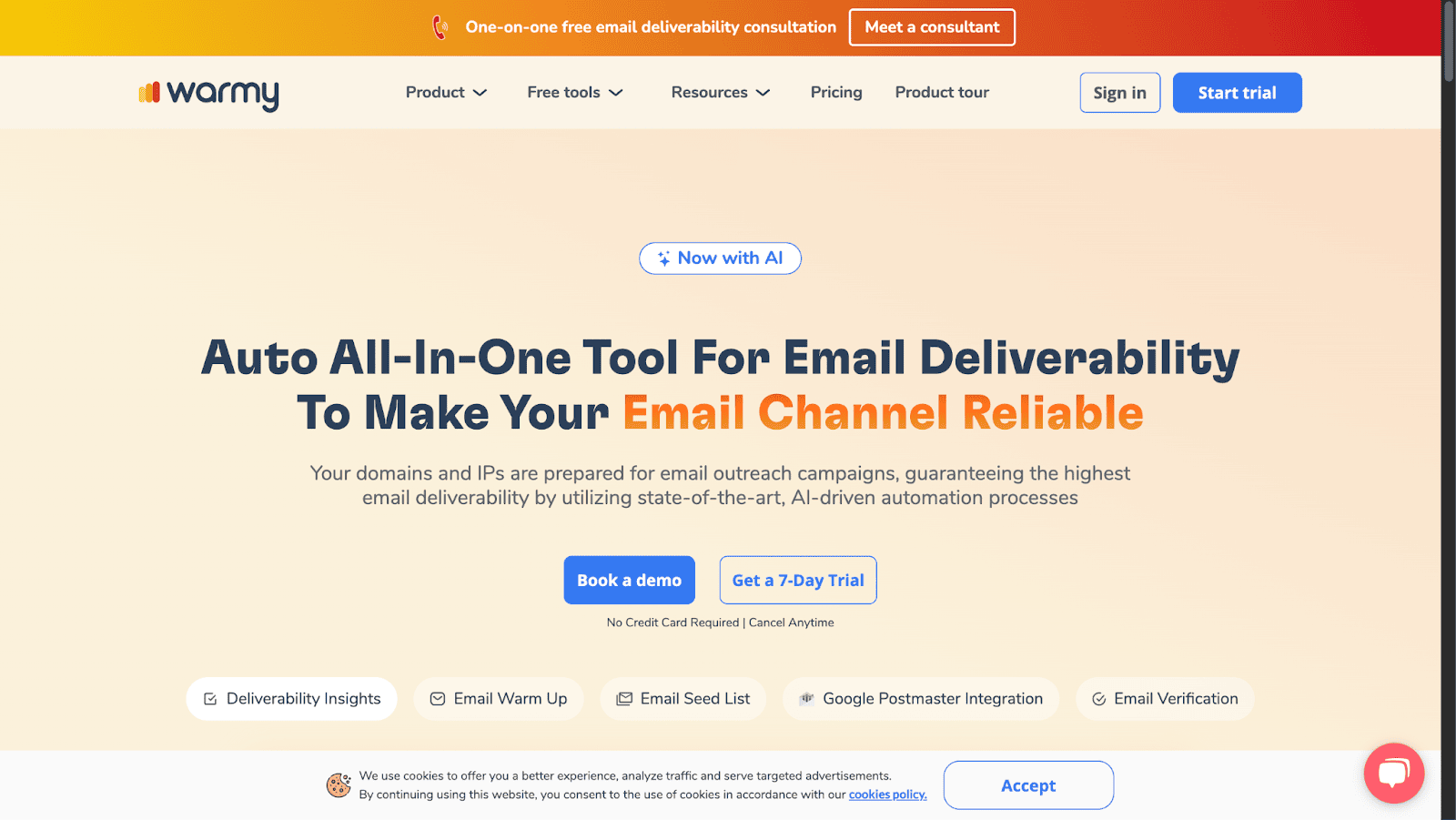
Warmy is an email deliverability tool that helps businesses improve inbox placement by warming up email accounts and keeping a strong sender reputation.
So, what does warming up an email account mean?
It means slowly getting email providers like Gmail and Outlook used to you. When an account is new, or hasn’t sent much in a while, providers don’t know if they can trust it yet. If you suddenly send hundreds of emails, it looks like spam. Warmup starts you off with a few emails a day and builds up over time, so providers learn your account is safe.
Warmy handles this for you. It offers features like auto-generated warmup messages, safe sending settings, real-time monitoring, and deliverability tracking in over 30 languages.
What Is InboxAlly?
InboxAlly is designed to keep your emails out of spam and in the inbox by strengthening your sender reputation.
It does this by mimicking real interactions like opens, clicks, and replies so that email providers see your messages as trustworthy. This makes it a great tool for businesses, marketers, and cold email senders who want to improve deliverability over time.
InboxAlly is also a great option if you notice your emails keep getting delivered to spam.
Warmy vs InboxAlly: Pricing
Both tools offer a free trial, but their paid plans look pretty different. Here’s how the pricing breaks down.
Warmy Pricing
Warmy has three types of plans:
- B2B Sender: For reaching business inboxes like Google Workspace and Microsoft 365.
- B2C Sender: For reaching personal inboxes like Gmail, Yahoo, and Outlook.
- Custom Plan: Built around your volume, providers, and goals.
Plans start from $49 per month, but the final price depends on how many warmup emails you need. You can book a demo to talk through your needs, or try any plan free for 7 days.

InboxAlly Pricing
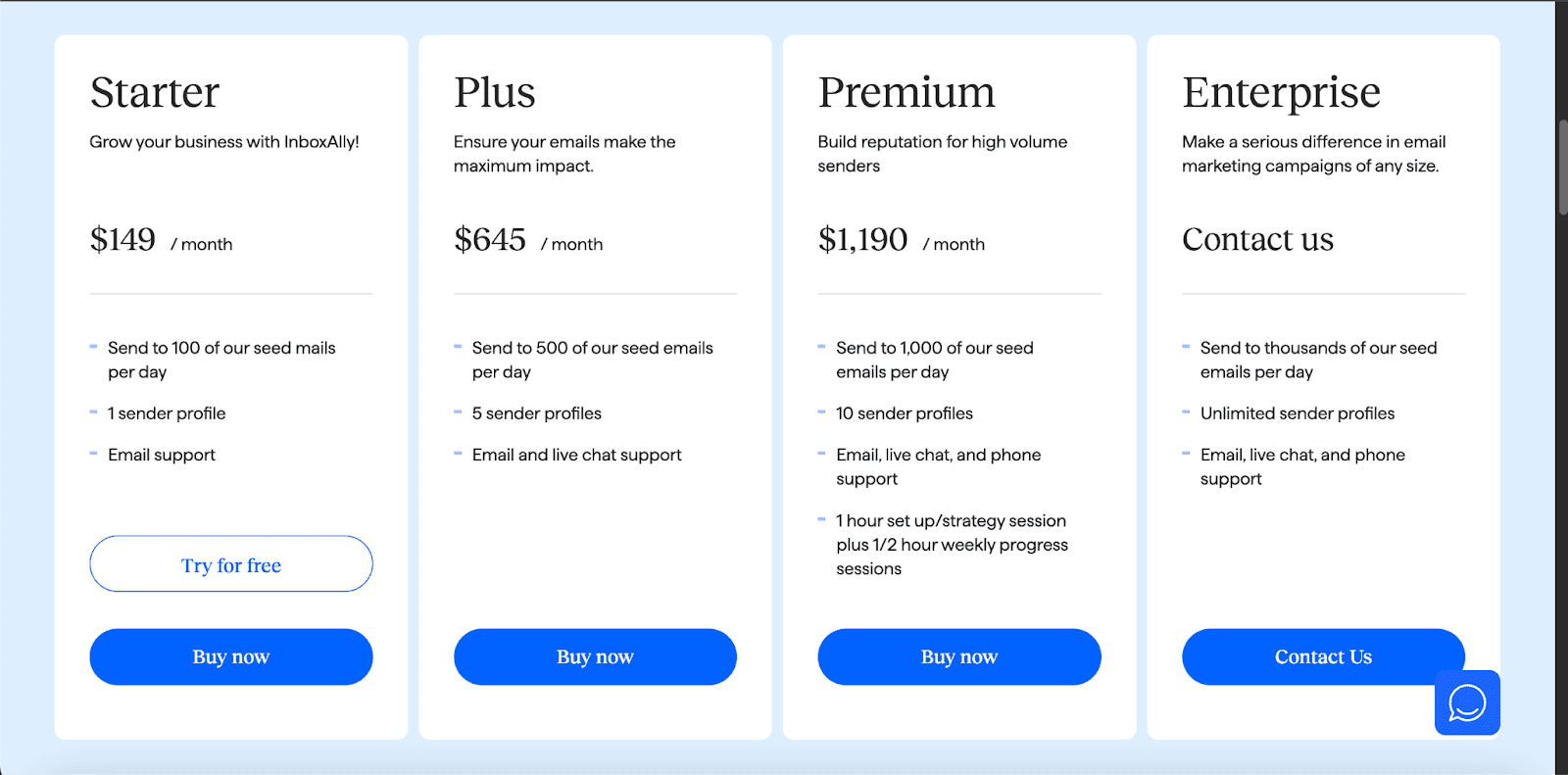
InboxAlly has four different plans available:
- Starter ($149/month): Send to 100 of their seed emails per day, 1 sender profile, email support.
- Plus ($645/month): Send to 500 of their seed emails per day, 5 sender profiles, email and live chat support.
- Premium ($1,190/month): Send to 1,000 of their seed emails per day, unlimited sender profiles, email, live chat, and phone support.
- Enterprise: Custom pricing.
Winner: Tie
Warmy has a lower starting price at $49 per month, compared to InboxAlly’s $149. But since Warmy’s final price depends on how many warmup emails you need, it’s hard to compare the two until you know your sending volume. InboxAlly shows its prices upfront, which makes it easier to plan your budget.
Warmy vs InboxAlly: Key Features
Since both tools work a little differently, their features are a good way to figure out which one is better for you.
Warmy Features
Warmy focuses on traditional email warmup techniques, with features designed to improve deliverability and keep your messages out of spam folders, including:
- Auto-generated personalized warmup messages
- Safe auto settings
- Monitoring, dashboard, and alerts
- Email warmup in more than 30 languages
- 25-second setup
- Email seed lists
- Test domain performance
- IP health tracker
- Compatible with most major email providers
- Deliverability insights and performance tracking
InboxAlly Features
InboxAlly simulates real user engagement, like opens, clicks, and replies, to train email providers to trust your emails. Its features include:
- Improve deliverability on any IP/domain
- Compatible with all email-sending services
- Send emails using your own content
- Track progress via a dashboard
- Control when emails are opened
- Auto-detect adapts to your sending
- Supports large email list sizes
- Emails opened from diverse U.S. locations
- Create multiple sender profiles
- No access needed to your email accounts
- Customize your sending schedule
- Set your preferred reporting timezone
- Boost engagement for specific campaigns
- Use or customize engagement profiles
- Enterprise-level customizable plans available
Winner: InboxAlly
While Warmy is great for keeping your email health in good shape, InboxAlly’s advanced engagement features make it a better long-term solution for deliverability.
Warmy vs InboxAlly: Use Cases
The best tool for you depends a lot on where your email account is right now and who you’re sending to. Here’s who each one works best for.
Warmy
Warmy is great for businesses that want to gradually warm up their email accounts, whether they’re launching a new domain or recovering from spam issues. It’s helpful for sales teams setting up new inboxes for cold outreach, or any business that wants to start sending more emails without getting flagged.
InboxAlly
InboxAlly is better suited for businesses that are already sending emails but keep landing in spam, and need a stronger push to fix it. Since you can create multiple sender profiles, it also works well for agencies handling email for several clients. And because it doesn’t need access to your email accounts, it’s a good pick for larger companies with strict rules about who can log into their inboxes.
Winner: InboxAlly
While both tools will boost your deliverability, InboxAlly has a more hands-on approach to keeping emails out of spam.
So, Which Is Better? Warmy or Inboxally
Which one is better depends on your needs and budget.
If you’re starting fresh with a new domain or new inboxes, Warmy makes a bit more sense. It eases your account into sending so providers don’t flag you early on, and the lower starting price makes it easy to test out. It also comes with a free trial and no credit card needed, so there’s not much to lose by trying it.
On the other hand, if your emails are already landing in spam, or you’re managing email for several brands or clients, InboxAlly is the better choice. It works on the emails you’re already sending, and it gives you more control over how and when engagement happens.
Since InboxAlly won for both features and use cases, I’d say its the better email deliverability tool overall. It costs more to start, but if getting into the inbox helps you make more sales, it’s worth the price.
InboxAlly is the comprehensive suite I need to solve challenging deliverability problems across the board. It's like a triage hub for diagnosing and fixing email deliverability rates in one dashboard. I've tried a lot of tools, but this is the one I've stuck with.