

- Follow these steps to avoid getting sent to spam:
- Authenticate Your Email Domain
- Set Up a Proper Sending Infrastructure
- Avoid Spam Trigger Words (And Do This Instead)
- Maintain a Clean Email List (Without Losing Good Subscribers)
- Monitor Your Sender Reputation (And Improve It Fast)
- Improve Engagement to Stay Out of Spam
- Avoid High Spam Complaint Rates
- Optimize Your Email Formatting & Code
- Ensure Proper Inbox Placement with Testing & Monitoring
- Bonus: Deliverability Tactics Worth Adding to Your Routine
- Final Thoughts
Last Updated on May 19, 2026 by The Digital Merchant Team
Are your emails going straight to spam? You could be missing out on sales, damaging your business’s reputation, or just wasting a lot of time and money.
But what are you doing wrong? And is there anything you can do about it?
Luckily, there are a ton of pretty easy steps you can take to make sure your valuable marketing emails are bypassing those spam filters and getting sent to your subscribers’ actual inboxes.
Here’s everything you need to know about keeping your emails out of the spam folder.
Follow these steps to avoid getting sent to spam:
(I’ll cover everything in more detail below)
- Set up SPF, DKIM, and DMARC for authentication
- Regularly clean your email list to remove inactive subscribers
- Test deliverability with tools like GlockApps or MailTester before sending
- Use Inboxally to train inbox providers and improve placement
- Experiment with A/B testing to optimize subject lines and content
Authenticate Your Email Domain
The first thing you need to do, if you haven’t already, is authenticate your email domain.

SPF (which defines which servers can send emails on your behalf), DKIM (which adds a digital signature to verify the message wasn’t altered), and DMARC (which tells email providers how to handle messages that fail SPF or DKIM checks) are the three core authentication protocols that verify your emails are actually coming from you and not spammers, making your messages reach inboxes instead of spam folders.
This used to be “best practice” advice, but that ship has sailed. Gmail and Yahoo made SPF, DKIM, and DMARC mandatory for bulk senders in early 2024, Microsoft joined in May 2025, and Gmail is now rejecting emails that don’t comply. Even if you’re not hitting 5,000 emails a day yet, just set them up now. You’ll thank yourself later.
To set up SPF:
- Log into your domain provider (like GoDaddy, Cloudflare, or Namecheap).
- Go to the DNS settings section.
- Add a new TXT record and enter the SPF details provided by your email service (such as Google Workspace, Mailgun, or SendGrid).
- Save the changes and wait for them to update (this can take up to 48 hours).
- Use an online SPF checker to confirm everything is working correctly.
To set up DKIM:
- Check your email provider’s settings for a DKIM setup option.
- Generate the necessary DKIM records (your provider will give you the details).
- Add the DKIM information to your domain’s DNS records by creating a new TXT record.
- Save the changes and allow time for propagation.
- Verify that DKIM is working using an online DKIM testing tool.
To set up DMARC:
- Create a new TXT record in your DNS settings.
- Enter the DMARC policy details, including an email address where reports will be sent.
- Start with a relaxed policy to monitor results before enforcing stricter rules.
- Save and allow time for the settings to take effect.
- Use a DMARC monitoring tool to track email authentication results and adjust as needed.
Beyond these basics, new authentication trends like BIMI (which adds brand logos to emails for credibility) and TLS encryption (which secures email transmission) are great extra steps to ensure security.
InboxAlly is the comprehensive suite I need to solve challenging deliverability problems across the board. It's like a triage hub for diagnosing and fixing email deliverability rates in one dashboard. I've tried a lot of tools, but this is the one I've stuck with.
Set Up a Proper Sending Infrastructure
Next, set up a proper sending infrastructure based on your business’s goals and setup.
Choose between a shared or dedicated IP, depending on your email volume. Shared IPs are managed by providers and work well for businesses that don’t send a ton of emails, generally under 100,000/month. Dedicated IPs give senders full control but call for an extra step in protecting your reputation.
If you choose a dedicated IP or a new domain, warm it up by gradually increasing email volume to help avoid spam filters. This process typically takes 4 to 8 weeks, and rushing it is one of the most common reasons new senders land in spam right out of the gate.
Setting up reverse DNS, PTR records, and custom return paths is another way to improve deliverability by making sure mail servers recognize and trust your sending domain.
Avoid Spam Trigger Words (And Do This Instead)
Spam filters have evolved beyond just flagging certain words, but using overly promotional or misleading phrases can still hurt your chances of making it past spam.
AI-based filters now analyze overall email context, engagement rates, and sending reputation, so you need to create natural, trustworthy messaging.
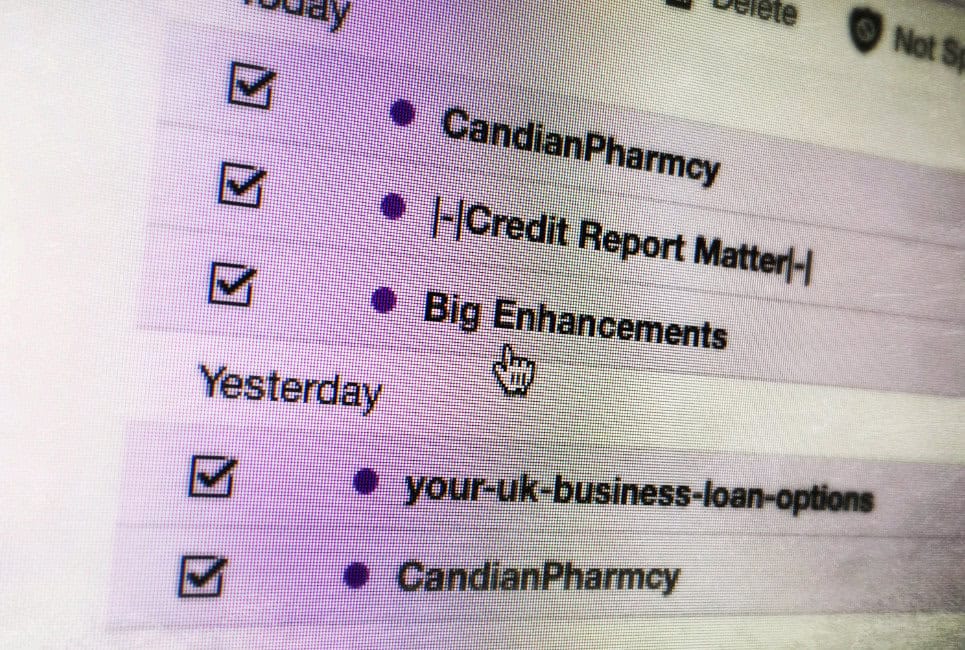
Here’s a list of words to avoid and better alternatives to use instead:
Avoid These Spam Trigger Words:
- “Free money”
- “Risk-free”
- “Act now!”
- “Congratulations, you’ve won!”
- “Exclusive deal”
- “Double your income”
- “100% guarantee”
Use These Instead:
- “No-cost trial”
- “Hassle-free experience”
- “Limited-time offer”
- “Here’s a special gift for you”
- “Insider access”
- “Boost your earnings”
- “Satisfaction promise”
To improve deliverability, focus on clear, relevant subject lines and avoid excessive capitalization, emojis, or urgent language that feels pushy. Keeping your emails engaging and aligned with subscriber expectations helps build trust and bypass spam filters.
Maintain a Clean Email List (Without Losing Good Subscribers)
Old or inactive emails can hurt your sender reputation, so keeping your email list healthy is important.
Use tools like ZeroBounce or NeverBounce to remove bounced, unengaged, or invalid addresses. Try to clean your list every few months, and try a re-engagement campaign to win inactive subscribers back before kicking them off your list.
Monitor Your Sender Reputation (And Improve It Fast)
Your sender score is another important piece here, and it’s influenced by factors like bounce rates, engagement, and sending consistency.
Tracking your reputation with tools like Google Postmaster, Talos, and SenderScore helps you catch potential issues early. If your sender reputation takes a hit, you can recover by warming up your IP, reducing send volume, improving engagement, and removing inactive subscribers to rebuild trust with email providers.
Improve Engagement to Stay Out of Spam
Low open and click rates signal to spam filters that your emails aren’t engaging, which can hurt deliverability.
Use personalization and segmentation strategies like tailoring content based on subscriber behavior or interests to make emails more relevant and boost interaction.
You’ll also need to find the right send frequency. Emailing too often is annoying and too few emails can lead to disengagement. There’s no universal answer, but testing different rhythms and letting engagement rates guide your adjustments is the most reliable approach.
Avoid High Spam Complaint Rates
You’ll also want to keep your spam complaint rates low, which are often triggered by irrelevant content, too many emails, or a hard-to-find unsubscribe option, since these can tank your sender reputation.
Making your unsubscribe link obvious and accessible helps reduce frustration and keeps those spam complaints low. And if you’re a bulk sender, one-click unsubscribe isn’t optional anymore; Gmail and Yahoo have required it since June 2024, with Microsoft following in May 2025. Frustrated subscribers who can’t easily opt out will just hit “report spam” instead.
Offering a preference center where subscribers can adjust email frequency or select topics they actually care about is a great way to reduce opt-outs altogether without losing people from your list entirely.
Optimize Your Email Formatting & Code
Good email deliverability goes beyond what you write. Poorly coded emails that have broken HTML, excessive code, or missing alt-text for images can also trigger spam filters.
While plain text emails can feel more personal, well-structured HTML emails actually perform better when optimized correctly. Use a balanced text-to-image ratio (60% text to 40% imagery), avoid too many links, and make sure your CTAs are clear and trustworthy to improve deliverability and engagement.
Ensure Proper Inbox Placement with Testing & Monitoring
You should be testing deliverability before sending, not just when something goes wrong. Tools like GlockApps and MailTester help check inbox placement, and setting up seed lists lets you see if your emails land in the Inbox, Promotions, or Spam folder.
For ongoing monitoring, Google Postmaster Tools is a free first-party option that tracks your domain reputation, spam rates, and authentication results directly from Gmail’s perspective.
A/B testing different subject lines, sender names, and content formats regularly can help you optimize deliverability even more and avoid getting hit with those spam filters. Small tweaks compound, so treat this as a continuous process rather than a one-time fix.
Bonus: Deliverability Tactics Worth Adding to Your Routine
A few bonus tactics to boost deliverability and avoid triggering those spam filters include:
- Leverage Engagement-Based Filtering: Email providers prefer senders with high engagement, so focus on increasing open and click rates by sending relevant, personalized content to the right audience.
- Warm Up Your Domain Before Large Campaigns: Increasing your email send volume gradually, rather than all at once, helps establish a good sender reputation and prevents your emails from being flagged as spam.
- Use Inboxally to Improve Deliverability: InboxAlly helps train inbox providers to recognize your emails as valuable by boosting engagement signals like opens and clicks, which will help you improve overall inbox placement over time.
- Monitor and Adjust Based on Performance: Track your deliverability metrics like inbox placement, spam complaints, and engagement rates, to tweak your strategy and make future email campaigns better.
- Learn from Real-World Case Studies: Businesses that recover from always getting sent to spam focus on better segmentation, authentication (SPF, DKIM, DMARC), and engagement-driven strategies.
InboxAlly is the comprehensive suite I need to solve challenging deliverability problems across the board. It's like a triage hub for diagnosing and fixing email deliverability rates in one dashboard. I've tried a lot of tools, but this is the one I've stuck with.
Final Thoughts
Improving email deliverability comes down to authentication, engagement, and smart sending strategies, and the bar has gotten higher. Gmail, Yahoo, and Outlook are all actively enforcing SPF, DKIM, and DMARC now, so getting getting the technical foundation right is key to your success.
The good news is that even small improvements make a difference. By focusing on best practices like warming up your domain, using authentication protocols, and leveraging tools like Inboxally, you can boost inbox placement and keep your emails out of spam.