


- At a Glance: Best Phone System with Native Salesforce Integration
- Why Salesforce Integration Matters
- What to Look for in a Phone System with Native Salesforce Integration
- Top Mistakes When Choosing a Phone System for Native Salesforce Integration
- Aircall
- RingCentral
- Dialpad
- JustCall
- CloudTalk
- How to choose the Best Phone System with Native Salesforce Integration
Last Updated on August 26, 2026 by The Digital Merchant Team
If your sales or support team runs on Salesforce then your phone system will have to work inside it, not as a bolt-on.
Having a ‘native’ Salesforce integration means that calls can be logged automatically to the right contact, lead, or deal without needing any manual input. Reps can dial from inside Salesforce with just one click, and managers can monitor activity across the team.
That’s much more use than some third-party connector that might sync with the call log only once every few minutes, or a power dialer situated in a separate tab, forcing your reps to switch and copy/paste notes after each call.
For RevOps managers and sales teams, native Salesforce integration can make all the difference between a phone system that makes your CRM data better and one that makes your CRM data worse. Today we break down five platforms that do it properly, to find the Best Phone System with Native Salesforce Integration.
Bottom Line Up Front
If your team lives inside Salesforce then Aircall is the strongest all-round choice.
It has Open CTI integration which embeds the phone directly inside Salesforce. It logs every call automatically to the right contact or opportunity. Depending on your subscription and configuration, it can also sync AI-generated summaries and sentiment back to activity records without any input from your reps.
For most RevOps and Sales Ops teams, that combination of depth, reliability, and ease of setup makes Aircall the best starting point. Still, it’s not the only phone system available with native Salesforce integration.
RingCentral, Dialpad, JustCall, or CloudTalk might be a better fit in specific scenarios, which I’ll explore further below.
At a Glance: Best Phone System with Native Salesforce Integration
Platform | Click-to-dial inside Salesforce | Auto call logging | Deal/opportunity-level history | Automatic contact creation | Real-time sync | Salesforce plan required |
|---|---|---|---|---|---|---|
Yes : Open CTI embedded | Yes : full activity logging | Yes | Yes | Yes : bidirectional | Professional ($50/user/mo) | |
Yes : CTI widget | Yes | Yes | Yes | Yes | Advanced ($25/user/mo) | |
Yes : Dialpad Everywhere widget | Yes : AI Recaps included | Yes | Yes | Yes | Pro or Enterprise plan (Pricing on request) | |
Yes | Yes | Yes | Yes | Yes | Pro ($49/user/mo) | |
Yes | Yes | Yes | Yes | Yes | Expert ($49/user/mo) |
Why Salesforce Integration Matters
These days, it’s hard to find a phone system that doesn’t claim to have “full Salesforce integration” in its marketing materials, but not all of them tell you exactly how this works, or even how you can access it.
At one end of the spectrum there’s the CTI-embedded integration. That means the phone system lives inside Salesforce and every call can potentially trigger a screen pop containing any contact history. Post-call data can also flow back into the CRM automatically without the rep having to lift a finger.
On the murkier end of the spectrum you have a connector that logs a basic call record once a day, presuming everything works correctly.
This is a crucial distinction for RevOps, as pipeline data quality depends on what gets captured and when. If you require reps to manually log every call, human nature means that this won’t happen consistently and accurately.
If call summaries and outcomes aren’t attached to the opportunity record in real time, forecasting will also become more difficult and coaching can become slower. Deep native integration solves those problems.
What to Look for in a Phone System with Native Salesforce Integration
Open CTI embedding (not a sidebar widget)
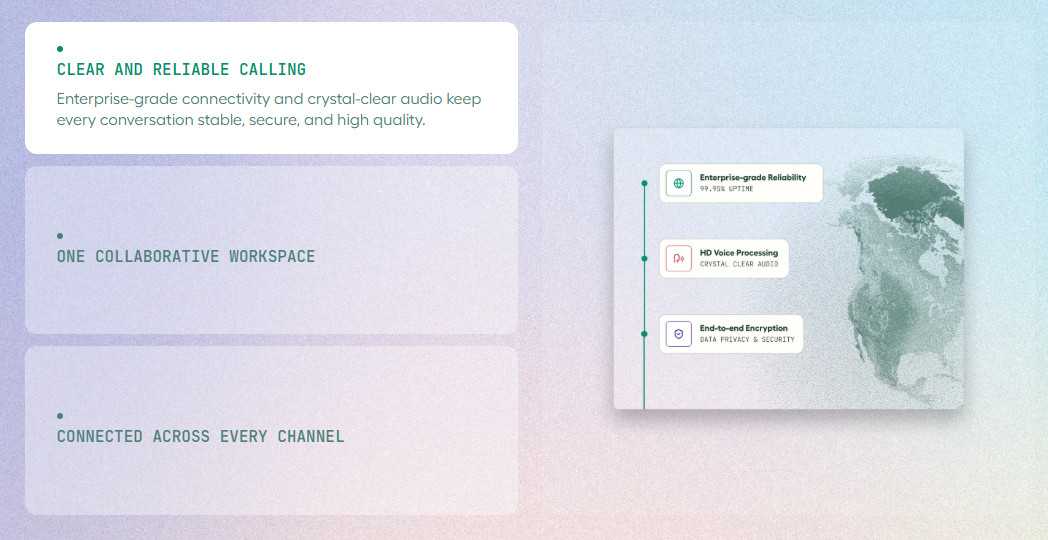
The strongest integrations in this context use Salesforce’s Open CTI standard to embed the softphone directly inside the Salesforce interface. This typically results in no tab switching or separate login, nor is there a sidebar app to maintain. Reps can work entirely within Salesforce as the phone system handles logging in the background.
Bidirectional sync
One-way logging, where Aircall or another platform pushes call data into Salesforce, has its uses, of course. But bidirectional sync, where Salesforce contact data surfaces directly inside the phone system during a live call, is much more useful. It can provide reps with a contact’s full history before the call begins.
Deal- and opportunity-level logging
Basic Salesforce integrations can log calls to contacts, but the best ones log to the specific deal, opportunity, or case in play. This creates an accurate, searchable record of every interaction at the pipeline stage.
Automatic contact creation
In those situations where a call comes from an unknown number, a well-embedded integration can create a new Salesforce contact automatically, and then attach the call log to it. Having to do that manually at scale can be one of the biggest sources of data gaps in any CRM, so it’s best avoided.
AI data capture built into the sync
Post-call summaries, sentiment scores, and key topic tags are only useful if they end up in Salesforce automatically. That’s why the best types of Salesforce integration route AI-generated insights directly to the relevant activity record. If, instead, the insights are consigned to a separate analytics dashboard, they’re likely to be missed.
Top Mistakes When Choosing a Phone System for Native Salesforce Integration
Assuming “Salesforce integration” means the same thing across platforms
It doesn’t. Check whether your chosen platform’s integration uses Open CTI, whether it writes to activity records or just call logs. You should also verify which tier unlocks the full feature set.
Failing to check which specific Salesforce plan you need
Certain platforms require a ‘Salesforce Enterprise’ tier or above to fully integrate all features. If your team’s currently using ‘Salesforce Professional’ verify compatibility with your chosen platform before signing up, then upgrade your Salesforce plan as necessary.
Ignoring sync reliability in favor of shiny features
A long list of various feature integrations is largely irrelevant if the sync drops out, mistakenly creates duplicate records, or logs calls to the wrong contact. Test your chosen platform carefully for data sync reliability and read independent reviews on this topic from sites like G2 and Capterra.
Treating integration as ‘set it and forget it’
Salesforce configurations can and do change: objects are customized, new fields are added, and flows are updated. This means that a phone system with strong ongoing support and an active native integration roadmap matters more than one that ships an integration and then walks away.
Overlooking local compliance and language support
If your team operates out of France, confirm that your provider is GDPR-compliant under the CNIL framework and offers French-language documentation for the Salesforce integration. When something breaks in the sync, your admin shouldn’t have to troubleshoot in a second language. Local French number provisioning (01, 04, etc.) is also worth verifying, since a recognizable geographic number on callbacks noticeably affects pickup rates. Same goes for UK teams: you want a provider that’s registered with the ICO and has a UK-focused knowledge base so your admin isn’t piecing things together from docs written for a different market. And if you’re doing any outbound, a local area code on your caller ID goes a long way.
Aircall
Pros
- Open CTI embedded natively inside Salesforce Lightning and Classic.
- Bidirectional sync
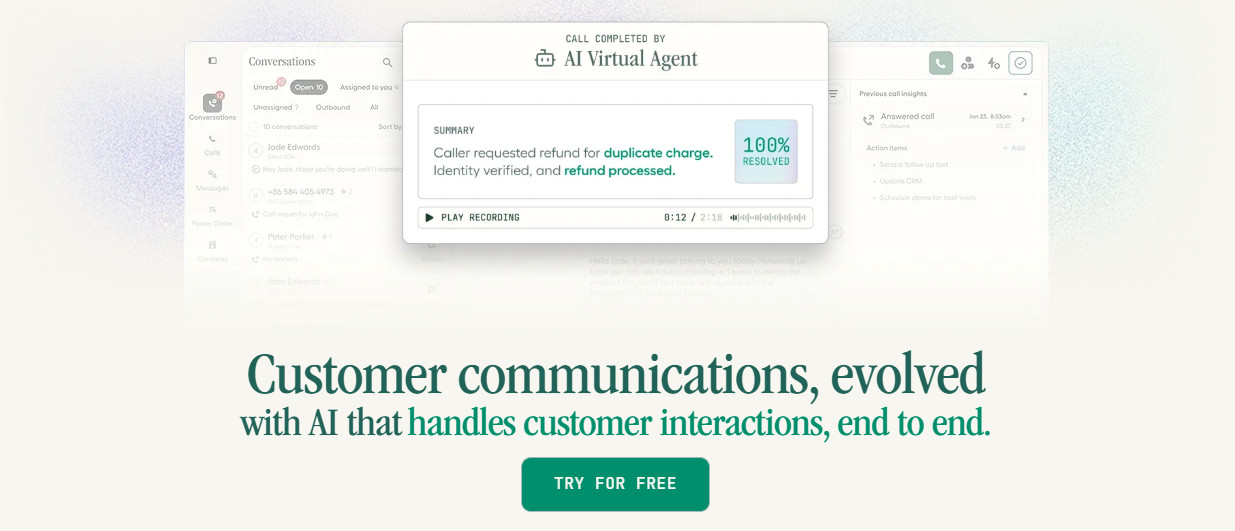
- AI Assist (included in the Professional plan) writes summaries, sentiment scores, and action items directly to Salesforce. Minimal manual input.
- French-founded company (Paris HQ) with CNIL-registered DPO, full French-language Salesforce CTI documentation, and French-speaking support team
Cons
- Salesforce CTI integration not supported by the lower-cost ‘Essentials’ tier
- Minimum of 3 licenses ($150/month), plus any add-ons
I’ve chosen Aircall as the best phone system for Salesforce integration as it uses the Open CTI standard. That means the softphone is embedded directly inside Salesforce as a native part of the interface, not as a floating widget.
Every call (both inbound and outbound) logs automatically to the right contact, lead, or opportunity record.
This includes the:
- Call recording
- Call outcome
- AI Summary
- Tags generated in the call (if applicable)
The bidirectional sync is worthy of special mention, as it means that Salesforce contact data, including deal stage, previous call history, and open tasks, can appear inside Aircall during live calls. This gives reps the context they need before they start speaking.
The ‘Professional’ tier includes ‘AI Assist’ to add post-call summaries, sentiment analysis, and key topic extraction. Most importantly, all of these can sync to Salesforce activity records automatically.
This is the core value proposition for Sales Ops teams that need clean pipeline data without relying on their reps’ goodwill and diligence every time.
As we’ve learned, Salesforce CTI integration is available on Aircall’s ‘Professional’ plan at $50/user/month (annual billing), with a minimum of three licenses. AI Assist (summaries, sentiment, key topics) is included in Professional. However, if you want features like live transcription and real-time coaching, you’ll need the ‘AI Assist Pro’ for an additional $49/month.
Aircall for French Sales and Support Teams
Aircall is a French company, founded in Paris in 2014 and headquartered there ever since. That’s means the Salesforce CTI integration has full French-language documentation, the support team and knowledge base operate natively in French, and the DPO of Aircall SAS is registered directly with the CNIL.
For teams running Salesforce in France, the Aircall integration won the Salesforce Demo Jam for best integration, and the setup documentation, CTI configuration guides, and troubleshooting resources are all available in French. Aircall also provisions local French numbers across geographic area codes, which directly affects answer rates for outbound sales teams prospecting domestically. You can explore the full French Salesforce integration at the Aircall Salesforce CTI page or start a free trial.

A solid pick for growing sales and support teams that want an easy-to-use cloud phone system with powerful AI features, call management, analytics, and CRM integrations.
RingCentral
Pros
- Supports Sales Cloud/Service Cloud, with High Velocity Sales compatibility in Lightning
- Click-to-dial, screen pop, and automatic call logging from inside Salesforce
- Strong reliability and uptime record (99.999% SLA)
- French entity (RingCentral France) with local support, euro billing, and European data centres
Cons
- Full Salesforce integration not included in lowest cost ‘Core’ plan
- Salesforce integration isn’t optimized for pure sales workflow optimization
- AI features for call intelligence are less deeply embedded into the Salesforce data layer than competitors, like Aircall and Dialpad
RingCentral for Salesforce integrates via a CTI and is available across Sales Cloud and Service Cloud.
Click-to-dial works seamlessly from contact, lead, account, and opportunity records. Calls can also be automatically logged as activities with recordings attached. Screen pops on relevant inbound calls can display the corresponding Salesforce record before the rep picks up.
Still, this level of integration requires at least a RingCentral ‘Advanced’ subscription ($25/user/month), billed annually for general calling. Salesforce compatibility should also be checked before purchase: RingCentral lists Salesforce Professional Edition or above as a requirement, and High Velocity Sales compatibility is limited to Lightning.
RingCentral’s AI features include transcription, call notes, summaries, action items, and conversation intelligence. However, it’s better to think of this in the context of a wider communications and contact-center platform, not a Salesforce-first sales acceleration layer.
In other words, teams that need deeply embedded sales coaching and pipeline-focused AI may prefer to sign up with competitors like Aircall or Dialpad.
Looking for more details? Check our Full Aircall review
Dialpad
Pros
- Supports both Salesforce CTI and Dialpad app-based Salesforce integration
- AI Recaps, action items, call purpose, AI outcomes, AI CSAT, and Playbook adherence can be logged to Salesforce
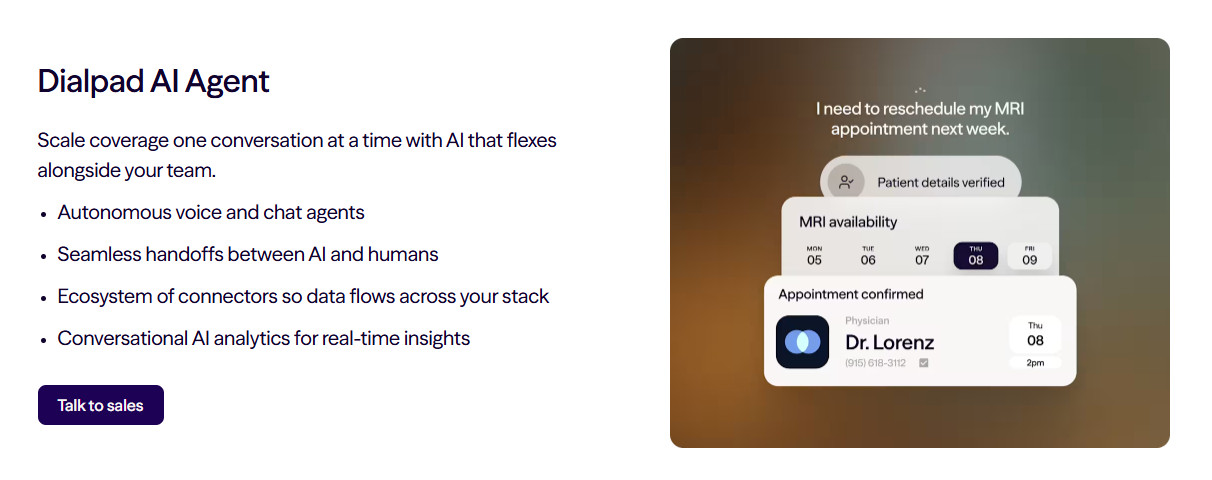
- Agentic AI can create, update, and retrieve Salesforce contacts, accounts, and opportunities (as applicable)
Cons
- Some AI features, including AI CSAT and AI Playbooks on lower tiers, may require Premium plans or paid add-ons
- Salesforce integration requires premium Dialpad plans, plus Salesforce Enterprise/Unlimited or another Salesforce edition with API access
- Advanced Salesforce workflows may require more admin configuration than basic click-to-call and call logging
Teams can use Dialpad through Salesforce CTI when reps primarily work inside Salesforce. Alternatively, they can surface Salesforce data inside the Dialpad app if they prefer a Dialpad-first workflow.
Inside Salesforce, Dialpad supports click-to-call, call controls, call and SMS logging, contact matching, related object logging, and Salesforce Powerdialer. Calls can be linked to Salesforce records such as contacts, leads, accounts, cases, opportunities, and custom objects.
Dialpad’s AI integration is strong. AI Recaps, action items, call purpose tags, AI outcomes, AI CSAT scores, and AI Playbook adherence can be logged to Salesforce. However, the richest AI data relies on Dialpad’s custom Salesforce objects rather than standard Salesforce Task records, as standard Tasks cannot store some long-form AI-generated fields.
Dialpad also promotes Agentic AI for Salesforce. This allows AI agents to create, update, and retrieve contacts, accounts, and opportunities in real time. That said, availability may depend on configuration, so buyers should confirm exactly which AI workflows are available on their chosen plan.
Pricing is another caveat. You’ll need a Dialpad Pro or Enterprise plan, and Salesforce Enterprise/Unlimited or another Salesforce edition with API access. Some deeper AI features, including AI CSAT and AI Playbooks on lower tiers, may cost extra.
JustCall
- Click-to-dial from any Salesforce record
- All calls, SMS, and voicemails log to Salesforce activities automatically
- Multi-mode dialer (auto, predictive, and dynamic) can be triggered directly from Salesforce list views
- Salesforce CTI requires the Pro plan
- AI features (call scoring, sentiment, script compliance) cost extra
- Advanced Salesforce workflows may need admin setup
JustCall’s Salesforce integration enables:
- Click-to-dial from any record type
- Automatic logging of inbound and outbound calls
- SMS, and voicemails
- Screen pops on inbound calls
The multi-mode dialer (auto, predictive, and dynamic) is a useful feature for high-volume outbound teams running campaigns directly from Salesforce list views
Salesforce integration requires a ‘Pro’ plan for $49/user/month, billed annually. AI features for call scoring, sentiment analysis, and real-time agent assist require the Pro Plus plan at $89/user/month, again billed annually.
CloudTalk
Pros
- Bidirectional sync with Salesforce
- Smart Dialer and Power Dialer can be triggered from Salesforce
- AI transcription and post-call summaries sync to Salesforce activity records (on ‘Expert’ plan)
Cons
- Salesforce integration is only included in the ‘Expert’ plan
- AI Conversation Intelligence costs extra
- Smaller integration support ecosystem compared to competitors
CloudTalk’s Salesforce integration covers:
- Click-to-call
- Automatic logging
- Bidirectional data sync
- Screen pops
The Smart Dialer can build call queues automatically from Salesforce data, which is helpful for sales teams managing large prospect lists.
AI transcription and summaries sync to Salesforce on the Expert plan ($49/user/month, billed annually), with a minimum of three users. AI Conversation Intelligence, including summaries, searchable transcripts, AI notes, sentiment, call scoring, and CRM export, is listed as a separate add-on at $9/user/month, billed annually.
How to choose the Best Phone System with Native Salesforce Integration

I stand by my original assessment that Aircall is the best pick for most sales and support teams that are evaluating a phone system specifically for its depth of Salesforce integration.
The Open CTI embedding, bidirectional data sync, automatic AI summary logging, and screen pops on inbound calls deliver a complete integration, plus setup is fast: the majority of teams can go live within 24 hours.
That said, if your team runs high-volume outbound campaigns and needs an agentic AI layer that can update Salesforce records during a live call, Dialpad is worth considering, despite potentially higher pricing relative to platforms like Aircall.
If you need reliable business telephony with solid Salesforce compatibility across a broader communications suite, then RingCentral will likely meet your requirements well.
For teams that don’t need the AI layer, JustCall has a strong dialer feature set, while CloudTalk’s ‘Expert’ plan represents good value for teams that care more about multi-channel coverage than deep AI.
Whatever platform you choose, remember that the headline plan and feature set rarely tell the full story. Make sure to find and budget for the tier that actually includes full Salesforce integration, not the entry price. Always verify which Salesforce edition your organization is on before you commit.