

- What is Timecard Software?
- TL;DR - Which is The Best Timecard Software?
- Our Top Picks: A Quick View
- What Features to Look For When Choosing Software
- My Top Picks - Best Timecard Software
- 1. Homebase - Best Overall All-In-One For Timecard Software
- Pricing Snapshot
- 2. Gusto - Best for Small Payroll Focused Teams
- 3. Intuit QuickBooks Time - Best For Field Service Workers
- My Verdict: How to Choose the Best Timecard Software
Last Updated on May 12, 2026 by The Digital Merchant Team
I’ve been in the project and operations space long enough to know what “clock-in/out” cards felt like and how very archaic they seem now, but modern tools have changed the game in how both employees and businesses use and feel about time cards.
If you’re still using paper timesheets or timecards, or spending an extraordinary amount of time reconciling hourly wages and payroll, I’ve got good and bad news for you. The bad news is, well, modern times call for some changes! But the good news is that digital platforms are far easier to use and help avoid errors and time wasted on reconciling entries.
At the end of the day, it’s less about resisting change and more about seeing filing timecards and time sheets as both a time- and cost-saver. Inefficiencies are costly and more easily avoidable than you think!
This guide covers tools I’ve used and tested in my quest to find a reliable platform, and I’ll break down what actually matters when evaluating timecard software.
What is Timecard Software?
Before getting into the details, you may have heard of timecard software and need to decide if it’s something you even need.
Timecard software allows employees to clock in and out, ensuring their hours are accurately recorded. For employers or hourly workers, this is an essential tool that automates wage calculations and, where applicable, other project costs.
Why is Digital or Software Better than Manual Records?
- Manual time entries are time-consuming
- Prone to human error or timecard theft/mistakes
- Can’t work for remote employees or settings
- It takes longer to reconcile hourly wages
- Hard to retain records
- Duplication in entries can occur more readily
- Payroll tends to take longer
Manual and paper-based time clocking also tends to serve only one purpose: recording time. If you need additional functionality, such as visibility into shift schedules or rosters, communication methods, payroll, geo-location ringfencing, and other features, you’ll need to use multiple systems.
Some tools incorporate all of this into one, which is why I am a huge supporter of a good, well-rounded timecard software platform. We’ll take a look at some of my top picks next!
TL;DR – Which is The Best Timecard Software?
- Best all-in-one timecard software: Homebase
- Best for payroll-focused businesses: Gusto
- Best for field-service teams: Intuit QuickBooks Time
- Best budget option for small teams: Clockify
- Best for global teams: Hubstaff
These are some of my top choices. However, the “best” software will always come down to your personal and business requirements. We’ll deep-dive into the standout features and pros and cons of each tool next.
Our Top Picks: A Quick View
Software | Best For | Standout Features | Pricing | Available Apps |
Homebase | Retail, food and beverage, hospitality, and service-based businesses | All-in-one timecard, payroll, scheduling, hiring, and onboarding. | Free plan available. Pricing from $24-$96 per month per location | Mobile and Kiosk |
Gusto | Small teams needing a payroll platform with time tracking | Payroll automations and features to help manage tax filings, deductions, and more | Free plan available. Pricing from $49-$180 per month + additional cost per user. | Mobile and Kiosk |
Intuit QuickBooks Time | Best for field service workers | Strong payroll and accounting platform | Free trial Plans range from $38-$275 per month | Mobile and Kiosk |
Clockify | Best budget option for small teams/startups | Simplicity, speed, and a great free plan | Free plan for up to 5 users. $3.99-$12.99 per user seat per month. | Mobile and Kiosk |
Hubstaff | Best option for agencies and businesses with distributed and global teams | Offers both reliable time and project tracking. Strong productivity monitoring and dashboards. | Free 14-day trial. $4.99-$25 per seat per month | Mobile and Kiosk |
What Features to Look For When Choosing Software
Although each tool has specific features and unique service offerings, I’d recommend evaluating these platforms against a similar set of criteria to get a good idea of how well each delivers. Aside from just a modern interface and good user experience, I measured these tools according to how well they managed the following functions:
Scheduling and Visibility:
- Schedule creation and ease of use
- Visibility over shifts and schedule for managers and employees
- Shift swapping capabilities
Time Tracking:
- Time tracking should be easy with measures in place to avoid duplicate entries.
- Accuracy is critical
- Time reconciliation should be easy to view
- Automated compliance with labor law regulations should ideally be built into time-tracking features.
- Should record overtime or unpaid breaks
Mobile App:
- Staff should be able to clock in from anywhere
- Mobile app should offer a way to communicate urgent shifts or schedule changes
- Ideally, it should work offline
Multi-location features
- Some tools can help ringfence clock-ins based on geo-locations
- Time tracking for various sites may be required
- Retail, construction, hospitality and other teams may require specific location-based features.
Payroll Capabilities:
- Ideally, it should have payroll as part of the integrated features
- Should offer integration with existing payroll solutions
- Payroll automations and wage calculations can have added benefits
Of course, overall ease of use is my top requirement! No matter how great some standout features are, software that is clunky and hard to use will always lead to lower adoption rates. I always prioritize a great user experience when weighing up similar tools.
My Top Picks – Best Timecard Software
1. Homebase – Best Overall All-In-One For Timecard Software
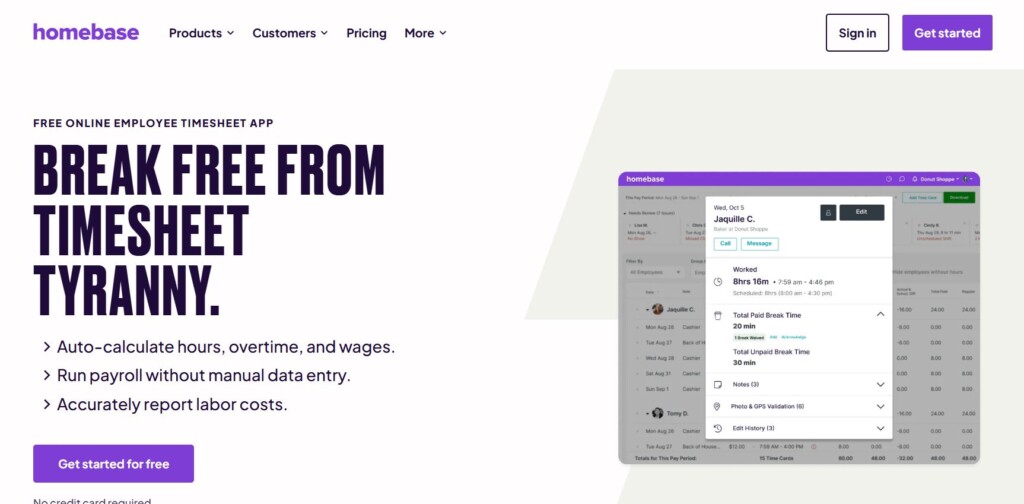
I’ve used Homebase myself, and overall, it’s one of the easiest tools I’ve used. With a low learning curve and quick setup, it’s ideal for hourly staff who need all-in-one timecard software. It combines timecards, shift management, scheduling, communications, and payroll in a single platform.
Operational Benefits:
- Employees can clock in from anywhere or from a specific geo-location, ringfencing for location-based time clocking.
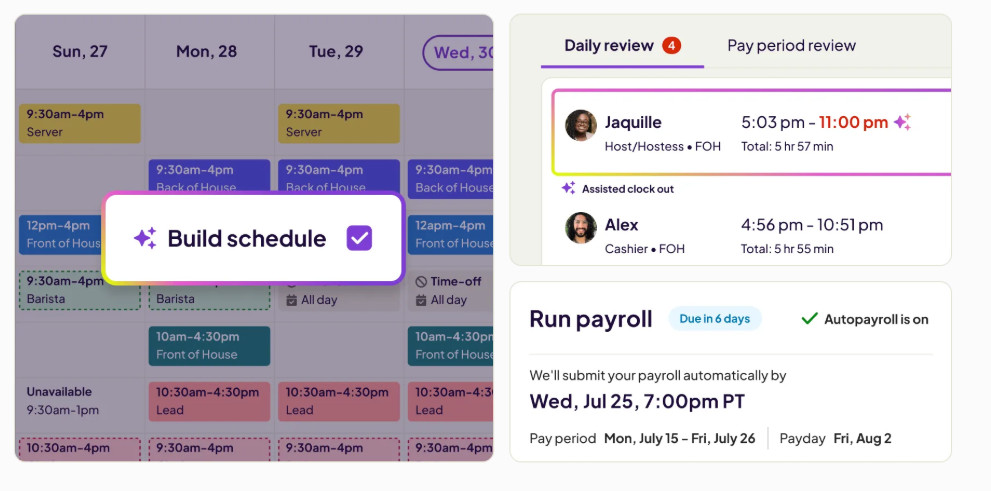
- Automated shift scheduling and templatized schedule management for easier schedule creations
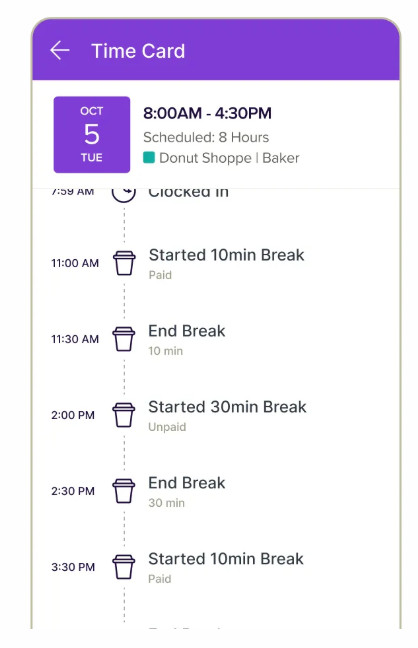
- Automated notifications and reminders for logging time, taking breaks, or over-allocated shift warnings
- Team collaboration and communication within the app for single-system updates
- Great mobile app – ideal for teams on the move
- Labor cost tracking and management are available from within the tool
- Hiring and onboarding capabilities to help manage the process end-to-end
- Automated wage calculations and summaries that pull into payroll save time and help avoid inaccuracies
- AI-assisted features, including schedule creation
Pros
- Very easy to use, modern interface
- Strong mobile app
- AI-assisted features reduce admin overhead
- Automated payroll options
- Easy shift swapping and visibility over schedules
- Time clocking on the mobile app is easy and can be done from anywhere
Cons
- Additional modules (such as payroll) are paid-for add-ons
- More advanced features may require you to sign up for higher tiers
Pricing Snapshot
The pricing below is for annual commitments at a 20% discount. There are month-to-month plans available.
- Free plan available (for up to 10 employees) for one location
- Paid plans range from $24-$96 per month per location
Best For
- Hourly workforce
- Retail teams
- Hospitality staff
- Construction or field workers
- Fast food or shift workers
- Service-based industries such as tattoo parlors or hair salons
Overall, Homebase ticks a lot of boxes for a wide range of industries! I’ve found it exceptionally easy to use, and they’ve packed a lot of features in a single app, so it takes away the hassle of juggling multiple systems across different devices. As someone who has worked in the retail and restaurant space, I found a lot of value in the mobile app, which is really intuitive and helps organize schedules and time clocking into a quick view.
2. Gusto – Best for Small Payroll Focused Teams
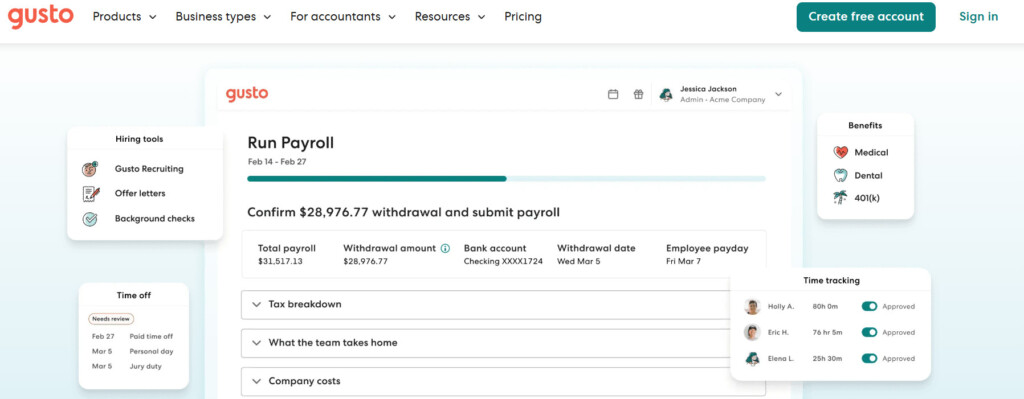
Most people probably think of payroll when they hear about Gusto, and I did too. If you’re a payroll-focused team that needs to track time, this may be a good option to consider, as Gusto already offers a wide range of features, including time tracking, in one place.
Operational Benefits:
- Payroll is already integrated into the platform, so there’s no need to set this up from scratch.
- Automated payroll functionalities help simplify your payroll runs with automated deductions, tax filings, and instant payment options for more flexibility.
- Integrates with other systems such as Xero, T-Sheets, QuickBooks, Clover, and other systems that your business may already use
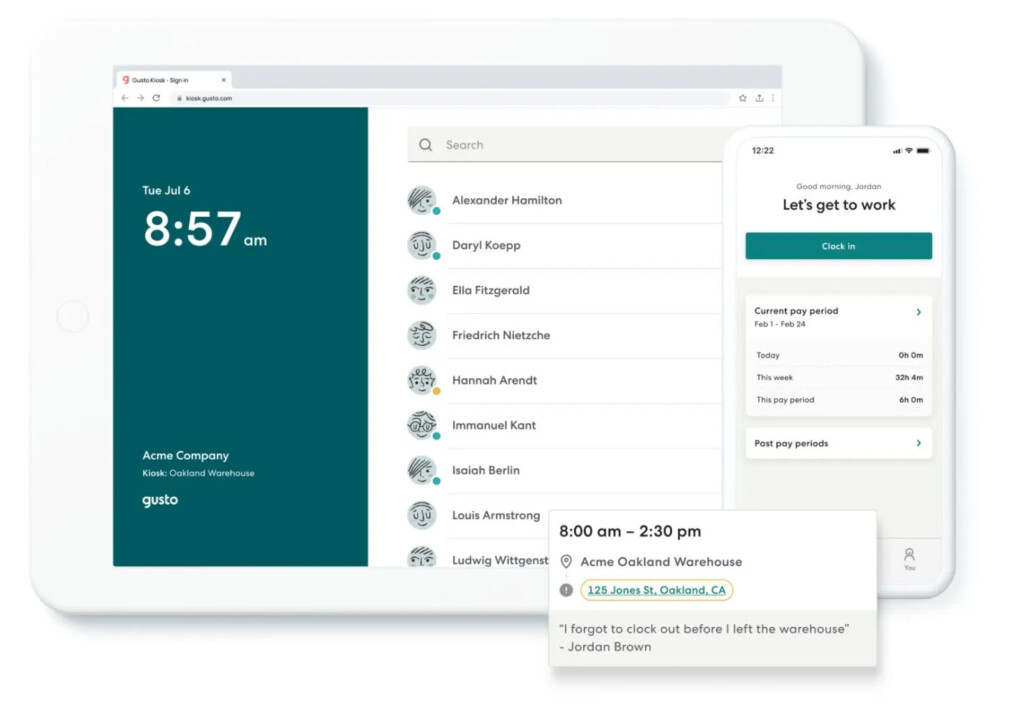
- Time tracking in the mobile app, web app, or kiosk (with Gusto Kiosk) makes it easy for employees to clock in and out or log time from any device.
- Gusto’s mobile app lets you run payroll from anywhere and delivers important updates to your employees on their mobile devices.
Pros
- Clean and modern interface
- Good mobile app
- Payroll and time tracking in one place
Cons
- Doesn’t offer advanced scheduling capabilities
- Best for small teams, as Gusto doesn’t tend to scale well
- Can be expensive for small businesses with large teams, as pricing is charged per person as an added cost
Pricing Snapshot
Gusto has pricing plans for businesses, solo business owners, and even contractors. The pricing below is for business-based tiers.
- A free, limited plan is available that does not include payroll.
- Gusto has three tiers to choose from.
- Paid plans range from $49 to $180 per month, with add-on pricing for employees at $6, $12, or $22 per person per month, depending on the plan.
Best For
- Solo business owners, small teams, or freelancer-based businesses
Overall, Gusto can be really powerful for businesses with specific needs or those that need a simple payroll platform and time-tracking tool in one. It’s ideal for SMBs that don’t need to handle advanced or global payroll functions.
3. Intuit QuickBooks Time – Best For Field Service Workers
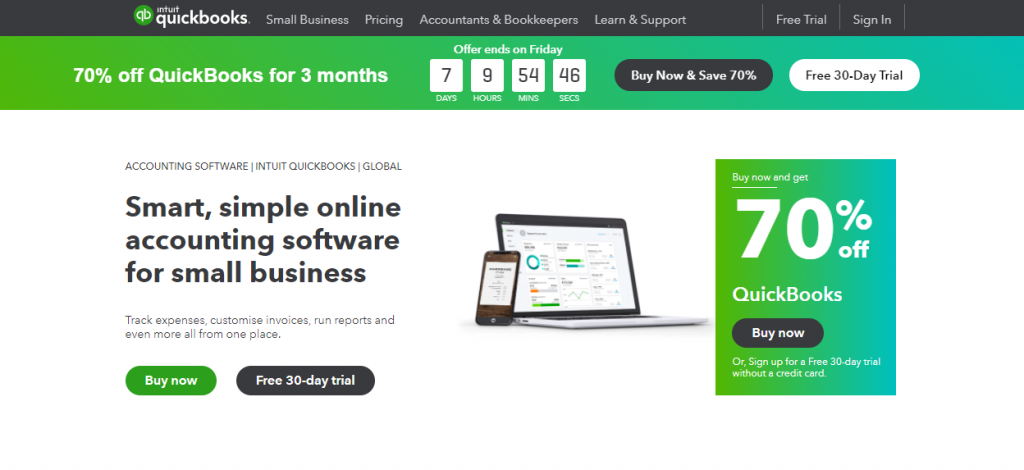
Intuit QuickBooks might sound familiar as a popular accounting and payroll software, but it also offers additional features beyond its core financial functionalities, including time tracking. The Intuit QuickBooks time tracking tool offers advanced GPS-based time clocking, making it ideal for field service workers and remote teams.
Operational Benefits:
- Businesses can set up geofencing for location-based teams, with automated mobile app notifications that can be triggered and sent when entering or leaving specified locations.
- By integrating timesheet-to-payroll processes, businesses can save valuable time by streamlining automated payroll calculations.
- Teams can set up customized reports to help with workforce management and planning.
- Tracking budgeted vs actual hours can be managed from the platform to help ensure costs stay within allocated budgets.
- Can manage both time and project hours for more project-focused teams.
- The mobile app is ideal for remote teams that need to manage timesheets. Employees can track, view, and submit timesheets and mileage from the mobile app, and employers can manage and approve timesheets on the go!
Pros
- Strong mobile app for teams to stay on top of clocking in and out.
- Offers analytics and reporting for easy oversight
- Ideal for field-based employees and teams who need to manage time tracking from remote locations
- Great add-on for existing users of QuickBooks for accounting and payroll
Cons
- Can take longer to implement and set up, and has a steeper learning curve
- Not ideal for teams or businesses that don’t need payroll
- Higher cost compared to competitors
Pricing Snapshot
QuickBooks has different pricing plans for small and mid-sized businesses. Payroll is added separately.
- There are four pricing tiers to choose from.
- Paid plans range from $38 to $275 per month, with specified user limits for each plan.
- Each plan allows access for two to three accountants, depending on the chosen pricing tier.
Best For
- Manufacturing and construction workers
- Repair services such as electricians, plumbers, and home repairers
- Retail and restaurant workers
- Businesses that already use QuickBooks
In summary, Intuit QuickBooks has a great module for time and job tracking that can be easily managed from multiple locations. With GPS tracking and geo-fencing clocking features, this makes it a great platform for field-based workers and businesses who need an integrated payroll platform.
4. Clockify – Best Free Option for Small Teams
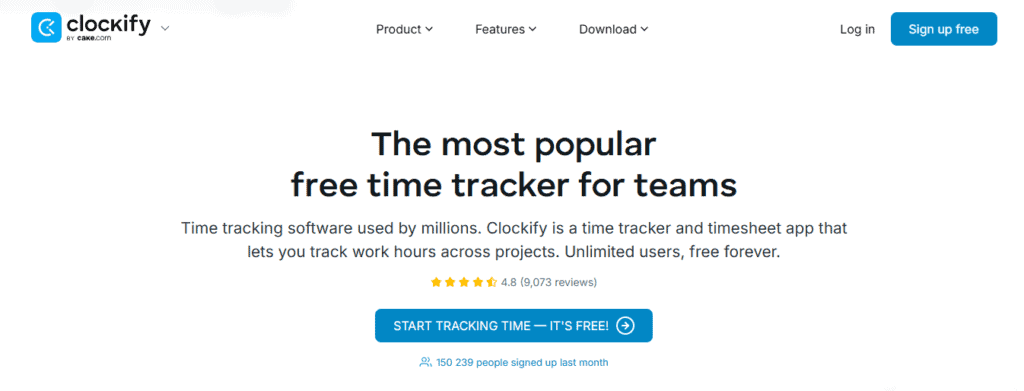
Clockify is one of the platforms I see come up relatively often, and honestly, I can see why. They have a generous free plan for small teams of five or less, and it’s as simple as it looks, which, in some cases, is all that employees or businesses need.
Operational Benefits:
- Can be used for both time cards and project tracking, so that teams don’t need to use disparate systems or platforms.
- Offers simple scheduling, which can be templatized and reused for quick schedule creation and management
- Automated tracking across different sites can be a valuable addition for users who need a simple way to track activities across browsers without needing to stop and manually capture time from one site to the next.
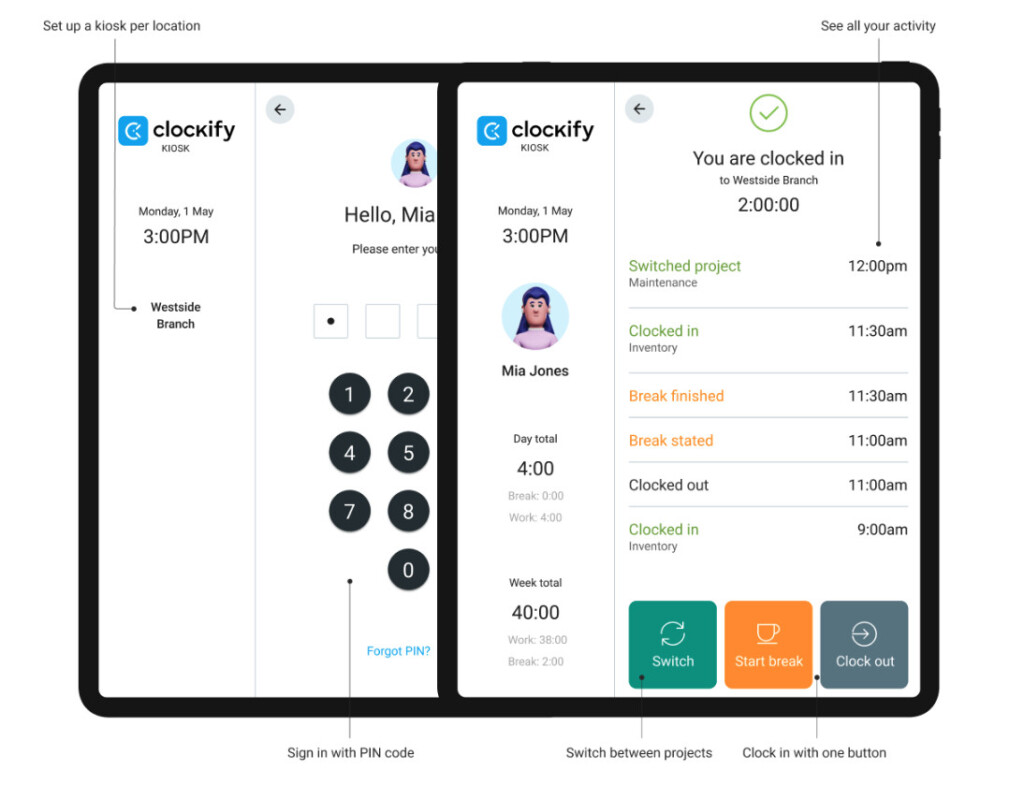
- Clockify’s kiosk app makes it an ideal, lightweight solution for retail or restaurant teams that need to manage on-site time clocking. It also allows the kiosk app to be set up at different locations or stores.
Pros
- Very simple and lightweight, meaning that teams don’t need hefty implementations or upskilling
- Syncs with your calendar so that teams can automatically block out time for tasks or projects
- A free plan is available, and the paid tiers are very affordable.
Cons
- Can be too simple for teams needing more advanced features
- Lacks AI capabilities or automations
Pricing Snapshot
Clockify offers a free plan and five paid tiers, making it a scalable option for smaller businesses.
The pricing below applies to plans billed annually.
- Free plan available (for up to 5 users) with time tracking features, reminders, reporting, and more.
- Paid plans range from $3.99 – $12.99 per user seat per month.
Best For
- Freelancers
- Restaurant workers
- Retail staff
Overall, Clockify is a popular, but basic, tool that I’ve found really easy to use and quick to learn. It’s a good choice for remote and small teams that need a cost-effective time-tracking tool with scalable pricing. With multi-location time clocking capabilities and a kiosk app, it’s a great option for simpler businesses that need a straightforward way to help manage time clocking across multiple sites.
5. Hubstaff – Best for Distributed and Global Teams
As a Hubstaff user, I found it one of the simpler tools to learn, which impressed me, as it offers a good range of time and project tracking. It’s ideal for businesses with global or remote teams, as it allows time tracking from anywhere and consolidates it into a single view or a specific project.
Operational Benefits:
- With insights and overviews, businesses can easily see where users are spending time across different projects or tasks.
- Offers workforce analytics and insights so businesses can track any unusual activity and pull productivity or benchmark stats when needed.
- Consolidates time tracking, project tracking, productivity insights, automations, and payroll all into a single app so that teams don’t need to use multiple systems.
Pros
- Modern, clean, and user-friendly interface and mobile app
- Rolls up tracked time into an easy-to-view timesheet so that managers can review and approve or send to payroll without needing to add data manually
- Automated time tracking across devices helps keep everything in one place
Cons
- Can feel invasive to some extent, as monitoring and notifications for unusual activity can trigger notifications to managers
- No advanced shift or schedule management means Hubstaff is less suitable for a wide range of industries compared to other tools
- Many features are charged as optional add-ons, which can scale costs quickly for larger teams
Pricing Snapshot
The pricing below is for annual commitments.
- 14-day free trial available.
- Paid plans range from $4.99 to $25 per seat per month, with a minimum of two user seats.
- Optional add-ons include insights, task tracking, data retention, and more.
- Hubstaff offers customized pricing plans based on your needs.
Best For
- Distributed teams & global teams
- Software development teams
- Project-based teams
- Digital marketing agencies
- Healthcare and real estate
Overall, I really enjoy using Hubstaff, and it’s a great, modern, and easy-to-use platform that offers solid time tracking and insights for teams that need a consolidated platform for detailed time tracking across projects. It doesn’t require advanced setup or lengthy implementation, making it a good option for global teams that need a quick solution.
My Verdict: How to Choose the Best Timecard Software
There is no perfect solution that will suit everyone’s needs. As someone who has used over 20 time-tracking tools, I can say the best solution is one that meets your team’s specific needs and structure. I will, however, always look for software with an excellent mobile app and a good user interface, and these are definitely becoming more common in recent years.
Overall, for most teams that need a reliable, user-friendly option that does it all, I’d recommend Homebase. For global teams that need to track across multiple projects, I’d say Hubstaff has been a great tool I’ve enjoyed using.
My recommendation is to always test each platform before making a final decision, and to look for critical features that help reduce administrative overhead and tools that reliably track time across devices.