


- Start With HIPAA, Not Features
- Appointment Scheduling: Where Most of the AI Value Lives
- After Hours Coverage
- Routing to the Right Department
- Integration With Practice Management Tools
- Standalone AI bots vs business phone systems with AI built in
- Why AI Receptionists are Currently a Hot Topic
- Set Yourself up for Success
Last Updated on October 6, 2026 by Ewen Finser
Imagine that a patient calls into a medical office at 5:45 in the morning, hours before the front desk opens because their child has a fever and their symptoms are worsening.
If that call goes to voicemail, the parent may listen to the recorded message. Leave a message or note down the after-hours number if available. If there is an after-hours number they will call and try to book an appointment for later in the day.
Or they could also just hang up without leaving a message and consider other options, such as urgent care or a different practice. You’ve probably lost an appointment that day, and possibly even a patient. This is the kind of gap that AI receptionists are designed to close, which is why many medical practices have either adopted them or are considering doing so.
Still, one of the main issues with this is the term “AI receptionist” gets used loosely for a variety of products, all of which behave differently once patient data, scheduling systems, and compliance requirements enter the picture.
Start With HIPAA, Not Features

It’s very easy for any AI receptionist vendor to describe itself as “HIPAA compliant.”
But compliance isn’t some kind of checkbox exercise that every vendor can offer at the point of purchase. It’s more of a property of how the system is designed, configured, and implemented with your specific medical practice. HIPAA can differ depending on the state and type of medical practice you work in.
As a minimum, you should look for a signed Business Associate Agreement (BAA), before any protected health information enters the platform.
Under HIPAA, any vendor that creates, receives, maintains, or transmits Personal Health Information (PHI) on your behalf is legally a business associate. That means the BAA has to be in place before the AI receptionist is connected to your system.
Certain vendors may offer a BAA automatically on every pricing tier but others may only make it available for higher-cost subscriptions. Check the features for each pricing plan carefully, as well as the platform’s terms and conditions to find out which is the case.
If this isn’t spelled out clearly, make sure that you confirm that a BAA will be offered in writing before you sign up. A missing or vague BAA is one of the most common compliance gaps in this scenario.
Once you’ve confirmed that the BAA is in place and are clear on its terms, you should also ask about the safeguards a practice should be able to document and review, including:
- Confirmation of how call audio, recordings, transcripts, and integration data are protected in transit and at rest, including the encryption standards the provider uses, and whether legacy insecure protocols have been disabled.
- Role-based access controls, so only authorized members of staff can view call recordings or patient details.
- Audit logs that record who accessed what patient information and when. These can help the practice to investigate inappropriate access, demonstrate compliance, and respond to requests from regulators or other authorized third parties.
- A clear data retention and deletion policy. Indefinite storage of PHI-laden transcripts could create unnecessary exposure for your practice.
- Written confirmation that your call data isn’t used to train the vendor’s underlying AI models.
Ideally, the platform should also allow you to configure which calls are managed by AI in the first place.
For example, practices often begin by automating routine administrative requests, such as appointment scheduling, office-hours questions, and appropriately scoped insurance-related inquiries. Whether those workflows can involve PHI naturally depends on the practice’s configuration, vendor agreements, and safeguards.
Anything involving symptoms, diagnoses, medications, or test results should be routed straight to a human being. The main reason for this is patient care, but it also minimizes the amount of PHI that your AI system has to handle.
Appointment Scheduling: Where Most of the AI Value Lives

The scenario outlined at the start of this guide is the biggest reason to add an AI receptionist to a medical practice. If a patient calls after-hours or when the lines are busy, they can book, reschedule, or cancel an appointment without waiting for a human being to pick up.
While there are other ways to manage patient appointments, a missed callback often just means a missed appointment instead of a rescheduled one. That’s why an efficient AI system should check real-time calendar availability and confirm the booking on the call itself instead of promising the customer that they’ll get a call later.
Ideally, it should also handle outbound reminder calls that let a patient confirm or reschedule on the spot, as a one-way text message can easily be missed or ignored. Research has consistently found that appointment reminders can reduce no-show rates, with some studies finding that telephone reminders are particularly effective. However, some people do like text messages, so having both is beneficial.
You should also pay attention to how the system handles edge cases. For instance, double-booking, provider-specific availability, insurance-dependent scheduling rules, and multi-location practices can all trip up basic AI receptionists designed for small businesses, not the relatively complex requirements of a clinical scheduling calendar.
After Hours Coverage

A large number of healthcare appointments get booked outside standard business hours. This can involve unwell patients calling at night, during lunch breaks, or during the day on weekends as those are the only time they have to get in contact with their chosen medical practice.
If your only after-hours option is to route calls to voicemail, then you could face an angry callback by an unhappy patient when the practice opens, or, worse, losing that booking to another medical practice.
Most business phone systems will claim to work outside business hours. The question you really need to ask for your business is, “Will the phone system I purchase work in the same way after hours?”
For instance, if someone calls your practice during opening hours at 2 PM and the system can answer calmly and help them book the appointment, there’s really no justification for it to revert to a confusing phone tree or generic voicemail when someone calls at 11 PM on a Sunday evening.
The best AI systems should provide consistent behavior around the clock. With no human to assist, you shouldn’t assume that an AI receptionist will always reliably determine how severe a medical issue is. For any calls involving emergency language or urgent concerns, the practice should define clear, non-clinical rules concerns. The system can use a prepared message directing the caller to call 911 or to go to the nearest emergency department where appropriate.
Routing to the Right Department

A regular business might need to route calls between, say, sales and support. But a medical practice is likely to have multiple departments each of which a caller needs to connect to correctly the first time.
This can include appointment scheduling, billing, referrals, a specific provider’s office, or a nurse line for clinical questions.
When routing goes wrong in this context, it tends to amount to much more than just a mild annoyance for patients: it’s likely to create frustration for people who are already stressed about health concerns.
Effective routing in this case depends on the AI system understanding the caller’s intent, not just trying to match keywords to a phone tree.
Before making a commitment to any platform, ask the vendor to walk through how their system handles ambiguous requests, and whether it can pass context along with the transfer. Ideally you should be able to trial this feature yourself with real call data, to see if the vendor’s marketing claims bear up in the real world.
Integration With Practice Management Tools

For practices that want automated scheduling and less manual follow-up, integration with a practice-management system, scheduler, or EHR is what can transform an AI receptionist from a fancy answering layer into a connected front-desk workflow.
Its real value comes from a closed loop: the AI checks live calendar availability, books directly into your existing scheduling system, and then logs the interaction back into the patient’s record without a staff member having to enter any data manually themselves.
That’s why it’s vital to research your chosen platform to find out what systems it can currently integrate with, not just those that are on the development roadmap. In particular, make sure to ask:
- How bookings sync
- If call summaries flow seamlessly into your existing workflow
- What happens when the integration breaks down
This last point is crucial, as a scheduling mismatch caused by a sync failure can be worse than having no automation at all.
Standalone AI bots vs business phone systems with AI built in
Broadly speaking, these are the two main options if you’re seriously considering an AI receptionist for your practice. There are advantages and drawbacks to both approaches, though the specific trade-offs will depend on your specific platform and its configuration.
Standalone AI bots are typically built for one purpose – in this case to answer and handle calls with AI, ideally while displaying impressive natural language ability.
But many of these bots exist as an AI layer that’s bolted on to your existing phone number instead of being a complete phone system. This can limit their ability to handle the daily parts of medical practice communications that aren’t normally handled by AI, such as:
- Transferring a call to a specific extension.
- Managing multiple lines across locations.
- Running a business-hours schedule.
- Falling back to reliable call routing (when the AI hands off to a human)
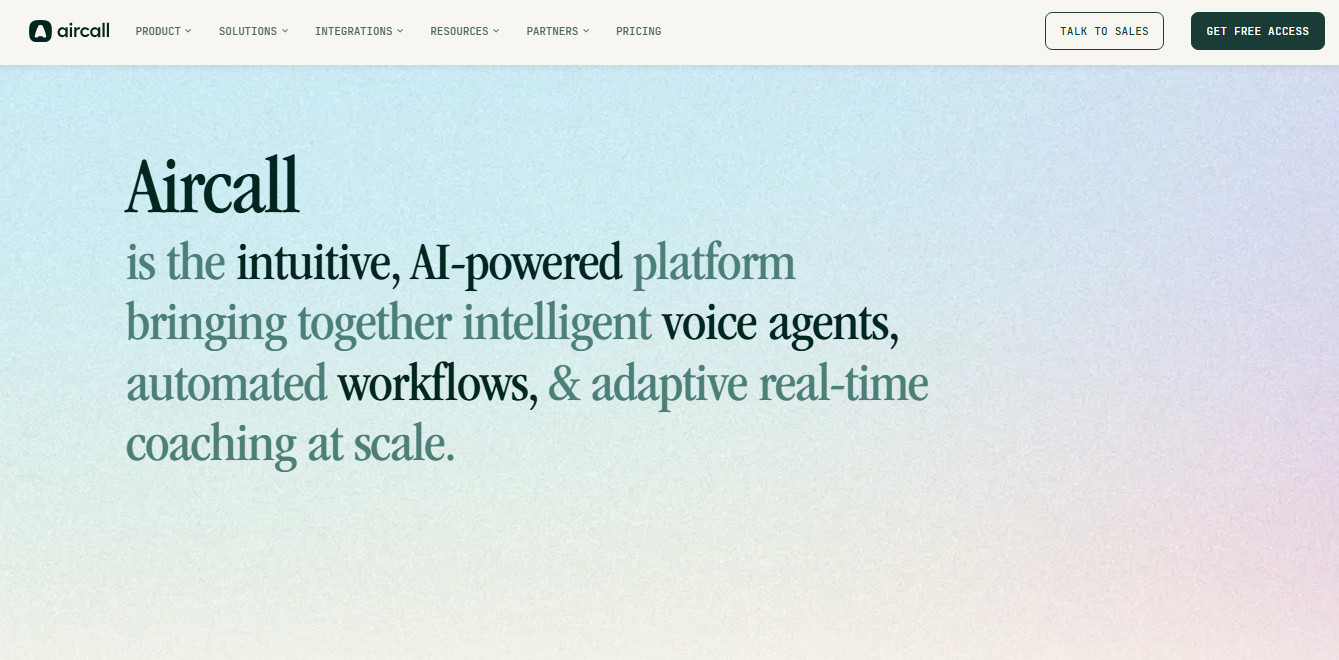
Aircall is one example of a cloud-based business phone system that adds AI Voice Agent capabilities to the voice infrastructure, routing, and integrations that a medical practice uses to manage everyday patient calls. Such platforms can then layer AI call handling and a smart IVR on top of that foundation, rather than replace it entirely.
With the right solution, this means that medical practices don’t have to choose between having a reliable business phone system and an AI receptionist. Instead, they can benefit from an AI Voice Agent that can answer calls, handle appointment scheduling and rescheduling, respond to FAQs, and route callers to the correct department.
Most importantly, the agent is backed by the same telephony infrastructure, call-routing tools, and connected business workflows on which the rest of the front office already relies. Practices should always confirm compatibility with their specific practice-management platform or EHR before deployment.
This combination matters most in the kinds of situations we’ve already explored in this guide. For example, when an AI-handled call needs to be escalated to a human staff member due to the symptoms a patient describes when trying to book an appointment, the handoff can happen inside the same platform. This also means that the call context can be carried over, instead of jumping between two separate (and potentially disconnected) systems.
When a medical practice needs different routing logic for, say, billing calls versus new-patient calls versus a nurse line, that logic can also be applied in one visual call-routing setup with platforms like Aircall, instead of being divided between the AI bot vendor and a separate phone provider.
Fundamentally, if the same infrastructure is handling both AI and human-answered calls, then the practice has more flexibility to configure how much call volume is managed by AI versus staff as their requirements change. This is a very different situation to being locked into using an all-or-nothing AI bot.
When it comes to compliance, Aircall offers covered entities and business associates the opportunity to enter into a BAA before processing PHI. It also offers end-to-end encryption for calls and secure, access-controlled storage for recordings.
However, no matter what platform you choose, it’s the medical practice’s responsibility to notify its representatives that it’s a covered entity and to have that BAA signed and reviewed before any patient information flows through the platform. You should also check carefully to confirm which specific plan and features that agreement covers.
Why AI Receptionists are Currently a Hot Topic
A quick visit to Google Trends will show that terms like “virtual medical receptionist”, “medical virtual receptionist”, and “medical office virtual receptionist” have been climbing steadily in the last year.
It’s not hard to see why. Patient calls don’t always arrive neatly within opening hours, while front-desk teams are working with people in front of them and on the phone managing scheduling, billing questions, referrals, and follow-ups.
These factors mean that a wide range of medical practices beyond large hospital systems are actively comparing options rather than staying with legacy answering machines or rotating on-call staff members.
Set Yourself up for Success

AI receptionists are still a category where there can be a significant gap between vendor marketing claims and their true capabilities.
After all, a demo based around a scripted, best-case scenario is a very poor substitute for testing how a system handles a messy, real-world situation like when a patient doesn’t speak clearly enough to be understood, or a caller who wants to make an appointment and discuss their bill on the same call.
Before evaluating vendors, build a set of questions centered on your practice’s needs and requirements, especially HIPAA compliance and after-hours coverage or call routing capacity. Walking in prepared with these questions ensures you get the answers needed to make an informed decision on what platform fits for your business.
That’s why you should always ask your chosen vendor to let you run the demo using realistic, representative call scenarios that reflect your actual workflows. You know your medical practice better than any representative. Remind the vendor it needs to be much more than a glitzy AI voice demo.
Instead, it should have a system that keeps patients from falling through the cracks between appointments, protects their sensitive information required by HIPAA, and fits into the practice management workflow the front desk already uses every day.