


- What is Aircall?
- What is Dialpad?
- Aircall vs Dialpad: At a Glance
- Aircall vs Dialpad: Pricing
- Aircall vs Dialpad: Ease of Setup
- Aircall vs Dialpad: Workflows
- Aircall vs Dialpad: Analytics
- Aircall vs Dialpad: Integrations
- Aircall vs Dialpad: The Overall Winner
- Aircall vs Dialpad: Which One Should You Choose?
Last Updated on August 26, 2026 by Ewen Finser
If your business relies on a phone system to carry out activities like closing deals or resolving customer issues, then you already know what the price of a bad one can cost: patchy calls, clunky integrations, hidden fees, and reps being forced to spend more time on admin than they do on actual conversations.
Aircall and Dialpad have both built strong reputations as AI-powered business systems, which explains why they appear so frequently on shortlists for growing sales and support teams.
That popularity is exactly why you need to do careful research before choosing between them. Both platforms include AI voice tools, workflow automation, and deep integrations, but their approach is different in each case.
This is why it’s important to compare features like these in detail to decide which is the best fit for your day-to-day operations, budget, and existing tech stack before you sign up.
Want a quick overview? Watch the video below for a side-by-side look at Aircall vs. Dialpad and how the two platforms compare.
What is Aircall?
Aircall is a cloud-based customer communication and intelligence platform. It was founded in Paris in 2014, and has since grown into a global operation serving more than 22,000 customers across 110-plus countries. It has offices across North America, Europe, and Asia-Pacific and a team of over 600 employees.
The platform’s main focus is on being the AI-powered customer conversation platform for modern sales and support teams. It aims to unify voice, virtual agents, automation, and CRM or helpdesk data into a single workspace. Aircall also integrates AI to help everyday conversations transform into intelligence, automation, and growth.
It’s built mainly for for growing businesses, say in the 11 to 100 seat range, that depend on good customer communication to drive revenue and satisfaction
What is Dialpad?
The best way to describe Dialpad is as an AI-native communications company. It offers a suite of products, including “Dialpad Connect”, which combines business calling, messaging, and meetings, plus Dialpad Support and Dialpad Sell for contact center and outbound sales use cases.
The platform has a solid reputation for integrating AI features, like live transcription, real-time coaching, and automated call summaries directly into its interface.
Dialpad’s interface itself is modern and polished, leading to reviewers frequently praising it for being clean and easy to navigate. Dialpad’s biggest lure is for those that want AI deeply embedded in the actual calling experience itself, especially outbound sales and support teams who lean on real-time coaching prompts during live conversations.
Aircall vs Dialpad: At a Glance
Category | ||
Starting price | $30/license/month (Essentials), 3-seat | $15/user/month for Dialpad Connect (billed annually) |
AI features | AI Assist and AI Assist Pro add-ons ($9/$49/license/month), AI Voice Agent (usage-based) | Native AI transcription, real-time coaching, call summaries built into core plans |
CRM integrations | 250+ native, plug-and-play integrations (Salesforce, HubSpot, Zendesk, etc.) | CRM integrations gated to Pro/Enterprise tiers; more setup and API/Zapier work often needed. |
Analytics | Basic Analytics included; Advanced/Analytics+ requires upgrade or add-on | AI Playbooks analytics with team, agent, and real-time reporting on all tiers |
Setup time | Typically live within a few hours to 24 hours | Basic setup within minutes to an hour; advanced IVR/routing takes longer |
G2 rating | 4.4/5 (~1,600 reviews) | 4.4/5 (~4200 reviews) – Dialpad Connect |
For sales and support teams that need a productivity-focused platform with deep CRM integrations that work well out of the box and dependable infrastructure, Aircall is the stronger overall choice.
Its 250+ integrations, transparent workflow automation, and unified approach to human-and-AI collaboration, make it very well-suited to teams that don’t want to have to hire a dedicated team of programmers to stitch tools together.
This said, Dialpad may have the edge for teams that want AI baked as deeply as possible into the live calling experience, especially outbound sales team that rely heavily on real-time coaching prompts (though this feature is also available with Aircall). Read on for the full breakdown of each platform’s strengths and weaknesses.
Aircall vs Dialpad: Pricing
On the face of it, Dialpad’s entry-level pricing of $15/user/month with no minimum seat is less expensive than Aircall’s $30/license/month for at least three users. However, Dialpad’s most useful AI and CRM features sit behind the ‘Pro’ tier ($25/user/month, minimum three seats) and other paid products like Dialpad Support. Aircall’s AI Voice Agent minutes and Analytics+ tier map clearly to what you’re paying for.
Aircall
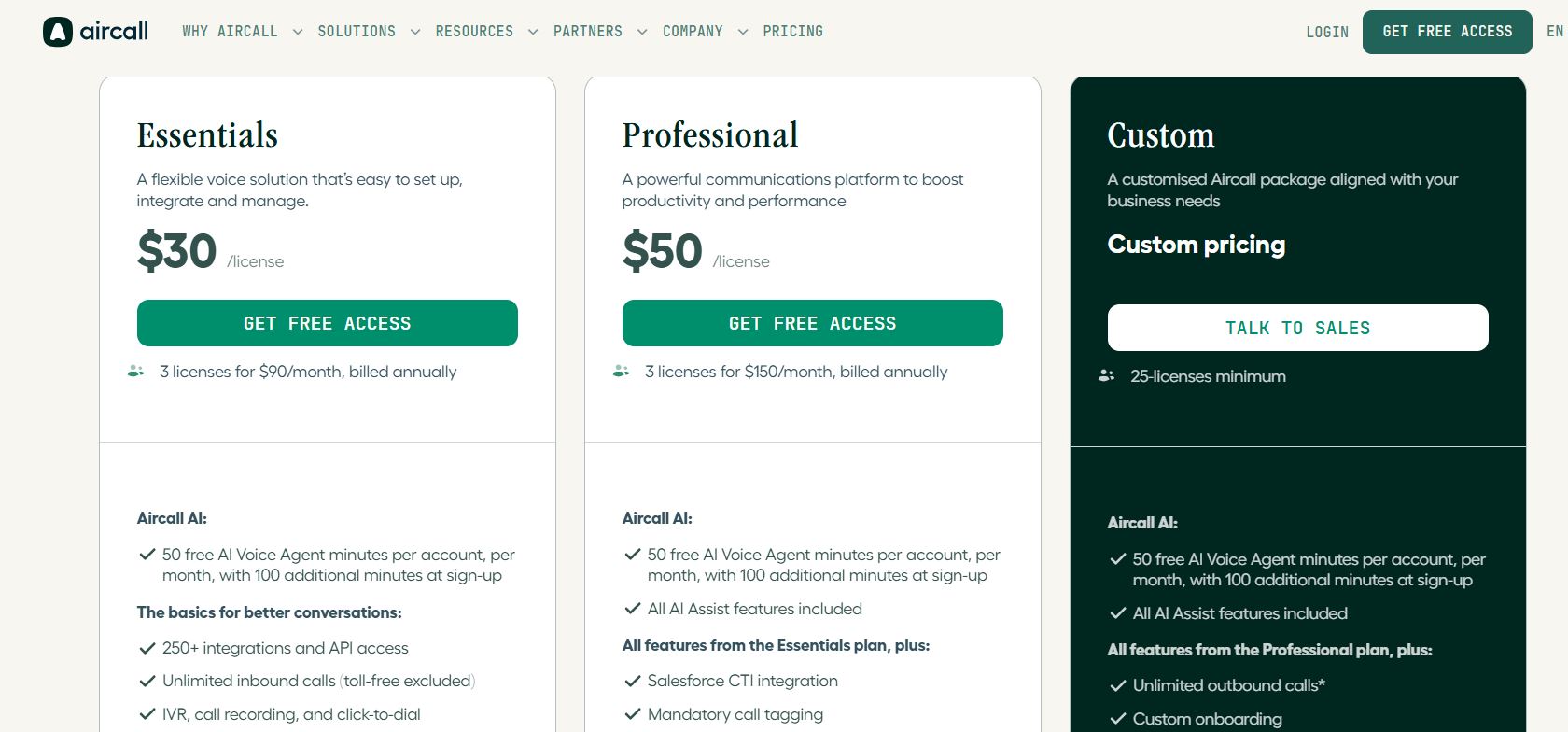
Paid plans start at $30/license/month for the “Essentials” plan and $50/license/month for the “Professional” plan. Both of these require a 3-license minimum. In other words, the very least you’ll pay for an Aircall subscription is $90 a month, billed annually. Custom pricing is available, with a 25-seat minimum.
Core AI features like AI Assist and AI Assist Pro are priced as add-ons ($9 and $49 per license per month respectively), though if you sign up for the “Professional” plan then AI Assist is included at no extra cost.
Basic analytics is supported on all tiers, but advanced dashboards with features like unlimited history and live team monitoring cost $15/license/month. Additional numbers are $6 each per month on all plans.
The AI Voice Agent is billed per minute. Each tier comes with 50 free minutes per month, after account. After that, volume pricing applies from $0.19/minute for 10,000+ minutes, when bought upfront.
Dialpad
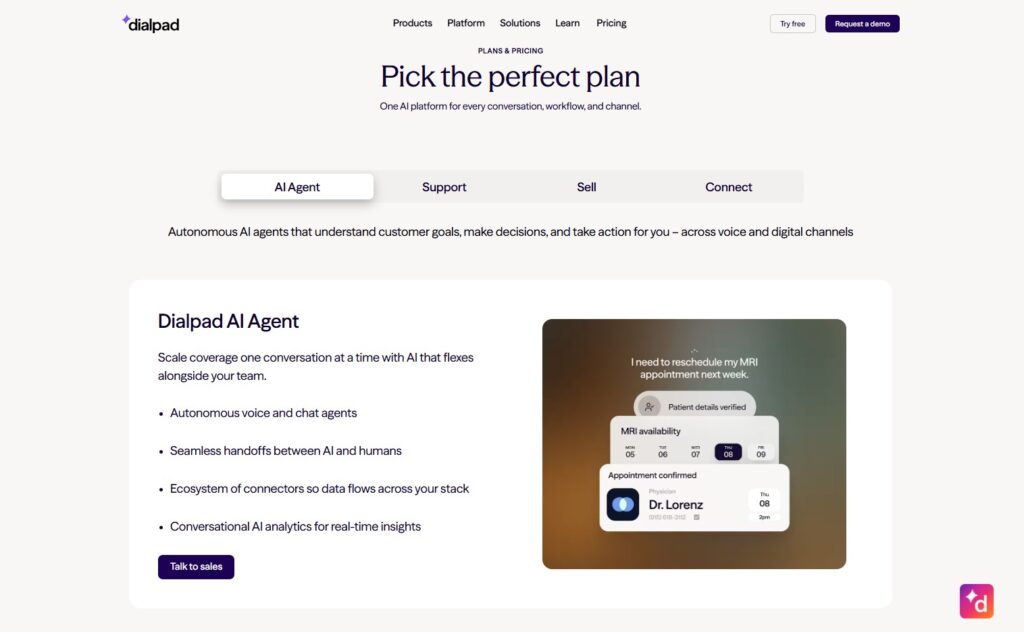
Dialpad Connects start at $15/user/month (billed annually), with a minimum of just one seat. The “Pro” plan costs $25/user/month and has a three seat minimum. As with Aircall, Enterprise plans are also available with custom pricing.
Dialpad Support and Dialpad Sell, are sold independently, with Support starting around $80 per user per month and Sell starting around $39 per user per month. That means the price of a full contact-center-plus-dialer setup can mount up.
Aircall vs Dialpad: Ease of Setup
Both Aircall and Dialpad are designed for (and deliver) fast setup. Aircall pulls slightly ahead when it comes to teams that may have to deal with complex, multi-location routing thanks to its Smartflows feature. Dialpad’s rapid basic deployment suits lean teams that don’t need heavy customization right away, especially thanks to the bookable half-hour onboarding session.
Aircall
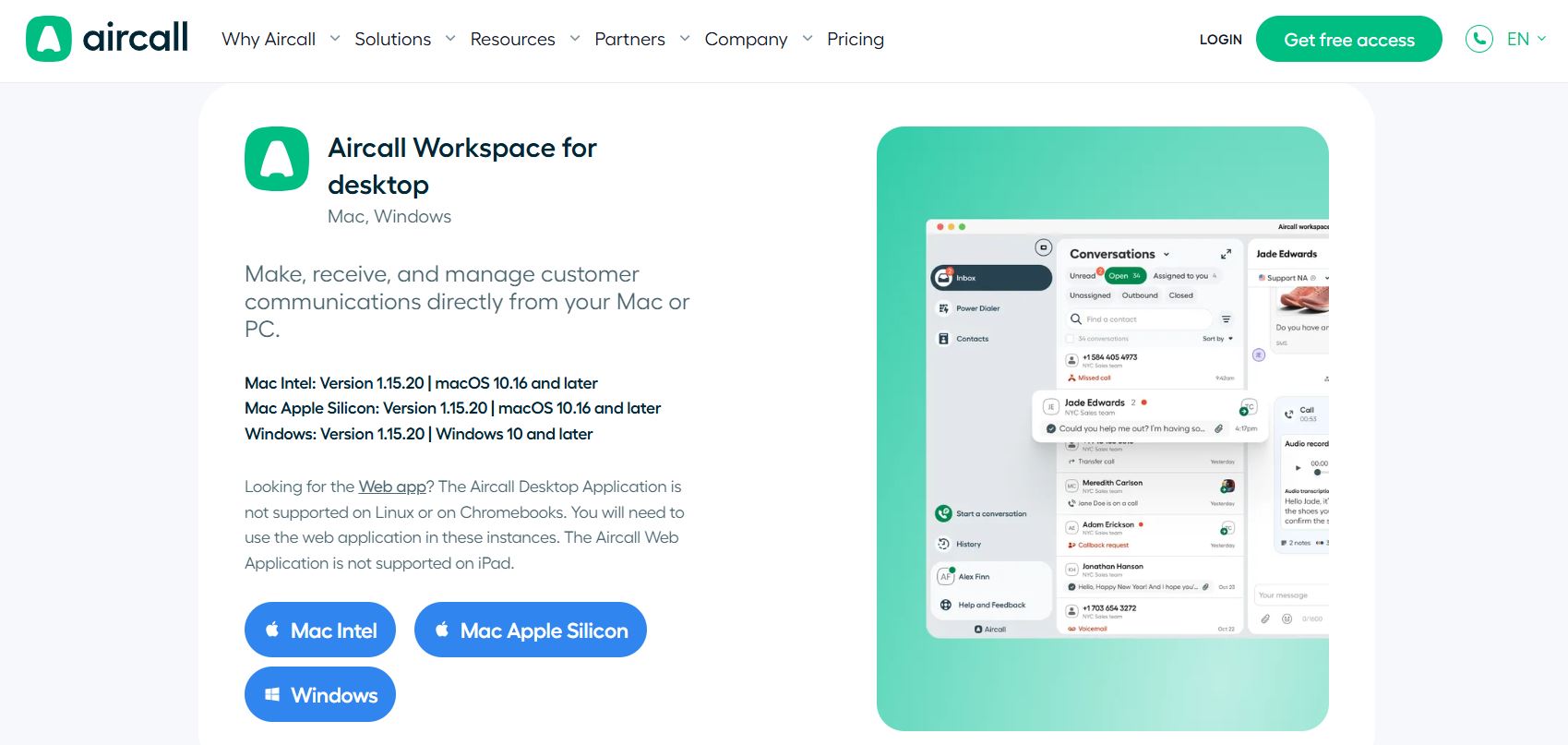
The platform is clearly designed for fast, self-service deployment. As a cloud-based system, there’s obviously no specialist hardware or PBX to install. Moreover, teams provision numbers, install the softphone, and connect integrations directly in the browser. This means they can go live within hours, typically inside a single business day.
Aircall’s drag-and-drop “Smartflows” editor lets non-technical admins quickly and easily build call routing without involving an IT technician. G2 reviews consistently applaud the platform’s fast onboarding times.
Dialpad

Like Aircall, Dialpad’s also been built for quick deployment. Based on online reviews, many teams report basic calling and messaging is up and running within minutes to an hour without needing a team of computer engineers. New users can also book a free 30-minute onboarding session through the Dialpad app.
However, for more advanced configurations, like complex IVR systems, enterprise-scale routing, and managing AI settings, you’ll need more time and (most probably) IT expertise.
Businesses that want to send SMS to US numbers must also complete A2P 10DLC registration. Dialpad currently estimates that approval takes around three weeks, although organizations pooling more than 48 numbers may need to allow for around four more.
Aircall vs Dialpad: Workflows
Both platforms offer excellent and mature workflow automation tailored to sales and support use cases. Dialpad’s live-call coaching is a standout feature for outbound-heavy teams, while Aircall’s workflow tools are more tightly woven into its broader productivity and CRM-logging ecosystem.
Aircall
Both Aircall’s “Professional” and Custom plans include the Power Dialer, Voicemail Drop, mandatory call tagging, and smart routing with queue callback support.
These are all designed around sales and support productivity. At this level, users can also benefit from AI Assist features, including contextual handoffs, live prompts and coaching, and automated post-call summaries.
Dialpad
Dialpad’s workflow strength lies in its AI Playbooks system. It can track adherence to sales methodologies in real time, and can also layer real time coaching cards directly into live calls. This approach has hugely cut down the time for onboarding new customers from over a week to just one day in some cases. Its Power Dialer and local presence dialing are also well-suited for outbound sales teams.
Aircall vs Dialpad: Analytics
While Dialpad’s Playbooks analytics may offer more granular coaching-specific detail, Aircall’s tiered analytics are backed by well-documented productivity outcomes across a broader base of customers. This means the two platforms are fairly evenly matched, depending on whether coaching depth or broad operational reporting matters more to you.
Aircall
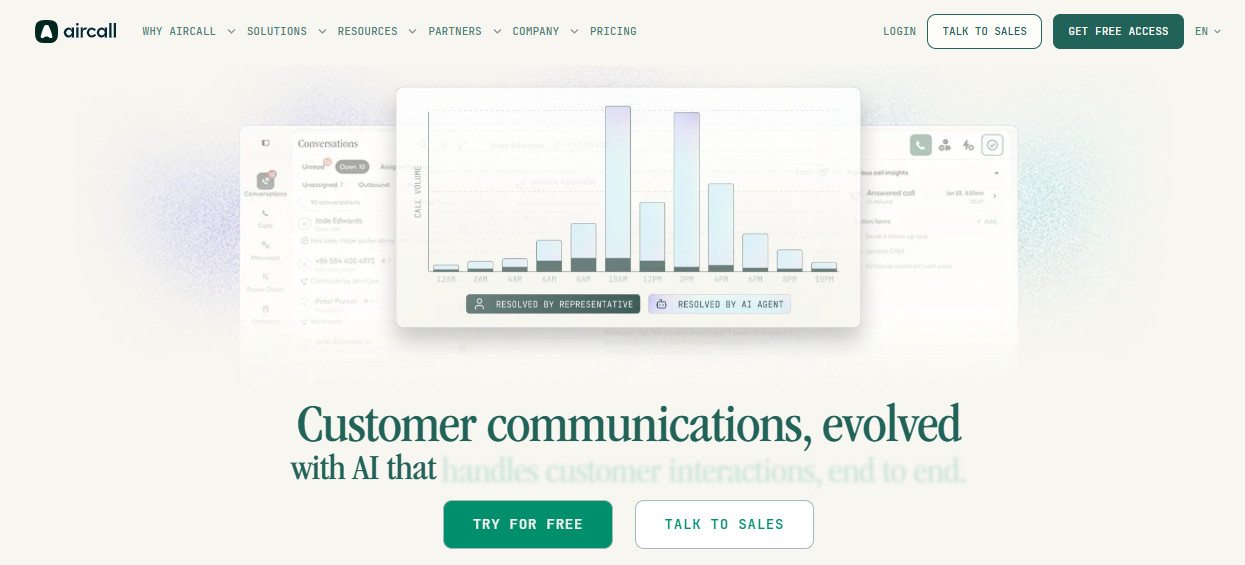
The platform includes basic analytics on all plans for up to six months. If you subscribe to the “Professional” plan you can also access six months’ worth of advanced analytics data.
The ‘advanced’ analytics allow you to analyze trends and outliers in your Support or Sales activities through four focused dashboards (inbound, outbound, unanswered calls, and user activity).
If you subscribe to the Analytics+ add-on (which is included at no extra cost in the “Custom” plan), then you’ll benefit from even more advanced dashboards, live monitoring, and unlimited data history for long-term trend analysis.
Dialpad
Dialpad’s AI Playbooks analytics stand out for its granularity, offering three dedicated dashboards: team/group, agent, and playbook-level.
These can track overall adherence, AI-completed topics, and conversation-level dispositions, and can all be exported to CSV format. This can give sales managers a detailed view of how reps follow scripts and methodologies over time, no matter what software they use for analysis.
Aircall vs Dialpad: Integrations
Independent reviews consistently praise Aircall’s integrations for their reliability and consistency across a broad range of CRMs without any custom builds. While Dialpad does support certain integrations, they’re not available on all plans, and users may struggle once they move away from the more popular options like Salesforce and Hubspot.
Aircall

Even on the entry-level “Essentials” plan, the platform offers over 250 native, plug-and-play integrations with CRM, helpdesk, and productivity tools, including Salesforce, Zendesk, HubSpot, Slack, and Microsoft Teams. However, you need a “Professional” subscription for full Salesforce CTI integration.
Independent reviews regularly cite Integrations as one of Aircall’s main strengths, as it supports a great many out of the box without requiring large amounts of customization and development work.
Dialpad

Dialpad supports integrations with major CRMs like Salesforce, HubSpot, Zoho, and Microsoft Dynamics 365, with automatic call logging and contact matching, provided you’re subscribed to the “Pro” or “Enterprise” tiers. The entry-level “Standard” plan only supports Google Workspace natively.
Dialpad has also introduced agentic AI capabilities for its Salesforce integration. According to the company, its AI agents can autonomously create, retrieve, and update CRM records such as contacts, accounts, and opportunities.
However, support isn’t quite so comprehensive once you move away from Dialpad’s established CRM integrations. Connecting to a less well-established CRM may require Zapier, Dialpad’s APIs, or assistance from its Professional Services team, making setup relatively tricky compared to just using a native connector.
Aircall vs Dialpad: The Overall Winner
Once call workflows, integrations, and analytics are weighed together, we stand by our original assessment that Aircall is the stronger overall pick.
This is particularly the case for sales and support teams that want a productivity-focused platform with dependable, deeply embedded CRM connections and don’t have the time or resources to spend on hiring an IT team to do custom integration work.
Its combination of Power Dialer, Smartflows routing, and native syncing to 250-plus tools means it lives up to the promises on its website of turning conversations into actionable, automated intelligence.
Nevertheless, Dialpad remains a potential niche choice for outbound-heavy sales teams that need real time AI coaching to be baked directly into the call experience. If your team is extremely budget conscious, the entry-level plans are also less expensive than Aircall’s but come with some major limitations, including lack of support for many popular CRMs. Still, if your aim is to squeeze every bit of live-call AI assistance out of a lower entry price point, Dialpad is worth serious consideration.
But for most growing sales and support organizations who are weighing up calling workflows, integrations, and analytics as an integrated package, Aircall is a platform that’s been built to scale with you.
Aircall vs Dialpad: Which One Should You Choose?
Aircall and Dialpad both handle the fundamentals well, so the decision comes down to what you’re optimizing for: integration depth or speed of setup.
Choose Aircall if you’re already embedded in a CRM like Salesforce, HubSpot, or Zendesk and want that connection to run seamlessly, without your team having to babysit it. It’s also the stronger pick if you’re managing multiple locations or departments and want hands-on control over call routing through Smartflows, or if you’d rather pay a bit more upfront for predictable AI pricing than stitch together and cost out separate add-ons. And if you see every call as a source of data for coaching, staffing, and forecasting, Aircall is built with that mindset from the ground up.
Choose Dialpad if you’re running a lean outbound sales team and want AI coaching and adherence tracking to show up live, in the middle of the call, rather than in a post-call report. It’s also the faster route if you just need calling and messaging up and running without investing in a deep CRM integration layer, especially if that CRM is Salesforce or HubSpot, where Dialpad’s agentic AI is most mature. Just go in expecting that contact center or sales-specific features (via Support or Sell) will likely be separate purchases down the line.
Your priorities should drive the decision here: how deeply you need calls tied into your CRM and reporting, versus how quickly you need a team up and running.