


- BambooHR vs Homebase at a Glance
- Who Is BambooHR Best Suited For
- Who Homebase Is Best Suited For
- Standout Features Compared: BambooHR vs Homebase
- 1. Standout HR Features:
- 2. Standout Scheduling Features:
- 3. Standout Time Clocking Features:
- 4. Standout Payroll Features:
- BambooHR vs Homebase Pricing Breakdown
- BambooHR Pricing and Plans:
- Homebase Pricing and Plans:
- In Summary, Which Is Best For You?
- My Verdict:
Last Updated on March 6, 2026 by The Digital Merchant Team
Choosing the right HR tool for your business can be overwhelming, and I’ve found that the more choices, the more confusing it can be to know which software is right.
BambooHR and Homebase are two of the more popular tools I’ve come back to repeatedly because they’re both great in their own right, but for different reasons and different scenarios.
Knowing what your team needs and which features are important is critical before going down the rabbit hole of comparing tools, as comparing apples with oranges can waste time and be more confusing than helpful. It’s often more helpful to know which tool to use and when rather than trying to compare similar software platforms. BambooHR and Homebase are just that – two similar-looking tools but suited to different teams, BambooHR being best for salaried teams and Homebase being ideal for hourly workers.
I’ve compared BambooHR and Homebase to understand each platform’s strengths and weaknesses, who they’re best for, and why.
BambooHR vs Homebase at a Glance
Best for | Large organizations with complex HR requirements. Ideal for businesses with full-time, salaried employees or global teams. | Smaller businesses with hourly or shift workers. Homebase is best for teams with simpler needs and those needing advanced scheduling features and simple payroll functionality. |
Workforce type | Full-time salaried employees, corporate or large-scale SMBs, and other professional services | Hourly workers, shift workers, retail, hospitality, construction, restaurant staff |
Key features | Advanced HR features such as benefits management, performance management, HR reporting and analytics, applicant tracking, and payroll. | Advanced AI-assisted scheduling features, tip management, and integrated wage to payroll automations. |
Time tracking features | Basic level only | Advanced time clocking tracking with geo-location |
Payroll and invoicing | Enterprise-level features with additional add-ons. | Mid-level payroll with optional add-on features |
Skill level required | Advanced skills are needed to make the best use of the tool and will require upskilling and substantial implementation. | Easy to use for all skill levels and small teams. Lower learning curve and shorter implementation. |
Pricing | Free 14-day trial Pricing is per user and customized to the organization’s needs and size (upon request). Smaller plans start at $250 per month. | Free 14-day trial Free plan available for small teamsMultiple tiered pricing options starting at $24 per location per month |
Who Is BambooHR Best Suited For
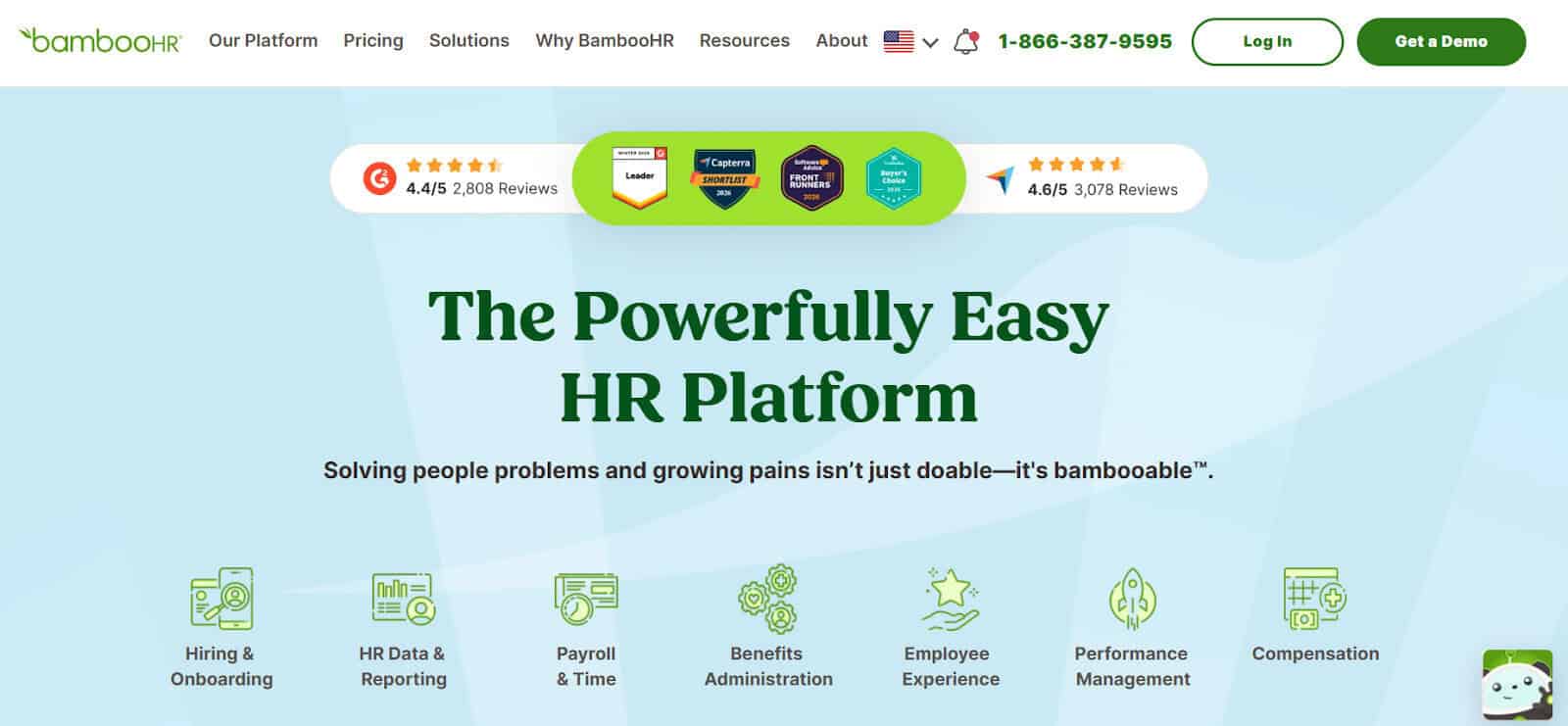
Although BambooHR is well-rounded enough for most teams to use, there are some unique features that make it a better fit for specific use cases and organizations. Here’s what I found based on my experience using the software.
Who BambooHR Is Best For:
- Large-scale organizations with multiple employees
- Full HR teams that have in-depth HR needs
- Growing businesses with changing needs
- Mainly full-time and salaried employees
- Businesses that need structured onboarding and formal HR guidelines and processes.
I found BambooHR quite in-depth and general. This means that a steeper learning curve will be better suited for larger HR teams that may have multiple roles and functions, as handling various functions can be overwhelming for single-user or small HR teams.
For example, I really liked that the onboarding is really structured, and it means new employees are guided through each step; however, without a need for features like performance reviews, benefits management, and campaigns, these features can be overkill, which brings us to the next point of who should not use BambooHR.
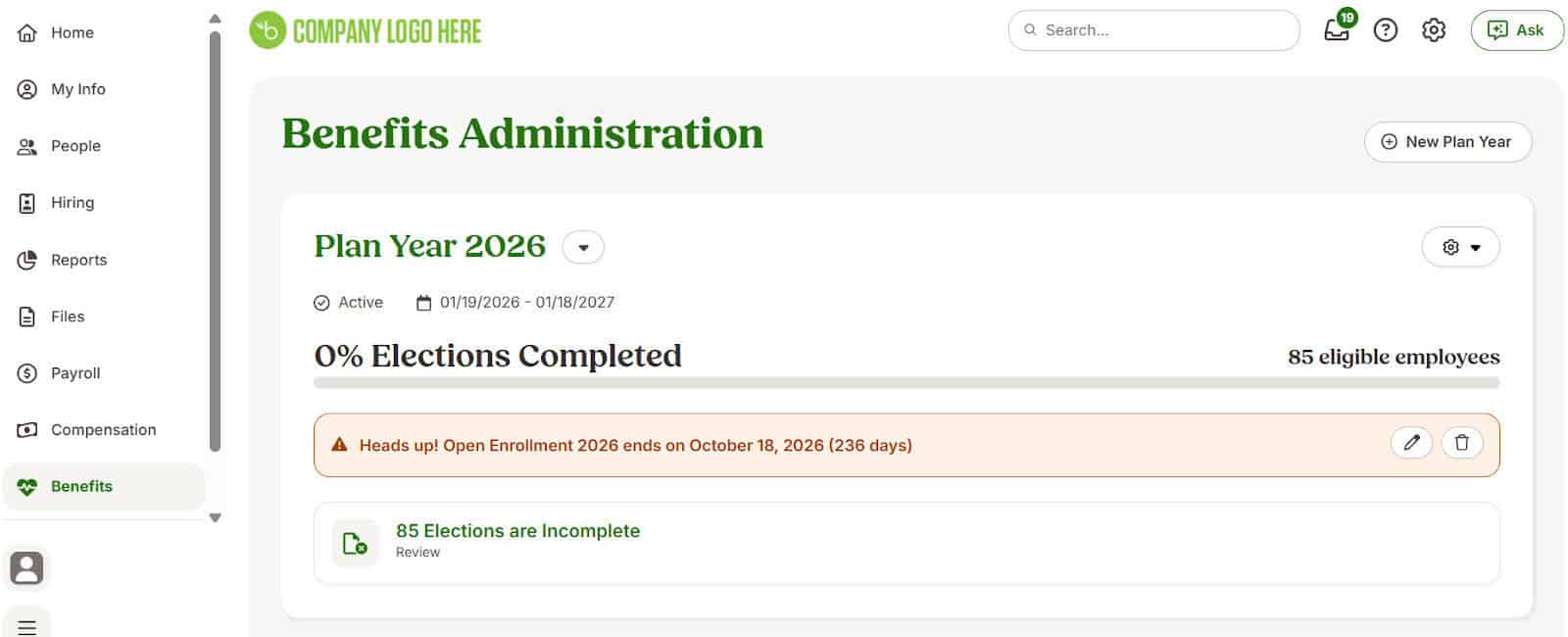
Who BambooHR Is Not Ideal For:
- Small teams that have limited HR requirements
- Single-owned businesses or for entrepreneurs with small teams
- Businesses with hourly workers, like bars, cafes, retail, restaurants, and construction, for example
Who Homebase Is Best Suited For
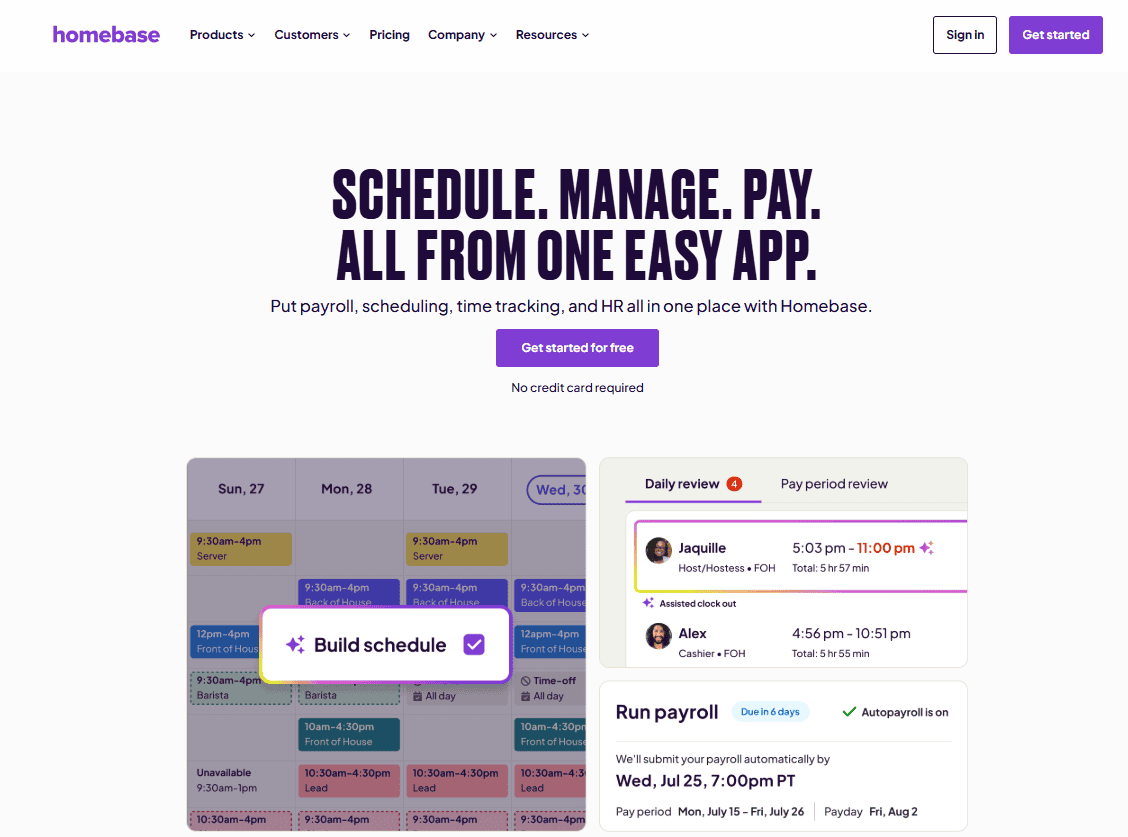
Homebase is a great fit for any business that has hourly teams that need more flexibility when it comes to managing scheduling, wages, payroll, and other features that are better suited for industries that have diverse and changing needs.
Who Homebase Is Best For:
- Small to medium-sized businesses that need a simple tool for managing hourly or shift workers
- Ideal for less-technical teams or leaner HR teams
- HR teams that need to manage employees across multiple locations and monitor labor law regulations
- Growing businesses that need flexible software that can grow as their needs do
- Hourly workers who need to track time per hour or shift
- Typical retail stores, cafes, bars, restaurants, construction, salons, and other field service workers.
- Teams needing easy-to-use scheduling and time clocking
Overall, Homebase was easy to use and takes a few minutes to set up, which I found to be a great value add for small teams that don’t have time to carry out lengthy implementations and onboarding. With more flexible teams comes more need for customization and easy configuration, which was relatively easy to do with Homebase. It is indeed built for hourly teams who need visibility over features like scheduling, time clocks, and wage calculations, though, so businesses that need to manage permanent staff may find it less suitable.
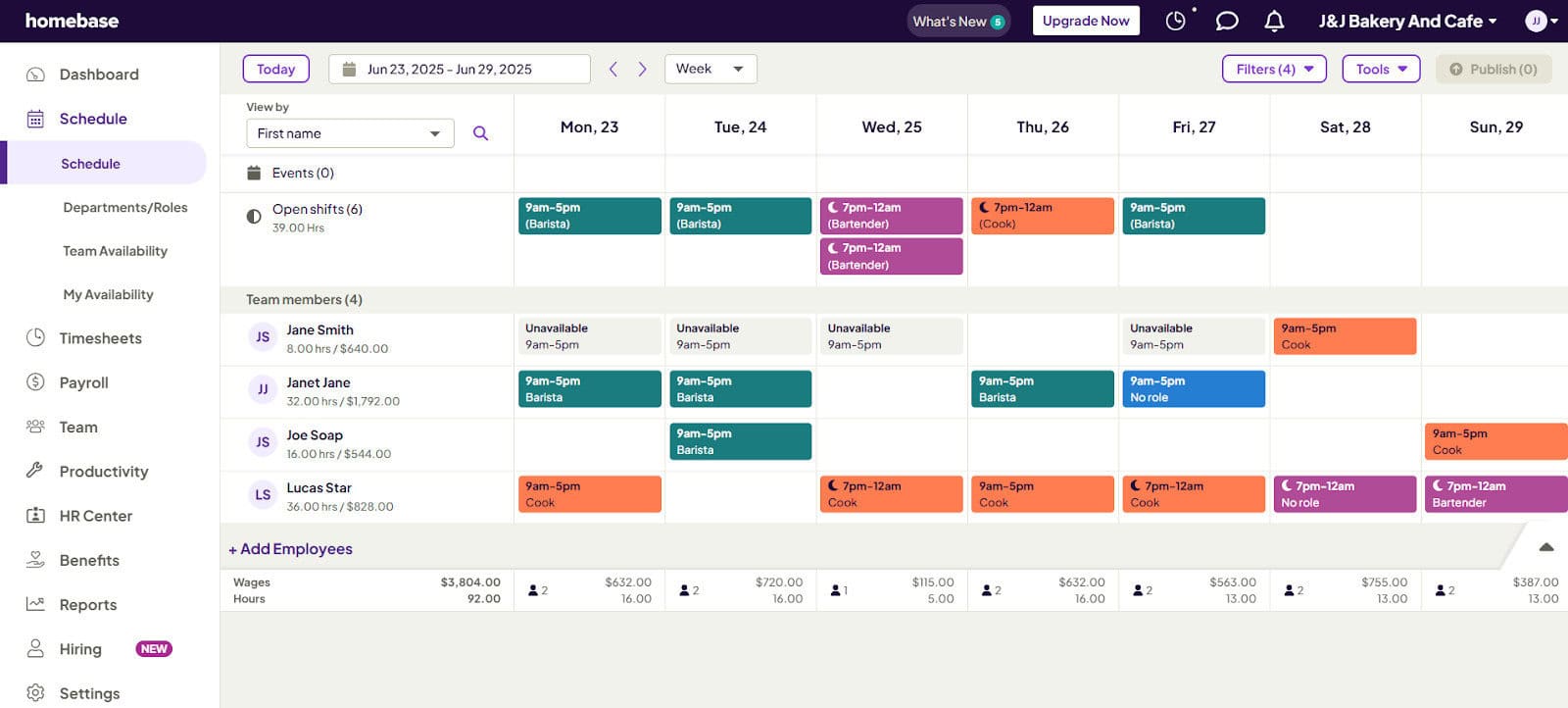
Who Homebase Is Not Ideal For:
- Larger enterprise organizations with full-time or permanent staff
- Businesses that need extensive features like performance management, benefits administration, and other features typically found in permanent or salaried employee roles.
Standout Features Compared: BambooHR vs Homebase
Both tools are great in their own right, and so often I’ve found people comparing tools when they should be looking at which is best for their own specific needs or scenarios. Here’s where each tool stands out to help you decide which tool may be a better fit.
1. Standout HR Features:
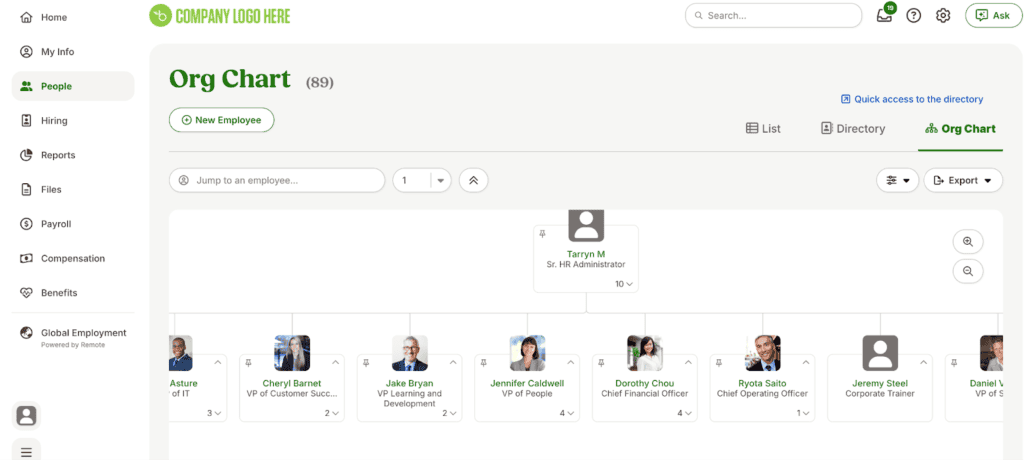
BambooHR
- BambooHR has advanced features such as hiring and employee onboarding
- Employee satisfactionand experience management
- Performance management and tracking
- HR Reporting and analytics
Homebase
- Basic hiring and onboarding, however, have AI-assisted features to help streamline the process.
- PTO and time off functionality
- Simple benefits management
- Hourly employee performance management and incentives
- Simple HR Compliance and reporting features
- Some HR features, such as background checks and benefits, are either paid-for add-ons or available on the paid plans.
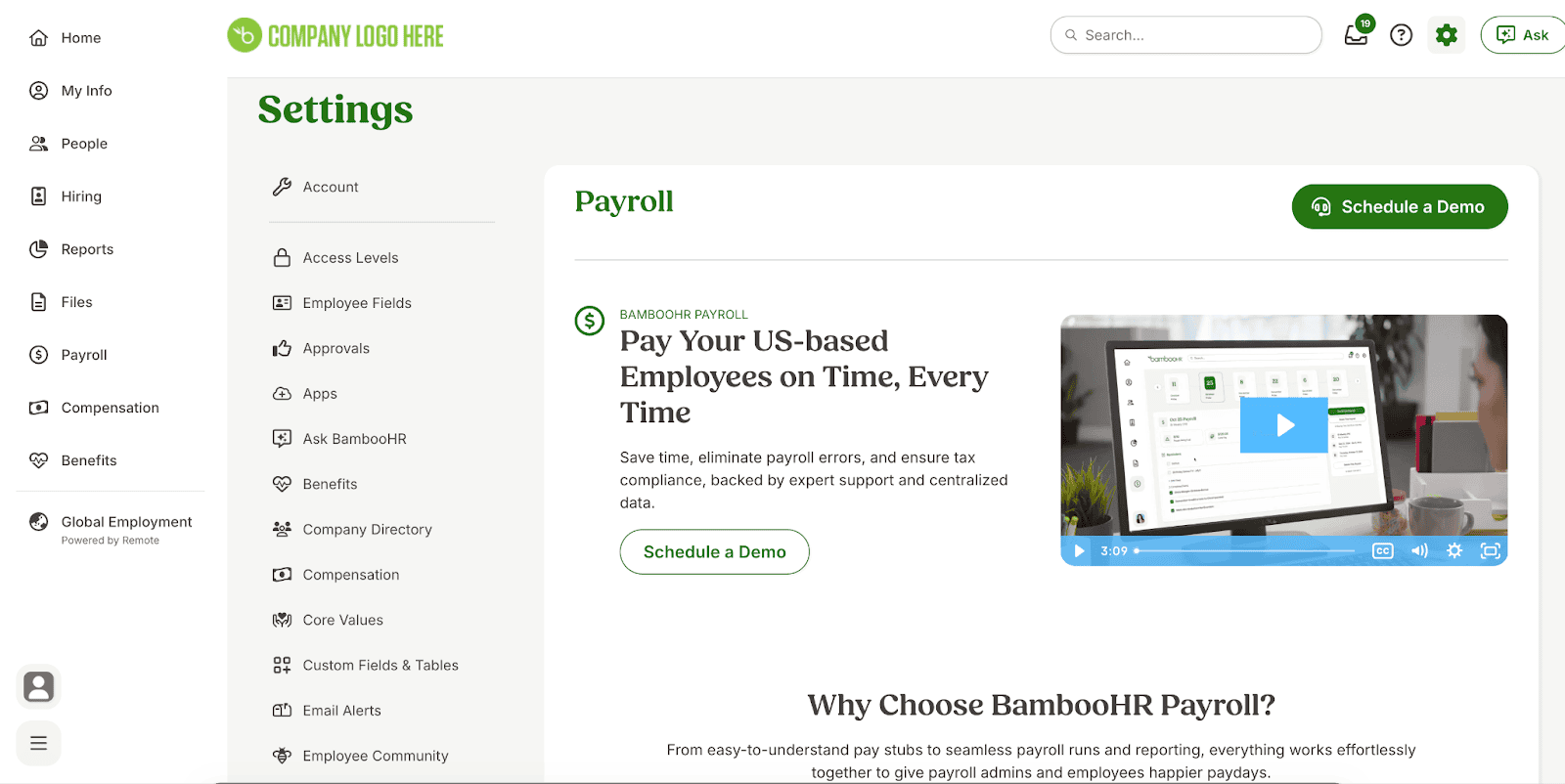
Overall, if your team needs something that can give you in-depth analytics and advanced HR features, then opt for BambooHR. If your team is smaller and needs basic hiring and onboarding, Homebase will be a better fit.
2. Standout Scheduling Features:
BambooHR
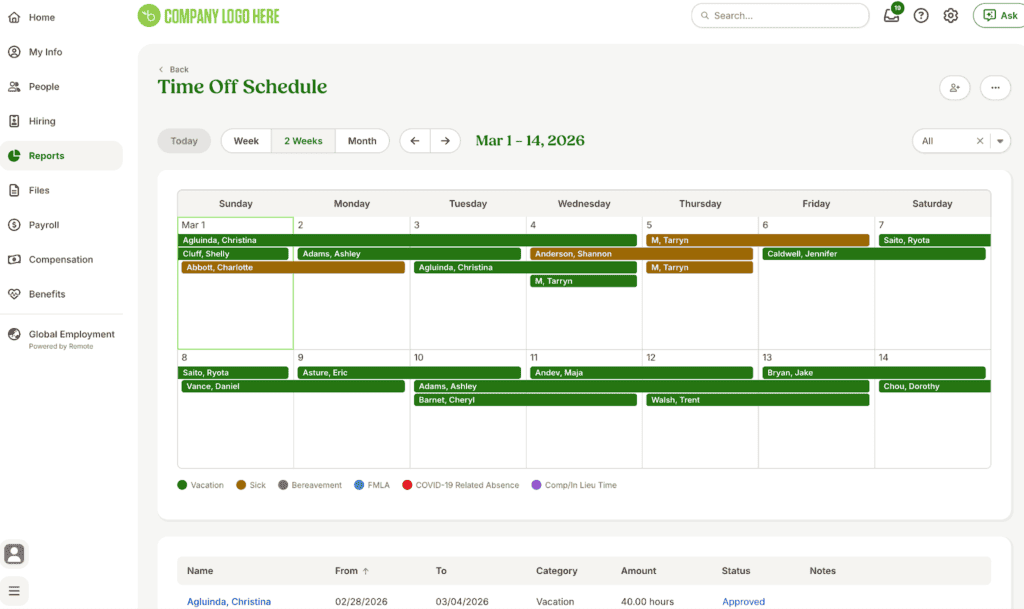
- Limited scheduling features
- Schedule visibility is limited to time off for paid time off, sick leave, etc.
Homebase
- Extensive scheduling functionalities and features
- AI-assisted features within the scheduling app to help automate specific functions
- Built for hourly teams and shift workers
- Drag and drop scheduling and automated notifications for over-allocated shifts or conflicts.
- Allows shift-swapping and transparency over schedules
- Scheduling features are mobile-friendly
- Reminders for upcoming shifts and late clock-ins
- Schedules can be templatized and reused
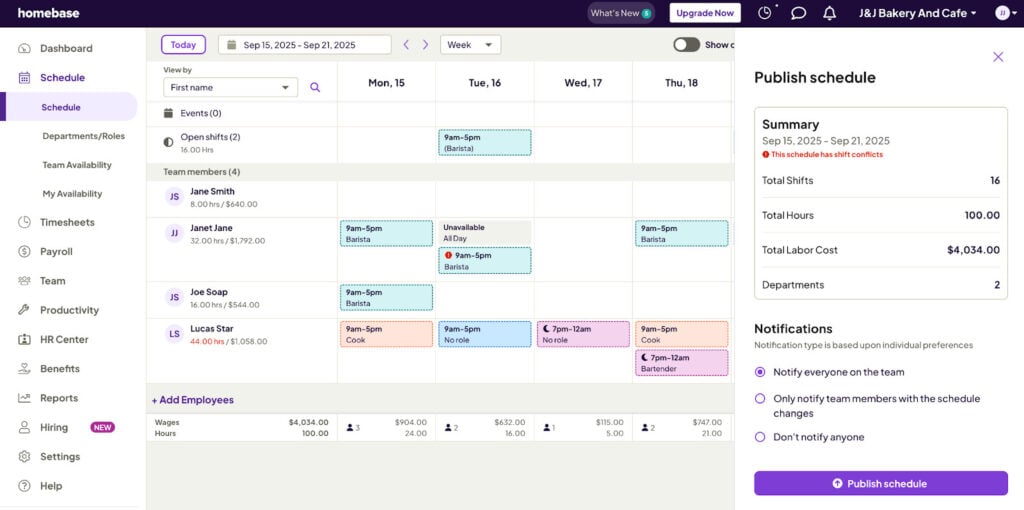
If scheduling is a strong requirement for your business, I’d recommend Homebase as it is purpose-built with extensive features to help manage schedules more easily. I found Homebase is best for hourly-based schedule workers and shift workers.
3. Standout Time Clocking Features:
BambooHR
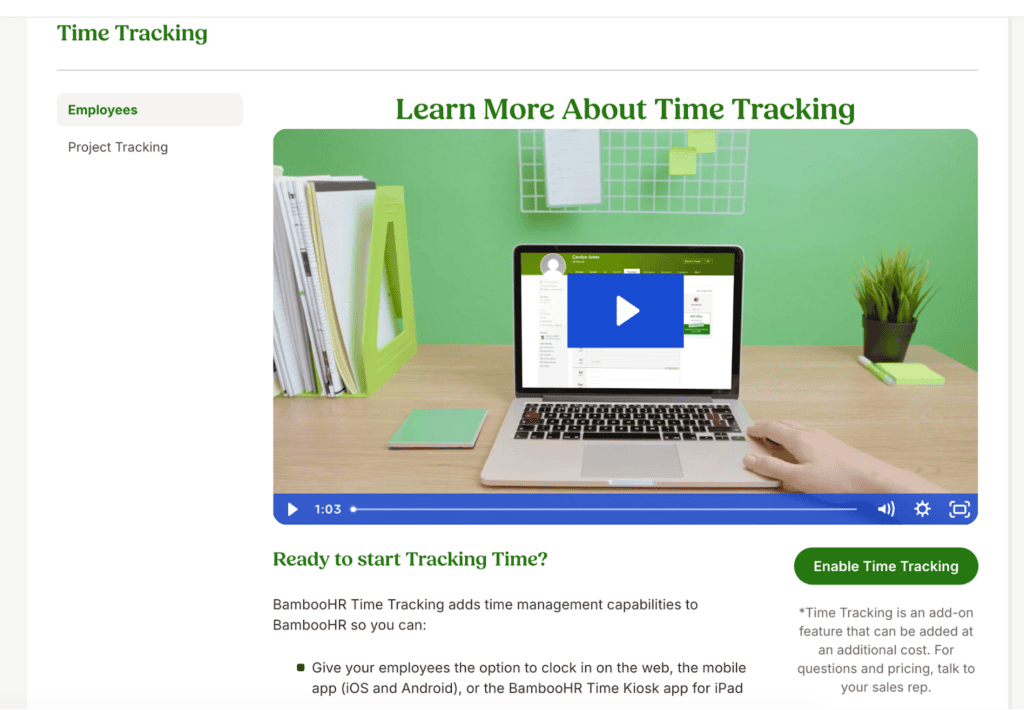
- BambooHR is not built for time-clocking features and has basic-level functions for this.
- Employees can record time off for sick leave or other paid time off requests.
- Employees can record time spent on work or projects, or both
- BambooHR time tracking is a paid-for add-on that would need to be set up separately
Homebase
- Homebase offers comprehensive time tracking and time-sheet management
- Employees can easily record shifts and clock time using the desktop or mobile app
- Employees can also receive notifications or warnings for missed lunch breaks
- Homebase also notifies managers of employees who have missed shifts or worked too many shifts/hours.
- Employees and employers can easily view summaries and expected wages
- Labor law compliance features
- GPS ringfenced time clocking capabilities, which allow employees to only clock in according to specific locations or job sites
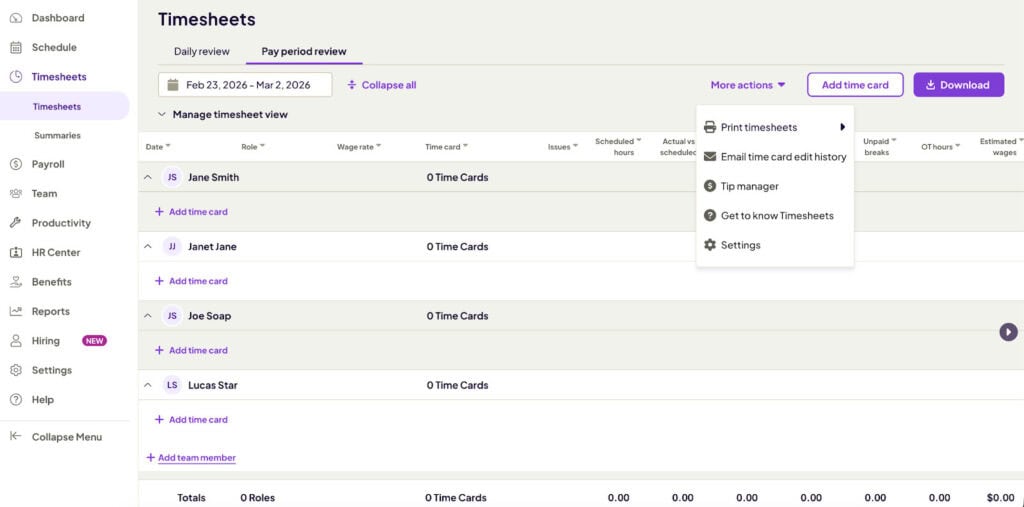
In summary, if your team is mostly office-based and you need to record basic PTO requests or leave calendars, BambooHR will be sufficient. If your team is mostly hourly-based and you need to manage multiple shifts, time off, and require additional features such as location-limited clock-ins, then Homebase will be a better option.
4. Standout Payroll Features:
BambooHR
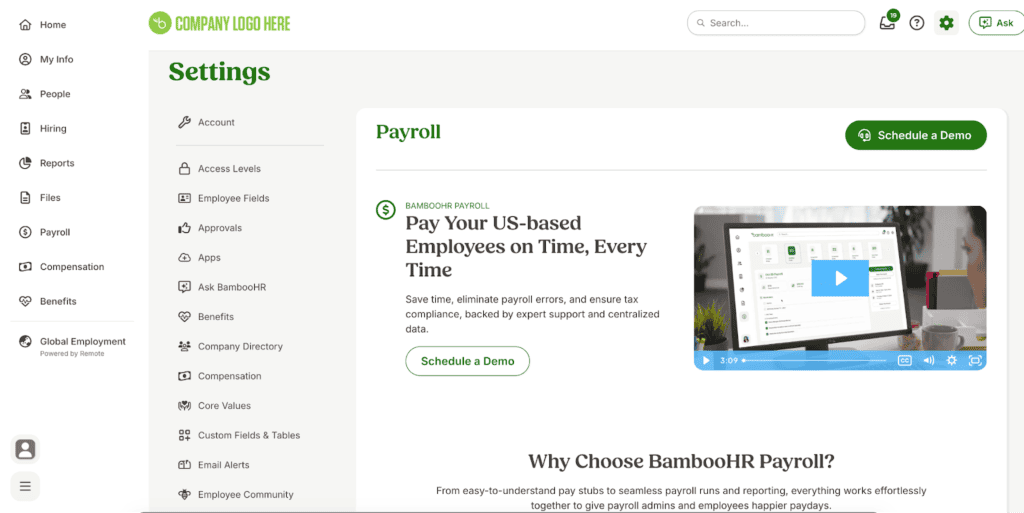
- BambooHR has a fully comprehensive payroll module that covers multiple functions within the payroll space.
- BambooHR helps you manage paying employees locally or globally across 92 countries.
- Integrated with benefits management and other compensation types, BambhooHR covers a wide range of enterprise payroll functions.
- BambooHR’s payroll is a separate add-on with its own pricing structure and is not part of the base-level platform.m
Homebase
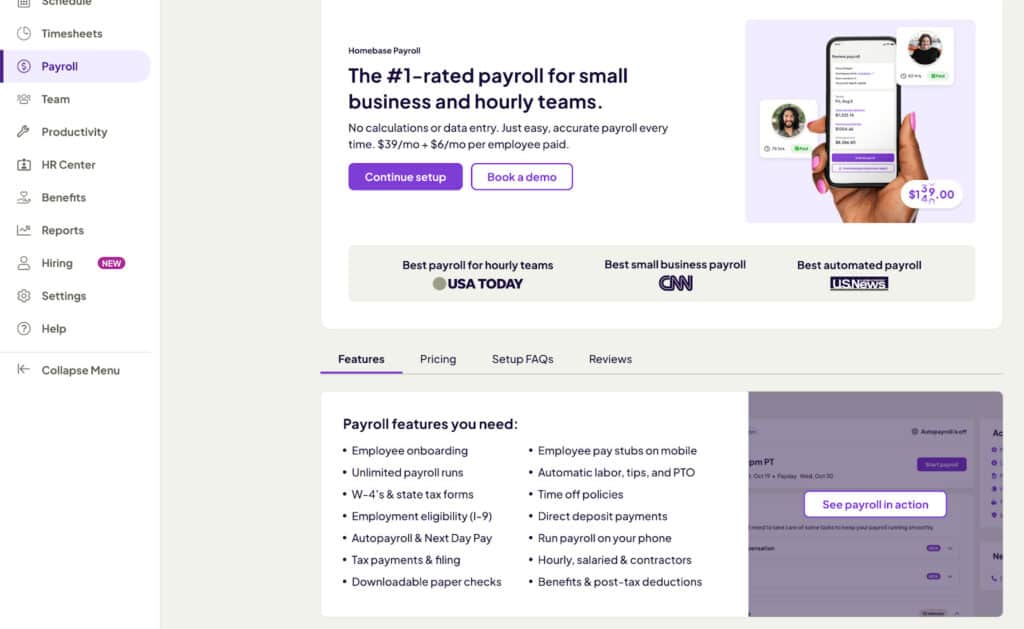
- Homebase Payroll is integrated into the platform, allowing users to easily roll up hourly wages and automate payments cleanly into payroll.
- Syncing between schedules and payroll is easy and saves time for teams that need to collate schedule entries and shifts into payroll.
- Homebase Payroll is ideal for small businesses and small teams that need an intuitive and easy-to-use payroll without extensive features or functions that larger businesses require.
- Payroll is a paid-for add-on with bundled pricing options
- Automatically calculates hourly wages and time off, as well as more advanced hourly worker features such as tip management
- Homebase Payroll does not support countries outside of the US (at the time of this article’s publication date), so it’s a better fit for US-based businesses
If you’re a larger organization with global employees or complex payroll requirements that integrate into HR functions such as benefits management and other HRIS systems, consider BambooHR. If you’re a smaller business that needs to run payroll locally in the US, especially for hourly or shift workers, then Homebase is an ideal option.
BambooHR vs Homebase Pricing Breakdown
Pricing should not be the only motivator when looking at a tool, but it may be an important consideration. I always recommend researching expected costs and, in many cases, getting a custom quote to ensure that you’re not caught by surprise with unexpected fees or add-on costs that you hadn’t budgeted for.
BambooHR Pricing and Plans:
BambooHR does not have transparent pricing available, which I always find frustrating, as it tends to put potential customers off.
From using the tool previously and researching recent pricing structures, here’s what businesses can expect to pay.
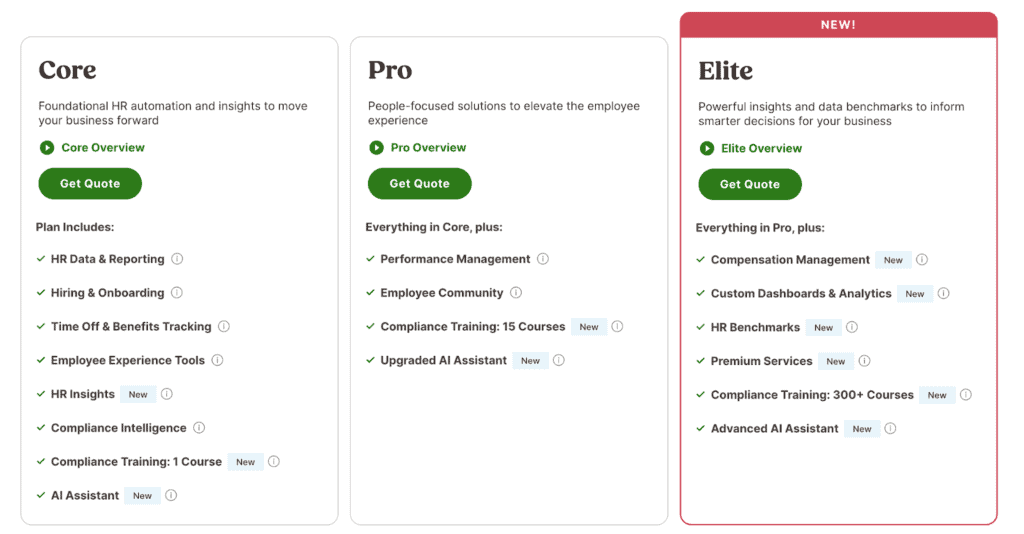
- There are three tiers to choose from, but you’ll need to reach out for a custom quotation tailored to your business structure and requirements.
- There is also a 14-day free trial, which I’d recommend trying out to get an idea of the overall platform feel and functionality. I really like the fact that you can test this out using BambooHR’s sample data to get an idea of what your production data and dashboards would look like.
- For smaller businesses with fewer than 25 employees, you can expect to pay a flat rate of around $250 per month.
- Estimates for companies of around 25 employees or more will be dependent on what features and plan you choose. BambooHR pricing is then determined on a tailored plan and per-employee per-month costing structure, so be sure to consider this if you’re intending to grow.
Important Pricing Considerations:
- I always recommend checking all add-ons and what pricing is excluded. BambooHR charges separate add-on costs for time tracking, payroll, benefits administration, and employer of record(EOR) functionalities.
- Larger HRIS platforms like BambooHR will typically take some time and skill to implement, and from my experience, this often comes at a cost. Be sure to ask about onboarding, training, and implementation fees.
Homebase Pricing and Plans:
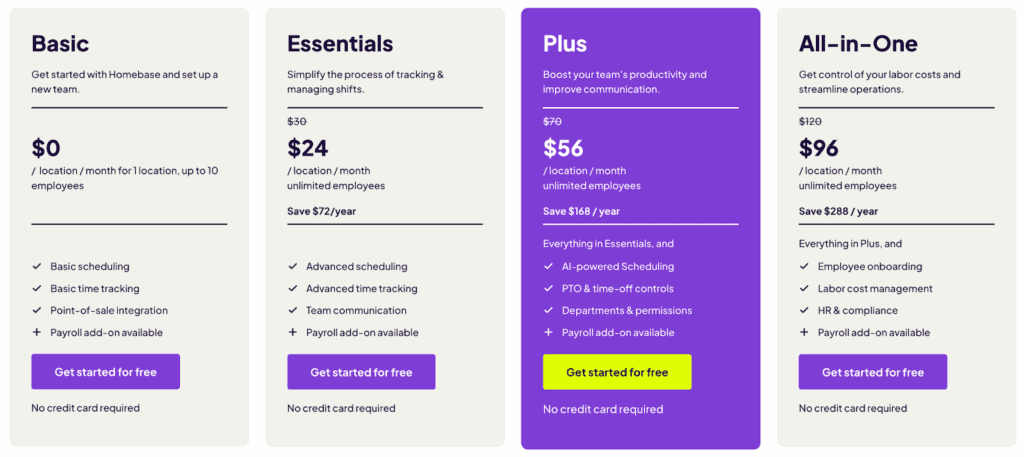
Overall, I’ve found Homebase pricing to be more transparent, and they offer updated costing breakdowns on their website. As a small business that hasn’t yet settled on a tool, I’d recommend always trying out the free plan or free trial to get a good idea of what the platform offers and the overall user experience.
- Homebase offers a free plan (see Basic Plan above), which is free for up to 10 employees and one location. For smaller businesses, a simpler plan like this may be sufficient to get started. I like that you have scalable packages that you can upgrade to once your needs increase.
- Homebase offers a 14-day free trial of the paid plans, which is a great way to get an idea of the more advanced features without needing to pay upfront.
Important Pricing Considerations:
- Similar to BambooHR, Homebase does charge for add-ons, so it’s important to see which add-ons would be something that you’d require for your business and the costs associated with them to ensure you take into account all costs before purchasing.
- Homebase charges separately for add-ons such as the hiring assistant/module, tip management, payroll, tasks, background checks, and more.
BambooHR vs Homebase for payroll
BambooHR is a better fit for larger, multi-team organizations with full-time and salaried employees and for those needing global payment options, benefits management, and other integrated features. Homebase, on the other hand, has an excellent payroll for hourly workers and smaller teams needing basic functionalities such as automated wage calculations to payroll, integrated tip management, and other features that are better suited to hourly pay structures.
In Summary, Which Is Best For You?
While both are excellent in their own respects, my recommendation is rather to avoid the question of “which is the best tool” and rather consider “which is the best tool for my workforce,” and which aspects of each are critical for your organization.
In many ways, I’ve found BambooHR to be far more feature-rich and comprehensive, which is great if you’re a larger business with full-time employees; this may be overkill if you’re a smaller restaurant-based team of 10 members. Homebase may be too simple for some larger global teams. Still, it can be an ideal fit for service-based or hourly workers who need extensive scheduling features and ways to quickly automate wage-to-payroll summaries without requiring a full payroll team.
My Verdict:
If you have a full-time salaried workforce: Go with BambooHR.
If you have hourly workers or a shift-based workforce, opt for Homebase.
Some businesses may have a mix of both, and then I’d recommend even considering using the tools alongside each other to get the best of both worlds!