


Last Updated on June 29, 2026 by Ewen Finser
If you’ve spent any amount of time curating the optimal finance stack for your business, you’ve probably come across both Melio and Relay.
Relay is mostly known for its bank accounts and credit card, but it can also take care of a lot of the basics on the AP and AR sides. Melio isn’t a banking platform, but it has a much heavier focus on receivables and payables.
If you’re trying to decide which one of these your business needs, or whether you need both, it’s important to understand exactly where each platform excels and lags behind.
Here’s how Melio and Relay stack up.
Melio vs. Relay: At a Glance
Melio | Relay | |
Best For | AP/AR automation for SMBs | Business banking with basic AP/AR |
Payment Methods | Bank account, credit/debit card, global ACH, global card | ACH, wire, check |
Accounts Receivable | Custom invoices, payment links, automated payment reminders | Custom invoices, payment links, automated payment reminders |
Approval Workflows | Multi-level; six user roles | Multi-level; six user roles |
Integrations | QuickBooks (Online and Desktop), Xero, NetSuite, Amazon Business | QuickBooks Online, Xero, Gusto, Plaid, Yodlee |
Customer Support | AI support, live chat, email support, phone support | Live chat, AI support, phone support |
Plans | Go (Free), Core ($25/month), Boost ($55/month), Unlimited ($80/month) | Starter (Free), Grow ($30/month), Scale ($120/month) |
Transaction Fees | $0.50 for ACH (free ACH included in paid plans); 2.9% for cards | Free for standard ACH; 2.9% + $0.30 for cards |
Melio: AP/AR Automation for SMBs
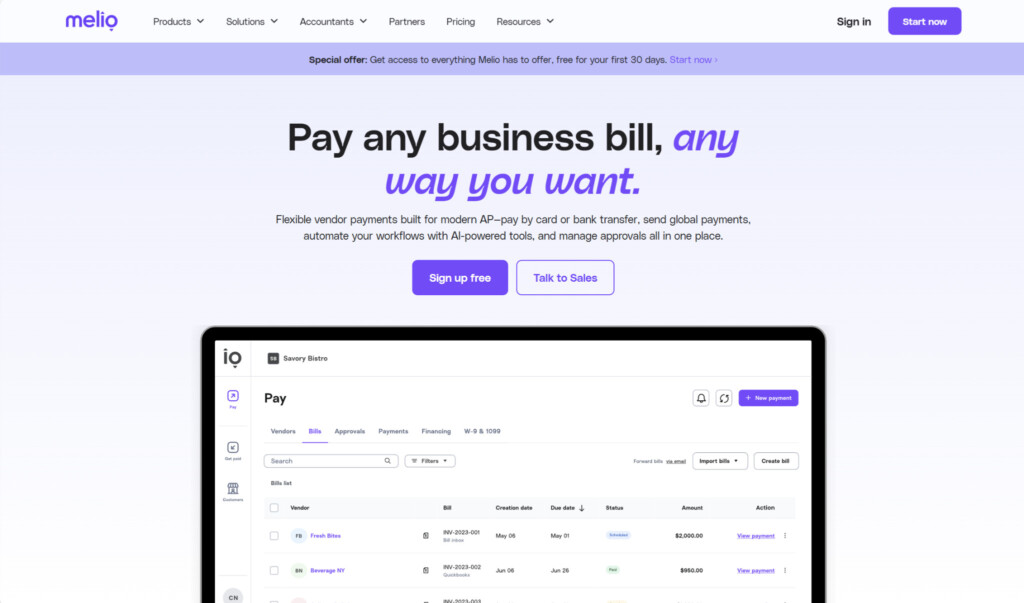
Melio, which was recently acquired by Xero, is an AI-first platform, automating standard tasks like recurring payments and using OCR to quickly input bills. It’s a dedicated AP and AR solution, but it’s more of a bill pay tool than a payment processor. Note that it only supports online payment collection at this time.
Where Melio strongly diverges from Relay is that Relay is first and foremost a bank, whereas bill pay is what Melio’s all about. Its specialty in this area helps it support complex processes, flexible payment methods, and scaling along with volume.
Accounts Payable
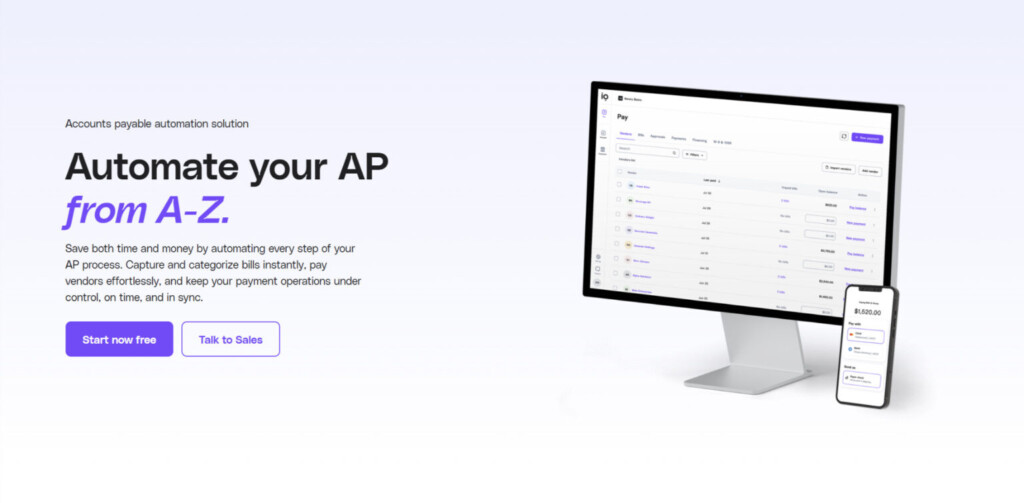
One of the most popular use cases for Melio is paying a vendor with your credit card even if the vendor doesn’t accept card payments. This lets businesses earn rewards and can play a part in overall cash flow strategy.
Here’s a full list of payment/receiving methods available via Melio:
- Payment methods:
- Bank account
- Credit/debit card
- Global ACH
- Global card payments (Visa or Mastercard only)
- Pay over Time (financing)
- Receiving methods:
- ACH bank transfer (standard, instant, or same-day)
- Check (standard, fast, or overnight)
- Wire transfer (standard or same-day)
The length of time it takes for a vendor to receive your payment depends on both your payment method and delivery method. In general, ACH payments take 3 business days but are delivered within the same business day when using a credit card.
Melio currently supports payments to 80 countries in 15 currencies, offering volume discounts on global payments. If you make over $100,000 in international payments per quarter, you can access lower rates on FX transactions and faster settlement times.
Accounts Receivable
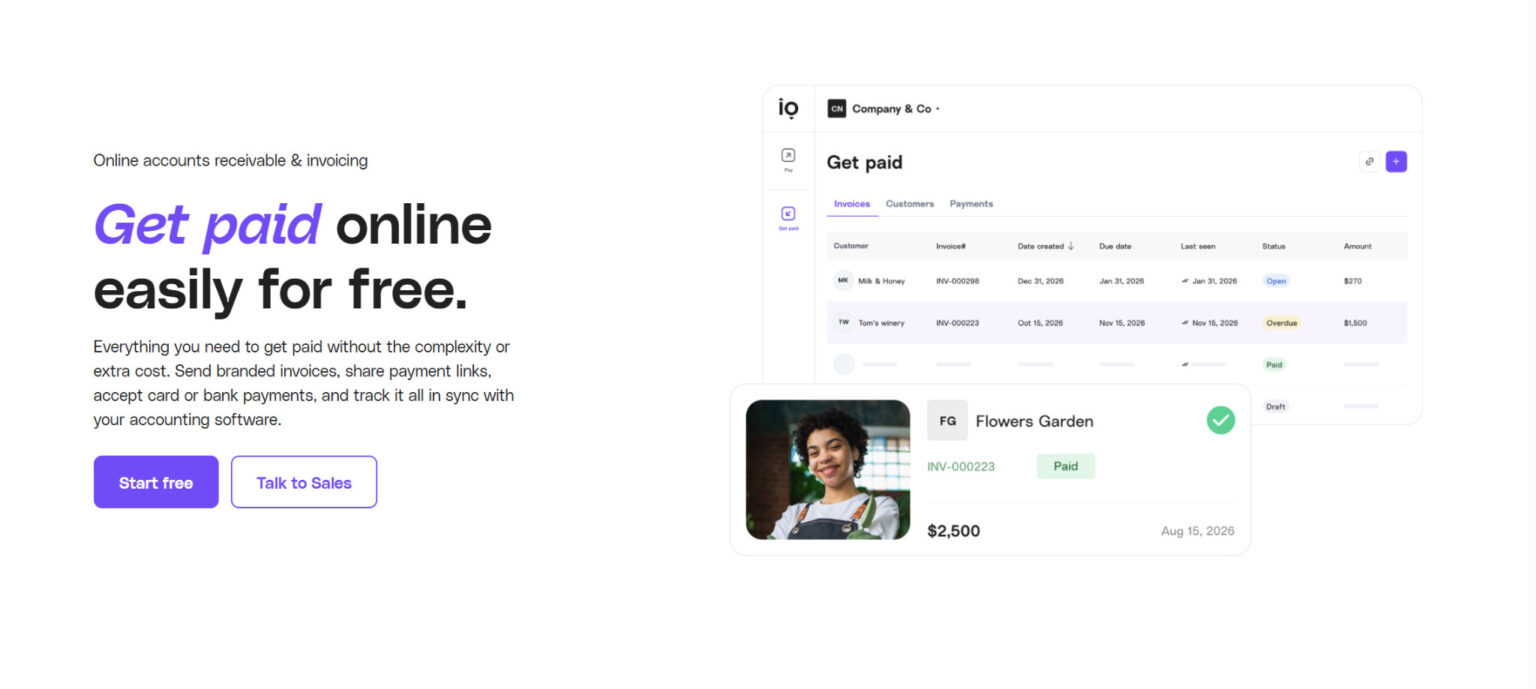
On the receivables side, Melio can automate common manual AR tasks like payment reminders, invoice matching, and flagging overdue payments.
It also lets you send branded invoices with built-in payment links (you can also just send links without the invoices). Your customer doesn’t need a Melio account in order to pay you — they can do so directly through the link you send via bank account or credit card. If they pay from their bank account, it’s completely free. There’s a 2.9% credit card fee, but you can choose whether you or your customer will cover the fee.
Approval Workflows
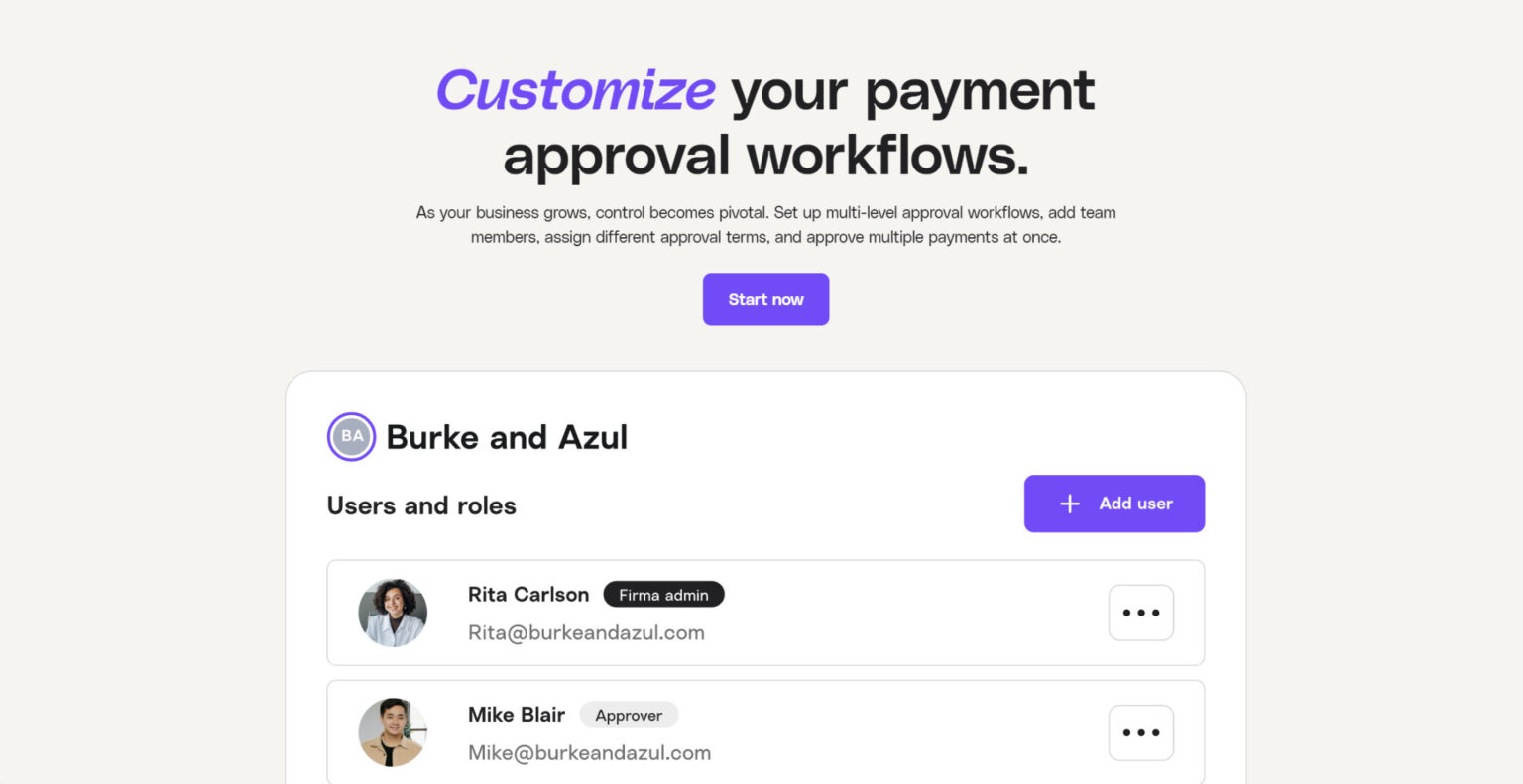
Melio lets you assign user roles and set up multi-level approval workflows at certain payment thresholds. You can approve or decline multiple payments at once, and you can do so either from your computer or from the Melio mobile app.
Melio has six user roles, each with their own set of permissions:
- Owner: This is whoever created the Melio account, and there can only be one owner per account.
- Admin: The Admin can do most everything that the Owner can do, but it can’t change the Owner’s user role.
- Accountant: The Accountant can schedule payments and add other Accountants and Contributors. However, it can’t approve Accountant and Contributor payments.
- Contributor: Contributors can schedule payments and add vendors.
- Approver: Approvers can approve or decline payments, but they can’t create or edit them.
- Viewer: Viewers can see the information in a Melio account, like payments and reports, but they can’t edit anything within the account.
Integrations
Melio has several integrations, including with QuickBooks (Online and Desktop), Xero, and NetSuite (Standard and OneWorld). Vendor information, including unpaid bills and credits, can sync from your accounting software, with outgoing and incoming payments also updating across platforms.
There’s also an integration with Amazon Business, where you can import your invoices into Melio and pay them there.
Customer Support
The level of customer support you can access through Melio depends on which plan tier you’re on. However, they offer a few different avenues: live chat, AI support through their Agent Mel, email support, and phone support during normal business hours.
Plans and Pricing
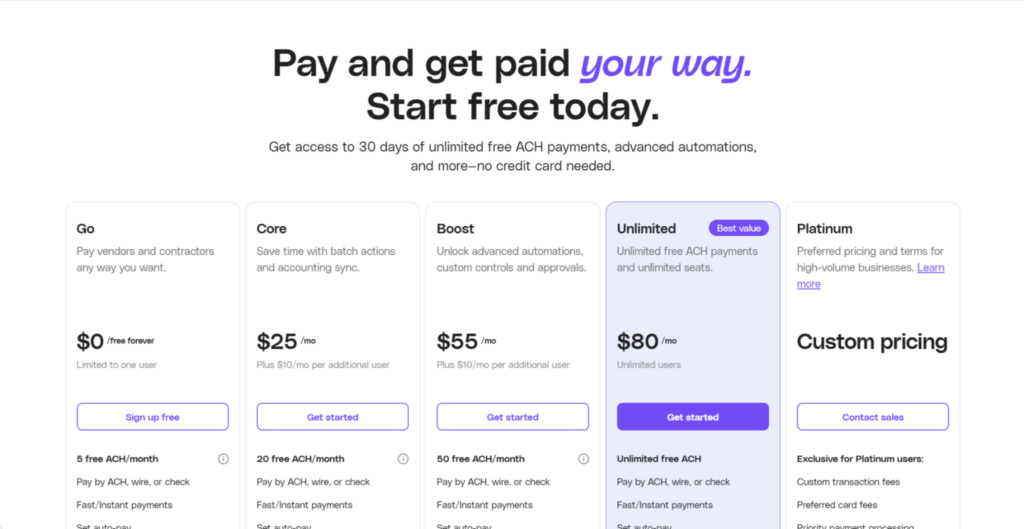
Melio’s main plans and some of their standout features are:
- Go (Free):
- Limited to one user
- 5 free ACH/month
- Pay any bill by card
- AI bill capture
- International payments
- Live chat
- Email support
- Core ($25/month):
- Extra $10/month per additional user
- 20 free ACH/month
- QuickBooks Online and Xero syncs
- Batch payments
- Approval workflows
- W-9 collection and 1099 automation
- Priority support
- Boost ($55/month):
- Extra $10/month per additional user
- 50 free ACH/month
- Advanced user roles
- Apply vendor credits
- Custom approval workflows
- QuickBooks Desktop sync
- Premium phone support
- Unlimited ($80/month):
- Unlimited users
- Unlimited free ACH
- NetSuite sync
Once you go beyond the free ACH transfers included in your plan, Melio charges a fee of $0.50 per ACH. For credit card payments, the fee is 2.9%. International and expedited payment options incur additional fees.
There’s also a custom Platinum plan for high-volume businesses, which comes with custom fees, priority payment processing, and faster settlement times.
Relay: Business Banking with Basic AP/AR

Relay is mostly known for business banking, offering both checking and savings accounts, as well as credit cards and term loans. But beyond banking, it has capabilities on the operational side of things, too — namely, accounts payable and accounts receivable.
While it’s similar to Melio in that they both have AP and AR covered, the scope of coverage isn’t the same.
Accounts Payable

Unlike Melio, Relay doesn’t let you pay any bill by card, regardless of whether the vendor accepts card payments. However, it does give you several options for paying vendors:
- Standard ACH
- Same-day ACH
- Domestic wire transfers
- International wire transfers (local or SWIFT networks)
- Check
For standard ACH transfers, the delivery time is typically 1–2 business days, while wire transfers are usually completed within the same day or the next business day.
You can send international wires to most countries, but this isn’t possible in countries like Afghanistan, Israel, Russia, and Venezuela, as well as certain regions of China and Ukraine.
Accounts Receivable

You can create, send, and track invoices through Relay, including via formal, customized invoice and standalone payment request links. Relay can also send automated reminders for overdue payments, send recurring invoices, or auto-charge the card you have on file.
Your customers have a range of options for paying you, including ACH, wire, credit card, and debit card. For standard ACH, there’s no fee involved. For credit cards, the fee is 2.9% + $0.30, but depending on which plan you have, you can offset these fees by adding a 2.9% surcharge.
Approval Workflows
You can set up multi-step bill approval rules within Relay, based on transaction amount, vendor, accounting software, GL code, class, or location — though the approval workflow complexity depends on which plan you have. If desired, you can add multiple, sequential approvers.
There are six different team member roles:
- Admin: The Admin manages everything within the Relay account.
- Manager: The Manager can view accounts and invite members, as well as approve bills. However, they can’t create or send invoices.
- Bill Payer: The Bill Payer operates mainly on the payments side, and they can also approve bills.
- Cardholder: This is someone who has a Relay credit card, and they can manage their card within the platform.
- Deposit Only: This user’s main responsibility is to submit check deposits.
- Read Only: This is Relay’s version of Melio’s Viewer role. The user can view your business’s financial information, but they can’t take any action.
Integrations
Currently, Relay integrates with QuickBooks Online, Xero, Gusto, Plaid, and Yodlee. Through the QuickBooks and Xero integrations, you can sync categorized transactions, bills, and receipts. The Gusto integration lets you sync payroll data, Plaid allows you to connect to Wave and Expensify, and Yodlee allows you to connect to FreshBooks and PayPal.
Customer Support
Relay offers a 24/7 virtual assistant, but you can also get support via live chat or phone support during normal business hours.
Plans and Pricing
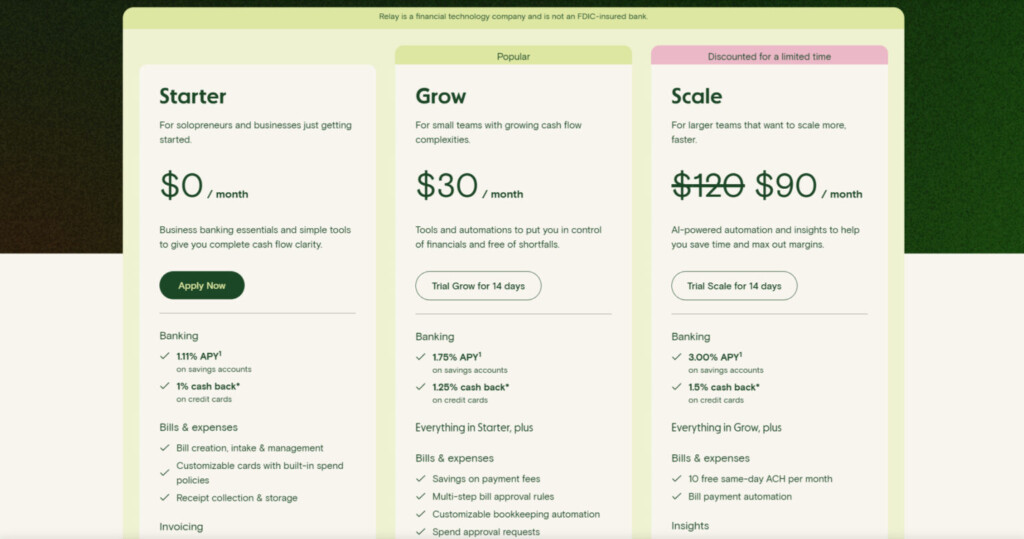
- Starter (Free):
- Bill creation and management
- Receipt collection and storage
- Payment request links
- Invoice creation and tracking
- Automated follow-ups
- Grow ($30/month):
- Multi-step bill approval
- Customizable automation
- Batch payments
- Recurring invoices
- Surcharging
- Scale ($120/month):
- 10 free same-day ACH/month
- Bill pay automation
- Faster customer support
Standard ACH is free across all plans.
Which Software Is Best for Bill Pay: Melio or Relay?
Melio and Relay can both be welcome additions to your finance stack. However, the best fit depends on what you’re looking for.
For straightforward AP/AR, Melio specializes exclusively in these areas. The ability to use Melio to pay any bill with a credit card is especially attractive, whereas Relay doesn’t have this capability. Melio also has a couple of accounting integrations that Relay lacks: QuickBooks Desktop and NetSuite.
However, if you don’t need to pay with a card and you want both AP and banking centralized under one platform, Relay is a great choice. It also has unlimited free standard ACH across all plans, which Melio doesn’t.
Ultimately, the best option for you depends on whether you’re mainly looking for banking or bill pay.