


Last Updated on August 25, 2026 by The Digital Merchant Team
Stop me if this sounds familiar: Somewhere on a shared drive, there’s a spreadsheet that controls a significant, material line on your balance sheet. It has a tab for each month, a formula column that’s archaic nonsense that no one currently employed understands, and a hard-coded cell from the quarter you closed a deal mid-month and needed the numbers to tie. One person understands the train wreck, and they’re planning on taking a vacation next month.
That file is doing real accounting work: Cash arrives before the work is delivered, the liability sits on the books until you earn it, and the schedule is the machinery that moves it from one to the other, month by month, contract by contract. It works fine until it doesn’t… usually somewhere between a few dozen contracts and a few hundred, when mid-term upgrades and partial-month starts turn a report into an unmanaged database.
Getting out means moving three things off the spreadsheet: schedule creation, period recalculation, and journal entry posting. The tooling for that isn’t the hard part; the hard part is deciding what your recognition rules actually are and getting your billing data clean enough that a rules engine can execute them without you rebuilding the math every close.
So let’s go over how to get that machinery out of the spreadsheet and into an automated system that removes the mess. Here’s How to Automate Deferred Revenue Schedules:
What a Deferred Revenue Schedule Does

A schedule is a rollforward calculation: beginning balance, plus new deferrals from the period’s billings, less revenue recognized, equals ending balance. Every dollar in that ending balance should trace to a specific contract, performance obligation, and remaining service period.
It sounds easy in theory, but putting it into practice rarely is.
When you bill and collect in advance, you debit cash or accounts receivable and credit deferred revenue. As you satisfy the obligation because your company delivered the services, you debit deferred revenue and credit revenue. A twelve-month contract billed upfront at $12,000 generates one deferral entry and twelve recognition entries, each carrying its own period, amount, and supporting detail.
Multiply that by a few hundred contracts, add mid-term upgrades and cancellations, and the schedule stops being a report and starts being a small database. That is the moment spreadsheets begin to fail.
Where the Manual Process Gives Up the Ghost

In my experience, contract modifications cause the most damage. A customer upgrades on day 21 of a monthly cycle, and you need proration on the old plan, a fresh schedule for the new one, and a corrected remaining balance. That means finding the row, splitting it, and rechecking every downstream month — by hand. More spreadsheet errors originate here than anywhere else.
Volume is the slower failure. Manual recognition holds up longer than people expect, but there is a ceiling, and skilled spreadsheet gurus who do this work could probably fight and claw their way to success until you get to around $10M ARR. What drives the need for change here is transaction count and the metadata you want for reporting, not contract complexity alone. When you’re doing spreadsheet work, you lose a lot of detail.
Cutoff and proration compound mistakes as well. Recognizing revenue to the day, across partial first and last months, is a formula problem that grows with every contract added, and a single misaligned start date propagates through the entire waterfall.
Reconciliation drift is harder to see coming. The schedule says one thing and the general ledger says another, and no one catches it until the difference is large enough to matter — at which point you’re reconstructing three closed periods to find the break. And when the schedule lives in one person’s file, the audit trail is that person’s memory; if they quit or go on vacation, you can find yourself up the creek without a paddle quickly.
What Automating Deferred Revenue Schedules Actually Involves

Automation is four connected layers, and most failed implementations skip one.
It all starts with contract intake, because something must tell the system what was sold, for how long, and at what price. In practice, this means your billing platform invoices each sale along with the service periods attached to them. That layer decides everything downstream, because if your invoice line items don’t carry service period data, no system can build a schedule from them; it will simply recognize the full amount the moment the invoice finalizes.
From there, the engine applies your method — straight-line over the service period, ratable by day, milestone-based, or usage-driven — and allocates transaction price across performance obligations.
The third layer posts the results (schedules that don’t generate journal entries are just reports). The system should book the recognition entry each period and keep the subledger tied to the liability account without a spreadsheet bridge.
The fourth is reporting and traceability: You’ll want a waterfall by period, deferred balance by contract and product, a current versus noncurrent split for obligations extending past twelve months, and drill-down from any aggregate number to the transactions underneath it.
Fixing the Data Before You Buy Anything

The single highest-leverage step happens before evaluation. Automated recognition is only as good as the billing data feeding it, and cleaning that up costs nothing but attention and labor hours.
Start with service periods. Every recurring invoice line item should carry a start and end date. If your billing system models subscriptions properly, this happens automatically; if you’re creating invoice items ad hoc, it does not. Audit a sample of last quarter’s invoices and check.
Then, standardize products. Recognition rules attach to products or SKUs, not to customers. A setup fee, a monthly platform charge, and a professional services engagement need distinct recognition treatments, which means they need to be distinct products in your billing system rather than three lines on the same generic item.
Map your chart of accounts explicitly: deferred revenue current, deferred revenue noncurrent, recognized revenue by stream, and contra revenue for refunds and disputes. Decide these before configuration, not during.
Finally, write the policy down. Record what triggers recognition for each revenue type, how you handle modifications, your materiality threshold for adjustments, and who approves exceptions. In my experience, auditors will ask for this workpaper. More usefully, you cannot configure a rules engine against a policy that only exists in someone’s head.
What to Look For in Software
Evaluate against the scenarios that might break your current process, not what the glistening marketing materials tell you.
Ask the salesperson how the system handles a mid-term upgrade, a cancellation with a partial refund, and a contract that extends past twelve months. Ask whether recognition can be decoupled from billing frequency — a contract billed annually but recognized monthly is easy, but a contract billed on milestones and recognized ratably is where systems differ.
Next, confirm that journal entries post automatically and that the subledger reconciles to the control account natively. Ask what happens when an adjustment lands in a closed period: Does the system generate a correction in the current period, or does it require reopening prior periods?
Then, check the reporting. You want a revenue waterfall, a deferred balance rollforward, and the ability to click any number and see the contracts behind it.
Finally, confirm that the integration path from your billing source is supported and maintained, not a custom build that you’ll own forever.
With all that in mind, let’s take a look at some of the platforms that can handle it.
Digits
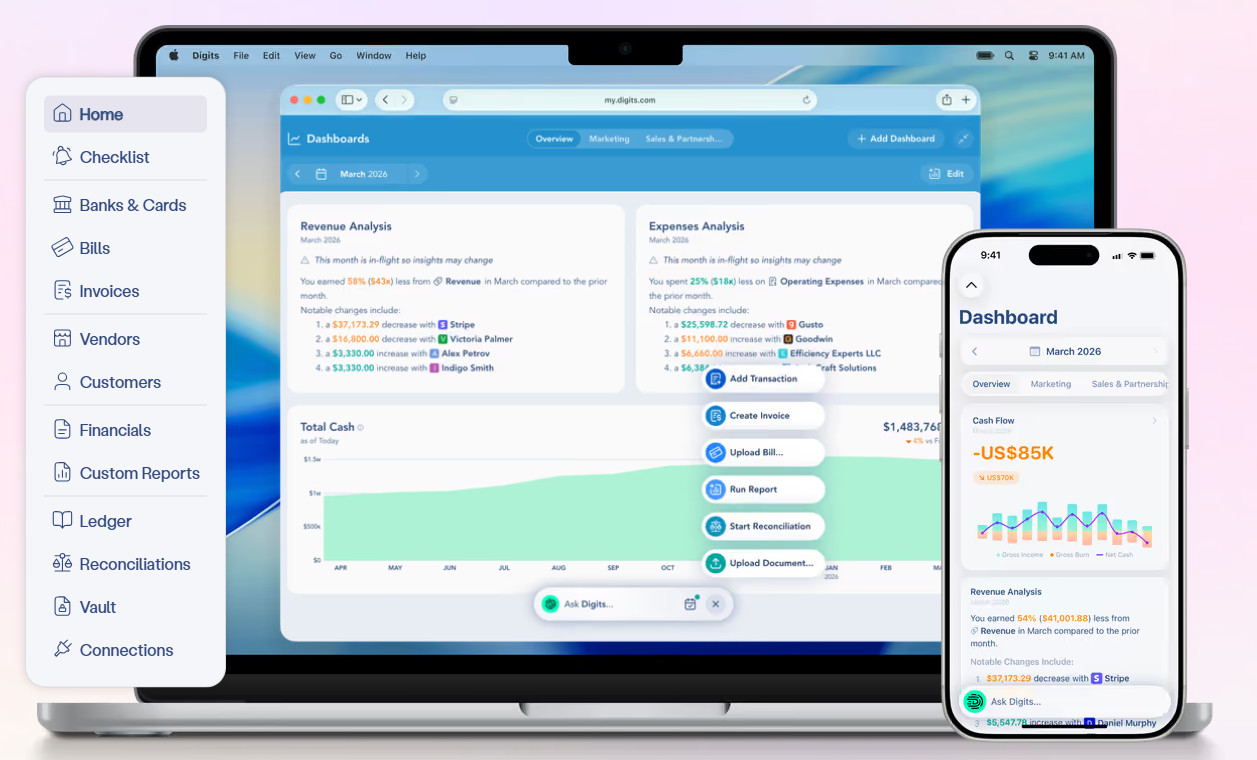
Digits is an AI-native general ledger built around continuous close rather than a month-end sprint. Its schedules system inverts the usual model: The ledger detects transactions requiring accrual treatment, drafts the proposed schedule, and manages the recurring entries once an accountant confirms or modifies it. Schedules and supporting documents live in the ledger rather than in workpapers.
For subscription businesses, Stripe data lands natively through a first-party app rather than a third-party connector, so service periods and subscription details arrive intact rather than as summarized deposits.
Digits’ most-used plan is $100/month. Before buying, confirm availability for your use case — schedules launched with fixed assets and prepaid expenses, and revenue recognition was announced as next on the roadmap.
Best fit: Startups, SMBs, and accounting firms whose revenue runs primarily through Stripe.
Sage Intacct
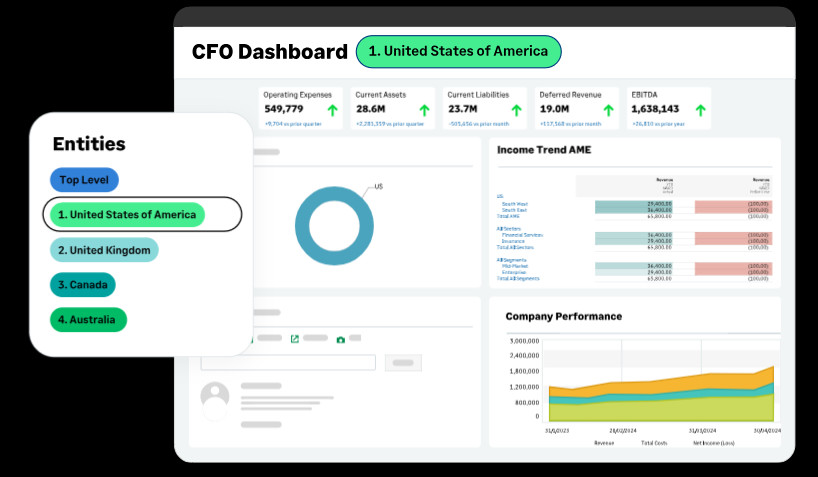
Sage Intacct is a finance-first platform whose revenue recognition module sits natively alongside order entry, billing, and contract management rather than bolted on. Configure a contract, and the system generates the recognition schedule from templates, supporting straight-line, usage-based, and hybrid methods with recognition decoupled from billing frequency.
When terms change mid-term, it reallocates retroactively into prior periods. Dashboards break out revenue, deferred balances, and contract liabilities by contract, entity, or product line. Stripe data comes in through a third-party connector or middleware, though the Salesforce sync is native.
Pricing is quote-based and modular, with core financials commonly running $15K to $30K annually and revenue recognition priced separately. Module stacking drives the real number, so price the full configuration rather than the core platform.
Best fit: Mid-market finance-led organizations at roughly $15M to $250M revenue, especially multi-entity.
Oracle NetSuite

NetSuite’s Advanced Revenue Management automates recognition inside a full operational ERP, generating revenue arrangements and revenue plans directly from sales orders and invoices. It handles multi-element arrangements with fair value allocation, supports event-driven plans, and scales across subsidiaries and currencies.
The first-party Stripe Connector for NetSuite syncs Stripe Billing invoices with revenue recognition data already attached to the line items, which shortens the distance between billing and the ledger considerably.
It’s also the most expensive option here, with even the smallest companies usually paying around $100K annually for the accounting platform. Implementation (not licensing) is the real cost and timeline driver, so scope it before signing.
Best fit: Companies running finance and operations on one system, particularly multi-subsidiary.
The Point of Automating Deferred Revenue Schedules
The most compelling reason to automate deferred revenue schedules is not really saving hours at close (though it does do that). It’s to make the deferred revenue balance something you can defend at any moment: traceable to specific contracts, consistent with a written policy, and reconciled without grilling one old head.
The route there is more straightforward than most vendor material suggests. Clean up service periods and product mapping in your billing system, write down your recognition policy, and pick the platform that sits closest to where your revenue data already lives. Then, map it and let the system run.