


Last Updated on June 10, 2026 by Ewen Finser
For the most part, only businesses with gross receipts beyond a certain threshold ($32 million for 2026) are required to use accrual accounting for tax purposes, so it’s not surprising that most SMBs maintain cash books instead.
However, accrual accounting paints a more accurate picture of financial health compared to cash. It allows for detailed planning and also prevents the need to switch methods when scaling. That’s why the savviest businesses, no matter how small, tend to keep accrual books.
The problem is that many of the available software options underperform in this area. This means that without the right tools, you could end up maintaining important accrual schedules in spreadsheets entirely separate from the accounting platform you’re already paying for.
To prevent this from happening, it’s important to choose accounting software that can keep up with the complexities of a modern business.
At a Glance
Best For | Accrual Support | Integrations | Plans and Pricing | |
Centralized accrual accounting | Automated schedules, reporting, and agentic close | 12,000+ | $65+/month for businesses, $35+/month for accounting firms | |
QuickBooks users | Automated schedules and journal entries | QuickBooks Online | $29+/month | |
Month-end close | Automated close management | NetSuite, QuickBooks Online, Xero, Sage Intacct, 12,000+ banks | Starts at $30+/month/user | |
Audit preparedness | Accrual estimates, journal entries, and audit preparedness | Works with any cloud-based software | Not disclosed | |
Lease accounting | Leases, contracts, amortization schedules, journal entries | Integrates with any ERP or accounting software | Free for up to 2 leases, paid plans can go into the thousands per year |
Digits: Best for Centralized Accrual Accounting
Unlike the rest of the options on this list, Digits is a standalone accounting software and not an add-on to your existing software. It’s an AI-native general ledger with stronger automation capabilities than you will find in most other accounting platforms. Its accrual features are also far more advanced than competitors like QuickBooks or Xero (while still being suitable for SMBs), and keeps up as your business scales.
Accrual Support
Digits recently released automated schedules in May 2026, replacing the need to have schedule spreadsheets on the side and keeping your data unified instead.
The two schedules available currently are for fixed assets (for depreciation) and prepaid expenses (for amortization), but Digits will soon release schedules for revenue recognition and accrued expenses.
You don’t have to initiate schedule generation — Digits’s AI can detect when schedules are needed, and it will automatically create them. The schedules sync with your ledger, with AI posting the appropriate journal entries.
Some of Digits’s other accrual capabilities are:
- Agentic month-end close
- AR/AP aging reports
- Accrual financial statements (P&L, balance sheet, cash flow)
Integrations
While you won’t need to sync with a separate software for accrual accounting, you still may need to integrate with different platforms across your finance stack. Digits uses direct API integrations to work with over 12,000 tools, including BILL, Gusto, Ramp, Stripe, and Mercury.
Plans and Pricing

Digits has different plans depending on whether the customer is an individual or a firm.
- Individual Businesses:
- Essentials ($65/month): For solopreneurs and early-stage businesses
- Core ($100/month): For small businesses and growing companies
- Pro ($250/month): For scaling businesses with internal finance teams
- Accounting Firms
- Solo Practice (starting at $35/month): For firms with up to 50 clients
- Mid-size Firm (starting at $50/month): For firms with 50+ clients
- Enterprise (custom pricing): For firms with 500+ clients
Pros
- Can access accrual features without an add-on accrual layer
- Plenty of integrations
- Transparent, affordable pricing
Cons
- Revenue recognition and accrued expense schedules are not yet available
- No schedules until the Pro plan
- Certain complex needs may not be supported
FinOptimal: Best for QuickBooks Users
FinOptimal is a QuickBooks Online add-on that’s a solid choice for those already in the ecosystem and who don’t want to switch accounting platforms to access additional accrual capabilities. Besides Accruer, which is what runs the accrual accounting, FinOptimal also offers Booker (spreadsheet sync with Google Sheets) and Wrangler (financial reporting).
Accrual Support
FinOptimal’s Accruer product is fully automated, eliminating manual accrual work for prepaid expenses, deferred revenue, fixed assets, and payroll. It also creates audit-ready, exportable schedules for month-end.
When you update an expense account’s description using the phrasing, “For the period ended [start date] to [end date],” Accruer will auto-fill the P&L for that period, scheduling the correct journal entries. It doesn’t just provide the debits and credits; it also carries over the name, location, and class. In case the automated workflows don’t align with your financial needs, you can go in and edit them. For example, you can change the estimated useful life of a depreciable fixed asset.
To double-check that Accruer’s entries are accurate, you can toggle from QuickBooks over to FinOptimal, which maintains a subledger of all the accruals in process. Then, you can compare it with your QuickBooks balance sheet.
Integrations
Currently, Accruer only works with QuickBooks Online, although it may support other platforms in the future.
Plans and Pricing
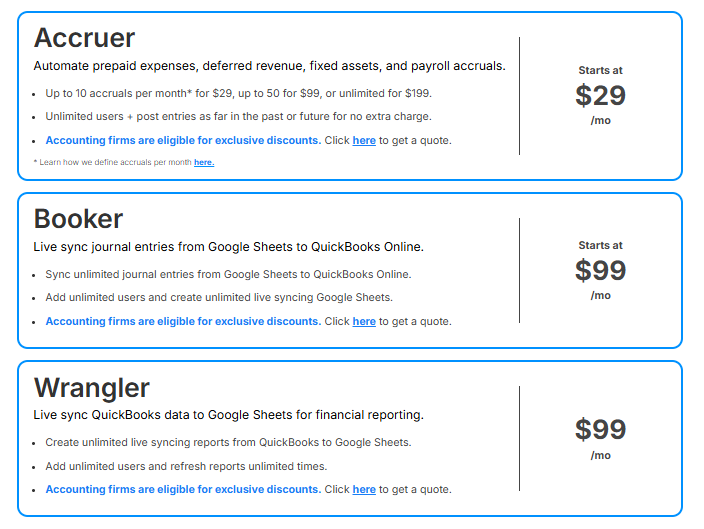
The difference between FinOptimal’s plans comes down to the number of automated accrual entries you get each month.
- Lite ($29/month): Up to 10
- Pro ($99/month): Up to 50
- Unlimited ($199/month): Unlimited
For accounting firms, you can access custom pricing when you’re using Accruer for multiple clients, and you’re not restricted to using one plan type for all your clients.
Pros
- Strong QuickBooks Online integration
- Schedule and journal entry automation
- Exclusive discounts for accounting firms
Cons
- Not a standalone accounting software
- Only integrates with QuickBooks Online
- Certain complex needs may not be supported
Numeric: Best for Month-End Close
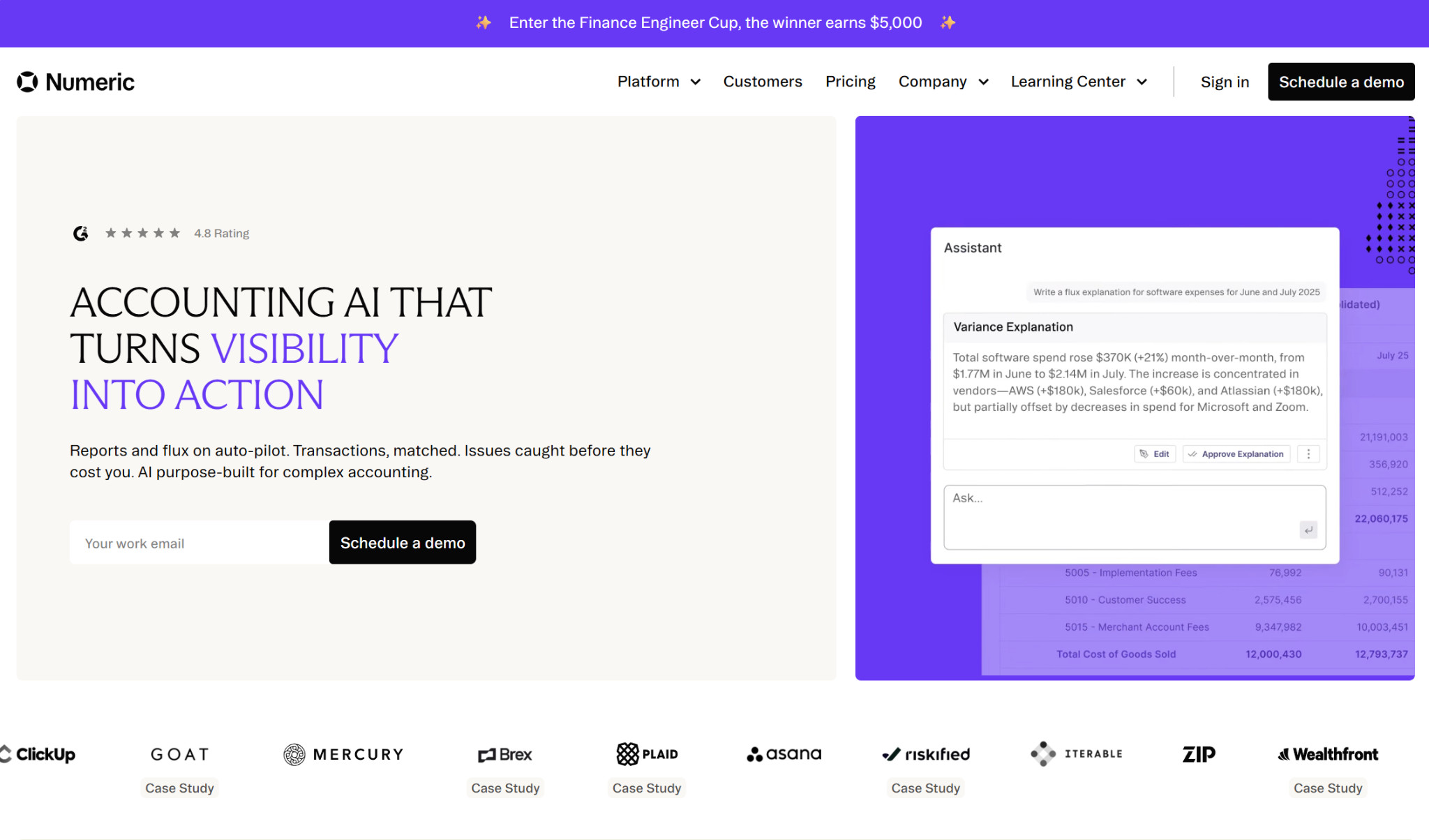
Numeric is an AI close management tool that can handle complex accrual needs. Like FinOptimal, it’s an add-on to your existing accounting platform, not your general ledger itself. However, Numeric is far more robust.
Accrual Support
Numeric is best known for its close automation features. Its AI reconciles accounts in real time and flags missing accruals, providing insights into notable trends or potential issues. It also comes with a customizable close checklist, including items like journal entries and reconciliations, and provides a full audit log.
Numeric’s Cash Management tool matches over 90% of transactions automatically, handles reconciliations, and can post hundreds of journal entries at once. Its Analytics Suite provides information on reporting and flux analysis.
The platform also has its own model context protocol (MCP) server that can complete monthly accrual tasks from start to finish when plugged into an AI tool like Claude — pulling data, calculating accrual, updating schedules, and posting journal entries.
Integrations
Numeric can connect with over 12,000 banks, and it directly integrates with NetSuite, QuickBooks Online, Xero, and Sage Intacct.
Plans and Pricing
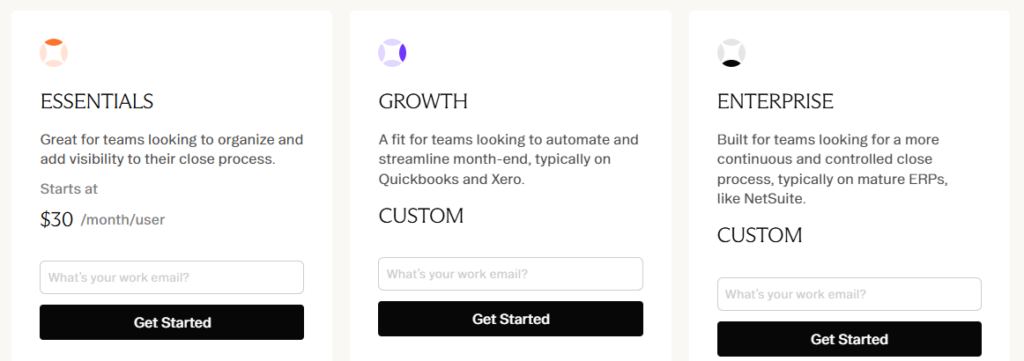
- Essentials ($30+/month/user): For teams beginning to organize their close process
- Growth (custom pricing): For teams looking to automate month-end close
- Enterprise (custom pricing): For teams looking for a continuous, controlled close process
Pros
- Strong close management
- Affordable entry-level pricing for small businesses
- Plenty of integrations
Cons
- Not a standalone accounting software
- Could be overkill for many SMBs
- Must have the Enterprise plan for cash management
Gappify: Best for Audit Preparedness
Gappify prioritizes audit compliance (especially SOX requirements), and finance teams can use it to streamline month-end close. The company offers several products across accrual automation, audit readiness, vendor anomaly detection, and insights, though accruals are its foremost strength. It’s not a standalone software and instead functions as a layer on top of your ledger. Notably, compared to some of the other options, Gappify is more oriented toward medium-sized businesses and enterprises rather than small businesses.
Accrual Support
Gappify uses AI to standardize accrual workflows, pulling data from your accounting software, performing calculations and estimates, and creating the appropriate journal entries.
It can also come up with accurate accrual estimates even when working with disjointed data across historical records and invoices. While it could be tedious to review each entry individually, Gappify combats this issue by assigning confidence scores. Each accrual is flagged as either high, medium, or low confidence, which can help you narrow in on the ones needing the most thorough human review.
Additionally, Gappify documents the logic behind each accrual. This AI reasoning contains a plain-language rationale for the accrual estimate and presents its calculations, noting the specific data sources used.
Integrations
Gappify can integrate with any cloud-based finance tool, including NetSuite, Sage Intacct, and Tipalti.
Plans and Pricing
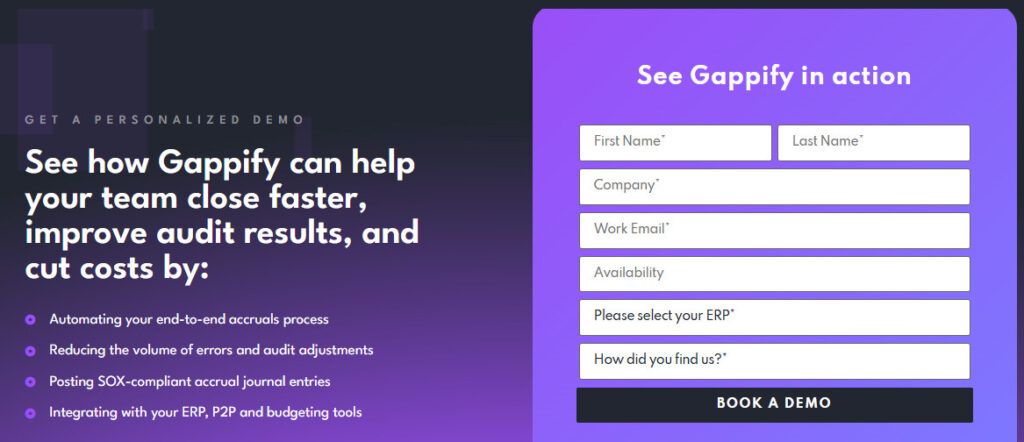
Gappify’s pricing isn’t publicly disclosed, so you’ll have to contact the company for a quote.
Pros
- Strong close management
- Robust audit and SOX compliance features
- Plenty of integrations
Cons
- Not a standalone accounting software
- Not appropriate for most SMBs
- Pricing not publicly disclosed
FinQuery: Best for Lease Accounting
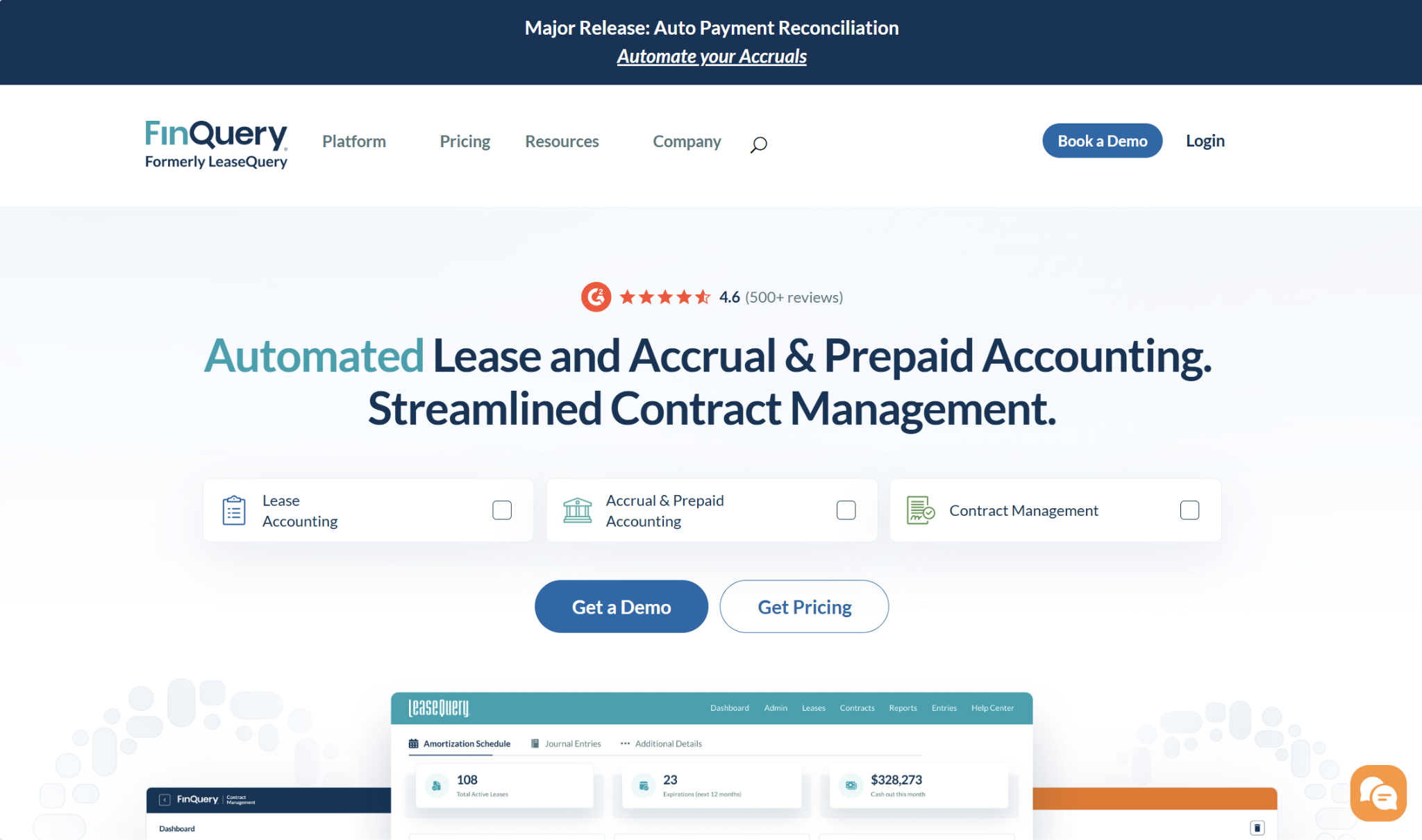
FinQuery’s specialty is in lease accounting, which can be an especially complex aspect of maintaining accrual books. For a business that frequently deals with leases and contracts, it could be a welcome addition to their existing stack.
Accrual Support
Compliance with standards like ASC 842 is non-negotiable when maintaining an accrual ledger and recording finance or operating leases. To this end, FinQuery automatically generates amortization schedules, journal entries, and disclosure reports. You can also access compliance documents for the specific lease accounting standard that your company follows.
The company’s contract management software works similarly to its lease software, automating amortization schedules and journal entries. You can also use it for budgeting and cash flow forecasting.
Outside of leases and contracts, FinQuery Accruals & Prepaids automates amortization schedules, journal entries, expense forecasting reports, and rollforward reports, and its auto payment reconciliation can identify potential issues like missing invoices. The AI can extract both structured and unstructured financial data from invoices, contracts, receipts, emails, or manual entry.
Integrations
FinQuery can integrate with any ERP or accounting system, including QuickBooks, NetSuite, and Sage Intacct.
Plans and Pricing
FinQuery has a few products under the LeaseQuery umbrella. Note that you’ll have to contact the company for pricing information.
- LeaseQuery: FinQuery’s standard lease accounting solution
- LeaseQuery Essential: For lease portfolios of 25 or fewer
- LeaseQuery for NetSuite: Specific to NetSuite users
It has another separate product, LeaseGuru, for small lease portfolios:
- Basic (Free): 2 leases
- Premium:
- 10 leases: $1,099/year
- 15 leases: $1,925/year
LeaseGuru also has multi-company pricing available, but once you’re past five companies, you’ll need to move to LeaseQuery instead.
Pros
- Great for lease and contract management
- Creates amortization schedules
- Free plan available
Cons
- Not a standalone accounting software
- May not be appropriate for companies without lease management needs
- Can get costly as you scale
Picking Between the Best Software for Accrual Accounting
When managing complex accrual needs beyond what a standard solution like QuickBooks natively supports, you have no choice but to reconfigure your finance stack.
Adding software with the proper accrual support can save time and keep your data more unified. But since not all companies have the same needs, the best accrual accounting software will depend on the specific requirements you’re facing.
If you’re looking for a general ledger that can handle accrual journal entries and schedules, Digits is a reliable, standalone solution. It’s fairly generalized, however, so you may consider FinOptimal if you’re a QuickBooks user, Numeric if you want close management, Gappify for audit preparedness, and FinQuery for leases. Overall, it’s hard to go wrong with any of these platforms.