


Last Updated on November 15, 2026 by The Digital Merchant Team
AI is transforming call centers from manual, reactive operations into smarter, more efficient hubs for sales and support. For small businesses and growing teams, the challenge is keeping every conversation consistent, timely, and valuable without overworking staff.
For small-to-midsize teams, Aircall stands out as a top choice among AI call center platforms. It combines cloud-based telephony with AI features integrated directly into your workflows, including AI virtual agents that can handle routine calls, real-time coaching to guide your team during live conversations, and deep CRM integrations that eliminate tedious manual logging.
Let’s explore how AI is reshaping modern call centers from New York to London to Berlin, highlight the core features to look for in AI contact center software, and break down the best platforms so that you can choose the one that fits your team and your budget.
Best AI Call Center Software At a Glance
Platform | Focus | Best For | Pricing (per user/month) |
AI telephony + CRM workflows in one platform | SMB/mid-market sales and support hybrids (11-100 seats) | $30 Essentials, $50 Professional (3-user minimum) | |
AI transcripts and coaching built into base plan | Teams prioritizing real-time coaching without add-on fees | $15 Standard, $25 Pro | |
Enterprise predictive dialing and omnichannel AI | High-volume outbound operations (50+ seats) with enterprise budget | Core from $159 (around 50-seat minimum) | |
AI-driven routing and quality management | Structured support environments with advanced routing and QA | $85 Digital, $105 Voice, $165 Elite | |
Outbound dialing with CRM-deep integrations | SMB sales teams running high-volume outbound (10-50 seats) | From $19 Lite |
How I Evaluated These AI Call Center Platforms

Over the past year, I’ve had several clients who were looking to boost their telephony with AI features but were overwhelmed by the number of choices out there.
After many Zoom meetings, one of my clients and I identified four key criteria (which I now use all the time when advising organizations) on which AI call center software to choose:
- Quality of AI features (virtual agents, real-time assist, transcripts, etc.)
- CRM integration depth
- Pricing transparency
- Ease of setup
This list helped us hone in on the main platforms in this space. We eliminated those that bolt AI onto legacy infrastructure due to potential setup issues. We did the same for any pure AI virtual agent tools that didn’t have the telephony backbone to function as a complete call center solution.
Platforms in this guide handle can run a full AI-powered call center: inbound/outbound routing, analytics, and automation, with AI threaded through the workflow instead of being an afterthought. Pricing in each case is pro-rated per month, assuming subscribers pay annually. Prices are in US dollars. Some vendors list pounds or euros on their UK and German sites, so check the local figures.
Why You Should Bring AI Into Your Call Center

If it ain’t broke, don’t fix it. Traditionally, call centers have been dependent on three main factors: working phone lines, convincing scripts, and amenable people picking up.
When one of these pillars falls down, difficulties creep in. For example, agents may have to wing it on tricky calls, with supervisors only picking up on it by reviewing recordings days later. If agents are too worn out to log everything manually after a long shift, CRM updates may never happen.
In cases like these, AI can be the little angel on your shoulder. It can’t replace agents entirely, but the best AI call center platforms can handle routine calls autonomously, allowing agents to focus on those that genuinely need a human being.
Call Center AI tools can also feed real-time prompts and sentiment flags during calls, as well as auto-generate summaries and CRM logs as soon as a call ends.
What To Look For in AI Call Center Software

As we’ve learned, there’s a huge number of choices in the AI call center space. This is mainly because the term now applies to everything from standalone virtual agents to full enterprise CCaaS with AI layers.
So, before you decide on a specific platform, you should be clear on what exactly it is that you need, such as:
- AI virtual agents vs. AI assist: While most teams will likely eventually need both of these, you should understand what they are to prioritize which you need right now. AI Assist can support human agents in real time, such as by prompts, transcripts, and coaching. Virtual agents largely handle calls autonomously, through FAQs, qualifications, and routing.
- Integration depth: Bi-directional sync means call data flows both ways without manual logging. Check that your platform supports your CRM natively, rather than relying on Zapier. UK and German businesses should also check which local phone numbers are available in the areas they serve, such as 020 in London or 030 in Berlin.
- Handoff management: Teams using AI virtual agents quickly discover that the handoff to a human rep is where sales or at least satisfaction surveys can be won or lost. This needs to be tested rigorously. Find out what context the reps receive, and how cleanly the transitions happen.
- Transparent pricing: This is one of the initial criteria I worked out with clients, as while per user/per month fees make sense, this can escalate unpredictably if combined with consumption-based AI usage and/or add-ons. Build a realistic seat count and usage estimate before you do your research to meaningfully estimate costs.
- Data residency: AI features create a lot of new data, from recordings to transcripts and summaries. If you’re in the UK or Germany, GDPR (UK GDPR in Britian) applies to call recordings and transcripts, so ask where all of it is stores and whether that covers the AI features as well as the phone system.
- Setup and maintenance: Cloud-native AI platforms, like Aircall, Dialpad, and CloudTalk, typically go live in hours. However, enterprise platforms, such as Five9, may require professional services and weeks of configuration. Choose wisely.
Software Red Flags
- AI features gated behind ‘Enterprise tiers’: Some platforms advertise their AI capabilities heavily on their website and marketing materials, but lock the features that matter, like virtual agents, sentiment analysis, and real-time coaching, behind Enterprise tiers. The best platforms will clearly list which AI features are available for each pricing tier, not just the one the sales deck leads with.
- Little/no native CRM integration: If a platform website claims to integrate with your chosen CRM, like Salesforce/HubSpot/Zendesk, but then adds ‘via Zapier’, treat this as a warning sign. Middleware workarounds might do for a time, but they can also break and/or add latency, meaning your call data doesn’t sync in real time. Bi-directional native integration is the gold standard here.
- Vague uptime guarantees: Marketing phrases like “high availability” mean very little in the context of AI call center software. Ask for a specific SLA, ideally guaranteeing 99.9% uptime or above.
- Handoff friction swept under the rug: This may work flawlessly in product demos: the AI qualifies the caller, the rep swoops in seamlessly, and everyone’s happy. But you need to hold your chosen platform’s sales teams to task on this. Ask what exactly happens when the AI fails to resolve a call. How much context is passed to the rep and what (if anything) does the customer have to repeat for their benefit? A botched handoff undermines the entire purpose of AI virtual agents after all.
- Vendor lock-in via proprietary integrations: Certain platforms can build integrations in a way that can make migration to their service extremely painful. Call recordings may only be retrievable using their platform, CRM data may be formatted in a way that makes it difficult to export, and so on. Check your provider’s support pages and don’t be afraid to ask questions about portability before you sign up.
Aircall
Pros:
- AI Virtual Agent and Assist Pro integrate with human workflows, instead of operating as entirely separate tools.
- 250+ native integrations with bidirectional CRM sync i.e., no Zapier workarounds.
- Live monitoring with whisper and barge features for real-time coaching.
- Fast setup, 99.95% uptime target, SOC 2 compliant.
- For UK users: UK local, national, mobile and toll-free number options.
- For German users: euro pricing on the German site, plus recordings and trasncripts for German-number accounts stored in Frankfurt.
Cons:
- Essentials base plan is more expensive than some alternatives for small teams.
- Full AI feature set requires paying for add-ons on top of base pricing.
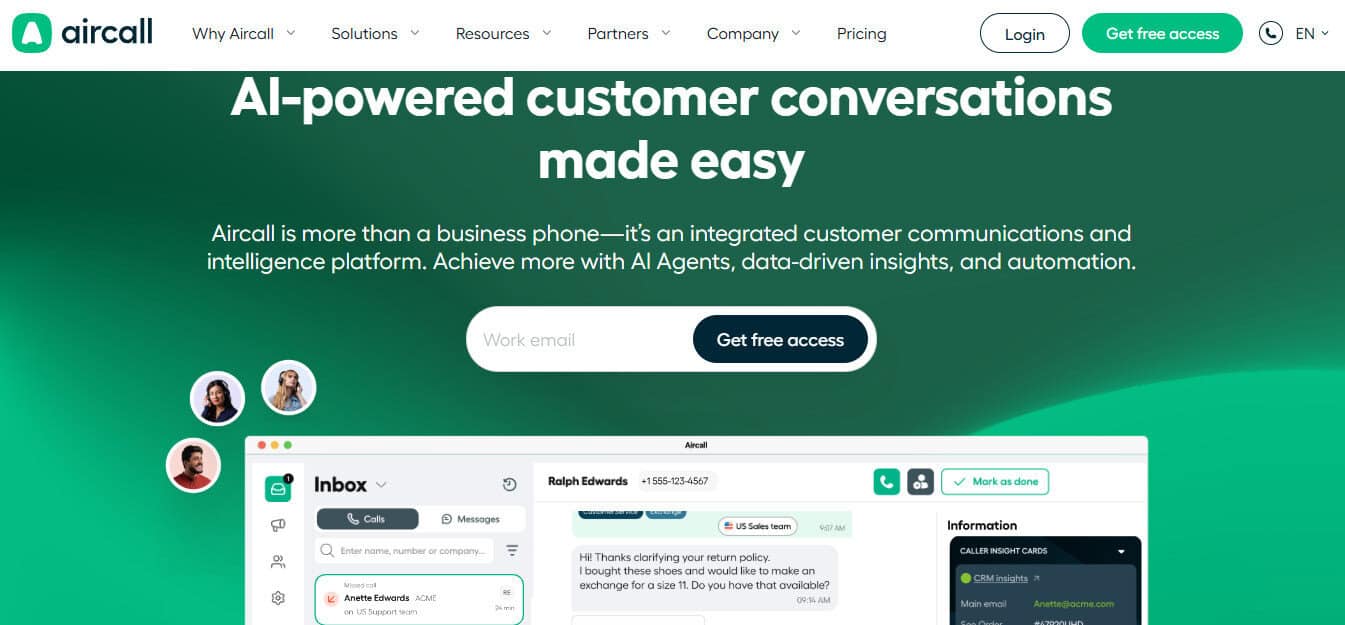
Aircall is my favorite AI call center software, at least for SMB to mid-market teams (11-100 seats), so I decided to lead with it. It’s an AI-powered cloud and phone communications platform, designed specifically for sales and support teams in growing businesses.
Its standout feature is the fact that its AI features aren’t bolt-ons: they’re integrated directly into workflows where teams operate. For example, Aircall’s AI Voice Agent can be configured to handle routine inbound calls, 24/7: FAQs, qualification, and callback scheduling. Their recent acquisition of Piper AI extends these functionalities by automatically handling CRM updates, follow-up drafting, and deal intelligence across video, email, and phone, and WhatsApp.
Setup is fast. Numbers, IVR, and users can be configured in minutes. The Essentials plan ($30/user/mo, minimum three users) covers unlimited inbound calling, while smart routing starts on the Professional plan ($50/user/mo). Real-time coaching comes from their AI Assist Pro ($49/user/month), and AI Voice Agents are usage-based, starting at a $99 monthly minimum with 50 minutes included, then $0.49 per extra minute. Pricing is laid out clearly on the main site.
German teams are well served too. Aircall’s EU region is hosted in Frankfurt, and recordings and transcripts for accounts set up with a German number are stored there. Pricing on the German site is €30 for Essentials and €50 for Professional per license a month. ASI Reisen, a DACH outdoor travel company, raised its service level from 54% to 86% after switching, helped by agents being able to see who’s calling. If you’re curious to learn more, head to Aircall’s German site to Demo buchen.
Dialpad
Pros:
- AI call/voicemail transcripts, summaries, and real-time analytics/reporting included in Connect ‘Standard’ plan ($15 per user/per month).
- Clean interface with fast provisioning.
- Good CRM integrations.
Cons:
- Enterprise pricing tiers require you to contact sales for an estimate.
Dialpad’s built a respectable reputation around its AI transcription and coaching features. Unlike most competitors, it includes these as part of its ‘Standard’ plan rather than gating them off as paid extras.
I’ve witnessed the Dialpad AI engine transcribing calls accurately in real-time. It can flag action items, track sentiment, and even send speech coaching cards at reps mid-call.
It integrates well with key CRMs, like Salesforce, HubSpot, Zendesk, and Slack, but you’ll need a ‘Pro’ subscription ($25 per user/per month).
Setup is one of the fastest I’ve seen, thanks to the intuitive Dialpad setup wizard. The interface is also simple to navigate.
Dialpad falls down through a lack of pricing transparency. Anything above the ‘Pro’ tier requires you to get in touch with sales.
For UK and German buyers, Dialpad has a UK site with pricing in pounds, and euro pricing is available too, but there’s no dedicated German site.
Five9

Pros:
- ML-powered predictive dialer for high-volume outbound calls.
- Flexible AI, with virtual agents, real-time assist, sentiment analysis.
- Omnichannel (voice, chat, email, social)
Cons:
- Custom pricing, better suited for enterprise budgets
- Likely overkill complexity for smaller teams
When it comes to enterprise-level contact software Five9 is one of the most well-established names in the business. In particular, its predictive dialer powered by machine learning can minimize agent downtime by only connecting calls when a live person answers. This makes it an extremely efficient outbound tool for high-volume sales floors.
When it comes to the inbound side, Five9’s IVR uses natural language processing for self-service routing. Its Genius AI layer handles the virtual agents, real-time assist, and post-call summarization.
I was particularly impressed by the platform’s supervisor dashboards, as from here you can monitor sentiment analysis surfaces in real time to quickly identify any escalation risks.
As powerful as these features are, Five9’s pricing can be tricky to navigate. Its Core plan starts at $159 per user per month, typically with a minimum of around 50 seats.
Beyond this, you’ll need to contact sales for a custom quote. This is why I recommend this platform for enterprise sales and support operations only.
Five9 runs data centers in Frankfurt and Amsterdam for EU customers, which helps with data residency in Germany. UK teams should ask where their data will be hosted.
Talkdesk
Pros:
- AI-driven omnichannel routing and quality management
- Decent real-time analytics and supervisor dashboards
- Comprehensive mobile app
Cons:
- Higher per-seat pricing ($85-$165 a month) than SMB-focused tools
- Full configuration can take a long time
When I first read through Talkdesk’s website, my strong impression was that the platform pitches itself as an AI contact center, which is reflected in its feature set.
For instance, the AI-driven omnichannel routing can (in theory) route callers to the right agents based on their skills, history, and intent. However, taking full advantage of this and other features takes some time to configure properly in my experience.
Having griped about finicky configurations, I should add that Talkdesk’s mobile app is one of the most comprehensive I’ve ever seen in this space. From going through the options as far as I can see, it offers agents nearly the same core call-handling and queue management functions as if they were sitting at their desk.
CRM integration is also good; Salesforce, Zendesk, and others connect cleanly. Pricing is laid out clearly on the site: Digital Essentials is $85 per user, per month, Voice Essentials is $105, and some advanced features like omnichannel and workforce management require an ‘Elite’ subscription ($165 per user, per month). This makes the platform better suited to enterprise budgets.
Talkdesk’s UK Regional Cloud keeps data in the UK, and it has a dedicated German site.
CloudTalk
Pros:
- Multiple dialer types, optimized for outbound sales.
- Good CRM integrations (HubSpot, Salesforce, Pipedrive).
- Competitive pricing ($19 per user/month, billed annually)
Cons:
- More suited to outbound sales than inbound support
If your sales team lives and dies by outbound dialing, then you could do much worse than CloudTalk.
Features like its power and preview dialers, as well as its IVR with skill-based routing, are very well put together.
The platform also integrates well with HubSpot, Salesforce, Zendesk, and Pipedrive without needing middleware in most standard setups.
During tests, I found that CloudTalk’s AI features are respectable, including call transcription, analytics, and smart routing.
The lowest-tier ‘Lite’ subscription plan costs $19 per user, per month if paid annually, though this doesn’t include standard integrations. AI conversation intelligence costs an extra $9 per user, per month, and includes essential features, like call summaries and searchable transcripts. AI virtual agents also start at $99 per month for 200 minutes.
After trialing the platform, I believe its feature set leans more towards outbound sales, so if your team is running inbound operations, it may find tooling thinner than other SMB-oriented AI call center software.
For UK and German buyers, CloudTalk has offices in London and Munich, and stores call recordings and transcripts in German.
Closing Thoughts on the Best AI Call Center Software
It’s safe to say that AI platforms like those listed above have moved on from being simply ‘nice to have’ to an essential feature of any modern business fielding a significant number of calls.
Teams still deploying 20th-century techniques like recording-only QA, manual CRM logging, and with no after-hours coverage, are swiftly losing ground to competitors who harness AI. Such call centers have reps who can arrive at every call with context, get real-time coaching when conversations get tricky, and who never miss that lead at 2 AM because the AI virtual agent handled it deftly for them.
The right AI call center software, however, depends on where your organization sits on the size and complexity curve.
Dialpad and CloudTalk, for instance, are ideal choices for leaner teams who prioritize cost-efficiency above all else.
Five9 and Talkdesk are generally built for larger operations with the headcount and IT resources to match their depth.
For the majority of growing sales/support teams in the 11 – 100 seat range, who need hybrid workflows, fast scaling, and are CRM-dependent, Aircall hits the sweet spot. It offers reliable telephony, practical AI features, and 250+ native integrations without demanding an enterprise budget or taking weeks to set up. UK and German teams can explore them on Aircall’s UK and German sites.
Above all, make sure to demo your chosen platform with the messiest calls, not sanitized ones. This will expose the relative pros and cons of any AI call center software extremely quickly.