


- TL;DR - Top LMS Picks:
- Why Small Businesses Need Alternative LMSs
- Alternative LMS Options: What Small Teams Actually Need
- 1. Guidde - Best Overall LMS Alternative for Small Teams
- 2. Notion - Best Flexible Platform for Training Material
- 3. Google Classroom - Best for Education-Based Learning
- 4. Loom - Best for Quick Asynchronous Video-based Knowledge Sharing
- 5. iSpring Learn - Best Lite LMS Alternative for More Structured Teams
- My Verdict
Last Updated on June 9, 2026 by Ewen Finser
If you’re reading this, chances are you have either set up, run, or completed training on a learning platform and know that in general, this process tends to be cumbersome. As someone who has done all three and worked on LMS (Learner Management System) software, I’ve learned that most training failures don’t stem from the content but rather from the LMS being too complex or overwhelming for new users. This is especially true for startups or smaller teams that don’t need enterprise-level LMSs.
Most SMBs don’t need in-depth compliance modules, lengthy setups, and advanced platforms; what they actually need is agility and flexibility.
I’ve researched and worked across multiple platforms. Below, I’ve created a shortlist of my top picks I return to when I need better, lightweight LMSs for small teams. When evaluating tools like this, it’s critical to consider the skill level and most critical needs of small businesses, and why traditional or enterprise platforms tend to fail.
With multiple options, including video-based training tools, workflow-based software, documentation platforms, and other onboarding or knowledge base tools, it’s easier to find options for unique business requirements. Let’s break these down.
TL;DR – Top LMS Picks:
Here are my Top 5 picks and ideal use-cases for small teams:
- Guidde – Best Overall LMS Alternative for Small Teams
- Notion – Best Flexible Platform for Training Material and Internal Documentation
- Google Classroom – Best for Education-Based Learning
- Loom – Best for Quick Asynchronous Video-based Knowledge Sharing
- iSpring Learn – Best Lite LMS Alternative for More Structured Teams
Why Small Businesses Need Alternative LMSs
From my experience in setting up and implementing LMSs across a wide range of industries, I’ve seen a common thread emerge when organizations try to use enterprise solutions for startups and SMBs. In almost every case (except a few), these tend to fail or limp along with poor adoption. In my view, this is not a successful outcome, even if it was implemented correctly.
Here’s why these traditional LMSs fail:
- Overly complex setups and advanced features that aren’t required
- Lengthy implementations and onboarding
- Implementation, add-on, and support fees can become costly
- Built for larger organizations and not customizable for smaller companies with unique requirements
- Onboarding, upskilling, and training can be overwhelming for small teams
- Excessive compliance regulations built for larger teams are unnecessary
- Less flexible and takes longer to update training content
- Not ideal for fast, short, and agile onboarding and training
The main takeaway here is that it’s often less about the content and more about the delivery.
Small businesses need a way to quickly create training materials that are easy to adapt and update as things change.
This brings me to my next point, around what you should be looking for in an LMS as a smaller business.
Alternative LMS Options: What Small Teams Actually Need
Firstly, the overarching requirement for small teams is not about “academic” or standardized training. I’ve always found that smaller businesses tend to have unique requirements and skills, so I’ve had to customize the content and the platform itself. That’s why larger LMSs don’t work.
Here’s what small teams should prioritize when looking for an alternative:
- The platform should make creating content easy and quick
- Accessible for remote teams and asynchronous training
- Ability to update content at any time as needs change
- Video-supported formats are ideal as they’re easier and faster to update and more accessible
- Affordable and cost-effective pricing plans that can scale as businesses grow
- Short and simple implementation and onboarding
- Low learning curve and easy to use
- AI features are a great value-add and can help reduce admin overhead when creating content
Smaller businesses don’t need complex and rigid training structures; they need simple ways to create, document, update, and share processes. I have used and found some great platforms that help support this, and we’ll take a look at some of my top recommendations next!
1. Guidde – Best Overall LMS Alternative for Small Teams
Overview
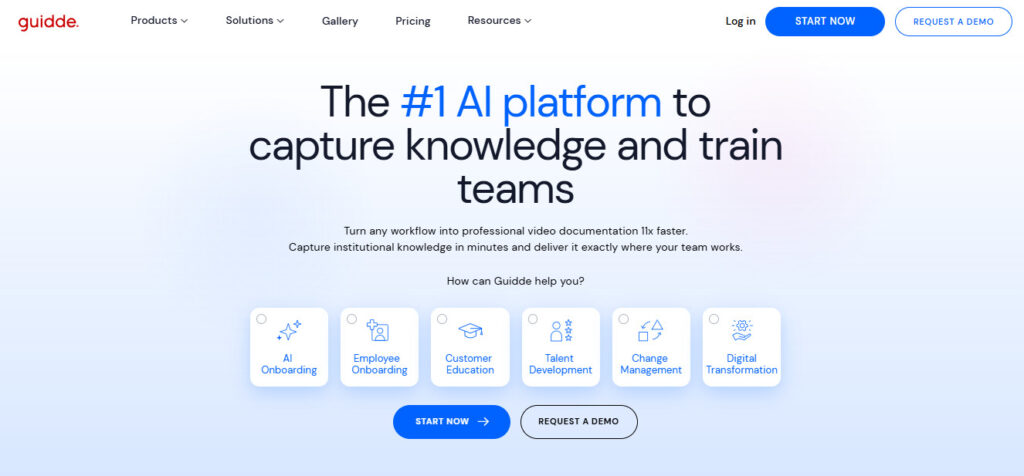
I’ve used Guidde extensively over the past couple of years, and it’s been a platform I’ve come back to whenever I need something lightweight, modern, and user-friendly. For me, this is probably the closest fit for what small businesses actually need. It’s scalable and ideal for scenarios where you need to update key processes as they change without rewriting lengthy documentation. It’s also a great tool for standardizing operational processes, such as SOPs or guides.
Guidde’s features have continued to expand to cater to a wide range of use cases, including HR teams, software training, and customer support, making it even more valuable for small teams that need a quick way to create AI-assisted processes and videos.
Best For
Fast-growing teams with evolving needs, who need a fast and easy way to create video-first training and process capture for onboarding, training, and change management.
Key Features
- Super fast content and video creation ideal for L&D, onboarding, training, and internal knowledge sharing
- Integrates with a wide range of tools you already use, like Slack, Chrome, Gitlab, Notion, Intercom, ClickUp, SharePoint, Confluence, and many more
- Great compliance, privacy, and security features for data-sensitive teams that need a secure way to create and share information and content
- Can be embedded into the apps your teams use
- CI and Branding can be added to create customized, professional training and onboarding materials
- Excellent editing capabilities to help create engaging and modern videos and content
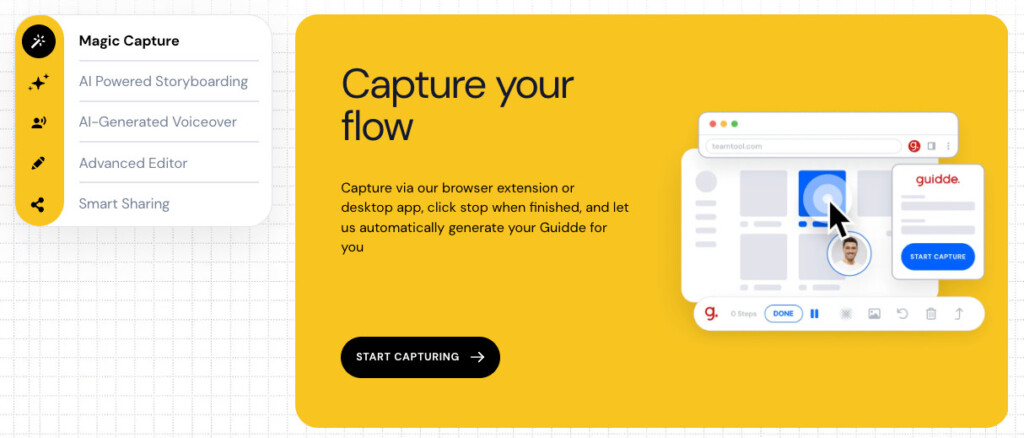
- AI-assisted (magic capture) script creation and automated workflow capture
Pros
- Easy to use and low learning curve
- Easy share via multiple channels
- Quick to set up and fast content creation
- Can be used in-browser for ease of use wherever you’re working
- Desktop app available
- Affordable and scalable
- Conforms to SOC2 Type 2 compliance and is CCPA and GDPR ready
Limitations
- Less suitable for structured and rigid larger organizations
- Not ideal for businesses that need formal, certified training enablement
Pricing
- Free plan available for up to 25 how-to videos
- Paid plans range from $19-$39 per creator per month. This is based on the annual pricing plan
- Enterprise tier available for larger teams; pricing is customized based on business requirements and size
Why Small Teams Choose Guidde:
Guidde is a great alternative for small- to medium-sized businesses that need a fast, easy way to create engaging content without the overhead of traditional platforms. It’s ideal for documenting workflows, creating SOPs, and training and onboarding asynchronous teams.
2. Notion – Best Flexible Platform for Training Material
Overview
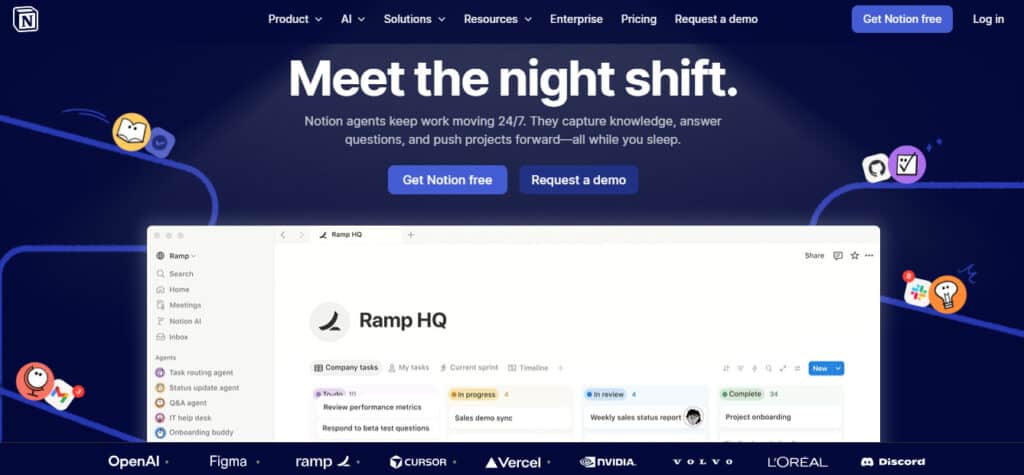
When people think of Notion, they may associate it with an SOP or document repository, or even an internal wiki. I know I did before using it to its fullest extent. And although this is true, Notion is also a great platform for a smaller, more flexible LMS! I use Notion daily and have really come to enjoy it, and I can see how malleable it is for different purposes.
Best For
Small teams that need a collaborative central repository to manage and store training and onboarding documentation and material.
Key Features
- Very collaborative! Users can update information in real time with other team members.
- AI agents within the tool can help automate repetitive tasks and functions, and other AI features can help summarize meeting notes and reduce admin overhead
- Users can embed documents, SOPs, and videos to build out a training base
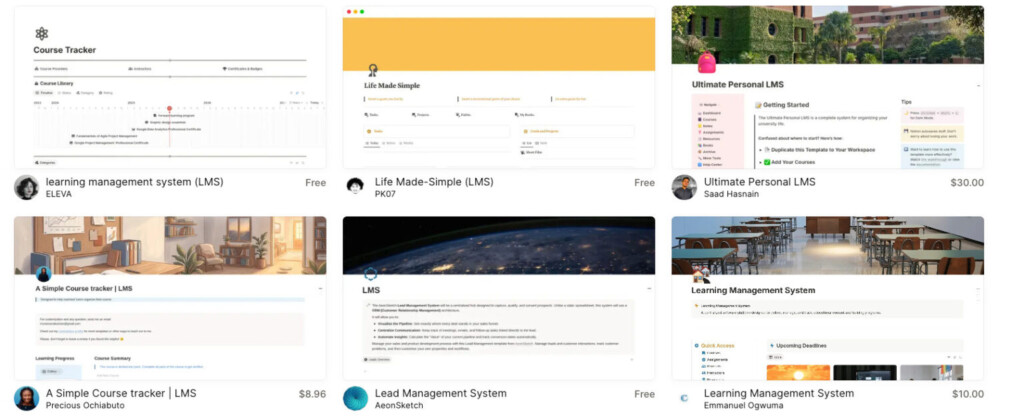
- Notion also has pre-created templates for multiple functions, including a library of LMS templates to help users get set up quickly with a baseline structure for training
Pros
- Strong security features including SOC2 Type2, ISO27001, GDPR and CCPA compliant
- Easy to update information as it changes
- Very flexible and ideal for teams that have unique requirements and structures
- Free plan ideal for small teams
Limitations
- Templates are not standard and are charged separately
- Can be admin-intensive as users need to create material manually
- Not purpose-built for LMS use
Pricing
The pricing below applies to plans billed annually.
- Free plan available for basic needs
- Paid plans range from $10 to $20 per member per month
- Enterprise plan available for organizations that need additional security and control
Why Small Teams Choose Notion Over an LMS
Notion’s biggest selling point is that it’s truly flexible, and users don’t have to set up rigid templates or structures. It’s easy to keep up to date and allows a good level of collaboration across internal knowledge bases.
3. Google Classroom – Best for Education-Based Learning
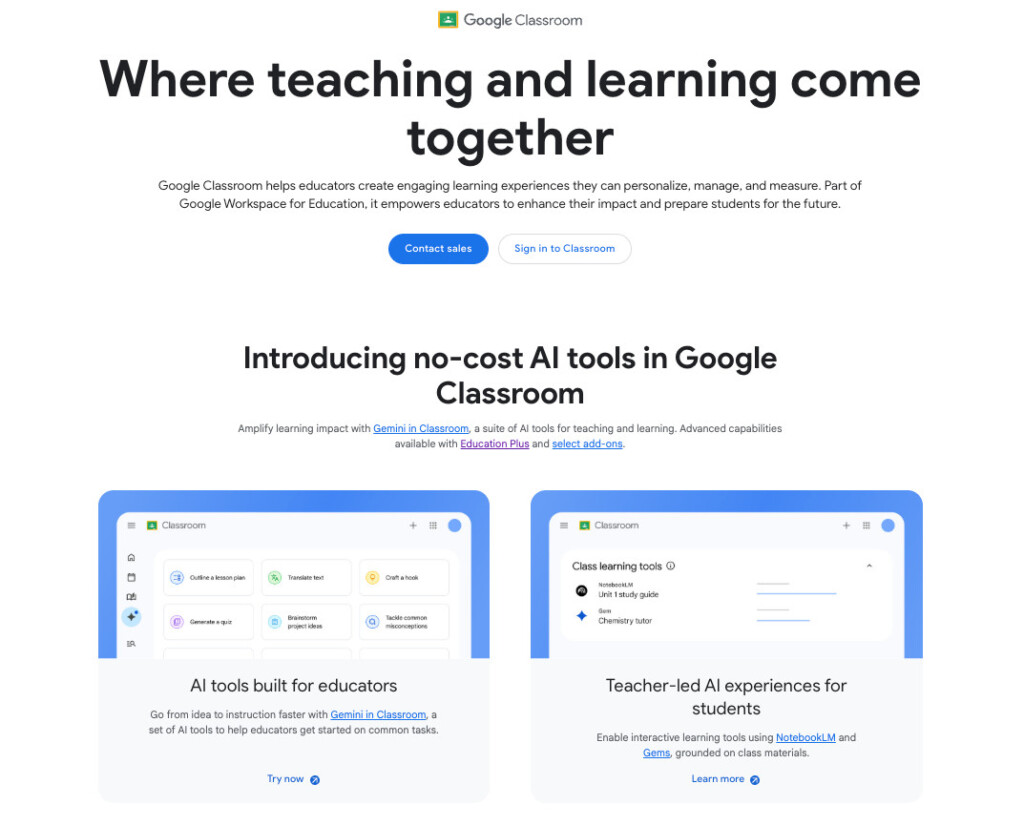
Google Classroom was one of the unexpected tools I came across when searching for alternative LMS options, and given my previous experience with organizations that mainly use Google Workspace, it made a lot of sense. It’s familiar to users, integrates well, and has Gemini AI built into many of its features.
Overview
Google Classroom feels more assignment- and academically structured than some of the other LMSs I’ve used, and although it feels more structured for a specific purpose, I’ve seen it work well across various teams who set it up to meet their needs.
Best For
Small teams who already work within the Google ecosystem, and for those who need assignment-based learning platforms.
Key Features
- Gemini AI agent helps users create AI-generated content that is unique and purpose-built for their needs
- Allows users to take a quiz and make flashcards so that they can study for exams, tests, or internal certifications
- Course creators can “gamify” content for better adoption and engagement
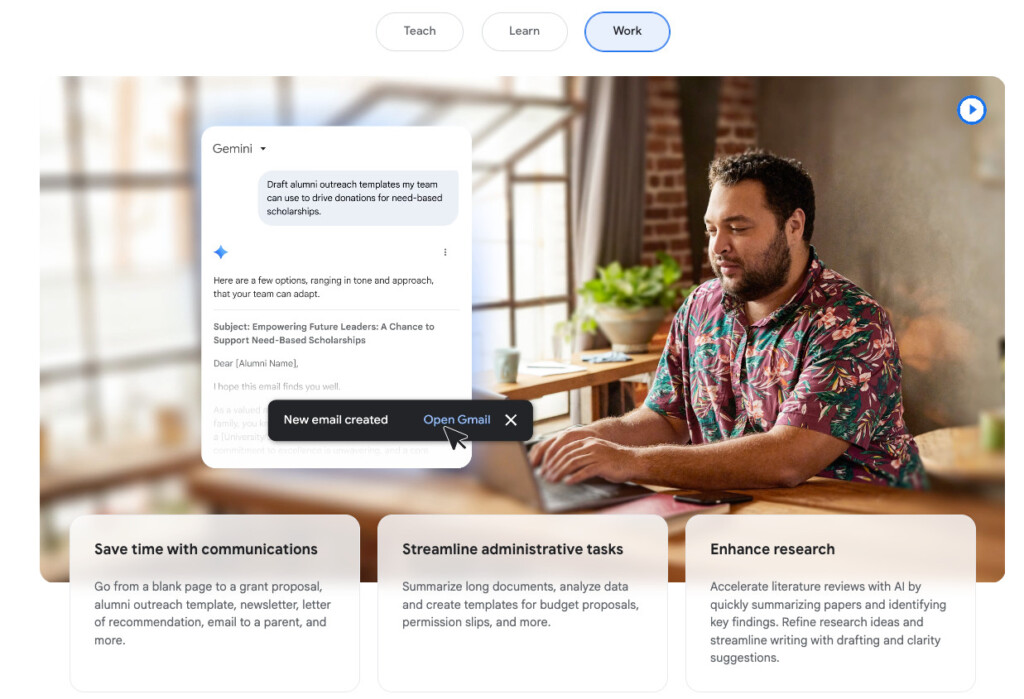
- Gemini can be an add-on to help automate admin-intensive tasks and emails
Pros
- Supports multiple languages so that it’s more accessible for global teams
- Ideal for self-paced learning
Limitations
- Less suited for internal guides or how-tos, or teams with documentation-heavy requirements
- Confusing pricing structures and application process required
- Not a traditional LMS, and tends to be better suited to schools and college-based learning
Pricing
- Google Classroom has two plans on offer, with the Education Fundamentals plan as a free plan for qualifying institutions, which typically include K-12 schools and degree-granting higher education organizations
- Businesses and Enterprise organizations can also qualify for the free plan and must sign up for a Business edition
- The Education Plus plan starts at $6/user per year, and the Google AI Pro for Education plan starts at $15/user per month for annual billing commitments
Why Small Teams Choose Google Classroom Over an LMS
Google Classroom is typically a good fit for education-based teams that need a simple way to integrate assignments, tasks, onboarding, and upskilling within their Google environment without needing to pay for additional tools.
4. Loom – Best for Quick Asynchronous Video-based Knowledge Sharing
Overview
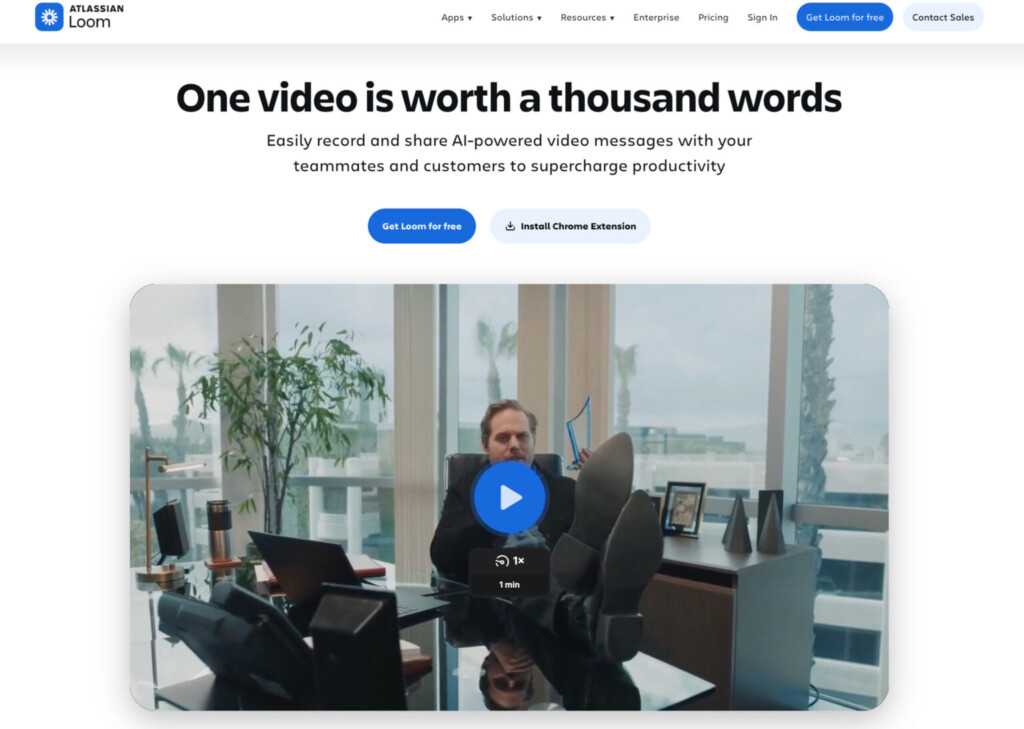
Loom is another tool I use regularly, and although it’s not intended to replace a full LMS, it’s a great supplementary platform that’s ideal for short, easy knowledge transfer. In some organizations, a full LMS may be overkill, and teams may prefer quick video shares stored in a central repository. In these cases, something like Loom is a great fit.
Best For
Loom is ideal for less tech-savvy teams that need a quick walk-through video for specific training activities or processes.
Key Features
- It’s lightweight and easy to create and edit videos. Users can add closed captions, annotations, and other splicing and editing features to create professional clips for internal and external sharing.
- Videos can be embedded directly into pages, documents, and other channels so that users can access quick training information right where they need it. This makes it easy to locate key information without having to search across platforms.
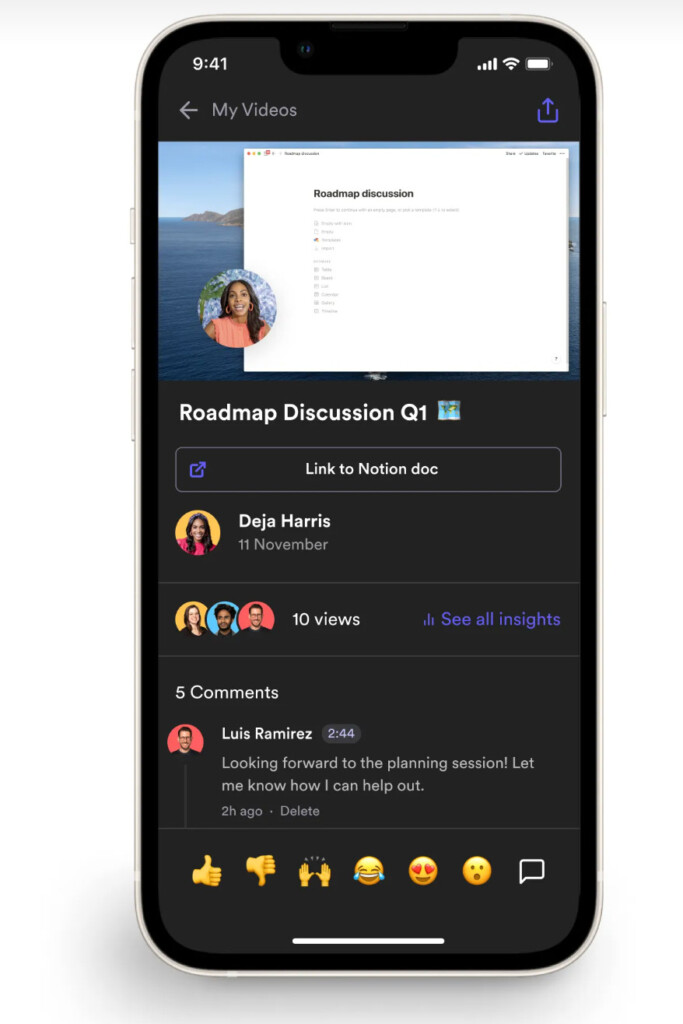
- Loom works across mobile devices, which makes it a great app for global, remote, and asynchronous teams.
- Loom’s mobile accessibility makes it a great option for field-based teams in retail, hospitality, construction, and other service-based industries.
Pros
- Employees can react, comment, and collaborate on videos
- Easy to use and low-friction compared to other tools
- Videos can be created and shared across multiple channels within minutes
- Ideal for asynchronous and global teams
Limitations
- Not a traditional or structured LMS, so it can be hard to manage as organizations scale
- Doesn’t offer advanced automations
- May need to be paired with other tools for easier collaboration and central access
Pricing
- Free plan available for up to 25 videos (limited to five minutes each)
- Paid plans range from $18 to $24 per user per month. This is based on the annual pricing plan
- Enterprise plan available with customized pricing structures
Why Small Teams Choose Loom Over an LMS
Small teams and startups may prefer Loom when they have minimal training and upskilling requirements and don’t need formal training tools. Loom can also be a great way for small teams to share information asynchronously with dispersed team members and serve as a good starting point for knowledge sharing.
5. iSpring Learn – Best Lite LMS Alternative for More Structured Teams
Overview
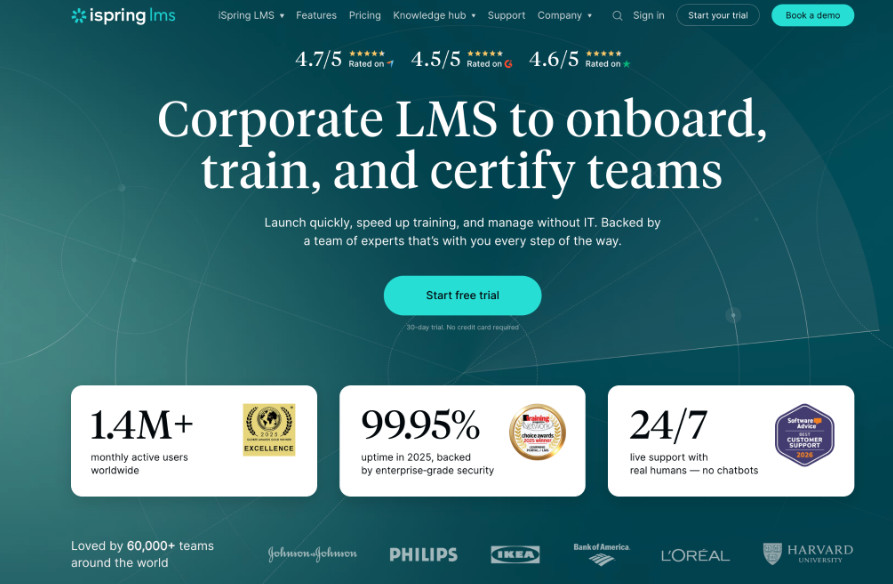
Technically, iSpring Learn is a more traditional LMS, but it’s one of the lighter, smaller platforms I’ve used. It still offers more advanced features, such as built-in libraries and compliance tracking, but with less complexity than some other enterprise-level LMSs.
Some small teams may still require something more structured, and if they’re a scaling business that regularly onboards new employees, an alternative like iSpring may be a good fit.
Best For
Small teams and growing businesses that need a more structured, traditional, but “lite” LMS platform.
Key Features
- iSpring has ready-to-use courses and libraries so that teams can get started with pre-created content easily.
- Customizable learning paths can be created to be flexible enough to cater to a wide range of unique requirements and teams.
- Assignment-based courses can be set up so that managers are notified when content or onboarding processes are completed.
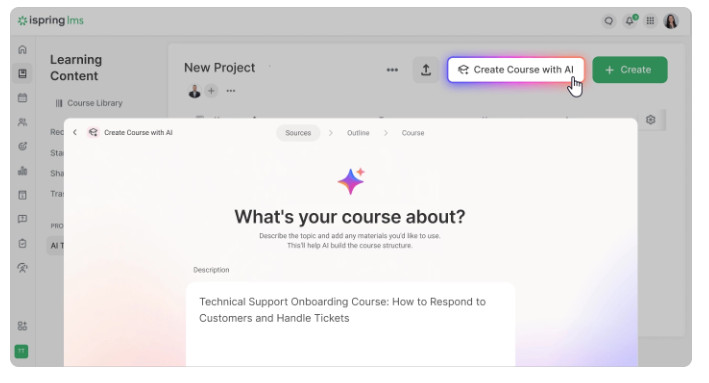
- Offers AI-assisted course creation that can help create in-app quizzes and questions
Pros
- Good range of integrations so that businesses can connect iSpring to existing platforms and systems
- Offers quizzes, assessments, certifications, and more
- Good reporting and analytics for better HR and management visibility
- Built-in knowledge base capabilities
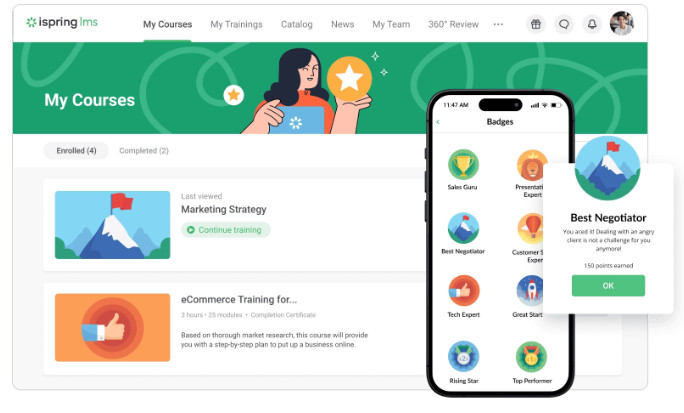
- Has a mobile app, AI, and gamification features for a more modern and engaging approach
Limitations
- Can be overly structured for smaller teams needing a simpler LMS
- May require lengthy onboarding, upskilling,g and setup
- Not as flexible and easy to update training material as other tools
- More costly than other options, which can be limiting for small businesses
Pricing
- No free plan available
Paid plans scale based on team size:
- Teams of 1-100 are charged $6.91 per user per month
- Teams of 300 are charged $4.46 per user per month
- Teams of 500 are charged $3.97 per user per month
- Enterprise plan available with customized pricing for large teams of up to 150,000 users
Why Small Teams Choose iSpring Over an LMS
While iSpring feels more like a traditional LMS, it’s a great middle-ground between a fully structured enterprise LMS and more flexible tools, such as those covered above. For small and growing teams that may need additional features such as quizzes, certification capabilities, and more advanced features, iSpring may be a great alternative.
My Verdict
My takeaway and suggestion to anyone weighing up which LMS is best for them is always to consider your use case first. One of the biggest mistakes I’ve seen businesses make is choosing a system based on popularity or feature set rather than fit, and I always recommend considering your operational and user needs first.
Traditional LMSs can be useful, but for small teams, they are typically overkill, resulting in lengthy rollouts, poor user adoption, and added complexity that small teams don’t have time to handle.
Most of the time, small teams need ease of use, agility, and speed when it comes to onboarding and training new team members. This is why I’ve found more success implementing smaller platforms that offer added benefits, such as visual training content that can be created within minutes and easily accessed from anywhere.
Sometimes the simplest solutions offer the most value because they are easy to adopt and actually used by teams!