

Last Updated on July 21, 2026 by Ewen Finser
Every business needs books that are current and correct — not because anyone enjoys them, but because tax deadlines, diligence requests, or a lender asking what last quarter looked like all arrive assuming the work was already done.
While many SMBs start off with self-run QuickBooks and ad-hoc spreadsheets, there comes a point (often very early on in a business’s lifespan) where this simply isn’t enough anymore. At this point, most companies turn to either outsourced services or a more streamlined approach to DIY accounting.
Digits and Bench occupy either end of this spectrum. Digits is an AI-native general ledger that you own and operate, while Bench is a managed bookkeeping service that comes with a team of people who do the work for you.
Picking between these two methodologies will come down to your precise needs, so let’s work through where each platform holds up best.
The Bottom Line Up Front
Bench is a strong option for the business owner who will not touch their books, wants tax filing bundled into one invoice, and is willing to pay through the nose for full-service accounting. For most SMBs, Digits is the stronger starting point, as it’s an order of magnitude cheaper, it keeps you in control of your own ledger, and its automation handles the categorization and reconciliation work that used to be the entire justification for outsourcing.
At a Glance
Bench | ||
Model | AI-native accounting software | Managed bookkeeping service |
Entry price | $65/month (Essentials) | $199/month (Grow, under $250K revenue only) |
Mid tier | $100/month (Core) | $399/month (Core) |
Top tier | $250/month (Pro) | $599/month (Core + Tax) |
Who does the work | AI agents; you review and approve | Dedicated human bookkeeping team |
Tax filing | Not included; exports a tax package | Included on the Core + Tax plan |
Ledger ownership | Your ledger; open API | Bench’s proprietary platform; Excel export only |
Payroll | Integrates with Gusto and others | Integrates with Gusto; not performed |
Bill pay/invoicing | Built in, all plans | Not included |
Accounting method | Cash and accrual | Cash and accrual |
Geography | U.S. entities only | U.S. (and historically Canada) |
Setup fees | None | None on subscription plans; catch-up billed separately |
Free trial | 30 days | Free trial; one prior month offered |
Vendor stability | Well funded (~$100M raised), young | Shut down in Dec 2024; now owned by Employer.com |
Weak spots | Inventory, multi-currency, non-U.S. | Cost, portability, post-acquisition service quality |
Digits
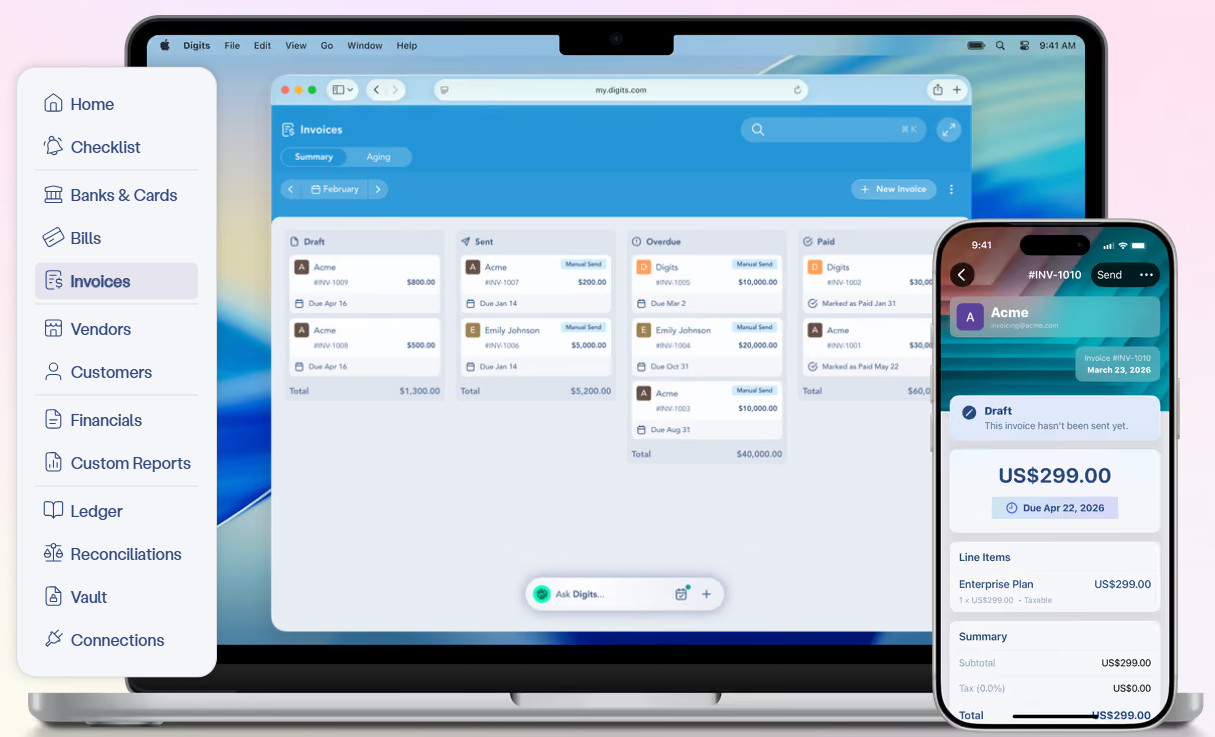
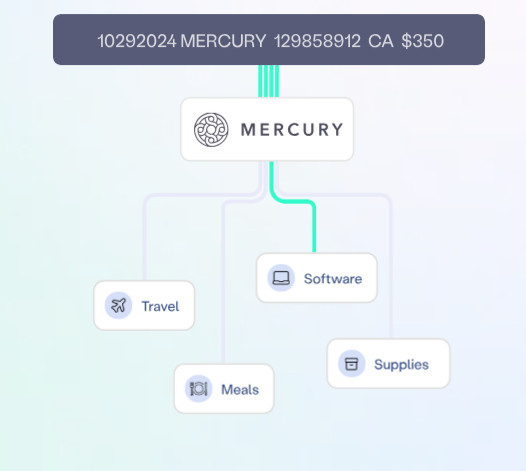
Digits is an AI-native general ledger whose core claim is architectural: the ledger itself is autonomous. Transactions flow in from connected banks, cards, and payroll, and purpose-trained models categorize and reconcile them continuously instead of in a monthly batch.
Importantly, the AI isn’t a call to an external LLM; the company uses custom-trained, non-generative models for classification and reconciliation rather than a general-purpose model — a deliberate hedge against hallucination in work where a wrong number is a major problem with potentially devastating financial impacts. Digits’ models were trained on a very large dataset of real-world business transactions, which means the system arrives already knowing what most of your vendors are, and you spend your time reviewing exceptions instead of writing categorization rules.
Around the ledger sit the things a small business otherwise buys separately: invoicing, bill pay, live dashboards, document storage, and a chat assistant that answers questions against your actual books.
Taxes
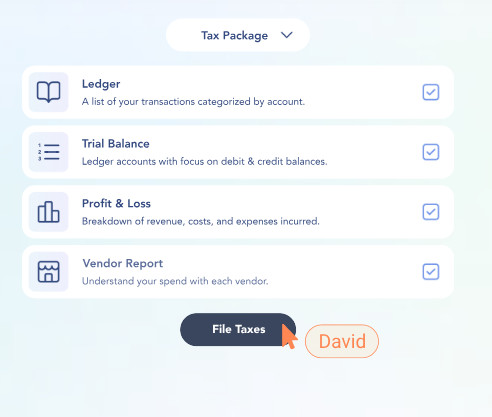
Digits does not file your return; it prepares your books so they’re filing-ready and exports a tax package to whoever does file. Of course, this means the true annual cost of Digits is the subscription plus whatever your CPA charges to file, which would be $1,200 to $3,500 for a straightforward small business return.
Data, Control, and Continuity
With Digits, you hold the ledger. Reports export to Excel, the API is free and open, and there’s an MCP server if you want to query your financials from outside the app. SOC 2 Type II certification is also in place.
The risk here isn’t lock-in, since you have the keys to the kingdom. The risk is its youth. Digits is a well-funded, venture-backed company with a short operating history, and any buyer should price that in.
Where It Fits
Digits is aimed at U.S. service businesses, software companies, and startups where transactions are card, ACH, and payroll rather than inventory. The fit degrades where the accounting gets physical: Inventory-heavy operations, manufacturers, distributors, and large e-commerce sellers will feel the edges quickly. And, in my opinion, multi-currency and non-U.S. banking aren’t there yet.
Pricing
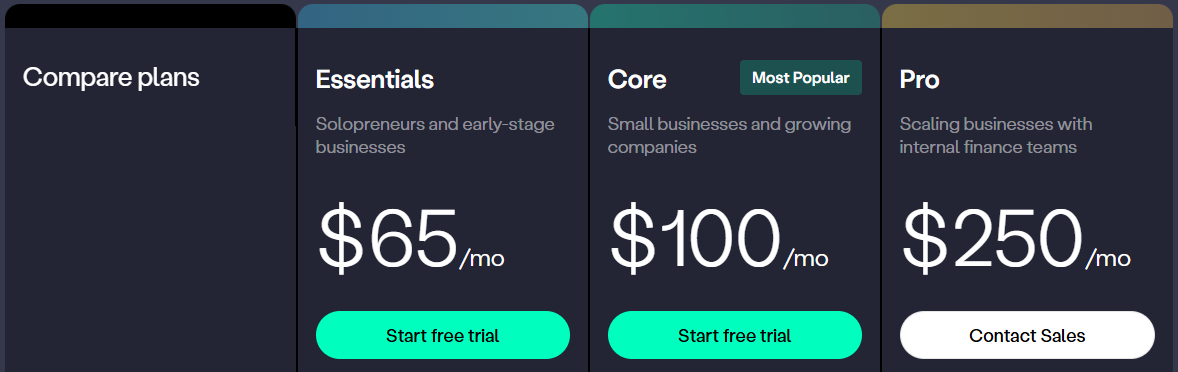
Digits makes pricing straightforward with three tiers, no per-seat fees, and no setup fees.
- Essentials ($65/month): AI bookkeeping and reconciliation, invoicing and bill pay, live financials, an AI assistant, 12,000+ bank and payroll connections, API and MCP access, and mobile apps.
- Core ($100/month): Adds native Stripe, Ramp, and BILL connections, AR/AP aging, custom drag-and-drop dashboards, and dimensional accounting by department, location, or project.
- Pro ($250/month): Adds automated depreciation, amortization, and accrual schedules that sync to the ledger; an agentic month-end close with auto-fetched statements and anomaly flagging; and custom management reporting.
Note that multi-entity businesses need a subscription per entity, and accounting firms get separate per-client pricing.
Below a few hundred transactions a month, Essentials covers a solopreneur. In the low thousands, Core is the natural home. Pro is where it starts to look like a finance department: an internal bookkeeper or fractional controller running an accrual close and needing schedules to hold up under scrutiny.
Pros and Cons
Pros
- The automation is the product rather than a tacked-on feature layer or marketing buzzword
- Pricing is transparent, published, and low enough that even the top tier costs less annually than Bench’s entry plan
- Invoicing, bill pay, dashboards, and the ledger live in one system, removing reconciliation tax
- The open API and MCP server mean your financial data isn’t trapped behind a vendor’s roadmap
Cons
- You’re still the reviewer, and if nobody at your company looks at the exceptions queue, the books will drift
- No tax filing, which means a second relationship and a second invoice
- Inventory, multi-currency, and non-U.S. entities are gaps rather than roadmap quibbles
- The company is young enough that a long-term track record doesn’t exist yet
Bench
Bench is an outsourced bookkeeping department that includes a convenient portal that you can navigate. You just connect your accounts, a dedicated bookkeeping team categorizes and reconciles your transactions, and each month you get financial statements.
Having been in the industry since 2012, with over 35,000 U.S. business owners, Bench has longevity. But there’s a hiccup that interrupts this longevity, and it’s not a small one: On December 27, 2024, Bench shut down abruptly and without warning, locking thousands of small businesses out of their financial records in the run-up to tax season. It filed for bankruptcy in Canada in January 2025 with debts reported above $65 million, and was acquired days later by Employer.com, which is an HR technology company with no prior bookkeeping specialization. It restarted the service in January 2025, and Bench still operates today under that ownership.
Taxes
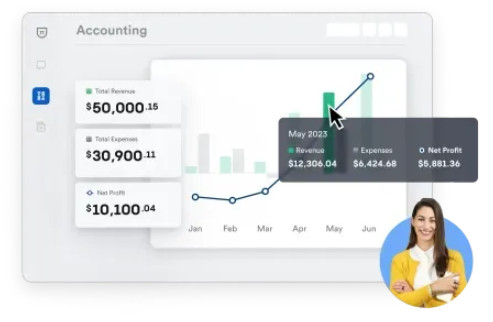
This is Bench’s structural advantage and the reason its top plan exists. The Core + Tax plan bundles income tax filing and advisory with the bookkeeping, which means the people who close your books are the people who file your return — there’s no handoff and no reconciliation between your bookkeeper’s ledger and your CPA’s workpapers.
If you value that consolidation, it’s worth something. However, you should also note the scope limits: there’s no sales tax filing or payroll processing on any plan.
Data, Control, and Continuity
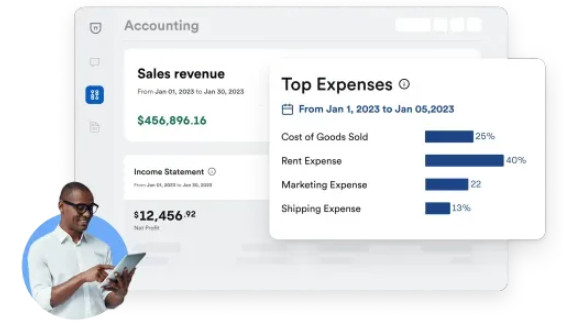
Bench does the books in its own proprietary software. You don’t use any other tool, and everything happens inside the platform. Reports export to Excel, and Bench states that you keep login access after cancellation and can request a full data wipe.
However, an Excel export is not a portable ledger. You can’t hand your Bench books to a successor provider as a working general ledger the way you could hand over a QuickBooks or Xero file, which means switching costs are paid in rebuilt history rather than a file transfer. This is notably what Bench’s newer QBO Certified Bookkeeper offering sidesteps, leaving the books in an account you own.
Where It Fits
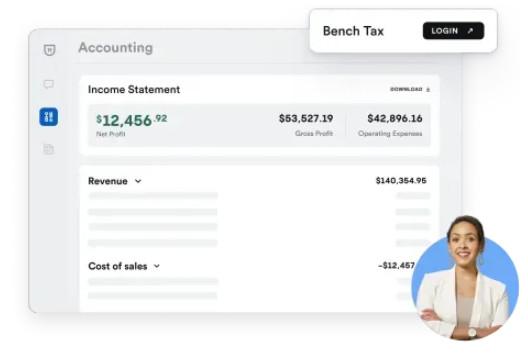
Bench fits the founder who has decided that bookkeeping is not their job and never will be. Historically, that meant service businesses, agencies, consultants, and shops because they have straightforward transaction flow, no inventory complexity, and no in-house finance staff.
However, the economics tighten as you grow. Pricing tracks transaction volume, so an e-commerce business with multiple processors moves up the ladder fast, and by the time you’re paying $599/month, you’re within reach of a part-time bookkeeper or a fractional controller who can also give you analysis rather than just statements.
Pricing
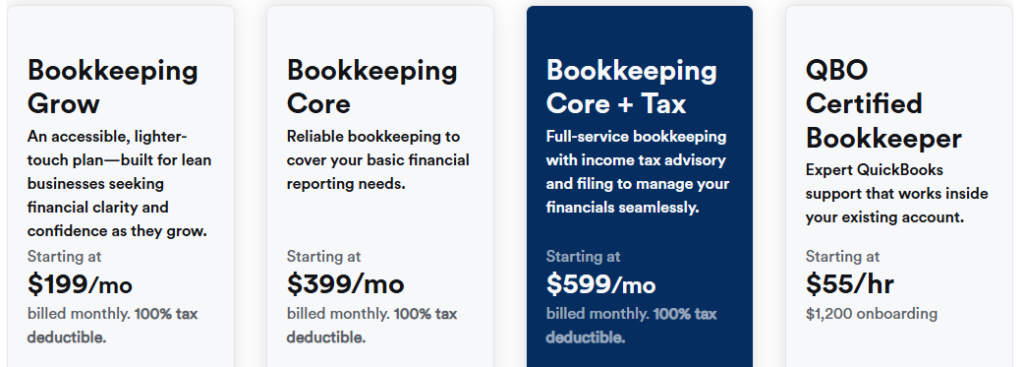
Bench offers four options that vary based on business complexity, with annual billing discounted roughly 20%.
- Bookkeeping Grow ($199/month): Restricted to businesses doing under $250,000 annually, this tier offers dedicated bookkeepers, monthly books, a year-end tax-ready package, P&L, balance sheet, and 1099 reporting. Communication is on a pre-scheduled cadence rather than unlimited.
- Bookkeeping Core ($399/month): Same scope, with unlimited communication with your bookkeeping team.
- Bookkeeping Core + Tax ($599/month): Adds licensed tax professionals and annual income tax filing — individual returns for sole proprietors.
- QBO Certified Bookkeeper ($55/hr plus $1,200 onboarding): This is a newer option where Bench staff work inside your own QuickBooks account.
Catch-up bookkeeping for prior periods is quoted separately and can be substantial.
Pros and Cons

Pros
- Real humans do the work, which is worth a lot to an owner whose time is better spent elsewhere
- Bundled tax filing on the top plan collapses two vendor relationships into one
- Pricing is flat and predictable rather than hourly, so there are no surprise invoices
- The QBO option lets you get Bench’s people while keeping your books in a platform you own
Cons
- The entry plan costs three times what a full-featured ledger costs, the tax plan roughly six times more
- The proprietary platform means your books aren’t portable
- The December 2024 shutdown, bankruptcy, and sale to a company outside the industry carry vendor risk
- Service quality reports since the acquisition are worse than the pre-shutdown baseline
Picking Between a Software and a Service
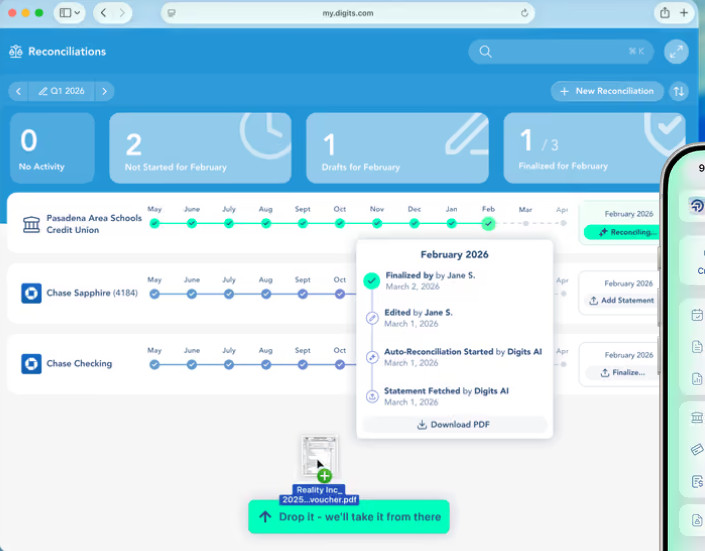
The choice of Digits vs. Bench primarily comes down to where the work lives and who holds the ledger.
Bench solves the problem of attention. Some owners genuinely should not be spending any part of their month on books, and for them, the value isn’t the ledger — it’s the absence of a task.
The Core + Tax plan takes that further than most competitors by folding filing into the same relationship so that the people who closed your books are the people who file your return: no handoffs and no reconciliation between a bookkeeper’s ledger and a CPA’s workpapers. Pricing is flat rather than hourly, so the cost is a line item you can plan around. If you pay for the QBO Certified Bookkeeper option, you Bench’s people while your books stay in an account you own. If you’re a service business, agency, or consultancy with clean transaction flow and no appetite for finance operations, Bench does the thing it promises. Just go in informed. Price the vendor risk given the December 2024 shutdown, and ask about turnover and close timing before you sign.
Digits solves a different problem: control. The automation isn’t a layer on top of a conventional ledger; it is the ledger. Transactions classify and reconcile as they arrive, so your financials are current on a Tuesday afternoon rather than accurate three weeks after month-end, which changes what the books are for: a lagging ledger is a compliance artifact, while a live one is something you can make decisions against.
The custom-trained, non-generative models are the right call for work where a plausible wrong number is worse than no number, and because they were trained on real business transactions, the system knows most of your vendors on day one. Invoicing, bill pay, and dashboards sit in the same place as the ledger, and the open API and MCP server mean your data isn’t hostage to anyone’s roadmap. The tradeoff is that you stay in the loop and you’ll still need a CPA for the filing — but even the top tier, with its accrual schedules and agentic close, costs less annually than Bench’s entry plan.
For most readers, this is the better foundation. Digits gives you a system you own, financials that are current rather than retrospective, and a cost structure that leaves room to hire a CPA for the filing and still come out well ahead. You trade a small amount of your attention each month for control, portability, and visibility, and if you later decide that you want a human doing the reviewing, you can hire one to work inside the system you already own.