


- Quick Comparison: ShipBob vs Shippo
- The Big Difference: Software vs Fulfillment
- Shippo Overview
- ShipBob Overview
- Ease of Use and Setup
- Automation and Workflows
- International Shipping
- Reporting and Analytics
- Pricing Breakdown (2025)
- Integrations
- Customer Support
- Pros and Cons Summary
- Which One Should You Choose?
- My Verdict
Last Updated on February 13, 2026 by Ewen Finser
FTC Disclaimer: We do make money from this blog and may receive compensation for this work in the form of commissions, fees and complimentary product access. Review our full FTC disclosure here.
If you run an online store, shipping isn’t just a back-end task, it’s where customer satisfaction lives or dies. You can have the best products and nicest website, but if orders go out late or tracking updates don’t work, you’ll hear about it fast.
That’s where platforms like ShipBob and Shippo come in.
They both help to simplify fulfillment, reduce shipping headaches, and scale with your business, but they have different functions.
ShipBob is a full-service fulfillment provider. You send your inventory to their warehouses, and they handle storage, picking, packing, and shipping for you. It is an inventory management, warehouse management, and logistics partner all rolled into one.
Shippo is a shipping software platform. You keep fulfillment in-house (or even with a ShipBob warehouse), but use Shippo to buy discounted shipping labels, automate workflows, and manage all your shipments from one clean dashboard.
So they have quite different functions.
I’m going to help you break down the tools with use cases, some case studies and a review of each tool.
Quick Comparison: ShipBob vs Shippo
Feature | Shippo | ShipBob |
What it is | Shipping software to buy labels, manage shipments, automate workflows | Third-party logistics (3PL) fulfillment provider |
Setup | Connect your store and start printing labels in minutes | Requires onboarding, inventory setup, and warehouse integration |
Best For | Small to medium stores shipping from their own stockroom or third party warehouse | Businesses that want to fully outsource storage and fulfillment |
Pricing | Free plan available, paid plans from $17/mo | Custom pricing (based on storage, order volume, and SKUs) |
Carriers | Hundreds of global carriers with cheap rates | ShipBob’s own negotiated rates (mainly FedEx, DHL, USPS, UPS) |
Integrations | Shopify, WooCommerce, Etsy, Amazon, eBay, and 85+ others | Shopify, BigCommerce, Amazon, Walmart, and others |
International Shipping | Helps handle customs docs and multiple carriers | Handles international but relies on its fulfillment network |
Automation | IF/THEN rules for carrier selection, packaging, insurance | Automated fulfillment once inventory is received |
Scalability | Scales with your own warehouse and team | Scales via network of 40+ fulfillment centers |
Best For | Growing sellers who want control | Sellers who want hands-off fulfillment |
The Big Difference: Software vs Fulfillment
Before looking at the different features, it’s important to be clear about what each tool actually does.
- Shippo is shipping software. You still pack and ship your own orders, or outsource it to a 3PL warehouse (including Shipbob!), but Shippo handles everything from carrier rate comparisons to label creation, tracking, and returns. Think of it as the “control center” for your shipping operations.
- ShipBob is a logistics partner, with shipping software attached. You ship your inventory to their warehouses, and they handle the rest: picking, packing, labeling, and shipping. You essentially outsource most of the fulfillment to them, even including freight shipping from your manufacturer to the warehouse.
In short: Shippo helps you to track and automate your shipping and buy discounted shipping labels. ShipBob will do everything for you, including picking, packing + shipping your products, handling returns, warehousing, and inventory management.
Shippo Overview
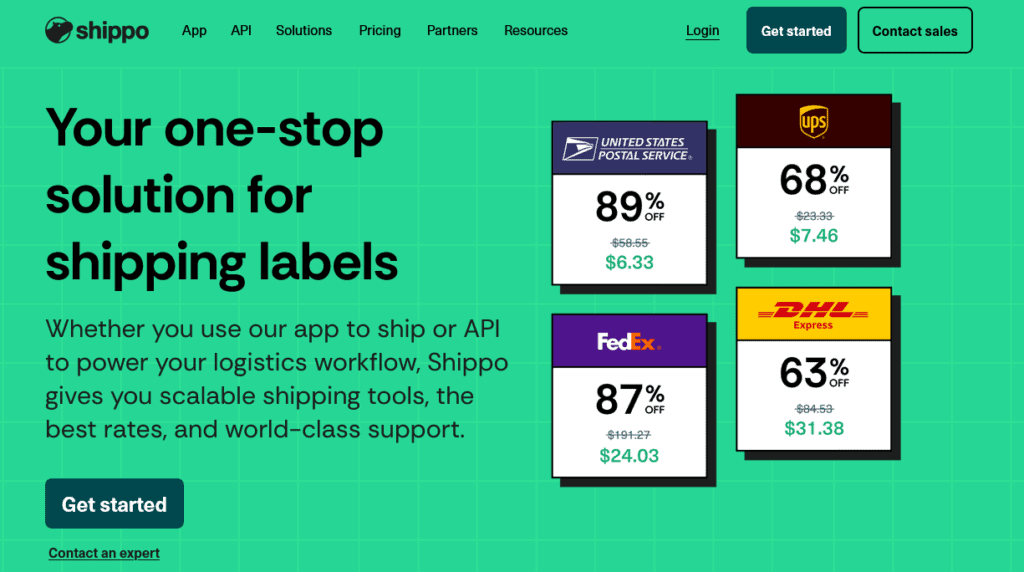
Shippo has become my favourite shipping platform for small, mid-sized and growing eCommerce brands. It connects directly to your store (Shopify, WooCommerce, Etsy, Amazon etc.), automatically imports your orders, and lets you compare live rates from hundreds of carriers worldwide, including USPS, UPS, FedEx, DHL Express, Royal Mail, Evri, and more.
You can print labels one by one or in batches of up to 100. The automations are simple but powerful, using easy IF/THEN rules like:
- IF destination = international THEN use DHL Express
- IF order value > $100 THEN add signature confirmation
- IF weight < 2 lbs THEN choose Heavy Packaging Template

I used to waste hours every week just trying to stay on top of shipping. With Shippo, setup took minutes, labels are quick to print, and my customers now get seamless tracking and easy returns. It’s taken the hassle out of shipping so I can put my energy back into growing sales.
Key Features
- Multi-carrier support (hundreds of carriers globally)
- Automatic order import from Shopify, WooCommerce, Etsy, Amazon, and eBay
- Batch label printing (up to 100 at once)
- Easy automation rules (IF/THEN setup)
- Address validation + insurance options
- Simple international shipping tools
Real Example
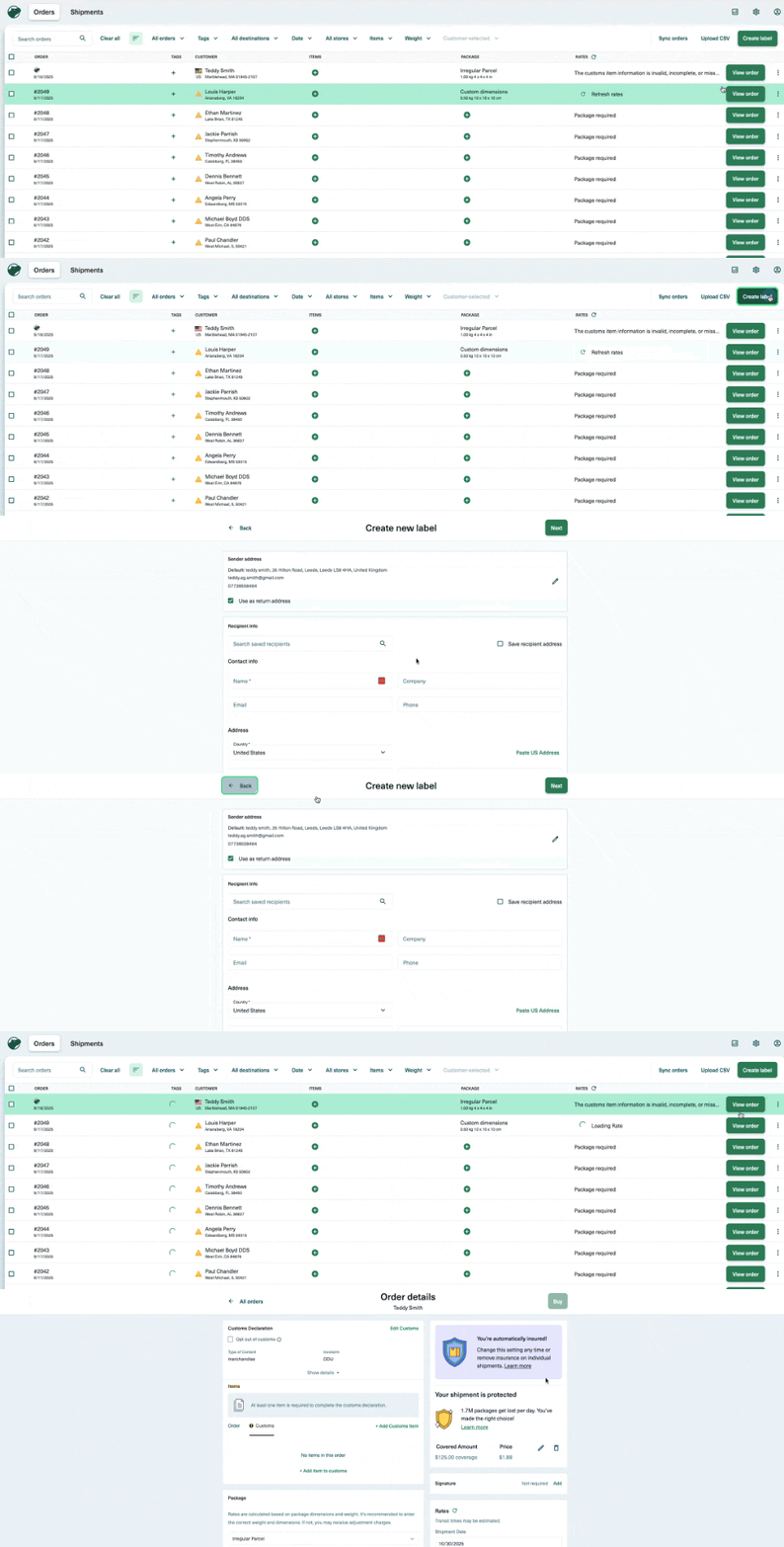
When I connected my Amazon store, Shippo instantly pulled in all unfulfilled orders and displayed the cheapest rates next to each one. I also uploaded a CSV of orders, and Shippo automatically put them straight into the dashboard, ready for me to create shipping labels.
Label creation was very straightforward, and I created a batch of 20 labels in under two minutes.
Pricing
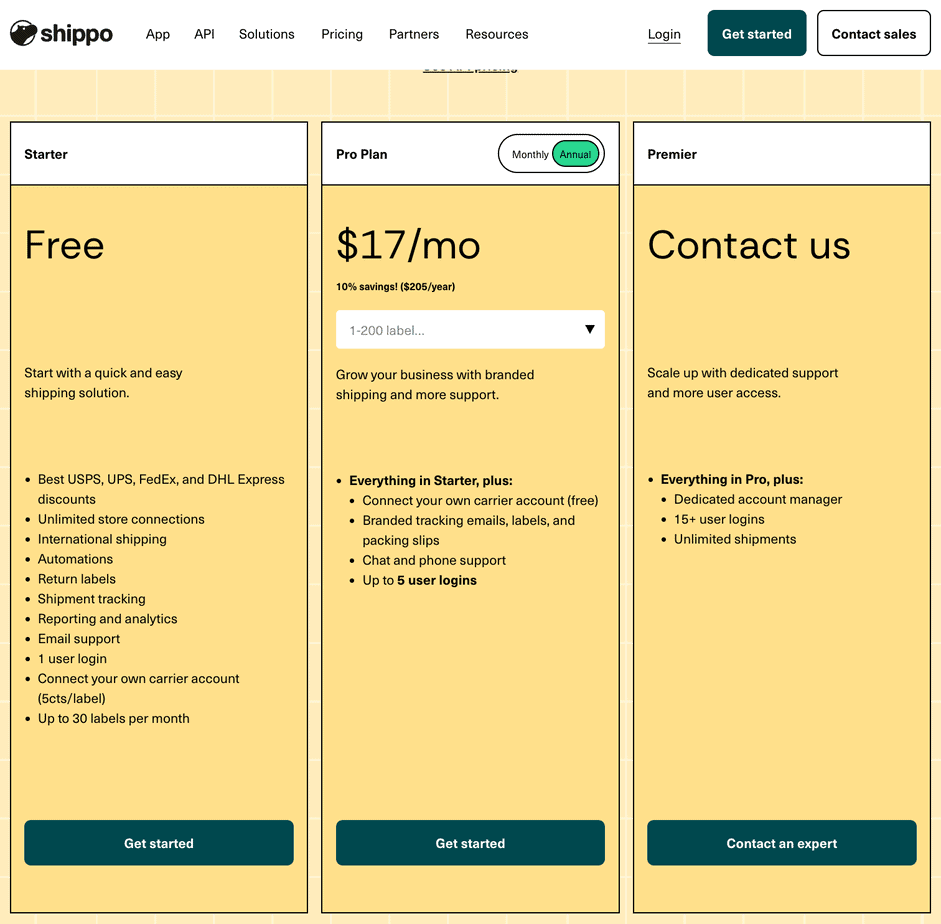
Shippo offers:
- Free plan – up to 30 labels/month
- Pro plan – from $17/month (adds automation and branding). This pricing scales with the number of orders you have up to 10,000 orders per month for $179
- Premier/Enterprise plans – for larger teams or API users
It’s flexible and scales naturally with your business. You pay only for what you ship. There is also a discount for annual vs monthly plans. Overall, very flexible pricing, and I love the free tier so you can test it.
ShipBob Overview
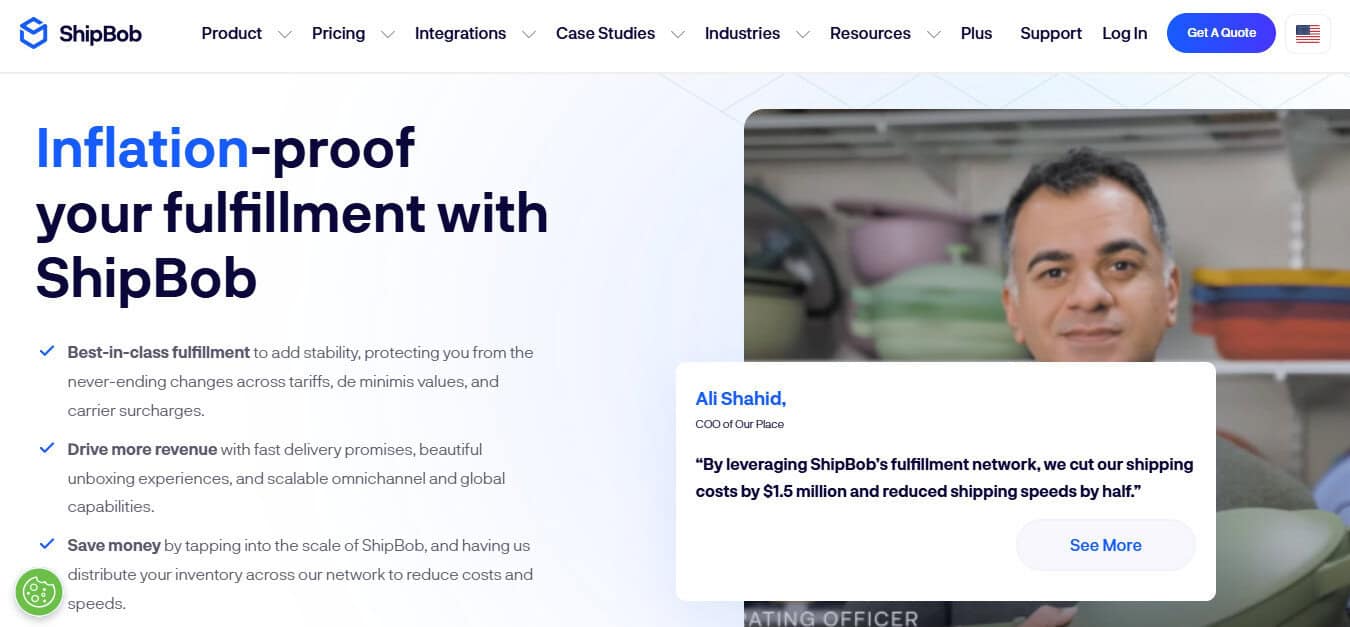
ShipBob is a different kind of service. Instead of managing labels yourself, you ship your products to one (or several) of their 40+ global fulfillment centers, where Shipbob’s team unboxes the products and places them on the warehouse shelves.
When a customer places an order, ShipBob’s team picks, packs, and ships it automatically using the best available carrier. You can still brand your packaging, include inserts, and track shipments through the ShipBob dashboard, but you’re no longer touching the products yourself. It is what is known as 3PL (Third Party Logistics)
Key Features
- 40+ fulfillment centers across the U.S., Canada, U.K., EU, and Australia
- Warehousing, picking, packing, and returns handled for you
- Real-time inventory tracking
- Integrated with Shopify, BigCommerce, WooCommerce, and Amazon
- 2-day express shipping options
- Transparent analytics dashboard (shipping costs, performance metrics)
Real Example
I have used ShipBob alongside Amazon’s AWD service, for both Amazon orders and shipping through other channels.
The good thing about ShipBob is it can be quite hands-off. You can essentially get them to ship the products from your manufacturer to their warehouses, where they can organise and then ship to your customers.
I didn’t need to split the orders to get different products sent to different warehouses, and they handled scanning it in and accounting for all the items. This is without me having to handle the products at all.
The ShipBob dashboard tells you the status of all your inventory, including the location. Then it will track individual orders too, so you can update your customers.
The reason I used it for Amazon, is that they can handle Amazon’s strict fulfillment deadlines. If you miss the deadlines, then Amazon can really publish you, so the peace of mind was great.
As you can see from my example, ShipBob only really works when you’re shipping a lot of items, as their pricing doesn’t really work for very small stores. I was shipping over 5,000 units a month, so having the hands-off help was really useful.
Also, the set up is more complex, as there are a lot of moving parts.
Pricing
ShipBob doesn’t publish fixed pricing because every business setup is different. You’ll get a custom quote based on how much inventory you store, how many orders you ship, and what kind of products you sell.
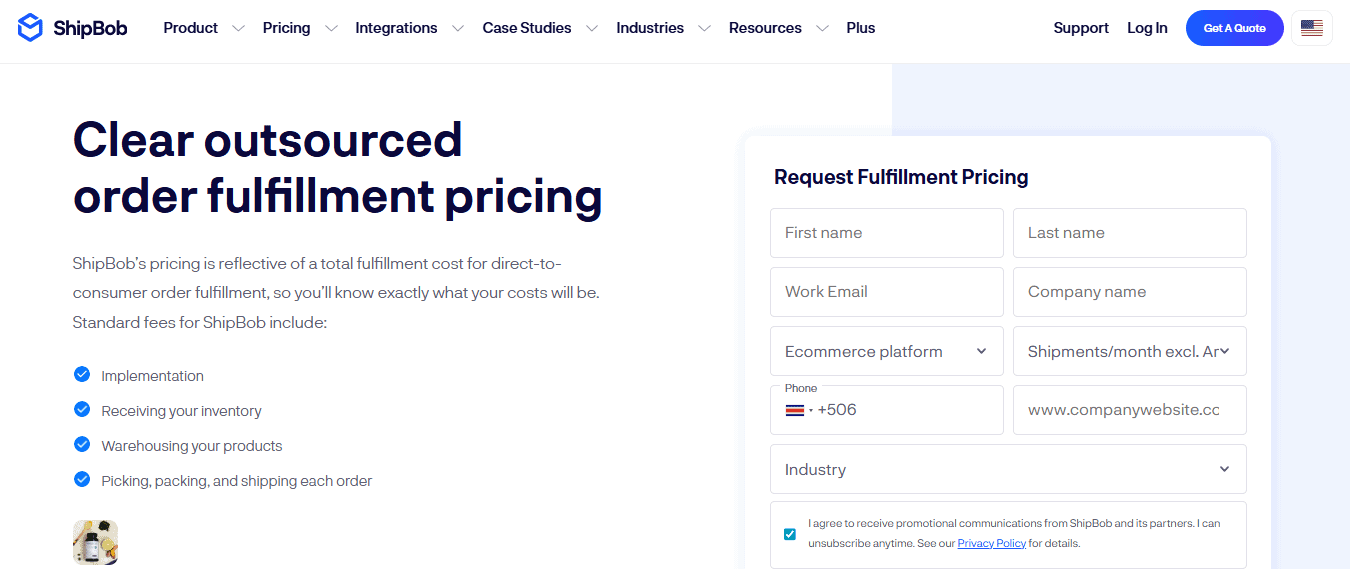
In general, here’s what you can expect:
- Receiving fees: around $25 to $35 per hour of labor when sending stock in bulk
- Storage: typically charged monthly per bin, shelf, or pallet
- Fulfillment: roughly $5 to $7 per order for standard pick, pack, and shipping (before postage)
- Extras: optional branded packaging, inserts, and returns handling are additional
For fast-moving stores doing hundreds or thousands of orders a month, those costs can make sense. But if you’re still under 200 orders per month, you’ll likely find Shippo’s model far more affordable and flexible.
Ease of Use and Setup
Shippo: setup takes about 15 minutes.
After connecting your store, orders import automatically and you can start creating labels right away. The dashboard is clean, simple, and ideal if you’re managing shipping yourself.
ShipBob: setup takes a few weeks.
You’ll have to ship inventory to their fulfillment centers and wait for receiving and SKU verification. Once it’s live, it’s low-maintenance, but definitely not plug-and-play.
Shippo is much faster to set up, but that is because it doesn’t involve any physical logistics. If you are already happy with how your shipping is working, but you want more control, then Shippo will be perfect. If you are looking for end to end logistics, including 3PL, then you could consider ShipBob.
Automation and Workflows
Shippo: Shippo has my favourite automations I have seen in shipping software. You control automation logic with IF/THEN rules.
Example:
- IF destination = California THEN use USPS Ground Advantage
- IF order weight > 5kg THEN use Packaging template “Heavy”
It’s flexible enough to save hours each week, even for small stores.
Compared to other platforms like Shipstation, this is much easier to use and understand. You don’t need someone fluent in ‘logistics-speak’ to understand how to set up the automations. You can even set them up as an owner-operator.
ShipBob: Automation happens behind the scenes. Once connected, orders route automatically to the nearest warehouse. You don’t manage carriers or print labels, ShipBob does that.
If you’re growing and want to keep your fulfillment in-house but smarter, Shippo is the better balance.
If you want to completely outsource fulfillment, ShipBob makes sense.
International Shipping
Both handle international shipping well, but in different ways.
- Shippo: lets you pick carriers with the best international rates and helps with customs forms automatically.
- ShipBob: ships internationally from regional warehouses, but you rely on their network’s carrier agreements, you can’t choose carriers yourself. However, it has warehouses all over the world, so it can ship products locally, which saves money.
I have had stock kept in USA, UK, EU and Canada with ShipBob, and it was a really great service. But it only works with a lot of stock. If you aren’t doing 1000’s of orders a month then it makes sense to use more simple shipping software like Shippo.
Reporting and Analytics
ShipBob has strong inventory and order-level analytics:
- Average fulfillment time
- Storage cost by SKU
- Regional delivery performance
- Stock Levels by warehouse
- Fulfilment cost by region
Shippo focuses more on shipping-level reporting, such as how many labels you print, average cost per shipment, carrier performance, etc.
Shippo’s dashboard is clean and easy to understand. From the dashboard you can order shipping labels, individually or in batches. Plus you can see order status and return status.
If you’re optimizing warehouse operations, ShipBob’s analytics are great.
If you’re managing your own shipping, Shippo’s data is cleaner and easier to use.
Pricing Breakdown (2025)
Shippo:
- Free plan: 30 labels/month
- Paid: from $17/month, scaling with label volume up to $199/month
- Enterprise: custom rates with premium support
ShipBob:
- Custom pricing only
- Costs include storage, picking, packing, packaging materials, and per-order fulfillment fees
- Expect to pay setup/onboarding fees + per-item storage
Shippo’s pricing is predictable and transparent. You can start small and scale gradually. I really like how it has a free plan, so if you are looking for a tool to test out, then it is perfect.
ShipBob’s pricing suits businesses ready to commit to outsourced fulfillment. The pricing isn’t expensive, but it is a fully functional warehouse service. Shippo complements and improves your shipping setup, ShipBob becomes your shipping setup. The pricing reflects this, as ShipBob charges for everything logistics-related. With Shippo you just pay monthly fees and label printing costs, that’s it.
Integrations
Both tools connect with all the major eCommerce platforms:
- Shippo: Shopify, WooCommerce, Etsy, Amazon, eBay, Squarespace
- ShipBob: Shopify, BigCommerce, Amazon, Walmart, TikTok Shop
There isn’t much to pick between the two tools on the integrations side. Both tools even use an API so you can integrate with other tools. Shippo has a great integration with Etsy, and ShipBob even recommend using a tool like Shippo if you are planning on using ShipBob and Etsy.
However, Shippo’s carrier integrations (including regional ones like Evri, DPD, Royal Mail, and Sendle) make it far more flexible if you handle shipping directly. I am not sure what the pricing of shipping labels is like between the two tools, but Shippo has more shipping partners, so there is probably a bigger range of pricing.
Customer Support
Shippo offers responsive chat and email support — most issues are resolved within a day. Documentation is clear, and most setup questions can be solved without contacting support.
ShipBob assigns you an onboarding rep and account manager, but support wait times can vary once you’re live. During busy seasons, response times can stretch — something I saw mentioned repeatedly in reviews.
Pros and Cons Summary
Shippo Pros
- ✅ Clean, modern interface
- ✅ Quick setup (minutes, not weeks)
- ✅ Hundreds of carriers and global coverage
- ✅ Affordable plans + free tier
- ✅ Simple but powerful automations
Shippo Cons
- ❌ Not a full fulfillment service, you still pack yourself, or use a 3PL
- ❌ Lighter analytics compared to 3PL tools
ShipBob Pros
- ✅ Hands-off fulfillment with 40+ warehouses
- ✅ Great for scaling and offering 2-day delivery
- ✅ Real-time inventory visibility
- ✅ Strong analytics and fulfillment tracking
- ✅ Works with Amazon FBA
ShipBob Cons
- ❌ Complex setup and onboarding
- ❌ Higher upfront costs
- ❌ Less control over carriers and packaging
- ❌ Overkill for smaller businesses
Which One Should You Choose?
Here’s the simplest way to decide:
Ship from your own space or small warehouse | Shippo |
Want to print labels, compare rates, and automate tasks easily | Shippo |
Want to completely outsource fulfillment and storage | ShipBob |
Need 2-day delivery coverage across multiple regions | ShipBob |
Want to start cheap and scale gradually | Shippo |
My Verdict
For most small to mid-sized eCommerce brands, Shippo is the perfect choice.
It’s fast, easy to set up, and gives you all the shipping power of a much larger operation without the complexity or cost. You stay in control, and the automations save you real time.
ShipBob is excellent once you’re ready to hand off fulfillment entirely, especially if you’re doing thousands of orders per month and want to focus purely on marketing and product.
If you’re happy with the overall fulfillment, and you’re not ready to give up control (or the margins), start with Shippo.
If you’re drowning in boxes and tape guns, or you are doing thousands of orders a month, in multiple countries – then ShipBob might just be your next step.