


- QuickBooks vs Puzzle At a Glance
- Overview of QuickBooks Online
- Overview of Puzzle.io
- Puzzle accounting vs QuickBooks: The User Interface and Experience
- Puzzle vs QuickBooks: Core Accounting Features
- The Nitty Gritty: Automation and AI Capabilities
- Puzzle vs QuickBooks: Reporting and Analytics
- Integrations and Add-ons
- QuickBooks vs. Puzzle.io Pricing Structure
- Customer Support and User Resources
- Scalability and Business Suitability
- Data Security and Compliance
- Pros and Cons Summary
- Final Recommendation
Last Updated on October 21, 2026 by The Digital Merchant Team
In the ever-evolving landscape of accounting technology, businesses have numerous options when choosing software that meets their financial management needs. As a CPA, I’ve tried more accounting software than I care to admit, and I keep coming right back to “old reliable.” QuickBooks Online has long dominated the accounting software market, particularly among small to medium-sized businesses. However, emerging platforms like Puzzle.io are quickly gaining attention due to their innovative integration of artificial intelligence. And from a technical standpoint, I have continuously been impressed with the niche and specific offerings that Puzzle has showcased. In this Puzzle vs QuickBooks comparison, I’ll break down how they stack up on features, AI, pricing, and support so you can pick the right fit.
QuickBooks vs Puzzle At a Glance
QuickBooks Online | Puzzle.io | |
Plan prices | Simple Start: $38/mo Essentials: $85/mo Plus: $140/mo Advanced: $340/mo | Starter: $30/mo Core: $72/mo Complete: $120/mo Scale: $360/mo (About 20% off billed yearly) |
Free plan or trial | Free plan for 1 user 50% off for 3 months or a 30-day free trial on paid plans | No free plan Starter is free for 2 months |
Users included | Free: 1 Simple Start: 1 Essentials: 3 Plus: 5 Advanced: 25 | Starter: 1 Core: 5 Complete: Unlimited Scale: Unlimited |
AI features | Categorization suggestions Anomaly detection Reconciles your books (Plus and up) | AI suite (Chat, Cowork, Close) on every plan About 85 to 90% auto-categorization Accuracy checks and reconciliations (Complete and up) |
Integrations | 800 + apps Includes Shopify, HubSpot, Stripe, and PayPal | 400 + apps Includes Stripe, Ramp, Gusto, Rippling, Deel, Causal, and Runway |
Payroll | Add-on Starts at $50/mo plus $7 per employee | Connects to Gusto, Rippling, and Deel Or enter payroll by hand |
Best fit | Businesses that want an established platform Lots of integrations Built-in payroll and inventory Industries like construction | Startups Service or subscription businesses Teams that want less manual bookkeeping |
QuickBooks is the safer pick if you want something proven with lots of support and connections. Puzzle is the better fit if you want the software to do more of the work for you. In the end, the Puzzle.io vs QuickBooks Online debate comes down to how your business runs and where you want it to go.
Overview of QuickBooks Online
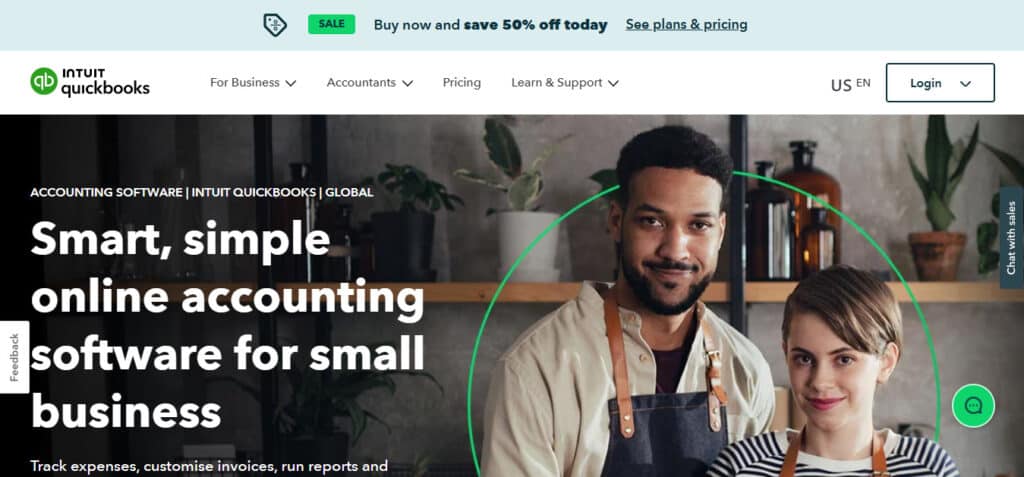
QuickBooks Online, developed by Intuit, is the elephant in the room. It remains one of the most popular accounting platforms worldwide, with millions of customers ranging from freelancers to sizable mid-market businesses. Known for its user-friendly interface and reliable functionality, QuickBooks covers a vast spectrum of accounting operations, including invoicing, bill payments, bank reconciliation, expense tracking, inventory management, payroll, and financial reporting. Its strength lies in simplicity, widespread adoption, integrations with hundreds of third-party apps, and a robust online community offering extensive support.
Overview of Puzzle.io
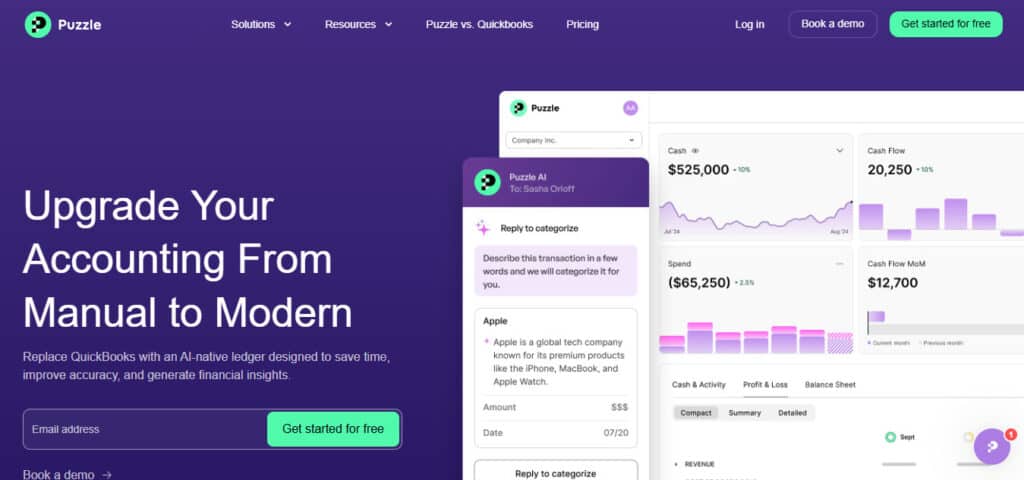
Puzzle.io is accounting software that uses AI to do a lot of the everyday accounting tasks for you. Built specifically for businesses looking to leverage cutting-edge technology, Puzzle.io handles bookkeeping, bank reconciliation, financial reporting, and invoice management, emphasizing minimal manual input. Its AI works by checking your books for mistakes, like the same expense entered twice or a transaction put in the wrong category. That gives accountants and business owners more time to focus on strategic decision-making rather than mundane bookkeeping.
Puzzle says customers who fully set up their accounts can close their books 50% faster than with QuickBooks (or a similar platform), and it backs that with a money-back guarantee.
Puzzle accounting vs QuickBooks: The User Interface and Experience
How easy a tool is to use day to day can make or break it. Both are easy to get around, but they feel very different.
QuickBooks
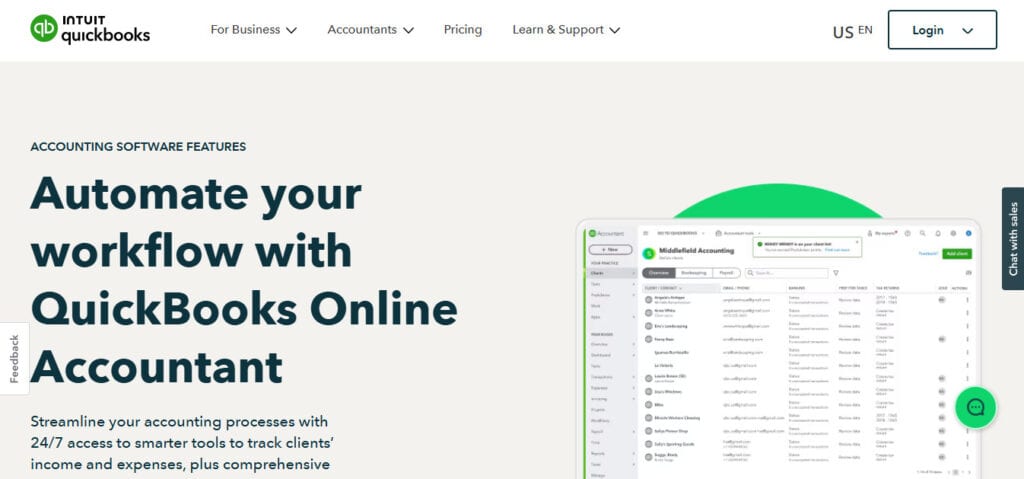
QuickBooks is known for its intuitive and straightforward user interface, with no other way to say it. That black, green, and gray dashboard is borderline nostalgic to accountants. Users find navigating the platform easy, even with minimal accounting know-how, due to its logical layout, clear labeling, and easy-to-access menus. The dashboard provides quick summaries of essential metrics like profit and loss, unpaid invoices, and recent transactions.
While it is friendly for novices, QuickBooks also offers depth for more experienced accountants, with the flexibility to dive deep into detailed financial analytics and reporting. I like to call this “taking the training wheels off” because if you want to make some seriously complicated journal entries because your business is niche, QB will typically let you. With that in mind, though, QuickBooks will also absolutely let you ruin your company’s books if you don’t know what you’re doing. With great power comes great responsibility!
Puzzle
Puzzle.io’s interface is clean, modern, and specifically designed to facilitate AI interactions. It prioritizes automation and simplification, aiming to provide a frictionless experience. The dashboard is streamlined, with AI-driven suggestions appearing proactively to guide users through accounting processes. For those unfamiliar with advanced accounting software, Puzzle’s approach is less intimidating, as the AI intuitively suggests next steps and corrections, creating a genuinely user-friendly environment.
Puzzle vs QuickBooks: Core Accounting Features
Both QuickBooks and Puzzle provide core accounting functionalities that you would expect from modern platforms. They include, but are not limited to:
· Invoicing
· Bank reconciliations
· Bill tracking
· Expense categorization
QuickBooks has had years to perfect its suite of features, including advanced payroll and inventory management options, which Puzzle.io is still developing. Personally, this is where I felt QBO trumps Puzzle, in that some instances it can handle a broader variety of businesses.
For instance, Puzzle is not set up to help general contractors run their business. Construction businesses have specific accounting rules they must follow, and Puzzle is not flexible enough to handle that different type of workload, while QBO can. I spoke with a team member from Puzzle, and he emphasized that Puzzle is more adept at handling subscription-based businesses or service-related businesses, for example, and I agree.
The Nitty Gritty: Automation and AI Capabilities
When it comes to Puzzle.io vs QuickBooks Online, both now use AI, but they lean on it in different ways. Here’s how much of the work each one does for you.
QuickBooks Online
While QuickBooks offers basic automation, like recurring invoices, payment reminders, and automatic bank feeds, recently it’s added more AI under the name Intuit Intelligence. On paid plans, it sorts your expenses for you, helps find tax deductions, and has an AI chat for quick answers. It’s no surprise that the higher plans get more. Essentials adds tools that clean up your books and estimate your quarterly taxes, and Plus can reconcile your books, check transactions, and find and fix mistakes on its own. Advanced adds AI for project costs and finance insights.
I still think of most of it as pattern recognition, and several of these features are still in beta. The biggest time-savers are also saved for the pricier plans, so on the lower tiers you’ll still do a fair amount of checking and fixing by hand.
Puzzle.io
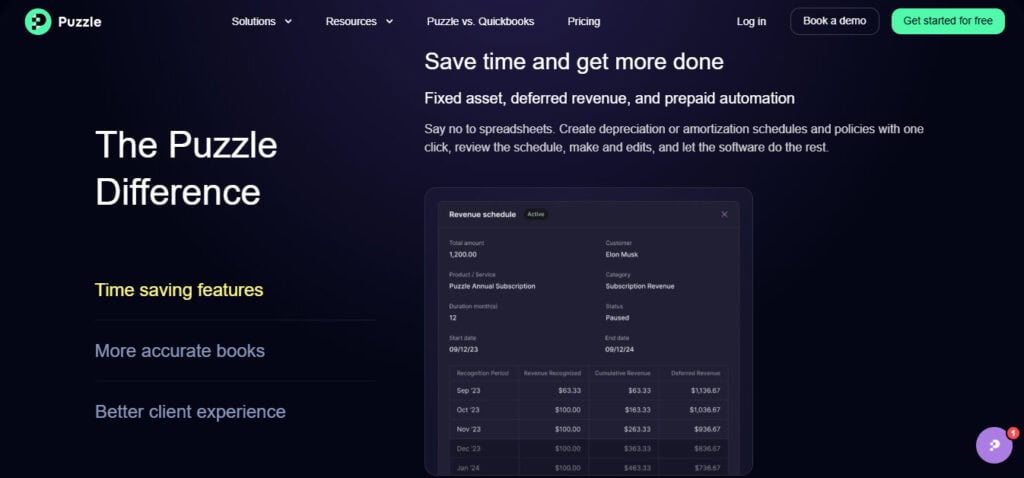
Puzzle.io leverages advanced artificial intelligence to proactively handle many routine and complex accounting tasks. It offers about 85 to 90% auto-categorization on your transactions. Every plan also comes with Puzzle’s AI Suite. AI Chat lets you ask questions about your books in plain English, like how your software spending has changed or which customers still owe you money. It’s read-only, so it won’t change anything without asking first. They also have AI Cowork that prepares tasks for you to review, like matching invoices to payments, finding missing receipts, or spotting subscriptions you’re still paying for. Again, nothing is final until you approve it. On Core and up, Puzzle also gives you cash, burn, runway, and margin insights plus variance analysis. For forecasting, you can connect tools like Causal and Runway.
The catch is that, like QuickBooks, you get more AI on the pricier plans. Starter and Core only come with 25 AI credits for the life of your account, while Complete gets 100 a month and Scale gets 300. So on the lower plans, you can try out Chat and Cowork, but you’ll run out fast if you use them often. Even so, the auto-categorization alone will still take a lot of manual work off your plate on every plan.
Puzzle vs QuickBooks: Reporting and Analytics
Good reports help you see how your business is doing at a glance, like where your money is going, how much cash you have left, and whether you’re making a profit. In a Puzzle vs QuickBooks comparison, this is one of the biggest differences. QuickBooks gives you lots of reports you can customize, while Puzzle focuses on quick, easy-to-read insights.
QuickBooks Online
QuickBooks provides extensive reporting options, from basic profit and loss statements and balance sheets to sophisticated cash flow analysis and budget tracking. Users can customize these reports to suit specific business needs. However, generating deep insights or predictive analytics remains largely a manual process.
I’ve used QBO for years, and have always felt their reporting dashboard was clunky (the visuals, not that data itself within the ledger). I rarely use the onboard reports in QBO and prefer to build out my own in Excel, as they are easier to read for an untrained eye.
Puzzle.io
Puzzle.io uses AI to automate reporting and give you a clearer picture of your numbers. On Core and up, you get cash, burn, runway, and margin insights plus variance analysis, which shows how your numbers change from month to month. You can also use AI Chat to ask questions about your reports in plain English and see the transactions behind each answer. For forecasting, you’ll need to connect a tool like Causal or Runway.
Another thing that absolutely floored me was Puzzle’s UI and reporting dashboard. It was sleek, polished, and well presented, and the information that it needed to display was apparent and readily available. Some software engineer out there spent a ton of time obsessing over the presentation of the graphics, and it definitely shows.
Integrations and Add-ons
Integrations let your accounting software pull in data from the other tools you use, like your bank, payroll, and payment apps. The more it connects with, the less you have to enter by hand.
QuickBooks Online
QuickBooks boasts over 800 integrations with a broad spectrum of third-party applications, including CRM systems, payroll solutions, time tracking, and e-commerce platforms. Popular integrations like Shopify, HubSpot, Stripe, and PayPal allow users extensive flexibility in managing their business ecosystems. In fact, I have yet to find a third-party application that DIDN’T connect to QBO. Even a local credit union with one branch located in my rural hometown connects with QBO via an API. QBO’s connectivity is ubiquitous, which is super convenient for business owners who don’t want to manually book all of their transactions.
Puzzle.io
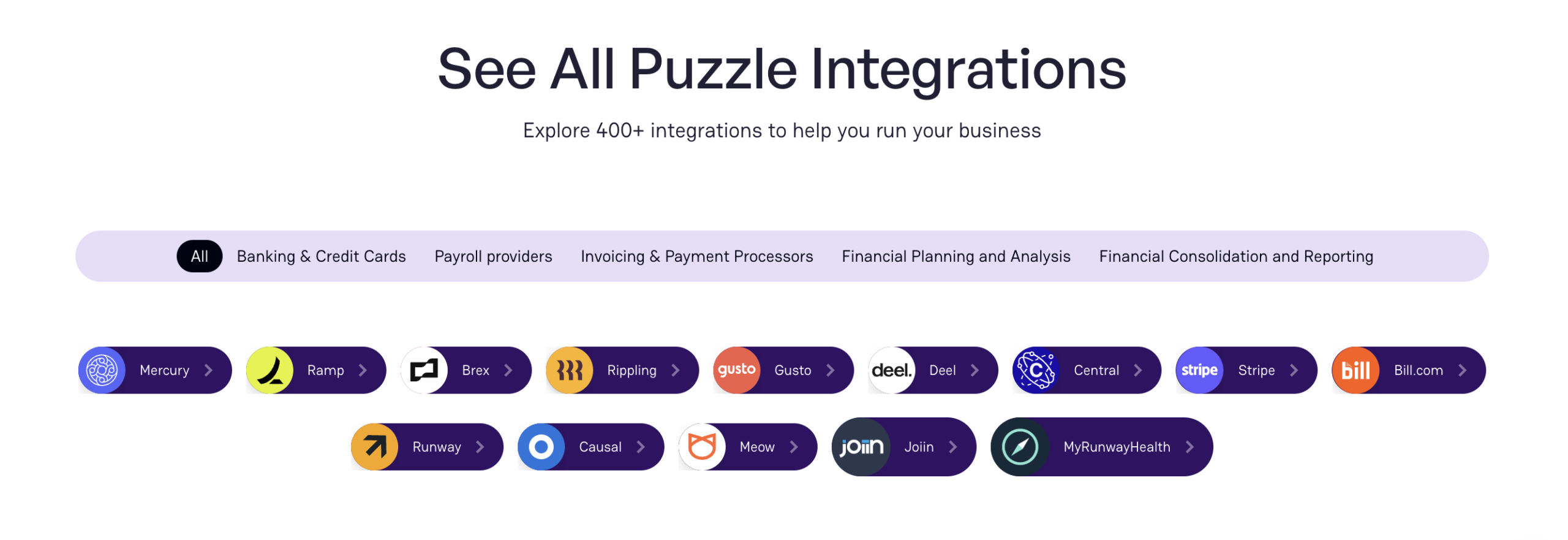
Puzzle.io supports fewer integrations than QuickBooks, but it still has plenty. Puzzle says it has 400+ integrations, though its integrations page only names a handful. It connects with the tools many startups already use, like Mercury, Ramp, Stripe, and Gusto. The company prioritizes quality over quantity, making sure integrations leverage AI capabilities to maximize efficiency and accuracy. I expect many additional connections to come on quickly as Puzzle scales.
QuickBooks vs. Puzzle.io Pricing Structure
Both have four paid plans, but what you get at each price is pretty different. Here’s how QuickBooks vs. Puzzle.io pricing break down.
QuickBooks Online
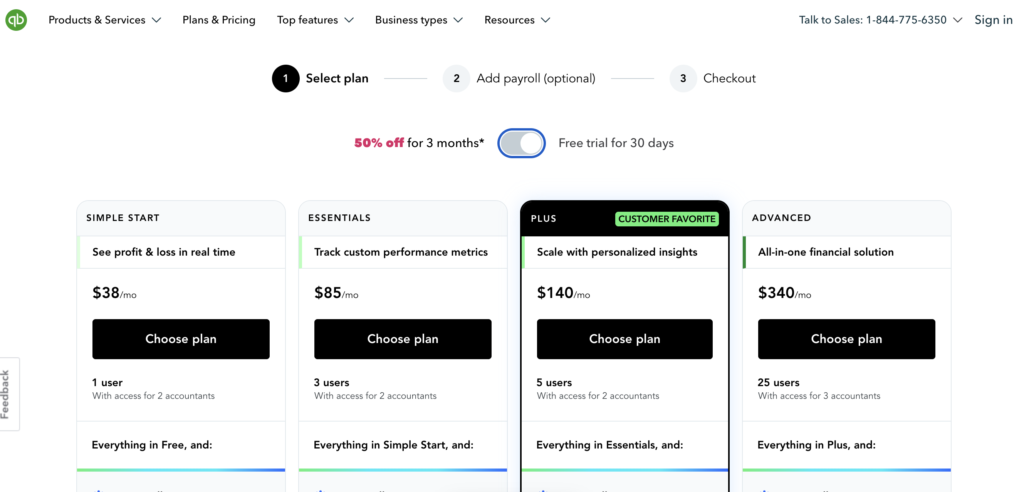
QuickBooks offers tiered subscription plans:
- Simple Start ($38/month): One user, but up to 2 accountants can access your books. QuickBooks starts learning how you sort your income and expenses and does it for you, and you can send invoices and get paid by card or bank transfer.
- Essentials ($85/month): This bumps you up to 3 users, plus 2 accountants. You get better reports, and you can add employee time to your invoices.
- Plus ($140/month): Plus gives you 5 users and 2 accountants. It adds budgets, project profit tracking, inventory, and tracking by class and location. It’s also the plan where QuickBooks starts reconciling your books for you.
- Advanced ($340/month): The top plan supports 25 users and 3 accountants. It adds custom dashboards, user permissions, automated workflows, an Excel sync, batch invoicing, and priority support.
QuickBooks also has a free plan for self-employed people, but you won’t find it on the main pricing page. It’s for 1 user, and you don’t need a credit card. You can track income and expenses, send up to two invoices a month, run a profit and loss report, and connect one bank account. It’s a decent way to test things out, but it’s pretty basic, and your accountant can’t log in.
When choosing a plan you also get the choice between 50% off for your first three months or a 30-day free trial. Either way, you can try it before paying full price.
The only thing to keep in mind is, the pricing doesn’t include payroll. Payroll gets added to each plan. The basic payroll plan is $50 a month plus $7 per employee. Premium is $88 plus $13 per employee, and Elite is $134 plus $17 per employee. So even a small team can add a good chunk to your bill every month.
Puzzle.io
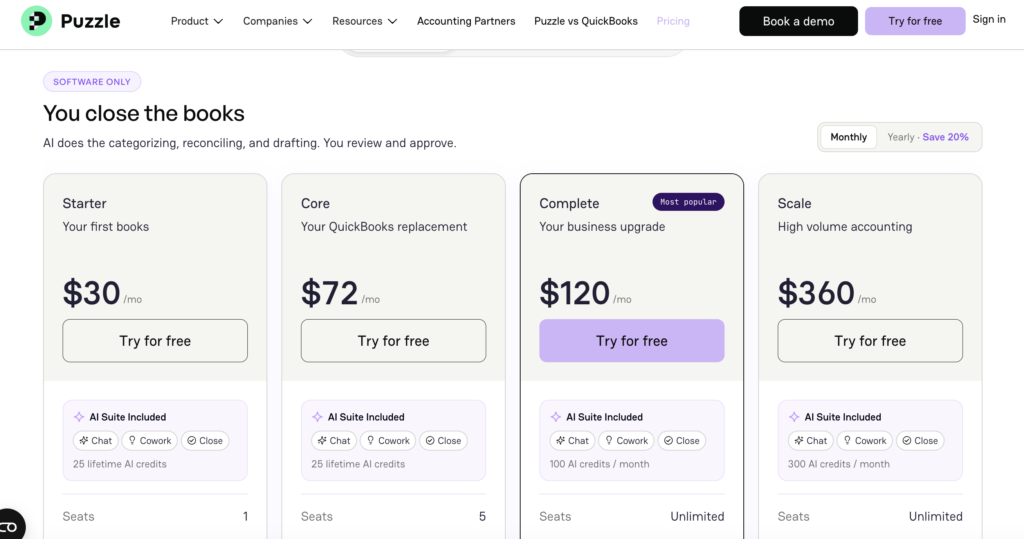
Puzzle.io’s pricing model emphasizes simplicity and scalability:
- Starter ($30/month, or $24/month billed annually): This is the plan for one person running their own books. You get one seat, and Puzzle will sort most of your transactions for you. It also drafts your financial statements, works with cash or accrual books, and lets you connect as many bank accounts as you want. There’s a 1-click tax report too, which is handy at tax time. New users get the first two months free.
- Core ($72/month, or $58/month billed annually): Core gives you everything in Starter and bumps you up to 5 seats. The big difference here is the insights. You can see your cash, burn rate, runway, and margins, and track where your money is coming from and going. They also have a feature that compares your numbers month to month so you can spot changes. You can set up your own chart of accounts and manage more than one business through an integration.
- Complete ($120/month, or $96/month billed annually): This is where more of the AI tools come in. Puzzle will check your books for mistakes and handle reconciliations for you. You can also sort transactions right from your inbox and break things down by department, class, or project. Seats are unlimited, you get 100 AI credits a month, and it connects with tools like Stripe and Ramp. You also get priority support.
- Scale ($360/month, or $288/month billed annually): Scale is built for businesses with a lot going on. There are no limits on transactions or integrations, and you get subledgers, backup and restore, and 300 AI credits a month. They’ll also walk you through setup with dedicated onboarding.
All four plans come with Puzzle’s AI suite, which includes Chat, Cowork, and Close. There’s no free plan, but the two free months on Starter give you a good chance to try it out. If you pay for the year up front, you’ll save about 20%.
Don’t want to do it yourself? Puzzle also has a service where a vetted accounting partner closes your books for you. You’ll need a Core or Complete plan to use it, and the price depends on how much your business spends each month.
Puzzle doesn’t run payroll itself though, so you won’t pay a per-employee fee to Puzzle the way you do with QuickBooks. Instead, it connects with tools like Gusto, Rippling, and Deel and books your payroll entries for you. If your provider doesn’t connect, you can enter payroll totals by hand and match them to your bank withdrawals. Just keep in mind you’ll still pay your payroll provider separately.
Customer Support and User Resources
When something goes wrong with your books, you want help fast. Here’s how support compares between Puzzle.io vs QuickBooks Online, and what kind of help each one offers.
QuickBooks Online
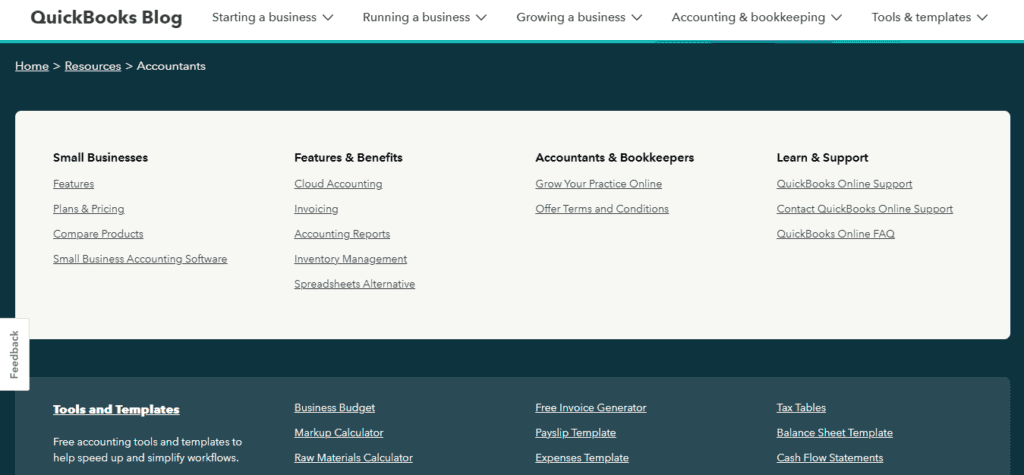
QuickBooks has invested significantly in user support resources. They provide comprehensive customer support options, including live chat, phone support, and extensive online documentation. QuickBooks also maintains a highly active online community where users share solutions and advice. Additionally, users can access abundant resources, including video tutorials, webinars, certification courses, and user forums.
However, a recurring criticism of QuickBooks has been inconsistent customer service response times and varying support quality, especially during busy periods like tax seasons. Some users find themselves navigating through self-help resources rather than receiving timely human assistance.
Puzzle.io
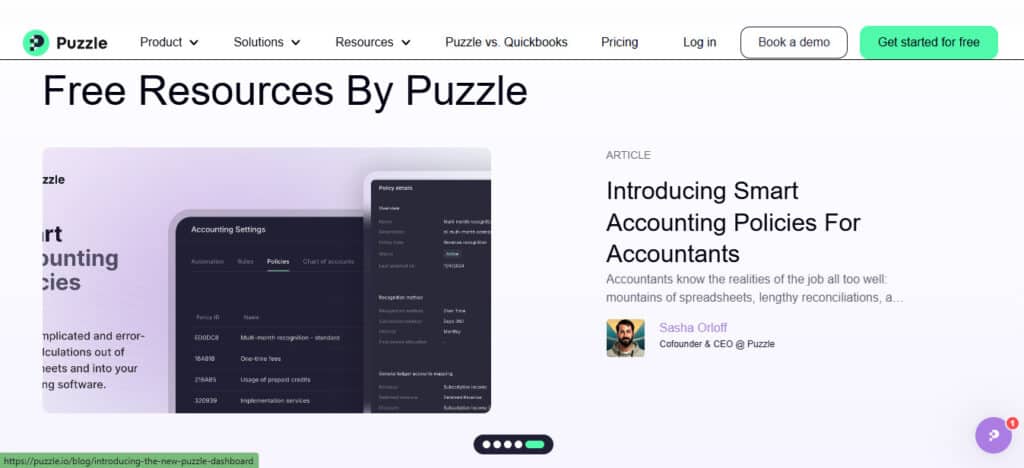
Puzzle.io offers customer support primarily through live chat and email, with priority support on Complete and dedicated onboarding and support on Scale. I personally like having this one-on-one approach, but like QBO, Puzzle saves it for its higher-paying tiers.
While Puzzle.io’s support resources are not yet as vast as QuickBooks’, the company focuses heavily on providing personalized, responsive assistance, capitalizing on its smaller user base to deliver quicker, more targeted support. It also leverages its AI capabilities to proactively identify potential user issues. This predictive approach means that many problems can be preemptively addressed without users even needing to seek support actively.
Scalability and Business Suitability
The right software should still work for you a few years from now. If you’re looking for a QuickBooks alternative for startups, this is where Puzzle makes its case. Here’s how each one holds up as your business grows.
QuickBooks Online
QuickBooks excels at catering to small and medium-sized businesses. The software easily scales from solo entrepreneurs up to mid-sized companies with multiple departments, offering features that adjust with a business’s evolving needs. However, QuickBooks has limitations at the higher end of the mid-market. Companies with complex accounting demands, such as sophisticated multi-entity consolidations, detailed departmental budgets, or advanced financial modeling, may eventually outgrow QuickBooks and require more robust ERP solutions.
Personally, I see QBO being phased out as companies pass the $100MM threshold, and they usually transition to Sage, SAP, or Oracle. But up until that point, QB is incredibly flexible. It can handle anything from a $40K-a-year freelancer to a small hospital network, which in my opinion is super impressive!
Puzzle.io
Puzzle.io, by design, positions itself as scalable from inception. Its AI-driven architecture enables seamless adaptation to increasingly complex accounting needs as businesses grow. Puzzle can handle more than one business through an integration, and its insights are easy to read. As your team grows, you can add more users, and the top plan removes limits on transactions and integrations. You can also upgrade without losing your history, and if you’d rather hand off the books later on, you can add an accounting partner. For forecasting, you’ll need to connect a tool like Causal or Runway. All of this makes it a good fit for startups and tech-savvy companies that plan to grow fast.
However, since Puzzle is relatively new to the market, larger enterprises or highly regulated industries might initially prefer established brands like QuickBooks due to their proven stability and long-standing reputation.
Data Security and Compliance
You’re trusting these tools with your financial data, so security counts. Both take it seriously.
QuickBooks and Puzzle
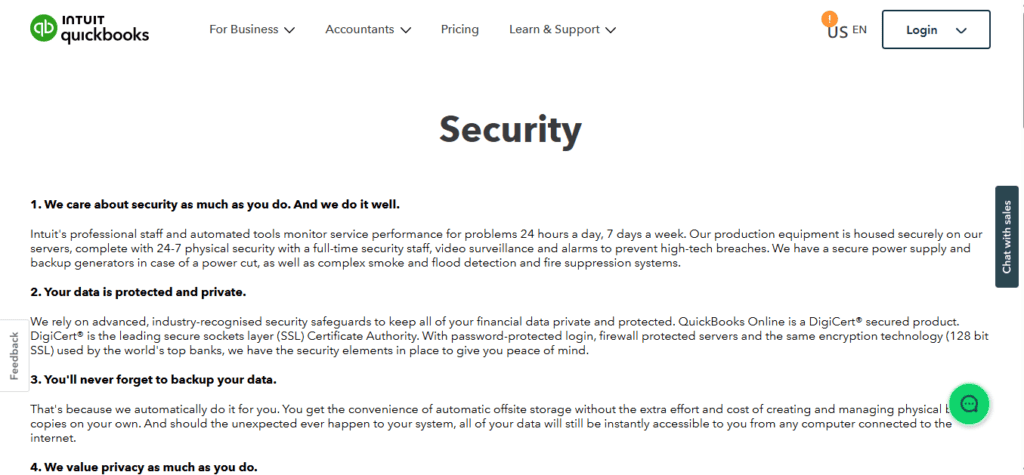
Intuit, the parent company of QuickBooks, puts a lot into keeping your data safe. QuickBooks uses 128-bit SSL encryption, the same kind used by major banks, and its servers are protected by firewalls and watched 24/7. Your data is backed up automatically, and an activity log tracks every login and change, which users can’t turn off. You also control who on your team can see what.
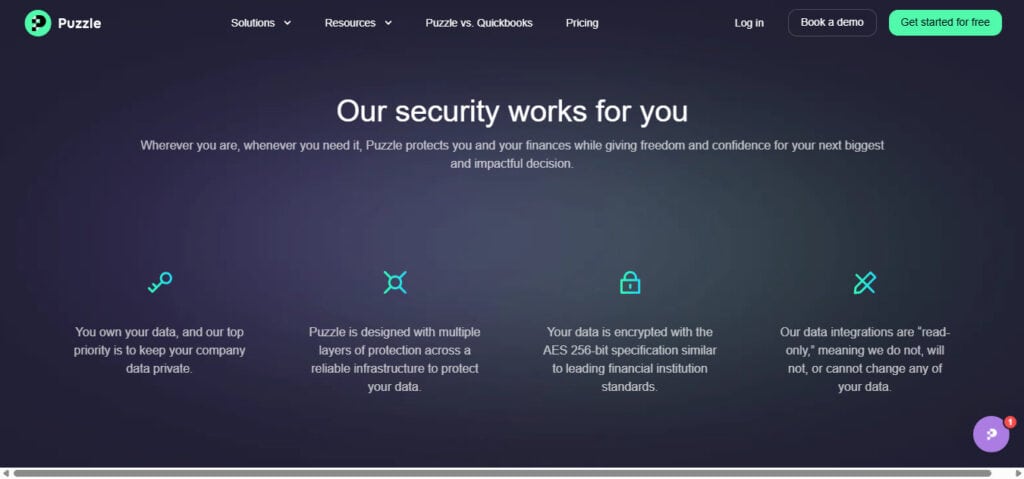
Puzzle.io also has strong security in place. Your data is protected with AES-256 encryption and encrypted at rest, and Puzzle’s integrations are read-only, so they can’t change your data in your bank or other apps. On top of that, they’re SOC 2 compliant, which means an outside auditor has checked how it handles and protects customer data.
Both are good choices when it comes to security. QuickBooks leans on its long track record, automatic backups, and a detailed activity log, while Puzzle points to its SOC 2 audit and read-only integrations. Unless your industry has special compliance rules, either one should keep your financial data safe.
Pros and Cons Summary
Here’s a quick look at Puzzle accounting vs QuickBooks, and where each one shines and falls short.
QuickBooks Online
Pros:
- Intuitive and user-friendly interface.
- Vast user community and extensive third-party integrations.
- Strong core accounting features like payroll, inventory, and project management.
- Widely trusted and recognized brand.
Cons:
- Limited AI automation; while AI features are improving, the best ones are saved for Plus and Advanced, and several are still in beta, so lower plans need more manual checking.
- Customer support quality can vary significantly.
- May lack sophistication for high-growth or complex enterprises.
Puzzle.io
Pros:
- AI automation cuts down on manual accounting tasks.
- Cash, burn, runway, and margin insights plus variance analysis (Core and up), with forecasting through integrations like Causal and Runway.
- Grows with your business, with unlimited users on the higher plans and no transaction limits on Scale.
- Personalized and responsive customer support.
Cons:
- Fewer integrations and third-party applications compared to QuickBooks.
- Relatively new, lesser-known in the broader accounting market.
- Higher initial costs compared to QuickBooks’ entry-level plans.
Final Recommendation
When choosing between QuickBooks and Puzzle.io, the best choice depends largely on your specific business needs and strategic priorities.
Choose QuickBooks Online if:
- You prefer a well-established platform with extensive resources.
- Your business relies heavily on third-party integrations.
- You prefer gradual automation and have existing familiarity with QuickBooks.
- Your accounting needs are currently straightforward and unlikely to become extremely complex soon.
Choose Puzzle.io if:
- You value cutting-edge AI automation and predictive analytics.
- You want AI that flags issues for you.
- You want to significantly reduce the time spent on manual accounting tasks.
- Your business plans to grow fast or runs more than one company (multi-entity works through an integration on Core and up).
Both QuickBooks and Puzzle.io offer robust features tailored to different segments of the accounting software market. QuickBooks remains the trusted choice for businesses looking for comprehensive integrations and an established brand, while Puzzle is the forward-thinking, AI-driven alternative designed for modern businesses that prioritize automation and scalability.
As accounting software keeps changing, platforms like Puzzle.io could raise the bar, pushing traditional tools like QuickBooks to keep adapting. The good news is that competition keeps both of them improving. In the end, the right choice comes down to your business.
Think about how many people need access, what you can spend each month, whether you need payroll or inventory built in, which apps you already use, and how much of the bookkeeping you want the software to handle for you.