


Last Updated on March 10, 2026 by Ewen Finser
If you’re already busy running a business, looking for a low-cost digital payment platform probably feels like an overwhelming task, especially with so many options out there. If you’re a small U.S.-based organization or accounting firm looking to simplify your B2B transactions, Melio is a platform worth looking at. You might still be busy after signing up, but at least you won’t have to spend your morning coffee time managing invoices and vendor fees.
TL;DR: I love Melio’s simplicity and the fact they have competitive pricing for smaller businesses. I’ve been using Melio for years, but it felt like a good time to take another look at the platform.
Melio now offers plan-based ACH pricing, with some free ACH payments included each month and unlimited free ACH available on its top tier, alongside newer accounts payable features like bill capture, approval workflows, batch payments, bookkeeping sync, and mobile management. That said, if you need deeper enterprise-level ERP connectivity or a broader finance stack, you may still want to consider other options.
What is Melio Payments?

Melio Payments is a free digital payments platform that built for small and mid-size businesses that want to manage bills, vendor payments, and incoming payments in one place. It lets users pay by bank transfer, credit card, or check, schedule payments in advance, send invoices, and sync with accounting software, making it easier to stay on top of cash flow without adding extra admin work.
Who should use it?
If you are looking for simple accounts payable software that you can use on both desktop and mobile, Melio is a great option for cost-conscious businesses.
It’s best for small-to-medium-sized businesses based in the U.S.
It’s also a competitively priced option for U.S.-based accounting firms, especially those managing payments for multiple clients.
What I look for in a solid payment platform:
- Transparent pricing and fee structures, especially around ACH limits, card fees, and expedited transfers
- Ease of use, simplicity, and short learning curve
- Transfers and transaction speed (are same-day transfers available? What are the costs thereof?)
- Integration capabilities (most importantly with accounting software)
- Additional features like vendor management, automation, and mobile app capability
Melio’s features and services:
Melio’s feature set covers a lot more than basic bill pay. Along with accountant access and integrations with QuickBooks, Xero, and Amazon Business, the platform also includes approval workflows, batch payments, bill capture, bookkeeping sync, mobile payment management, and AI-powered tools to help streamline accounts payable.
One of Melio’s biggest draws is still its payment flexibility: businesses can pay vendors by bank transfer or credit card, even when the vendor doesn’t accept cards directly, and Melio will deliver the payment in the vendor’s preferred format. New users can also take advantage of Melio’s 30-day offer, which gives you a chance to explore more of the platform before committing. I like that this makes it easier to get a feel for whether Melio has the right balance of simplicity, flexibility, and automation for your business.
Melio’s standout features:
Melio’s Mobile App
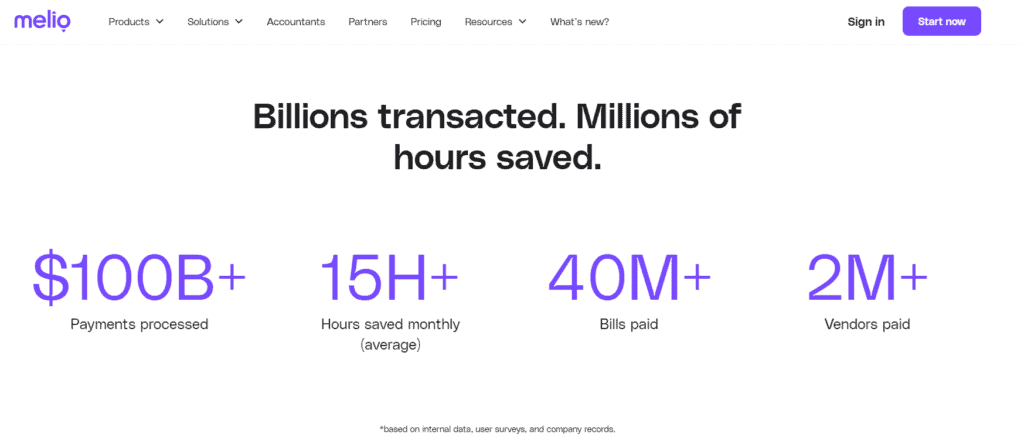
Melio has an excellent business payment app (iOS and Android), which makes it easy to track and make payments on the go. You can manage both your accounts payable and receivable in one place.
I like that you can use the app to:
- Manage your vendors, monitor payment statuses, and approve transactions.
- Amend and manage your workflows from the app by declining or approving payments.
- Scan, sync, or upload invoices directly from your device, which makes bill capture a lot more convenient.
- Easily set up reminders for transactions requiring approval to avoid delays.
Accept payments online.
I love the “Melio.me” feature, which allows you to accept payments online. What’s really great is that the recipient doesn’t require a Melio account to send the payment, which can be done via bank transfer (free) or a credit card (2.9% fee).

You can customize your link, share it via email, add it to your website or invoices, and get paid directly to your bank account within minutes.
Automation features
I love that Melio makes bill capture much easier with built-in import options. You can now import your bills automatically by selecting “Connect accounts” from Gmail or Amazon Business.
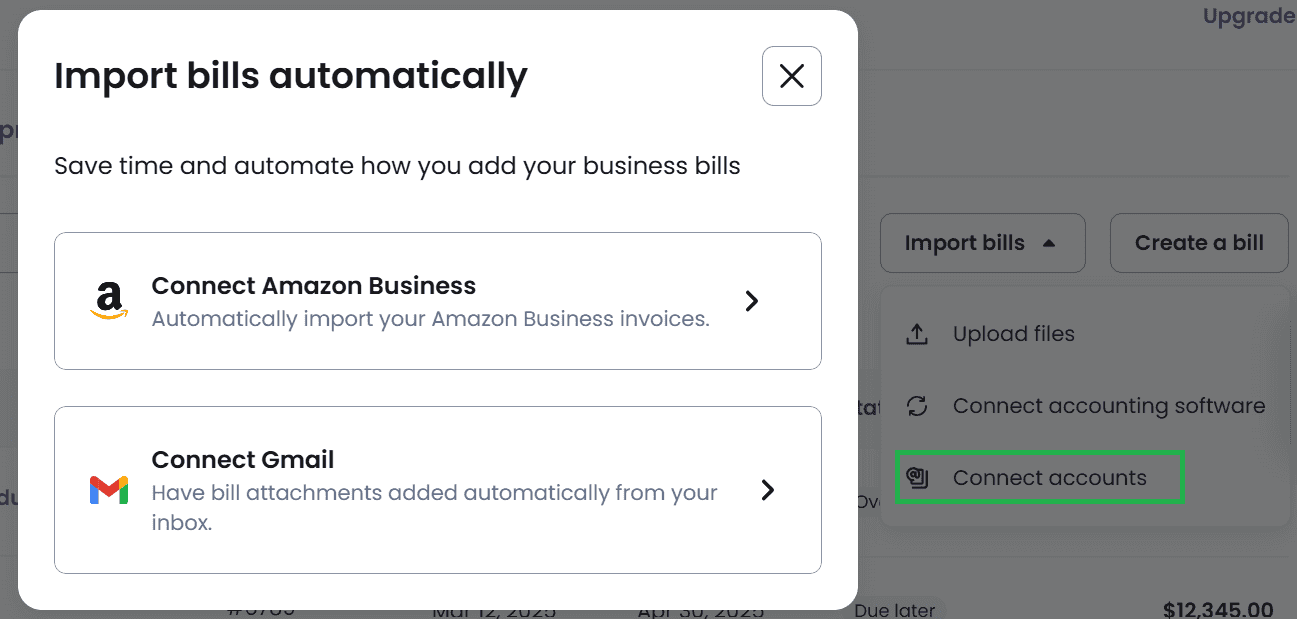

Once everything is synced, you can review, track, and pay those bills from a central dashboard, simplifying your payment processes.

Scan to capture bills.
One feature I found especially useful is Melio’s AI bill capture:
You can quickly add information via your phone by uploading a photo of your bills and invoices. (Alternatively, you can add the files (PDF or JPG).)
The invoices you scan or upload are automatically captured and appear in your Bills tab, including classes and locations.
Auto-add bills from your vendors
I personally love this feature! It takes the hassle out of manual data entry.
Instead of uploading every invoice yourself, you can have vendors send bills straight to your dedicated Melio email address. Once those invoices come in, they’re added to Melio automatically, which makes it much easier to keep everything organized and schedule payments without extra back-and-forth.
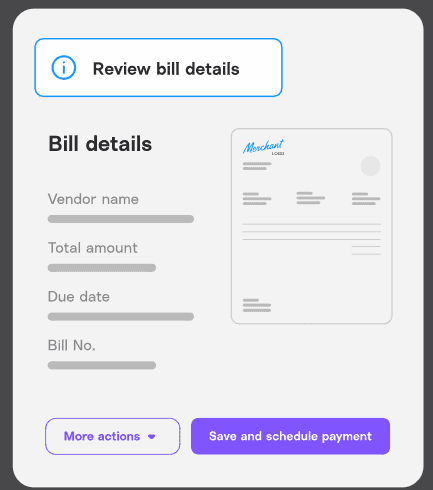
This feature also works if you forward invoices to your dedicated Pay Bills email. Melio will scan and automatically add your bills for you.
Vendor Management
I was pleased to see how easy it is to manage vendors on the platform. I like tools like this that have a short learning curve and don’t require lengthy training to create, edit, manage, delete, and view vendors’ details. It also takes only a few minutes to create a new bill.
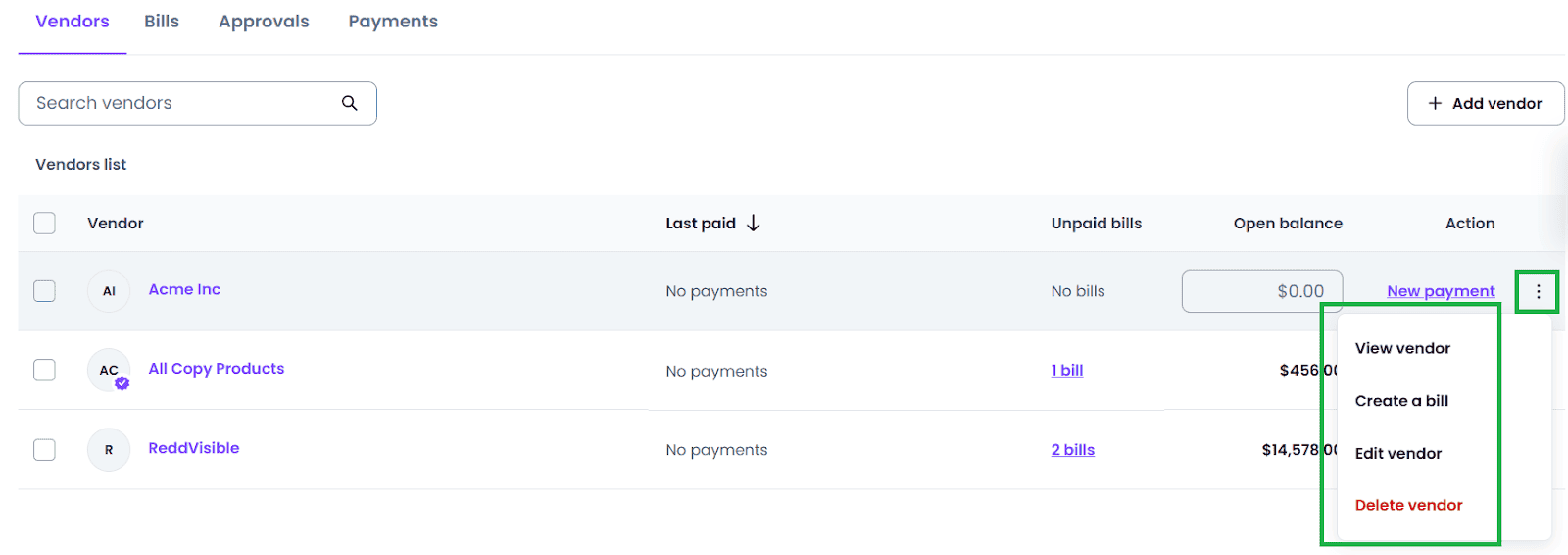
You have the ability to request delivery details if you don’t have your vendor’s details or if you aren’t sure how they want to receive payments.
This request for information can be initiated from within the app, and an email will automatically be sent to your vendor.
Melio has also added a few newer tools that make vendor management easier. You can upload multiple vendors at once with a CSV or Excel file, and teams get more control with customizable roles like Approvers and Viewers. 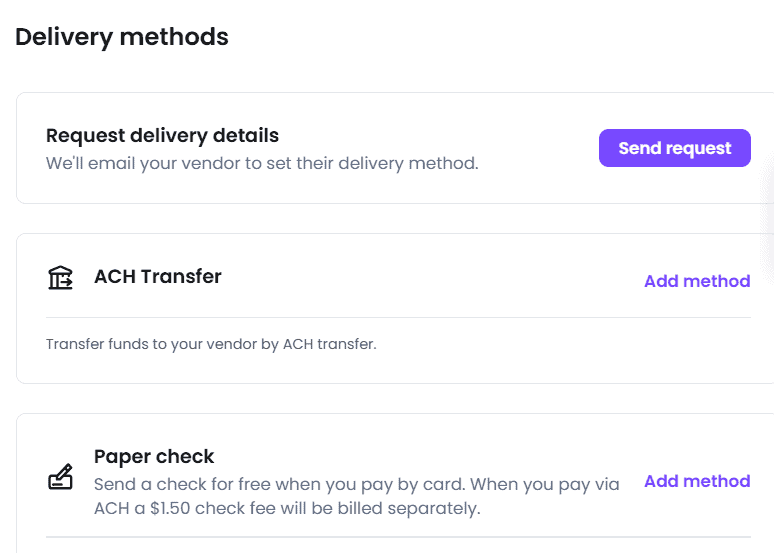
Payment features
Combined Payments: (for Core and Boost subscribers) If you have multiple bills from a single vendor, you can now bundle your payments so that you can send this as a single transaction. I love this option because it means a single transaction and time saved when managing payments.
Flexible Repayment Options:
Melio also has a useful Pay over time feature for businesses needing assistance with cashflow flexibility when it comes to repaying bills or vendors.
Vendors still get paid upfront in full, while you can repay the amount on Net 30 or in monthly installments for up to 12 payments. I like that it gives you more room to manage larger bills when needed, though installment payments do come with fees.
(Just note that this is subject to approval.)

Live tracking for payments
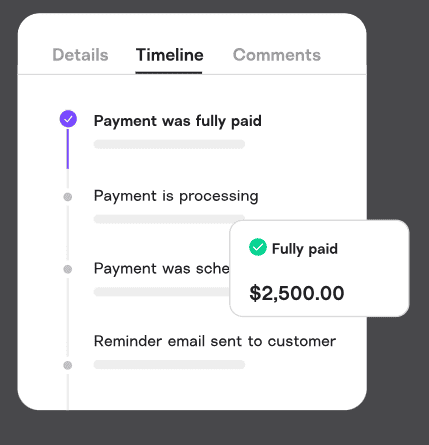
I like that Melio gives you more visibility into where a payment stands, especially when you’re paying a vendor for the first time. Instead of wondering whether a payment was sent or when it should arrive, you can check the status through Melio’s email notifications and see estimated delivery timing from within the app.
Melio Affiliate Program:
Melio has a lucrative affiliate program that is as easy as sharing your unique link. Melio uses cookies to track your referrals. Cookies last 90 days each time the potential customer clicks on your unique URL.
Note: There are also special offers available upon request. This applies to business referrals for businesses that have high credit card payment volumes (over $500K monthly)
Melio Plans and Pricing:
Melio offers several pricing tiers designed for different business sizes and payment needs. The main public plans are Go, Core, Boost, and Unlimited, with monthly or annual billing available.
They also offer monthly or annual subscriptions (with a 20% discount on yearly subscriptions.)
Note: Credit a payments are subject to a 2.9% transaction fee for all plans.
1. Go:
Cost: Free for up to one user and includes the following:
- Send 5 free ACH transfers/month (A $0.50 fee applies to each transfer after that.)
- 10 syncs with QuickBooks Online & Xero
- Multiple payment methods: Pay by card or bank—send check, ACH, or instant transfer
- Easy bill adding: Upload, scan, or import bills
- Dedicated email for auto bill capture
- Global payments in USD or local currencies
- Recurring & partial payments
- Instant payments
- AI bill capture
- Free mobile app (iOS & Android)
- Get paid: Accept payments via custom links
2. Core:
Cost: $25/month for one user (plus $10 per month per additional user).
- Send 20 free ACH transfers/month (the same $0.50 fee applies to each transfer after the monthly free ACH transfers are used.)
- Unlimited 2-way auto-sync with QuickBooks Online & Xero
- Batch-pay multiple bills at once
- Combine payments into one transaction
- Roles, permissions, and user management
- AI assisstant
- Automated approval workflows
- W-9 collection & auto 1099 sync
- Automatic capturing of bill line items
- Priority support
3. Boost:
Cost: $55/mo for one user (plus $10 per month per additional user).
The Boost plan includes everything in Core, as well as:
- 50 free ACH transfers/month (once consumed, the same $0.50 fee as above applies)
- 2-day ACH transfer eligibility
- Advanced multi-user approval workflows
- 2-way auto-sync with QuickBooks Desktop
- Advanced bill attributes (classes & locations)
- Premium phone support
4. Unlimited Plan:
Cost: $80/month with unlimited users, or $64/month billed annually.
The Unlimited plan includes everything in Boost, plus:
- Unlimited free ACH payments
- Unlimited users
- Dedicated onboarding
- Dedicated account manager
Before you sign up: I would recommend looking for deals—it seems like they often offer discounts. As of right now, they’re running one for 20% off subscription fees.
Accountants Plans
For accountants, you can access all client information via the centralized dashboard, including their current payment status. The accountant plan also includes seamless syncing with Quickbooks, Xero, and Amazon Business.
I like that Melio offers a dedicated support team for its Accountant plan users. Take advantage of industry-specific support to provide your clients with professional accounts payable experience.
As a bonus, there are no subscription fees for accountants and a -30% for your clients!
Melio Integrations:
QuickBooks:

Melio has an automatic two-way sync with QuickBooks Online & QuickBooks Desktop.
The syncs include vendor details, outgoing payments, and incoming payments.
One thing to note, though, is that QuickBooks Desktop support is tied to Melio’s higher-tier plans.
Xero

You can add your bills and invoice information, which automatically syncs in Xero and Melio.
The syncs include vendor details, outgoing payments, and incoming payments.
Amazon Business
You can import and pay your Amazon Business invoices effortlessly with Melio.
Amazon’s Pay by Invoice customers can easily connect with Amazon Business and streamline invoice payments. I like that I also have the option to pay by card, ACH bank transfer, or instantly.
Pros and Cons of Melio:
Melio Payments Pros:
- No contracts
- Live customer support
- Advanced security features
- W-9 and 1099 tools
- No delivery fees
- Unlimited management
- Unlimited users available on the Unlimited plan
- QuickBooks, Xero, and Amazon Business integrations
- Mobile app
- Pay over time flexibility
Melio Payments Cons:
- Fees can add up if you rely on card payments or premium delivery methods
- No real-time ERP sync
- No Chrome extension
- No integration with Zapier
- No built-in expense reporting
In summary, I really like Melio. It took only a few minutes to get comfortable with the platform and set up the basics, and I found the overall experience intuitive and easy to navigate. With its mix of payment flexibility, automation, and useful accounting integrations, it’s an excellent option for SMBs looking for a cost-effective platform. That being said, I did find that it lacks some of the advanced financial management features that would make this somewhat limited for enterprise organizations.