


- My TL;DR for Choosing the Best Fit HRIS:
- HRIS Platforms Comparison Snapshot:
- How I Evaluated Our Top HRIS Picks:
- Our Top HRIS Systems for Mid-Market & Enterprise Organizations
- 1. Paylocity - Best All-in-One for Mid-Market & Enterprise
- 2. Workday - Best Enterprise HRIS
- 3. SAP SuccessFactors - Best for Global Companies
- 4. ADP Workforce Now - Best for Integrated Payroll and Benefits Management
- 5. Rippling - Best Modern HRIS for Scaling Businesses
- 6. BambooHR - Best Lightweight HRIS
- Mid-market or Enterprise: How to Choose What Is Best For You?
- Final Verdict
Last Updated on April 30, 2026 by Ewen Finser
Human Resources Information Systems (HRIS) play a pivotal role in supporting HR teams in managing workforces and operations, but finding the right platform for a unique business can be a challenge. As organizations grow into mid-market (200-5000) and larger (5000+) employee headcounts, finding a good HRIS to support businesses of this scale should be a top priority.
Businesses should evaluate HRIS capabilities when it comes to managing payroll, compliance, recruitment, automation, and the ability to integrate with existing and new systems. As workforces grow, managing multiple aspects becomes more complex, and this burden can be eased with supporting systems that handle additional requirements.
There won’t always be a perfect fit. However, narrowing down the key criteria and integration points can help businesses decide which system best fits their needs.
My TL;DR for Choosing the Best Fit HRIS:
- Best overall HRIS for mid-market and enterprise: Paylocity
- Best platform for enterprise scale: Workday
- Best option for global businesses: SAP SuccessFactors
- Best platform for payroll features: ADP Workforce Now
- Best modern tool for growing businesses: Rippling
HRIS Platforms Comparison Snapshot:
Platform | Best for | Company size | Standout Features | Cons |
Paylocity | An all-in-one HRIS | Mid-market to enterprise | User experience and mobile-first design | Learning curve and implementation |
Workday | Teams needing large-scale HRIS features | 5000+ | Analytics and dashboards | Cost |
SAP Successfactors | Global Organizations | Enterprise | HR Compliance functionality | Lengthy and complex implementation |
ADP Workforce Now | Organizations needing strong payroll | Small to large businesses. | Payroll accuracy and assistance | Outdated user interface |
Rippling | Modern and scaling organizations | 50-2000 | AI features and automations | Cost |
BambooHR | Small-mid market businesses needing a lightweight HR Platform | 50-500 | Intuitive, user-friendly, and good onboarding and employee experience capabilities | Not scalable to enterprise level |
How I Evaluated Our Top HRIS Picks:
Comparing HR systems in a like-for-like manner is not always the best approach, as each business has unique requirements based on team size, complexity, location, and other factors. Regardless of the business requirements, most HR systems should still include a set of common functionalities and features.
For this reason, I’ve evaluated these top picks based on:
- Payroll and compliance features
- Scalability – this is a critical factor for large organizations that may continue to grow
- Integrations with existing software and the ability to integrate with others in the future
- Overall user experience and learning curve
- Advanced analytics, reporting, and dashboards
Whenever I’ve implemented software, I opt for tools that meet as many key criteria as possible, and although you’ll never have one that ticks every single box, you can still get pretty close.
It takes weeks (if not months) to fully set up and socialize a new major platform, so I want to reduce onboarding time wherever possible. This is why I value overall ease of use and a low learning curve to ensure user adoption has the best chance of success.
Our Top HRIS Systems for Mid-Market & Enterprise Organizations
1. Paylocity – Best All-in-One for Mid-Market & Enterprise
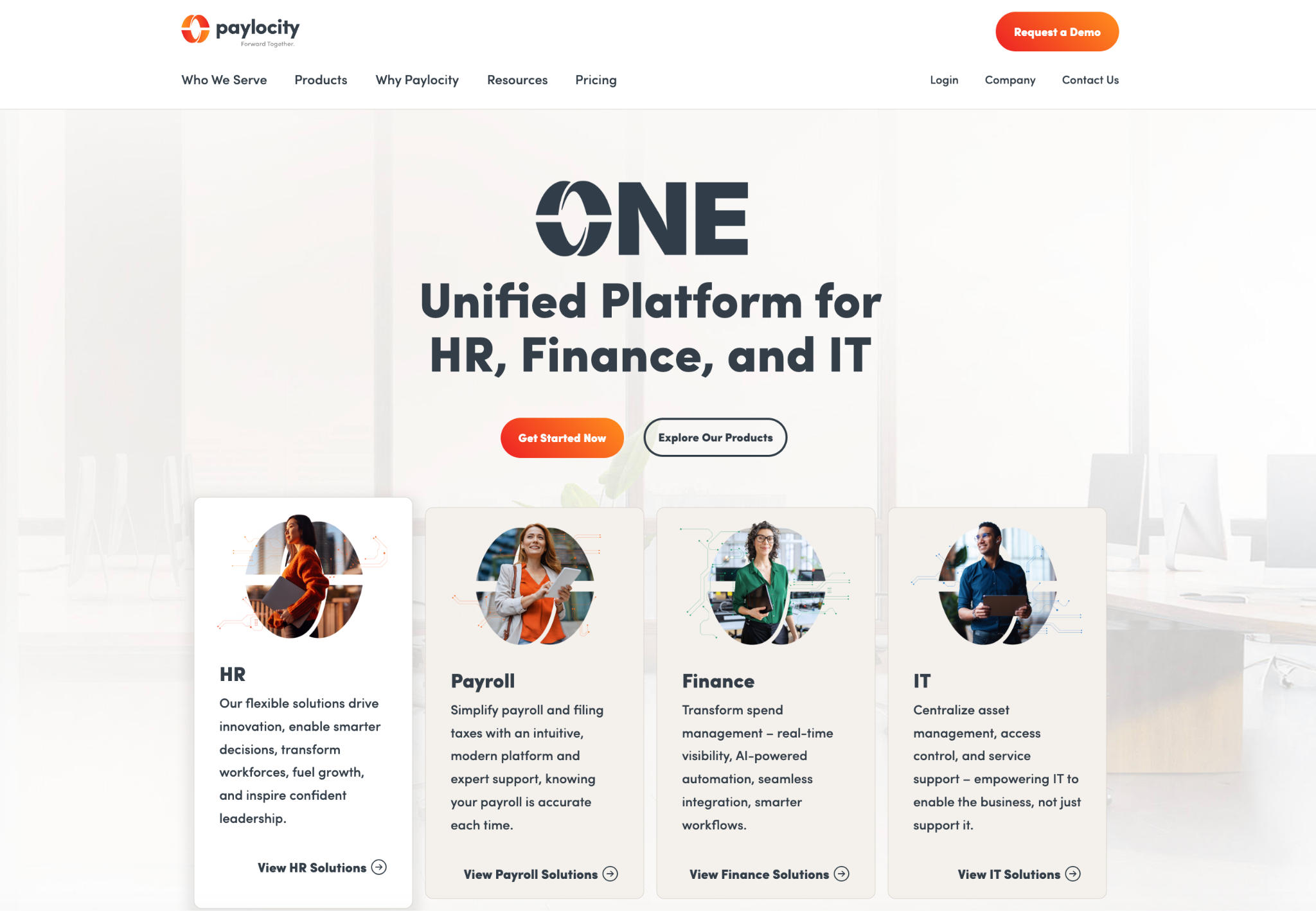
Paylocity is a real “all-in-one” platform, and from my experience with them, they cover a wide range of core features, and they do this well. They strike a good balance between overall usability and functionality, which makes the platform feel cohesive rather than modular and outdated, like some of the other tools I’ve tried. It’s a more collaborative tool than a simple HRIS, which really focuses on engagement and adoption.
Best Fit For:
They are an ideal fit for mid-market but also cater to enterprise organizations looking for a well-rounded tool that covers core features across multiple teams, including HR, IT, Finance, and more.
Standout Features:
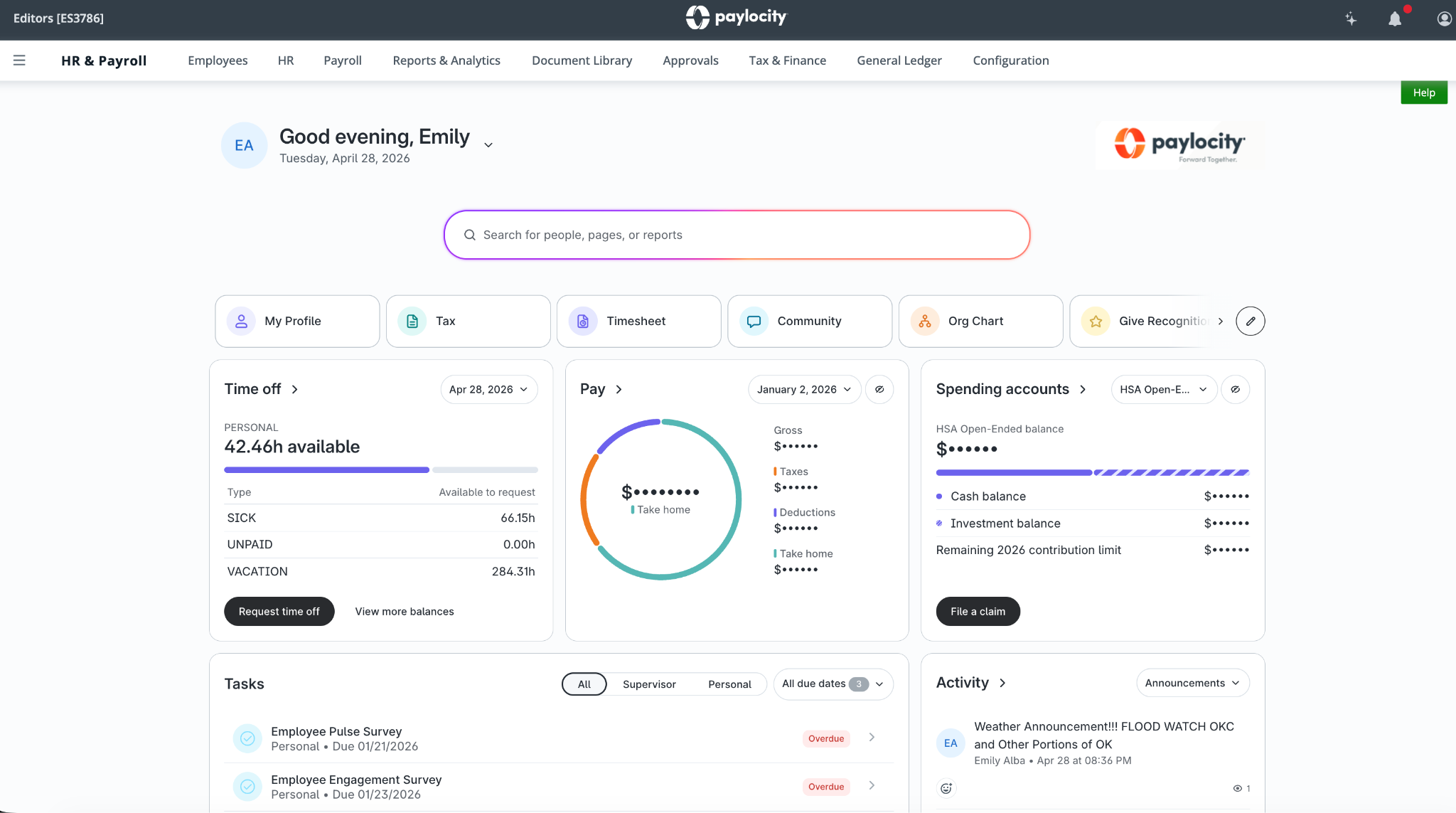
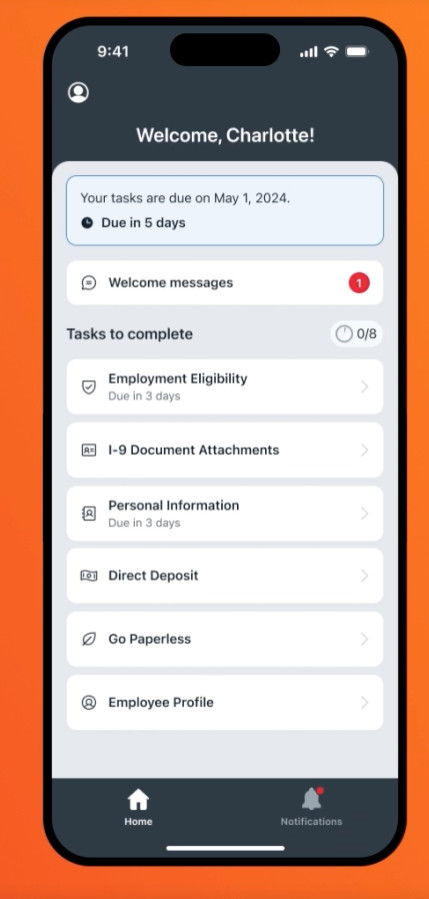
- The employee and HR suite is really engaging and modern. It offers a great mobile experience, which is critical for teams that need to ensure employee self-service (including time-off requests, pay stubs, and other important information) is easy to use.
- Automating workflows for tasks such as routine HR tasks is a significant value-add for HR teams that need to stay on top of large headcounts.
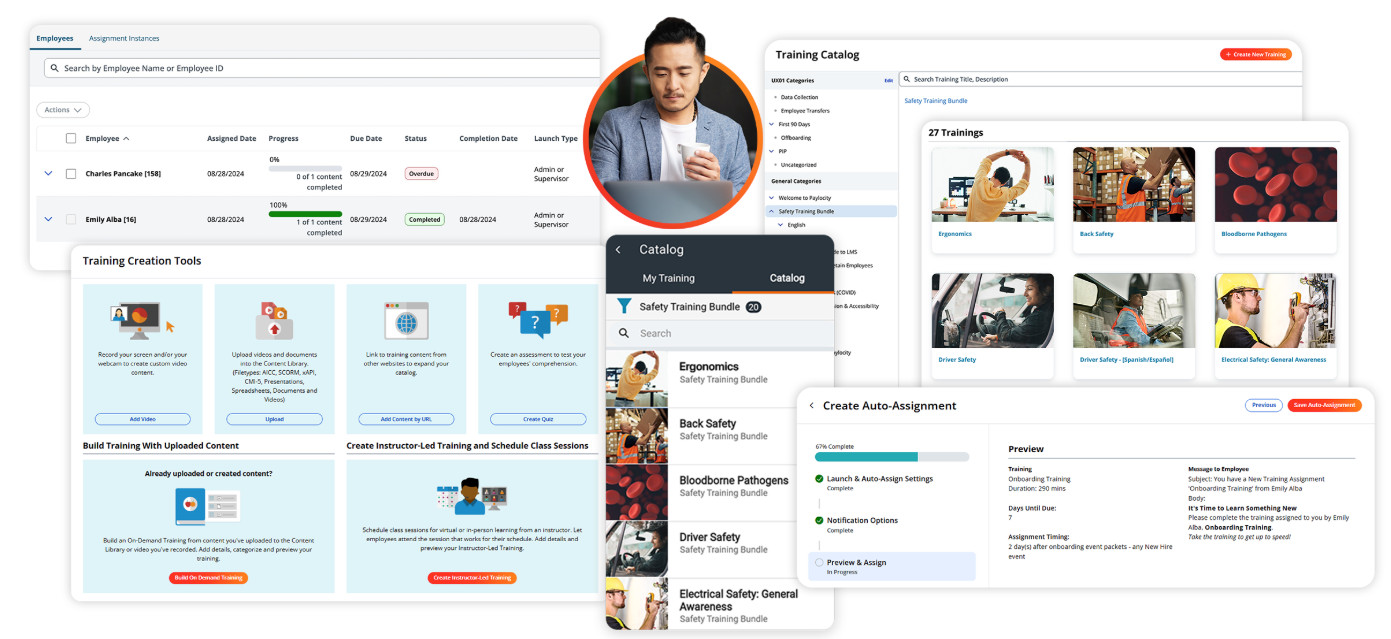
- Employee management from recruitment to onboarding, benefits management, and even learner management and employee recognition is all in one place. LMS platforms tend to be expensive and hard to implement, but having a built-in way to manage employee goals and upskilling in a modern interface is a great feature.
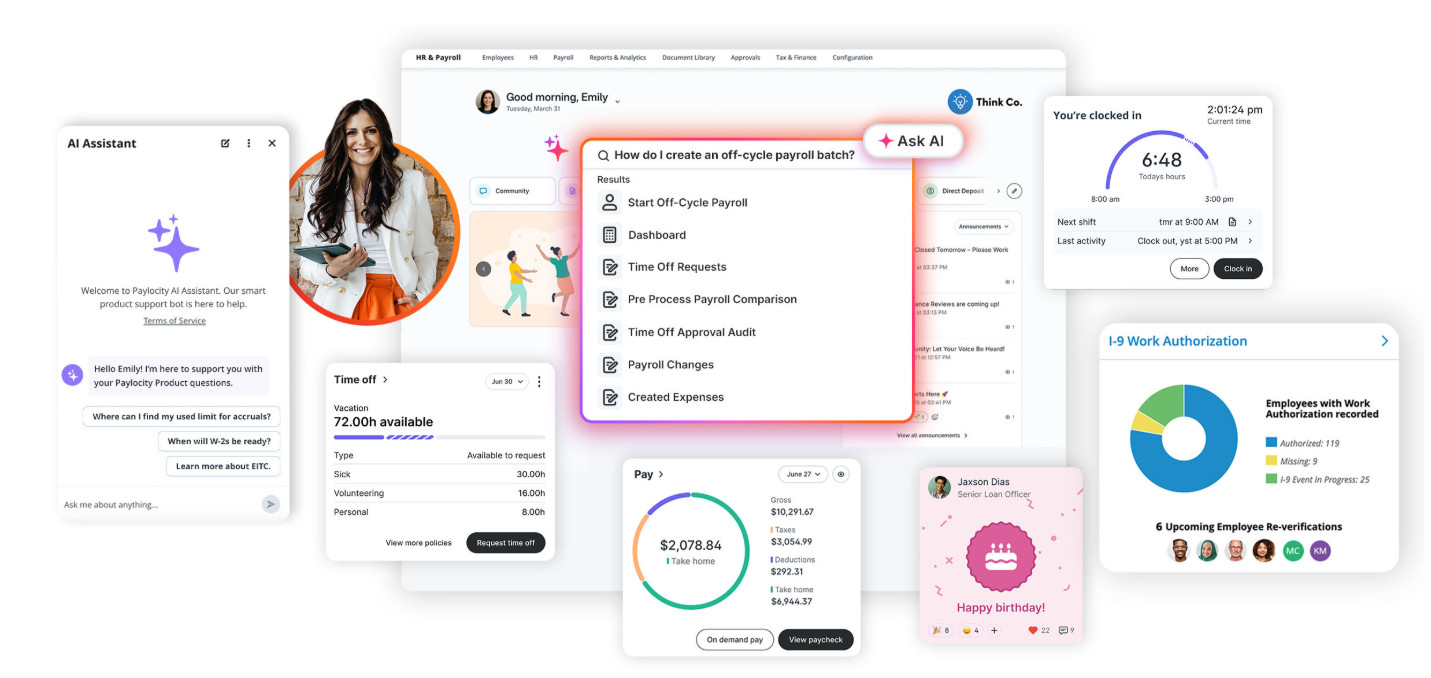
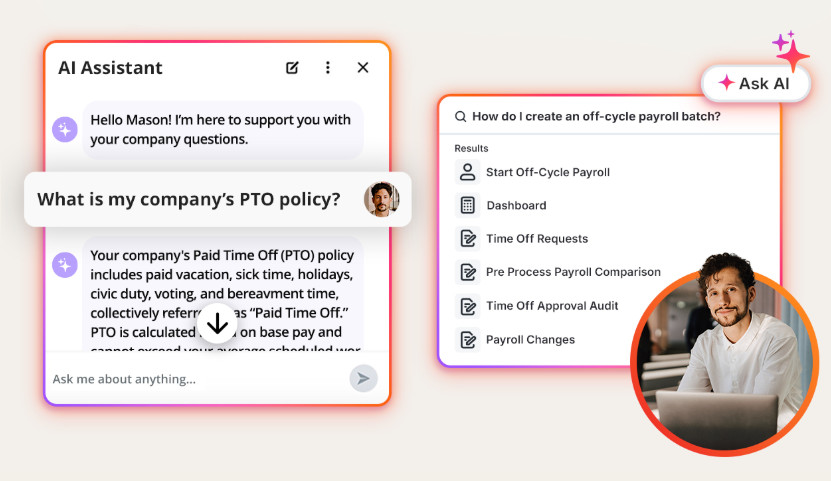
- Paylocity’s AI assistant features can help teams create workflows that enable users to find information quickly. In my experience, this is important for managing the overall employee experience positively and driving retention.
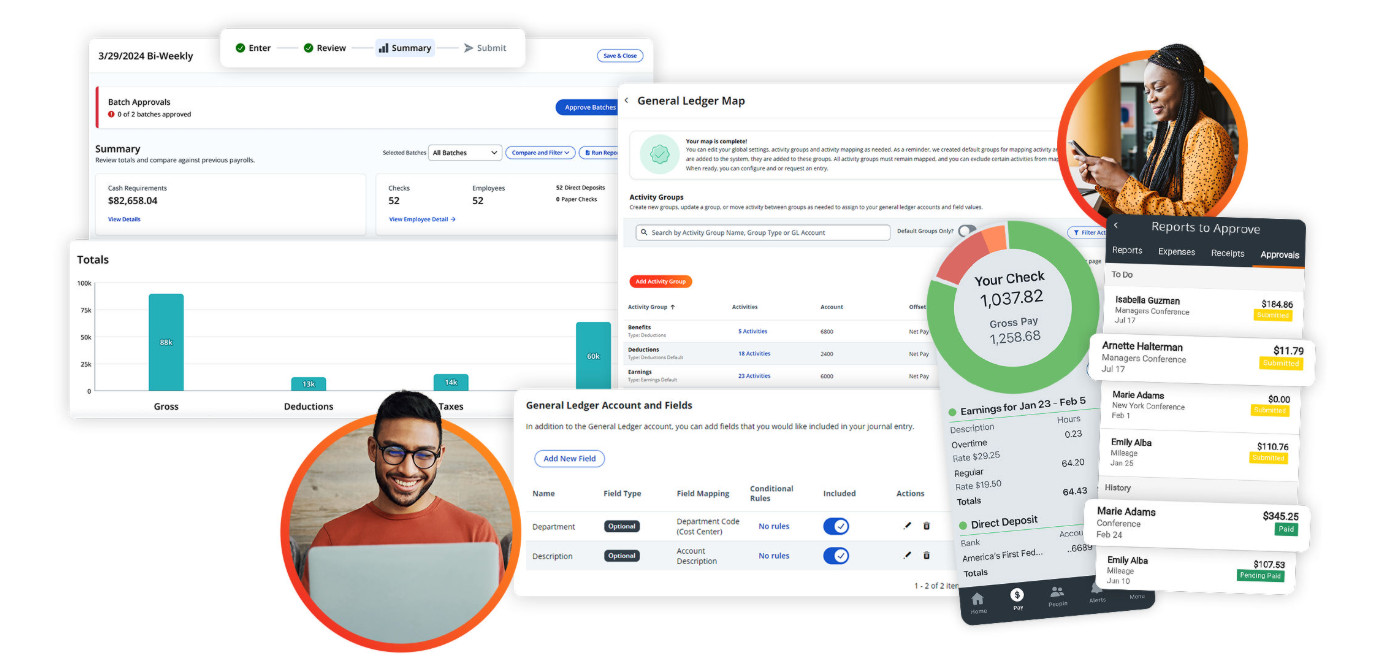
- The built-in payroll and finance management tooling covers a wide range of functions, not just simple payment processing. Paylocity caters to global payroll and enables teams to manage expenses, taxes, retirement plans, and more from a single platform.
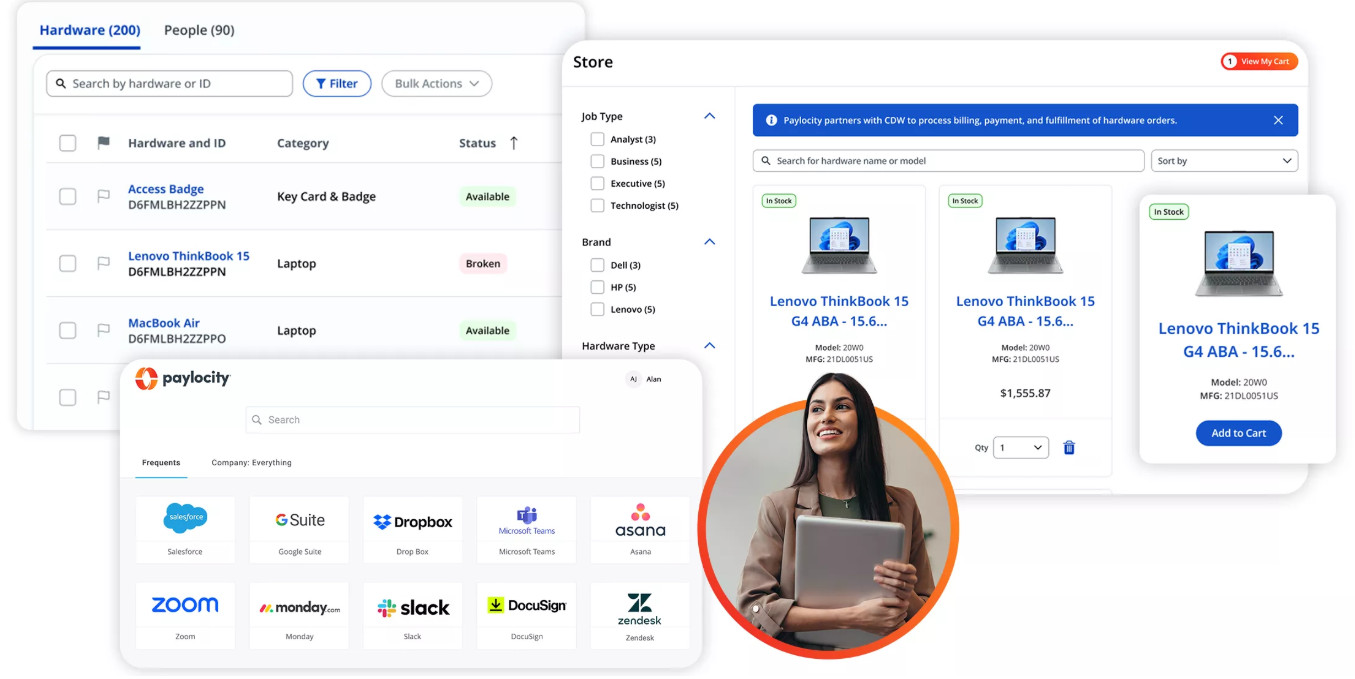
- Paylocity is one of the few tools I’ve seen that caters specifically to IT teams who need a way to manage asset management, security, and identity access management without using IT-specific tools.
Pros:
- Paylocity covers the full end-to-end process from employee self-service to compliance, workforce management, scheduling, payroll and tax compliance, time and labor, recruitment, benefits administration, and analytics in a single system without needing to plug in additional systems.
- User-friendly, sleek dashboards help employees, HR teams, and even executives easily see critical insights at a glance, reducing the risk of a poor navigation experience when searching for information.
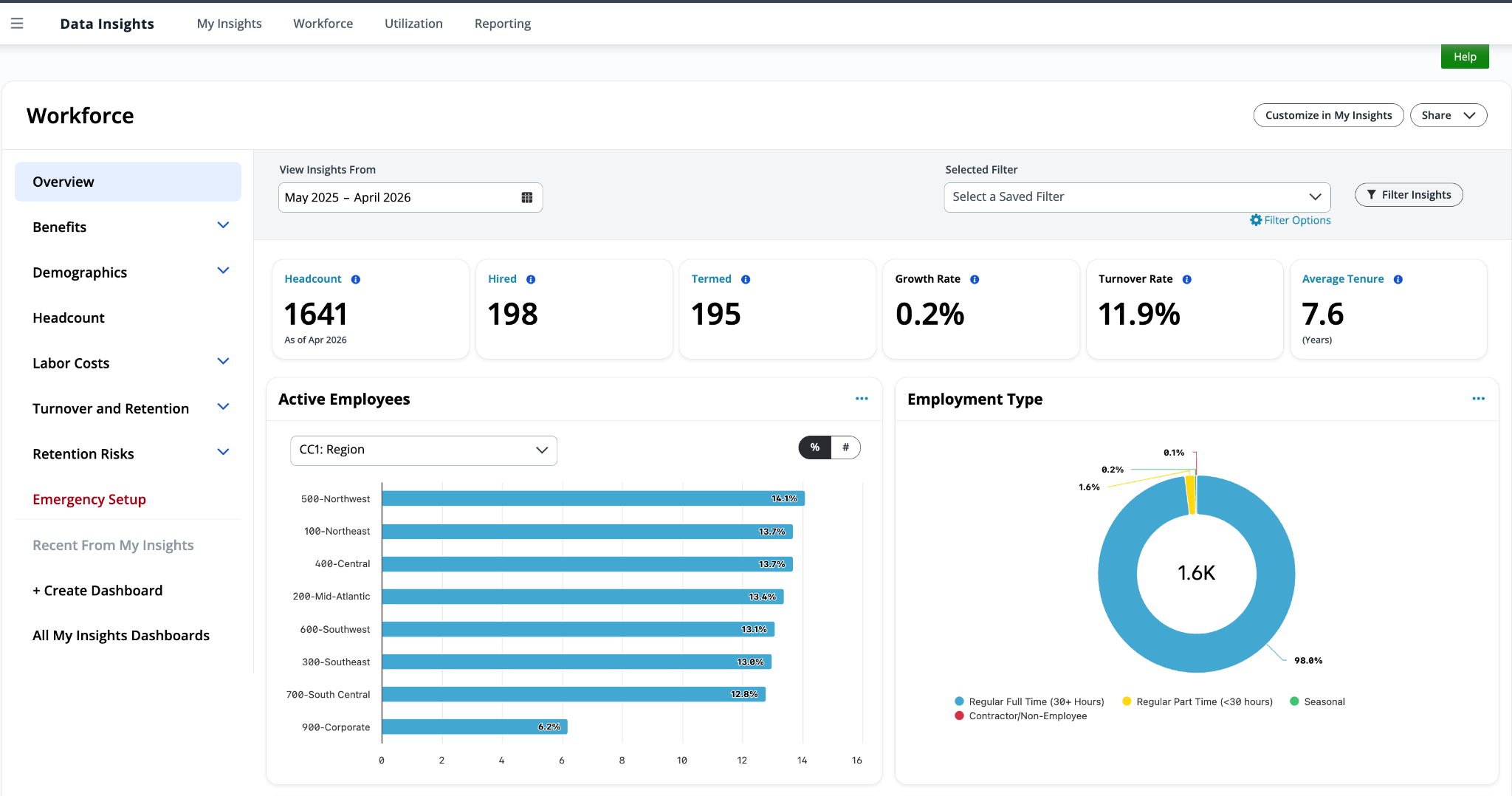
- Key features such as reporting and dashboards don’t require extensive setup and implementation processes to get up and running. A lot of pre-configured out-of-the-box templates and workflows are available for quick use.
- Customer service is excellent and fast to respond.
- Modern and mobile-first design helps improve overall adoption.
Cons:
- The all-in-one system may be overkill for smaller teams that only need a single-function tool.
- Implementation can be lengthy and require a long ramp-up process to ensure it works as best as possible.
- Add-ons for specific modules can add up quickly for smaller, cost-conscious companies.
Not Ideal For:
Small teams that only need one or two basic functionalities, such as HR management or payroll.
Paylocity in a snapshot:
Overall, Paylocity really stood out to me for its user-friendly, mobile-first design. Everything about the platform seems optimized for engagement and caters to a wide range of functions and teams, which is why it’s my top HRIS pick for mid-market and enterprise organizations.
2. Workday – Best Enterprise HRIS
Workday is one of those popular tools that gets a lot of praise for good reason. It’s a behemoth of a tool that tends to handle HR, finance, workforce planning, and analytics in one place.
Best Fit For:
It’s for larger organizations that need more than a simple HR tool, and in this case, complexity is a good thing. I’ve worked in organizations with multiple HR teams and departments, and having a tool that meets each team’s diverse needs is important.
Standout Features:
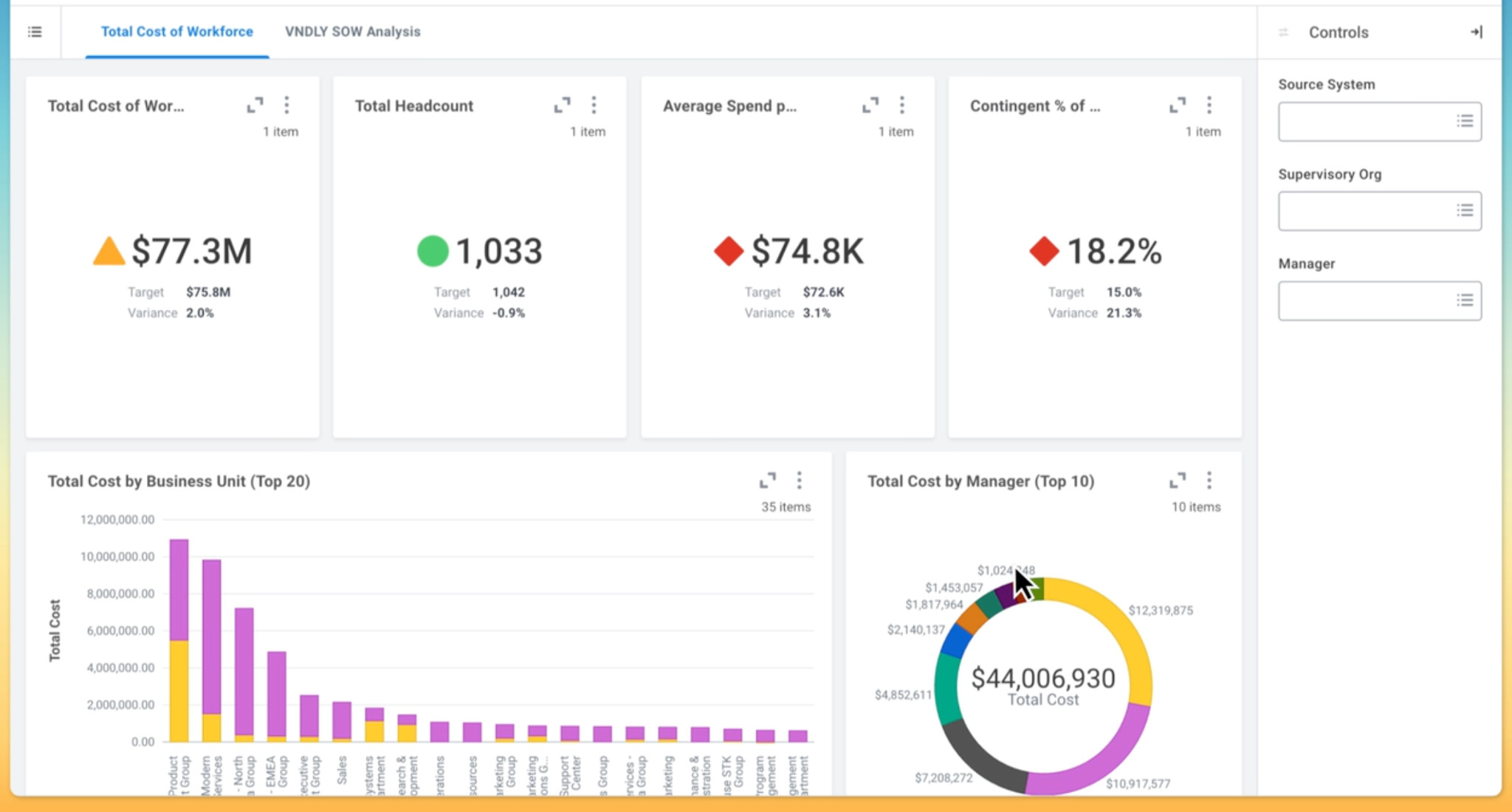
- I found their analytics and reporting suite particularly weighty and impressive.
- Global payroll capabilities (this is critical for larger/globally dispersed teams)
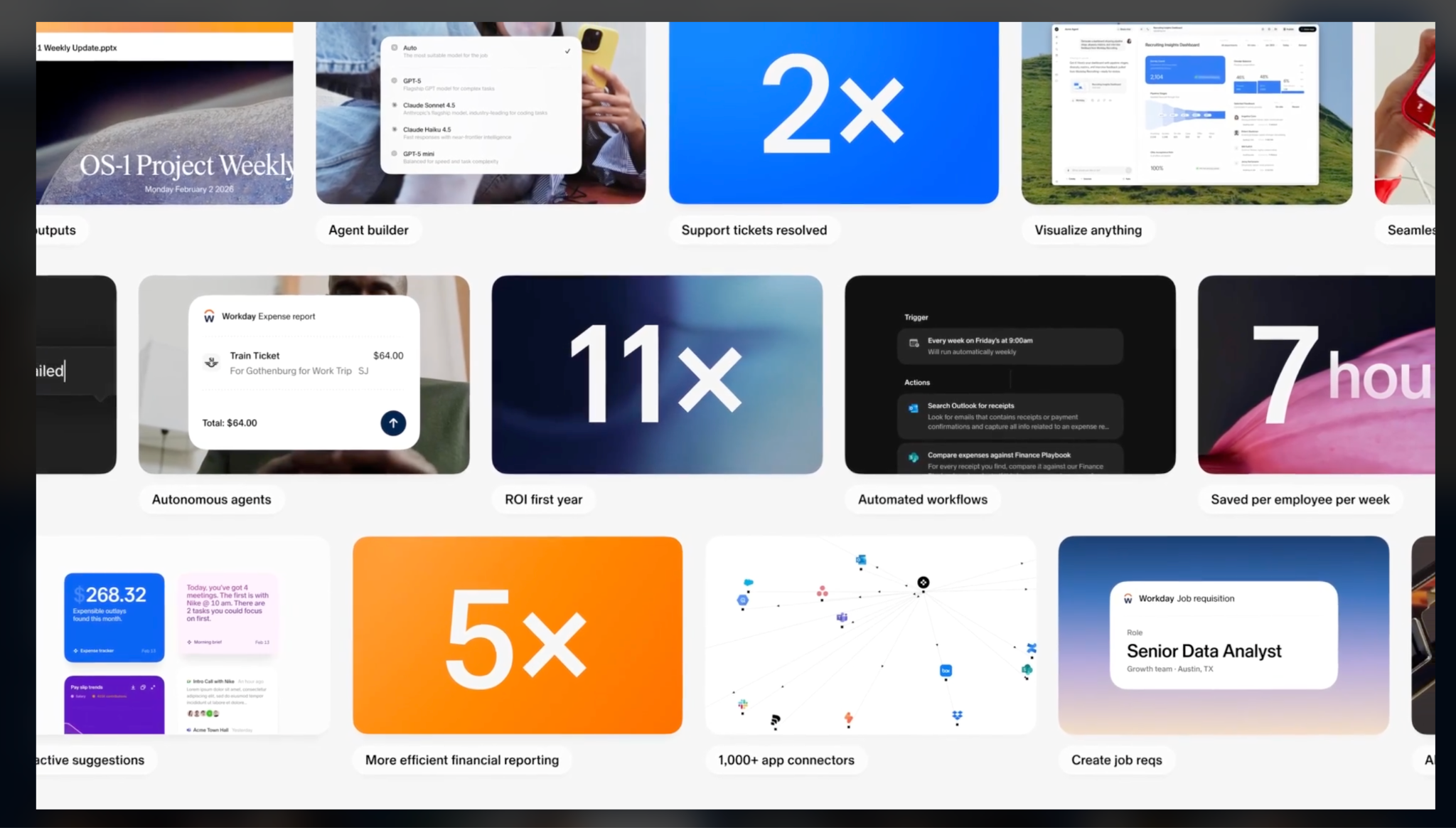
- AI-driven features (Workdays Sana) that help automate functions across Finance, IT, and HR.
Sana can help create workflows for specific functions, narrow down candidates in your database, and give IT teams a quick view of critical tickets within minutes.
Pros:
- Scales well for growing organizations that need more advanced features.
- Customizable for departments that need unique requirements.
- Analytics that are powerful for reporting and senior executives.
- Strong workforce management.
I like visuals and dashboards that are accessible for C-Suite executives and bring key data points together at a glance:
Cons:
- The cost for platforms of this size can be limiting for smaller businesses
- Steep learning curve and longer upskilling and adoption process
- Lengthy implementation phase (and potential add-on costs)
Not Ideal For:
Smaller cost-conscious teams that need a lightweight solution. Complexity can be overwhelming for smaller departments and teams.
Workday in a Snapshot:
Overall, I’ve found Workday to be a popular and reliable platform for enterprise organizations, and with the right implementation, systems, and processes in place, it can be highly successful.
I have, however, also found that it tends to be overly complex and overkill for smaller organizations, leading to friction with the platform and poor adoption.
3. SAP SuccessFactors – Best for Global Companies
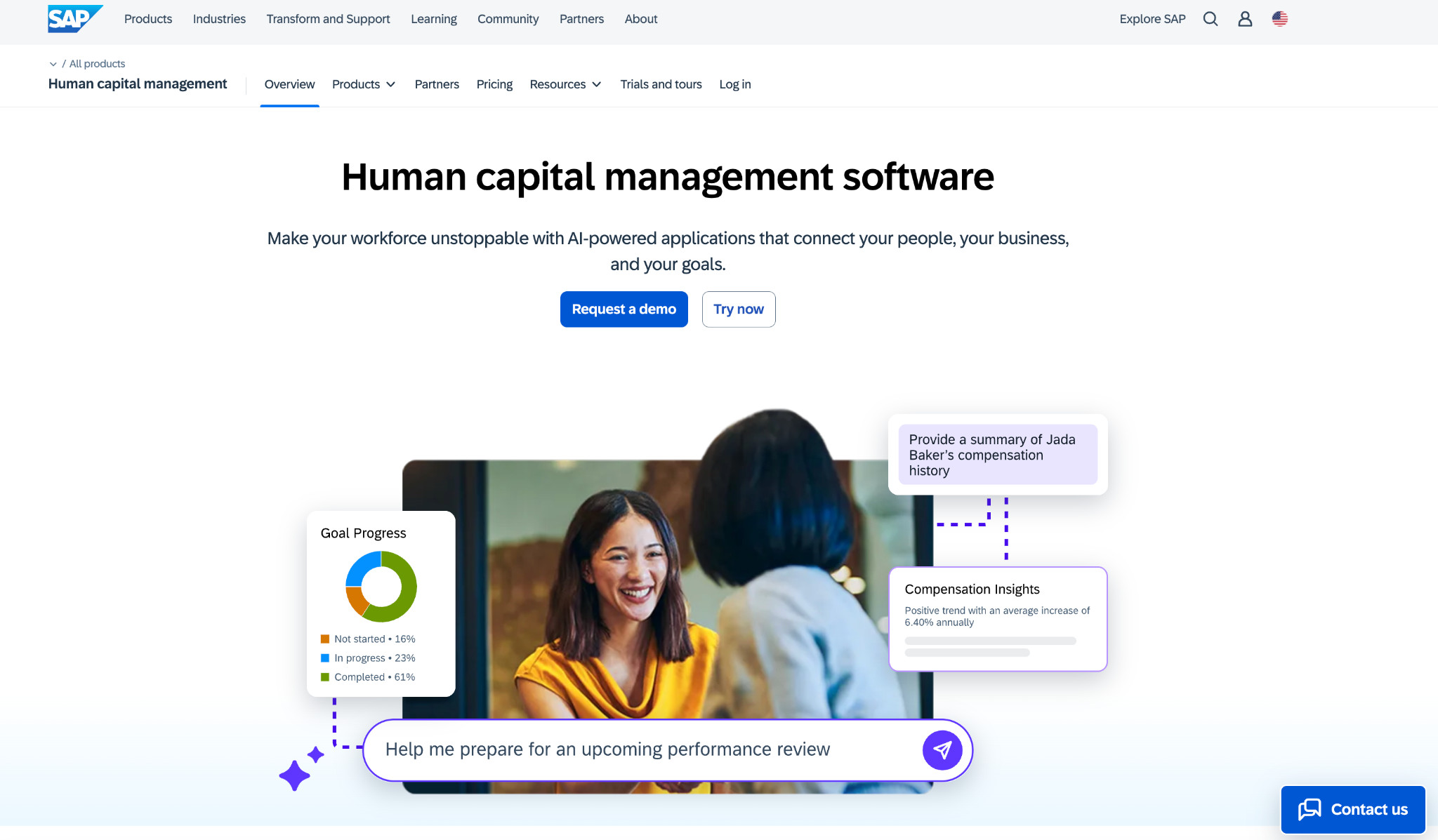
SAP is one of the names that come up regularly when it comes to larger systems and has been a player in the HR Systems landscape for quite some time. SAP SuccessFactors has consistently evolved, and it’s one of the tools I’ve seen do well in the enterprise space, especially for those who need more compliance-focused tools.
Best Fit:
SAP has grown and matured over the years to support international workforces, and it does this well. SAP has created a platform that supports compliance across the HR sphere in over 100 countries, making it best suited for global organizations looking to centralize their HR requirements.
Standout Features:
- The integrated SAP ecosystem connects with other SAP modules, making it scalable and customizable for diverse business needs.
- New AI features help accelerate recruitment and hiring processes. Offers full talent management functionalities.
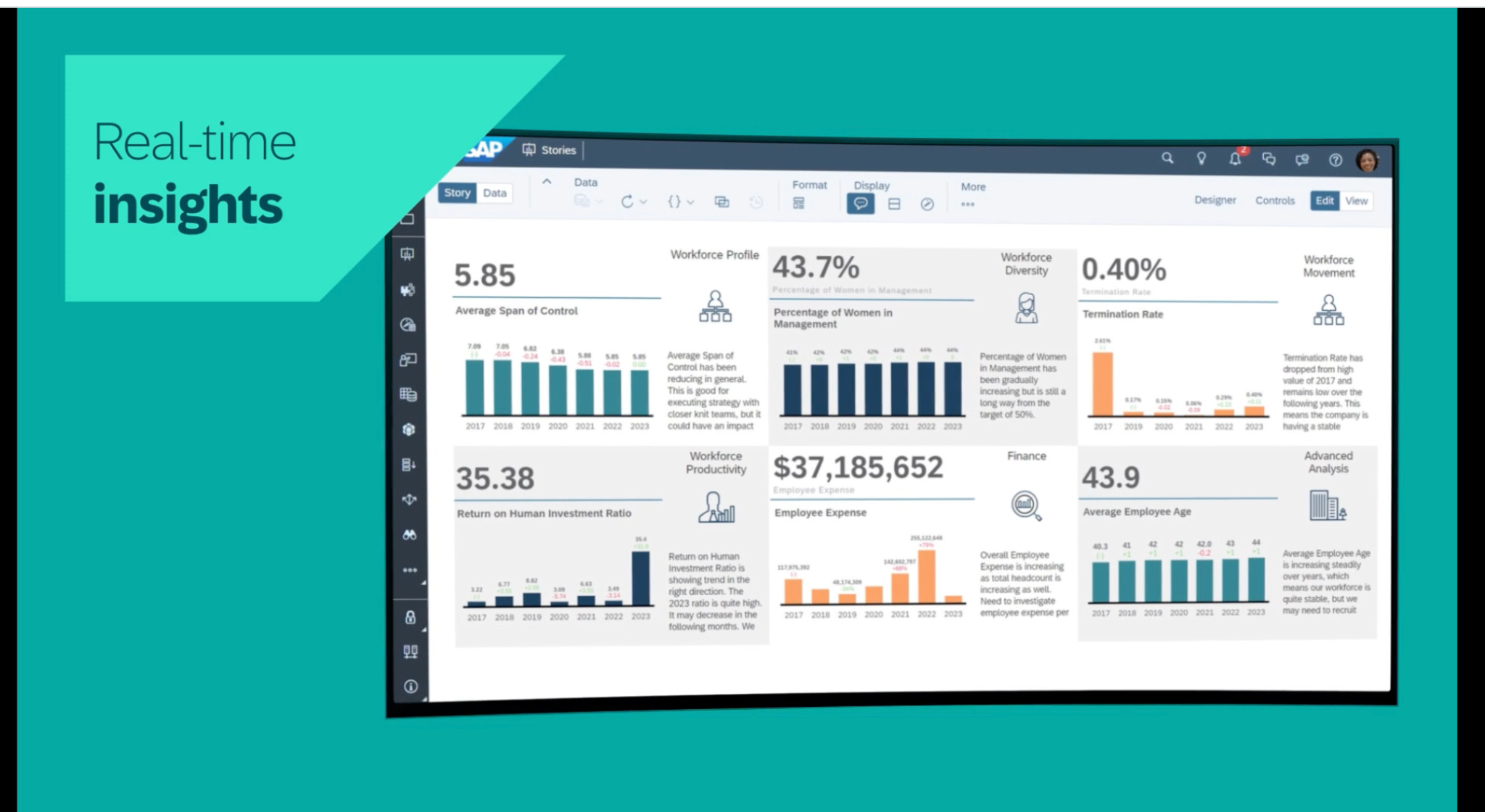
- Real-time reporting and insights for added visibility and overview.
Pros:
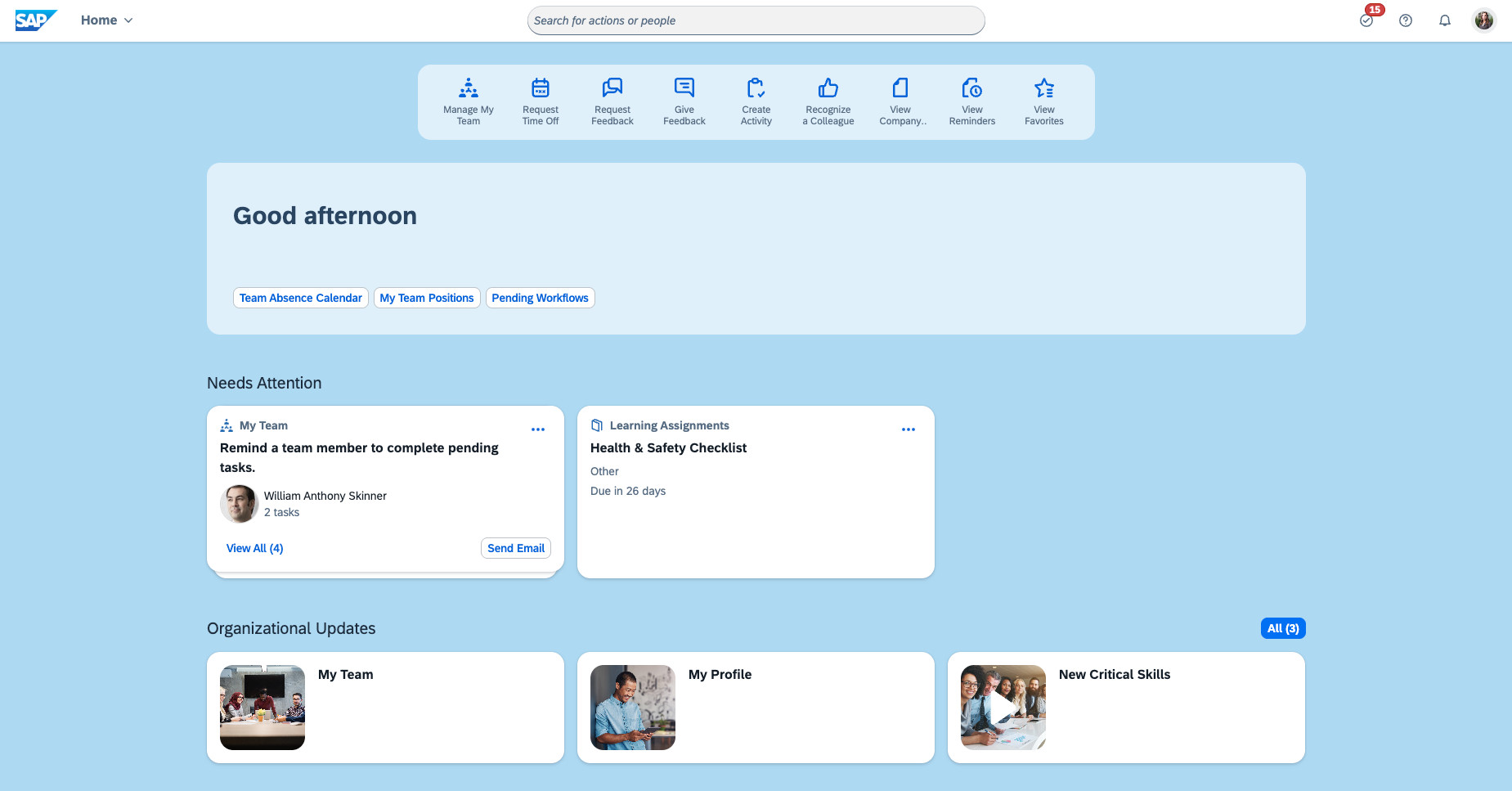
- Modernized interface and good mobile experience with a mobile-first design. The HR overview dashboard gives users a quick glance at important notes and actions for the day.
- Offers compliance features for global teams, with automated notifications that alert HR teams when changes are enforced.
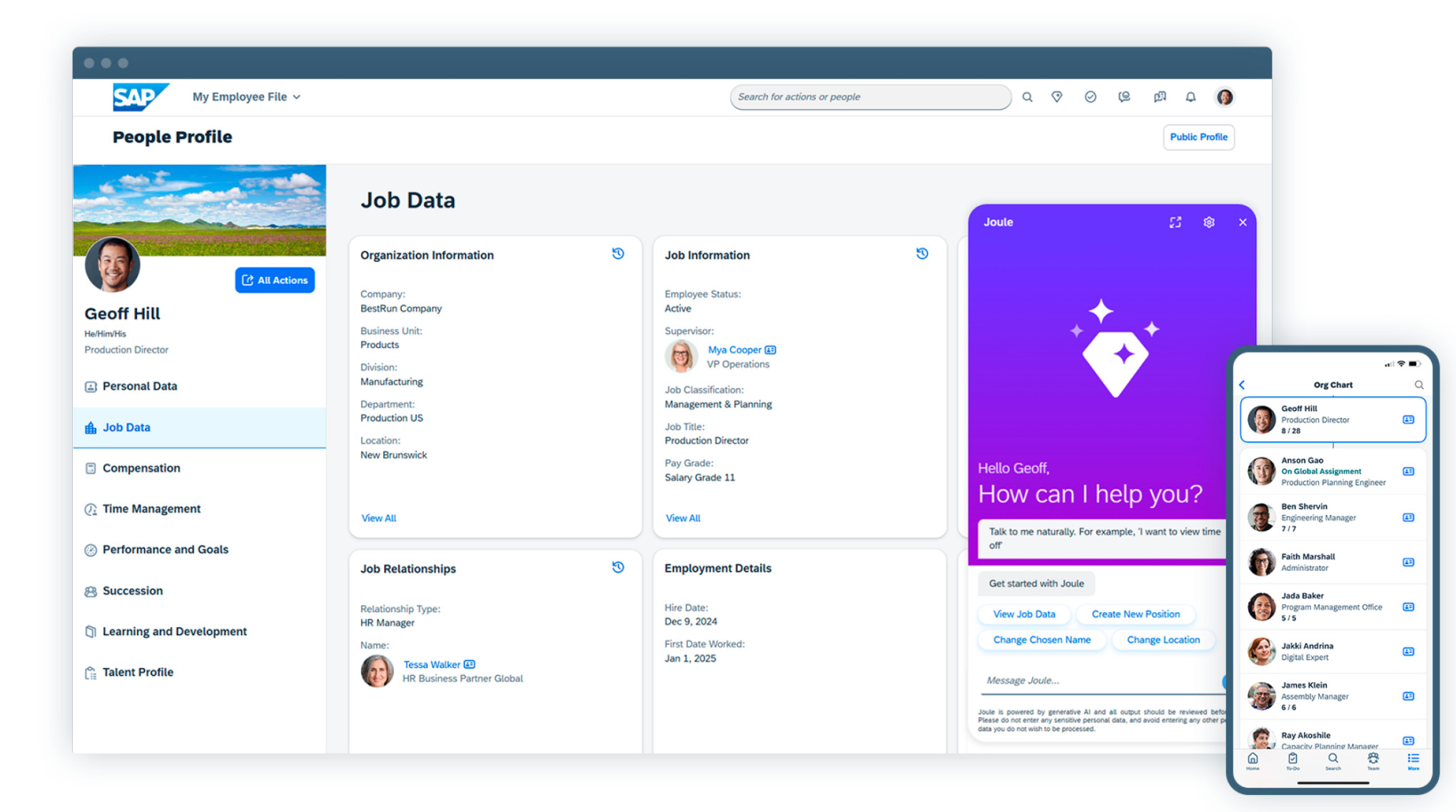
- Good analytics and reporting, including AI-assisted recommendations for succession and mentoring planning.
Cons:
- SAP has a heavy runway for implementation.
- Customization and successful implementations often require additional consulting assistance and costs.
Not Ideal For:
Smaller or single-state organizations that require a fast and low-cost implementation.
SAP SuccessFactors in a Snapshot:
SAP has excellent consistency in supporting global teams that need added functionality and capabilities for compliance and other HR functions. I’ve found that implementations are typically far more lengthy and costly, so it’s best that teams fully assess whether SAP-level systems are worth it for them.
4. ADP Workforce Now – Best for Integrated Payroll and Benefits Management
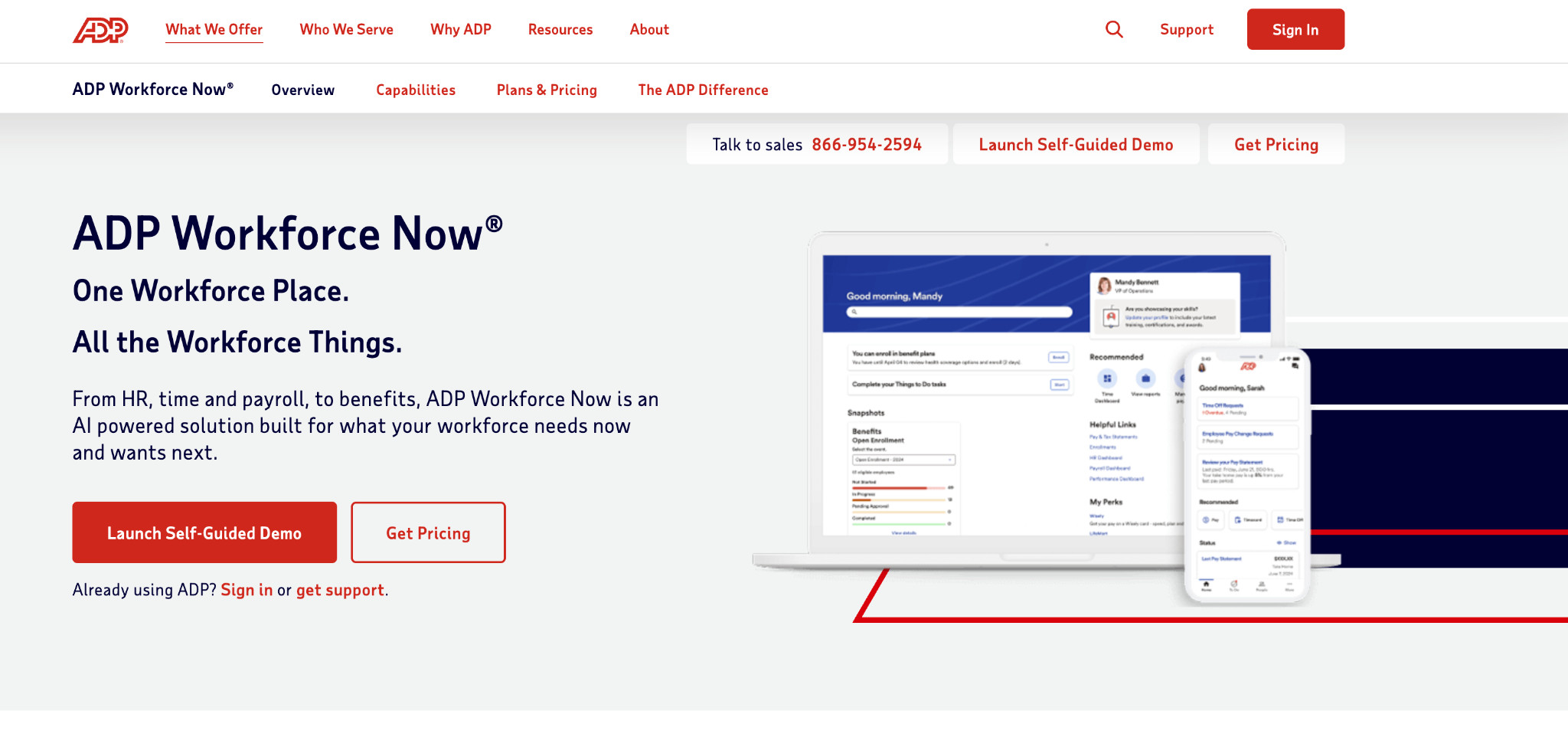
ADP has been around as long as I can remember, which shows it’s been steady and widely used by multiple companies. It’s not the modern solution, and I still have a hard time adapting to the user interface, but it is a great option if you’re looking for a reliable HRIS and Payroll platform.
Best Fit:
Ideal for both small to medium-sized and larger enterprise organizations that need a reliable HRIS with an integrated payroll system. ADP offers package options for businesses of different sizes.
Standout Features:
- Payroll and tax compliance functionalities and dashboards.
- Manage recruitment, onboarding, and personalized experience for new hires.
- Timesheeting and automating wage calculations for pay summaries in real time.
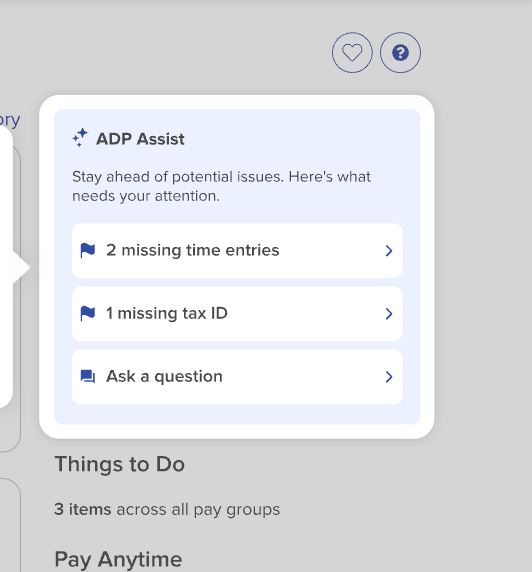
- AI features (ADP Assist) can help validate payroll entries, detect payroll anomalies, and locate errors.
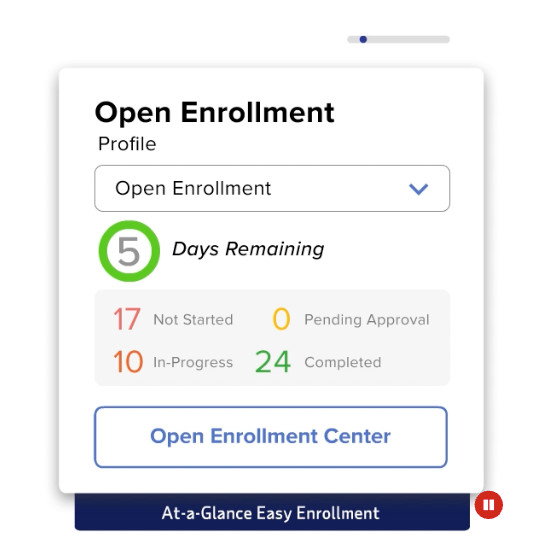
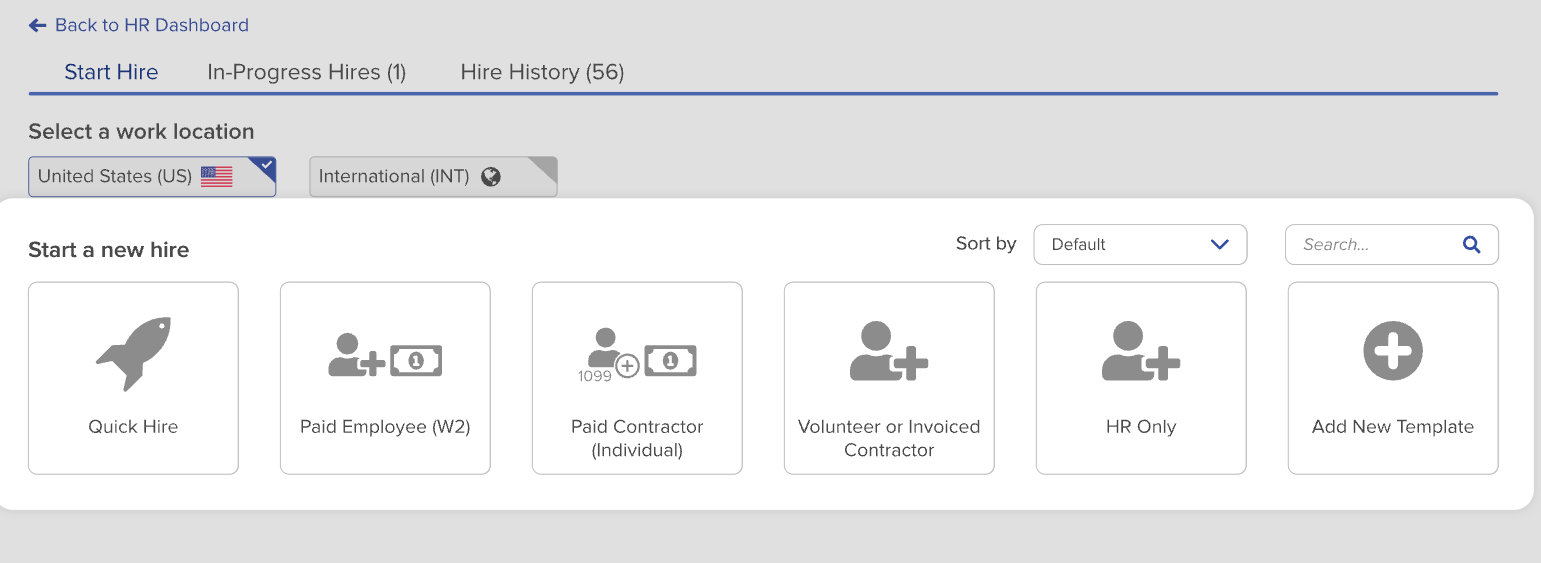
The benefits management administration is centralized, helping employees manage and view details from within the platform:
Pros:
- Good range of HR modules. These modules include benefits management, scheduling, payroll, time off, reporting, and other features. This means that teams don’t need to use multiple platforms to manage HR functions.
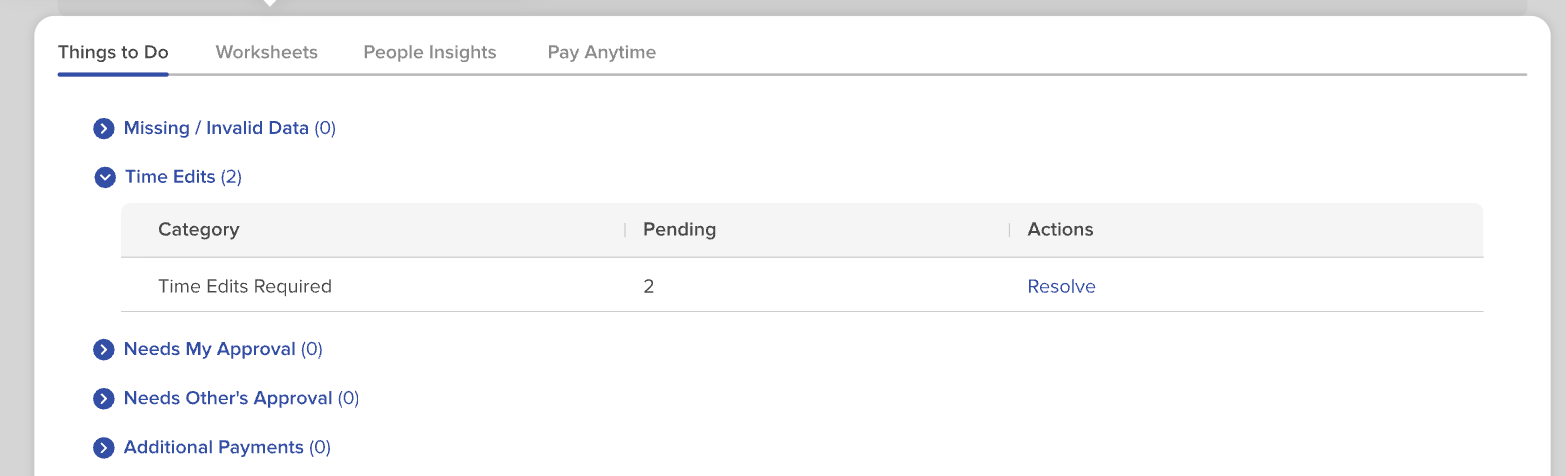
- Dashboards and guidance are user-friendly and help HR and finance teams keep on top of general tasks, reminders, and approvals.
- Adjustments can be made before pay runs to ensure accuracy.
Cons:
- Lacks flexibility, advanced customization, and workflows.
- The interface is less engaging and less modern than those of similar tools and platforms.
Not Ideal For:
Larger, complex organizations that need highly customizable and unique workflows and features.
ADP Workforce Now in a Snapshot:
ADP has been a stable and reliable platform for many years for multiple reasons. I’ve found it valued mainly for its payroll functionality rather than its overall general feature set; however, it’s diverse enough that organizations don’t need to use disparate tools to manage their workforce. The interface can, however, feel a bit outdated, and it’s less customizable than some other platforms, but ADP caters to a wide range of business needs and sizes.
5. Rippling – Best Modern HRIS for Scaling Businesses
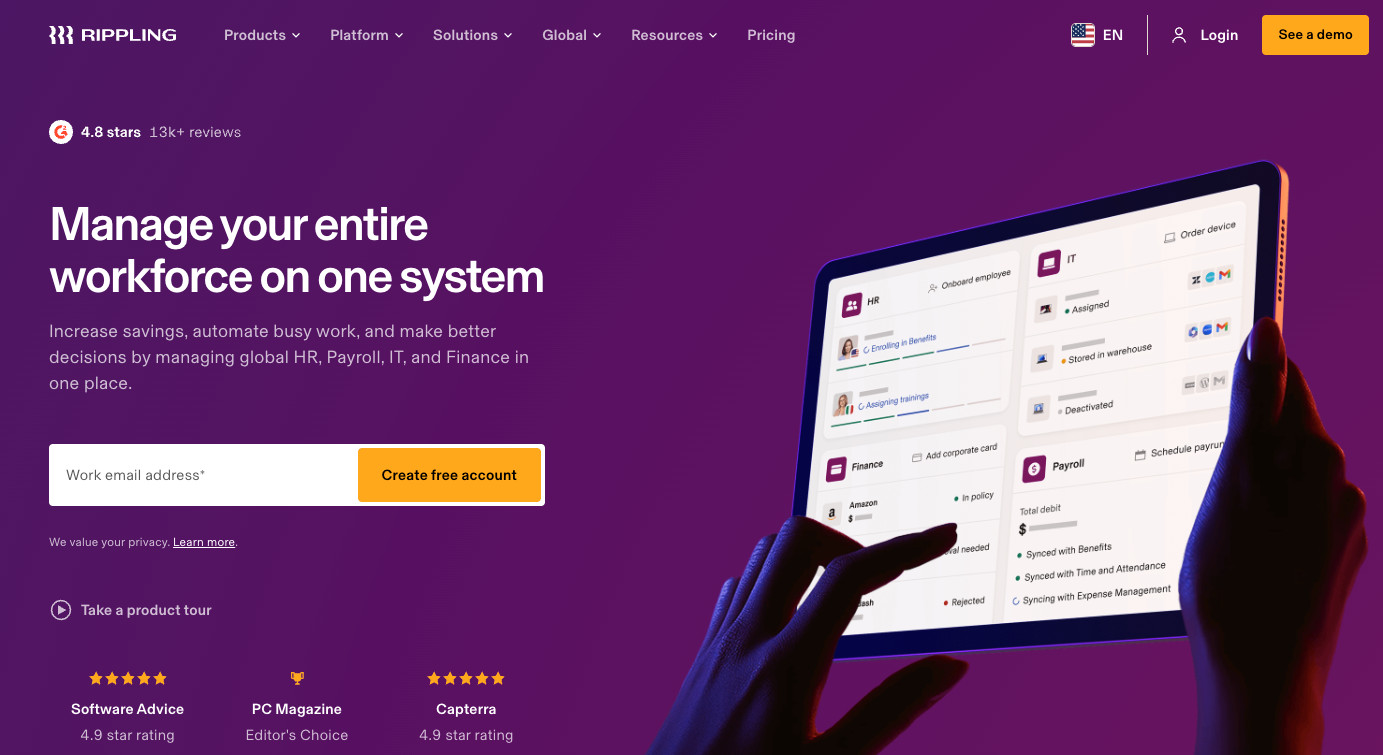
As business operations evolve, HRIS should too, and Rippling is one of those platforms I’ve particularly enjoyed using because it actually seems to keep up with the latest tech and trends. It feels modern, it’s well-liked, and it’s user-friendly.
Best Fit:
Ideal for small and mid-market organizations of between 100 and 1000 employees that need a platform that can scale as their business grows.
Standout Features:
- Global employee and record management.
- AI-assisted features built into the tool to help streamline recruitment and automate. workflows for faster recruitment.
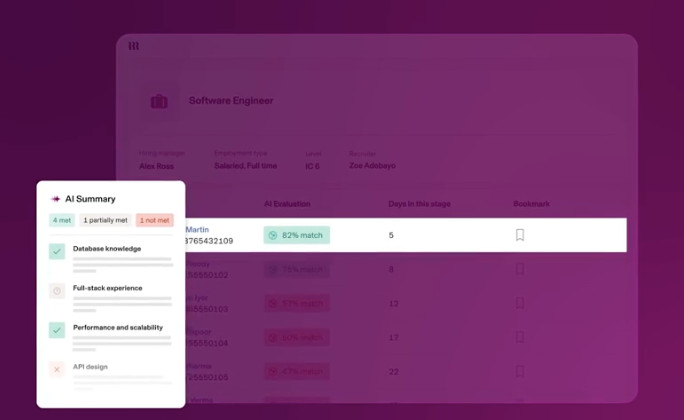
- Talent management, recruitment, performance reviews, surveys, and learner management are all incorporated into the HR features.
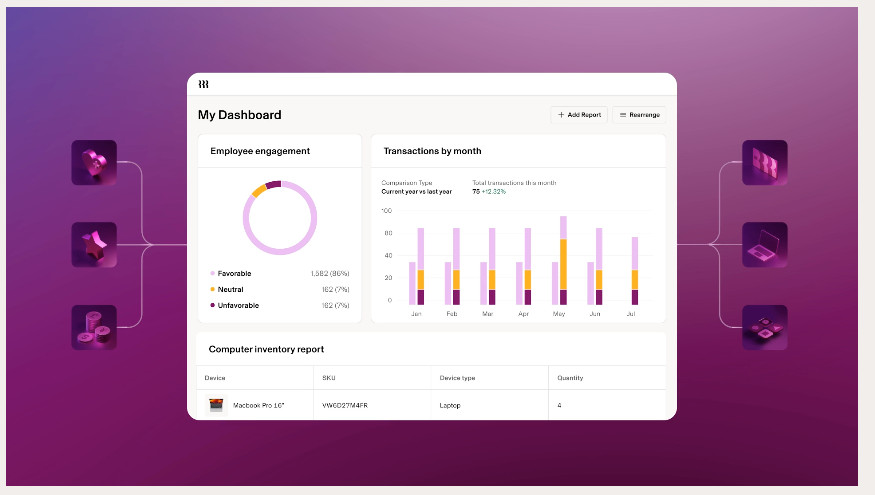
- Dashboards and analytics are consolidated and easy to view.
Pros:
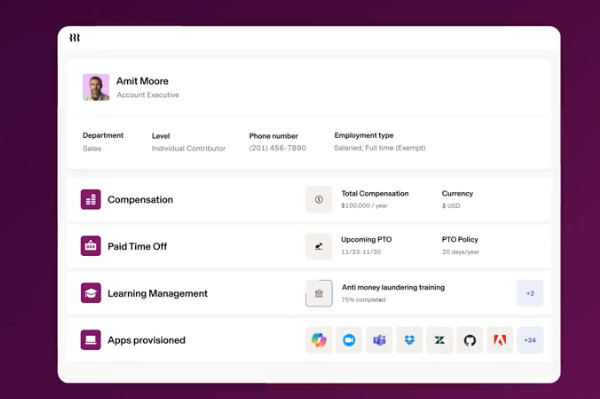
- Overall ease of use and sleek, modern interface.
- HR tools include benefits management, talent, payroll, scheduling, and communication in one place.
- Payroll caters to both local and global payroll, contractors, and EOR services, with built-in compliance and accuracy checks.
- HR and employees can easily manage records and important information.
Cons:
- Can feel complex initially and require a steeper learning curve to get to grips with it. platform.
- Pricing is customized, and costs can quickly add up based on the number of user seats and the features needed.
Not Ideal For:
Enterprise organizations that need a more rigid and structured platform.
Rippling in a Snapshot:
Rippling feels modern and is a great option for growing businesses that value newer tech, as well as for those looking for a platform that can grow, adapt, and scale as their needs change.
6. BambooHR – Best Lightweight HRIS
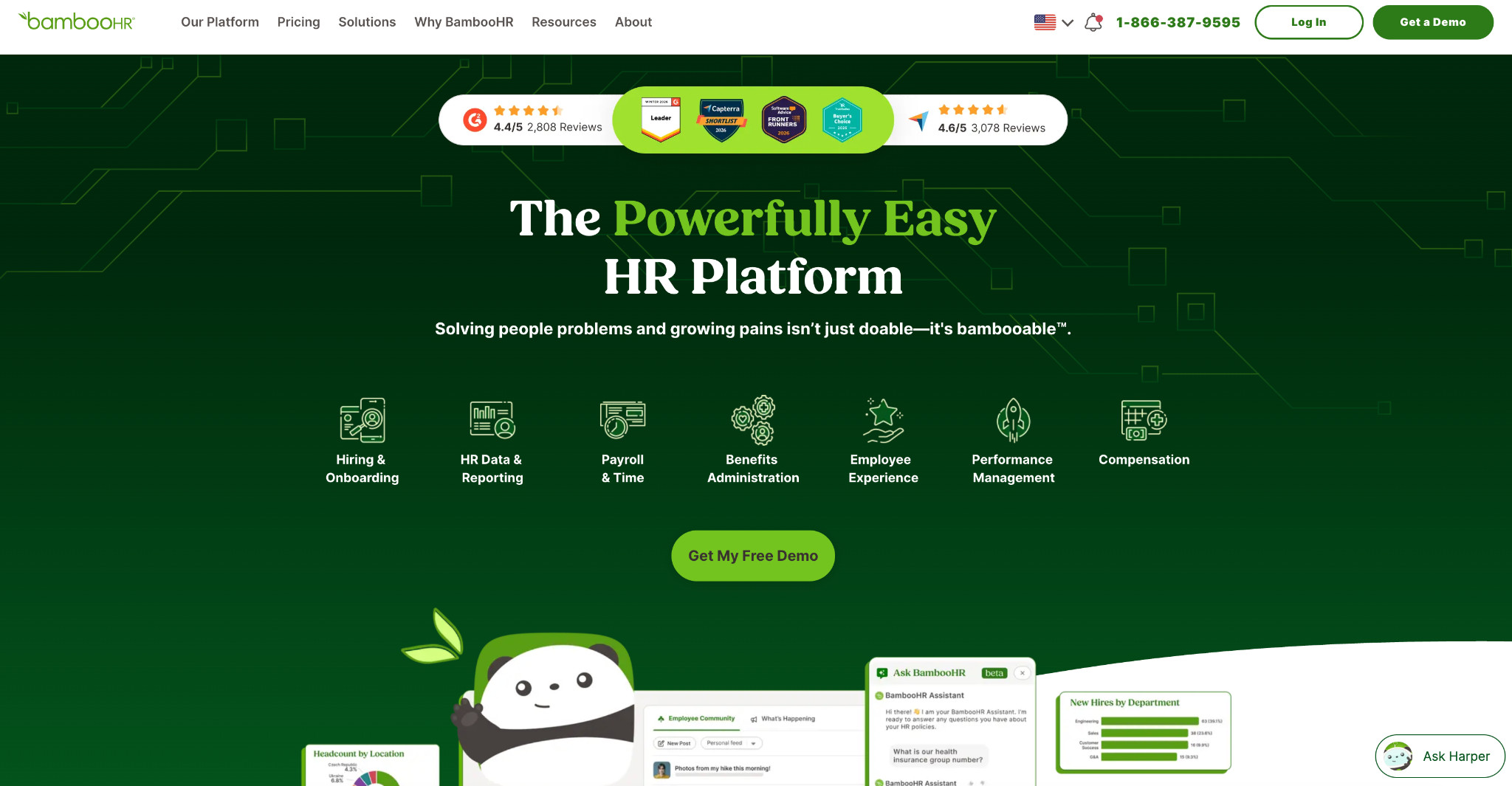
Most of the platforms I’ve listed are really for mid-enterprise organizations, and they tend to be solid and cater to more complex needs. Some businesses don’t expand beyond the mid-market, and it’s important to consider other HR systems that may be well-suited to these scenarios. BambooHR is a great fit for mid-market businesses that need something they can roll out quickly as they start and expand.
Best Fit:
Ideal for small- and mid-market organizations with 50-500 employees that need an easy-to-use, modern, and lightweight platform.
Standout Features:
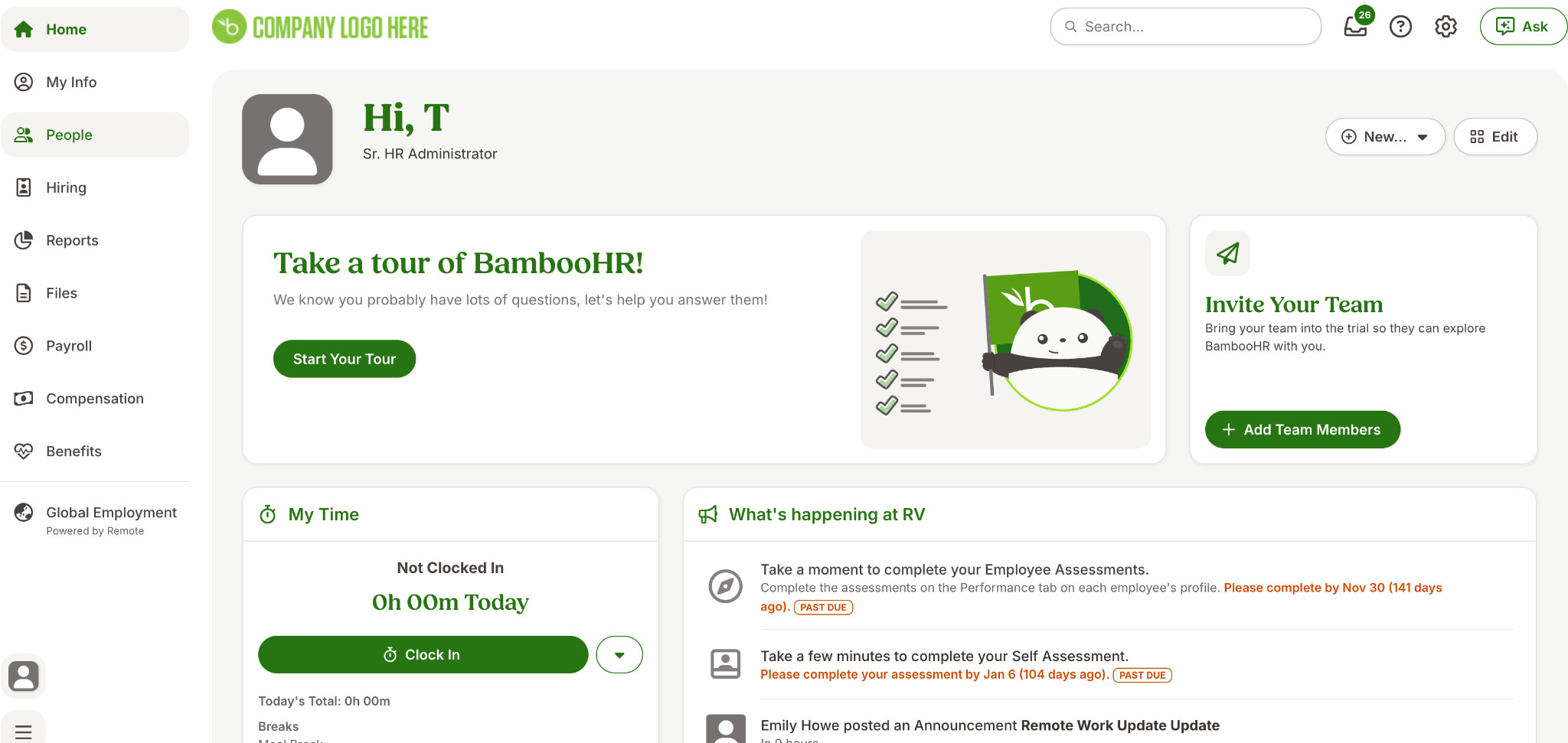
- Simplicity and clarity – right from the get-go, it has a clear, centralized interface with all relevant information in one place.
- HR Management, including an applicant tracking system (ATS) and onboarding features. Users can easily create talent pools and manage candidates in a shared database.
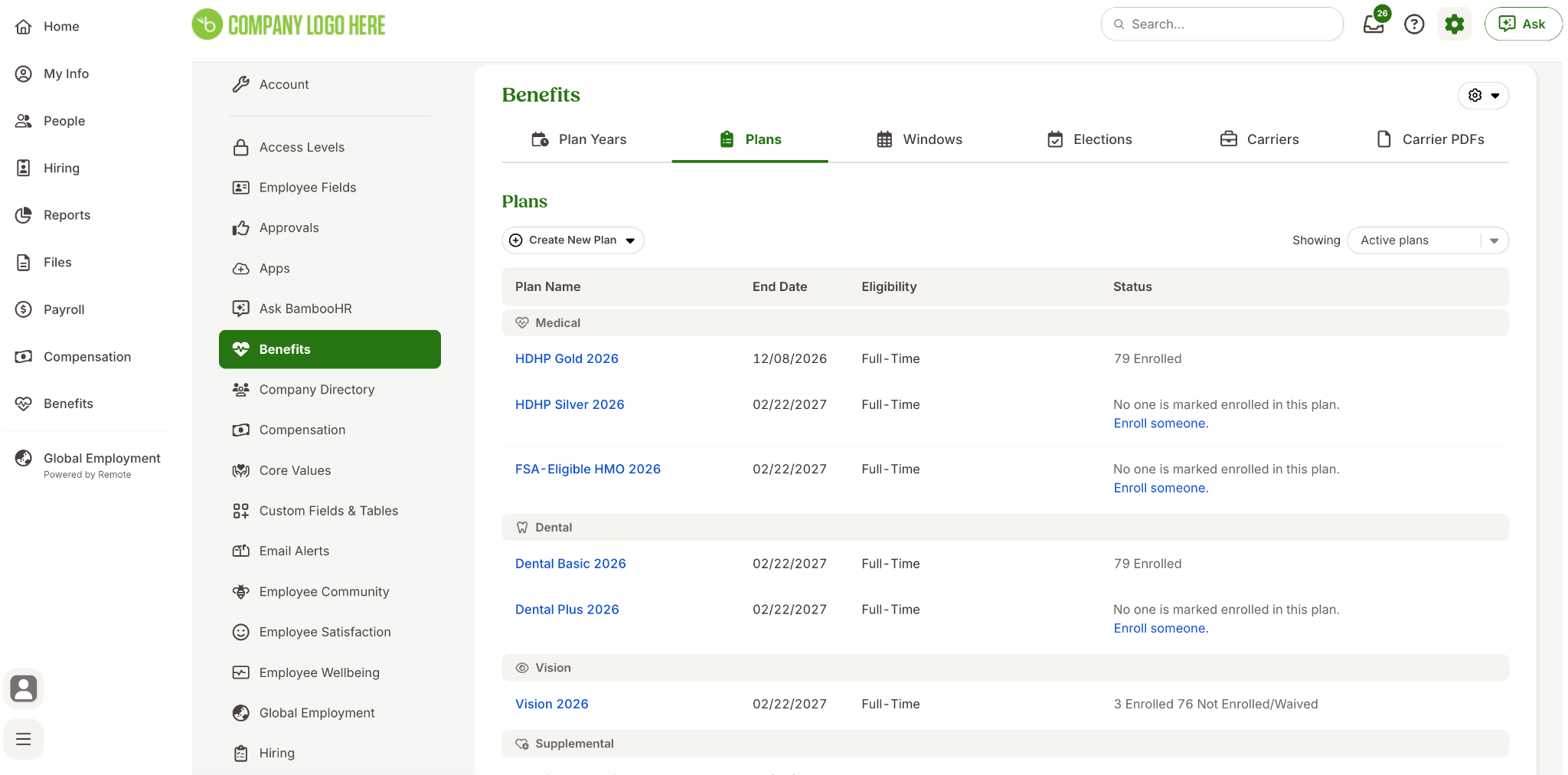
- Payroll and compliance features, benefits administration in 92 countries, and more.
- With an add-on called “Remote,” HR teams can use EOR to manage global teams effectively.
- Advanced benefits administration module to help manage employee benefits, 401(K)s, and incentive programs.
Pros:
- Overall, BambooHR is really intuitive, and its ease of use is one of its biggest selling points. Users don’t need to enroll in extensive training and can get up and running relatively quickly.
- Quick to implement and onboard with minimal lead time and add-on costs or consulting required.
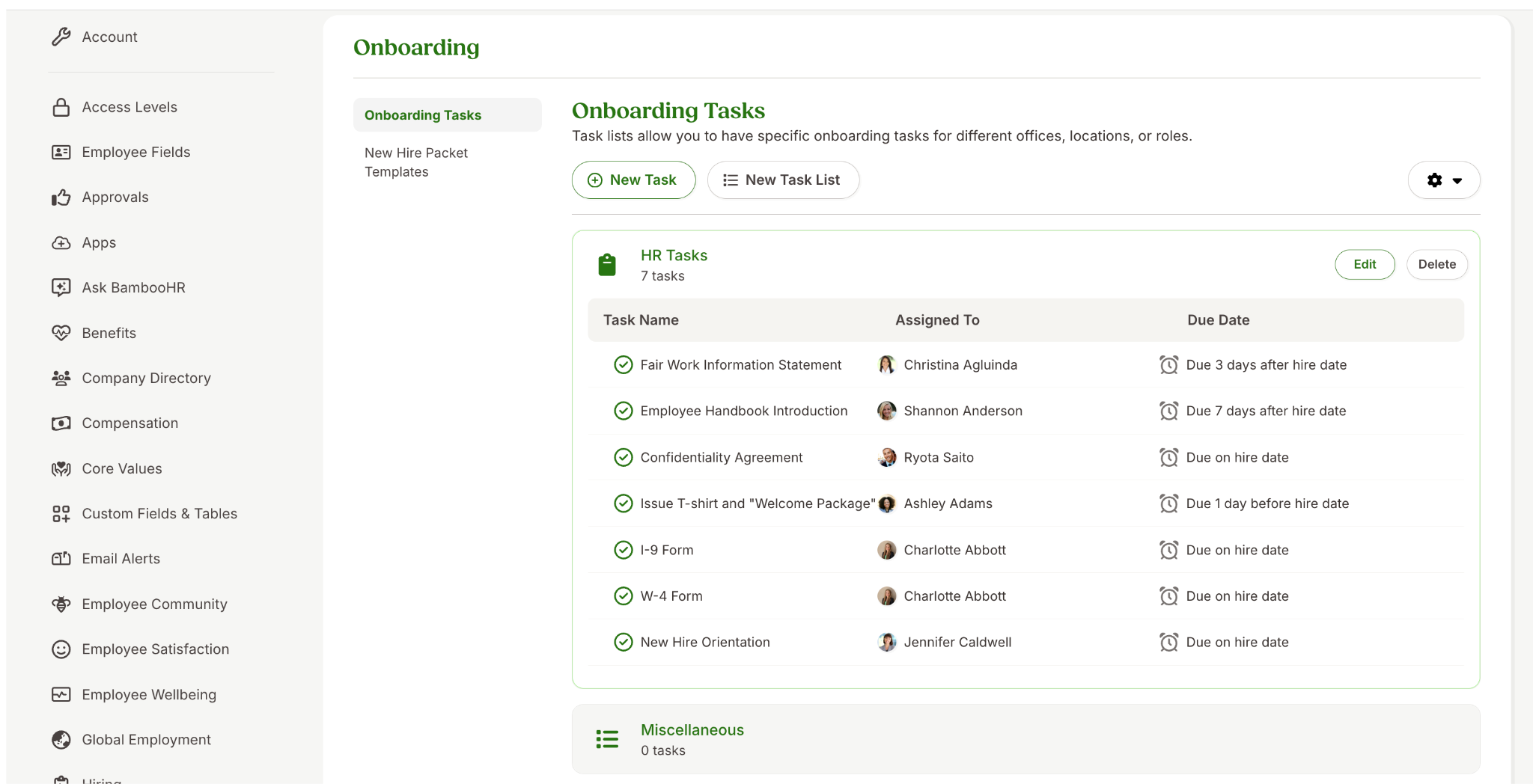
- An in-depth onboarding and offboarding module to help HR teams manage the full hiring and onboarding process quickly and effectively by using templates and tasks.
Cons:
- Can feel a bit too lightweight for organizations transitioning to more complex, compliance-heavy workforce management needs.
- It can be limited for scaling or global businesses, as payroll and other features are more focused on US-based laws and regulations.
- Non-transparent pricing.
Not Ideal For:
Enterprise organizations that have highly complex and customized requirements.
BambooHR in a Snapshot:
Overall, BambooHR is often one of the tools I keep in my tech stack because it’s so user-friendly and a great starting point for many organizations with rapid growth. In general, it’s one of the few HRIS that I’ve seen with truly high adoption rates, and that counts for a lot. It will become limited for businesses that need in-depth HR features, highly complex workflows, and ways to manage global workforces.
Mid-market or Enterprise: How to Choose What Is Best For You?
Once you’ve considered key factors such as core business requirements and whether your organization will grow beyond mid-market into enterprise-level, you can narrow down which platforms are best suited to your needs.
In general, choose mid-market if you value:
- Speed and faster implementation.
- Great user experience and modern interface.
- Cost-effective platforms.
Rather, opt for enterprise platforms if you need:
- Scalability and ways to handle large and global workforces.
- You require complex workflows and in-depth HR features.
- A tool that helps you manage advanced compliance and other regulatory needs.
Final Verdict
Always consider the end goal. I often use this as a starting point when analyzing any software for a business. Knowing where your organization is going and what features may or may not become important later down the line are critical deciding factors.
It’s far harder to switch platforms once you’ve already implemented and socialized a system into the business, so choose wisely at the get-go! Don’t buy a behemoth of a system that will be overkill for your teams, and remember to always consider how easily adoption will take place on the overall usability of the system. My advice: try before you buy. Always!