

- Aircall vs RingCentral: At a Glance
- What is Aircall?
- What is RingCentral?
- Aircall vs RingCentral: Setup and Ease of Use
- Aircall vs RingCentral: Pricing
- Aircall vs RingCentral: AI Capabilities
- Aircall vs RingCentral: Integrations
- Aircall vs RingCentral: Ideal Company Size
- Aircall vs. RingCentral: The Overall Winner
- Final Thoughts
Last Updated on August 26, 2026 by Ewen Finser
Choosing a business phone system can get complicated quickly.
Aircall and RingCentral are both established, cloud-based platforms with strong investments in AI and modern communication features. However, they’re built for different types of organizations and solve different problems at different scales.
This guide breaks down the key differences between them, including pricing, AI capabilities, integrations, and ideal company fit, so you can choose the right platform with confidence.
Aircall vs RingCentral: At a Glance
Best for | SMB sales and support teams in a CRM | Mid-size to enterprise teams needing full UCaaS |
Starting price (per user/month) | $30/user/month (annual) | $20/user/month (annual) |
AI features | Add-on (from $9/user/month) | Certain features built into RingEX plans. Others like AI Receptionist available as an add-on from $39/user/month. |
Integrations | 250+ focused on CRM and help desk | 500+ including productivity and business tools |
Video meetings | Not included | Built in (HD, up to 200 participants) |
Minimum seats | 3 | None stated |
What is Aircall?
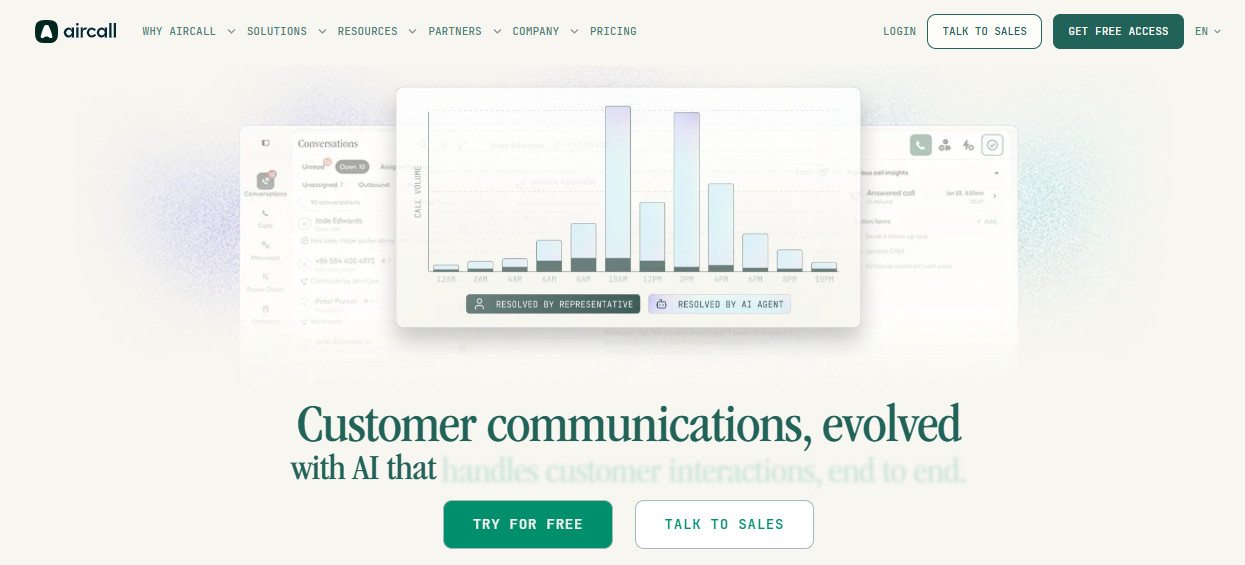
Aircall launched in Paris in 2014, and has since grown into a customer communication and intelligence platform, serving over 22,000 businesses. For French teams, that’s a real plus: the support team, knowledge base, and CRM integration docs are all natively in French, and Aircall SAS has its DPO registered with the CNIL. You’ll also find familiar names on their client list, including Ankorstore, Saint Gobain, IZI by EDF, and OpenClassrooms. That said, the platform works just as well for teams outside France, with local number provisioning and support across 110+ countries.
The platform is specifically designed for sales and support teams that rely heavily on CRM. It combines voice, SMS, WhatsApp, and AI into one workspace. Aircall’s particularly well-known for its deep two-way sync to tools like HubSpot, Salesforce, and Zendesk.
It’s not a full communications suite, but more of a focused, CRM-first solution. Aircall is designed to integrate voice data into CRM workflows, so this focus can be seen as its greatest strength or a limitation, depending on your organization’s needs.
For a more detailed look at Aircall’s features check out this comprehensive Aircall review.
What is RingCentral?
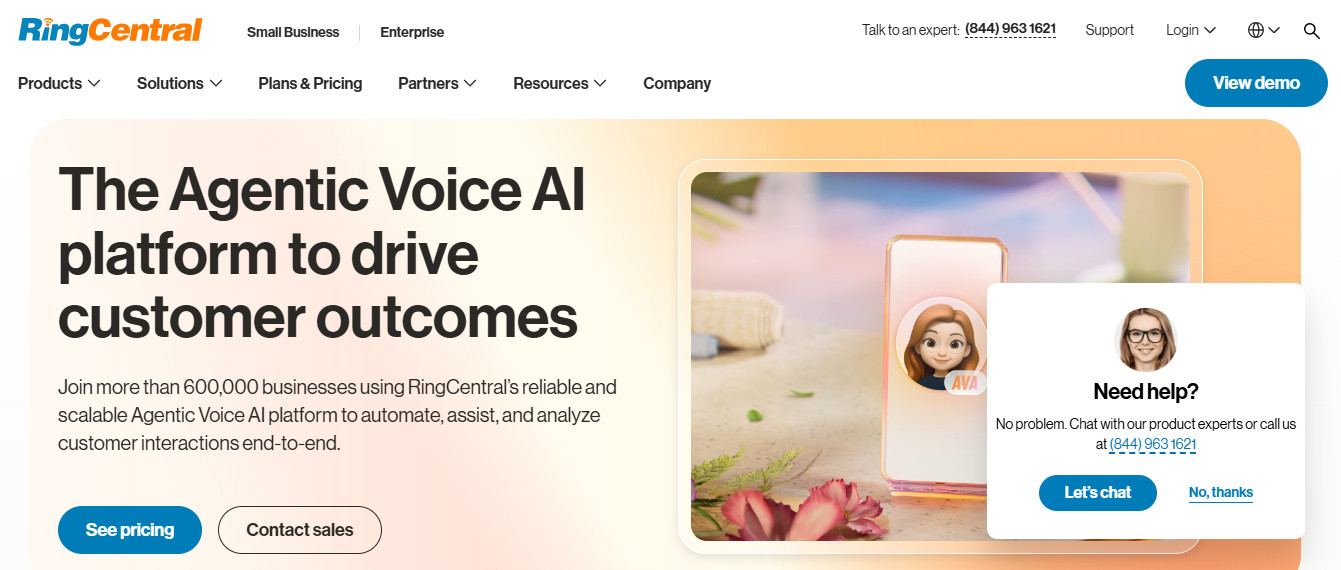
RingCentral was founded in 1999. Today it serves over 400,000 customers around the world. While Aircall can be thought of as more voice and CRM-centric, RingCentral is a full, unified communications platform.
That means it covers voice, video, team messaging, and contact center in a single app. Its product line includes RingEX for company-wide unified communications (which is the main focus of this comparison review with Aircall) and RingCX for dedicated contact center operations.
Aircall vs RingCentral: Setup and Ease of Use
Aircall
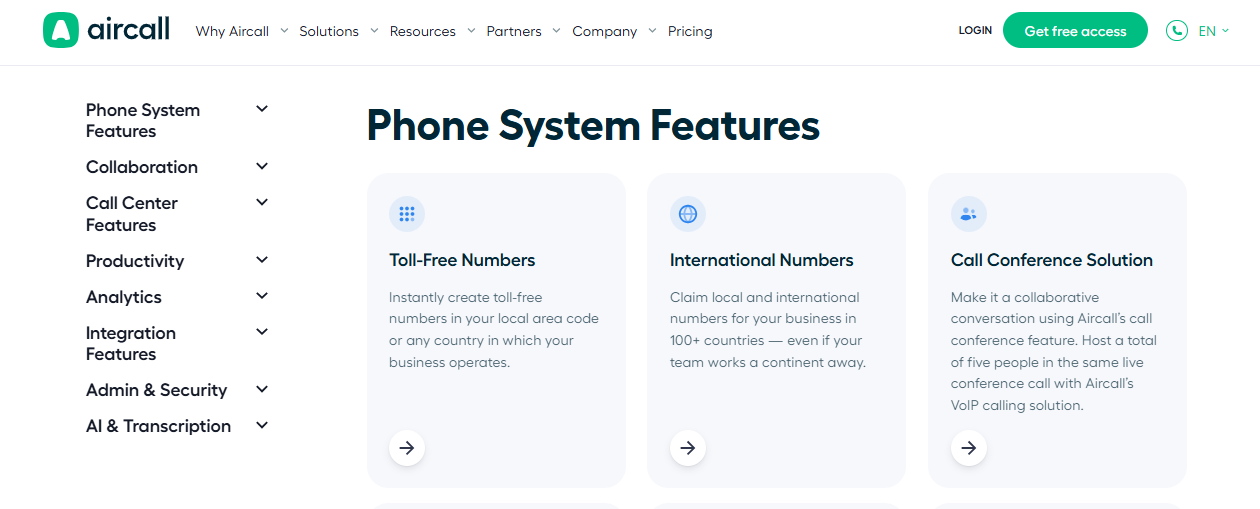
The platform has a good reputation for fast setup. Aspects like telephone numbers, IVR systems, and team configurations can be resolved with just a few mouse clicks. Given the platform’s relative user-friendliness, combined with the fact that it’s based in the cloud, there’s no hardware to install, nor does setup tend to make administrators feel that they’re managing an IT project.
The interface is clean enough that non-technical admins can build and adjust the call flows themselves. This can be crucial for smaller operations teams that don’t have a cohort of specialized IT pros on hand.
RingCentral
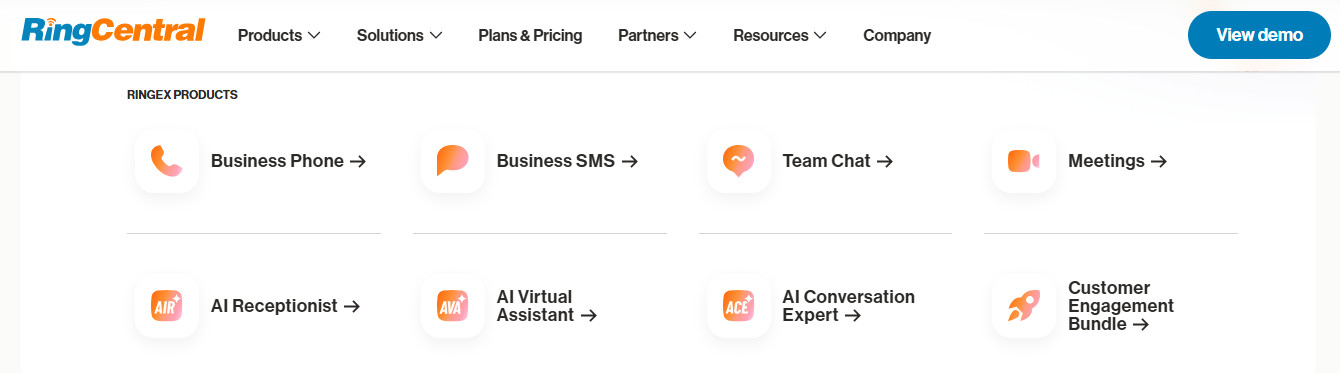
Overall, RingCentral is a more powerful platform, offering a wide variety of tools, but to paraphrase Spider-Man, with great power comes great complexity.
During our research for this guide, we found several independent reviews that setup can sometimes assume technical resources that smaller teams may simply not have. Configuration across the full UCaaS suite is also a longer process.
Naturally, this isn’t a major concern for a larger organization with IT resources. Any initial friction may even be worth it if your business is using RingCentral to replace multiple, separate tools.
But for a sales or support team that needs the phones to be working five minutes ago, this potentially prolonged ramp-up time could be a serious concern.
Winner: Aircall
Despite RingCentral’s huge number of features and reported ease of use, Aircall generally gets teams productive more quickly with less admin overhead. For most SMB sales and support teams, that difference in time-to-value is real.
Aircall vs RingCentral: Pricing
Aircall
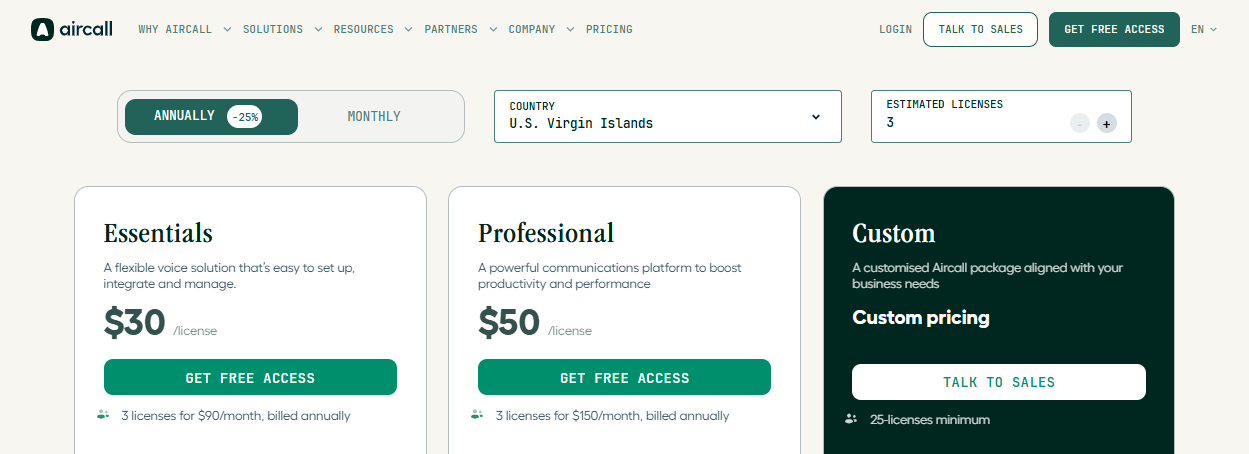
Aircall’s “Essentials” plan starts at $30/license/month, billed annually, with a minimum of three seats.
The “Professional” plan starts at $50/license/month, billed annually. This has the same mandatory three-license minimum, but comes with extras including advanced analytics and live monitoring, Power Dialer, Voicemail Drop, and mandatory call tagging.
AI-features are separate add-ons, depending on the type and your main pricing tier. For example, “AI Assist” costs an extra $9/license/month if you’re on the “Essentials” plan. However, AI Assist features are included in the “Professional Plan”.
AI Assist Pro includes more advanced AI features, like live transcription and automated call scoring with custom questions. This costs an additional $49/license/month.
All price plans include 50 free AI voice agents per account, with 100 additional minutes at sign-up. After that, pricing varies depending on whether you pay as you go or buy a fixed bundle of minutes, e.g., 500 minutes for $175.
Aircall’s pricing page lays out costs clearly, and it’s easy to calculate potential subscription charges.
RingCentral
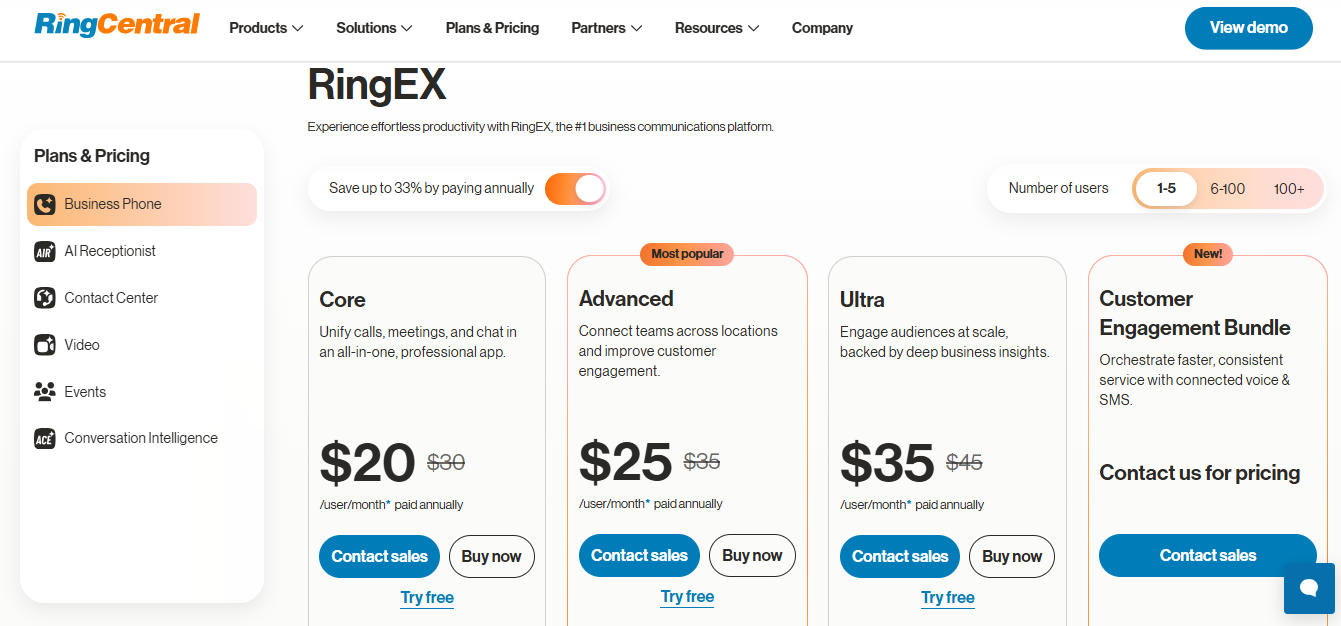
The platform’s lowest-cost RingEX ‘Core’ plans start at $20/user/month, paid annually for 100 users. Beyond this, RingCentral asks organizations to get in touch for custom pricing.
‘Advanced’ and ‘Ultra’ plans cost $25 and $35 per user per month, paid annually, respectively for 1 – 100 seats.
RingCentral’s contact center product, RingCX, starts at $65/user/month, paid annually. Some RingEX Core configurations include AI-powered IVR and assistant features, though availability may vary by plan and region.
Add-ons like AI Receptionist start at $39 per month, and the AI ‘Conversation Expert’ costs $60 per month.
While the ‘Core’ plan looks promising, especially given the integrated AI features, it also comes with drawbacks: for instance, it doesn’t include CRM integrations. For that, you’ll need to be on at least the ‘Advanced’ plan, so the entry cost for CRM-dependent teams is higher than it appears at first glance.
Winner: It’s a Tie
RingCentral is likely to be more affordable at entry for teams that don’t need CRM-level integration, or for very small teams of one to two people. Aircall’s pricing is more predictable for sales and support teams that know exactly which add-ons they need. This means there’s no overall winner, as how competitively each platform is priced will depend on your organization’s setup.
Aircall vs RingCentral: AI Capabilities
Aircall
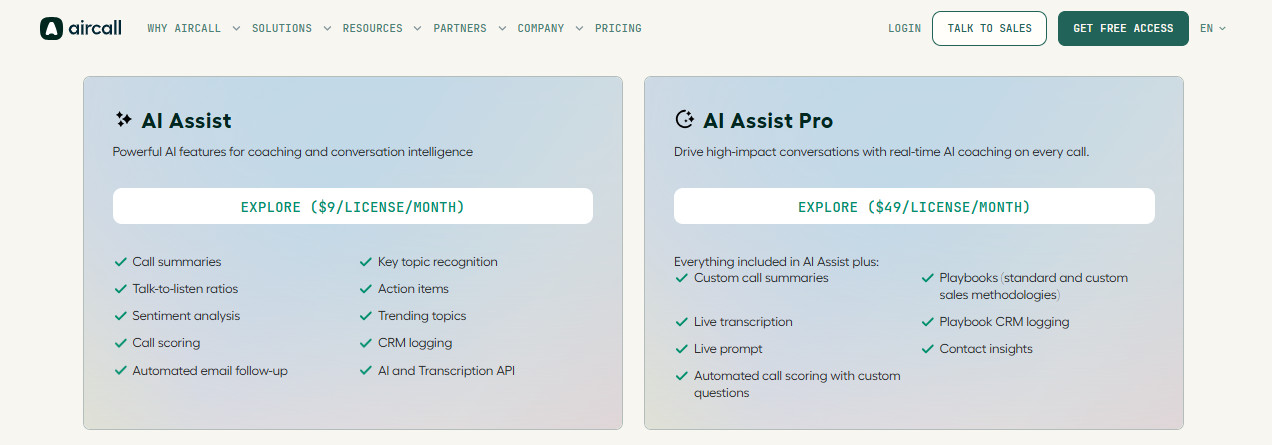
Depending on your setup, the platform’s AI stack can cover the full call lifecycle. Whether you pay the extra $9 per month for AI Assist or use it as part of Aircall’s “Professional” plan, you’ll find it delivers post-call summaries, sentiment analysis, key topic tagging, action items, and call scoring.
The AI Assist Pro add-on ($49/user/month) also brings live transcription, live coaching prompts, embedded sales playbooks (BANT, MEDDIC, SPICED, or custom), and Contact Insights, which can summarize the last 12 customer interactions before a rep picks up the phone.
The AI Voice Agent can handle calls when lines are busy or outside business hours to perform activities like qualifying leads, answering FAQs, booking appointments, and logging everything to your CRM automatically. It supports 23 languages, and assuming you have sufficient remaining minutes, will hand off to a human agent with full context when the conversation requires it. As of Q1 2026, Aircall’s AI Voice Agent also now supports outbound calls.
RingCentral
In recent years, RingCentral has invested heavily in AI across the platform under the ‘RingSense’ and ‘AIR’ (AI Receptionist) brands.
Depending on the specific configuration, RingSense for Sales can provide post-call summaries, sentiment tracking, keyword-triggered coaching cards, automated scorecards, and conversation intelligence dashboards for managers.
RingCentral’s AI Receptionist can handle inbound calls, books appointments using Google Calendar and Outlook, logs caller data to Salesforce, HubSpot, or Zoho, and sends SMS follow-ups after calls.
At the enterprise end, RingCentral’s AIR Pro offers omnichannel AI agents across voice, SMS, email, web chat, and social, with a no-code builder, pre-built skill templates, PII redaction, and built-in HIPAA compliance.
The platform also leverages skills-based routing to assign customers to agents with the most relevant skills.
Winner: RingCentral
RingCentral wins this category due to its broad UCaaS and contact center capabilities across multiple channels, plus enterprise-grade compliance features in certain plans.
However, you should also consider what kind of AI matters most to your team. Aircall is a solid solution for sales teams that need structured playbook coaching that’s tightly integrated with CRM workflows, for example.
Aircall vs RingCentral: Integrations
Aircall
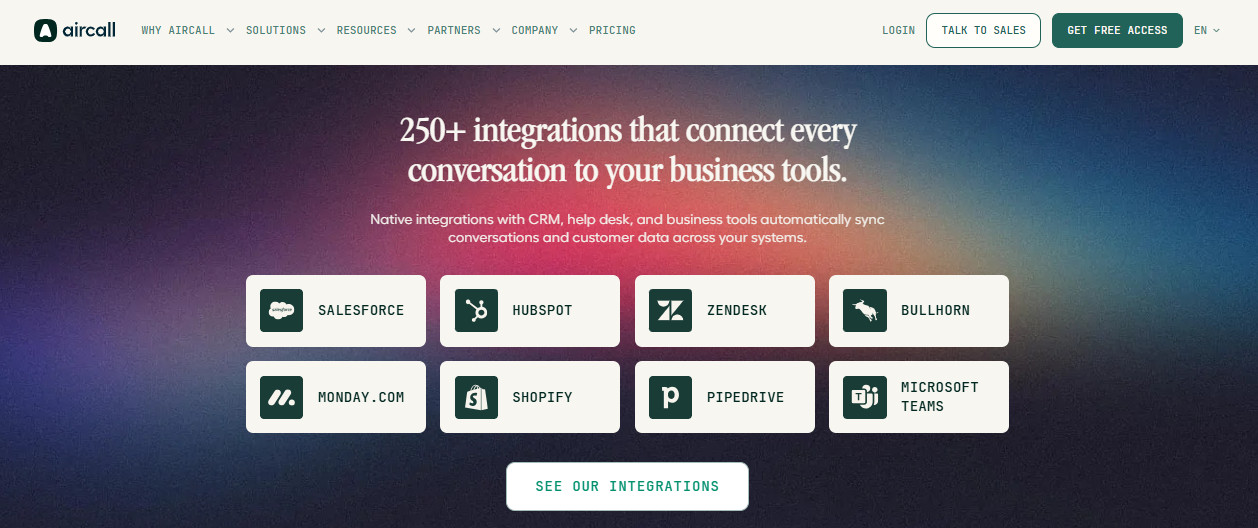
The platform connects natively to over 250 CRM, help desk, and productivity tools, including HubSpot, Zendesk, Pipedrive, Intercom, Shopify, Microsoft Teams, and Salesforce. (For full Salesforce CTI integration, you’ll need a “Professional” license).
CRM connections are deep, and most bidirectional. They can auto-log calls, trigger followup tasks, and surface contact history directly inside the CRM interface.
For teams that run their sales process inside HubSpot or their support workflow inside Zendesk, Aircall’s integrations are largely ready out of the box, with minimal setup required.
For French teams, Aircall’s CRM integration documentation is also fully available in French, including Salesforce CTI setup guides, which removes a real friction point when your admin needs to troubleshoot.
RingCentral
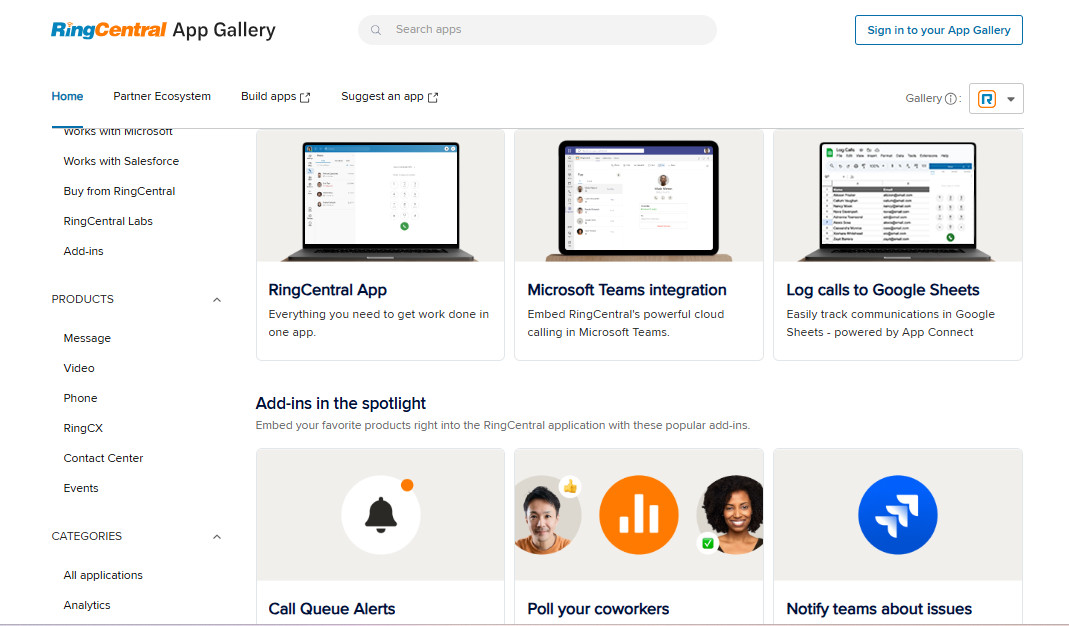
RingCentral scores high on overall integration breadth, given it can connect to 500+ tools, CRMs, and business apps.
The major CRM integrations, like Salesforce, HubSpot, and Zendesk, are solid, particularly Salesforce via a built-in CTI plugin. The platform also offers open APIs for building custom integrations.
Winner: Aircall
Smaller teams that want common integrations to work without needing a dedicated IT team will appreciate Aircall’s ease of use. RingCentral may be a better choice for larger organizations with dedicated IT that need a much broader ecosystem of connected tools.
Aircall vs RingCentral: Ideal Company Size

Aircall
Aircall’s sweet spot is teams of 11 to 100 seats in sales or support-led organizations, especially those that already run HubSpot, Salesforce, or Zendesk as their primary system of record.
Ideal industry fits include:
- Software and tech
- E-Commerce
- Recruitment
- Financial services
- Professional services
Setup can often be completed in less than half an hour, and most agents can start being productive through the platform by the following day.
The three-seat minimum means that Aircall isn’t a good fit for solo users. It’s also not ideal for teams that want built-in video calling, as the platform doesn’t currently support this. Naturally, you can always use third-party tools for this, but Aircall’s not for organizations looking for a unified internal messaging platform.
RingCentral
As we’ve seen from the pricing section, RingCentral defines an SMB as having 1 to 100 seats, and an Enterprise as having over 100 seats.
Teams that are still using legacy phone systems and want to consolidate voice, video, messaging, and contact center under one vendor are an ideal fit for RingCentral.
But for very small teams, the setup complexity and the add-on-heavy pricing model can be harder to justify.
Winner: Aircall
Aircall’s the go-to solution for growing SMB sales, as well as support teams that are CRM-dependent. RingCentral may be a better choice for mid-to-large businesses that need a single, unified communications platform across the entire organization.
Aircall vs. RingCentral: The Overall Winner
As we covered at the start of this guide, these two platforms are essentially competing for a different type of customer. That means they can’t be compared directly to find an overall winner.
You should seriously consider Aircall if:
- Your team lives daily inside a CRM.
- Most of your communications are sales calls or support calls.
- You want a focused tool that integrates deeply with your existing stack without requiring a dedicated IT team to set it up.
- Your team operates in France and you want a platform with native French-language support, CNIL compliance, and local number provisioning. Explore Aircall’s French site.
The trade-offs include the fact that you won’t get video meetings built-in, and you may have to pay extra for certain AI features depending on your subscription plan and your organization’s requirements.
You should consider using RingCentral if:
- You need a single platform for all your organization’s communications, including video, team messaging, and contact center.
- You have the technical resources to set up and configure all of the above quickly.
- Your organization is very small (< 3 seats) and you don’t want to pay for licenses you don’t use.
RingCentral’s AI tooling is getting increasingly stronger, particularly for enterprises that need multi-channel AI agents with compliance built in.
Just remember that the entry price isn’t necessarily the full subscription fee you’ll pay, as due to add-ons, such as AI Receptionist and AI Conversation Expert. You should also pay close attention to online reviews, especially those that focus on issues relating to onboarding and contacting customer service.
Final Thoughts
Whatever platform you choose, make sure to take advantage of any free trials to test it thoroughly before committing to an ongoing subscription. Aircall offers a 7-day free trial, and RingCentral offers a free trial on its Core plan.
In particular, use that time to test any integrations that matter to your team, not just the platform’s headline features. This is one reason to avoid simply watching product demos, as you can experiment with how easy this is to set up and test the platform with real call data, so you can see how it would handle your organization’s actual daily workflows.