

- How I Selected These 6K Monitors
- Bottom Line Up Front
- Why You Should Consider Upgrading to a 6K Monitor as a Creative Professional
- Top Mistakes Creative Professionals Make When Choosing a 6K Monitor
- LG 32" 6K Nano IPS Black (32U990A-S / UltraFine evo)
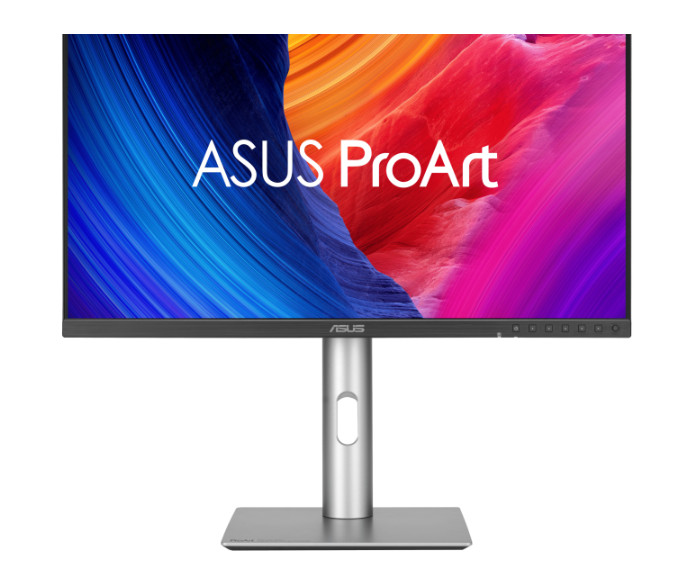
- ASUS ProArt PA32QCV
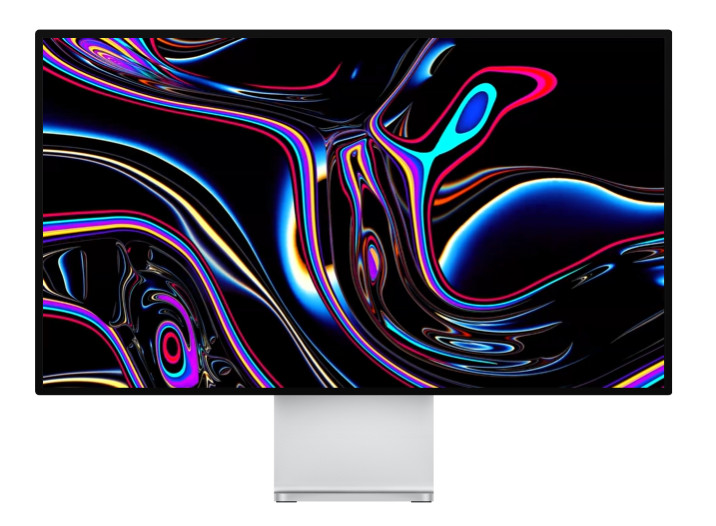
- Apple Pro Display XDR
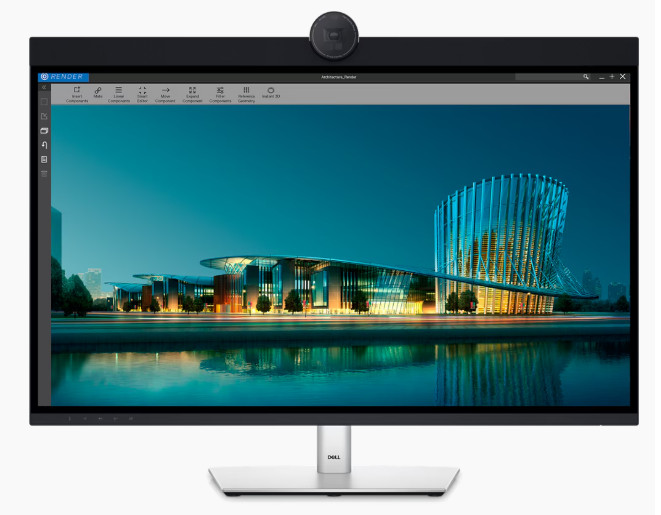
- Dell UltraSharp 32 6K (U3224KB)
- How to Choose the Best 6K Monitor as a Creative Professional
Last Updated on June 8, 2026 by Ewen Finser
Upgrading to a 6K monitor isn’t just about showing off the latest hardware. For creative professionals juggling tight deadlines and color-critical projects, it’s about both workspace and density.
More pixels can mean more timeline, more layers, and more detail on the screen at once. That means you don’t need to keep zooming and panning, and you will waste less time managing windows.
If you’re a video editor who’s tired of not being able to make out 4K timelines properly, or a photographer who needs to proof fine details before printing, then a more powerful display can make your workflows smoother. But the 6K monitor category is relatively recent, so not every option balances performance, compatibility, and costs.
This guide focuses on what’s available right now, what features stand out for each 6K monitor, and which one makes the most sense for creative professionals today.
How I Selected These 6K Monitors
6K monitor upgrades come down to three key factors:
True 6K Resolution
This means the panel must be in the 6000-pixel range horizontally, not a scaled display being branded as 6K.
Professional Color Capability
If you’re engaging in creative work, then having a monitor that can render color predictably is non-negotiable. The 6K monitors listed here support wide color gamuts, such as DCI-P3 or Adobe RGB, and ship with factory calibration.
Up-to-Date Connectivity
Professional creative workflows these days revolve around Thunderbolt and USB-C connections. That means any 6K display should be capable of connecting cleanly to a laptop or PC using a single cable to carry both data and power.
While a number of 6K monitors meet these requirements, I also selected the below list based on additional factors, including:
- Panel quality/uniformity
- Brightness and HDR capability
- Build quality and ergonomics
- Reliability in daily production environments
- Vendor support and ecosystem fit
Bottom Line Up Front
Overall, the LG UltraFine™ evo 6K Monitor is the best choice for creative professionals in 2026.
It covers the essentials for those things that truly matter most in creative’s daily work, including sharp resolution, accurate colors, and reliable Thunderbolt connectivity.
The other monitors reviewed here are also excellent choices. Some are even a better fit for specific ecosystems, being brighter or more rugged than LG’s offering. But for most creative professionals like video editors and designers who are considering upgrading to 6K, this model is the safest and most practical choice.
Why You Should Consider Upgrading to a 6K Monitor as a Creative Professional
Better resolution can result in better work, in small, constant ways. For example, you can see more details without zooming in. You can also keep more tools visible on screen at the same time. Switching to 6K can even save you time rearranging windows, which can eat into your work day.
Video editors are one group who stand to benefit from 6K monitors the most. With one, you can view high-resolution videos at near-native size, as well as keep the timeline, preview, and controls visible together. That’s especially useful for managing 4K/6K footage and multicam editing.
Photographers benefit the most from a 6K panel, particularly for large prints. It lets them inspect fine detail and sharpness more accurately. Designers who live in complex layouts can also work with larger artboards, clearer typography, and enjoy better alignment control.
No matter what creative role you do, monitors are a good long-term investment relative to other hardware. The right one can stay in service for five to seven years, saving you the time and expense of making incremental upgrades every few months.
Top Mistakes Creative Professionals Make When Choosing a 6K Monitor
Choosing Resolution While Ignoring Connectivity
It’s easy to get excited about a prospective monitor’s specs, but 6K models have to process a lot of data. In other words, if your system can’t handle the resolution properly, you’re not going to have an optimal experience.
At a bare minimum, your chosen 6K monitor should support Thunderbolt connectivity. You’ll also need to be sure that your GPU is up to the task. Check with the manufacturer if you’re unsure, as without it, even the best 6K panel becomes a bottleneck.
Ignoring Color Workflow Requirements
This may sound obvious, but while a high-res image or video can grab people’s attention, it’s typically color that determines accuracy. Any creative professional’s monitor should support wide color gamuts. It also needs to have reliable calibration and consistent brightness, otherwise you’re just editing blind.
Overestimate the Value of HDR
Many manufacturers talk at length of the benefit of HDR in their monitors, but for most creative professionals, factors like consistent brightness, color accuracy, and panel uniformity matter much more.
This isn’t to say that HDR isn’t useful. It’s just unlikely to be essential for every user, so shouldn’t be the main basis on which you choose a 6K monitor unless you specifically need to produce HDR content.
Choosing the Cheapest Option
As we’ve outlined above, displays are long-term tools relative to other items of hardware, like graphics cards. Even if a 6K monitor is expensive relative to other models, you also need to consider the cost incurred by inferior displays if they lead to eye strain or color errors, which can slow down your work.
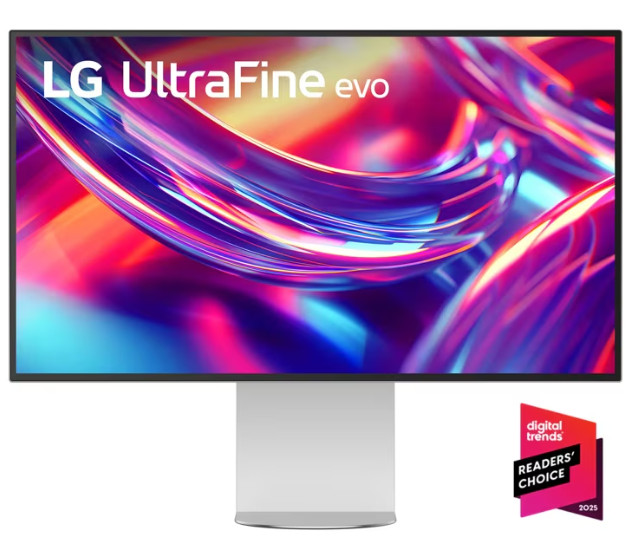
LG 32″ 6K Nano IPS Black (32U990A-S / UltraFine evo)
- Good color accuracy for video and photo work
- Thunderbolt 5 connectivity
- Sharp resolution for high-detail work
- Premium pricing versus high-end 4K options
- HDR performance isn’t as good as some competitors
LG has a good reputation for delivering clean, predictable monitors for creative work, and this model is no exception.
It has razor-sharp 6K resolution (6144 x 3456) at 224 PPI on a 31.5-inch Nano IPS Black panel. That makes it well-suited for activities like video editing, image editing, and graphic design.
It covers up to 98% DCI-P3 and 99.5% Adobe RGB, which means the monitor can reproduce vivid, precise visuals consistently.
The monitor supports Thunderbolt 5. A single cable carries 80 Gbps data, provides up to 96W of power, and supports daisy-chaining (depending on system and resolution limits).
It also comes with HDMI, DisplayPort 2.1, and USB-C hubs. It’s VESA DisplayHDR 600 and 2000:1 contrast add dynamic range, and 450 nits of SDR brightness means it can handle sitting in brightly-lit rooms.
The MSRP is $1999.99, though it currently retails for $1499.99 , which is far less than displays like the Apple Pro Display XDR, but also much more expensive than some of the best 4K monitors on the market, so it makes the most sense for professionals who are already committed to upgrading to 6K.
It also integrates cleanly with macOS workflows, including color profile matching and native display controls, which helps maintain consistency between MacBook screens and external display output.
The monitor is only rated for DisplayHDR 600, so it doesn’t include the advanced local dimming found in higher-end HDR monitors.
ASUS ProArt PA32QCV
- Strong color performance for creative professional work
- Good port selection
- Designed specifically for production environments
- Matte coating can cause haze
- Ineffective local dimming in HDR
- PSU noise supported by some users
This monitor is engineered for demanding production environments, such as video editing and graphic design, from which it presumably derives its name.
The ‘ProArt’ line emphasizes hardware calibration and reliability under extended use, with features like Calman Verified presets and a fully adjustable stand.
For daily use, its 32-inch 6K panel (6016×3384, 218 PPI) delivers crisp detail for pixel-peeping tasks like 6K video grading or retouching high-resolution images. It also offers impressive color performance out of the box: Delta E under 2, full sRGB coverage, 98% DCI-P3, and strong Adobe RGB. That makes it a good workhorse for color-critical activities.
Ports are also comprehensive: dual Thunderbolt 4 for daisy-chaining, HDMI 2.1, DP 1.4, USB hub, and KVM.
Drawbacks include the PA32QCV’s rather aggressive matte coating. This can create haze, which muddies very precise text and images. HDR local dimming isn’t the best with gray blacks and modest ~3,000:1 maximum dynamic contrast.
Although I didn’t experience this, some online reviewers mentioned that their units exhibited PSU coil whine, which was audible in quiet rooms.
Apple Pro Display XDR
- Very bright panel (suitable for HDR workflows)
- Premium build quality materials
- Tight integration with macOS
- High price compared to competitors
- Stand sold separately in many configurations
- Discontinued in March 2026
Despite being officially discontinued in early 2026, along with its $999 ‘Pro Stand’ this Apple display remains a benchmark 32-inch 6K (6016×3384) monitor for professional HDR workflows.
It delivers extreme brightness: 1,000 nits sustained full-screen and 1,600 nits peak, which makes it a good choice for color grading and video production when dynamic range matters.
It uses Thunderbolt 3 with reference modes, True Tone, and automatic brightness/tilt adjustments for a pretty seamless macOS experience. It also sports P3 wide color and 10-bit depth.
If you’re not using macOS, though, it’s hard to justify the price tag: around $5,000 plus extra for the aforementioned stand. The price gap seems even more stark when you compare it to, say, the ASUS ProArt PA32QCV, which currently retails for $1049, when ordered directly from ASUS in the USA.
The display has no physical buttons to adjust brightness and contrast, as this can be managed from within macOS. This can be an issue for Windows users, who have to rely on workarounds. There’s also no native HDMI/DP.
Apple-centric creatives who need HDR and can find a retailer that still stocks the Pro Display XDR may find this an ideal option, but others will almost certainly find better value elsewhere.
Dell UltraSharp 32 6K (U3224KB)
- Reliable performance
- Integrated webcam
- Reasonably priced
- Lower peak brightness than high-end HDR displays
- Average color accuracy pre-calibration
- Speakers are functional but not amazing
This monitor offers 6K resolution (6144×3456, 224 PPI) on an IPS Black panel and delivers reliable performance for multitasking and creative workflows.
Dell claims it covers 99% DCI-P3 and 100% sRGB, and this is borne out by independent testing. However, its Delta E (color accuracy) is average out of the box, but improves post-calibration.
There’s an integrated 8MP 4K HDR webcam with dual mics and a privacy shutter, along with a KVM switch and a 140W USB-C PD. These, combined with the 14W stereo speakers, make the monitor a good choice for videoconferencing, but you shouldn’t expect an extremely nuanced bass or volume.
The monitor also has an integrated USB hub, with Thunderbolt 4 upstream (140W PD), 4x USB-A 3.2 Gen 2 (10Gbps) ports, 2x USB-C downstream (15W) ports, a 2.5GbE Ethernet port, and quick-access USB-C/A at the front.
The U3224KB’s lower peak brightness (450 nits SDR, 600 nits HDR) lags behind other monitors in this space, like the Apple Pro Display XDR. It currently retails for $2499.99 on Dell USA, which places it comfortably in the middle of the pricing range of 6K monitors reviewed in this guide.
How to Choose the Best 6K Monitor as a Creative Professional
The best 6K monitor is the one that meets your requirements. When you’re first considering models, ignore the marketing materials for now, and even the price.
Instead, first ask yourself: What type of work do you do most often? This will help you to understand what matters most to you for a 6K display. For example, video editors are likely to find resolution, color accuracy, and timeline visibility to be most important.
Photographers might instead focus on 6K monitors that deliver the best detail, clarity, and uniform brightness. A designer’s main consideration is likely to be workspace size, reliable color reproduction, and sharp text.
You also need to ask yourself how important connectivity is to you. Thunderbolt is hard to beat, as it simplifies laptop docking, external storage, and peripheral management. That’s particularly important if you’re connecting multiple devices every day.
Finally, consider for how long you intend to use the monitor. A higher-quality display may cost more upfront, but tends to be a good investment if it can reduce friction for the next 5 – 10 years.
All four of the monitors covered in this guide are strong choices for creative professionals, but some are better suited to specific types of users.
For instance, the ASUS ProArt PA32QCV prioritizes production reliability. The Apple Pro Display XDR is a good option for those who do specialize in HDR content. The Dell UltraSharp 32 6K offers a good compromise between performance and practicality.
Overall, however, I stand by my original recommendation: The LG 32-inch UltraFine evo 6K (32U990A-B) delivers the best balance of clarity, color accuracy, connectivity, and day-to-day usability. That’s what creative professionals truly need in a 6K monitor.