

Last Updated on June 8, 2026 by Ewen Finser
Aircall is a cloud-based business phone system built for modern sales and support teams that rely heavily on CRM workflows and customer conversations. Positioned somewhere between a traditional VoIP provider and an emerging revenue intelligence platform, it combines voice, SMS, AI-powered call intelligence, and deep integrations with tools like Salesforce, HubSpot, and Zendesk.
Aircall recently acquired Piper AI, which means that Aircall’s functionality has now been extended to help leverage what it calls “agentic revenue execution”. For companies that treat phone conversations as a core operational channel rather than just another communication tool, Aircall aims to centralize calling, automate administrative work, and surface customer insights directly inside existing workflows.
What Aircall Is and Who It’s For
Aircall is best described as a cloud-based business phone system with built-in AI features for call handling, analysis, and workflow automation. However, with the Piper AI features which enhance the already impressive features, it now offers smarter solutions for businesses focused on revenue intelligence, pipeline health, and improved visibility into the sales cycle.
It runs entirely in the cloud, and also offers desktop, browser, and mobile apps. It supports spinning up numbers in minutes, and can route calls to distributed, hybrid, or even fully remote teams.
The platform’s main focus is on small-to-mid-sized B2B organizations, say between three and one hundred seats.
It’s particularly attractive for sectors where customer conversations really drive revenue and customer experience, such as software, e-commerce, and tech-enabled services.
Typical buyers include:
- Customer support leaders
- Heads of sales
- RevOps
- IT Managers
Aircall’s a solid option for anyone who needs a phone system that’s quick to deploy, while also feeding high-quality information and AI insights into their CRM or help desk, depending on your pricing plan and integrations.
Still, it’s not a full, unified communications suite designed for every single use case. For example, there are no built-in videoconferencing features, and it’s not intentionally designed for solopreneurs, freelancers, or to handle residential calling.
Instead, the platform positions itself more as a modern, AI-powered evolution of business phone systems for teams that already use Zoom and Teams but also want a capable voice layer alongside them.
Aircall Features and Primary Use Cases
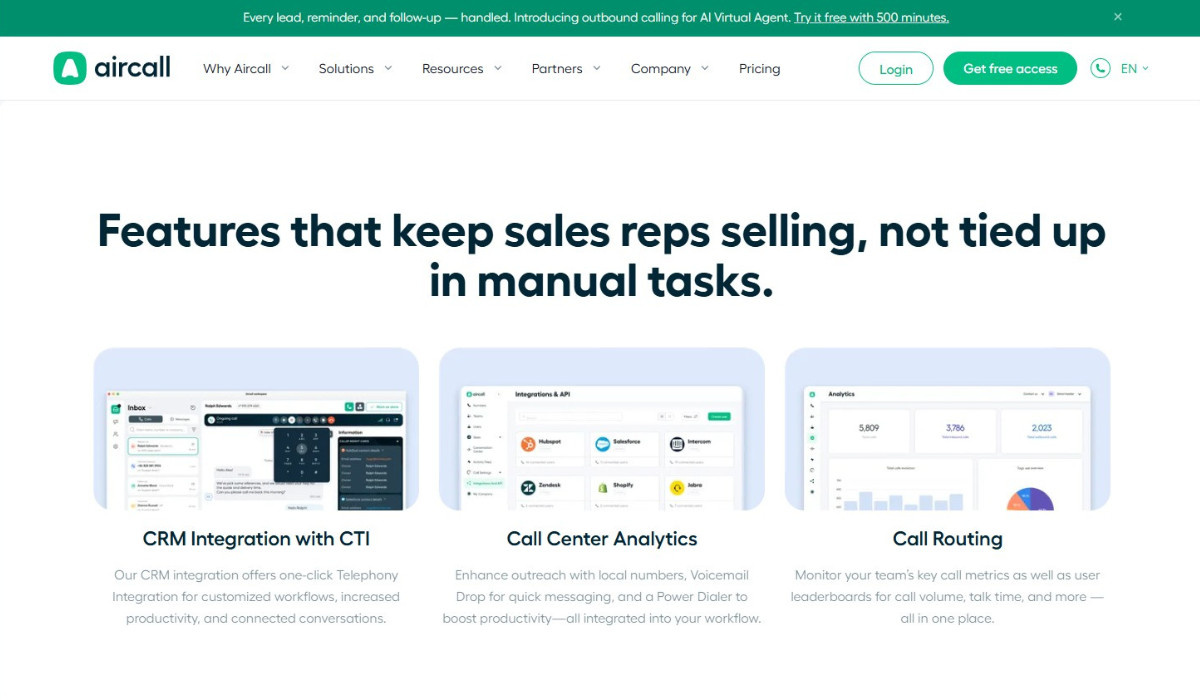
Although the platform is primarily designed to make day-to-day sales and support calls faster and easier to manage, with the new acquisition of Piper AI, the capabilities of the tool now exten into cross-channel revenue orchestration.
For sales teams, core uses include:
- Outbound prospecting with Aircall’s “Power Dialer.”
- Click-to-call directly from the CRM (where relevant).
- Automatic call logging.
- Analytics that can be tied to pipeline performance, via CRM integrations.
Teams can now make use of the newer features, such as making use of the automated follow-up tracking, CRM updates, call summaries, deal scoring, and other AI features which improve the overall sales lifecycle process. Support teams are more likely to benefit from features like intelligent call routing, queue management, and post-call documentation that can feed into the likes of Zendesk.
Some common patterns where Aircall tends to shine include:
- SDR teams that need to rapidly dial lists in Hubspot or Salesforce, while automatically capturing every touch in the CRM.
- Support desks that need communications like voicemails, SMS, and (in some setups) WhatsApp messages to be consolidated into a shared inbox with clear ownership/histories.
- Distributed or outsourced teams that need generally reliable call quality, standardized workflows, and central reporting without having to build a bricks-and-mortar call center.
Aircall’s main value lies in the fact that reps and agents typically don’t have to switch between multiple systems as much: they can take a call in Aircall, while surfacing CRM or ticket context alongside the call interface. Most call activity can be pushed automatically back into core systems.
This can reduce the time spent on manual note-taking and admin, and give managers better visibility into performance and interactions.
Core Features
Under the hood, the Aircall platform combines standard VOIP capabilities with contact-center-style controls and reporting.
This means that at the telephony level you get:
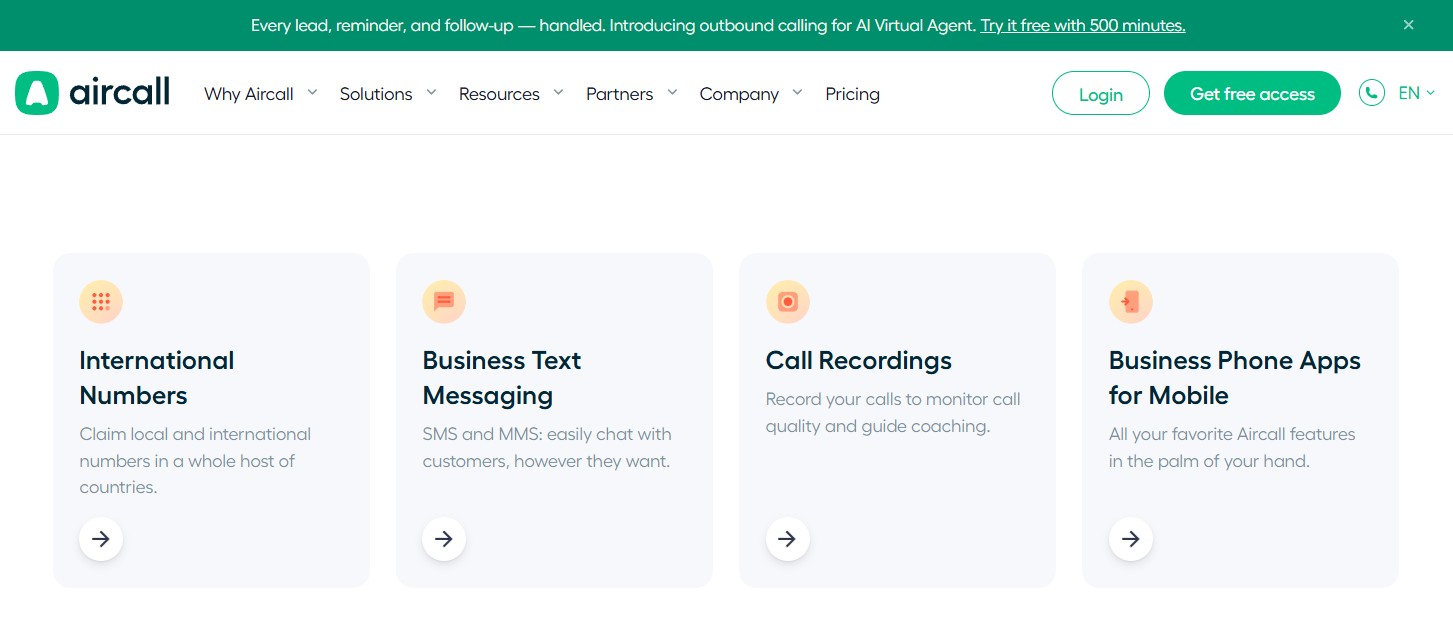
- Inbound and outbound calling across many countries
- IVRs
- Call queues
- Ring groups
- Warm transfer
- Call recordings
- Voicemail with flexible routing rules
Users with admin privileges can configure numbers, routing logic, schedules, and permissions via the desktop client or web dashboard. No carrier tickets or on-premises hardware required.
Aircall also has some features that can be useful for support-team-based workflows, including:
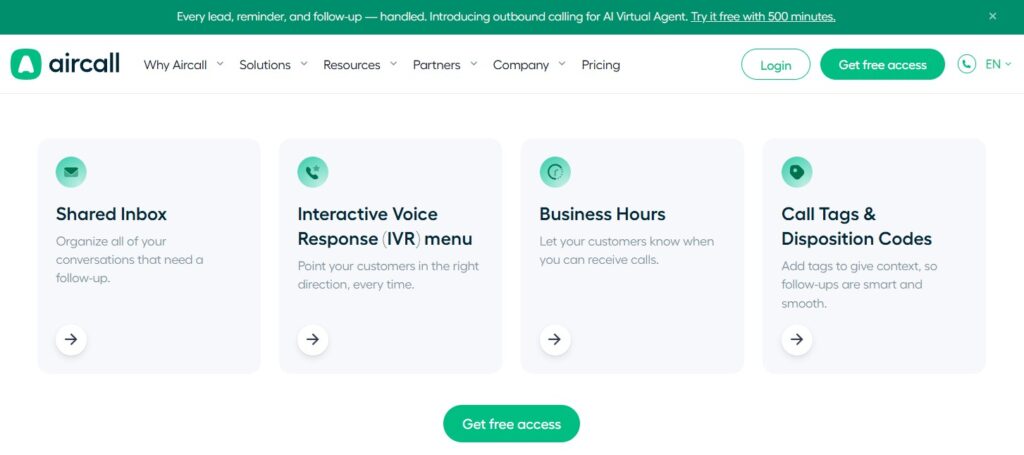
- Shared inboxes that can combine calls, voicemails, and SMS into a single queue, so teams can triage or even follow up collaboratively.
- Call commenting, tagging, and notes that can live alongside every conversation and potentially sync back to CRM or help desk records.
- Live-monitoring and whisper coaching for managers on higher-paid plans, allowing for real-time intervention during trickier calls.
The platform also has strong reporting features. There are dashboards and analytics for metrics like call volumes, handle times, missed calls and wait times. Managers can drill down into these at the agent or team level.
Of course, Aircall isn’t the only platform offering detailed metrics, but it’s a good choice for growing teams as it provides them in near real-time in an easy-to-understand format.
After working through and learning about the core feature, I feel that Aircall is actually closer to a light contact-center platform than just a basic VoIP tool, though it’s not a full enterprise CCaaS solution.
Aircall Pros and Cons

Pros
Aircall’s main strengths lie in its usability, its integrations, and its AI-enhanced workflows.
Specific key benefits include:
- Expanded capabilities into revenue intelligence: With new features from the Piper AI acquisition, Aircall extends customer conversations into key data points, such as deal signals and pipeline health, and uses automated workflows to help close revenue.
- Purpose-built for sales and support teams: The mix of features, such as the Power Dialer, queue callback, coaching, and routing closely matches how real-world revenue and service teams actually operate.
- Deep CRM and help desk integrations: Salesforce, HubSpot, Zendesk, and other tools get authentic CTI and activity syncing. This can reduce manual data entry and improve reporting accuracy.
- User-friendly interface and fast setup: Multiple reviewers (myself included), have found the dashboard and software easy to deploy. Numbers also go live quickly and integration with existing tools is seamless.
- Strong AI roadmap and current capabilities: Automatic summaries, call scoring, live coaching and sentiment analysis offer practical ways to apply Aircall’s AI features without rebuilding workflows from scratch.
- Reliable call quality and uptime: For most SMBs and mid-market use cases, Aircall can deliver consistent availability and call quality. This isn’t always the case for lower-cost VoIP solutions.
Cons
The trade-offs involved in using Aircall mainly center on cost, scope, and some feature gaps compared to very comprehensive UCaaS suites.
Specific drawbacks include:
- Higher-cost relative to entry-level VoIP tools: Once you factor in the price of per-user licensing, any AI add-ons, per-minute rates for the AI voice agent, and other costs, Aircall often costs more than budget cloud phone systems designed for SMBs.
- Minimum seat expectations: Aircall’s three license minimum requirement means that solopreneurs/small teams will be unlikely to justify the spend, especially when cheaper single line solutions exist.
- No built-in video meetings: For this, you’ll need Zoom, Teams, or a similar tool to place internal/external calls, meaning Aircall isn’t an all‑in‑one UCaaS replacement in this respect.
None of these limitations are necessarily a dealbreaker, nor do they outweigh Aircall’s many advantages. However, they may mean it won’t be an ideal fit if you’re looking for a single platform for every communication channel at the lowest price possible.
AI Capabilities
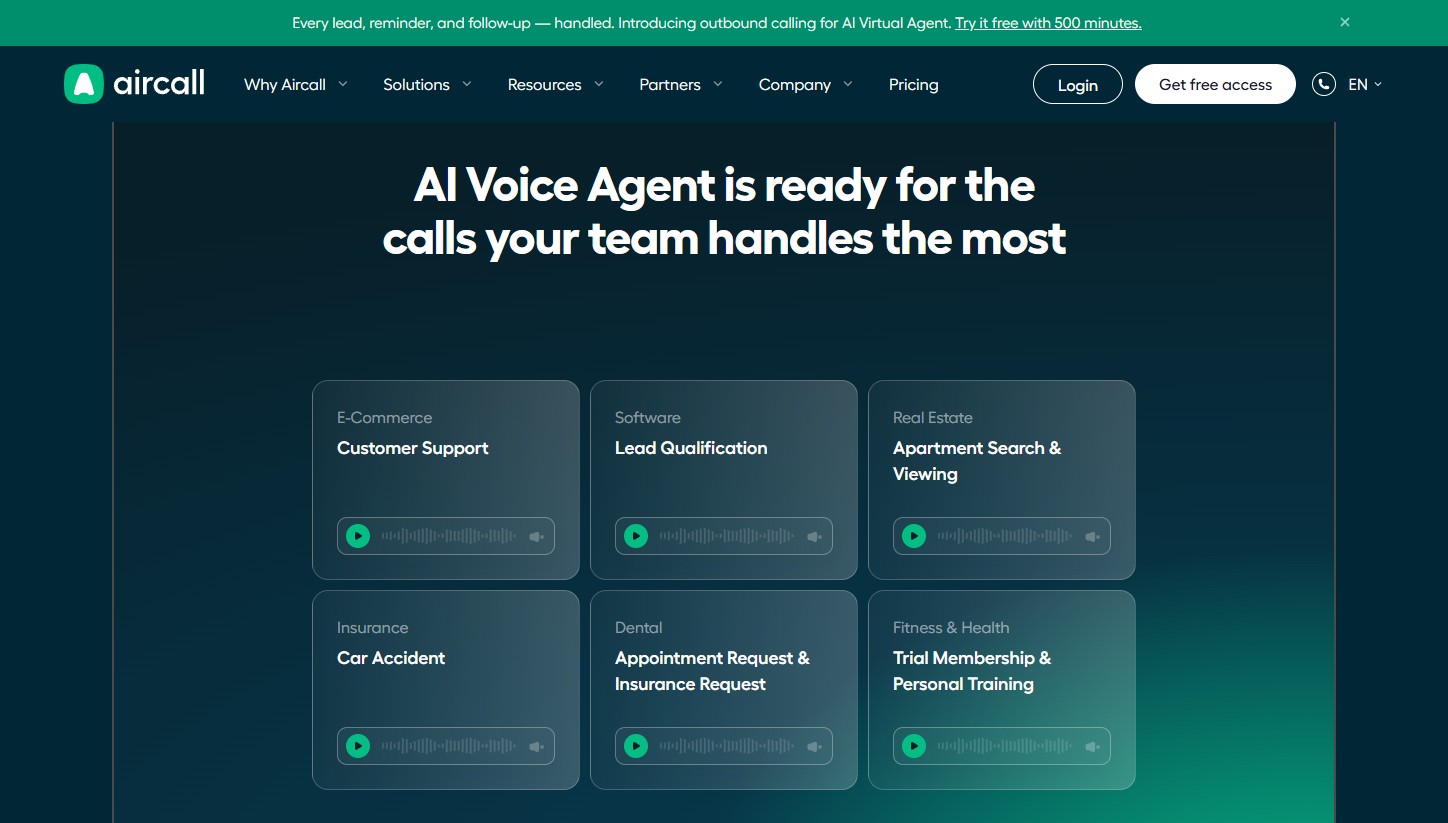
Aircall has been investing heavily in this area over the past few years, by focusing mainly on AI features that complement calls without replacing agents altogether, and part of the Piper AI acquisition now significantly expands Aircall’s capabilities.
AI Assist is included on some plans and available as a paid AI layer elsewhere, while AI Assist Pro is the higher-tier option for real-time coaching and automation. Both these offerings are central to how Aircall stands out over other call center platforms.
Its main AI capabilities are:
- AI call insights and summaries: After a call is over, Aircall can automatically generate a summary, highlight any key topics, extract relevant action items, and score sentiment. This can seriously cut down the time agents spend writing notes, and makes it easier for managers to review conversations. This now goes a step further as Aircall can now automatically update this information directly in the CRM without reps needing to manually capture this.
- Real-time assistance and coaching: Subscribers who deploy AI Assist Pro receive live transcription and prompts, along with playbook-style guidance during calls. Call scoring can also be automated with custom questions. This is particularly useful for onboarding new reps.
- Now includes AI features such as score deal health and sync qualification frameworks such as MEDDIC, BANT and SPICED
- AI voice agent and automation: All pricing plans include 50 free AI Voice Agent minutes per account, per month, with 100 additional minutes at sign-up. Provided you have enough minutes left, this offers 24/7 coverage for common FAQs, routing, and any basic workflows that don’t require a human, with handoff to live agents if required. This feature is particularly useful for taking the edge off during peak hours.
As I mentioned above, these AI features are tightly integrated into human workflows. For example, call transcripts and summaries can be attached to records in your CRM and updated without manual intervention. AI scoring can also appear in the same reporting layer you’re already using.
In other words, if you’re a sales or support leader you’ll find that Aircall’s AI features work well in the same workspace where calls are already happening, not as an afterthought. Managers can now also search across the platform to surface information about successful deals, historical customer engagements, and current pipeline activity, offering added visibility and useful insights. Teams can operationalize insights from data into smart business decisions and revenue actions more easily.
You might also be interested in: Best AI Voice Agent Software
Aircall Integrations
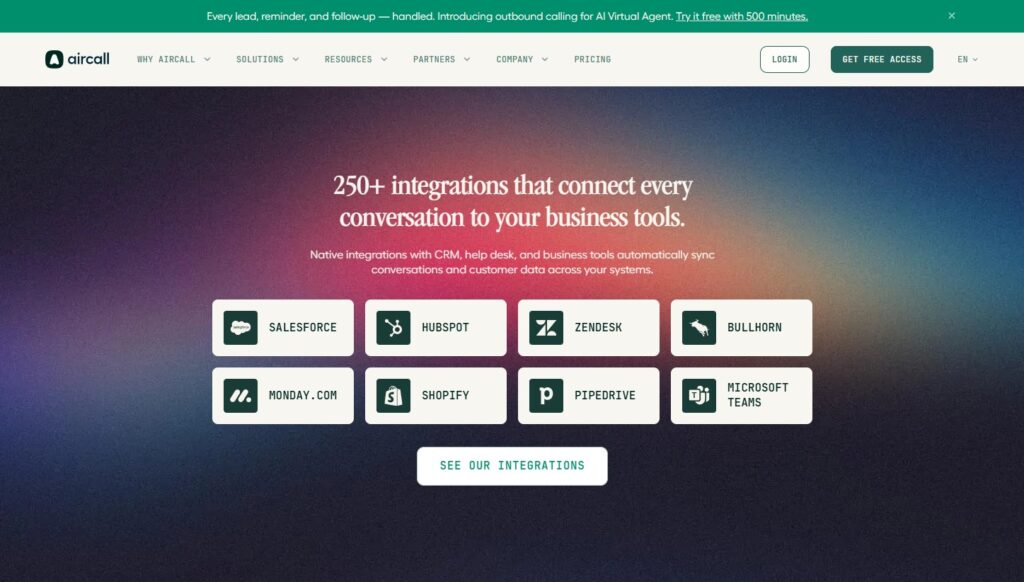
Besides the AI features, integrations are one of Aircall’s main selling points, and are the reason why the platform comes up in conversation with CRM-heavy teams. This is even more powerful with the new features, such as automated updates and synchronization as a result of the Piper AI acquisition.
Currently, Aircall supports around 200 to 250 integrations with popular CRMs, help desks, and productivity tools, including Salesforce, HubSpot, Zendesk, Intercom, Pipedrive, Slack, Microsoft Teams, and more.
While other solutions also offer basic integrations, Aircall provides more than just a few click-to-call widgets, including:
- CTI inside tools like Salesforce, HubSpot, and Zendesk, so agents can make and receive calls without leaving the app.
- Automatic logging, including call recordings, transcripts, and AI summaries. These can be attached directly to contacts, deals, or tickets. (For supported integrations and plans).
- Bidirectional syncing – Depending on the integration, status changes, tags, and notes can stay aligned between Aircall and your core systems.
For teams with more complex stacks, the platform also has APIs and webhooks that can be deployed to build custom workflows and reporting. When configured correctly, this means that Aircall can become the voice layer sitting on top of your CRM or help desk, instead of just being another siloed tool.
If you’re considering switching to Aircall to tighten the feedback loop between your phone calls and the rest of your operations, then its integration depth is one of the main reasons to shortlist it, especially for CRM-heavy sales or support teams.
Aircall Security and Privacy
Aircall’s security overview whitepaper explains that it operates as a cloud platform with enterprise-grade infrastructure, with security controls based on frameworks such as ISO 27001 and NIST.
Features include:
- Encryption of data in transit and at rest (via TLS 1.2 and AES-256 respectively)
- Secure data centers with CCTV and security personnel
- Network segmentation to separate public services from internal services
In terms of reliability Aircall advertises an uptime commitment of around 99.95%, with a focus on call reliability and quality. This is crucial for teams that run large volumes of customer conversations.
When it comes to compliance, Aircall generally acts as a data processor for customer data, e.g., under European data protection law and makes a Data Processing Agreement part of its customer terms. It also offers various call-recording consent requirements, retention, and export options, depending on your region.
While Aircall is generally considered suitable for small businesses and mid-market customers, I’d strongly advise contacting the support team if your organization has complex data-handling and certification requirements.
Aircall’s AI-powered features are powered by MIcrosoft, as a third-party foundational model provider, but transcripts aren’t used to train the model itself. Microsoft-side processing is ephemeral, so any transcript copies and resulting AI highlights are returned to Aircall, then deleted. This may become relevant if you work in a highly-regulated sector.
Aircall Pricing
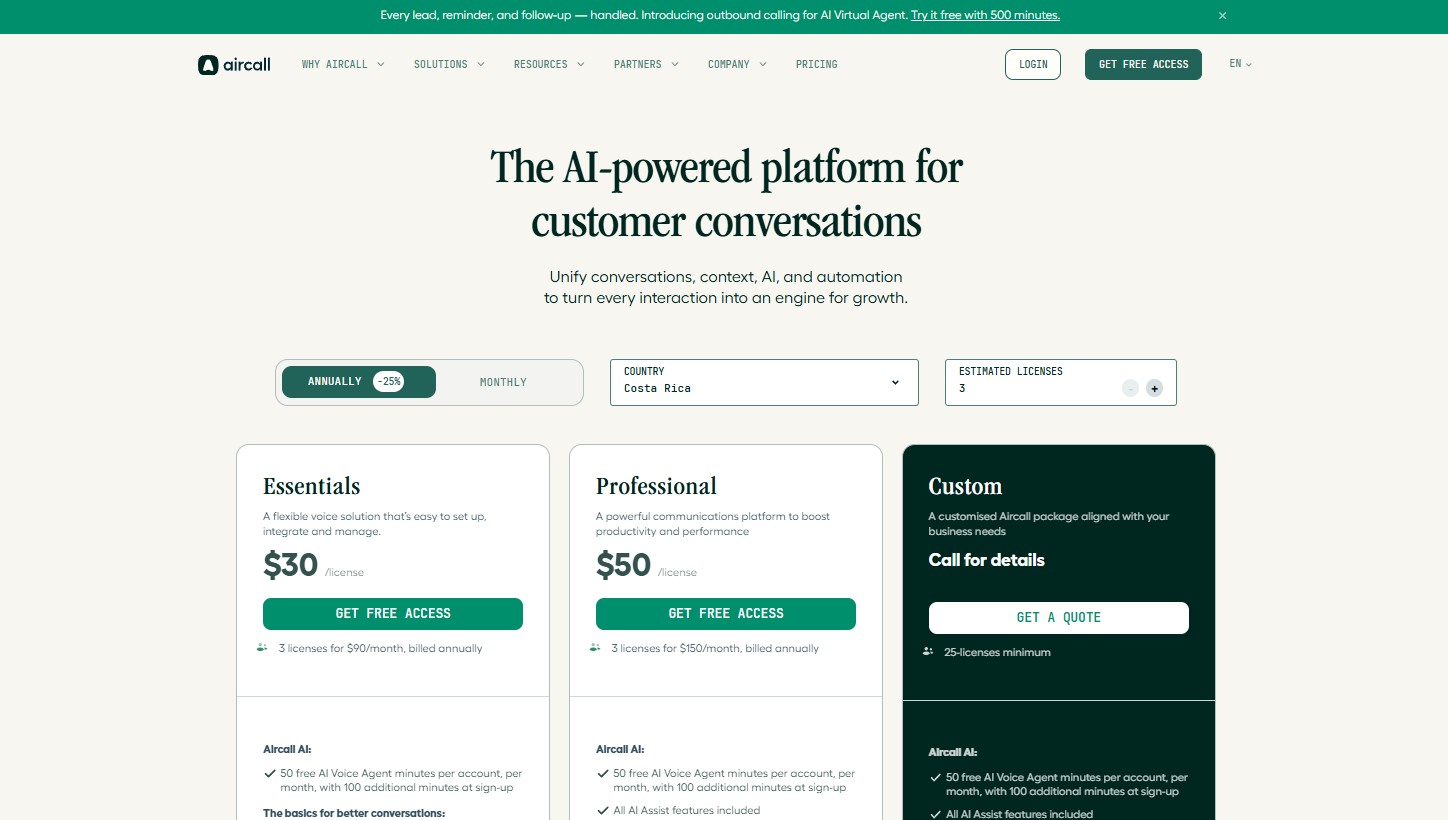
The platform’s pricing is reasonably transparent, but sits at the higher end of SMB-focused cloud phone solutions.
There are two main pricing tiers:
- The ‘Essentials’ plan costs $30/license/month (minimum three licenses) paid annually. This includes core telephony features, such as unlimited calls within the US & Canada, 100+ integrations and API access, and basic reporting.
- The ‘Professional’ plan costs $50/license/month (minimum three licenses) paid annually. This includes more advanced features like ‘AI Assist’ (see below), advanced analytics and live monitoring, the Power Dialer, queue callback, and more sophisticated coaching tools.
On top of license costs, AI Assist and AI Assist Pro are available for $9/license/month, and $49/license/month respectively. The one exception to this is if you have a ‘Professional’ subscription, which automatically includes all AI Assist features.
These include features like AI call insights and coaching, sentiment analysis, call scoring, and live transcription, depending on your tier.
As stated earlier, each pricing plan comes with 50 free AI Voice Agent minutes per account, per month, with 100 additional minutes at sign-up. After that, pricing varies depending on the bundle: pay as you go is $0.49/minute for up to 2,500 minutes but custom pricing is available for 10,000+ minutes (from $0.19/minute).
All of the above mean that your monthly bill may be higher than it first appears, once you factor in costs like per-minute rates, outbound bundles, AI features, and even advanced analytics (from $15/license/month). The requirement for a minimum of three users also means that Aircall isn’t a budget choice for solopreneurs or very small teams.
This said, those teams that need integrations and AI capabilities tend to find that Aircall offers value for money over barebones VoIP solutions.
Final Verdict
Aircall has grown to be much more than just another VoIP provider in recent years.
With a large focus on AI-powered customer conversations built with sales and support teams in mind, and now with the acquisition of Piper AI, it’s broadened its service offerings to become an advanced intelligence platform to help teams close the loop on revenue execution
Its greatest advantages lie in its deep CRM/help desk integrations, intuitive UI, and helpful AI tools that can automate call summaries, provide coaching insights, and make conversations easier to measure. Aircall has gone beyond simple tracking and, with recently added AI features such as automated CRM updates, deal scoring, workflow automation and pipeline visibility, teams can reduce extensive admin overhead and as a result save time and money.
That said, this level of focus comes at a price. Aircall has per-license pricing, with a minimum number of three seats for most tiers, as well as an add-on structure. That means that it’s a better fit for small-to-mid-sized teams that will take full advantage of its integrations and AI features, than, say, a micro-business that just wants to rent a cheap phone line.
If you already rely heavily on tools like Salesforce, HubSpot, or Zendesk, and you want your phone system to feel like a natural extension of those platforms, Aircall’s one of the stronger options currently on the market.
If you’re a sales or support leader, the key question is whether you see telephony only as a commodity or as a potential intelligent lever for growth and customer experience. If you feel it’s the latter, then Aircall’s blending of trustworthy cloud calling, deep integrations, and useful AI features makes a compelling case to treat the platform as a central part of your revenue and support stack, not just as an afterthought.