


Last Updated on April 10, 2026 by Ewen Finser
On the surface, Nickel and Melio look pretty similar. Both payment platforms are geared toward SMBs, let you pay your vendors and collect payment from customers, and integrate with accounting and bookkeeping software.
But while they have a lot of the same capabilities, there are also some notable distinctions between the two.
Here’s a look at how they compare.
Nickel vs Melio: At a Glance
Best For | AR and AP at industrial SMBs | AI-powered AP and bill pay for industry-agnostic SMBs |
Plans and Subscriptions | • Nickel Core: Free • Nickel Plus: $45/month • Nickel Pro: Custom pricing | • Go: FreeCore: $25/month, $10/month per additional user • Boost: $55/month, $10/month per additional user • Unlimited: $80/month • Platinum: Custom pricing |
Transaction Fees | • ACH: Free • Card: 2.9% • Check: $2 • Global Payment: $20 | • ACH: $0.50 or free (depending on plan) • Card: 2.9% • Check: $1.50 • Global ACH (USD): $20 • Global Card (USD): 2.9% + $20 |
International Payments | 200+ countries | ~80 countries |
Payment Delivery Times | • ACH: 2–3 business days • Card: 1–2 business days | • ACH: 3 business days • Card: Same business day • Fast pay options available |
Tax Forms | None | W-9 collection, 1099 filing (with Tax1099 sync) |
Accounting Integrations | • QuickBooks • Online and Desktop • API integration | • QuickBooks • Online and Desktop • Xero • Amazon Business |
Security | • Custom approval workflows • 24/7 fraud monitoring • Multi-factor authentication • Encryption | • Custom approval workflows • 24/7 fraud monitoring • Multi-factor authentication • Encryption |
Customer Support | •Live chat | • Live chat • Phone support • Priority support • Account managers |
Nickel: AR and AP for the Industrial Sector
While companies of all industries can and do use Nickel, its customer base mainly consists of industrial businesses that make large transactions, such as construction, manufacturing, trucking, architecture, and engineering.
Transaction Fees & Timelines
For all three of its plans, Nickel comes with unlimited free ACH payments, a 2.9% fee for card payments, and a $2 charge for checks. Additionally, you can make international payments to over 200 countries for a $20 fee.
Here are the timelines you can expect, depending on your payment method and subscription.
- ACH: 3 business days (Core), 2 business days (Plus and Pro)
- Credit Card: 2 business days (Core), next business day (Plus and Pro)
Regardless of whether you’re paying domestically or globally, you can opt to pay with a credit card even if your vendor doesn’t directly accept credit card payments, with domestic payees receiving ACH and international payees receiving a wire transfer.
Tax Forms
Nickel doesn’t currently let you collect W-9s and issue 1099 forms to vendors — the company states that this feature is “coming soon.” But for now, you’ll have to rely on another platform to manage your forms during tax season.
Accounting Integrations
At present, the only platforms that Nickel natively integrates with are QuickBooks Desktop and QuickBooks Online (which is an instant two-way sync). You can use the integration to import vendor and customer details, automatically send invoices, and set up recurring bills and invoices. A Xero integration is apparently in the works, but there’s no slated date for its release.
Despite the limited number of integrations, you can use Nickel’s API to embed it into any tool, accessing features like sending payment links, creating and onboarding customers, charging payment methods on file, creating and paying bills, onboarding new vendors, and receiving payment updates.
Security
Embedded within Nickel are several security features that help to prevent your sensitive card or banking information from getting into the hands of bad actors. For example, you can set up strict user permissions so that certain users can handle invoices and bills without seeing your bank account details. You can also establish workflows requiring approval before money leaves your bank account or your card is charged.
Aside from these customizable workflows and permissions, Nickel has 24/7 fraud monitoring, which helps to detect issues early and minimize damage. It also uses multi-factor authentication and encrypts both your data and your customers’ data.
Nickel is also compliant with PCI and SOC 2, meeting the recommended security standards for payment processors. SOC 2 is a common vendor data protection security framework, while PCI compliance means that a processor follows the recommended security measures from the Payment Card Industry Data Security Standard (PCI DSS).
Customer Support
With all three of Nickel’s plans, you can access live chat and email support. The company doesn’t publish its support hours, but they claim that their support is available “around the clock” and that all tickets are answered by a real human.
There is a downside to Nickel’s customer service, though: the company doesn’t offer phone support.
Plans and Subscriptions
- Nickel Core (free)
- Limited to three users
- $25,000 transaction limit
- Customer payment portal
- Get paid via link
- Bill pay
- Permissions and approvals workflow
- Nickel Plus ($45/month)
- Unlimited users
- No hard transaction limit
- Scheduled and recurring payments
- Nickel Pro (custom pricing)
- Digital credit application
- Customer credit insights
- Decision workflow
- Net 60 terms for customers
Melio: AI-Powered AR and AP for SMBs
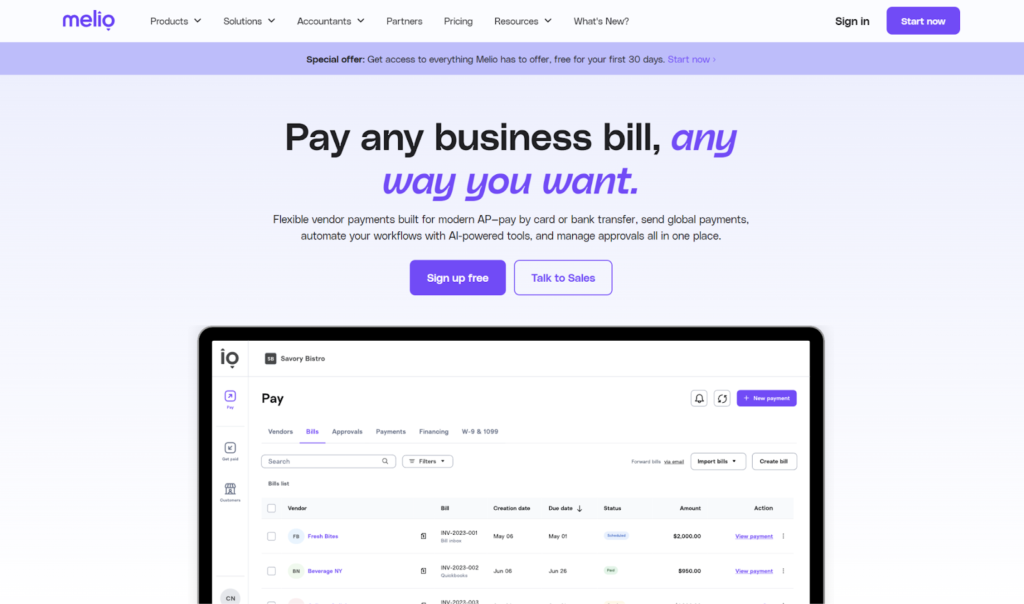
Like Nickel, Melio works on both the receivables and payables side, although it’s mostly known for being a bill pay solution. It focuses on SMBs, and companies in fields as diverse as professional services, food and beverage, construction, retail, healthcare, and logistics all benefit from using Melio.
Transaction Fees & Timelines
Melio’s transaction fees vary a bit more than Nickel’s, depending on your method of choice:
- ACH:
- Standard ACH: $0.50
- Global ACH (USD): $20 flat fee
- Global ACH (Local Currency): Conversion rates
- Card:
- Standard Card: 2.9%
- Global Card (USD): 2.9% + $20
- Global Card (Local Currency): 2.9% + conversion rates
- Check: $1.50
- Wire Transfer: $10
Note that the $0.50 ACH fee is for payments that exceed the number of free ACH included in your plan (not applicable to those under the Unlimited plan). Regarding international payments, Melio can currently send funds to vendors in around 80 countries.
As far as timelines go, the standard is 3 business days for ACH and same-day for cards. However, the platform also offers expedited payment options, including:
- Same-day ACH
- Instant ACH
- Same-day wire transfer
- Fast USD international payments
- Fast check
- Overnight check
Tax Forms
You can use Melio to request W-9 forms from contractors (who won’t need to sign up in order to submit), and you can do so either individually or in bulk. You can also upload existing W-9s, and Melio will extract and import the tax data.
Beyond W-9 forms, Melio can also help you with 1099 filing. You can’t do this entirely within Melio, but you can sync with Tax1099 to file.
Accounting Integrations
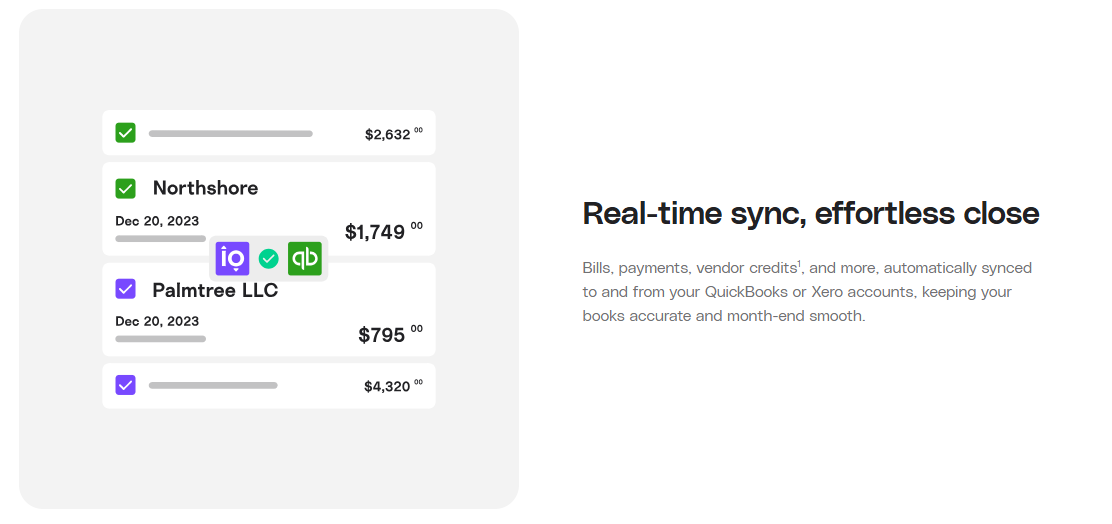
Melio has automatic two-way syncs with QuickBooks Online, QuickBooks Desktop, and Xero that let you sync your vendor details, outgoing payments, and incoming payments.
Melio also integrates with Amazon Business, allowing you to import and pay invoices. However, this sync is only one-way. You can view your Amazon Business invoices in Melio, but it won’t automatically update the invoices to “paid” status within Amazon.
Security
Similar to Nickel, Melio’s security features are well-developed and can prevent or reduce instances of fraud. With customizable approval workflows, you can establish checks and balances and ensure that payments are approved before being sent out.
The company uses multi-factor authentication to restrict unauthorized users from accessing your account, executes 24/7 security monitoring, and encrypts data and passwords. Plus, it’s compliant with both PCI and SOC 2.
Customer Support
The level of support you get with Melio depends on which plan you subscribe to.
- Go: Live chat, email
- Core: Live chat, email, priority support
- Boost: Live chat, email, priority support, phone support
- Unlimited: Live chat, email, priority support, phone support, account manager
Melio’s customer support hours are Monday through Friday, 9 AM to 8 PM EST, but you can also visit the Melio Help Center, which has detailed articles covering many aspects of the platform.
Plans and Subscriptions
- Go (free)
- Limited to one user
- 5 free ACH per month
- 10 free QuickBooks Online syncs
- 10 free Xero syncs
- Fast/instant payments
- International payments
- Create payment links
- Core ($25/month, $10/month per additional user)
- 20 free ACH per month
- QuickBooks Online sync
- Xero sync
- Fast/instant payments
- International payments
- Create payment links
- Batch payments
- Approval workflows
- W-9 collection and 1099 automation
- Boost ($55/month, $10/month per additional user)
- 50 free ACH per month
- Advanced user roles
- Custom approval workflows
- QuickBooks Desktop sync
- Unlimited ($80/month)
- Unlimited free ACH
- Unlimited users
Melio also offers a Platinum plan with custom pricing and capabilities, meant for high-volume businesses.
Which Is Better: Nickel or Melio?
Nickel and Melio are similar on multiple fronts. Both have free ACH options, charge a 2.9% fee for card payments, natively integrate with QuickBooks, and are appropriate choices for small businesses managing AR and AP.
However, there are important distinctions that may tip the scales in Melio’s favor. For one, its customer base is far broader and more diverse than Nickel’s — it’s not an industry-specific platform, so it’s a solid choice no matter the nature of your business. Additionally, its expedited payment options can transfer funds in as little as a few minutes, and while Nickel’s payment timelines are pretty speedy overall, they still don’t match Melio’s. Melio also has phone support available, and for those using Xero for accounting, Melio natively integrates with the platform.
On the other hand, Nickel’s niche makes it a strong fit for businesses like construction, building, and manufacturing in particular. Its ACH payments are also free across all plans with no caps, whereas Melio’s costs can add up quickly for businesses not on the Unlimited plan. Nickel also supports international payments to over 200 countries to Melio’s 80, which really matters if you work with a global supplier base. Finally, Nickel’s API gives teams the flexibility to embed payment features directly into their own tools and workflows.
In most cases, however, Melio tends to win this matchup for most SMBs. Its broader industry reach, faster payment options, phone support, Xero integration, and built-in tax form management make it the more complete and versatile platform.