


- The Bottom Line Up Front
- Understand What “Stripe Froze Me” Usually Means
- What To Do Right Away
- Step 2: Figure Out Whether this is a Freeze, a Reserve, or a Verification Pause
- Step 4: Audit your Website and Checkout Flow the Same Day
- So What Usually Causes Stripe to Freeze Your Funds?
- Long-Long Term Prevention: How To Prevent It Next Time
- Why Merchants Start Looking For Alternatives
- Final Thought
Last Updated on October 8, 2026 by Ewen Finser
If you’re wondering what to do if Stripe freezes your funds, the worst move is to panic, even though that’s probably instinctively your first response! The better move, however, is to get organized, find the exact reason, respond with the right documents, and protect your cash flow while the review is still open.
Stripe can pause payouts for several reasons, including verification issues, negative balances, reserve holds tied to expected refunds or disputes, and elevated dispute activity. As a CPA, I’ve seen this happen time and time again with small businesses, and it just never quite seems fair. With your cash cut off, you’re left scrambling to fill the gap as quickly as you can. It’s a tough spot to be in! Let’s talk about what you need to do if this happens to you.
The Bottom Line Up Front
If Stripe freezes your funds, do four things. First, identify the exact trigger in your Dashboard and email. Then, submit every requested document in one clean package. Next, stabilize customer-facing problems fast and, finally, build a short-term cash plan that assumes the hold lasts longer than you want (Line of Credit, cash injections from stake holders, etc.).
In most cases, the freeze is not random. It usually ties back to one of a small group of issues: incomplete verification, unusual volume, excessive refunds or disputes, prohibited or restricted business activity, or a risk review tied to your account behavior. The good news is that merchants usually have more control than they think. The bad news is that control comes from paperwork, process discipline, cleanup, or jumping through the hurdles of switching processors to a new platform.
Understand What “Stripe Froze Me” Usually Means
Merchants use the phrase “froze my funds” to describe a few different things.
Sometimes Stripe has not shut down the account at all. It has only delayed payouts (most common in my experience). Stripe’s online support says payout dates can move when verification is incomplete, when more business information is needed, or when the account has other review issues. Stripe also says payouts can pause while it resolves a negative balance withdrawal.
Other times, Stripe is holding a reserve. What’s that? Reserve balances are used to ensure an account can cover expected incoming refunds or disputes. Stripe has certain categories on their statements like reserve_hold, reserved_funds, and reserve_release, which tells you a little bit more about why things are getting frozen and their amounts.
Sometimes, the problem is compliance. Stripe may request business verification documents, identity documents, ownership details, or proof of business operations. If that information is not provided by the deadline, payments can be paused.
What To Do Right Away
Step 1: Check the Dashboard Before you do Anything Else
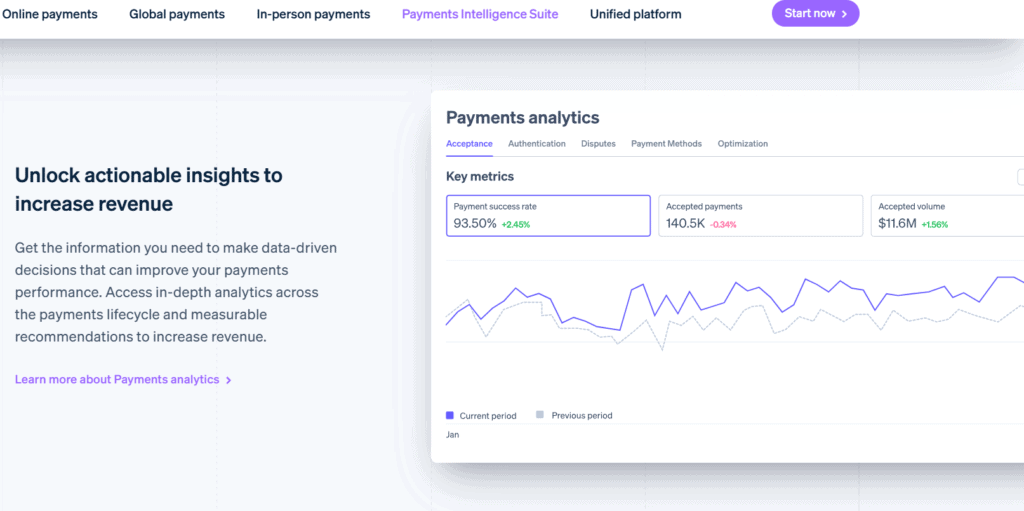
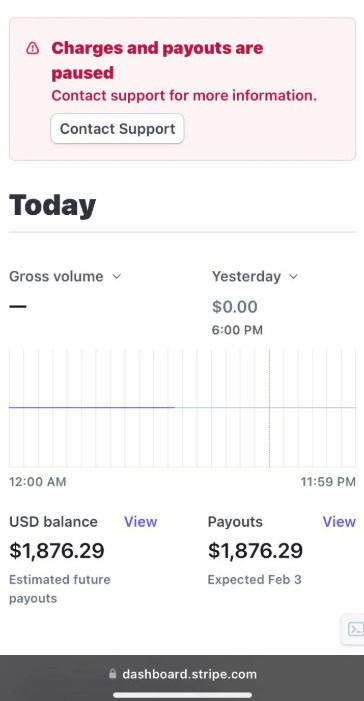
Start in Stripe, not in your inbox and not in your own head. Look for notices in the Dashboard about payouts, verification, disputes, restricted business review, or requests for additional business information. Stripe’s support materials repeatedly point merchants to the Dashboard and account emails because that is where the specific reason usually appears.
Take screenshots of every alert, due date, and requirement. If support later gives you conflicting answers, you’ve got the receipts to back up their self contradiction.
Step 2: Figure Out Whether this is a Freeze, a Reserve, or a Verification Pause
These are not the same problem.
If the issue is a reserve, your money may still be yours, but part of it is being held back to cover future refunds or disputes. If the issue is verification, the fix is usually sending over some type of documentation. If the issue is a negative balance, the hold may stay in place until Stripe clears the withdrawal or your balance recovers.
This step keeps you from wasting days arguing about risk when the real issue is a missing ownership record or address documents.
Step 3: Respond to Stripe’s Document Request With One Clean Package
If Stripe asked for more information, do not drip documents in one at a time. Stripe’s support guidance says merchants should upload as much relevant documentation as possible through the Dashboard when asked for additional business information. That typically includes formation documents, tax registration, proof of address, ownership details, bank support, invoices, supplier records, fulfillment records, and a working website that accurately describes what you sell.
Your package should be boring and complete:
- Business formation docs
- EIN or tax registration proof
- Government ID for owners
- Recent bank statement
- Processing history
- Invoices and delivery proof
- Refund policy
- Terms of service
- Website screenshots
- Explanation letter of what changed
In my experience, the explanation letter matters more than people think. If your volume spiked because of a launch, seasonal demand, or a wholesale order, say that and back it with evidence.

Step 4: Audit your Website and Checkout Flow the Same Day
Processors hate unclear businesses. If your website has weak contact info, no refund policy, vague product descriptions, slow shipping language, or billing descriptors that do not match the customer’s expectation, you are feeding the risk model.
Stripe’s restricted business rules and verification framework make clear that what you sell, how you describe it, and whether the business can be verified all matter.
Here’s the fix:
- Clear legal business name
- Real phone and email
- Full refund and shipping policy
- Delivery timelines
- Product descriptions
- Support response window
- Terms and privacy policy
- Accurate MCC-style business description
Do not make your site look like a placeholder while asking for access to real money.
Step 5: Pull Your Last 90 to 180 Days of Numbers
When Stripe freezes your funds, you need a risk file. Stripe says cardholders can dispute charges up to 120 days after payment, sometimes longer. Stripe also says excessive dispute activity is a serious problem and that even a sudden spike can cause trouble before you reach 0.75%.
Build a one-page summary:
- Monthly sales volume
- Average ticket
- Refund rate
- Dispute count
- Dispute rate
- Delivery time
- Top products
- Percentage of repeat customers
- Any abnormal spikes
If your story is “we are low risk and stable,” prove it with clean numbers. This looks like a bunch, but it can be something as simple as a formatted excel sheet with some attractive headers.
Step 6: Contact Support with a Case, Not a Complaint
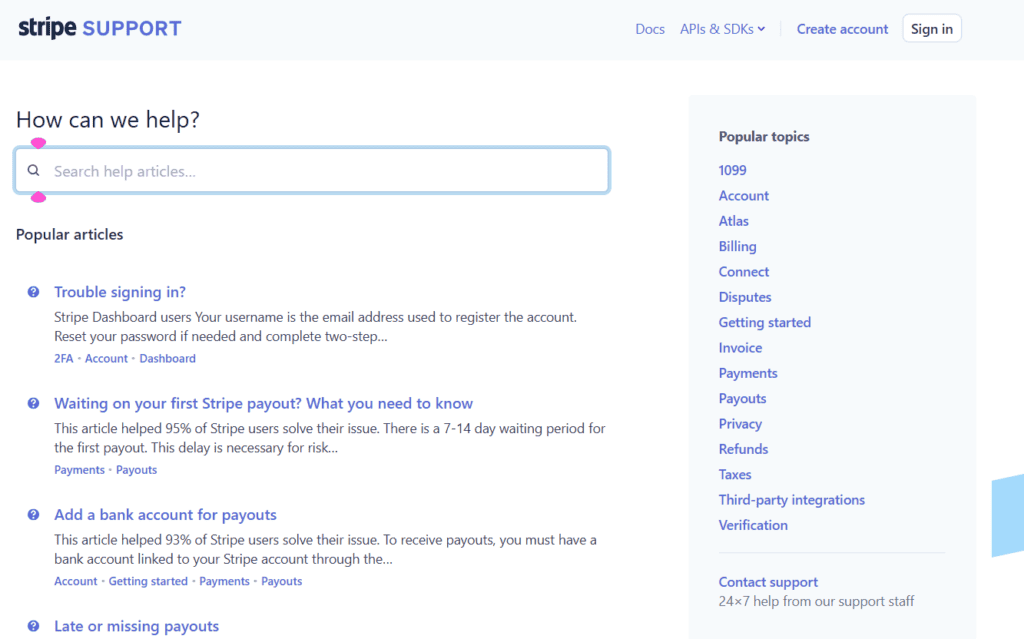
Do not send “Why did you freeze my money?” Send a well thought out, concise, support case that gets the information Stripe needs to unfreeze your account. Include the following:
- Account ID
- Date funds were paused
- Exact notice received
- Documents uploaded
- Explanation of any unusual volume
- Current refund and dispute metrics
- Customer fulfillment status
- Request for next action and review timeline
That gives support something usable. It also signals that you run a real business and understand the risk issue.
Step 7: Protect Customers While the Hold is Active
In my experience, a fund freeze often becomes a customer service problem before it becomes a finance problem. If orders are unfulfilled, communicate now. If delays are likely, offer refunds early where needed. Stripe’s reserve and dispute materials make the core point clear: unresolved customer issues turn into refunds and chargebacks, and those make the risk profile worse. It should be your goal to stop a temporary payout issue from becoming a full account spiral.
Step 8: Build a Cash Bridge
This part is operational, but just as important as reaching out to Stripe. If Stripe is your main processor, a freeze can choke payroll, ad spend, inventory buys, and shipping. Act quickly, and implement these stop gaps:
- Slow discretionary spend
- Pause paid traffic if fulfillment is strained
- Reroute new sales if you have backup processing
- Talk to suppliers
- Preserve payroll cash
- Document owner support or short-term funding
The merchants that survive a freeze usually treat it as a treasury event, not just a support ticket.
So What Usually Causes Stripe to Freeze Your Funds?
I think the causes are more predictable than most merchants think. The first big one is verification failure or missing information. Something as simple as missed paperwork. Stripe can pause payouts when business, ownership, identity, or address information is incomplete or cannot be verified.
The second is disputes, chargebacks, and refunds. Stripe’s docs say reserve balances may be created to cover expected refunds or disputes. Stripe also warns that dispute activity above 0.75% is excessive, and a sudden trend can trigger problems even sooner.
The third is negative balances. Stripe says payouts may pause while it processes a withdrawal to cover a negative balance.
The fourth is business model risk. If you operate in a prohibited or restricted category, or your actual activity looks different from what Stripe thought you were doing at signup, you can get flagged. Stripe’s restricted business materials make clear that some categories are banned outright and others require added review or approval.
The fifth is unusual account behavior. A sudden volume spike, large average ticket jump, new geography, poor fulfillment, or a flood of customer complaints can all make a processor nervous. Stripe does not publish a neat master list of every internal trigger, but its dispute, reserve, and verification docs point to the same theme: when account behavior changes in a way that raises loss risk, holds and pauses become more likely.
Long-Long Term Prevention: How To Prevent It Next Time
I think the biggest mistake merchants make is treating underwriting as a one-time event. In reality, processors often evaluate risk after signup too. For instance, Adyen’s documentation describes both upfront verification and staggered verification models, where more information can be required later based on activity, country, processing volume, and product use. Stripe likewise uses ongoing verification and may ask for more information after the account is already operating.
That means prevention is ongoing.
Keep your dispute rate low. Keep your website accurate. Keep your records ready. Watch for volume jumps. And most importantly, do not rely on a single processor. A backup processor may seem like paranoia, but it’s really just cash-flow risk management.
Why Merchants Start Looking For Alternatives
I think after the first Stripe account hold, if a merchant is considering a secondary processor, they start comparing providers that rely more on traditional merchant accounts, more hands-on underwriting, or clearer risk communication. Not just who has the lowest rate.
This doesn’t mean those providers never hold funds. Any processor can hold funds under the right circumstances. But some setups may reduce surprise because the risk review happens earlier or with more human involvement. For instance, Luqra positions itself as a payment processing and financial ops platform, and in its own content, it emphasizes communication around risk and the real business damage caused by rolling reserves and payout holds. I think that’s the right frame of mind; it’s not “we never hold funds,” because no serious processor can promise that, but it shows a little bit of compassion.
Another example is Adyen, which documents both upfront and staggered verification approaches. Helcim meanwhile gives small businesses individual merchant accounts and states that this makes fund holds less likely than with many other providers.
Final Thought
When you’re wondering what to do if Stripe freezes your funds, treat it like a risk audit and a cash-flow emergency at the same time. Get the exact reason, and then start submitting your support package. Then, clean up your website and order flow. Next, control refunds and disputes before they multiply. Finally, use the event to decide whether your current processor still fits your business. If not, consider another processor like Luqra who can better assess your risk profile and prevent future holds.
I think a freeze feels personal when it happens to most SMB owners the first time. Keep in mind, it’s never personal. It’s underwriting, compliance, and loss prevention colliding with a business that was moving faster than its documentation, customer experience, or risk controls. It’s fixable, but only if you respond like an operator, not like a victim.