

- Alternatives to QuickBooks Online
- The Top QuickBooks Alternatives
- Puzzle – AI-Driven Efficiency for the Modern Business
- Xero – Best for Integrations and Scalability
- FreshBooks – Best for Freelancers and Service-Based Businesses
- Wave – Best Free Accounting Software for Small Businesses
- Zoho Books – Versatile and Budget-Friendly Solution
- Digits
- Evaluating Your Business’s Needs
- Choosing the Right QuickBooks Online Alternative
- Closing Thoughts
Last Updated on October 22, 2026 by The Digital Merchant Team
QuickBooks Online has established itself as a reliable accounting platform for small businesses, freelancers, and even mid-sized companies, and for good reason. It has an intuitive interface, a comprehensive feature set, and strong brand recognition, which have made it the go-to choice for many business owners.
However, QuickBooks isn’t for everyone. If you want a lower price, better automation, or a simpler setup, one of its competitors might be a better fit.
As a CPA, I feel like I’ve tried them all. I’ve used everything from big systems like SAP and Oracle to free software like Wave. In that time, I’ve found plenty of great QuickBooks alternatives with some pretty cool features.
Below, I’ll walk you through the best QuickBooks Online alternatives I’ve seen. Whether you care most about AI-powered automation, ease of use, price, or room to grow, there’s a QuickBooks competitor here that fits.
Alternatives to QuickBooks Online
Here are my six top QuickBooks alternatives, and where each one stands out:
Tool | Starting Price | Free Plan or Trial | Payroll | AI Features | Best For |
Puzzle | $30/month ($24 billed annually) | Starter plan free for 2 months | Connects to Gusto, Rippling, or Deel | – Sorts and matches transactions for you. – Chat answers questions about your books, and – Cowork preps tasks like matching invoices to payments for you to review | Businesses that want to spend less time on bookkeeping and let AI handle the routine work |
Xero | $27/month | 30-day free trial | Connects to Gusto | JAX, an AI assistant that answers questions about your accounts, drafts emails, and builds financial reports | Small retailers and ecommerce businesses that use a lot of apps |
FreshBooks | $23/month | Free trial | Built-in add-on: $40/month + $6 per employee | Automated invoice reminders | Freelancers and service-based businesses |
Wave | Free | Free Starter plan | Built-in add-on: $40/month + $6 per employee | Auto-categorizes bank transactions (Pro) | Solo and very small businesses on a budget |
Zoho Books | Free | Free plan (under $50K revenue), 14-day trial on paid plans | Zoho Payroll: $39/month + $6 per employee | Receipt autoscans | Businesses already using Zoho products, or that need inventory tools |
Digits | $65/month | 30-day free trial | Connects to Gusto and other providers | AI assistant and 24/7 AI bookkeeping | Businesses that want real-time reports without a full-time bookkeeper |
The Top QuickBooks Alternatives
Puzzle – AI-Driven Efficiency for the Modern Business
Overview
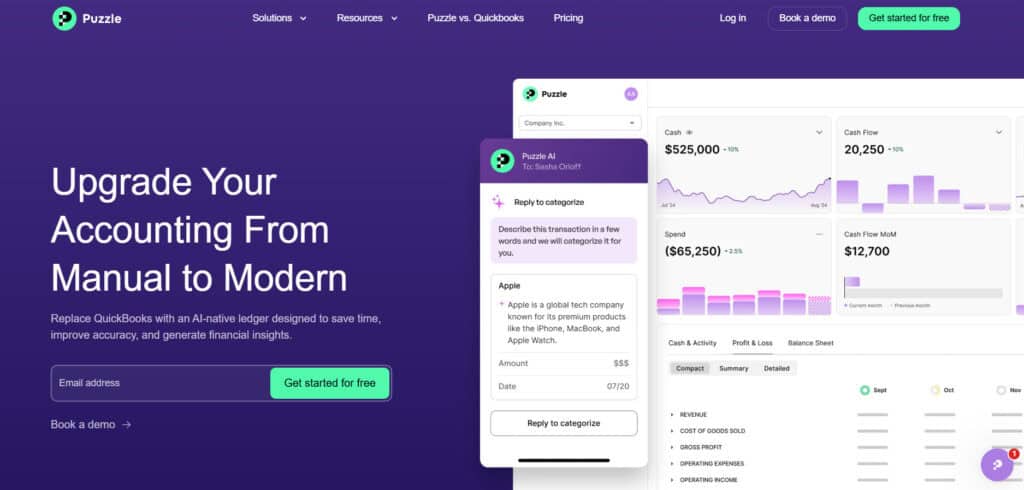
Puzzle.io is one of the newer accounting platforms built around AI. Where QuickBooks Online has added AI features on top of a long-standing system, Puzzle was built to automate your books from day one, and it’s aimed mostly at startups and founder-led businesses.
Their whole pitch is to cut down the time you spend on data entry and categorizing transactions, so you can focus on what the numbers are telling you.
Key Features
- Automated Bookkeeping: Puzzle uses machine learning to handle repetitive tasks like categorizing expenses, reconciling transactions, and building reports. This can save a lot of time and cut down on data entry mistakes. They also have an AI Suite with two tools: Chat, for asking questions about your books, and Cowork, for prepping tasks like matching invoices to payments or finding missing receipts.
- Real-Time Financial Reporting: Puzzle updates your financial statements as transactions come in, so they’re always up to date. The dashboard is clean and easy to read, so you can quickly see the numbers without having to hunt them down.
- Invoice Management: Puzzle.io allows users to generate, customize, and send professional invoices effortlessly. The software tracks payments, sends automatic reminders, and manages recurring billing cycles.
- Collaborative Environment: The platform promotes seamless collaboration between accountants, business owners, and team members. Its intuitive interface allows for easy access and efficient communication, facilitating better teamwork.
Puzzle.io Pricing
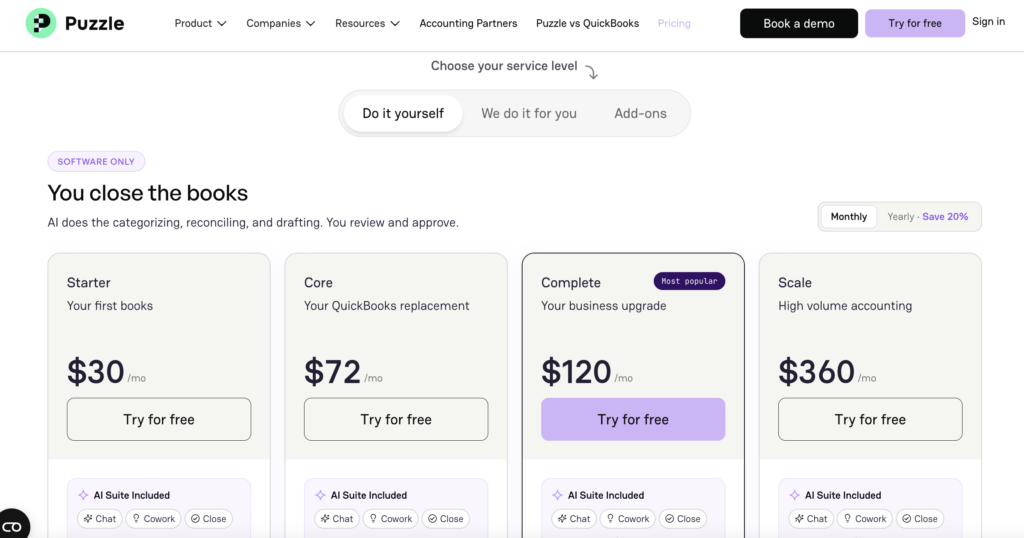
Puzzle’s pricing has four plans:
- Starter: $30/month ($24/month billed annually), free for your first two months
- Core: $72/month (58/month billed annually)
- Complete: $120/month ($96/month billed annually)
- Scale: $360/month $288/month billed annually)
How it handles payroll: Puzzle doesn’t run payroll itself, but it connects with tools like Gusto, Rippling, and Deel. Gusto starts at $49/month plus $6 per person.
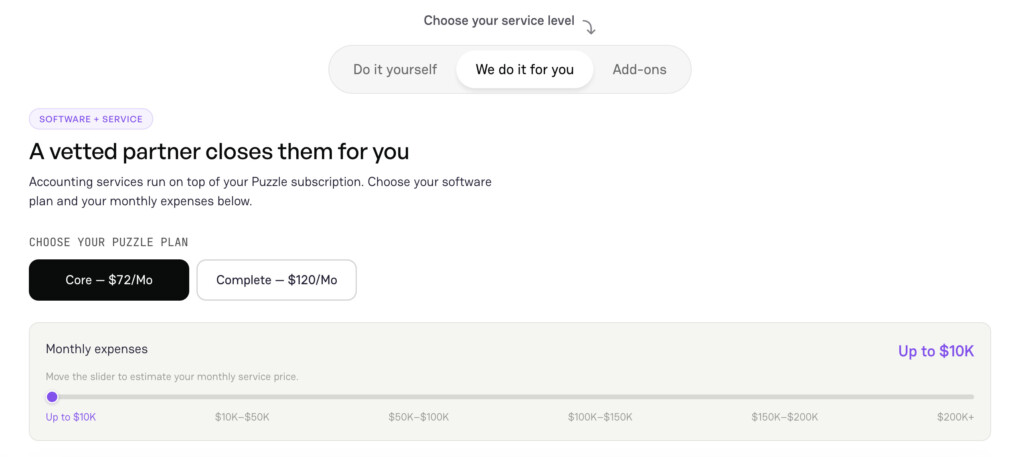
If you’d rather not do your own books, you can add done-for-you accounting from a vetted Puzzle partner on the Core or Complete plan, priced on top of your subscription based on your monthly expenses.
Strengths vs. QuickBooks Online
Compared to QuickBooks Online, Puzzle’s main strength is how little hands-on work it asks of you day to day. QuickBooks has caught up a lot with its own AI tools, so this isn’t a huge gap anymore. Where QuickBooks still wins is its huge app ecosystem, built-in payroll, and the fact that almost every accountant already knows it. If those aren’t deal breakers for you, Puzzle is a simpler, more hands-off option worth trying.
Xero – Best for Integrations and Scalability
Overview
Xero is one of QuickBooks Online’s closest competitors, having built a robust reputation as an easy-to-use, scalable accounting solution suitable for small to mid-sized businesses. Founded in New Zealand, Xero has grown into a global force, popular for its powerful integrations, user-friendly design, and strong community support.
Key Features
- Rich Integrations: Xero supports hundreds of integrations with popular business applications such as Shopify, Stripe, HubSpot, and more. This extensive connectivity makes it ideal for businesses that rely heavily on various third-party tools.
- Bank Connections and Reconciliation: Xero simplifies bank reconciliations with its powerful rules-based matching. This feature significantly reduces the time spent on manual matching and categorization tasks.
- Inventory Management: Unlike some other competitors, Xero provides built-in inventory management right within its software, making it a good fit for small retailers or ecommerce businesses. This is a plus over QBO, as many retail vendors must opt to use their POS system as a way to closely track inventory, instead of their accounting software. QBO does track inventory on its Plus and Advanced plans, but in my experience, it struggles with inventory across multiple sales channels.
- Detailed Financial Reports: Users can generate comprehensive financial statements, cash flow forecasts, and other custom reports. Xero’s reporting tools are well-regarded for clarity and depth.
Xero Pricing
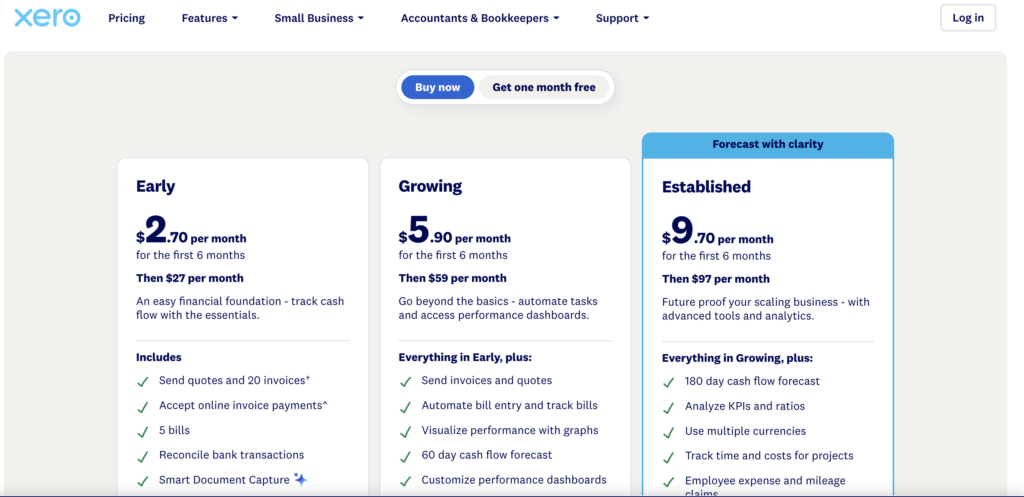
Xero’s pricing has three plans:
- Early: $27/month
- Growing: $59/month
- Established: $97/month
If you’re just getting started, Xero’s intro offer is hard to ignore. New customers pay $2.70, $5.90, or $9.70 per month for the first six months, then the regular price kicks in. That gives you plenty of time to set up your books and see if Xero is the right fit before you’re paying full price.
How it handles payroll: Xero doesn’t offer its own payroll in the US, so you’ll pair it with a provider like Gusto.
Strengths vs. QuickBooks Online
Compared to QuickBooks Online, Xero often receives praise for its clean interface and its app marketplace, which has over 1,000 integrations. Businesses heavily invested in third-party apps and services may prefer Xero’s integration capabilities. Additionally, Xero’s pricing structure may offer better scalability for growing businesses.
FreshBooks – Best for Freelancers and Service-Based Businesses
Overview
FreshBooks positions itself primarily toward freelancers, consultants, and service-based small businesses rather than inventory-focused operations. It provides streamlined invoicing, easy expense management, and exceptional time-tracking capabilities.
Key Features
- Intuitive Invoicing: FreshBooks excels in invoice creation, with customizable templates, automated follow-ups, and online payment integration, making it highly suited for freelancers and service providers.
- Time Tracking and Project Management: To me, this one really stands out as many other software drop the ball when it comes to time tracking or project management. Business owners can effortlessly track time spent on projects and tasks, converting tracked hours directly into invoices. This integration significantly simplifies billing for hourly or project-based businesses.
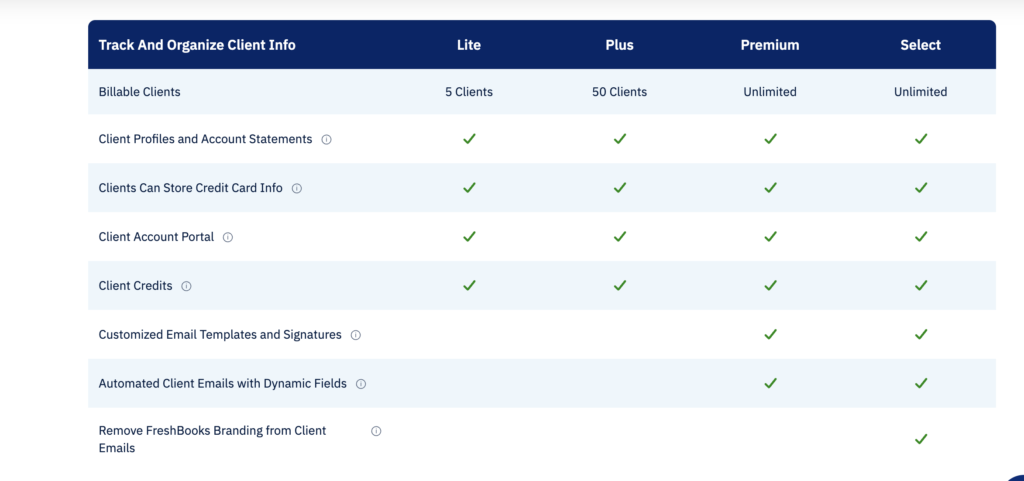
- Client Collaboration Portal: FreshBooks offers a dedicated client portal where clients can view invoices, project statuses, and payment histories, enhancing transparency and client relationships.
- Ease of Use: FreshBooks stands out for its simplicity and ease of setup, making it ideal for users without deep accounting knowledge.
Freskbooks Pricing
FreshBooks’ pricing has four plans:
- Lite: $23/month
- Plus: $43/month
- Premium: $70/month
- Select: Custom Quote
Lite works well for freelancers, while Plus and Premium add more reporting, team access, and automation.
How it handles payroll: Payroll is a built-in add-on at $40/month plus $6 per employee.
Strengths vs. QuickBooks Online
FreshBooks provides a more focused user experience specifically tailored to service-oriented businesses and freelancers. Compared to QuickBooks Online, it excels in invoicing, time tracking, and client communication features. Businesses or individuals needing straightforward invoicing and client management functionality will find FreshBooks an excellent alternative.
Wave – Best Free Accounting Software for Small Businesses
Overview
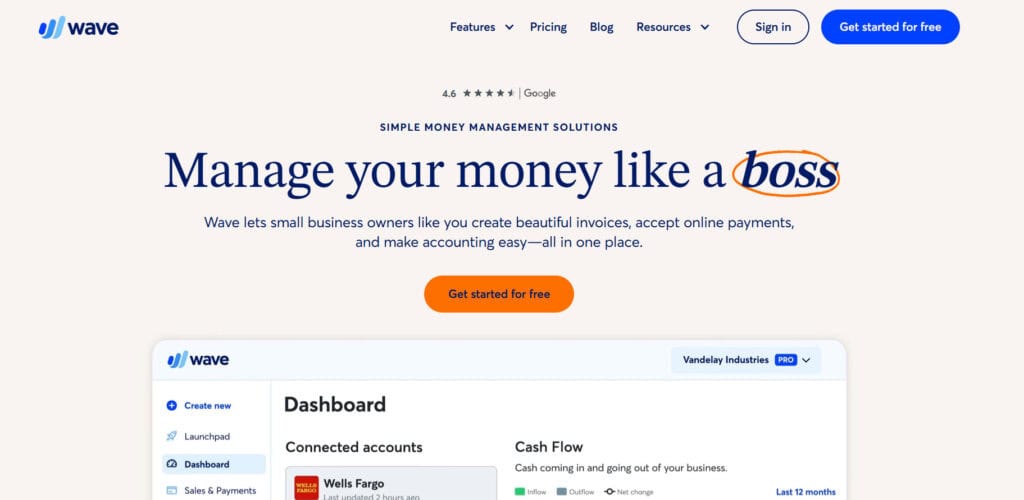
Wave Accounting stands out prominently as the most affordable alternative on our list, mainly because its core accounting functionality is completely free. Founded in 2009, Wave aims squarely at small business owners, freelancers, and startups that need reliable accounting tools without the added expense. The software has gained popularity among budget-conscious entrepreneurs and microbusinesses for its cost-effectiveness and simplicity.
Key Features
- Comprehensive Free Accounting: Wave’s free Starter plan covers the basics, including bookkeeping, invoicing, expense tracking, and financial reporting. That makes it a good fit for startups and solo entrepreneurs. Just keep in mind that some handy features aren’t free. Receipt capture is a paid add-on on Starter (it’s included with Pro), and you’ll need to upgrade to Pro for automatic bank imports and automatic payment reminders.
- Invoicing and Billing: Wave’s invoicing system enables users to create professional-looking invoices, send automatic payment reminders, and accept online payments. Although invoicing is free, Wave does charge a small fee for payment processing transactions.
- Bank Integration and Reconciliation: Wave supports direct connections with thousands of banks, automatically importing transaction data for easy reconciliation. Its straightforward reconciliation feature simplifies monthly accounting routines.
- User-Friendly Dashboard: Wave’s dashboard offers a clear snapshot of business performance, including profit and loss summaries, cash flow tracking, and quick access to financial statements. While not as robust as some of the others on this list, it’s hard to beat free!
Wave Pricing
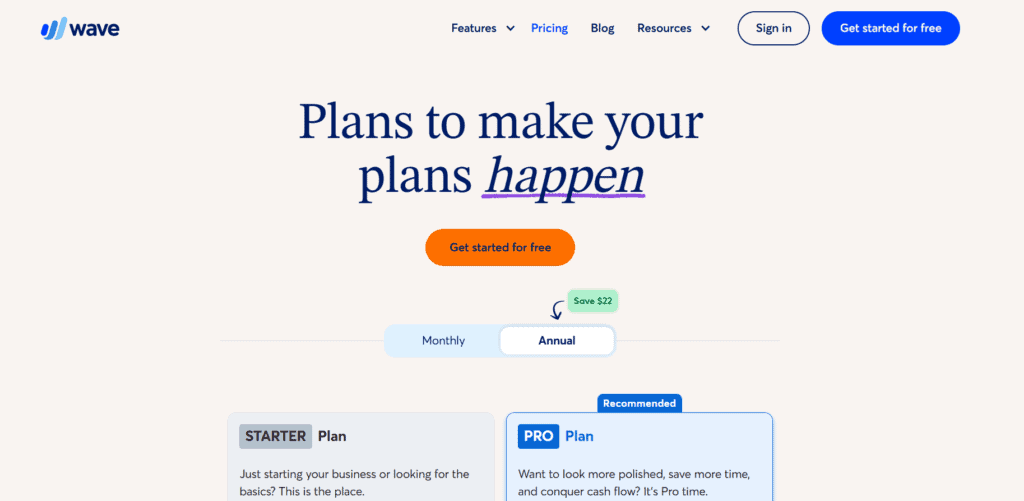
Wave’s pricing has two plans:
- Starter: Free
- Pro: $19/month
Starter covers basic accounting, invoicing, and expense tracking, while Pro adds bank auto-imports and receipt capture. Online card payments cost 2.9% + $0.60 per transaction.
How it handles payroll: Payroll is a built-in add-on at $40/month plus $6 per employee and $6 per contractor paid.
Strengths vs. QuickBooks Online
Wave’s greatest advantage over QuickBooks Online lies in its price—completely free for core accounting functionality. Small businesses or sole proprietors who do not require extensive customization or highly advanced reporting capabilities will find Wave’s free service more than adequate. QuickBooks may offer more sophisticated features, but Wave delivers unbeatable cost-effectiveness for budget-conscious entrepreneurs.
Zoho Books – Versatile and Budget-Friendly Solution
Overview
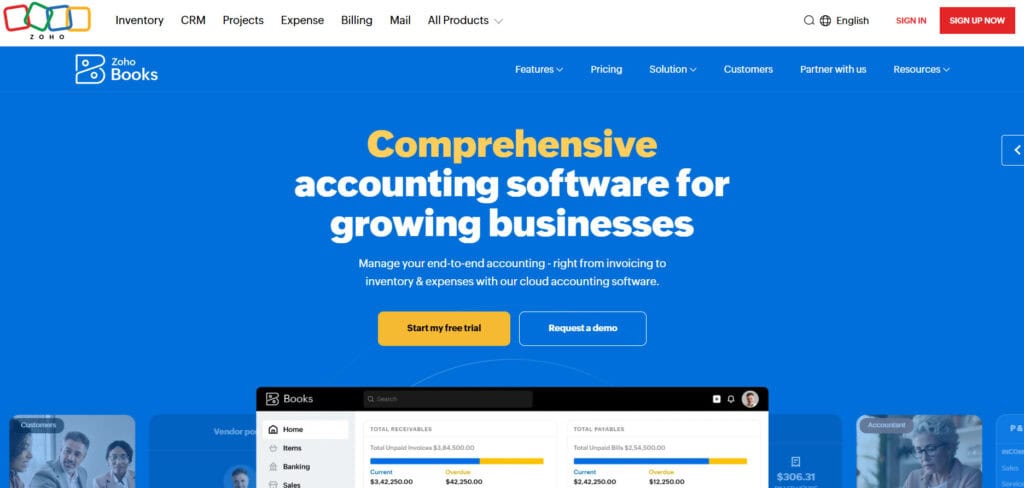
Zoho Books, part of Zoho’s comprehensive suite of cloud-based software, provides an excellent accounting solution that effectively competes with QuickBooks Online. Known for its affordability, robust customization capabilities, and seamless integration within the broader Zoho ecosystem, Zoho Books caters primarily to small and mid-sized businesses seeking both simplicity and versatility.
Key Features
- Customization: Zoho Books allows extensive customization of invoices, estimates, financial reports, and dashboards. Businesses can tailor features to match their specific workflows and branding.
- Comprehensive Inventory Management: Zoho Books includes inventory management capabilities, ideal for retail and e-commerce businesses. It tracks stock levels, manages purchase orders, and updates real-time inventory valuations. In my mind, Zoho is playing chess while QBO is playing checkers when it comes to inventory management; you can’t even compare the two.
- Strong Integration with Zoho Ecosystem: Users invested in the Zoho ecosystem will benefit significantly from seamless integration with other Zoho products like Zoho CRM, Zoho Inventory, Zoho Expense, and Zoho Projects, streamlining overall business operations.
- Project and Time Tracking: Like FreshBooks, Zoho Books includes project management and time-tracking functionalities, allowing users to invoice clients accurately based on hours logged.
- Detailed Reporting: Users have access to over 50 customizable financial reports, including cash flow statements, income statements, and balance sheets. Zoho’s reporting suite is robust yet easy to interpret.
Zoho Pricing
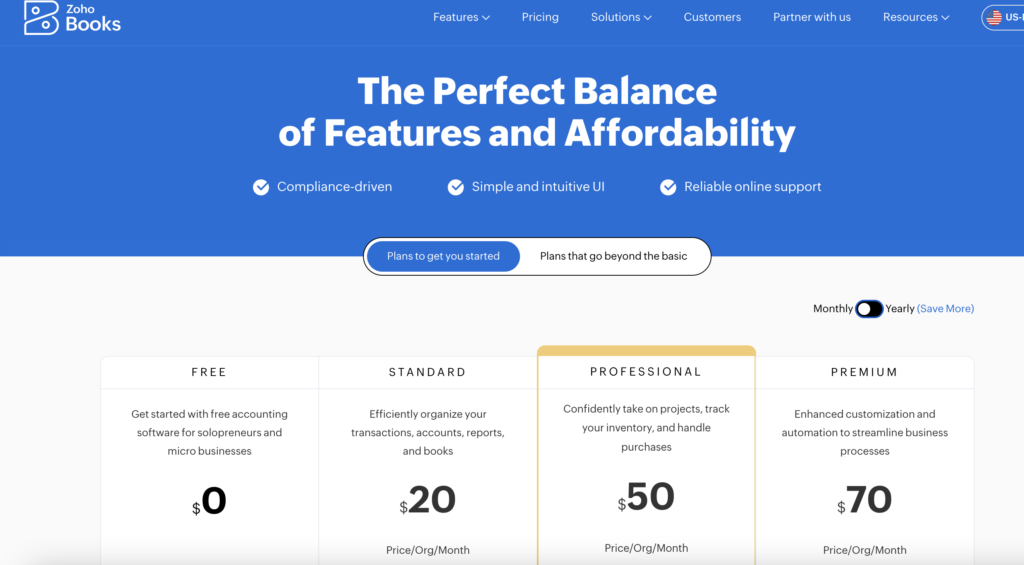
Zoho Books’ pricing has a free plan and three main paid plans:
- Free: $0 for businesses under $50K in yearly revenue (1 user plus 1 accountant)
- Standard: $20/month ($15/month billed annually)
- Professional: $50/month ($40/month billed annually)
- Premium: $70/month ($60/month billed annually)
Higher tiers add more users, higher transaction limits, inventory tracking, and better reporting.
How it handles payroll: Payroll runs through Zoho Payroll, which is sold separately. It starts at $39/month plus $6 per employee.
Strengths vs. QuickBooks Online
Compared to QuickBooks Online, Zoho Books offers better integration capabilities within its own ecosystem, powerful customization options, and generally more affordable pricing tiers. Small businesses already using other Zoho products will find it particularly appealing due to streamlined integration.
Digits
Overview
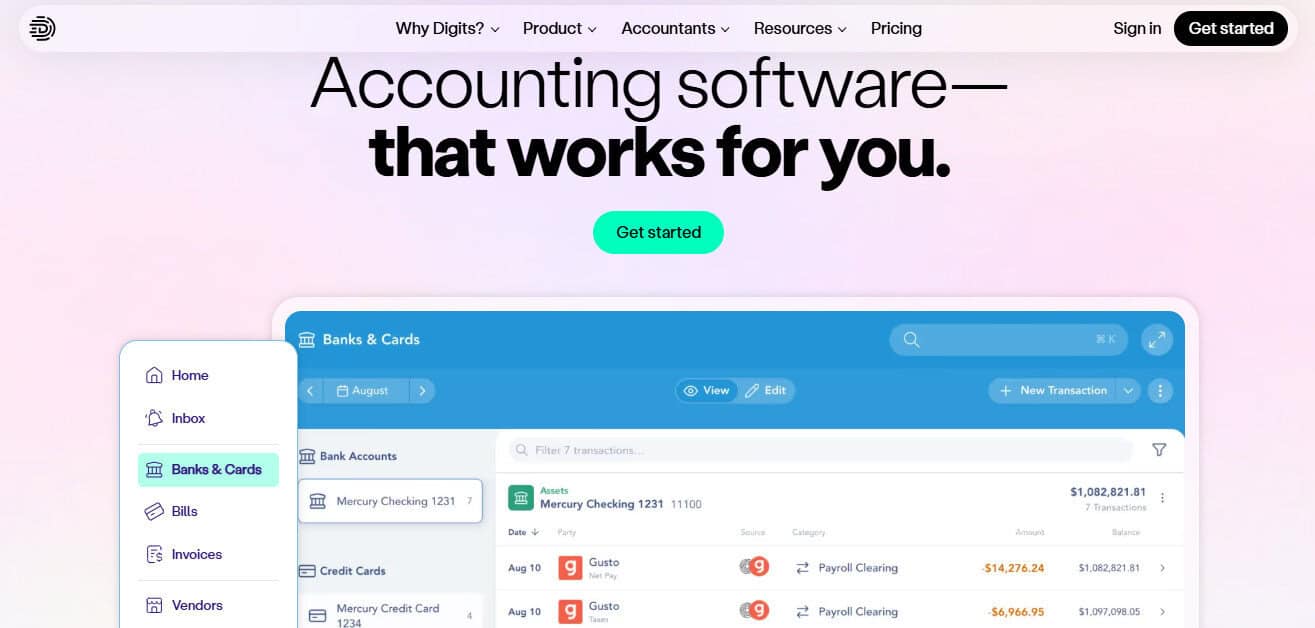
Digits is a cutting-edge accounting platform that moves away from the traditional “static” ledger and focuses on a “living” data model. Built from the ground up with a focus on artificial intelligence, Digits aims to eliminate the delay between transactions occurring and them appearing in your financial reports. It is designed specifically for modern founders and tech-forward businesses who want to spend zero time on manual categorization and instead focus on real-time financial health.
Key Features
- Digits AI (Financial Assistant): This is a really convenient feature. It allows you to ask natural language questions like “How much did we spend on travel this month compared to last?” and get an instant, visualized answer without digging through reports.
- Living Dashboards: Unlike QBO’s static snapshots, Digits provides interactive, real-time dashboards that update as transactions occur, giving you a constant view of your burn rate, runway, and top expense categories.
- Automated Smart-Categorization: Digits uses advanced machine learning to predict and categorize transactions with high accuracy, learning your business’s specific patterns to reduce the human oversight required for bookkeeping.
- Collaborative Reporting: Reports are transformed into secure, web-based briefings. You can leave comments directly on specific transactions or data points for your team or accountant, turning financial review into a collaborative conversation.
Digits Pricing
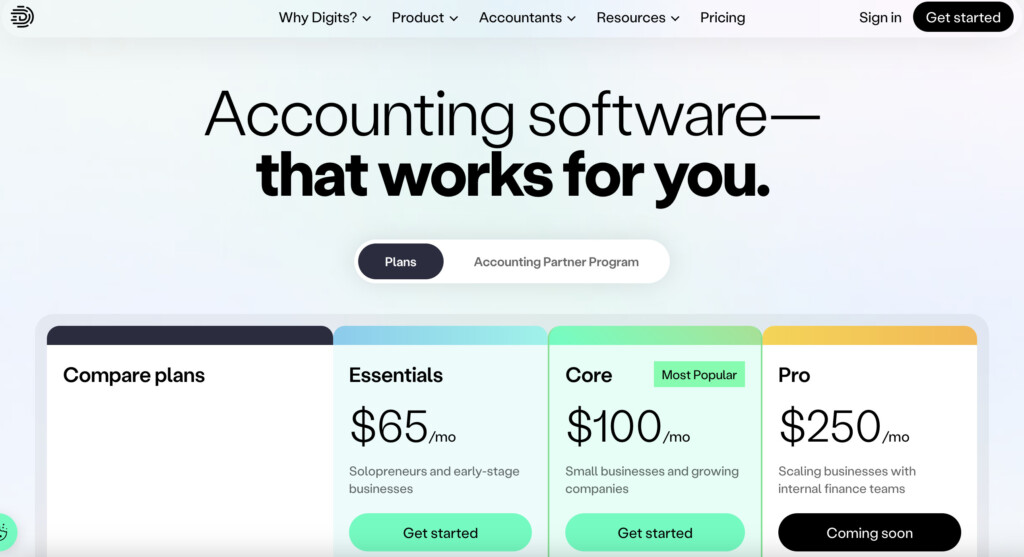
Digits’ pricing has three plans:
- Essentials: $65/month
- Core: $100/month
- Pro: $250/month (coming soon)
Essentials works for solopreneurs and early-stage businesses, while Core adds department tracking and automated schedules. This makes Digits a mid-range option, more expensive than Wave, but often cheaper than the mid-to-high tiers of QuickBooks Online.
How it handles payroll: Digits doesn’t run payroll, but it connects to providers like Gusto so payroll costs flow into your books automatically.
Strengths vs. QuickBooks Online
The fundamental difference is proactivity. QuickBooks is built on a “check the box” philosophy, where you look back at what happened. Digits is built to tell you what is happening now. QuickBooks has its own AI assistant now, but Digits’ AI is built right into how you use the platform, and its ability to handle automated reconciliations in real-time can save a lot of time for businesses that don’t have a dedicated full-time bookkeeper.
Evaluating Your Business’s Needs
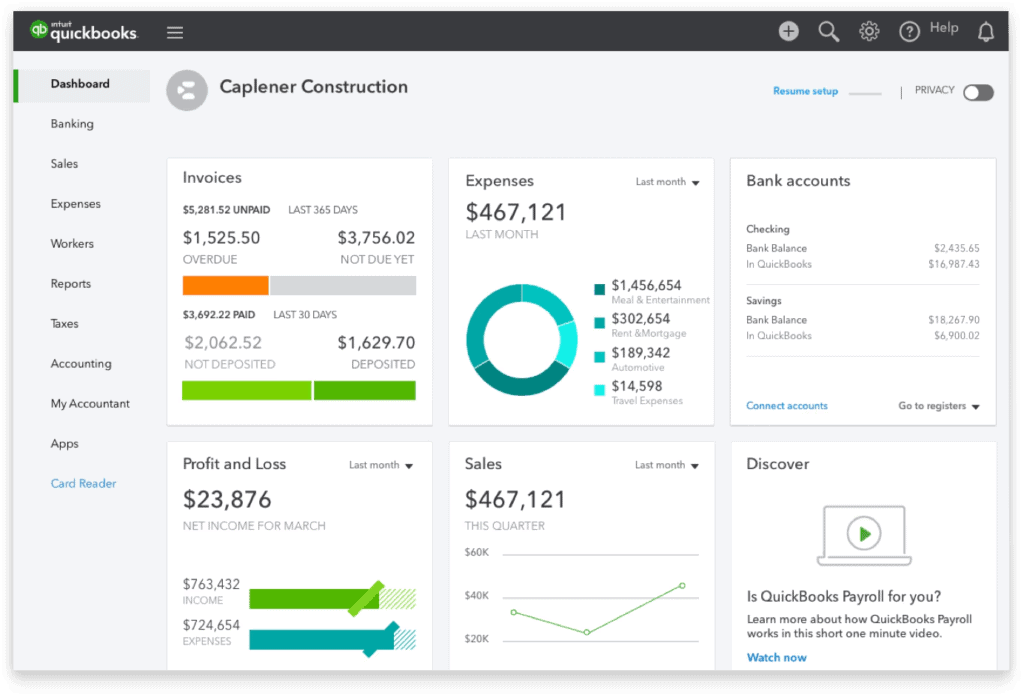
So how do you know which of these platforms is best for you? When choosing your accounting software, start by assessing your business’s size and growth expectations, as scalability matters. Consider how important automation is to your workflow and whether integration with other tools—like payroll, CRM, or ecommerce—is essential.
Evaluate your budget and whether you prefer predictable subscription-based pricing as opposed to annual contracts. Think about whether you need robust inventory management or if a service-focused solution is sufficient.
Lastly, factor in your team’s accounting experience—some platforms cater to beginners, while others are built for seasoned professionals. Answering these questions will help you identify the software that best fits your business needs.
Choosing the Right QuickBooks Online Alternative
Now that we’ve explored the six QuickBooks alternatives—Puzzle.io, Xero, FreshBooks, Wave, Zoho Books and Digits—consider what your business needs are and think about what type of user you’d be when interacting with your accounting software. I have found the best fits for each accounting platform to be the following:
- Puzzle.io: Best for businesses that want AI-first bookkeeping to cut down on time spent on their books, plus real-time financial reports that flag errors early.
- Xero: Excellent for companies needing robust integrations, scalability, and inventory management. Suitable for growing businesses or e-commerce operations needing extensive third-party connectivity.
- FreshBooks: Perfect for freelancers, consultants, and service-based businesses requiring simple, robust invoicing, project management, and time-tracking functionality.
- Wave: Ideal for startups, freelancers, and very small businesses needing reliable accounting functionality without incurring additional costs. The perfect entry-level accounting solution.
- Zoho Books: Recommended for small to medium-sized businesses already integrated into the Zoho ecosystem, requiring customization and robust inventory and expense management features.
- Digits: Great for businesses that want real-time reports and an AI assistant that answers questions about their books, especially if they don’t have a full-time bookkeeper.
Closing Thoughts
While QuickBooks Online remains the dominant player in accounting software, it’s far from the only solution that delivers value. Each alternative covered here offers unique strengths—be it Puzzle’s AI-powered automation, Xero’s extensive integrations, FreshBooks’ exceptional usability, Wave’s budget-friendly appeal, or Zoho Books’ comprehensive flexibility.
Ultimately, evaluating your unique business requirements against the features, pricing, and capabilities outlined above will lead you to the right alternative—empowering you to streamline your accounting operations and focus on achieving long-term business success.