

Last Updated on March 25, 2026 by Ewen Finser
Looking for the best Tango AI alternative?
After testing ten options, I’d say that Guidde is my top choice for businesses and teams that need fast, accurate workflow capture and process documentation. It combines ease of use with AI-generated videos, synced screenshots, and fully customizable annotations, saving you hours compared to manual documentation.
Whether you are creating SOPs, onboarding materials, or how-to guides, this guide breaks down the five best Tango alternatives, showing how each stacks up in usability, features, and pricing so you can quickly choose the one that fits your needs.
Top Tango AI Alternatives – At A Glance
Tango AI Alternative | Best For | Pricing (p/m) | Free Plan |
Workflow capture, process documentation | $16-$35 | Yes | |
Descript | Video & audio editing, process documentation | $12-$40/month | No |
Trainual | Employee training, knowledge management | $249-$419/month | No |
Scribe | Quick & simple process documentation | $12 – $23 | Yes |
Document360 | Knowledge base creation, documentation management | Custom Pricing | No |
Tango AI Alternatives – My Top 5 Picks
1. Guidde
Guidde is almost everything I could ask for in a tool designed to capture and document processes.
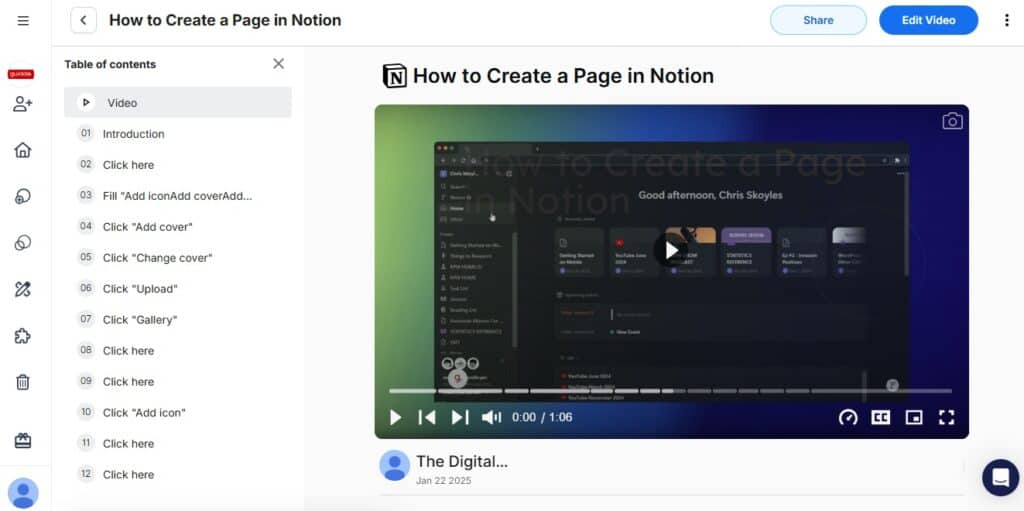
Not only is it one of the best value-for-money products of its type, it’s also (arguably) one of the most intuitive.
The whole point of tools like this is to save time. I don’t want to waste minutes (or hours) reading knowledgebase articles or staring at a screen trying to figure out where to click.
With Guidde, you can jump right in. Log in, install the browser extension, hit Record, and go through the process you want to document. When you’re done, Guidde produces a fully annotated video with an AI voiceover (both of which you can customize to match your branding).
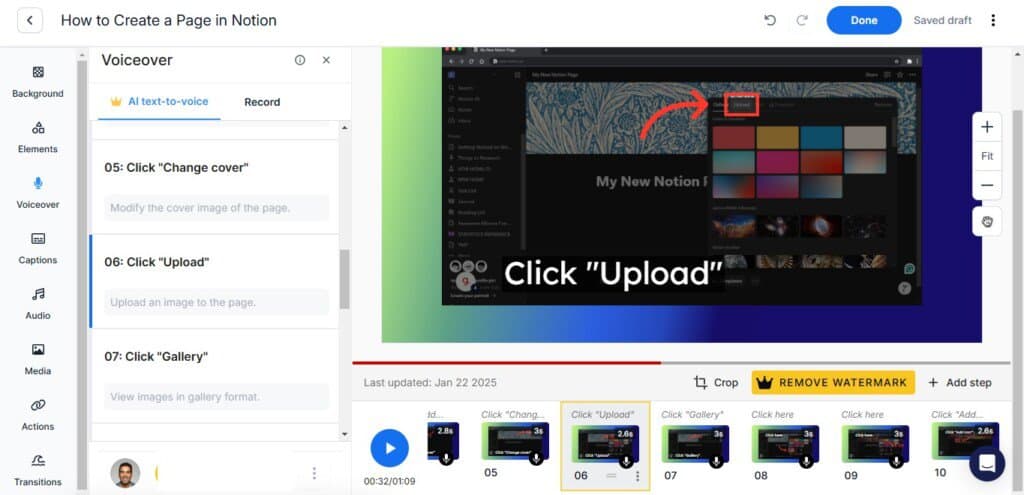
You also get synced annotated screenshots with step-by-step notes. These can all be customized and edited, with one extra perk being that screenshots and video frames are synced (so when you edit one, the other updates automatically).
That’s especially helpful because the one real downside of Guidde is that some steps in your process occasionally need a bit of extra editing.
To be fair, this problem is less about Guidde itself and more about the limitations of AI. Sometimes the generated output includes steps where the AI got confused or went a little overboard.
For example, I’ve noticed that AI struggles with link menus. If a menu has four items and I want to click the third one (Link C), the video and instructions often tell users to go through Link A, B, C, and D before clicking Link C.
It’s an easy fix with the editing tool (just delete the unnecessary steps), but it would be even better if it didn’t happen in the first place.
Pricing:
- Free plan limited to 25 videos.
- Paid plans start at $16 per month per user and go up to $35 per month per user (billed annually).

Guidde puts it ALL together for me. I've used many screen recording tools (like Loom). I've used many SOP buiding tools (like Trainual). But Guidde puts the best of both together for a quick, easy to use mixed media documentation builder in one (less expensive) workflow. A small, but signficant (compounding) time saver in our business.
2. Descript
Of all the documentation tools in this list, Descript is perhaps the one I had the hardest time getting used to.
The learning curve is a bit steeper, partly because there is so much you can do that half the battle is just figuring out where everything is in the feature-packed interface.
At its core, it’s a very solid tool for capturing video, image, and text documentation.
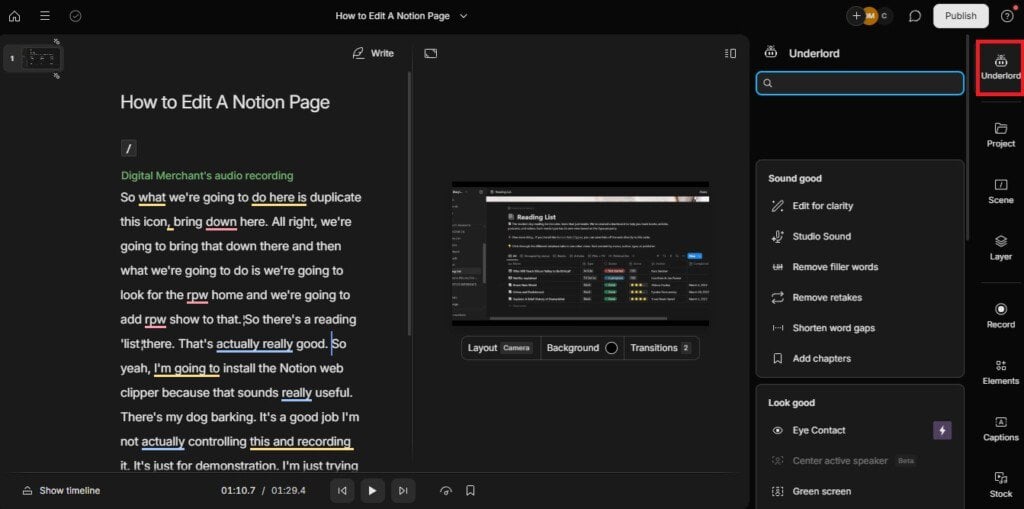
At its core, Descript is a solid tool for capturing video, images, and text documentation. Click Record into Script and walk through the process you want to document. Descript then generates a transcript of your voiceover along with a high-quality video of your process (both fully editable).
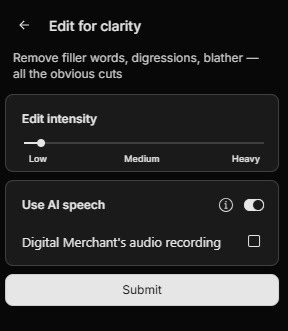
If you’re not happy with your voiceover (don’t worry, I’m rarely happy with mine either), you can use the Underlord AI tools to improve it. For example, I like using the Edit for Clarity option to remove all those ums, ahs, and random fillers to make my narration sound more professional.
It does take a little time to get used to Descript, but it’s worth it to unlock a really powerful suite of screen recording and editing tools.
Pricing:
- $12 – $40 p/m (billed annually)
3. Trainual
With its (very) high price and wide range of features that go well beyond basic documentation, Trainual is best suited for larger businesses or teams that need to regularly review and update their training materials.
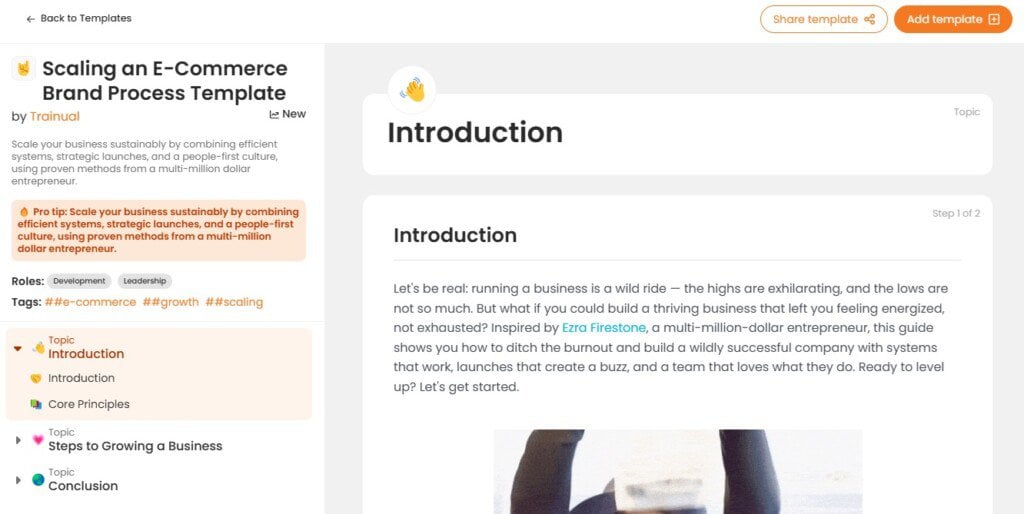
Unlike most tools on this list, the platform doesn’t record processes but rather provides you with a smooth, intuitive interface to create, share, and manage your documentation. It also comes with a ton of fully-customizable templates for SOPs, training materials, knowledgebase articles and more.
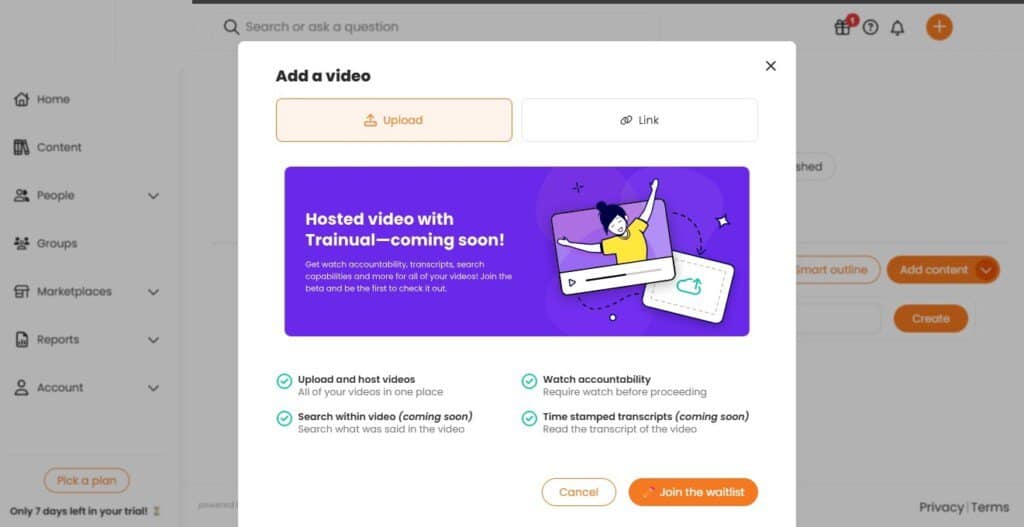
The platform plans to offer hosted video content in the future, which sounds promising, but really, it’s all the other features that make Trainual stand out.
For example, you can automate onboarding workflows, assign training modules to specific roles, and even track employee progress to ensure everyone stays up to date. There’s also built-in quizzing and certification, allowing you to test knowledge retention and reinforce learning.
What’s more, integrations with tools like Slack, Zapier, and Google Workspace make it easy to incorporate Trainual into your existing workflow.
If your primary goal is simply to document processes, Trainual might be overkill. But for businesses looking for a full-fledged training and knowledge management system, it’s a powerful option.
Pricing
- $249 – $419 per month (billed annually)
4. Scribe
If you need video-based documentation, Scribe isn’t for you. The platform offers no way to create videos. However, it does a decent job at capturing processes and transforming them into annotated screenshots.
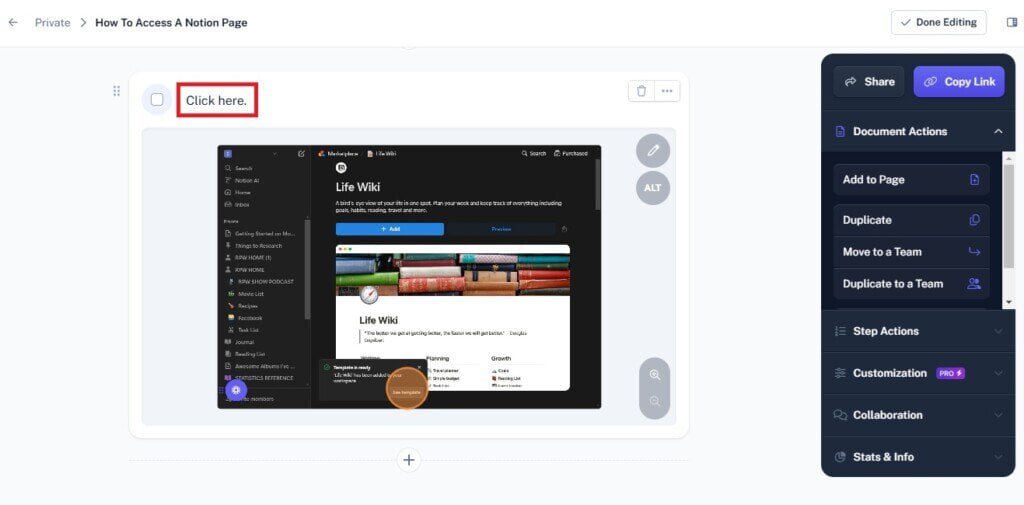
But unlike other tools such as Guidde, the AI-powered recorder offers very bare-bones text-descriptions for those screenshots which are usually limited to basic phrases like ‘Click Here,’ or ‘Click this Icon.’
On the one hand, this runs counter to Scribe’s claim of being ‘the fastest way to create step-by-step guides.’ Yes, the actual process of capturing your processes is super fast and incredibly easy. However, the extra time spent turning all those basic ‘click here’s’ into meaningful content certainly slows you down.
On the other hand, you could argue that since most AI-generated content needs some human editing anyway, this isn’t such a big deal.
Besides, Scribe still has a lot to offer.
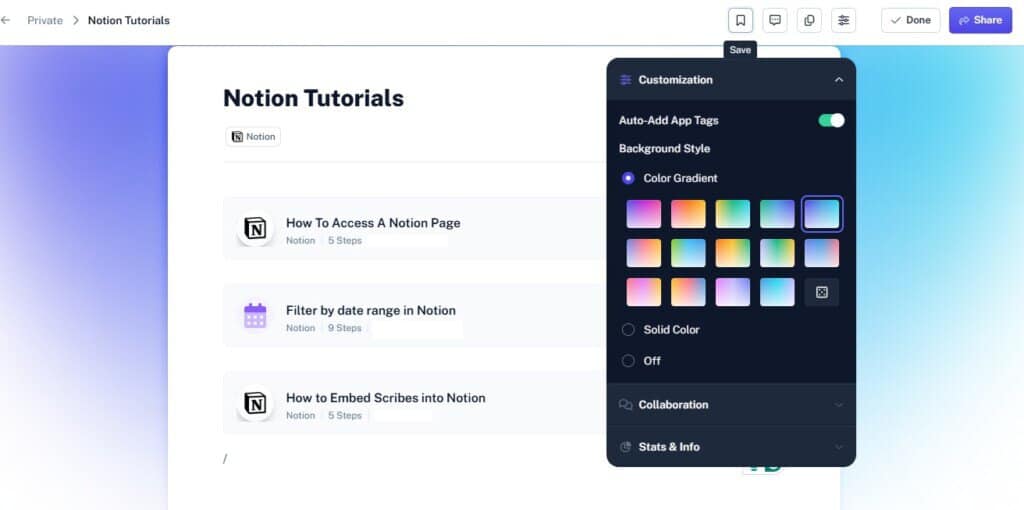
It will organize your documentation into different pages that can be fully customized and enhanced with text, images, and multiple guides. This is great for teams that need to keep their internal and external documentation well-structured and easy to navigate.
All in all, Scribe is a solid choice for quick and simple process documentation, but lacks the depth and flexibility of more feature-rich alternatives.
Pricing
- Free plan with limited editing features
- Paid plans start at $12 per month per user (minimum of five users)
- Or you can choose a personal plan at $23 per month per user with no minimum.
5. Document360
Much like Trainual, Document360 isn’t here to capture your workflows automatically, but it does provide effortless tools so that you can create, organize, and manage your own.
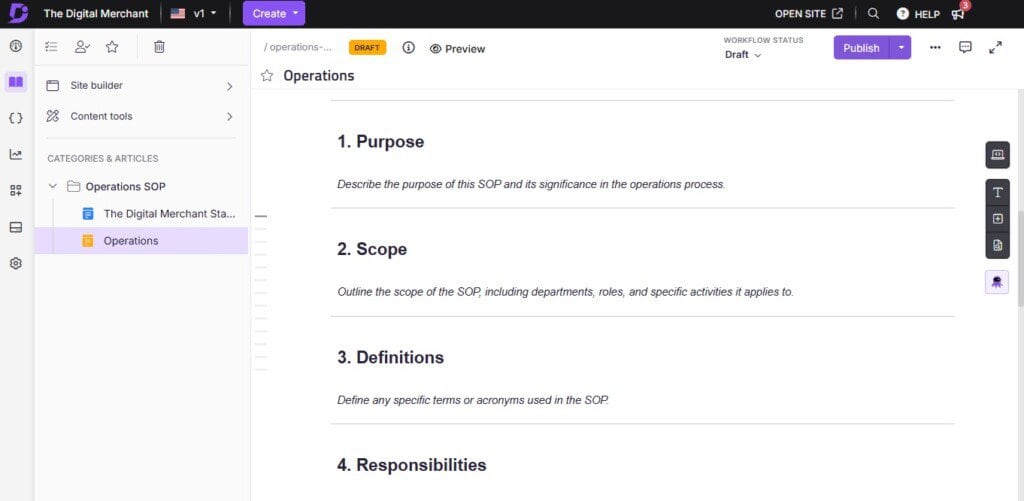
There’s a lot going on here, much of it powered by the platform’s own Eddy AI system.
When you first sign-up, this handy feature can check out your website and pull in your branding to automatically create documentation pages with your logo, colors, etc.
As you can imagine, this is a great time-saver if you want a professional, on-brand knowledge base without manually tweaking every detail.
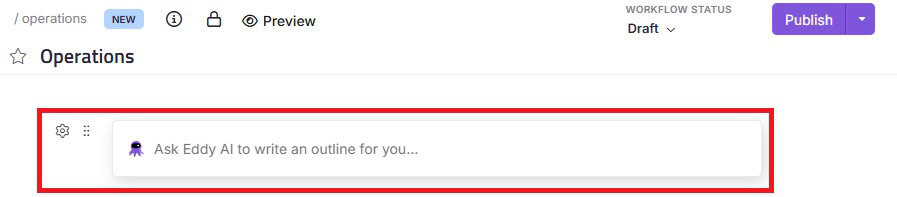
Once you get started, Eddy saves time by generating outlines, and the command center lets you quickly add content like text, images, videos, etc.
I also love that Document360 lets you make projects private, public, or a mix (great if you need both customer-facing and internal docs). You can also control who can view or edit each piece.
If you ask me, this makes it ideal if you need to maintain a mix of customer-facing help articles and internal team documents. You can also control access on a granular level, ensuring that only the right team members can view or edit specific documents.
Although not the easiest tool I’ve ever used, it doesn’t take long to get a handle on both the creation process and the additional management features such as version control and custom workflows, resulting in a pretty solid alternative to Tango AI.
Pricing
- Document360 offers custom pricing depending on your specific needs.
What is the Best Tango AI Alternative on the Market in 2025?
After a lot of testing, I still think that Guidde is the best Tango AI alternative out there for pure workflow capture and documentation.
Sure, it lacks some of the more advanced training and document management features offered by the likes of Trainual and Document360, but in terms of automating the content creation process, I’ve yet to find anything that is faster, easier, or more affordable.
Despite a few AI hiccups, the generated screenshots, text, and videos are all of high quality and can be effortlessly edited using an extensive suite of intuitive customization.
Guidde puts it ALL together for me. I've used many screen recording tools (like Loom). I've used many SOP buiding tools (like Trainual). But Guidde puts the best of both together for a quick, easy to use mixed media documentation builder in one (less expensive) workflow. A small, but signficant (compounding) time saver in our business.
If you’re on the fence, and not sure whether it’s the right fit for you, Guidde has a 14-day free trial.