


Last Updated on January 1, 2026 by Ewen Finser
I didn’t start looking for SendForensics alternatives because I hated the tool. I started looking because I was tired of knowing what was wrong and still watching my emails miss the inbox.
At some point, you already know Gmail is unhappy. You already know your authentication is “mostly fine.” You already know that spam placement is right around the corner.
The question then becomes… how do you stop it?
Most deliverability round-ups I’ve read treat every tool like it solves the same problem, but that’s not always the case.
- Some tools explain why you’re failing.
- Some help you recover.
A few do both, but most do neither particularly quickly.
So today, I’m walking through the tools that I’ve actually used or seriously evaluated, explaining what problem each one is meant to solve while being honest about where they fall flat.
If your emails aren’t landing where they should and you’re done wondering why, this will save you time.
What SendForensics Is Good At (and Why You Need More)
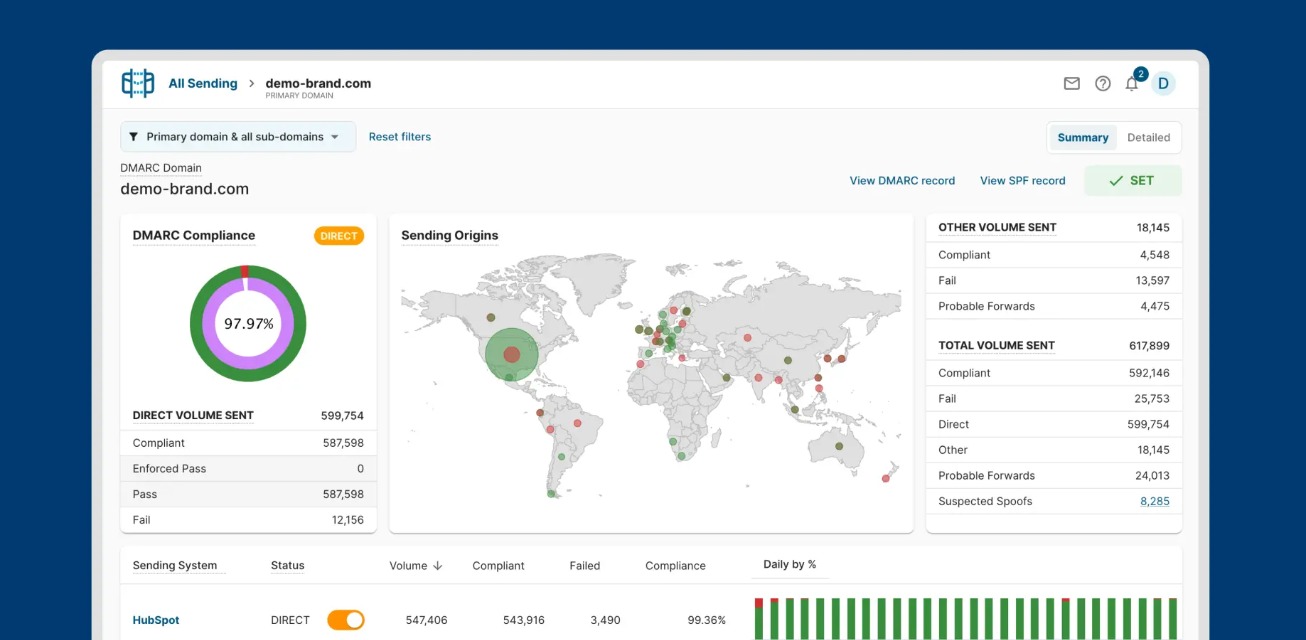
To its credit, SendForensics is great in a lot of ways.
When I’ve used it in the past, I was mostly looking at spam tests, client previews, inbox placement tests, and a bunch of integrations that can handle some minor reputation stuff. If you’re someone who has to answer “what’s going on with our email?” in a Slack thread, it can save you a lot of time and work.
But what do you do when the goal isn’t to understand but fix?
There’s more than one reason SendForensics can become limiting in that regard:
- Seeing when your emails land in Promotions/Spam is useful, but when you need automated improvement, it doesn’t move you back to Primary by itself.
- Even with “unlimited” testing, there are still domain/user/DMARC processing limits, as well as fair-use caps on certain tests.
- Mailbox providers sometimes punish you for dubious reasons. Whether that’s poor engagement or a provider-specific quirk, SendForensics can’t fully explain why.
At a Glance
If I had to match tools to problems without overthinking it, this is what I’d go for:
- Poor inbox placement: InboxAlly
- Inbox vs. spam placement insight: GlockApps (Inbox Monster for high email volumes)
- Multiple domains, users, and stakeholders: Everest
- Authentication or DMARC problems: Suped
- DNS, blocklists, or mail server configuration: MXToolbox
If you’re not sure which bucket you fall into yet, let’s jump to the actual roundup.
1) InboxAlly
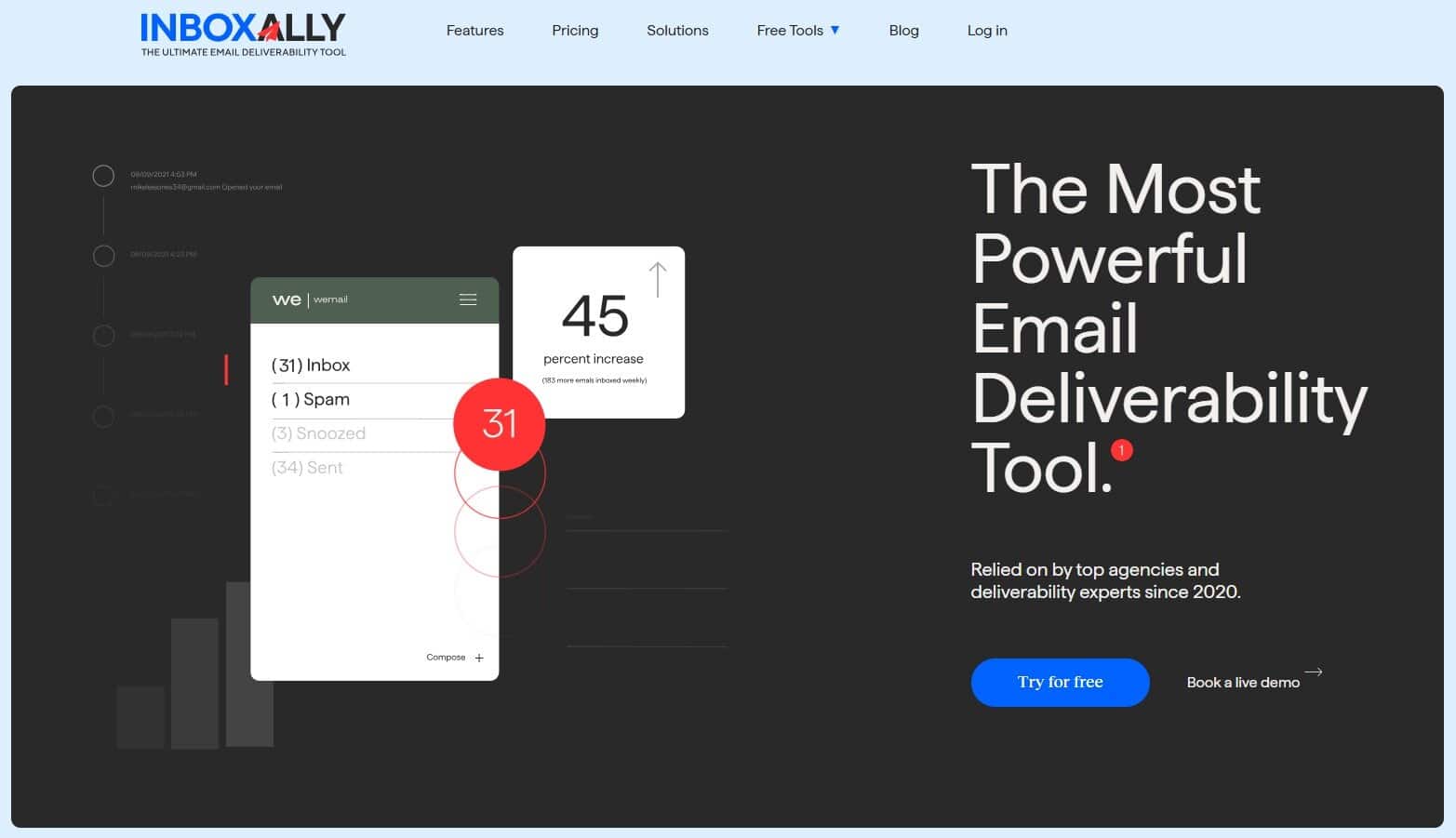
Key features
- Seed inbox engagement (opens/clicks/scrolls/replies)
- Moves emails out of Spam/Promotions when needed
- Works with most email outreach tools
- Sender profiles and scheduling to control pace
- Progress tracking so you can see trends over time
When deliverability issues have me drowning, I don’t want another pretty report. I want my emails back in the inbox. I already know what the filters did to my deliverability; I want to know what mailbox providers learned from it and how to turn things around.
This is where InboxAlly excels: less analysis, more inboxing. This means more of the right accounts opening, scrolling, clicking, and replying — while also occasionally rescuing messages from Spam/Promotions. The result? Mailbox providers start treating your mail with more respect.
Pros
- Directly targets reputation recovery
- Quick feedback on reputation state
- Simple integration
Cons
- No free tier
- Doesn’t replace authentication, DNS, or infrastructure diagnostics
- Results depend on a good sending discipline (it won’t fix reckless volume or junk lists)
When to use: Use InboxAlly if inbox placement is actively hurting your results and you need a practical recovery lever — especially for cold outreach, agencies, or when scaling email volume.
2) GlockApps

Key features
- Seed-based inbox placement testing
- Spam and content checks
- IP and domain blacklist monitoring
- DMARC reporting and alerts
- Automated and scheduled tests
GlockApps is first and foremost a placement and monitoring tool that answers a narrow but useful question: where do my emails land across major mailbox providers? It covers the essentials like blacklists tracking, IP and domain reputation monitoring, and DMARC data processing, all of which are backed up by alerts.
It works something like this: you send a test email to a seed list, and it returns a clear breakdown by mailbox provider — which confirms whether deliverability or something else is the problem. That’s why I often use it as a quick check whenever I suspect something is not right.
Pros
- Fast, clear placement visibility
- Easy to adopt and keep using
- Solid monitoring for day-to-day outreach
Cons
- No warmup or recovery tools
- Limited depth for large programs
- Data still needs action elsewhere
When to use: Best for placement checks and basic monitoring when you already know how you’ll fix issues once you see them.
3) Everest

Key features
- Inbox placement monitoring (seed tests)
- List validation powered by BriteVerify
- Centralized deliverability insights and reporting
Everest is what you’d reach for when deliverability isn’t just one person’s problem anymore. It’s the kind of platform big teams use when they need shared visibility, consistent reporting, and fewer arguments about whose metrics are correct. It comes with proper inbox placement monitoring (seed-based), plus integrated list validation so you can catch dead addresses in time. It’s essentially an enterprise tool, and it’s built to work well with lots of ESPs, other integrations, and domains.
That said, it can be complicated to use (and unnecessary) if you’re a solopreneur or in a team of a few people who just need to get back into the inbox.
Pro
- Great governance + reporting
- Combines inbox placement and validation in one place
- Works well in complex organizational setups
Cons
- Can look confusing if you want direct improvement
- Typically overkill (and overpriced) for solo operators / small teams
- Setup and organizational buy-in can take time
When to use: In bigger organizations, agencies with multiple clients/domains, or companies that need shared reporting and control.
4) Inbox Monster

Key features
- Large, diverse seed list coverage
- Spam trap intelligence and risk reports
- Pre-send checks for rendering and links
- Ongoing monitoring with alerts
The main difference between Inbox Monster and simpler tools is volume and depth. The seed list coverage here is extensive and, more importantly, consistent enough to let you spot trends. Not just when emails landed in spam, but when you’ve been getting poor performance for weeks (something that you usually overlook until things are really bad)
There’s also a great pre-send aspect, with rendering previews, link checks, and client quirks that are built into the workflow. It’s nothing fancy, but it prevents small mistakes from compounding into reputation damage.
Just note that Inbox Monster requires more setup and more data to manage, so if you only send occasionally, it’s probably unnecessary. Different story if your sending volume is high.
Pros
- Good at showing trends
- Early warning signs prevent inbox placement issues
Cons
- More setup than lightweight tools
- Expensive
When to use: Situations where email volume is high, and placement issues have a real cost. It’s useful when problems are subtle, gradual, and hard to diagnose with simpler tests.
5) Suped
Key features
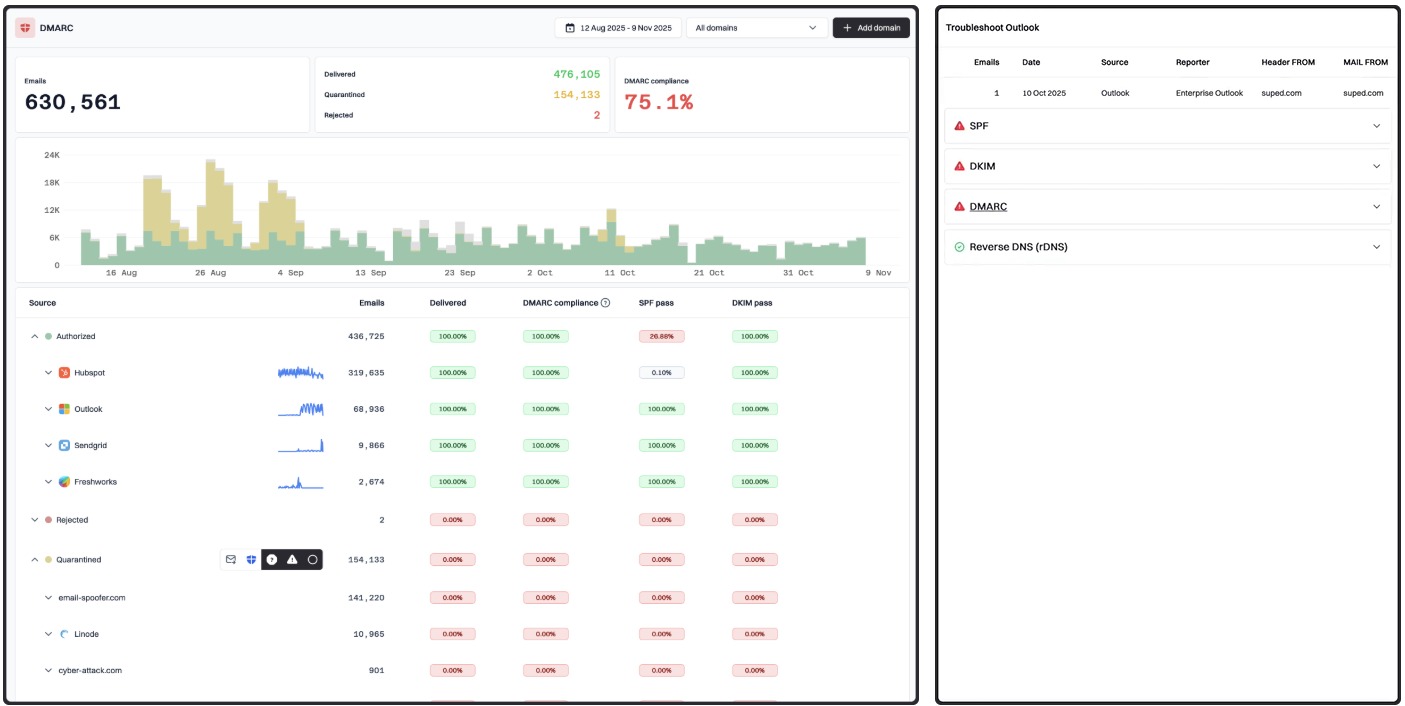
- DMARC monitoring + guidance to stricter policies
- SPF flattening
- Automated sender discovery that finds shadow tools/services
- Proactive alerts on misconfigurations
Suped is the kind of DMARC/authentication tool that you set up once and then let it watch the boring-but-deadly stuff for you. The value isn’t “pretty reports” but catching the dumb configuration problems (or unknown senders) before Gmail starts punishing your whole domain.
There’s also a copilot-style feature that points at the failure and tells you what to change, plus automated sender discovery so random vendors don’t start sending as you.
Pros
- Robust authentication monitoring
- SPF flattening and automated sender discovery
- Public pricing with a free tier
Cons
- No inbox placement improvement
- DNS changes are required to resolve issues
When to use: When multiple tools send mail on your behalf and you don’t have an accurate list of every service that uses your domain.
6) MXToolbox
Key features
- SPF / DKIM / DMARC lookups and validation
- Blocklist checks for IPs and domains
- SMTP/server tests (connectivity, TLS, basic mail flow)
- Monitoring + alerts
If you’ve been sending emails for more than three days, you’ve probably heard of MXToolbox. Most people only use the free blacklist checker, but it can do much more than that.
Since a lot of inbox problems come from simple stuff like long SPF records, missing DKIM, a blacklisted IP/domain, etc., you likely don’t need another dashboard for that. You need a tool that tells you, plainly, what’s broken.
That’s MXToolbox’s value — a diagnostic kit that lets you run a few checks and get a read on DNS/authentication so you can move straight to fixing issues. It’s also helpful when you inherit a sending setup; before changing anything, you can sanity-check what’s in place and what needs work.
Pros
- Quick answers when something looks off
- Great for debugging authentication and DNS issues
- Easy to share results with whoever controls DNS
Cons
- Doesn’t monitor inbox placement
- Doesn’t help you recover reputation
- A basic and utilitarian interface
When to use: Whenever you suspect an authentication/DNS/blocklist problem and need to act in minutes.
7 Mail-Tester

Key features
- Pre-send spam/content checks
- Basic SPF/DKIM/DMARC signals
- HTML + link checks
- Quick report you can rerun anytime
Mail-Tester is the cheap smoke alarm of email. While you can’t use it to run a whole deliverability program, you can use it to catch dumb mistakes before a send turns into a mess. By this, I mean missing DKIM, broken links, weird HTML, spammy patterns, or an SPF setup that looks fine in your head but fails in real life.
You send an email to a test address and get a simple report back, which is often enough to stop you from shipping something obviously risky. However, it’s important that you don’t treat the score like gospel. If it screams, investigate. If it doesn’t, be meticulous with your campaigns anyway.
Pros
- Quick and low effort
- Cheap way to reduce obvious mistakes
- Great last step before sending a campaign
Cons
- Easy to over-trust the score
- No monitoring, trends, or inbox placement analysis
- Not a fix for reputation problems
When to use: Any time you need a quick pre-send safety check without paying for a full platform.
Measure Less While Changing More
Most people replacing SendForensics fall into two camps:
- One group wants answers: “Where did it land?” “What failed?” “Are we on a blocklist?”
- The other wants outcomes: More inbox, fewer spam placements, fewer anxiety-filled mornings over failed campaigns.
I’d argue that the best way to build a stack is with one primary lever and one supporting tool. A warmup/reputation tool plus a seed tester (or a DMARC platform plus a diagnostics tool). Not eight tools and a weekly ritual of panic-checking.
For me, InboxAlly is the tool I never leave, but your situation might be different. Maybe you’ve never really had deliverability problems. Maybe you send so rarely that it barely matters. Or maybe your entire business depends on where the next email lands.
You already know which one that is. Hopefully, this list helped you pick the tool that makes that problem easier to live with.