


- Tip 1: Tie Documentation Directly to Change
- Tip 2: Give Every Doc an Owner and a Shelf Life
- Tip 3: Make SOP Creation Easier With New Tools
- Tip 4: Embed Guides Directly Where They’re Needed
- Tip 5: Measure Doc Usage and Prune Aggressively
- Tip 6: Build Documentation Review into Onboarding and Training Processes
- Tip 7: Document the Exceptions, Not Just the Ideal Path
- Tip 8: Remember: Done Is Better Than Perfect
- Final Thoughts
Last Updated on May 13, 2026 by Ewen Finser
Keeping internal documentation current is mostly a workflow and format challenge. If you make docs easy to capture and simple to update, staleness will be much less of a problem.
Of course, that’s easier said than done.
Documentation decays for various reasons. Rapid change is one of the biggest culprits: when no one treats documentation as a formal step in a change workflow, updates get skipped in favor of more urgent priorities. Ownership is another: when a runbook or SOP has no named owner and no review deadline, responsibility dissolves into the team at large, which effectively means no one is responsible. Siloing compounds both problems: when process docs live somewhere separate from where work actually happens, they lose visibility — and no one notices they’re outdated until it’s too late.
So let’s go over 8 tips for reversing these trends in your organization.
Tip 1: Tie Documentation Directly to Change

Rapid change is the arch-nemesis of up-to-date documentation. If the sands shift more quickly than your SOP workflow, your documentation will be doomed to irrelevance.
This is a particularly big problem in lean, fast-moving companies. Here, SOP documentation is rarely thought of as a crucial business function, so it’s often forgotten about when sweeping change arrives.
You can address this (at least partially) by making documentation an explicit, lightweight step in every change workflow. Add a “documentation updated?” check to your change templates, and make it as non‑negotiable as testing or approvals.
DevOps should tie runbooks and playbooks to specific services, repos, or pipelines in your internal catalog so that when you touch a service, you naturally see which docs are “nearby” and should be checked. For IT operations, make “What changed in the SOP?” part of the standard template for change records; even a single updated link or short note is better than silent drift.
Of course, this is all a lot easier if you’re using a tool that’s geared towards quick updates. If you’re still using Google Docs, you’re going to encounter delays no matter how process-oriented your team is. A tool with a strong automation suite can help if you’re struggling here.
Tip 2: Give Every Doc an Owner and a Shelf Life
A lot of SOPs go stale because they fall between the cracks. Unless you make one specific person responsible for each document, no one is going to shoulder the responsibility of updating them.
So assign clear ownership and explicit lifecycles to your documentation so there’s always a named human or team on the hook. You should treat each critical doc (SOP, runbook, onboarding flow, admin checklist) like a configuration item: assign an owner field, usually a team, with a DRI for approvals.
You should also add an expiration or review-by date to each document; that might be every 90 days for volatile workflows (e.g., cloud infrastructure, security controls, fast‑moving SaaS), while stable HR policies might be annual. If you don’t impose deadlines, your people will constantly end up overlooking SOPs in favor of something “more urgent.”
Tip 3: Make SOP Creation Easier With New Tools
The easier you make SOP creation, the quicker and more reliably it will get done.
The bad news here is that traditional documenting processes are slow by nature, and there’s only so much you can do to speed them up. The good news is that traditional documentation is no longer the only game in town.
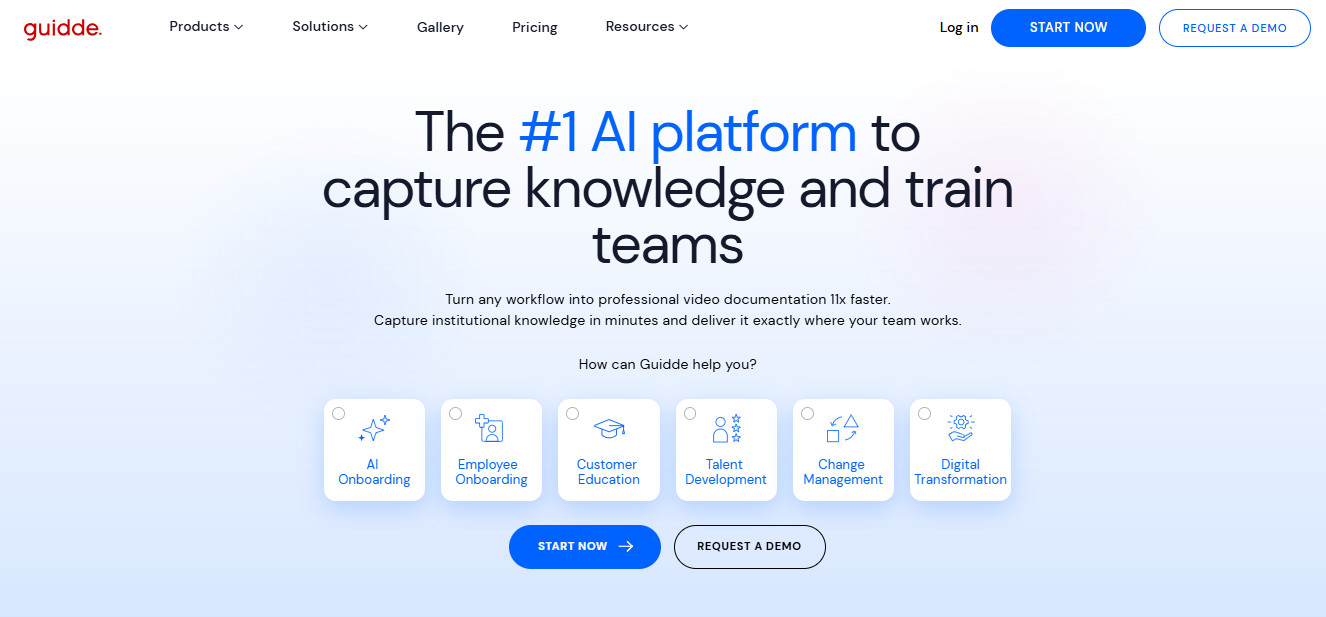
For example, there are several tools that can automatically capture your workflows and generate tutorials on the basis of the recordings. Scribe is the most obvious choice if you want traditional SOPs. Guidde, on the other hand, shows users the actual recording of the workflow in action, annotating it accordingly and making certain tasks a lot easier to understand. Loom is another option, but I find its editing suite very limited.
Tip 4: Embed Guides Directly Where They’re Needed
Siloed SOPs sit in a folder somewhere and get viewed by no one. To stay relevant, process docs need to be centralized and appear when they’re needed.
A lot of modern tools support direct embeds or integrations with systems like Zendesk, Salesforce, Confluence, Slack, and Microsoft Teams, so a guide can live inside a ticket macro, a CRM record, or a chat channel. Even if you’re using more old-school methods, though, you can still embed strategically; you’ll always be able to find a home for a Google Doc link if you look hard enough.
For support and customer success functions, linking internal guides to ticket categories or macros makes it obvious when a guide is missing or outdated; frustrated agents will tell you immediately when an embedded walkthrough no longer aligns with reality.
Tip 5: Measure Doc Usage and Prune Aggressively

Even with great capture and embedding, it’s still all too easy to accumulate dead or low‑value documentation over time. To keep your system healthy, you need a regular feedback loop and a willingness to delete.
Use the analytics your tools provide (video completion rates, view counts, search terms that return no results, pages with zero views) to identify what’s actually useful and what’s just clutter. You can also run a doc cleanup sprint once a quarter, where you archive unused guides, consolidate duplicates, and retire content tied to deprecated systems or workflows.
Of course, a lot of people get edgy and nervous when it comes to deleting shared documents. So you need to make it socially acceptable (even encouraged) to delete or merge documentation that’s not working as-is.
Over time, docs that are frequently used get regular eyes on them, while unused docs are periodically culled so they don’t confuse people.
Tip 6: Build Documentation Review into Onboarding and Training Processes
Process documentation best practices are especially important when it comes to new hires. After all, you don’t want them to spend their first four weeks constantly asking coworkers for guidance on how to escalate a ticket or file a basic claim.
However, this also presents an opportunity. If you make your process documentation procedure friendly to new hires first and foremost, you can ensure it covers all the most essential bases. If people frequently encounter outdated flows, missing permissions steps, and broken links during onboarding, you know you’ve got work to do.
You can even ask every new hire to log at least a few “doc bugs” during their first month. This will yield valuable insights for you, and it will also make the process more engaging for them.
Tip 7: Document the Exceptions, Not Just the Ideal Path

Your SOPs shouldn’t only cover processes on their best days. Things can go wrong, and problems can arise; docs that account for this effectively add a lot more value to teams.
Unfortunately, most internal documentation tends to break when someone hits an exception: a permissions issue, an edge-case approval, a legacy system, a vendor outage, or a workaround that only applies in one region or business unit.
To make your docs more durable, capture the paths that people actually take when things don’t go according to plan. That means adding notes for common failure points, fallback steps, and escalation contacts. In ops and IT, especially, those exception paths are often what save time during incidents, onboarding, or support handoffs. This also makes updates easier.
There’s a delicate balance to be struck here, though. If you include too many edge cases and eventualities that aren’t relevant to everyone, viewers will feel alienated and, ultimately, bored.
So use your judgment. Don’t include everything (maybe link to external resources for edge cases), but don’t exclude anything really important.
Tip 8: Remember: Done Is Better Than Perfect
If you expend too much time and energy trying to iron out every last kink in any process, you’ll end up over-optimizing in some areas while completely ignoring others. It’s the same reason why teams often wait until they have time to produce a beautifully formatted wiki page or studio‑grade video, which means they never document small but important changes.
As the owner or managing director, it’s up to you to clearly communicate that process docs don’t need to be flawless as long as they get the job done.
This is another area in which a platform upgrade can really help. Modern tools (particularly those that use automatic capture) make it much easier to implement “good enough for now,” which tends to be far more valuable than “perfect, but six months late.”
This is especially true of tools with a competent AI engine that can take care of editing and annotation on your behalf. Guidde is particularly strong here; with auto‑generated narration, step labeling, and brand styling, its production process doesn’t require you to do much more than record your screen as you proceed through your workflow.
Final Thoughts

You might not need a massive documentation initiative to win the battle against staleness; a lot of the steps recommended here could be implemented in a day.
However, this isn’t the case across the board. If you’re really drowning when it comes to SOPs, you may need to start from scratch. That’s where the tool you use can make a big difference; something with automatic capture will probably be best if quick and easy updates are a top priority for you.
For teams that rely heavily on visual walkthroughs, Guidde stands out for its auto-generated narration, on-screen annotations, and brand styling — features that significantly reduce the production lift compared to traditional screen recording tools. For teams that need text-based instructions, Scribe is a strong alternative for automatically converting screen recordings into step-by-step written guides.