

- Shippo vs. ShipSaving: The Big Picture
- What Is ShipSaving (and Who Is It Really For)?
- What Is Shippo (and Who Is It Really For)?
- Setup & First Impressions
- Automation & Shipping Rules
- Carrier Network & Rate Access
- International Shipping
- Integrations & Platform Coverage
- Bulk Printing & High-Volume Days
- Reporting & Visibility
- Returns & Post-Purchase Experience
- Reliability & Track Record
- Pricing
- Pros & Cons of ShipSaving vs. Shippo
- Final Verdict: Which Should You Choose?
Last Updated on February 24, 2026 by Ewen Finser
FTC Disclaimer: We do make money from this blog and may receive compensation for this work in the form of commissions, fees and complimentary product access. Review our full FTC disclosure here.
Shipping software doesn’t feel important when your business is just getting started.
At first, you might be dealing with just one or two packages a day: pasting addresses in, buying labels, sticking them on boxes, dropping them off, and moving on. And as long as the packages arrive, it feels like the job is done.
But once you’re shipping consistently (even just 10-20 orders per day), shipping quietly becomes one of the biggest drains on your time and mental space.
That’s usually when sellers start looking at shipping management tools and comparing top sellers like Shippo vs ShipSaving.
So I’ve tested both platforms to see where they work best, who they’re best suited for and where they win.
Shippo vs. ShipSaving: The Big Picture
First, let’s cover their biggest similarities and nuanced differences:
- Both tools help you buy cheaper labels, but Shippo’s wider range of carriers should give you better rates, especially for international shipments.
- Both tools integrate with a variety of e-commerce platforms and marketplaces, but Shippo provides broader support across major platforms, including Square and Squarespace.
- Both tools are end-to-end shipping management tools where you can save with discounted rates, quickly print labels, track packages, process returns, and create configurable automations to streamline your shipping.
But the biggest difference here is that Shippo has access to more carriers, more integrations with major e-commerce platforms, and a bigger customer base (a big trust factor). Overall, it’s my favorite tool for managing your shipping if you’re serious about growing your business.
What Is ShipSaving (and Who Is It Really For)?

ShipSaving is a shipping platform focused on discounted domestic shipping for U.S. sellers.
The experience is deliberately very simple here: You enter shipment details, compare rates with a few carriers (usually USPS, sometimes UPS), buy a label, and you’re done. There’s very little setup, and almost nothing to configure.
That simplicity is its biggest strength. It’s built for the types of businesses that are:
- Shipping a small number of orders per week
- Selling mainly on one or two marketplaces, such as eBay and Amazon
- Run as a side project or hobby store
Most ShipSaving users see it as the next logical step after a more entry-level tool like Pirate Ship, where most things are done manually. ShipSaving will feel like a big improvement after that because it lets you:
- Apply automation rules across shipments
- Manage multiple sales channels in one dashboard
- Handle international complexity
Like Shippo, it has some automations, and they cover basic factors like package weight and label templates. Overall, the main focus is on creating U.S. shipping labels quickly and affordably.
What Is Shippo (and Who Is It Really For)?
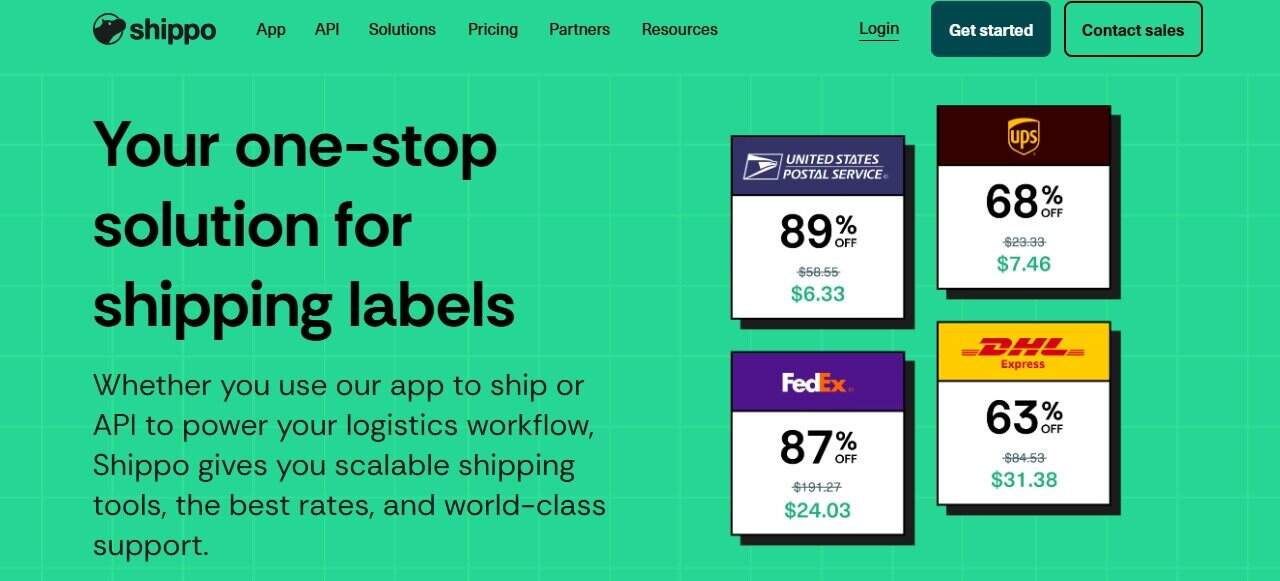
Shippo is built for businesses that ship regularly and want shipping to simply work.
Like ShipSaving, simplicity is the name of the game here and what Shippo does really well: It connects directly to your store, pulls in orders automatically, compares rates across multiple carriers, and lets you apply automation rules so you’re not doing the same work over and over again.
Here’s what that looks like in practice:
- Orders sync automatically from e-commerce marketplaces/platforms like Squarespace, Shopify, and Etsy
- Package templates and service levels can be applied using automations and rules
- Labels can be purchased and printed in bulk to save time
- Tracking notifications are automatically sent to customers
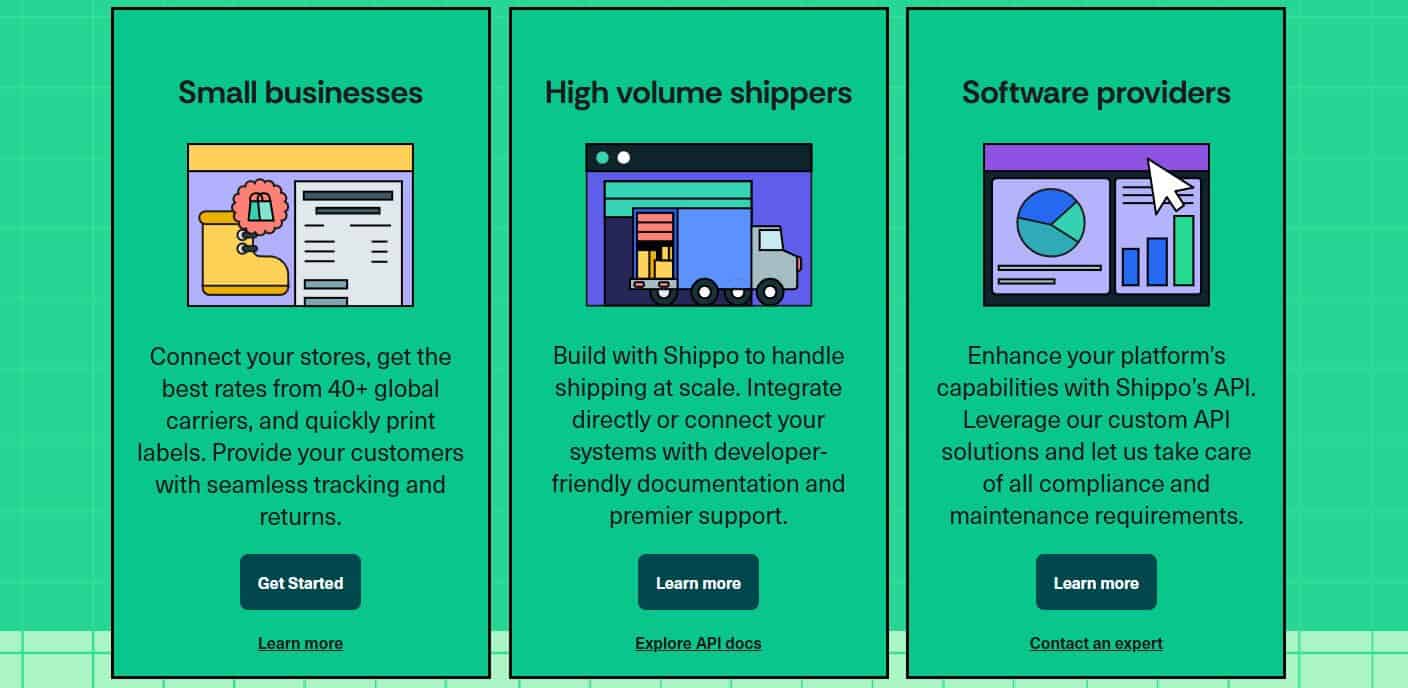
Shippo also has access to over 40 carriers (including some quite niche ones), which gives customers access to a wider range of shipping quotes. It’s also used by over 4.6 million customers, and that track record and reliability make it stand out from the crowd.
As a powerful tool that’s incredibly easy to use, Shippo stands out as a strong option.
Setup & First Impressions
Both tools are quick to get started, and they are both quite easy to use.
ShipSaving
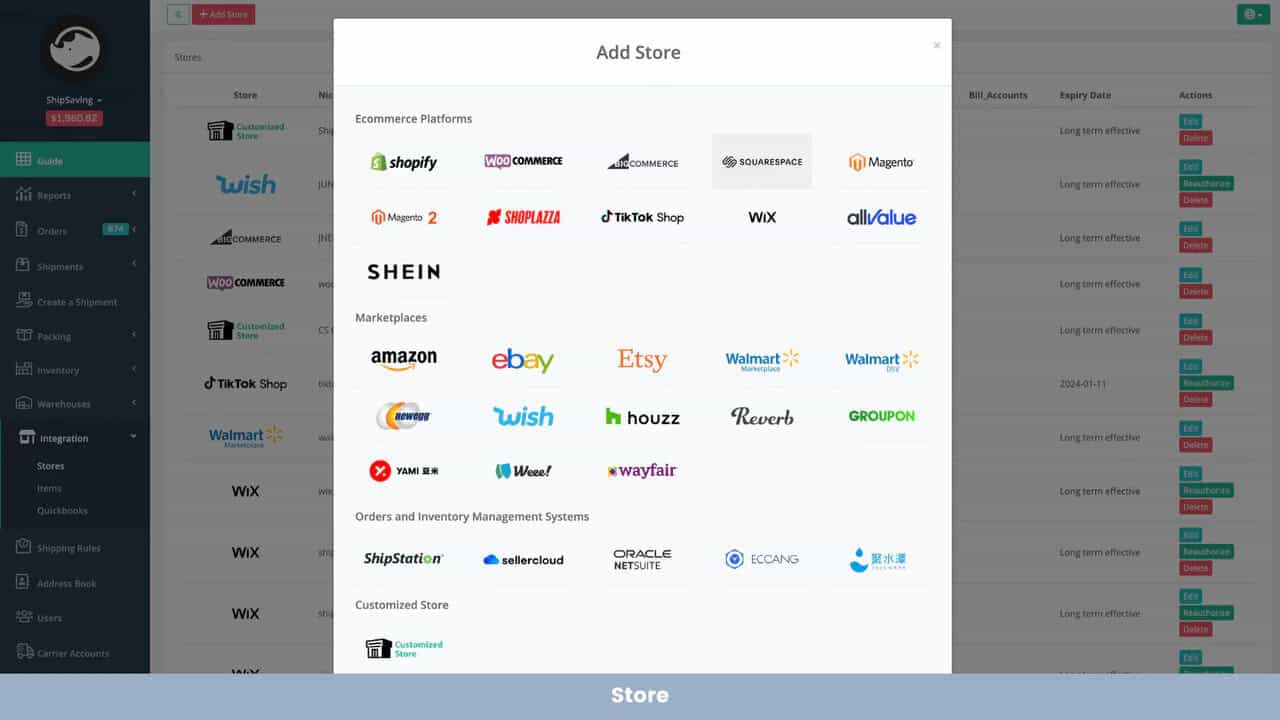
With ShipSaving, the setup is light and straightforward. You sign up, land on a clean dashboard, and start creating shipments almost immediately, pulling orders in from connected stores or creating labels manually.
For new or smaller sellers, that simplicity feels refreshing; there isn’t much configuration to worry about.
However, the system is fairly lean. It focuses on helping you create shipments quickly rather than building out complex workflows. But if you’re shipping lower volumes, that works well.
Shippo
Shippo doesn’t take long to set up either, but the onboarding feels more structured (in a good way).
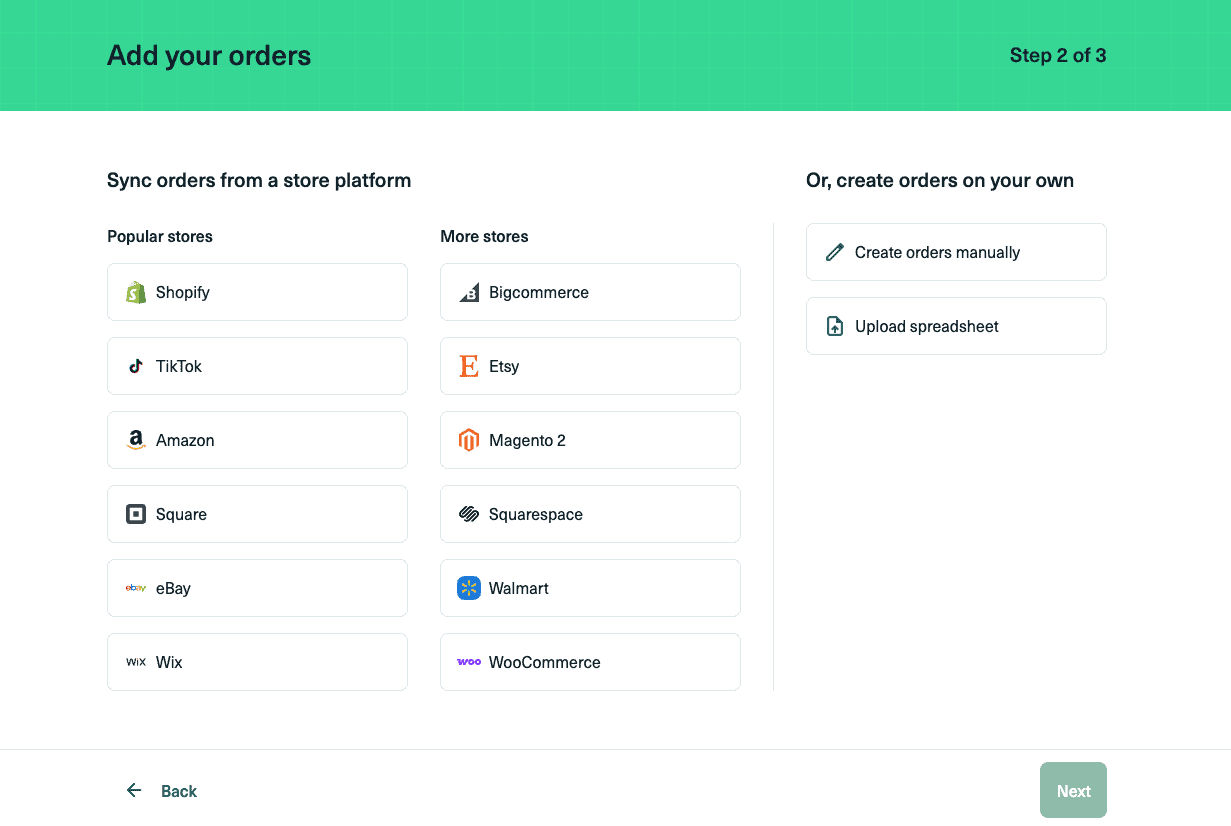
When you sign up, Shippo walks you through a guided setup process where you connect your store and basic shipping preferences. Once a platform like Shopify or WooCommerce is connected, orders are pulled in automatically, complete with customer details and order information. No need to manually create orders and paste in information.
Automation & Shipping Rules
Both ShipSaving and Shippo support rule-based automation using IF/THEN logic, letting you automatically choose carriers, packaging, or services based on conditions like:
- Weight
- Destination
- SKU or product name
- Order value
- Package type
- Ship-from address
For example:
- IF weight ≤ 16 oz THEN Choose USPS Ground Advantage
- IF order contains “Poster” THEN Assign tube packaging
- IF destination is international THEN Select a preferred international service
- IF order value > $150 THEN Add signature confirmation
- IF SKU contains “Fragile” THEN Force UPS Ground
In practical use, both tools remove repetitive decisions. Shipping becomes less manual, especially once volume increases. And for most small to mid-sized sellers, either platform’s automation system is more than capable of handling everyday workflows.
So automation alone probably won’t decide this comparison for you. The bigger differences show up in carrier access, integrations, and long-term scale.
Carrier Network & Rate Access
ShipSaving focuses mostly on UPS and USPS, but it does include a few other carriers like Canada Post. For domestic U.S. and Canada shipping, that may be enough, especially if you sell lightweight items.
But if you regularly need faster international delivery, better rates for heavier parcels, and more reliable tracking outside the U.S., then you’re limited to using DHL and UPS (which might hold you back).
Shippo’s vastly bigger network includes 40+ carriers, including:
- USPS
- UPS
- FedEx
- DHL
- Royal Mail
- Evri
- Regional and international carriers
This flexibility becomes critical as product types and destinations expand. The more options you have access to, the easier it is to find a carrier that best suits your needs, whether that’s for domestic/international/regional shipping, speedy delivery, or cost efficiency.
You can also bring your own negotiated rates for free (if you have them), whereas platforms like ShipSaving charge you a monthly fee for it.
International Shipping
Both tools handle international shipping cleanly:
- Customs forms auto-generated
- HS codes supported and can be added for each product
However, while ShipSaving is U.S.-focused, Shippo’s expanded network includes access to international carriers like Royal Mail, Evri, and Poste Italiane.
I’ve shipped to the U.K., EU, and Australia through Shippo with minimal friction. Everything needed was created automatically at label purchase.
That’s a big confidence booster if you sell globally, especially since international shipping comes with a lot of inherent complexity that’s made much easier with Shippo.
Integrations & Platform Coverage
Both platforms integrate with major e-commerce platforms, although ShipSaving does not currently offer native integrations for Square or Squarespace.
Beyond these additional platforms, Shippo supports a variety of e-commerce platforms and marketplaces:
- Shopify
- WooCommerce
- Amazon
- Etsy
- eBay
- Wix
- Squarespace
- Square
If you run multiple storefronts or plan to expand channels in the future, Shippo offers more flexibility than ShipSaving.
Bulk Printing & High-Volume Days
Both platforms support bulk label creation, but ShipSaving doesn’t publicly specify a limit here, whereas Shippo allows up to 100 labels to be generated at once from the Orders page. Additionally, ShipSaving only allows bulk label generation through a downloadable bulk workflow.
Both approaches work well, but Shippo’s inline dashboard flow may feel slightly more seamless for teams processing larger daily volumes. This difference becomes more noticeable as volume or carrier complexity increases, where Shippo’s broader carrier network and filtering tools provide slightly more flexibility.
Reporting & Visibility
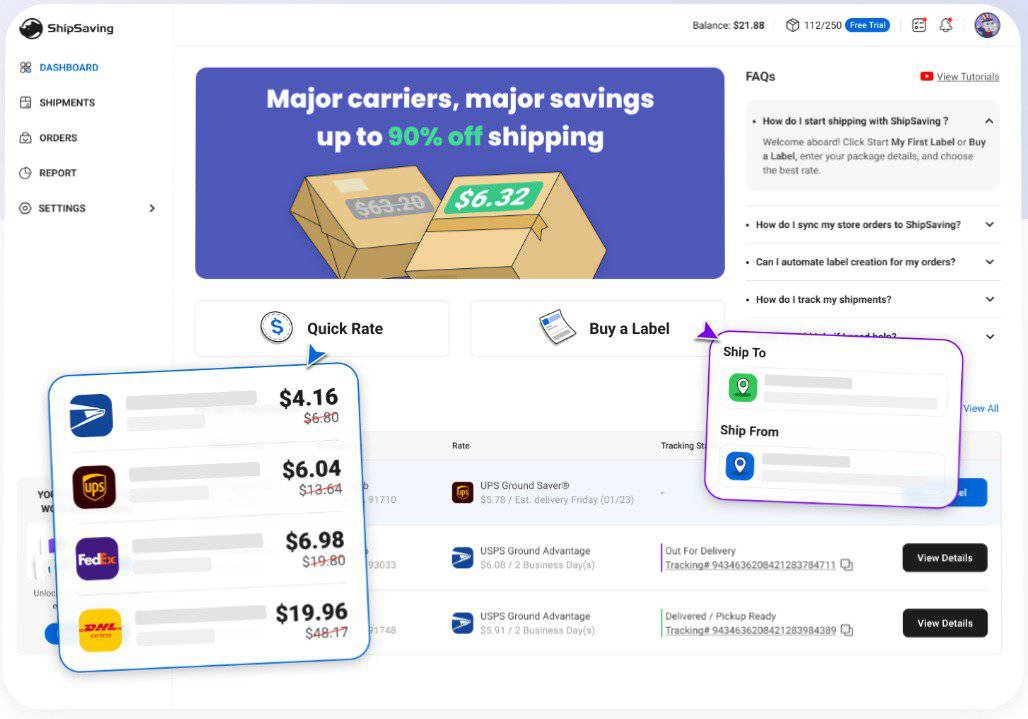
Even if you’re not running deep analytics, it’s useful to understand how much you’re shipping, which carriers you’re using, and how your shipping spend is trending.
ShipSaving provides a clean shipment dashboard where you can view order history, track shipments, and see shipping costs per order. It focuses primarily on operational visibility, managing what has shipped and what is pending, rather than trend-based performance analytics. For many small sellers, this level of visibility is sufficient.
Shippo, on the other hand, includes a dedicated analytics dashboard that provides a broader overview of shipping activity. This includes:
- Label volume over time
- Carrier usage breakdown
- Shipping spend
- Additional fees
For businesses that want to monitor shipping trends or analyze carrier usage more closely, Shippo’s reporting tools offer a more structured overview of performance over time.
Returns & Post-Purchase Experience
ShipSaving supports return label creation directly within the dashboard. One standout feature is the ability to generate QR code-based paperless returns, meaning customers don’t need to print a label themselves.
For sellers handling occasional returns, this works well. The process remains largely seller-managed, but it covers the essentials without adding complexity.
Shippo provides a more structured return workflow that lets you generate return labels manually or include them with outbound shipments. Returns are visible within the same dashboard used for outbound shipping, which keeps everything centralized. For brands that want more control over the post-purchase experience, this added structure can make the process feel more cohesive. Additionally, on paid plans, Shippo supports branded tracking pages and customer notifications, giving your customers a personalized experience when they want to check on the status of their shipment.
Reliability & Track Record
This is perhaps the biggest difference between the two platforms.
Shippo has been around since 2013 and serves 4.6M customers, while ShipSaving has been in business since 2019 and serves approximately 50,000 businesses.
That doesn’t mean ShipSaving is unreliable by any means, but scale does matter in shipping software.
A larger user base typically means:
- More edge cases tested
- More mature carrier relationships
- Longer operational history
If long-term platform stability is important to you, Shippo’s larger footprint may provide additional confidence.
Pricing
Both Shippo and ShipSaving have a progressive pricing model, and both have a free tier.
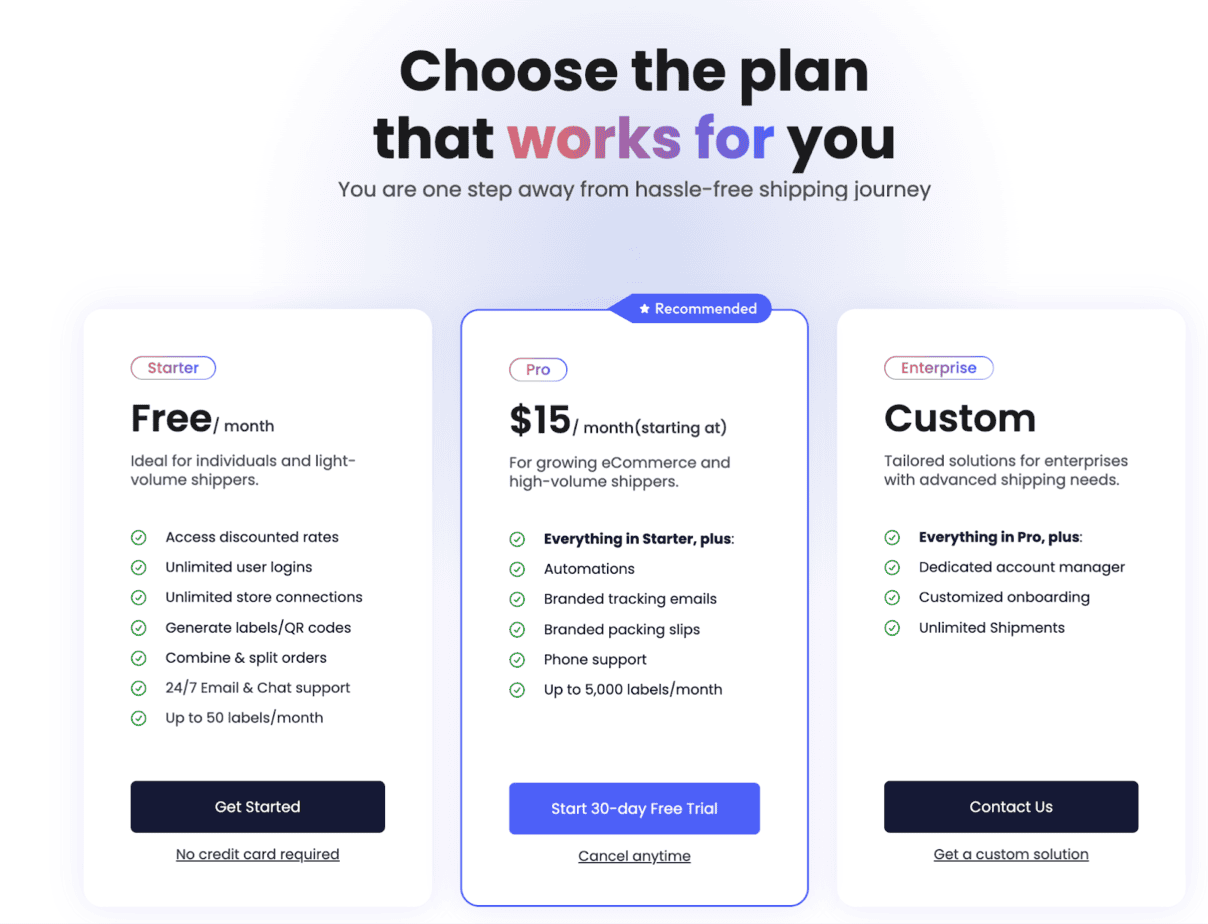
ShipSaving:
- Free up to 50 labels
- Starts at $15/month for up to 250 labels
- Custom pricing after that
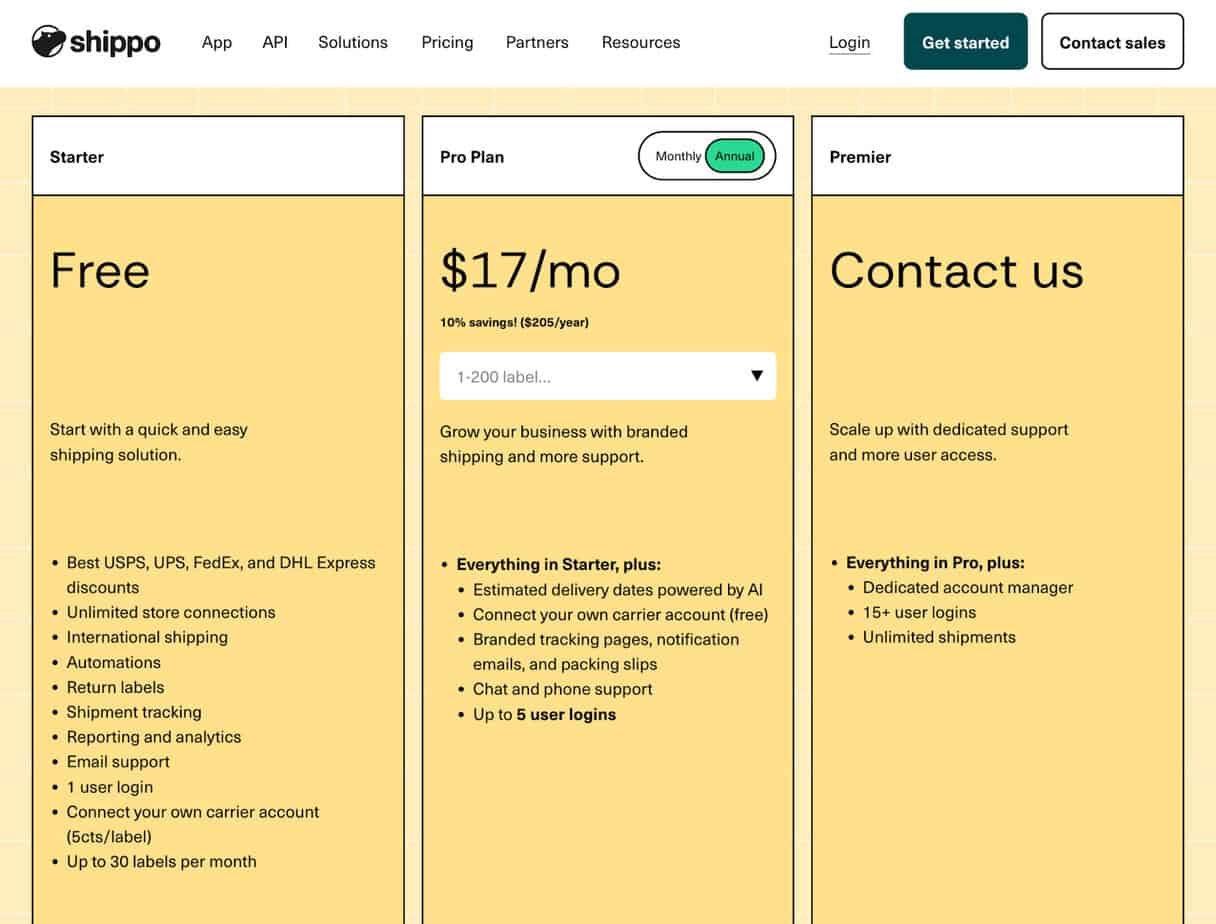
Shippo:
- Free up to 30 labels per month
- Starts at $19/month for up to 200 labels and scales to $199/month for up to 10,000 labels
- Scaled enterprise pricing after that
Pros & Cons of ShipSaving vs. Shippo
ShipSaving
Pros:
- Very simple
- Quick setup
- Discounted shipping rates
Cons:
- Limited integrations for major e-commerce platforms
Shippo
Pros:
- Easy to use and quick to set up
- More major e-commerce platform integrations
- Discounted rates for 40+ carriers
- Better international shipping
- Scales with growth
Cons:
- Slightly more expensive
Final Verdict: Which Should You Choose?

Choose ShipSaving if:
- You ship occasionally
- You’re U.S.-only
Choose Shippo if:
- You ship daily or plan to
- You want shipping to run itself
- You plan to grow
- You use Square/Squarespace
ShipSaving is fine for staying small, but in my opinion, Shippo is built for growing without friction.