


Last Updated on October 29, 2026 by The Digital Merchant Team
When most people think of accounting software, QuickBooks is often the first name that comes to mind. Well, there’s a new contender worth paying attention to, especially as AI continues to reshape how we work. What many folks don’t realize is that Puzzle.io has quietly and quickly become one of the most AI-integrated platforms in the industry. Puzzle AI accounting uses machine learning, predictive analytics, and automation to streamline financial workflows in a way that feels both intuitive and intelligent.
Whether you’re a founder, operator, bookkeeper, or small business owner, Puzzle.io’s AI-backed features are shaping a future where software doesn’t just track your books, it helps you run them. In this Puzzle accounting software review, I’ll walk through its AI features, pricing, and limitations to help you answer one question: is Puzzle worth it for your business?
The Bottom Line Up Front
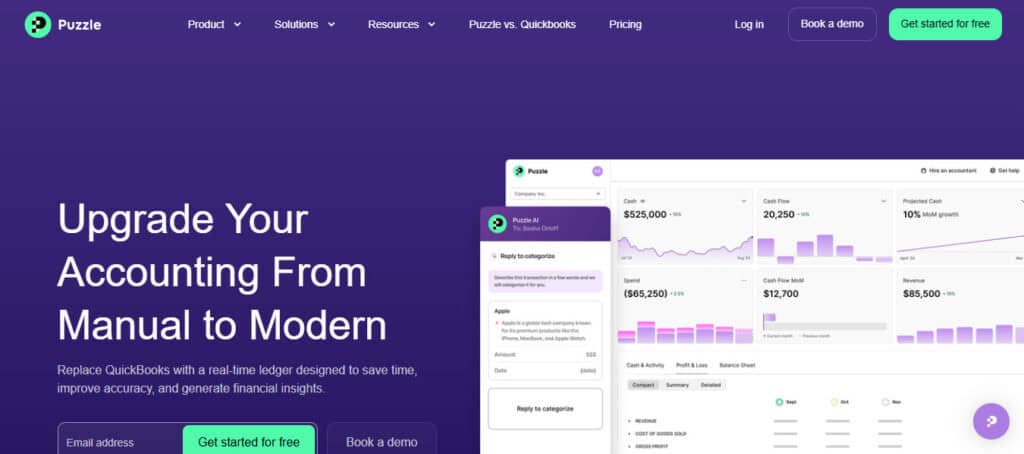
Puzzle.io is a mature, AI-enhanced accounting platform that brings serious intelligence to everyday financial tasks, but it works best when paired with a savvy human in the driver’s seat. Founders and small business owners can lean on it to do most of the heavy lifting, as long as someone, whether that’s you, an operator on your team, or a bookkeeper, reviews the work to make sure errors are caught and transactions are coded correctly.
Puzzle’s AI Features at a Glance
Puzzle uses AI across almost everything it does, from sorting transactions to forecasting cash. The newest addition is the AI Suite, which lets you ask your books questions and hand off tasks. Here’s a look at the AI Suite first, then the features that keep your books running day to day.
The AI Suite: Chat, Cowork, and Close
Every Puzzle plan, from Starter to Scale, comes with the AI Suite. It’s built right into your books, so the AI works with your live numbers instead of a copy sent off to another tool. There are three parts:
Chat: Ask your books a question. Type something like “Why did expenses go up last month?” or “Which customers still owe us money?” and Chat gives you a plain-English answer based on your real transactions. It’s read-only, so it won’t change anything in your books.
Cowork: Hand off the busywork. Tell Cowork what you need, like matching invoices to payments or finding missing receipts, and it preps the work for you. You review everything before it’s final.
AI Close: A smarter month-end for bookkeepers and accountants. If an accountant or bookkeeper manages your books in Puzzle, AI Close walks them through a structured month-end close. Nothing posts without their sign-off, so a human always has the final say.
Smart Categorization
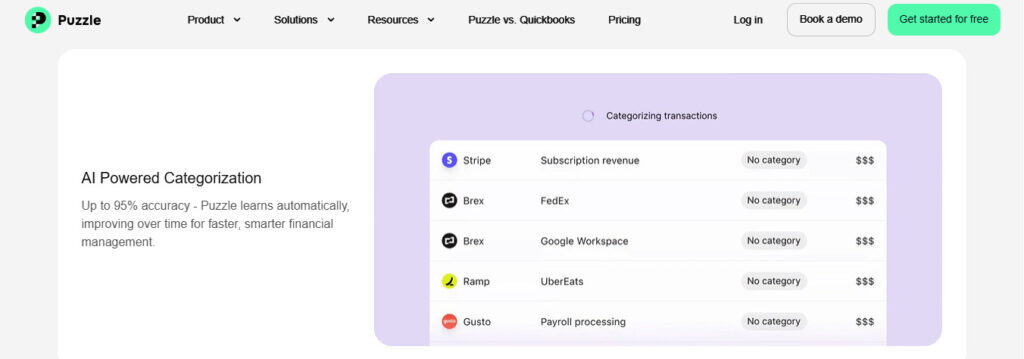
Puzzle.io’s AI automatically categorizes up to 98% of your bank and credit card transactions. Over time, the system “learns” your and your business’s habits, recognizing vendors, recurring charges, and how you categorize certain expenses, and adjusts its auto-booking accordingly.
Pros
- Saves hours of manual entry, whether that be you or the business’s bookkeeper.
- Reduces the chance of categorization errors.
- Saves money on your labor and wage expenses since the software is performing the bulk of the work.
Cons
- Occasionally mislabels new or unusual vendors.
- If left unchecked, can be burdensome to correct and fix.
AI in action: As Puzzle.io begins to learn and recognize transactions, it’ll begin to push them over to the company’s financials, which are generated via the home dashboard. You can quickly identify what’s sitting in each expense, revenue, or balance sheet account by drilling into the account. A pop-up window will show you what transactions compose the balance of each account for the filtered time period.
Predictive Invoicing & Smart Suggestions
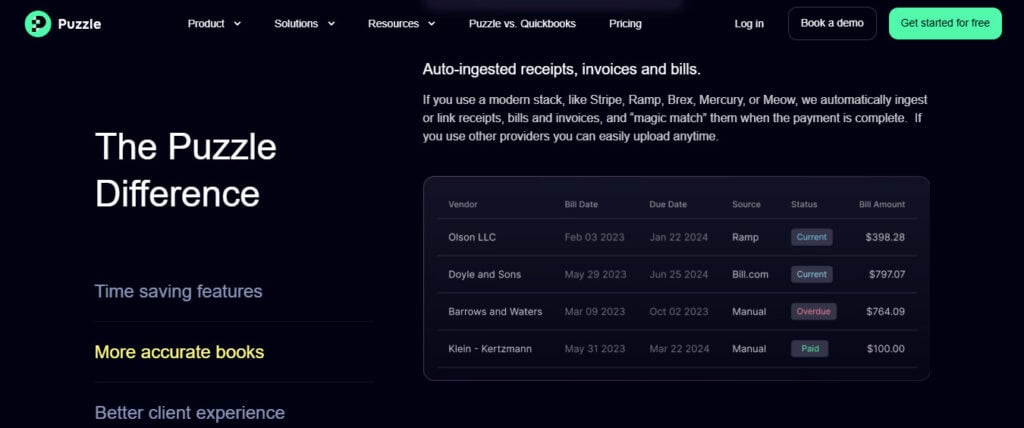
Puzzle.io uses predictive algorithms to suggest when and how to invoice clients, based on your historical billing cycles and customer payment behaviors. As a busy business owner who may be stretched a little thin, it’s super helpful to be reminded to invoice your clients for the services rendered. As a CPA, I’ve seen my clients let hundreds of thousands of dollars go overdue from their customers simply because they haven’t reached out to them or followed up. Puzzle.io takes the headache out of this if you’re billing consistently, as it’ll pick up on and learn these patterns.
Pros
- Helpful nudges when you forget to invoice customers and clients.
- Suggests line items you might miss.
Cons
- It may suggest the wrong amount if you’re billing an amount that isn’t consistent with typical items.
Real-Time Dashboards & Forecasting
As an accountant whose end goal is correct, accurate, and timely financial statements, I think the real-time dashboards and forecasting are the bread and butter of Puzzle.io (aside from its links to Stripe, Mercury, Ramp, and other financial tools, which I’ll cover later).
Puzzle prepares financial statements and reconciles transactions as money moves in and out of the bank, and that can’t be overstated. Business owners can make decisions based on up-to-date expenses, cash balances, and revenue.
I’ve also found Puzzle.io especially user-friendly for startups, which often burn cash while they build up revenue. For example, if a startup is between funding rounds and in a cash crunch, Puzzle shows expenses as they happen, so a founder or CEO can quickly decide where to cut costs until the next round comes in. There’s no waiting for month-end close to see the big picture.

While Puzzle.io isn’t a full-blown FP&A tool, its burn and runway insights (on Core and up) show where your cash stands and how long it will last. For deeper forecasting, you can connect planning tools like Causal and Runway. In my opinion, Puzzle’s forecasting has improved dramatically compared to juggernauts like QBO and Xero and is really helpful for short-term planning.
Pros
- Intuitive visual dashboards and reporting, with a user-friendly UI that’s easy to navigate.
- Cash, burn, and runway numbers that update as new data comes in.
Cons
- Limited to the short term and not customizable enough for complex models, unless you connect a planning tool.
- If many items need to be filtered out, it can become cumbersome, and it might just be better to export to Excel and build out a model the traditional way.
Automated Error Detection
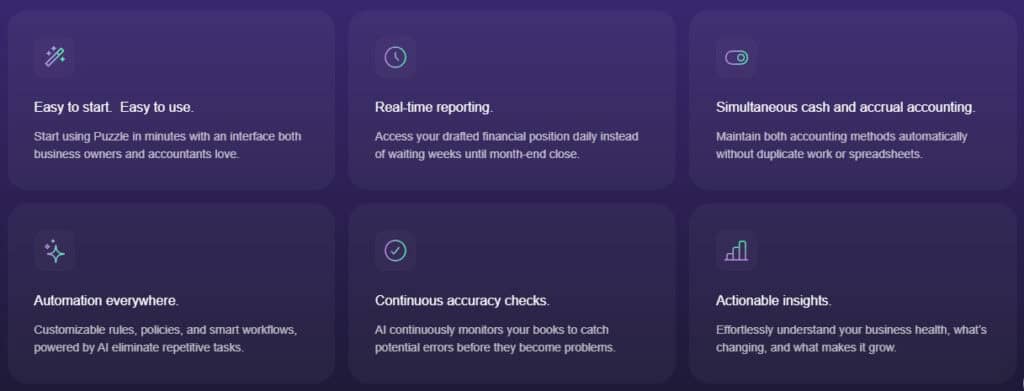
Behind the scenes, Puzzle.io is constantly running integrity checks. If your balance sheet doesn’t balance, or if your bank balance differs from your register, Puzzle.io flags these inconsistencies, often offering solutions to fix them. On the Complete plan and up, Puzzle’s AI accuracy review also checks your books for mistakes before you close the month.
The fixes are usually pretty easy. Perhaps in your ledger, your bookkeeper booked two transactions, one for $40 and one for $60 to the same vendor, but on different days, and wrote a single $100 check to cover the expense. The system may struggle to recognize that two transactions on different days need to match the single outgoing check. I have found that many accounting software programs struggle with this, especially if the dates don’t match.
Pros
- Instant notification of data entry errors
- Recommends reconciliation strategies
Cons
- Doesn’t always explain why a suggestion is being made
- Can continue to struggle with complex situations, similar to ones described above
Integrations That Feed the AI
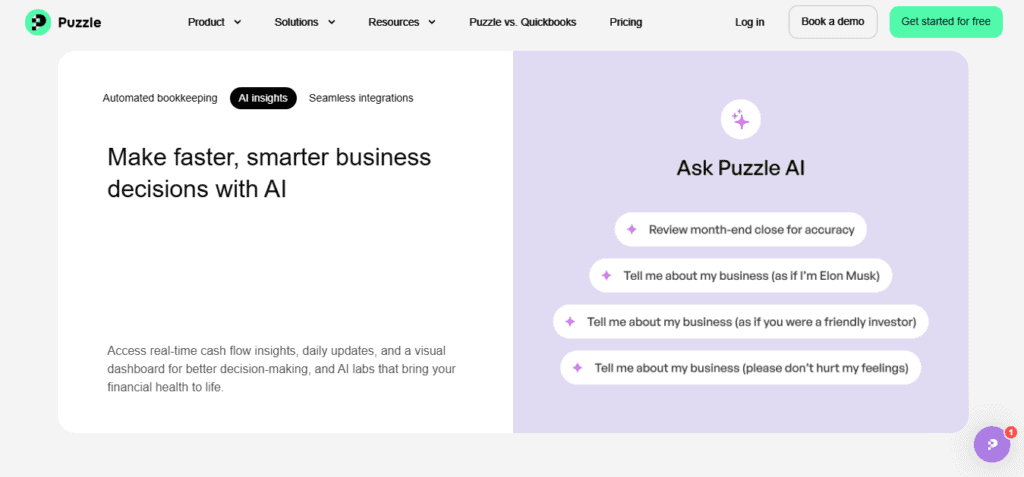
One of the unsung AI advantages of Puzzle is its ecosystem. Puzzle connects with Stripe for payments, Mercury and Brex for banking, Ramp and Bill.com for expenses and bills, and Gusto and Rippling for payroll, so it gathers a massive amount of contextual data. This fuels its learning algorithms and enables cross-platform intelligence.
For example, Gusto payroll sync improves employee expense tracking and AI insights for labor cost forecasting. Stripe integration pulls in payments, refunds, and fees so your revenue reconciles cleanly. The more you integrate, the smarter Puzzle can become.
While exploring the platform, I noticed Puzzle doesn’t connect directly to store platforms like Shopify, Square, or WooCommerce, the way QuickBooks Online does. Since a lot of storefronts use these to sell, I first thought this was a con. But if you run a WooCommerce shop and take payments through Stripe, your sales still flow into Puzzle through the Stripe integration. And for Shopify or Square, your payouts will still show up as deposits through your connected bank account, just without the sale-by-sale detail. So it’s not a dealbreaker, but if detailed sales reporting is important to you, you should check how your store connects before you switch.
Who Puzzle.io is Best For (AI-Wise)
Ideal Users | AI Impact |
Founders | Real-time cash, burn, and runway numbers, plus Chat for quick answers about the business. |
Operators | Up-to-date numbers without waiting for month-end, and Cowork to hand off tasks like finding missing receipts. |
Bookkeepers | AI reconciliations, accuracy review, and AI Close cut down on manual grunt work. |
Small and midsize businesses | Categorization, invoicing, and reporting all become semi-autonomous. |
Limitations of Puzzle.io’s AI
No review would be complete without pointing out that there are limitations to any software. While software can make a founder, operator, or bookkeeper’s day easier, it still has to be reined in and worked through consistently.
- In my opinion, it’s not explainable AI — meaning the system doesn’t always tell you why it made a categorization.
- The trouble that you get into with software outlining why it did something is if you’re trying to correct or replicate an entry consistently, it can get tricky pretty quickly.
- The trouble that you get into with software outlining why it did something is if you’re trying to correct or replicate an entry consistently, it can get tricky pretty quickly.
- It can learn bad habits if you incorrectly approve suggestions
- This item right here should raise a big red flag, but it’s true for all accounting platforms. A user can make their job ten times more difficult and time-consuming if they have to undo months of transactions because they didn’t catch a mistake. I like to call this a rogue AI running rampant.
- This item right here should raise a big red flag, but it’s true for all accounting platforms. A user can make their job ten times more difficult and time-consuming if they have to undo months of transactions because they didn’t catch a mistake. I like to call this a rogue AI running rampant.
- Puzzle, in my opinion, is still bound to the square peg in a round hole dilemma: custom rules and nuanced exceptions aren’t always supported.
- This makes it ideal for small to mid-size businesses. Custom solutions just don’t seem to be something it’s ready to offer, which is often the needs of large enterprises.
- This makes it ideal for small to mid-size businesses. Custom solutions just don’t seem to be something it’s ready to offer, which is often the needs of large enterprises.
- Performance drops off for multi-entity or industry-specific workflows like real estate, government contracting, or construction WIP accounting.
- A prime example of this would be something I’d struggle to use Puzzle for – I frequently work with construction clients who are often opening and closing dozens of projects quarterly. I just don’t see Puzzle being able to keep up with drilling each expense into each project – which is necessary for GAAP-compliant financials within the construction industry.
Puzzle Pricing & Plans
I think Puzzle offers a unique and dynamic pricing plan for every business, even though some of their higher-tiered plans can be a little bit more expensive. There’s no free plan, but Puzzle offers a 14-day free trial with access to all its premium features, which I think is perfect for giving Puzzle a test drive before any contracts are signed.
Puzzle Pricing Breakdown
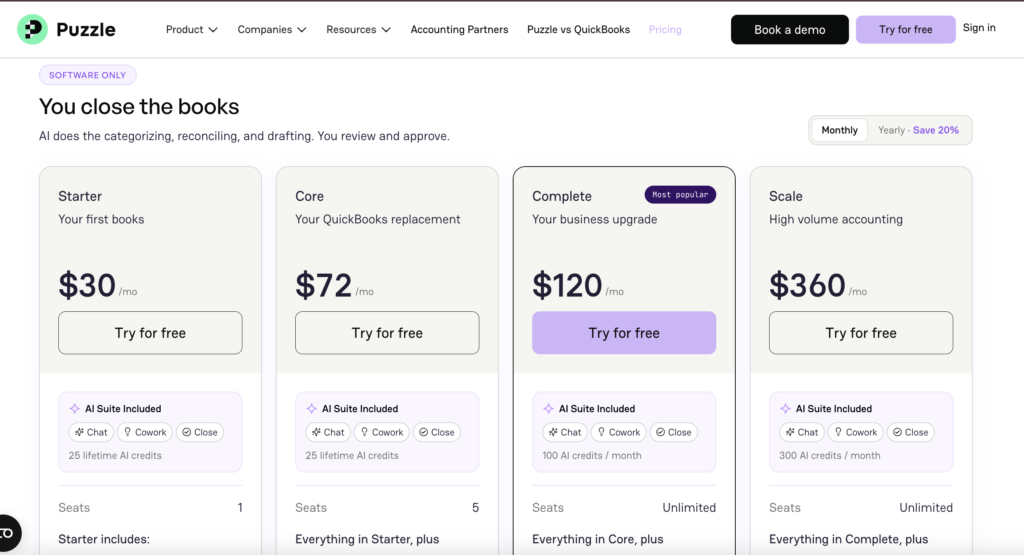
Plan | Price | Highlights |
Starter | $30/mo, or $24/mo billed annually | 1 user. Puzzle sorts 85 to 90% of your transactions, drafts your financial statements, and keeps cash and accrual books. 25 lifetime AI credits. |
Core | $72/mo, or $58/mo billed annually | Everything in Starter, plus up to 5 users. Track spending and revenue, see cash, burn, runway, and margins at a glance, and compare actuals to what you expected. 25 lifetime AI credits. |
Complete | $120/mo, or $96/mo billed annually | Everything in Core, plus unlimited users. AI reconciles your accounts and checks for mistakes. Smarter sorting, categorizing from your inbox, revenue tracking, and spending by class, department, or project. 100 AI credits a month. |
Scale | $360/mo, or $288/mo billed annually | Everything in Complete, plus no limits on transactions or integrations, subledgers, backup and restore, and dedicated setup and support. 300 AI credits a month. |
Puzzle’s Done-for-You Accounting Services
Not everyone wants to close their own books, and Puzzle gets that. With its “We do it for you” option, you can add accounting services on top of your software plan, and there are two levels to choose from.
Expert Reviewed: AI does the work, a bookkeeper checks it. Puzzle’s AI handles your bookkeeping, then a real bookkeeper reviews it and closes your books each month. It’s a good fit for simple businesses with low monthly expenses.
Full Service: A bookkeeper runs your books for you. You get a named bookkeeper who handles your whole month-end close, so it’s a good fit for businesses with more complicated books.
On top of either level, Puzzle offers extra help when you need it, like moving your books over from QuickBooks or Xero, catching up on months you fell behind on, tax filing, and a part-time controller or CFO. Just keep in mind that all of these services need an active Puzzle subscription.
The Verdict: AI Forward, But Not Fully Autonomous
So, is Puzzle worth it? To wrap up this Puzzle review, Puzzle.io may not be the most in-depth and granular (we’ll leave that trophy to SAP or Oracle) accounting software on the scene, but its deep roots in financial data and the ability to auto-categorize up to 98% of transactions give its AI tools a serious edge. It’s not trying to reinvent accounting. Instead, Puzzle AI accounting augments your workflows in subtle but powerful and seamless ways.
For founders, operators, bookkeepers, and small business owners who embrace automation and want a smart co-pilot for their finances, Puzzle is more than capable of checking all the boxes. With Puzzle pricing starting at $30/mo and a 14-day free trial, it’s easy to test before you commit. Just remember, it’s still your responsibility to review, approve, and verify. Even the smartest machine-learning engine won’t protect you from bad data entry, poor judgment, or a missed deadline.