


Last Updated on January 23, 2026 by Ewen Finser
Have you ever received notice that your favourite feature or a product you love using is suddenly going to cease to exist? I have, and I know how frustrating it can be; however, as someone who has worked in the tech industry for over a decade, I can also understand the need to deprecate products or services once they reach end-of-life, or once they no longer make business sense to keep running.
Product sunsetting is, at a fundamental level, the systematic process of strategically retiring or closing a feature, a product, or a service. Product sunsetting also means the product is no longer enhanced, developed, and any marketing or communications will cease.
This guide will break down some of the essential factors to consider, best practices to follow, and also offer insight into how organizations can lean into technology to help them manage key aspects related to sunsetting a product.
Why Should You Carefully Plan Out Your Product Sunsetting Strategy?

Sunsetting a product when it reaches end-of-life shouldn’t be handled abruptly and should be managed carefully with a clear communications plan.
If carefully managed with transparency and upfront communication, it can be less frustrating for customers or users than it would be otherwise. You can also avoid brand or reputational damage or other adverse effects, such as customer churn, if you ensure that users understand the details around the process.
Having a clear timeline communicated ahead of time is critical, as is ensuring that the right information is sent via the correct channels to ensure that customers are kept updated.
Let’s have a look at this from multiple angles! As an end user or a business, there are some things that may be important to keep in mind.
When Should You Sunset a Product, and What Drives the Decision?
Sunsetting a product is a normal process and, in most cases, an essential business decision that will need to be made at some point.
Think about Microsoft Internet Explorer, for example, which was finally sunset as it became outdated and had poorer adoption over time. Microsoft had an alternate product, the more modern Microsoft Edge.
Here are some of the common signs or reasons that a business should consider sunsetting a product:
- Decline in adoption – We all know what it’s like to grow bored with a particular aspect of tech or a product we no longer use. As adoption declines, businesses need to pivot and put their attention on products that are maintaining and increasing user adoption.
- Costs – If a product no longer drives, grows, or retains revenue, the cost to keep the existing product running and maintained can be high.
- Technical debt – Sometimes, products are developed using an older programming language or tech stack, which can mean that it becomes more complex and more time-consuming to maintain and improve. As technical debt racks up, it may make less sense to continue keeping the product up and running; in some cases, these products are entirely rebuilt with newer technology.
- Strategic consolidation – Some businesses may develop similar features, products, or merge with a competitor, and it may no longer make sense to continue supporting multiple products in parallel. In these cases, it may be best to consolidate two or more products to keep things simpler and costs lower.
- Market shift – As the market shifts and new products are developed, some organizations may need to consider whether their product is still relevant or something that can be enhanced. If the core service offerings are outdated or no longer in demand, the product or service may need to be closed down.
- Resource availability – As someone who has worked in multiple SaaS startups, this can be a more common factor than one would expect. Lean organizations may need to place their team and effort on products that are growing revenue, and those that are less likely to be successful may need to be parked or sunset.
- Maintain customer trust – If a product becomes outdated, problematic, or unusable, it’s best to retire the solution rather than have users feel frustrated due to the lack of support or functionality of the product or service.
How to Sunset a Product: A 5-Step Framework
Step 1: Strategic Assessment and Decision Making:

Before businesses make pivotal product decisions, it’s vital to first internally validate whether the decision to sunset is the best way forward. It may involve activities such as usage analysis, adoption metrics, and cost assessment.
Generally, some key areas need to be defined:
- Strategic alignment begins with core product owners and business stakeholders to understand if this is indeed the right direction for the business. Typically, stakeholders across multiple departmental areas, such as finance, product, legal, and engineering teams, may be involved in initial discussions and analysis.
- Breaking down the messaging and motivation behind the reason to sunset the product will then be further fleshed out. These strategic business decisions will form the basis for the business case, which can then be used as a baseline for communications and next steps.
- Risk assessments and dependencies need to be clearly identified and understood. Understanding these aspects will help drive the correct decisions and ensure that there are no downstream adverse effects. These risks may involve things like contractual agreements, legal considerations, integrations, data dependencies, and knock-on effects.
- Planning and delivery: Once the decision-making process has concluded and risk analysis has been understood, a high-level plan for product sunsetting should be outlined and relevant owners assigned.
- Assign owners and tasks: Identify specific responsible individuals to handle particular aspects of the process. For example, Marketing handles communications, Product Owners oversee all product-related initiatives and the sunsetting process, and Support handles customer queries.
Step 2: Risk Assessment and Planning

Once the high-level planning and initial risk assessment have been completed, businesses will need to elaborate on the initial plan and break out additional dependencies and impacts.
- Stakeholder identification is an essential step in understanding who will be affected and when. Customers, internal teams, and partners or integration points need to be mapped out.
- Dependencies should be identified and outlined. Dependencies could include data integration points, APIs, connected systems, workflows, and other areas.
- Alternate systems and products may need to be outlined so that if one product is retired, an alternative can be used if required.
- Planning must include timelines and goal dates to be defined for shutdown, downtime, or any support that may be needed. The communication dates regarding these dates should be clearly discussed, and a communication plan should be put in place.
The communication plan is one of the most important steps in this process. We’ll break this down next with some clear examples and best practices.
Step 3: Communication Framework and Planning

Communicating product changes or updates should be planned carefully and executed well. Customers, end users, and internal teams should be fully aware of what is changing, or being deprecated, when, and how it will affect them.
Once all internal teams, departments, and stakeholders have been informed and all relevant concerns have been addressed, the customer communications should follow.
This is one of the most critical steps to get right and should be thought through and planned strategically.
I suggest first considering where customers or external users are most likely to see important notifications. Users may prefer to see notifications via an existing product application (like an in-app popup) or instead via the email channel.
Where to start:
First, build a structured communication plan that may include key areas such as:
- An announcement page
- Brief breakdown of what is changing and how the user will be affected
- Timelines and expectations
- FAQ’s and links to additional resources
- Contact information
Announcement creation using tools:
Creating a clear announcement that is consistent across departments is important. To achieve this, I prefer using electronic communications or tools to enable users to find additional information easily.
Using a product communication tool helps to achieve:
- Consistent, uniform updates across multiple channels
- Targeted updates to ensure you’re reaching the right users where they’re most likely to see these updates.
- Segmentation – Some users may be unaffected, and others may need to take action. Segmenting audiences is crucial if you need to split out key announcements by specific groups.
- Professional and polished communications can be more easily created
- Tracking user engagement and delivery can help analyze if critical communications have reached key users
- Some tools allow scheduling so that specific updates can be scheduled to be sent at key times or dates
- Automated notifications – some tools enable users to receive automatic notifications when something changes or as new updates become available.
Format and layout:
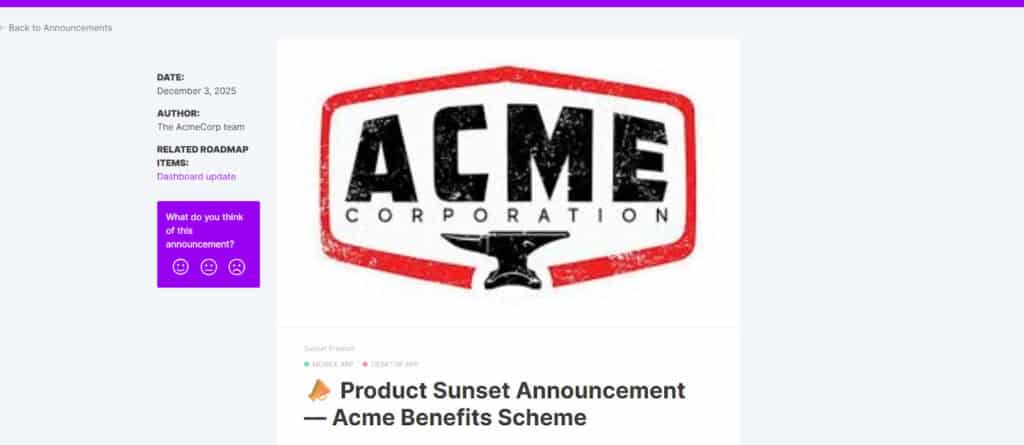
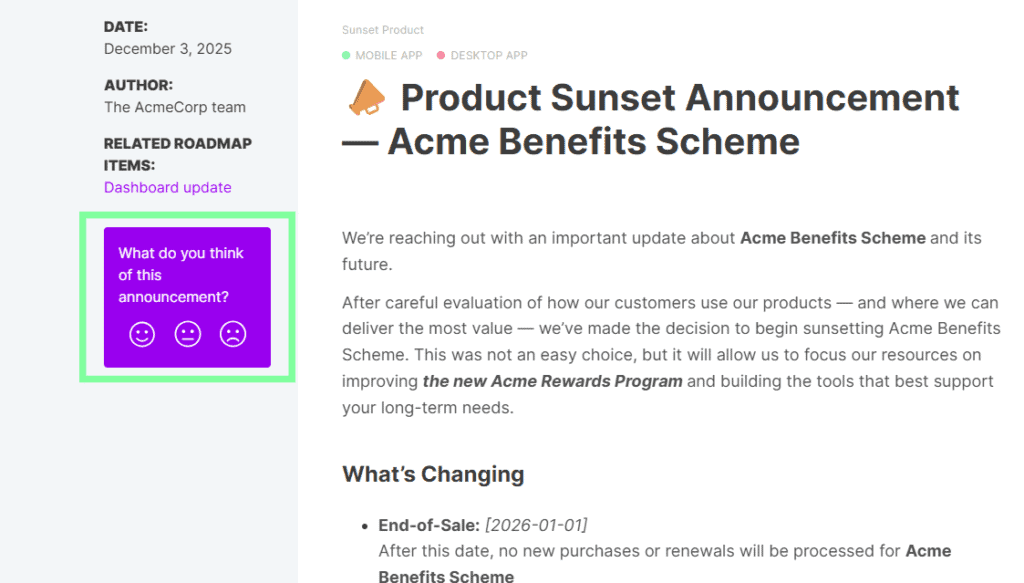
Here’s an example of a communication tool that would help to create a templatized announcement. Using a product management tool, like LaunchNotes, allows you to create, save, and publish announcements to multiple platforms or areas and target customers where they are likely to see your updates.
With a tool, you can easily post announcements to web applications or websites in a clear format, like the one below:
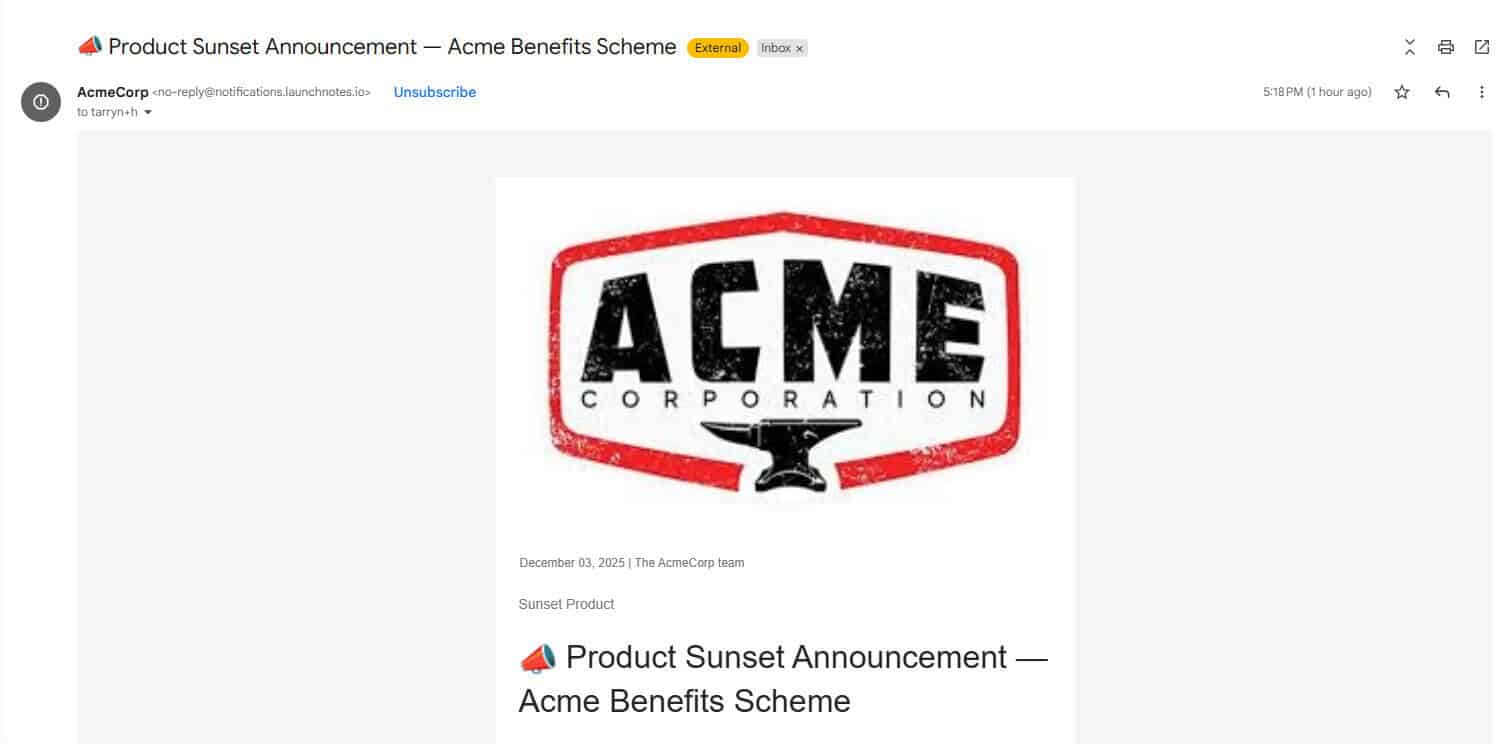
With product tools like this, you can send professional, clear information to targeted users or subscribers via email. Structuring communications to be sent via product communication tools helps ensure that you’re covering a wide range of areas where users are more likely to see this information.
What to include in your announcements:
- Remember to keep an empathetic tone that is solution-oriented. Users may feel overwhelmed by significant changes, so it’s important to reassure customers of any uncertainty.
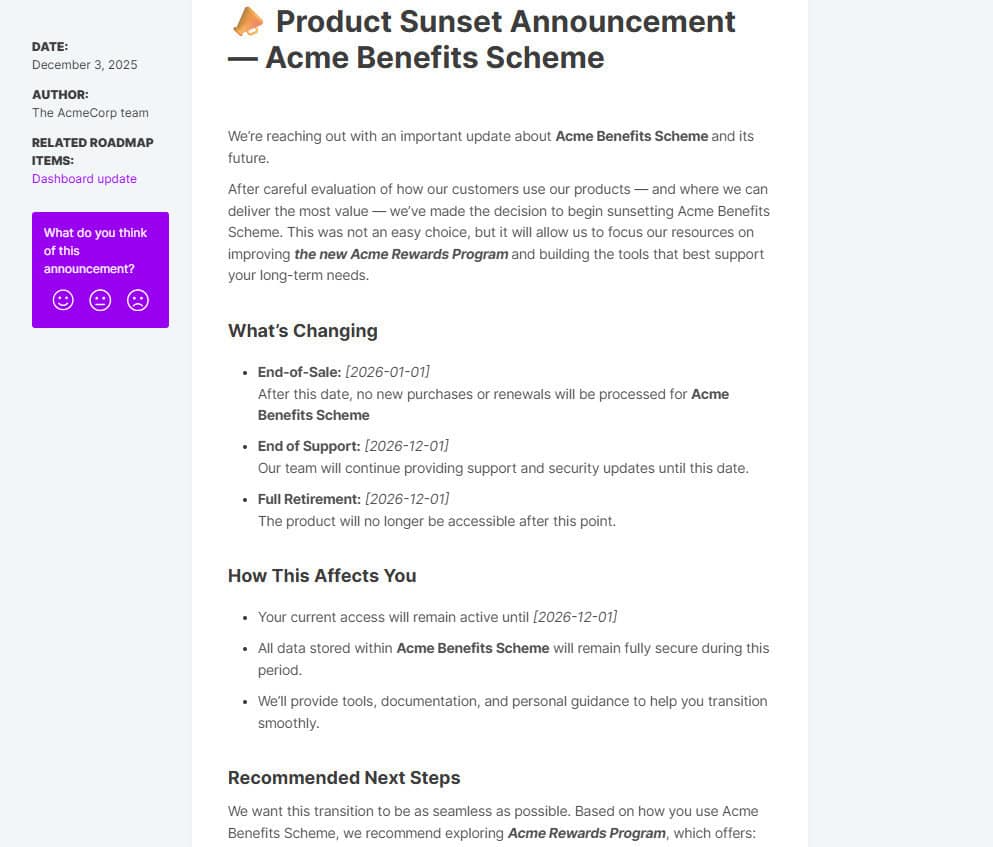
- Include what is changing – which services, features, or products will change, and how they will be altered or entirely discontinued.
- How users will be affected & next steps – Customers must understand if they’re affected by this change to ensure they can take necessary action if needed.
- When the change(s) take place – Include specific dates for actions to be taken, identify dates such as when support will no longer continue, and when the final date for sunsetting the product will be.
- FAQs – Include a quick FAQs section that will help answer some common questions that may arise from a typical sunsetting process.
- Contact information – Ensure that customers feel supported and include contact details for support if applicable, or resources to help, guides, FAQs, or more in-depth information.
LaunchNotes takes the busywork out of product updates. Paste in your notes or tickets and get a structured announcement draft instantly. It’s designed for teams that want to save time, segment updates, and keep communication consistent across every channel.
Additional information that may be important:
- Data retention policies
- Legal or compliance information
- A checklist of actions that need to be taken by a set date
Keep it short, professional, and clear to help surface key information quickly and easily.
A quick view should look similar to this format, but can contain relevant information depending on your target audience, product, or service.
Step 4: Execution
The execution will follow the plan created initially, but it’s also important to monitor progress throughout this step and identify any escalations or queries.
Tasks that typically occur at this stage:
- Identify a rollback plan that may be implemented in case of a critical issue
- Monitoring responses and general progress
- Engage with customer-facing teams to understand feedback, concerns, or queries raised
- Analyze any escalations or concerns
How to manage the execution phase:
It’s best to use a tool to assist with this process, as you can rely on a point to centralize feedback and communications.
Staggered communications can be sent as the timeline grows closer to the product sunsetting deadline. Regular updates keep users informed and reminded of any critical actions that may need to take place.
Most product communications platforms have widgets or areas where customers can leave feedback or queries directly on the announcement page or widget itself. In-app accessibility is a great way to ensure you’re gathering important feedback or negative user sentiments as they happen.
Step 5: Shutdown and Post-Sunsetting Analysis
Once the final shutdown has occurred and both the technical and communications aspects have closed out, it’s essential to reflect on any remaining activities that may need to happen.
The final steps may include:
- Ensure all signups or new sales entry points are closed out and no longer accessible.
- Exporting final data sets, archiving, or data storage if needed. This step may not be relevant for service-based businesses.
- Lessons learnt and retrospective activities are a great way to monitor what went well and what can be improved. Retrospectives are an internal activity that takes place with core teams that are close to the process.
- Use insights gathered to drive smart business decisions going forward.
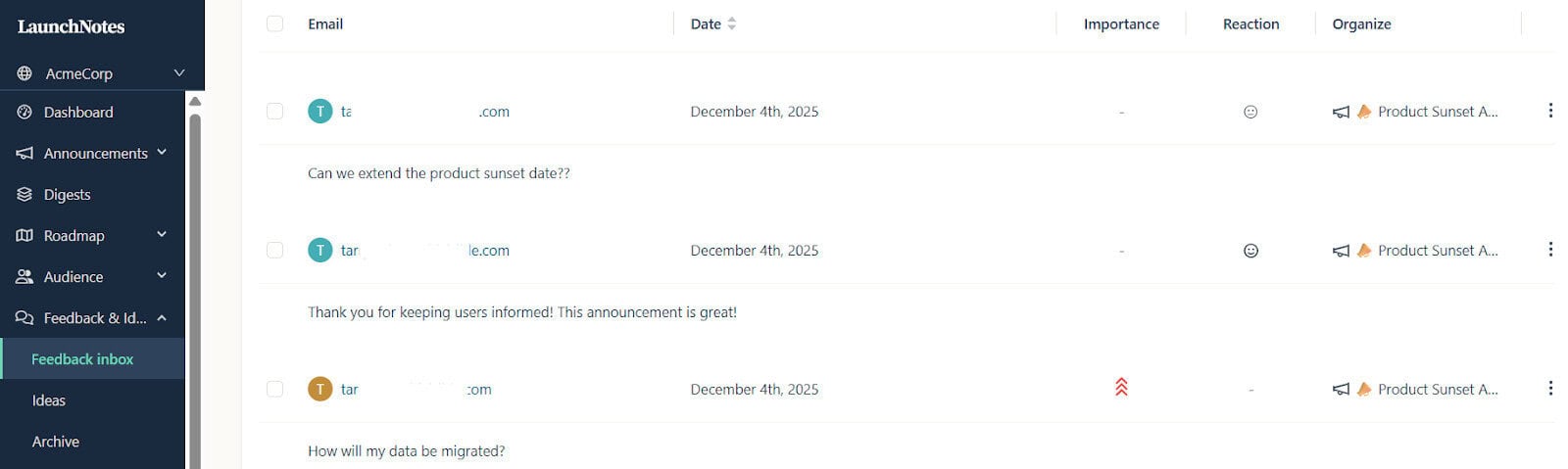
I opt for tools that allow me to gather information and sentiments so that the feedback can be used in lessons learned discussions.
Allowing users to respond as announcements are made also minimizes risk if escalations are surfaced as they happen.
Here’s an example of how a tool like LaunchNotes helps me to collate user feedback into my portal for easier analysis.
Product Sunsetting Best Practices
This guide covers a lot of key areas that may be relevant for most businesses that follow a typical product development lifecycle or SDLC.
Some key aspects to follow in product sunsetting processes:
- Give customers notice early on and ensure that users fully understand what is happening and when. Transparency will always build trust and ensure users feel supported.
- Regular, clear communications are critical to maintaining trust
- Provide precise steps that need to be followed and what alternate options are available if applicable.
- Your support team should be informed early on and have all necessary information on hand so that they can be ready and on standby to assist with user queries or technical issues.
- Have a central area where users can easily read through FAQs or be notified of any important updates.
- Using tooling like product communication platforms may help internal departments or teams to manage the entire process more easily.
In Summary – Product Sunsetting Strategically Matters
Product Sunsetting is a significant, yet natural occurrence in most businesses and can be less disruptive if managed correctly. The most considerable risk most organizations face is reputational damage when this process is not carefully carried out.
Maintaining trust with customers not only ensures long-term trust but also reduces customer churn and strengthens reputation.
Product sunsetting is a vital part of product management and should involve all internal key stakeholders to ensure responsibilities are assigned early on. By involving multiple departments and enabling internal teams to make use of purpose-built platforms like product management communications tools, organizations can be set up for success in this critical process.
By monitoring and measuring feedback, engagement, and post-shutdown activities, businesses can ensure a smooth process and can make smarter strategic decisions going forward.