


Last Updated on February 13, 2026 by Ewen Finser
FTC Disclaimer: We do make money from this blog and may receive compensation for this work in the form of commissions, fees and complimentary product access. Review our full FTC disclosure here.
WooCommerce gives you plenty of control over your store, but if I’m being honest, the shipping side can feel pretty clunky. If you’ve ever spent an afternoon trying to configure complex international shipping or dealing with yet another plugin hiccup, you know exactly what I mean.
I usually see store owners hit two main pain points:
1. Storefront headaches: things like checkout rates not matching carrier costs, unclear delivery times, or juggling three plugins just to show live rates.
2. Fulfillment chaos: the post-purchase mess of printing labels, tracking shipments, managing returns, and making sure carriers don’t lose your packages.
Today I want to focus on that second part, the fulfillment. Mostly because that’s where WooCommerce’s built-in tools really fall short. It’s also where a good third-party platform can save you hours a week and dramatically improve your customer experience.
My Top WooCommerce Shipping Alternatives (That Actually Work)
These are tools I’ve tested, recommended, or seen clients rely on successfully. I’ve also looked at online reviews and linked back to full reviews I have written of some of the tools in case you want a more in-depth look. Each one has its own “sweet spot” depending on how complex your store is, how big your budget is, and how fast you’re growing.
1. Shippo
Shippo is usually my first recommendation when someone asks for an easy upgrade from WooCommerce’s built-in shipping. It connects to 40+ carriers (USPS, UPS, FedEx, DHL Express, etc.) and gets you discounted rates with no minimum volume requirements.
It allows you to edit and print labels individually or in bulk, as well as manage tracking and returns right from one dashboard. I recently tested Shippo on a small batch of Etsy and WooCommerce orders: They were automatically imported into Shippo, I created the labels, and tracking information synced back into both Etsy and WooCommerce — all in under five minutes. No manual data entry required.
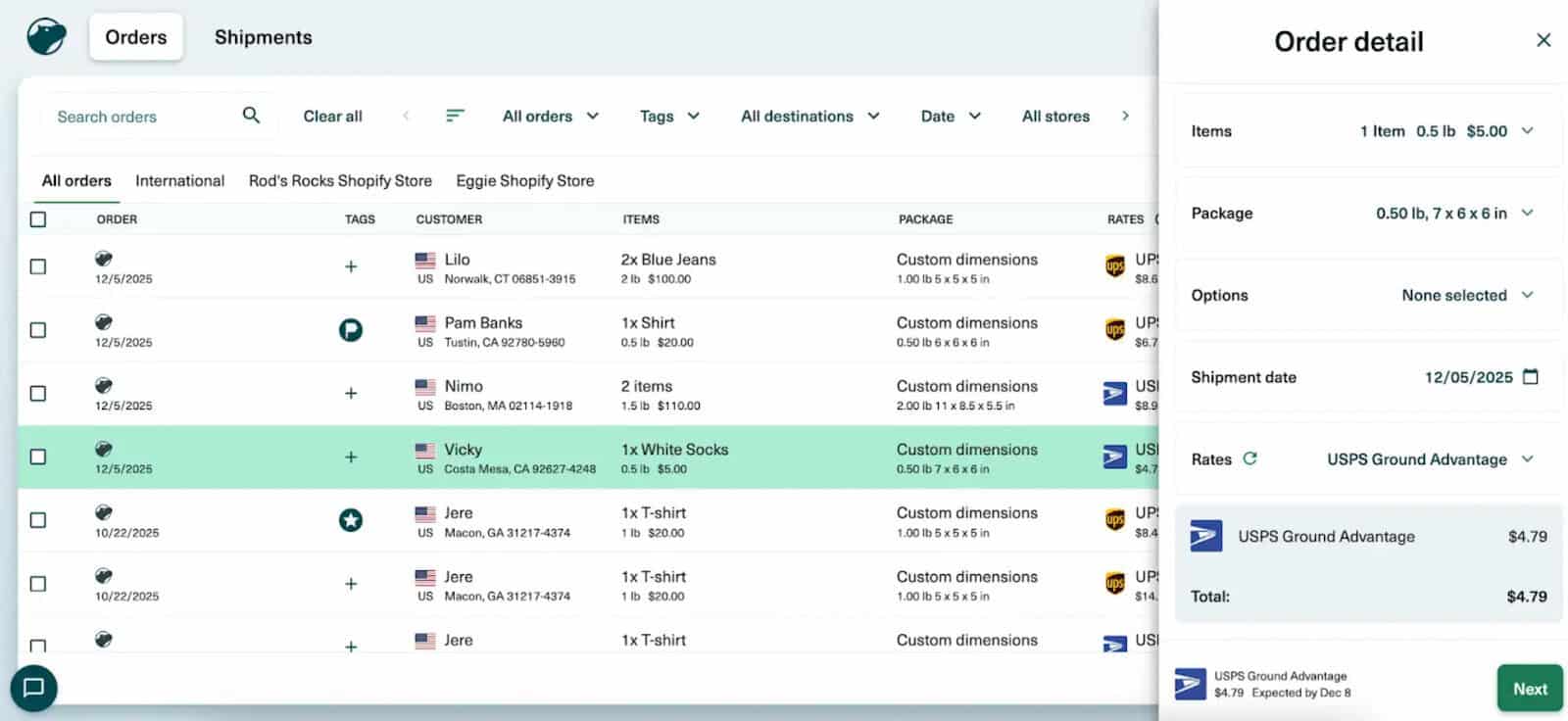
You can also send automated, customized tracking emails that reinforce your brand and result in fewer “Where’s my package?” messages. Shippo’s address validation also saves you from those embarrassing “wrong ZIP” returns, and their XCover insurance helps if a parcel goes missing or is damaged/stolen.
Its automation rules offer huge time savings and faster shipping, but they’re also very easy to use, using familiar IF/THEN style programming: “IF the order contains item ‘T-shirt’, THEN use package template ‘Small T-Shirt.’”
Shippo also supports multiple warehouses, so it is very scalable. For example, you can set up multiple sender addresses, allowing you to select the appropriate warehouse during label creation. Along the same vein, one of my favorite things about Shippo is that it integrates with other marketplaces/platforms like Etsy and Amazon, which means if you’re shipping orders for multiple platforms, you can handle them all in one place.
The free Starter plan lets you ship up to 30 labels a month, while the Pro plan adds branded tracking, multiple user logins, and up to 10,000 labels monthly. It’s affordable, flexible, and scales nicely as you grow, with the pricing growing with your business.
Shippo is the perfect mix of scalability but also simplicity. Plus, it has great pricing.
Pricing: Free – $199 per month. Free plan includes up to 30 labels a month. The Pro Plan scales in pricing from $19-$199, depending on how many labels you create per month.
2. ShipStation
ShipStation is a ubiquitous name in the shipping software industry, and it’s a common choice for businesses with more complex logistics needs and those selling on niche marketplaces.
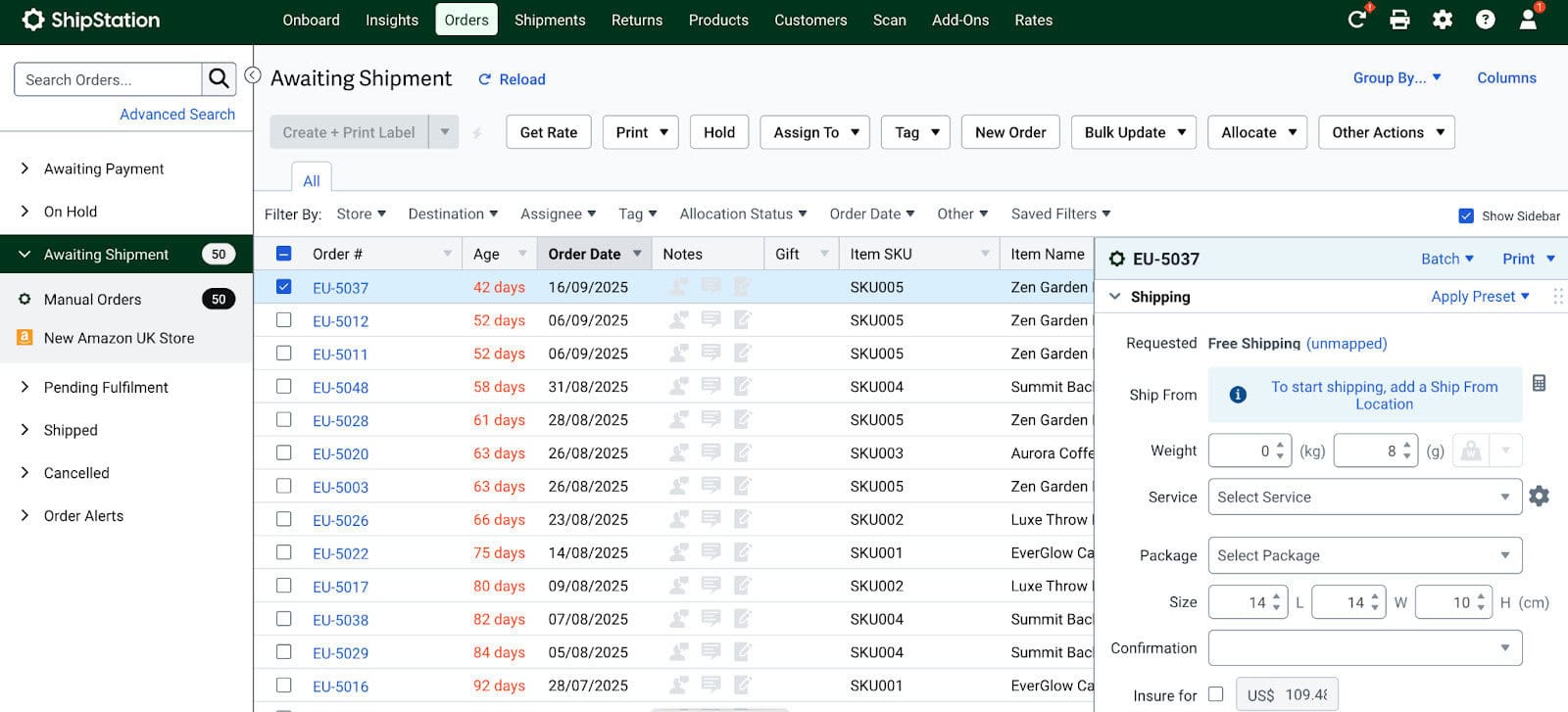
The automation rules are where it shines. There are lots of options for creating complex automations, and once it’s configured, you can process hundreds of shipments almost on autopilot. However, I find the automations a bit complicated to get set up, and if you are new to shipping or you don’t have a big team, you might find it complex. This is one reason I prefer Shippo for most businesses, as it offers a lot of the same functionality as ShipStation but without the (usually unnecessary) complexity.
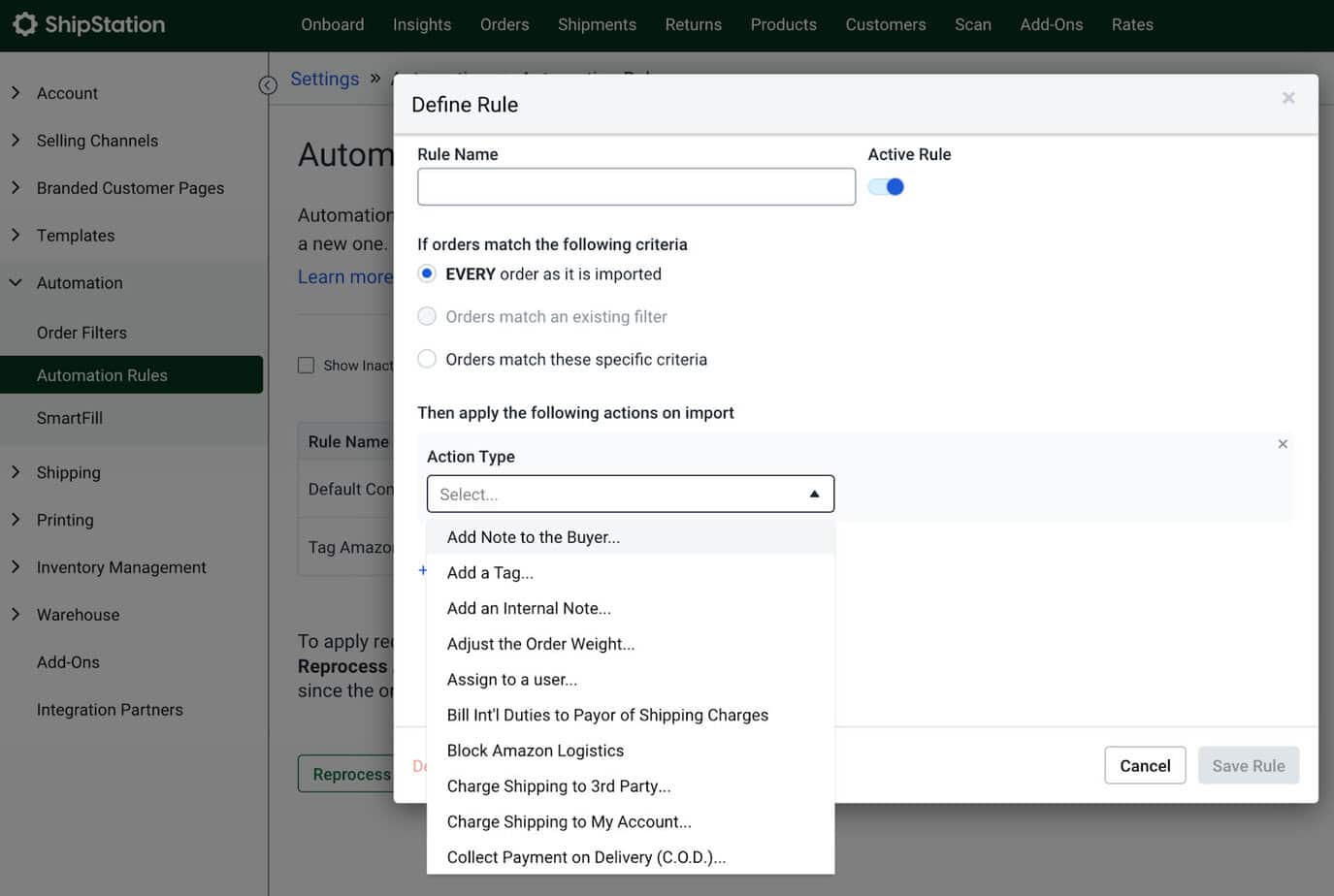
ShipStation does support branded packing slips and self-service returns, which helps keep your post-purchase experience polished.
That said, ShipStation’s pricing is higher than most other tools. API access and automation rules are locked behind higher tiers. So while it’s probably the most powerful, it’s not the cheapest to use — or the easiest, given its high complexity.
There’s also been several recent complaints around price increases and surprise fees for things like connecting your own carrier accounts.
Pricing: Free to $1,499 per month. Free plan includes up to 10 shipments.
#3. Easyship
Easyship is especially well known to international sellers who often make cross-border sales. If you have had complaints from customers about unexpected import taxes, then Easyship can help answer your problems.
Easyship automatically calculates landed costs (that’s the full price including duties, taxes, and courier fees) at checkout.
That means your customer in Germany or Australia sees the real price before buying, so no surprise invoices at delivery.
It integrates with 550+ couriers, including lots of very niche country-specific carriers such as New Zealand Post!
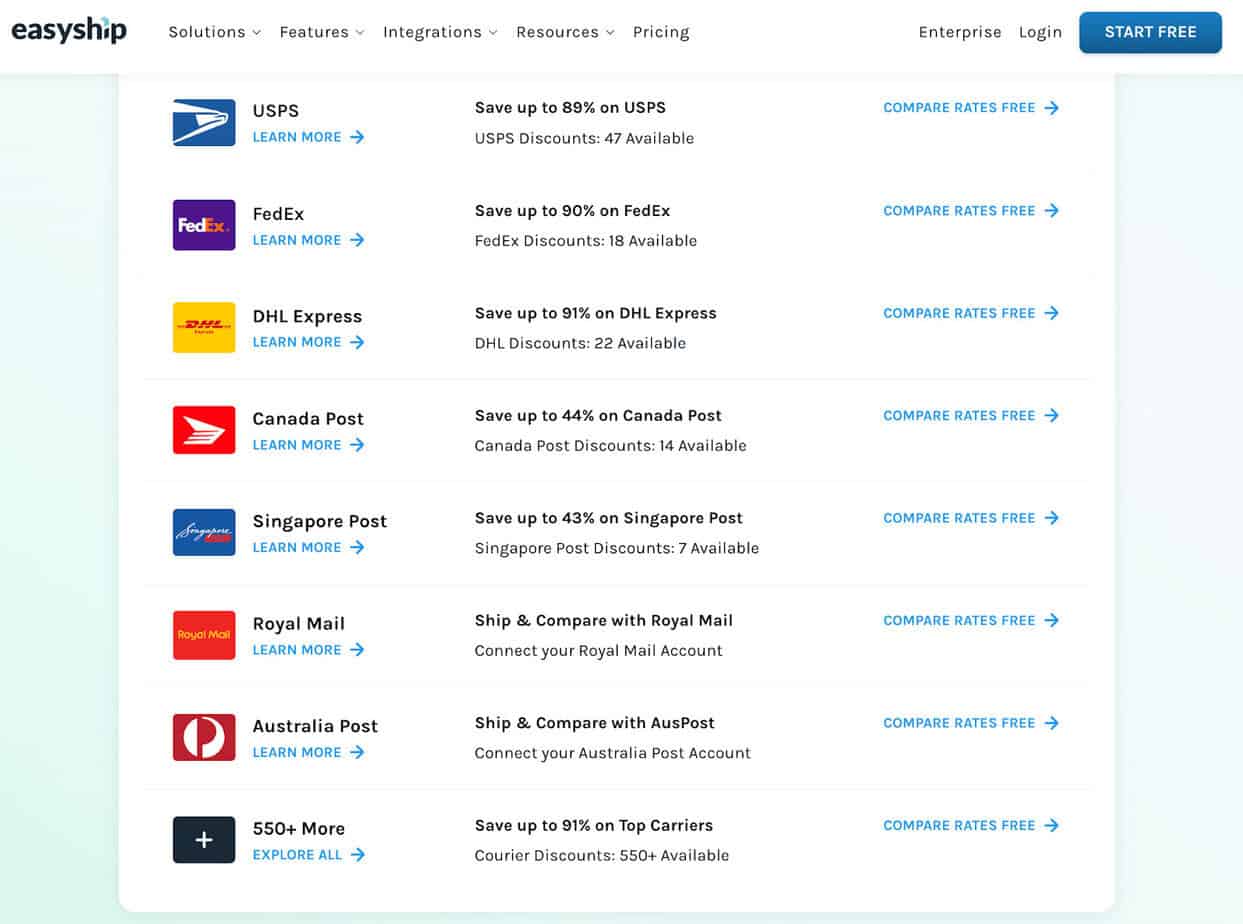
It also handles customs paperwork (commercial invoices, HS codes, etc.) and can route orders to fulfillment centers closer to your customers to reduce shipping time.
The biggest downside is that there are lots of reports of poor customer support. It’s a common complaint in reviews, with slow responses and unresolved billing issues.
Pricing: Free (up to 50 monthly shipments), with plans tiering to $199/month for 10,000 monthly shipments.
#4. SendCloud
Sendcloud is basically one of the biggest shipping software tools in Europe. It integrates with over 160 carriers across Europe and offers flexible delivery options (home, pickup points, same-day, next-day, etc.).
Their checkout integrates with your website, and it is one of the nicest-looking delivery checkout flows I have seen.
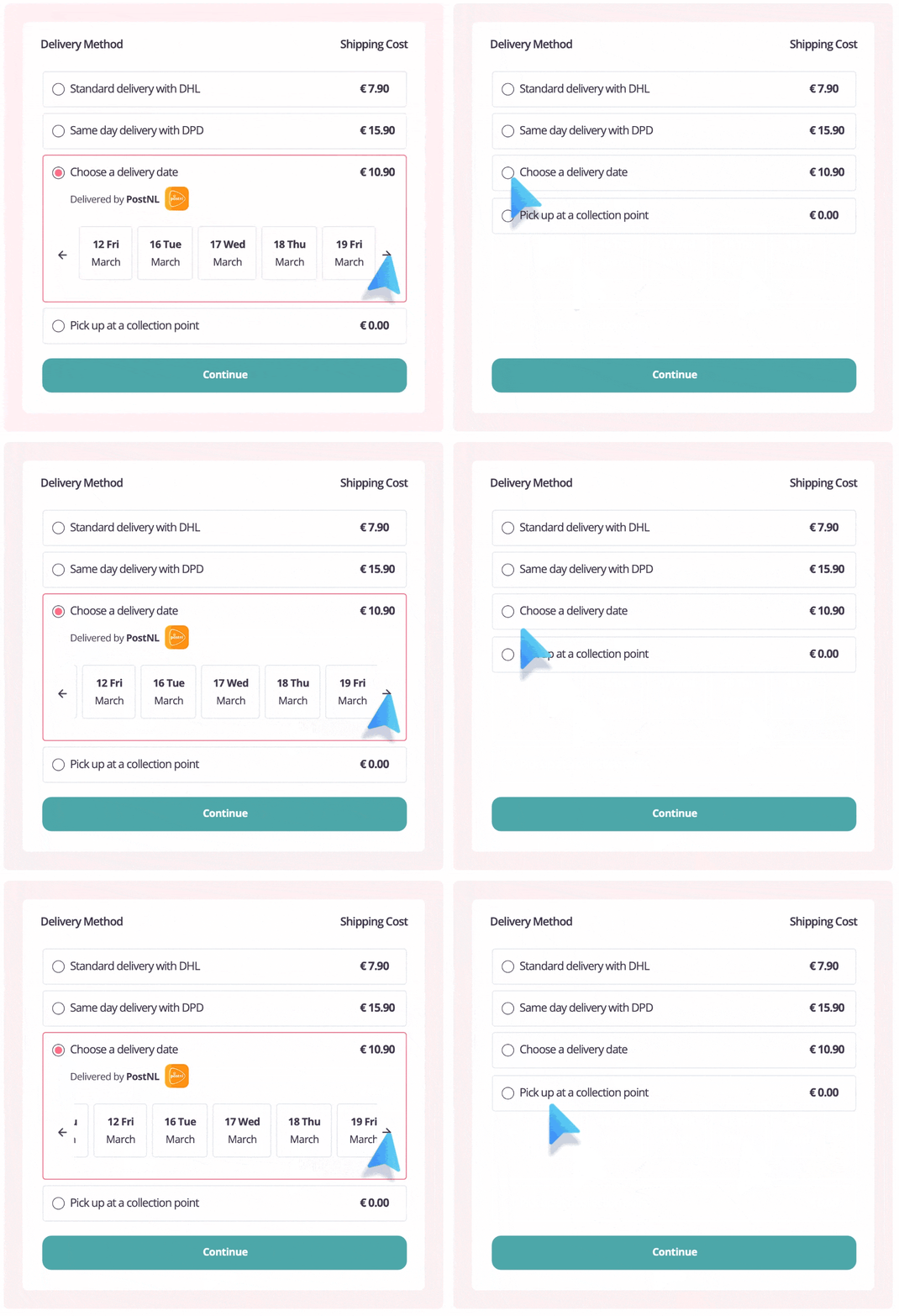
It’s also got a slick branded tracking portal and self-service returns, plus reporting tools that show you which carriers perform best.
While it does work worldwide, it definitely focuses on the European market, so if you are shipping in the USA, then other options like Shippo might be better.
Pricing: $33 to $799 a month, no free option.
#5. AfterShip
AfterShip started out purely as a tracking tool, and it’s still one of the best for that. Now, it supports over 1,200 carriers and sends branded delivery updates via email and SMS. It also supports label creation for 80+ carriers, making it a more complete solution.
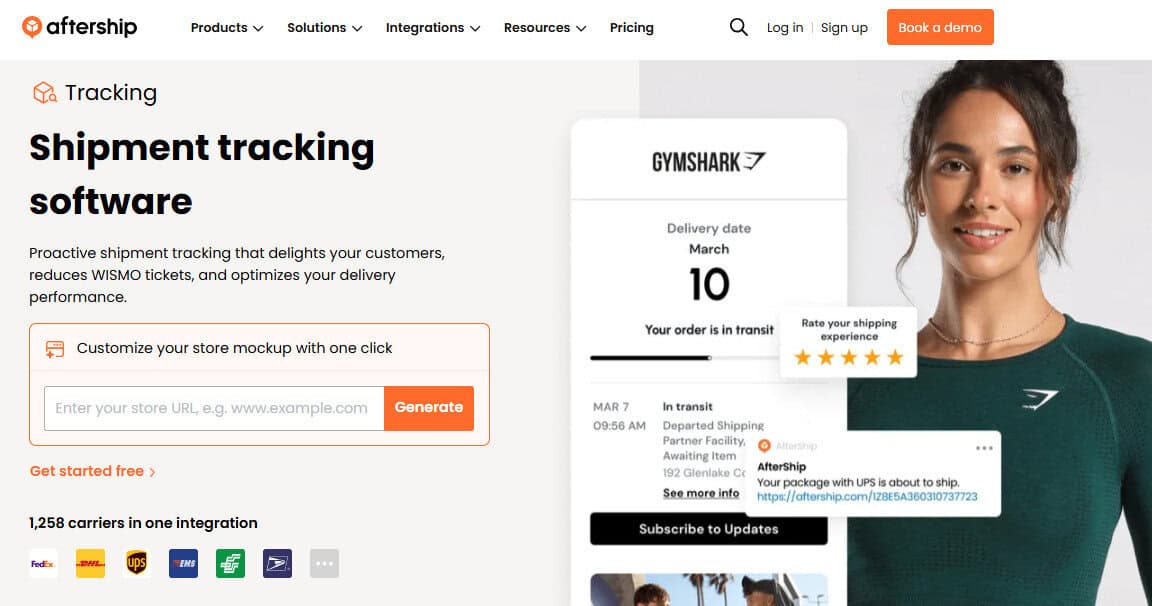
Its AI-powered delivery estimates and branded tracking pages look great, and customers get quick updates. This means you get fewer “just checking on my order” emails.
It also has integrations with Shein and TikTok shop, so it is great for on-trend stores and brands running influencer campaigns, too.
My main complaint is customer support again. Many users mention templated, unhelpful responses to tickets, which is not ideal if your business depends on quick fixes.
Pricing: $10 per month per user.
#6. PluginHive
PluginHive is a different offering altogether. It’s a WordPress plugin that connects WooCommerce directly to your own carrier accounts (USPS, UPS, FedEx, DHL, etc.).
This gives you total rate transparency and lets you use your negotiated discounts instead of platform rates, much like Shippo and ShipStation (with ShipStation including an extra fee if you want to connect your own carrier account). So you need to make sure that your rates are better than those offered on those platforms.
It is very affordable and simple to use. I love the fact that it connects directly to my WooCommerce site, and for smaller sellers, it could be a great option. But it lacks any advanced features and automations that the bigger tools have. Plus, I found setting up the box size configurations quite tricky and time-consuming.
Pricing: Mixed pricing; between $59 and $299 a year depending on the level of service.
Tips for Switching to a New Shipping Platform
Once you pick a tool, the migration part matters just as much as the platform. Here’s what’s worked best for me:
- Audit your data first. Double-check product weights, dimensions, and zones. Bad data = bad rates.
- Map your full workflow. From order to label to carrier handoff. Identify manual steps you can automate.
- Run test shipments. Compare live rates vs. flat rates to see how much margin you’re gaining (or losing).
- Train your team. Don’t go live until everyone understands how to print, track, and refund.
- Track metrics. Monitor “shipping cost per order,” “time saved per label,” and “support tickets” before and after.
- Review quarterly. Carrier rates and platform features change fast. Stay on top of updates.
My Verdict: Which Should You Pick?
If you are serious about growing your business, then Shippo is the best option. It has plenty of integrations, integrates with most major marketplaces and e-commerce platforms, allows and facilitates international shipping, and comes with automations to make sure your shipping runs smoothly.
If you already have a big business with an order management team that is experienced in shipping, then ShipStation can be a great option. It has the most advanced automations and reporting, but it is a bit complex to set up.
Shippo is perfect no matter the size of your business, as it includes a lot of the features of ShipStation but is cheaper and easier to use. Plus, the automations can be set up by a beginner, so you don’t have a big knowledge gap when you start.
And it grows with your business, so you can start for free or on a lower rate, and grow as you get more orders.