

- Here are my Top Picks for Scheduling Software for Cleaning Businesses
- What to Look for in Scheduling Software for Cleaning Businesses:
- Our Top 7: The Best Scheduling Software for Cleaning Businesses
- 1. Jobber - Best for Single User or Small Cleaning Teams Needing a Simple Tool
- 2. Homebase - Best Option for Managing Hourly Teams and Multiple Bookings
- 3. Housecall Pro - Best for Businesses That Need Online Booking Management
- 4. Square - Best for Small Teams Who Need Integrated Payment Options
- 5. ServiceTitan - Best for Large Scale Cleaning Companies
- Our Advice For Choosing the Best Scheduling Software for Your Cleaning Business:
Last Updated on March 6, 2026 by Ewen Finser
Staying on top of schedules is one of the most critical parts of running a successful cleaning business, and with the range of tools available make this so much easier than it used to be!
I manage schedules and task planning extensively, although not specifically in the cleaning industry; I know how double bookings, missed reminders, and employees arriving at the wrong locations can be a disaster for any team. Relying on group chats and manual Excel sheets can be useful as you start out, but this quickly becomes unmanageable and unreliable as your needs change and your team grows.
I’ve reviewed several cleaning business schedule software management tools out there. I’ve narrowed these down to my favourite picks based on those that are ideal for managing schedules seamlessly for businesses of various sizes and those with unique needs (and budgets). There’s a wide range, and although this can be a blessing in recent times, it means the choice can sometimes be less clear on which one is the best for you.
Choosing software of any type can be daunting, so it’s important to consider what your team size and specific feature needs are before choosing based on other factors. With this in mind, regardless of your needs, there are some common areas I would focus on when reviewing any tool.
Here are my Top Picks for Scheduling Software for Cleaning Businesses
- Jobber – Best for single user or small cleaning teams needing a simple tool
- Homebase – Best Option for Managing Hourly Teams and Multiple Bookings
- Housecall Pro – Best for Businesses That Need Online Booking Management
- Square – Best for Small Teams Who Need Integrated Payment Options
- ServiceTitan – Best for Large Scale Cleaning Companies
What to Look for in Scheduling Software for Cleaning Businesses:
1. Ease of Use for Schedule Management
It’s critical that scheduling software is easy to use and that creating and publishing schedules doesn’t take extensive time or upskilling. I specifically look for key features like drag and drop, overbooking alerts, reminders, and ease of shift swapping, for example.
2. Mobile App
A good, reliable mobile app is one of the first things I look at when choosing a scheduling tool. Schedules that can be checked and updated, and allow clocking in/out on the go is essential.
3. Payroll and Payment Functionality
Scheduling software can be really powerful when combined with a good integrated payroll or payment processing functionality. If using a single tool with multiple functionalities is important for you, look for scheduling software that has built-in payment and invoicing features or those that can integrate with other tools.
4. Communication and Collaboration Features
Communications and chats that are built into scheduling software can make accessing updates and employee information easier and save time. Having a single communication channel can also help avoid missed messages or important communications.
5. Overall Ease of Scalability
Like most cleaning businesses, starting small and reliability are important, but you should also consider tools that will scale with your business. You may need a platform that can support multiple teams or locations in the future, so opt for platforms that can grow and change as your needs do.
Our Top 7: The Best Scheduling Software for Cleaning Businesses
Some of the best tools are those that are diverse and can meet a wide range of needs; the best tool is the one that best serves your unique needs. Consider what features are important to you and those that may be beneficial for your business in the future.
1. Jobber – Best for Single User or Small Cleaning Teams Needing a Simple Tool
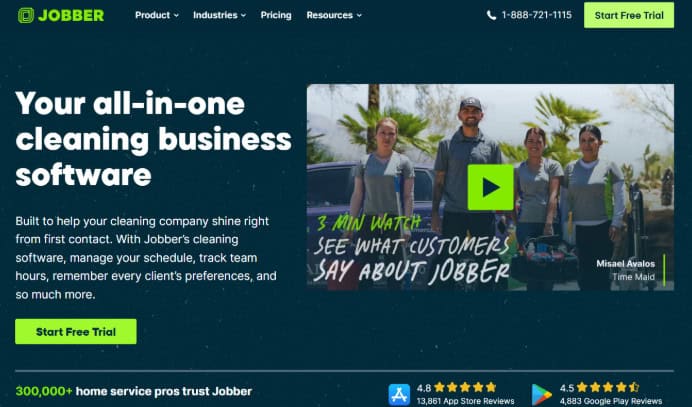
Jobber is a great all-in-one tool when it comes to managing cleaning businesses, with a CRM, scheduling, invoicing, and booking features wrapped up into a single tool. I found the platform easy to use, and I like that the free trial lets you get a good understanding of the key features without needing to pay for every add-on (unless you need them).
Standout Features:
- Job assignment: The interface is easy to view, making schedules easy to view and track work orders or jobs assigned easily. From job creation through to assignment, the process felt really smooth. I particularly liked automations like the recurring job feature, which means you don’t have duplicate jobs and actions.
- Automated notifications: Having to stay on top of all activities can feel overwhelming. As a business owner, Jobber’s updates, activity feed, and push notifications help keep you up to date on jobs. I also liked that customers can receive quick updates like “on my way” texts through the apps, email reminders for jobs, quotes, or other communications, which is great for customer experience.
- Quoting and invoicing features: Integrated functionalities like invoicing and quotation make using a single platform easier than having to use disparate systems. Quotations and invoices can be easily drafted from templates, and then reminders can be automated, which is a great time saver, especially when running a cleaning business.
Platform Limitations:
- Pricing plans tend to be quite expensive so I find that this may be a limiting factor for smaller businesses and those needing a scalable solution.
- Paid-for add-ons can add up quickly if you need additional functionality later on.
Pricing and Plans:
Jobber has three tiers to choose from for teams and individuals (costing below is based on a 12-month contract)
- Core: $25/user per month for up to one user and $124 per month for teams of up to 5 users.
- Connect: $84/user per month for up to one user and $249 per month for teams of up to 10 users.
- Grow/Growth: $124/user per month for up to one user and $440 per month for teams of up to 15 users.
Who Jobber is Best For:
Best for small businesses looking for a lightweight, intuitive tool that has a good range of functionalities.
2. Homebase – Best Option for Managing Hourly Teams and Multiple Bookings
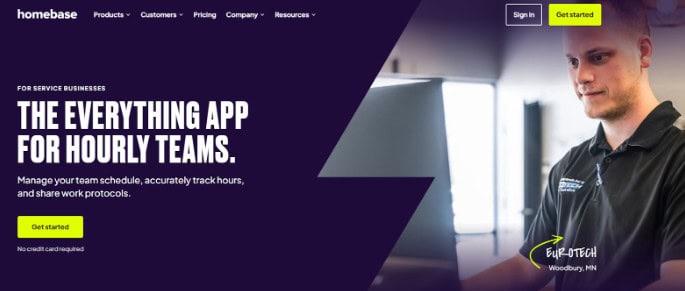
Homebase is purpose-built for hourly teams with multiple daily bookings, making Homebase a good fit for cleaning businesses that need an easy way to schedule, manage, track hours and automate wage calculations easily in one tool. Homebase is a good option for cleaning businesses that are starting out and need to make use of a free plan but with a good set of features that scale well for larger teams when needed.
Standout Features:
- Ease of use: Homebase is super intuitive and easy to navigate so it’s a great option for less tech-savvy teams who have not used a tool for scheduling before. When using Homebase for scheduling, I noticed a lot of handy reminders such as overtime alerts and schedule conflicts which makes it easier to manage ahead of time.
- Mobile accessibility: Homebase has a great mobile app, which I found user-friendly with great visibility into schedules, time clocks, communications and wages all within the app. Employees can easily see any shifts assigned or request shift swaps if needed which I found handy.
- Automated wage to payroll calculations: Homebase automatically calculates wages for you and rolls them up into the payroll feature which I found a huge time saver and a great way to reduce errors. I like that teams can use a single tool to manage multiple functions instead of needing to pay for separate software systems.
Platform Limitations:
- It’s not explicitly built to manage customer bookings so may require some customization to manage this effectively.
Pricing and Plans:
Homebase has three tiers to choose from with add-ons paid for separately. Homebase also offers an integrated bundled payroll pricing option.
- Basic: Free plan (for one location) up to 10 employees.
- Essentials: $24 per month
- Plus: $56 per month
- All-in-one: $96 per month.
Who Homebase is Best For:
Ideal for hourly teams that need an easy way to track wages and manage schedules within a single tool. It’s best suited for businesses that want the flexibility to enable added-on features that can scale as their requirements and business needs change.
3. Housecall Pro – Best for Businesses That Need Online Booking Management
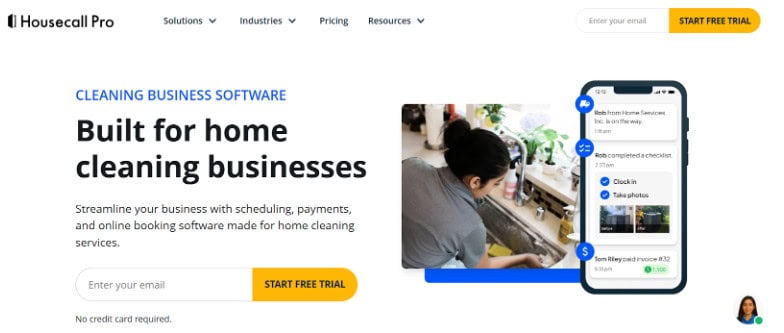
Housecall Pro is designed for the service-based industry and they’ve created a really well-rounded solution for cleaning businesses with multiple features that help make running a cleaning business a lot easier.
When using the tool, I noticed that they cater for multiple requirements like self-booking, easy scheduling and an easy way to quote and invoice within one tool.
Standout Features:
- Customer self-booking: Housecall Pro makes it easy for customers to book via the app and I found this a great way to reduce friction when needing to use service-based businesses like cleaning or other home services. Once your customers book you can quickly check availability and schedule an available employee to be dispatched.
- Reporting and analytics: Data and reporting is so important in any business, so this is one of the features I really liked that Housecall Pro has included. You can pull real-time data and make better business decisions based on critical information to help boost profitability and also monitor invoicing and forecasting.
- Quotations and invoicing: I prefer using tools like this where you can close the loop from quotation, to booking services and invoicing in the same place. I’ve found this generally reduces the amount of time spent running recons and making errors when tying up billing and payments.
Platform Limitations:
- The pricing can be high, especially for smaller businesses that don’t have large teams or those that don’t require advanced features. When wanting to scale and add features, costs can become hard to contain.
- The Housecall Pro interface was more clunky and slow than I’ve experienced with some of the competitor tools out there.
Pricing and Plans:
- Basic: $59 per month per user.
- Essentials: $149 per month for up to 5 users.
- MAX: $59 per month for up to 8 users.
Who Housecall Pro is Best For:
Housecall Pro is a great option if you’re a smaller cleaning business that requires customer self-booking and a platform that helps you manage online bookings easily.
4. Square – Best for Small Teams Who Need Integrated Payment Options
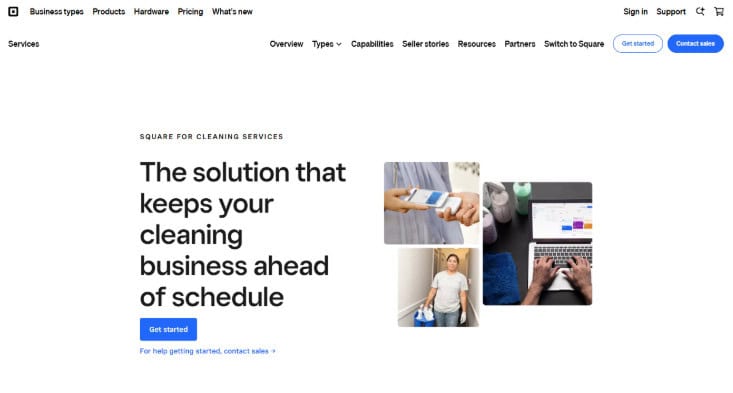
Square is an ideal option for small cleaning businesses or single person businesses that want a lightweight scheduling tool that offers customers an easy way to book and pay in one place. When using Square, it’s clear that simplicity is their core focus and sometimes this is all a small team needs. They have great add-on features like customer loyalty programs and email marketing campaigns for growing teams that need to increase their service offering down the line.
Standout Features:
- Free online booking platform: I really liked the ease of implementation when it comes to making use of the tool. By using the option to either embed the booking widget or make use of Housecall Pro’s free booking site, new users can get up and running easily without needing a full rollout process.
- POS and Payments: For smaller teams or entrepreneurs, finding ways to add payment channels can be tedious. I like that as a smaller cleaning service, employees can make use of the Square POS which can be used on the go, anywhere.
- CRM and Customer Management: Square has a built in customer management portal so that you can store all information securely and easily in one place. As a cleaning business it can be hard to manage information, reminders and recurring bookings without features like this.
Platform Limitations:
- Less customizable and scalable than similar scheduling tools which makes it less ideal for larger teams or multi-location businesses that need more advanced features.
- User reviews tend to be touch and go with an overall negative sentiment regarding customer support.
Pricing and Plans:
- Square Free: Free option for small or single-users.
- Square Plus: $49 per month per location. Free 30-day trial available for this plan.
- Square Premium: $149 per month per location. Free 30-day trial available for this plan.
Who Square is Best For:
Square is best suited for solo or small cleaning businesses that need a simple platform to help them manage bookings and customers in one place. With the Square POS as a great value add, it’s an ideal choice for teams that need a way to manage payments on the go.
5. ServiceTitan – Best for Large Scale Cleaning Companies
ServiceTitan is an enterprise level software that is a great option for larger cleaning businesses that need a tool that can handle advanced requirements like inventory management, work order management, service tasking, analytics and dashboards and more.
Standout Features:
- Scheduling automations: Scheduling tools can be hard to manage when your business and teams are growing and this is why I’ve come across ServiceTitan in the past when looking for larger scale tools. ServiceTitan has a lot of smart automations built into the platform which makes it easier to manage when things get busy including easy dispatching to ensure your employees are going to the correct locations at the correct time.
- Tracking transparency: If you’re a cleaning business with multiple teams across multiple locations, it can be hard to know exactly where your teams are. I like that ServiceTitan makes it easy to see with a great visual app so that team leads or managers can access critical information easily at a glance.
- Job forecasting and budgeting: I know first-hand how time consuming budgets vs actuals can be to collate. I like that ServiceTitan has a built-in job costing dashboard so that you can ensure your business is staying profitable and that you can make better strategic decisions based on real data.
Platform Limitations:
- ServiceTitan can be complex to set up, expensive and take time to implement. Teams will need upskilling and training in order to use all the functionalities effectively.
- More costly than other platforms so less ideal for smaller businesses.
Pricing and Plans:
- ServiceTitan has 3 pricing plans to choose from with pricing available upon request.
- ServiceTitan charges a price per user rather than a price per plan model so cost may vary.
Who ServiceTitan is Best for:
Due to the complexity and advanced features within the tool, ServiceTitan is ideal for larger, multi-team or enterprise organizations that need added operational features to help manage their cleaning business.
Our Advice For Choosing the Best Scheduling Software for Your Cleaning Business:
Choosing the right platform comes down to your budget, needs and team size and the best option for your team right now may look different in a few years as you grow or even downscale.
Make sure that you’re focusing on key features outside of just scheduling, such as whether you require payment integrations, payroll or invoicing features or even more advanced features like forecasting and operational tools.
Most of these tools have free plans or free trials and I’d always recommend trying before buying to get a good idea of the overall ease of use and even customer support! Make sure your users feel comfortable and like using the tool before committing.