


Last Updated on April 7, 2026 by Ewen Finser
Over time, I’ve watched too many salon owners burn out not from doing hair, but from juggling five different apps just to keep their business running. You’ve got one login for scheduling, another for marketing emails, a third for payroll, and somehow you’re still manually entering the same client information in multiple places! It’s exhausting, to say the least.
When I was researching platforms for my own salon, the decision between budget-friendly basics and comprehensive systems felt paralyzing. Do you save money now with something simple, or invest in software that could help you grow? If you’re weighing Rosy vs Boulevard, that’s exactly the choice you’re facing.
Having used both platforms and spoken with many salon owners about their experiences, I can tell you that Rosy offers straightforward, affordable functionality for smaller operations, while Boulevard provides an all-in-one system designed to maximize revenue and scale with ambitious salons.
In this guide, I’ll break down how these platforms differ in their approach to scheduling, client management, marketing automation, and payment processing—plus what each costs when you factor in real-world usage—so you can skip the months of research I went through and make a confident decision from the start.
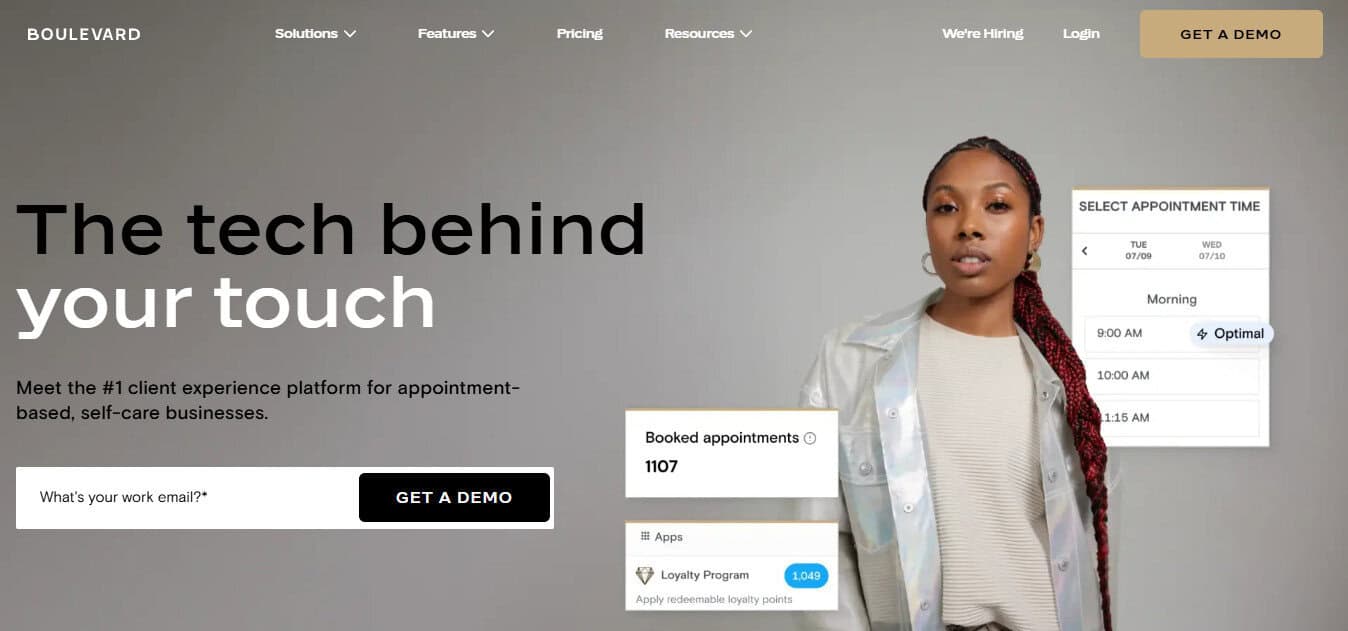
Boulevard was built for real stylists, salon, and spa owners. It handles booking, checkout, and smart scheduling the way busy salons actually work. It even handles marketing, from rebooking reminders to targeted emails and texts, plus it fills open spots with waitlist requests, without the scrambling.
What is Rosy?

Rosy is salon and spa management software that I’ve seen resonate particularly well with solo stylists and smaller salons just getting started. When the platform launched, it focused squarely on affordability and simplicity. For my stylist friends who are opening their first suites or taking over small salons, it makes a lot of sense.
You get the core features needed to run daily operations: online booking, point of sale, inventory tracking, and client management.
Rosy’s pricing is based on how many providers you have, starting at $44 per month for solo stylists and reaching $99+ per month for four or more providers. Rosy can support an unlimited number of stylists, but you’ll pay for each additional user you add.
Rosy is a common pick for new salon owners and solo operators who want straightforward software without complexity.
However, Rosy completed a merger with Aura, another salon software platform, in August 2024, and there’s been no public communication about platform consolidation or Rosy’s long-term future! This definitely creates some uncertainty for anyone considering Rosy.
What is Boulevard?
Boulevard launched in 2016 as purpose-built software specifically for salons, spas, and medspas. Unlike platforms that have been adapted from other industries, Boulevard was designed from the ground up to address the unique operational needs of beauty businesses.
The platform is especially geared towards growth-focused salons, and it scales to support enterprise operations with multiple locations. Boulevard’s pricing structure uses flat monthly rates per location rather than per-provider pricing: $176/month for Essentials, $293/month for Premier, and $410/month for Prestige.
What sets Boulevard apart for me is its all-in-one approach. Rather than requiring multiple subscriptions for scheduling, marketing, payroll, and inventory, Boulevard consolidates everything into a single platform with a unified dashboard.
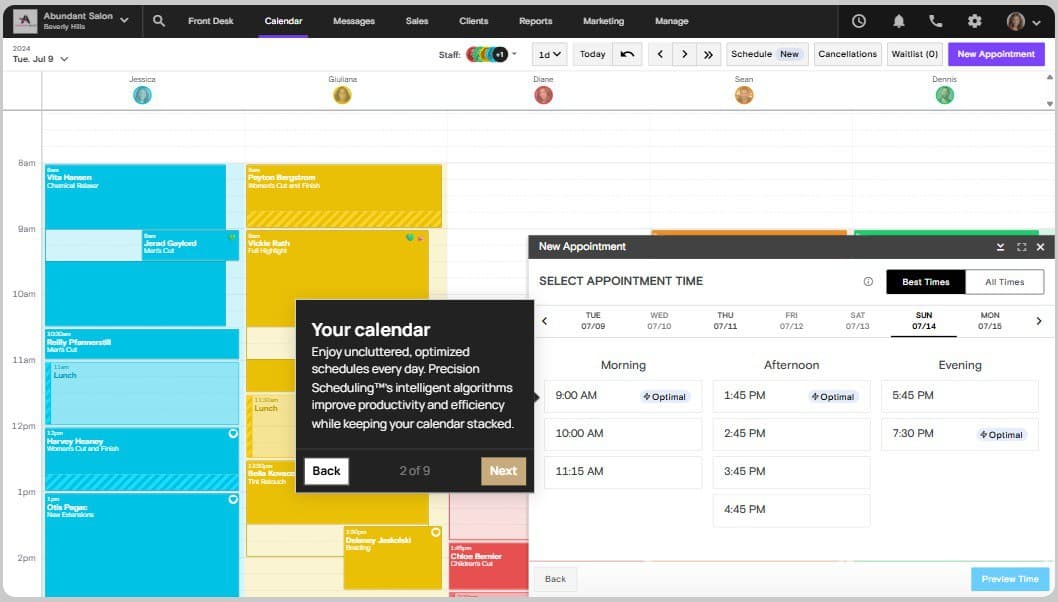
The software also includes proprietary features like Precision Scheduling™, which automatically suggests optimal appointment times to fill gaps and maximize revenue!
Rosy Vs Boulevard: Feature-by-Feature Comparison
Pricing and Value
Rosy’s provider-based pricing starts at $44 per month for solo stylists, $55 for two providers, $85 for three providers, and $99 for four providers. For more than four, you’ll be charged a custom rate depending on how many you need.
While this sounds affordable upfront, know that add-on costs can accumulate quickly! Automated email marketing, custom text reminders, mass email campaigns, image uploads to client profiles, and the Salon Marketing Services Pro dashboard all require separate fees.
Depending on how many stylists you have, a fully-featured Rosy setup can easily reach $200+ monthly.
Boulevard’s pricing is slightly different. Instead of paying per provider, you choose a tier with the specific features you need. The Essentials plan ($176/month) supports up to five providers, while Premier ($293/month) and Prestige ($410/month) increase that limit, as well as add features like resource scheduling.
For a solo stylist, Rosy’s $44 price point is hard to beat. But for a four-provider salon, the actual cost difference is closer than it appears once you factor in Rosy’s add-ons and per-stylist pricing.
Scheduling and Appointments
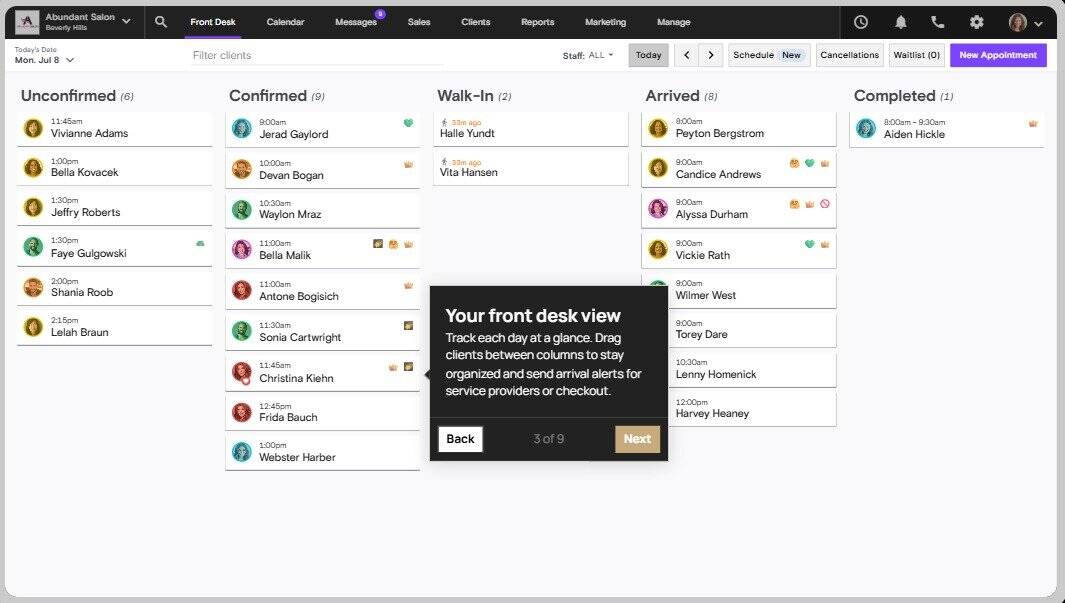
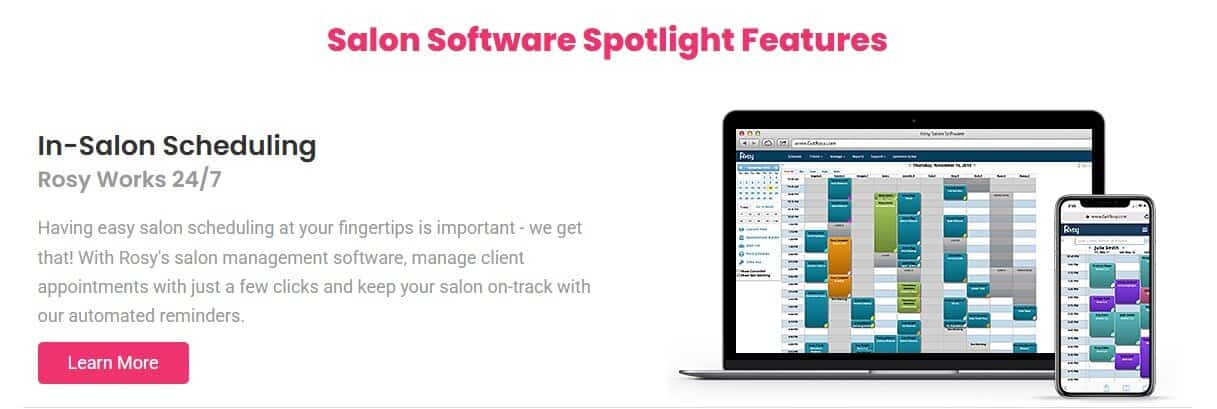
Rosy covers scheduling fundamentals like online client booking and appointment management. That said, it doesn’t optimize or automate beyond standard functions. Mobile scheduling works, though users report the app can be laggy, particularly on iPhones.
Boulevard approaches scheduling as a revenue opportunity.
Beyond standard online booking and calendar management, it includes Precision Scheduling, which analyzes your calendar and suggests appointment times that fill gaps efficiently. If you have a two-hour window between appointments, the system prioritizes services that fit that timeframe perfectly.
The big difference here is that Rosy works great for managing your schedule, while Boulevard optimizes it.
Client Management
Rosy provides basic client profiles where you can store contact information, service history, and purchase records. You can also link family members or couples together as connected clients, which is very helpful.
One thing Boulevard is missing that Rosy has is a dedicated Formulas section for color clients. While Boulevard allows you to store formulas in the Client Notes field, it’s not designed for it the same way Rosy’s Formulas section is.
But anything beyond that is an add-on (for example, image uploads to client accounts) cost extra.
With Boulevard, your client profiles include contact details, service history, purchase records, custom tags for segmentation, account balances, membership management, and client-specific pricing or service durations.
You can also create notes that follow clients across visits and manage series packages or prepaid services. The depth here allows for personalization that drives retention.
While Rosy keeps client profiles straightforward with service history and optional family linking, Boulevard treats client data as a foundation for personalization and retention strategies.
Payment Processing
Rosy offers RosyPay, a separate, optional payment processing service you apply for. The basic POS handles transactions, manages cash drawers, processes gift cards, and tracks sales. It covers essential checkout functions without complexity,
Boulevard offers its own optional POS called Duo, which accepts dip tap, swipe, and contactless payments, plus discreet tipping options to avoid the awkwardness at the front desk while clients decide what amount of gratuity they’d like to leave.
For booth rental salons, Boulevard’s multi-merchant functionality routes payments to individual stylist accounts within the same system. Rosy’s solution for booth rental salons is a separate software platform called Rosy Booth Rental Salon Software, which, like Boulevard, also works for hybrid businesses.
Both platforms handle standard checkout functions competently, but the real difference emerges in flexibility. Rosy requires a separate software product for booth rental scenarios, while Boulevard’s multi-merchant functionality handles hybrid commission-and-rental salons within the primary, main dashboard.
Marketing and Automation
Rosy offers an optional AI-powered marketing add-on called Salon Marketing Services Pro, which requires a separate membership fee. These tools exist in a separate dashboard accessed via a button in the main Rosy interface.
With this add-on, you can build rewards and referral programs, but the separation between the main dashboard and marketing tools can create a bit of confusion.
Boulevard integrates all marketing within the primary platform and includes AI-powered tools at no extra cost. The built-in AI can suggest subject lines, write email copy, and generate custom imagery tailored to your brand.
Here, your email campaigns, SMS messaging, automated reminders, rebooking campaigns, and review requests all launch from the same dashboard where you manage scheduling and clients.
Reporting and Analytics
Rosy includes a Performance Dashboard that displays service and product sales with clear, simple graphs. Your stylists will get their own set of reports to view through the role-based dashboard, which provides personalized guidance by using that specific stylist’s client data.
Boulevard’s reporting is a bit more advanced, which can be a double-edged sword. As a salon owner with 15+ years of experience, I love having all of my data at my fingertips. But for new or less experienced owners, there’s a slight learning curve.
All of the standard reports, like sales, services, staff performance, commission tracking, gift card liability, inventory, and client retention metrics, are readily available. Then, you can do a data drilldown to dig into specifics behind any number.
The difference to note here is that Rosy gives you the numbers for tracking daily performance, while Boulevard gives you the analytical depth to identify trends, optimize pricing, and make strategic decisions based on data patterns.
Integrations
Rosy connects with Facebook and Google for booking, Tippy for instant tip payouts to stylists, and with Vish for tracking color formulas. Beyond those four integrations, the platform essentially stands alone.
So, if you’re using QuickBooks for accounting or Mailchimp for marketing, you’ll handle those connections manually.
Boulevard integrates with QuickBooks for accounting, Reserve with Google for search-based booking, Instagram and Facebook for social media booking buttons, Shopify for retail integration, and much more. If you have apps you already know, love, and plan to keep using, Boulevard likely can connect to them seamlessly.
All in all, Rosy connects to four specific tools, while Boulevard’s extensive integration library means your existing tech stack (accounting software, retail platforms, marketing tools) will most likely work seamlessly without manual workarounds.
Ease of Use
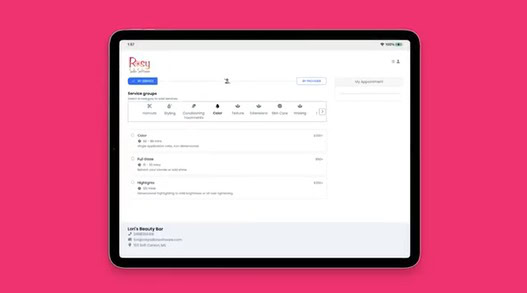
Rosy’s ultra-simple interface requires minimal training. New salon owners and tech-averse staff can learn the basics in an afternoon, in most scenarios. However, that simplicity can become a limitation when you need more sophisticated functionality.
Boulevard’s modern interface balances power with usability. The learning curve is slightly steeper due to more features, but Billie (Boulevard’s built-in AI chat assistant) provides instant help.
Ask Billie how to set staff permissions or create a campaign, and you get step-by-step guidance without leaving the platform or contacting support. Basically, know that Boulevard’s complexity comes from capability, not poor design.
Rosy vs Boulevard Pricing Comparison
Rosy offers four tiers, plus several add-ons compatible with every tier:
- Just Me – $44/month
- 2 providers – $55/month
- 3 providers – $85/month
- 4+ providers – $99/month (scaling to 20+ providers unclear)
- Add-ons – Automated email marketing, custom text messages, image uploads, AI marketing dashboard (each billed separately)
Boulevard also offers four tiers, with a few add-ons available on all tiers:
- Essentials – $176/month (up to 5 providers, includes 100 texts and 500 emails)
- Premier – $293/month (unlimited providers, includes 250 texts and 1,000 emails)
- Prestige – $410/month (unlimited providers, includes 2,500 texts and 10,000 emails)
- Enterprise – A bespoke, custom-priced tier for large, complex operations
- Add-ons – Forms and charts, photo markup with supervisor sign-off, automated marketing campaigns, QuickBooks integration
Who Should Choose Rosy?
Rosy makes sense when your budget constraints outweigh your need for feature depth. For example, if you’re a solo stylist in a suite rental or booth arrangement and aren’t yet ready to invest $176 monthly? Rosy should deliver the essential scheduling and POS functions you need at $44.
The same goes for new salon owners who are still learning the business. If that’s you, you’ll benefit from Rosy’s straightforward approach while you establish operational rhythms.
Finally, salons with tech-averse staff who struggle with complex software can minimize training time with Rosy’s basic interface.
Pros:
- Most affordable entry point at $44/month for solo stylists
- Covers basic salon management needs adequately
- Optional AI-powered marketing add-on available
- Simple interface with minimal learning curve
- Month-to-month with no contracts
Cons:
- Minimal third-party integrations
- Limited reporting and analytics capabilities
- Uncertainty about future due to Aura merger
- Very basic feature set limits your growth potential
- Separate marketing dashboard creates workflow friction
Who Should Choose Boulevard?
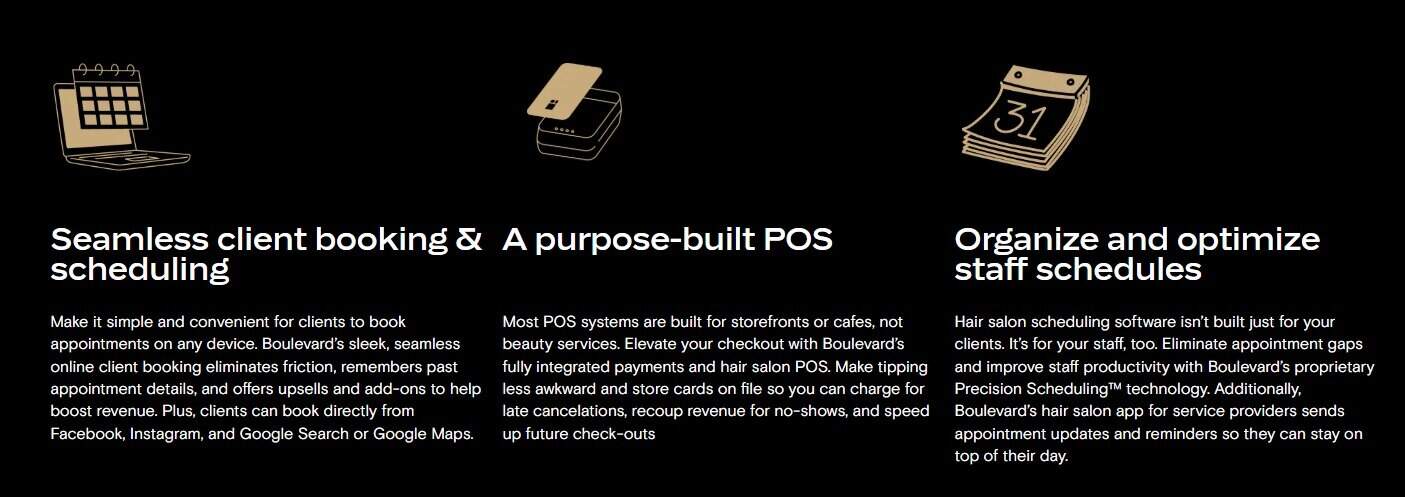
Boulevard is built for established, growing salons that are ready to treat their business as a long-term opportunity. If you’re a salon owner who views software as an investment in revenue generation rather than an unavoidable expense, Boulevard is likely the software you’ve been searching for.
This platform is also a game-changer for any salon owner tired of juggling multiple platforms for scheduling, marketing, payroll, and inventory! The same is true for multi-location salons (or those planning to expand) who want to have a simple, repeatable framework for all locations.
Lastly, booth rental salons that need built-in multi-merchant functionality—especially if some of your staff are booth renters, but not all—will appreciate how seamless and simple Boulevard makes payments.
Pros:
- Built-in AI tools (Billie assistant, AI-powered marketing) at no extra cost
- Precision Scheduling™ maximizes appointment revenue
- All-in-one platform eliminates multiple subscriptions
- Integrated marketing with no separate dashboard
- Built-in multi-merchant for booth rental salons
Cons:
- May be more than solo stylists need
- No free trial, demo only through sales team
- Higher entry cost ($176/month for Essentials)
- Slight learning curve due to comprehensive features
- Certain features, like resource scheduling, are locked behind higher subscription tiers
Final Thoughts on Rosy vs Boulevard

Choosing between Rosy vs Boulevard comes down to where your salon is right now and where you want it to go.
If you’re just starting, have 1-3 chairs, and need to keep costs minimal while you find your footing, Rosy delivers the basics at an accessible price point. The simple interface won’t overwhelm you when you’re still learning the fundamentals of salon ownership, and the $44 – $99 monthly cost likely won’t strain a tight budget.
Boulevard was built for real stylists, salon, and spa owners. It handles booking, checkout, and smart scheduling the way busy salons actually work. It even handles marketing, from rebooking reminders to targeted emails and texts, plus it fills open spots with waitlist requests, without the scrambling.
But for salons ready to grow, or already growing, Boulevard’s integrated tools, intelligent scheduling, and seamless multi-provider support justify the investment.
For me, the question wasn’t whether Boulevard cost more. What I asked myself instead was if the revenue-generating features like Precision Scheduling and automated marketing campaigns would pay for themselves through increased bookings and client retention.
At the end of the day, most salons will eventually need features on the level that Boulevard offers. So, the real decision is whether to start there or plan to migrate later when you outgrow Rosy’s limitations.
FAQs
Question: What is the best beauty salon management software?
Answer: Boulevard is the best salon management software for growth-focused salons with 5+ providers, offering integrated scheduling, marketing, and AI tools. For solo stylists or small salons (1-4 chairs) on tight budgets, Rosy provides essential features at $44-$99 monthly.
Question: How much does salon software cost?
Answer: Salon software can cost anywhere from free to $410+ monthly, depending on your desired features and salon size. Also, keep in mind that add-on fees for marketing and integrations vary by platform.
Above all, the cost you pay for your salon software should be well worth how much it simplifies daily operations and the amount of otherwise lost revenue it helps you recapture.
Question: What’s better, Rosy or Boulevard?
Answer: In my professional opinion, as a salon owner, Boulevard is better for established salons needing advanced features, AI-powered tools, and revenue optimization features. Rosy is better for solo stylists or new salon owners (1-4 chairs) who prioritize affordability over comprehensive functionality. If your salon is growing, you’ll likely outgrow Rosy eventually.